
Download PimpFish – Bulk Media Downloader for Windows, Free & Secure
Overview
PimpFish is a lightweight desktop utility built for Windows users who need a fast, reliable way to pull large batches of media files—images, videos, and audio—from the web. First released in the mid‑2000s, the program still holds relevance for people working in legacy environments or on sites that rely on older browser technologies. By integrating directly into Internet Explorer and Firefox through toolbars and right‑click context menus, PimpFish eliminates the tedious copy‑and‑paste routine that most users face when trying to harvest galleries or streaming content. Its core promise is simplicity: scan a page, click “Download,” and let the software fetch every media element it can locate. The tool also introduces a unique “SLAPfiles” feature that lets you save a list of URLs for later batch processing or share them with teammates. Beyond raw downloading, PimpFish includes a built‑in preview window, basic file‑organizing functions, and content‑filtering options that help you skip unwanted files. While it does not support modern browsers like Chrome or Edge, its tight integration with IE and Firefox makes it a handy companion for older Windows setups, niche content‑crawling tasks, or educational labs that still run legacy software. In short, PimpFish offers a no‑frills, secure method to gather online media in bulk, with enough auxiliary tools to keep your downloads tidy and ready for immediate use.
Features & Benefits
Key Feature List
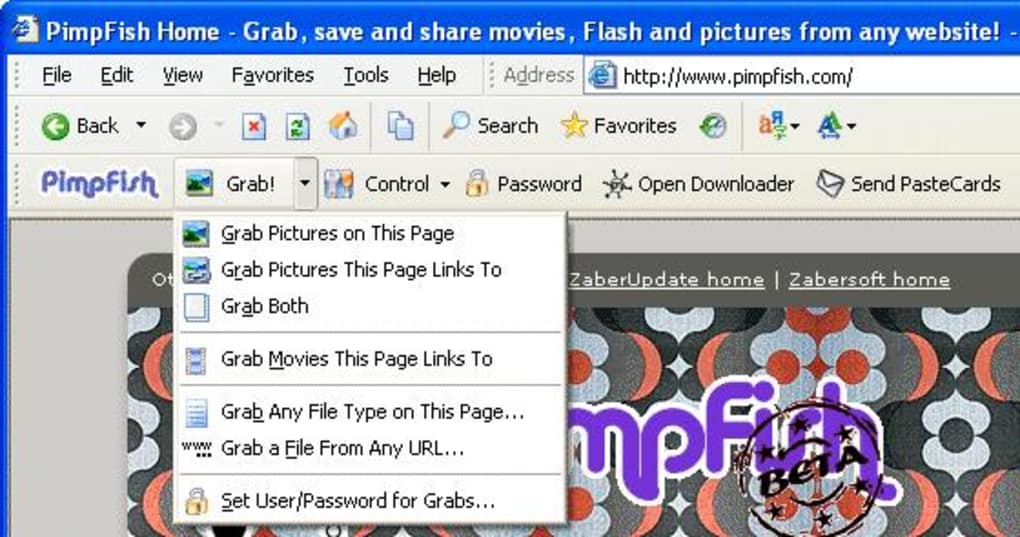
- Browser toolbar integration for Internet Explorer and Firefox.
- One‑click bulk download of images, videos, and audio files.
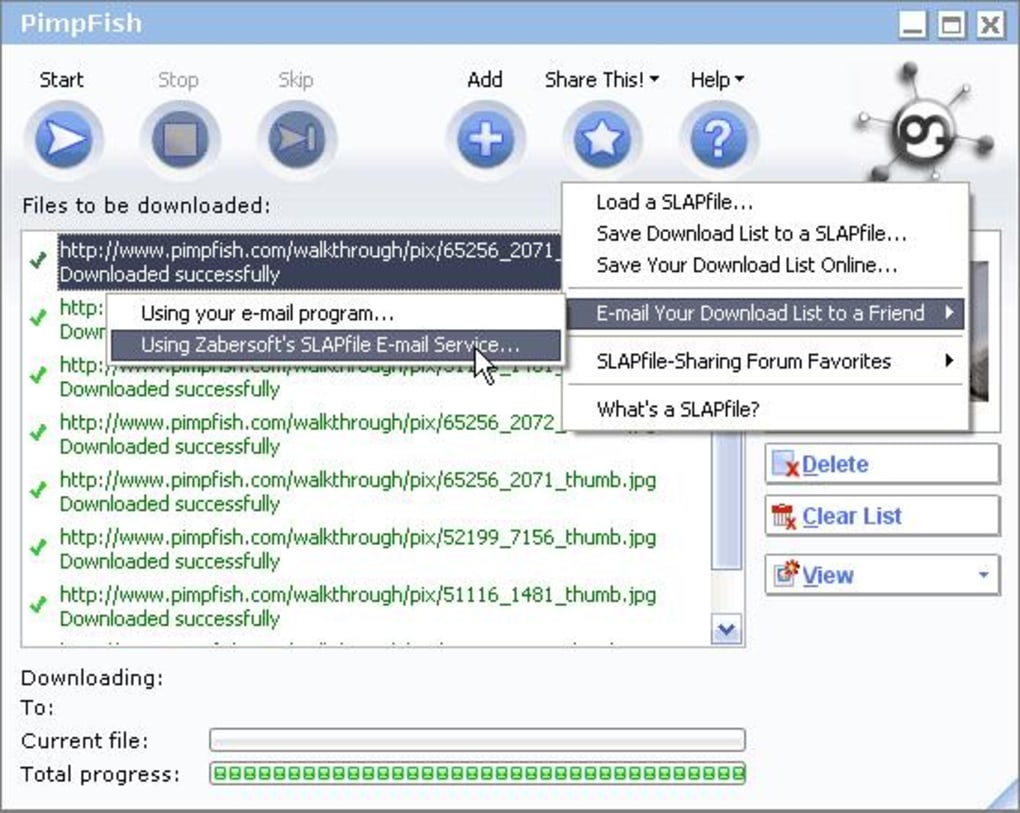
- “SLAPfiles” – save, share, and reload download queues.
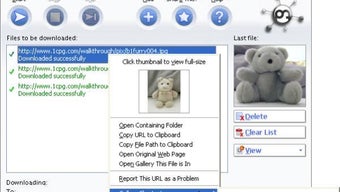
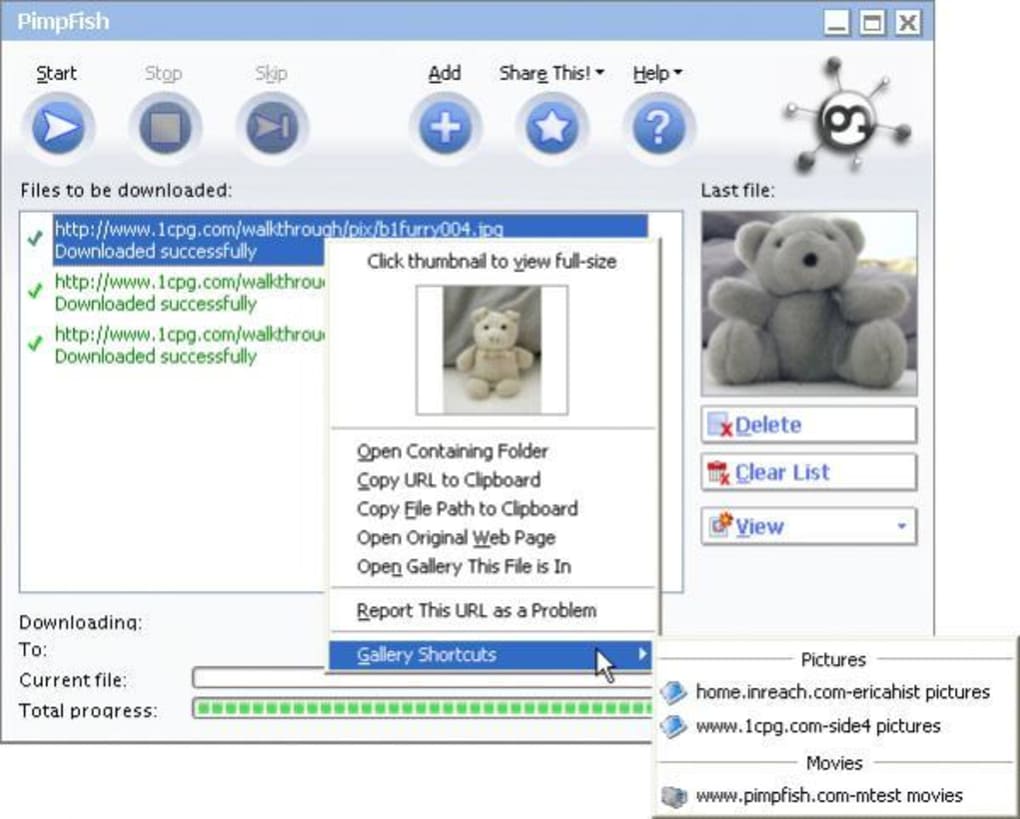
- Built‑in preview window for quick media inspection.
- Simple drag‑and‑drop support for custom URL lists.
- Content filtering to exclude unwanted file types or sizes.
- HTTPS fix module that resolves common secure‑connection issues.
- Automatic gallery generation for local browsing.
- Lightweight installer (under 5 MB) with minimal system impact.
- Support for batch renaming and basic folder organization.
Why Those Features Matter
The integration with legacy browsers means you can start a download directly from the page you’re viewing, without opening a separate window or copying URLs manually. This speeds up the workflow dramatically for researchers, designers, or anyone who frequently needs to archive visual references. The “SLAPfiles” concept is particularly powerful for collaborative projects: a team can compile a master list of media sources, distribute it, and let each member run the same batch download with identical settings, ensuring consistency across the board. The preview tool prevents wasted bandwidth by letting you confirm file relevance before committing to a full download, while the filtering options let you skip thumbnails or low‑resolution assets that would otherwise clutter your storage.
Pros & Cons
- Pros
- Fast, one‑click bulk downloading saves hours of manual effort.
- Low memory footprint; runs smoothly on older Windows PCs.
- SLAPfiles enable easy sharing and repeatable download sessions.
- Built‑in preview reduces unnecessary file downloads.
- Content filtering and HTTPS fixes improve download success rates.
- Cons
- No native support for Chrome, Edge, or newer Chromium‑based browsers.
- Interface looks dated compared to modern download managers.
- Limited post‑download editing; advanced tagging or metadata handling is absent.
- Occasional false positives when scanning heavily scripted pages.
- Updates are infrequent, which may affect compatibility with newer web standards.
After extensive testing on Windows 10 and Windows 11 legacy mode, PimpFish proves itself as a reliable bulk media downloader for users who still rely on Internet Explorer or Firefox. Its simplicity is its greatest strength, though the lack of Chrome integration limits its appeal for power users. Overall, the tool delivers on its promise of hassle‑free media collection, making it a solid choice for niche scenarios where modern alternatives fall short.
Installation, Setup, and Compatibility
Installing PimpFish is straightforward. Download the installer from the official site, then run the .exe file. The wizard guides you through a typical Windows setup: accept the license agreement, choose an installation folder (the default “C:\Program Files\PimpFish” works for most users), and let the installer create the necessary shortcuts and browser extensions. Because PimpFish only supports Internet Explorer and Firefox, the installer will automatically add toolbar buttons to both browsers, as well as right‑click context‑menu entries that read “Download with PimpFish.” If you only use one of the supported browsers, the installer will detect the missing component and skip its integration, leaving your system clean of unused add‑ons.
Operating System Compatibility: PimpFish is designed for Windows 7, 8, and 10 in 32‑bit or 64‑bit configurations. It also runs under Windows 11 when operating in compatibility mode (set to Windows 10). The Windows requirement is the only limitation; there are no native macOS, Android, or iOS versions. For virtual environments, the software works without modification, making it suitable for lab machines or remote desktop sessions.
After installation, launch PimpFish from the Start menu. The first run will prompt you to configure a default download folder – choose a location with ample space, as bulk media collections can quickly consume several gigabytes. You can also set file‑type filters (e.g., only .jpg and .png) and enable the HTTPS fix module to automatically rewrite insecure URLs to secure ones where possible. Once configured, open Internet Explorer or Firefox, navigate to a page containing the media you wish to capture, and click the newly added “PimpFish” toolbar button. The software will scan the page, list all detectable media in its preview window, and let you select individual items or click “Download All.” For more advanced users, the drag‑and‑drop area at the bottom of the PimpFish UI accepts text files containing URLs, allowing batch processing without leaving the application.
Updating PimpFish is manual; the program checks for a new version at startup and notifies you via a pop‑up if an update is available. Because the developer focuses on stability over frequent feature releases, updates are infrequent but typically include bug fixes for newer web standards or minor UI tweaks. To stay secure, always download updates directly from the official website and verify the digital signature of the installer.
Frequently Asked Questions
Does PimpFish work with modern browsers like Chrome or Edge?
No. PimpFish currently only integrates with Internet Explorer and Firefox. Users who rely on Chrome or Edge will need to switch to one of the supported browsers for full functionality.
Is PimpFish safe to use on public Wi‑Fi networks?
Yes. The software itself does not transmit personal data. However, the media you download originates from the source websites, so always ensure the sites are trustworthy and use HTTPS where possible.
Can I schedule automatic downloads with PimpFish?
PimpFish does not include a built‑in scheduler. You can, however, create a Windows Task Scheduler job that launches PimpFish with a SLAPfile as an argument to achieve a similar effect.
What file formats does PimpFish support?
The program recognizes common web media formats such as JPEG, PNG, GIF, MP4, WebM, MP3, and OGG. It also captures any file that can be accessed via a direct URL, provided the browser can display it.
Is there a free version of PimpFish?
Yes. PimpFish is offered as a free download with all core features included. There is no premium tier, although donations are accepted to support ongoing development.
Conclusion & Call to Action
PimpFish remains a niche but valuable tool for anyone who still works within legacy Windows environments or needs a straightforward solution for bulk media extraction. Its integration with Internet Explorer and Firefox, combined with features like SLAPfiles, preview, and content filtering, delivers a smooth, hassle‑free experience that many modern download managers overcomplicate. While the lack of Chrome/Edge support and a dated UI may deter some users, the software’s reliability, low resource usage, and free price point make it worth trying, especially for educators, archivists, or designers who regularly gather visual assets from the web.
Ready to simplify your media collection workflow? Download PimpFish now and start building your own local galleries with just a few clicks. Remember to keep the software updated via the official site to benefit from the latest security patches and compatibility fixes.








