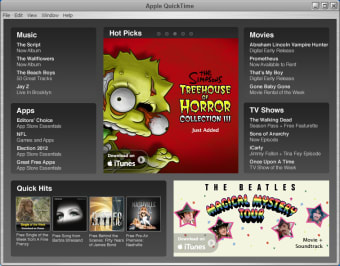
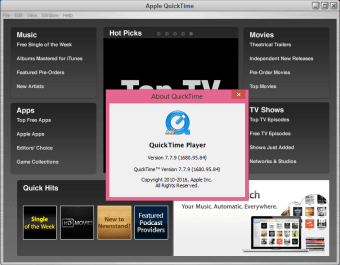
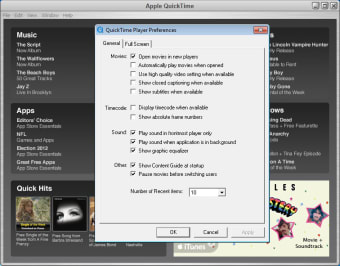
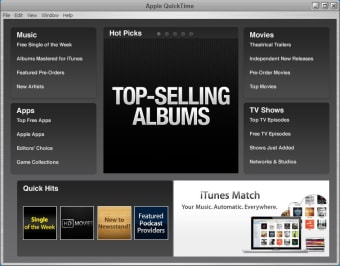
QuickTime, developed by Apple, is a media player for Mac that offers simple and effective playback capabilities. It has on-screen playback controls that allow you to play, pause, fast-forward, or rewind a video or audio file. It can also play a file on an AirPlay-enabled device and display a video in a picture-in-picture window. You can also change the playback speed and view a video in full-screen view.
QuickTime provides valuable tools for creating new content. You can make a video recording of your computer screen and save it to your Mac. The app also lets you make a movie using the built-in camera on your Mac or your iPhone, iPad, or iPod touch. Once you have your video, the player lets you make common edits like trimming, rearranging, and rotating clips. It can also split a movie into multiple clips, which you can manipulate individually. When you share a movie, it creates a version that is optimized for how you choose to share. One important note: this player doesn’t export movies as MP4 videos.
Versatile viewing options
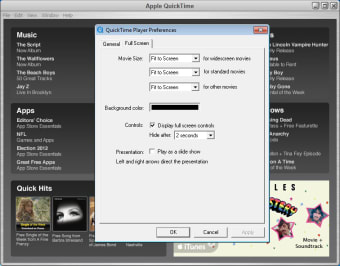
QuickTime lets you adjust the size of your video to best fit your screen. You can choose to view a movie at its original size or scale it to fit your screen. You can also increase or decrease the window size. When in full-screen view, you can choose to fill the screen, which scales and crops the movie to eliminate black bars, or use a panoramic view, which compresses the outer horizontal edges to avoid cropping. For movies with subtitles or captions, the player can display them while the movie is playing. You can also use keyboard shortcuts and gestures to quickly accomplish many tasks.
A powerful media tool
QuickTime is a great option for Mac users, offering a wide range of features from essential playback to convenient tools for content creation and sharing. Its flexible viewing options, editing capabilities, and support for recording from multiple devices make it a versatile tool for managing media. QuickTime is best suited for users who need a powerful and easy-to-use media player within the Mac ecosystem.
With extensive experience in gaming and creative writing, he has authored novels and contributed articles and reviews on the latest titles. His career spans both publishing and content creation, combining knowledge of storytelling with hands-on analysis of games and digital media.
The new QuickTime 7 Player not only delivers startling quality, but it's easier to use than ever. It requires no set up for content that streams over the network. Instead, QuickTime 7 Player automatically determines your system's connection speed and chooses the highest quality stream for the amount of bandwidth you have available. And if you ever lose a connection while watching streaming video, QuickTime 7 Player automatically reconnects. Now, that's convenience.
Do you think great video deserves great audio? We do, too. And QuickTime 7 Player delivers truly outstanding multi-channel audio. In fact, it provides you with up to 24 channels of audio, turning your home office into a home theater. Pop in a movie or video game that features surround sound and prepare to be amazed at the heightened audio experience you'll enjoy on your computer equipped with surround-sound speakers. A really good sport, QuickTime 7 Player supports a wide-range of industry-standard audio formats, including AIFF, WAV, MOV, MP4 (AAC only) and AAC/ADTS.
It's the best player out there! I use it all the time and I would recommend anyone to switch over to Quicktime.
Anonymous user
Better screen recording,non stop fast recording,if i want full screen recording then i can do
Anonymous user
It's not working on Windows7. When I already downloaded it to use, it says that apple is not compatible with Windows7 Pros: Pitch Adjusting Cons: It needs to be compatible with Windoes 7
Anonymous user
Not useful and needs another application. The fact that nothing can be seen or that one needs Apple Application Support makes it unnecessarily complicated - even incomprehensible Pros: None Cons: As above
Anonymous user
Good Plugin But Better Media Player Available. If your one who uses iTunes then you have Quicktime installed on your computer. The Quicktime plugin is nice for sites that require Quicktime but as an overall player there are better options like VLC Player. There are certain products that do require Quicktime and won't detect the Quicktime Alternatives as Quicktime anymore. iTunes is one of them that no longer recognizes Quicktime Alternatives as Quicktime itself being installed.It's one of those you probably need it even if you don't want it type things. So you install it because it's better safe than sorry.I would never recommend Quicktime except for the fact a lot of things call for it. You can see if the alternatives work for you then only install Quicktime if needed. Pros: Plugin SupportFree Cons: Required To Play Certain SoftwareCan Freeze Up At TimesBetter Media Player Options
Laws concerning the use of this software vary from country to country. We do not encourage or condone the use of this program if it is in violation of these laws. Softonic may receive a referral fee if you click or buy any of the products featured here.