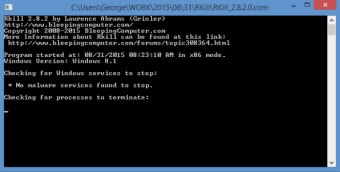
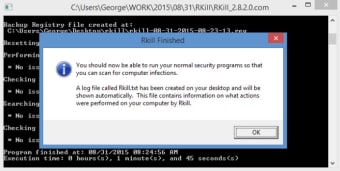
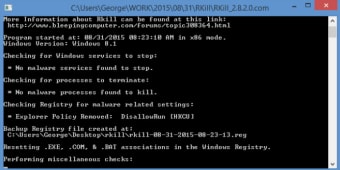
RKill is a free security and privacy software for PC that helps protect your device from malware. It works by stopping malicious processes that are currently running and repairing certain PC settings that malware may have altered. After running, it provides a report showing which malware processes were stopped.
RKill is designed to work with your regular antivirus or anti-malware programs. Its main job is to terminate active malware, so your primary security software can run properly and remove infections. Think of it as clearing the way for your antivirus to do its job.
This program can help unblock your PC and stop malware from interfering with scans. However, because it only targets running processes, it cannot fully clean your system on its own. You still need a full antivirus or anti-malware program to permanently remove malicious files.
Helpful, but limited on its own
Overall, RKill is a lightweight, useful tool for managing malware that’s currently active on your PC. It works well as a first step in malware removal, providing a clear report to adjust PC settings. However, it should always be used with a proper antivirus software to ensure complete protection.
Pros
Free and lightweight tool
Quickly stops running malware processes
Fixes PC settings to help antivirus work properly
Provides a report of stopped threats
Cons
Cannot fully clean the system on its own
Must be used alongside an antivirus or anti-malware program
Laws concerning the use of this software vary from country to country. We do not encourage or condone the use of this program if it is in violation of these laws. Softonic may receive a referral fee if you click or buy any of the products featured here.




.png)











.png)