
Royale Theme'i İndir – ücretsiz Windows XP siyah teması, şık ve güvenli
Genel Bakış
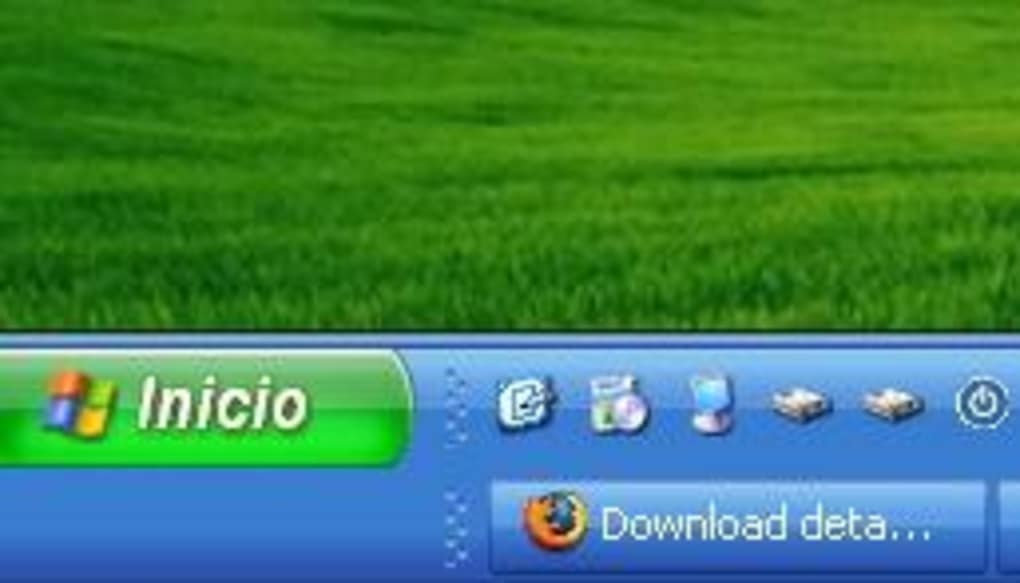
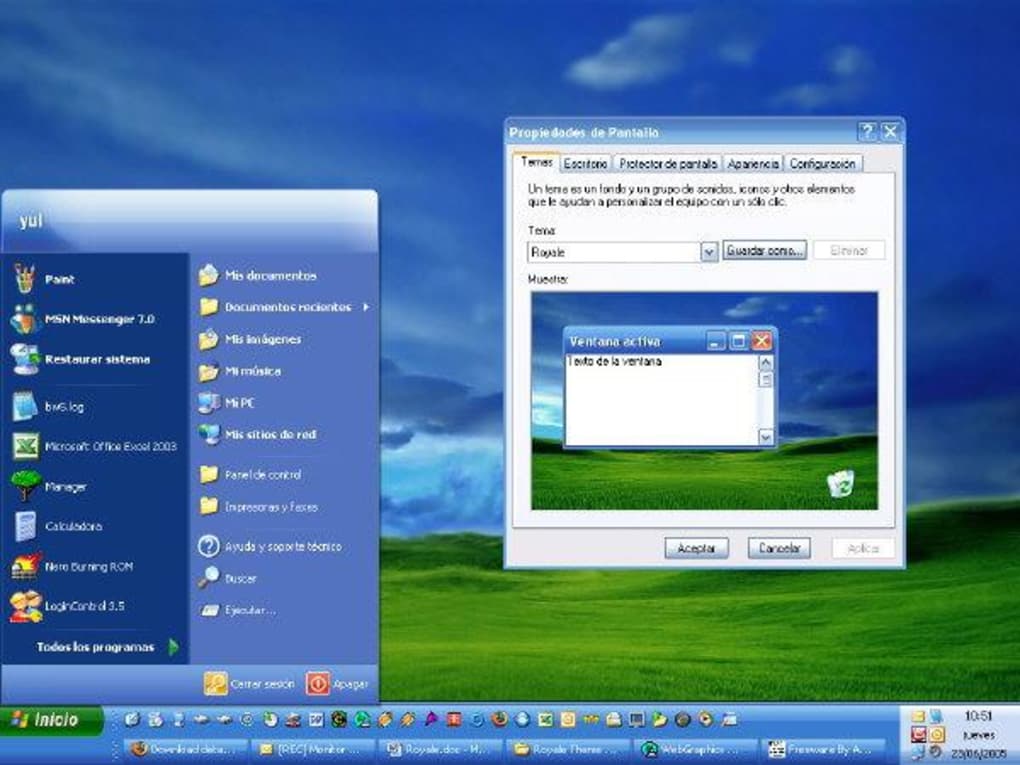
The Royale Theme is a compact, 2 MB visual‑style pack that transforms the classic Windows XP desktop into a dark, modern‑looking environment. Originally surfacing in 2005 as an unofficial leak from Microsoft’s Windows Media Centre project, the theme mimics the clean lines of the Luna default but swaps the pastel blues for a deep, sophisticated black. For users who have grown weary of the traditional light‑colored XP interface, Royale offers a fresh aesthetic without sacrificing the familiar layout that makes XP easy to navigate.
Beyond its striking appearance, Royale Theme is engineered to be lightweight. It does not replace core system files; instead, it adds a new visual style that the operating system can load on demand. This means installation is quick, the download size is tiny, and the impact on system performance is minimal—though a modest amount of extra RAM is used while the theme is active. Because the theme is distributed as a single executable installer, users can download and apply it with just a few clicks, making it an attractive option for both seasoned power users and newcomers looking for a quick desktop makeover.
The theme integrates seamlessly with Windows XP’s built‑in theming engine. After installation, activation is performed through the familiar “Display Properties” dialog, where the “Media Center Style” option is selected. The process may briefly flash a black screen as the new visual resources load, after which the desktop, taskbar, and window borders adopt the sleek black palette. For those who value a cohesive look across their system, Royale also adjusts the color of the start menu, button highlights, and dialog boxes, delivering a consistent dark‑mode experience that predates Windows 10’s native dark theme by several years.
Ana Özellikler
- Full‑system dark visual style – Replaces the default Luna colors with a uniform black theme across desktop, taskbar, start menu, and window frames.
- Lightweight package – Only 2 MB to download, ensuring quick installation and minimal impact on hard‑drive space.
- Native Windows XP integration – Uses the built‑in theming engine, so no third‑party DLLs or registry hacks are required.
- Simple one‑click installer – An executable that automatically copies files to the correct
C:\WINDOWS\Resourcesfolder. - Media Center compatibility – Designed to work with the “Media Center Style” option, preserving the original look of Windows Media Centre.
- Low RAM overhead – Consumes only a few extra megabytes of memory while active, making it suitable for older PCs.
- Free and safe download – Hosted on reputable file‑sharing sites with MD5 verification to ensure integrity.
- Customizable accent colors – Users can tweak the highlight color via the “Appearance” tab for a personal touch.
These features collectively make Royale Theme a compelling choice for anyone who wants a darker, more professional look without the hassle of third‑party skinning tools. The theme’s small footprint also means that it can be combined with other XP enhancements—such as classic start‑menu replacements or icon packs—without creating bloat. Because the theme is built on Microsoft’s own visual‑style framework, updates to Windows XP Service Packs do not break compatibility, ensuring a stable experience over the long term.
Kurulum & Kullanım Talimatları
Installing Royale Theme is intentionally straightforward, reflecting its design as a “set‑and‑forget” visual upgrade. Follow these steps to get the theme up and running on a Windows XP machine:
Adım 1 – Yükleyiciyi İndirin
Visit a trusted source (e.g., the official project page or a reputable software archive) and download the RoyaleTheme.exe file. The download size is approximately 2 MB, so even a dial‑up connection will complete quickly.
Adım 2 – Çalıştırılabilir Dosyayı Açın
Double‑click the downloaded file. You will be prompted to choose an installation folder. For optimal compatibility, select the default path C:\WINDOWS\Resources. The installer will automatically copy the theme files into the appropriate subfolders and register the visual style with the operating system.
Adım 3 – Temayı Etkinleştirin
- Right‑click on an empty area of the desktop and choose Properties.
- Navigate to the Appearance tab, then click the Windows and Buttons button.
- In the Windows Style dropdown, select Media Center Style (the option that corresponds to the Royale Theme).
- Click Apply. The screen may briefly go black while the new resources load.
- Press OK to close the dialog. Your desktop now reflects the sleek black palette.
Adım 4 – Ayarları İnce Ayar Yapın (İsteğe Bağlı)
For users who prefer a different accent color or want to adjust font smoothing, return to the Appearance tab and experiment with the Color Scheme and Font options. These changes are saved alongside the theme, allowing you to maintain a consistent look across reboots.
Should you ever wish to revert to the original Luna theme, simply repeat the activation steps and select “Windows Classic” or “Windows XP” from the style list. Because the theme does not modify core system files, uninstalling is as easy as deleting the Royale folder from C:\WINDOWS\Resources and resetting the visual style.
Uyumluluk & Sistem Gereksinimleri
Royale Theme is built specifically for Windows XP (both Home and Professional editions). It leverages the operating system’s native theming engine, meaning it works on any build that supports visual styles (Service Pack 2 and later). Below is a quick compatibility matrix:
- Operating System: Windows XP (32‑bit)
- Service Pack: SP2, SP3 (recommended for best stability)
- Processor: 500 MHz or faster (any Pentium III, AMD Athlon, or newer)
- RAM: Minimum 256 MB (additional 10‑15 MB used while theme is active)
- Hard‑Disk Space: Less than 5 MB free space required for installation
- Graphics: Any DirectX 8.0‑compatible video card; the theme does not use hardware acceleration.
While the theme is primarily designed for the classic XP environment, it also works on Windows Vista when XP Mode is enabled, and on Windows 7’s “Windows XP Mode” virtual machine. Users running later operating systems (Windows 8/10/11) can still apply the theme inside a virtual XP instance, preserving the nostalgic look without affecting the host OS.
It’s worth noting that very low‑end machines—particularly those with less than 256 MB of RAM—may experience a slight slowdown during the theme switch due to the extra memory needed for the dark visual resources. In such cases, consider upgrading RAM or using a lighter theme. Overall, the theme’s modest requirements make it an ideal upgrade for legacy business PCs, home desktops, and even older laptops that still run XP for legacy software.
Artılar, Eksiler & Sıkça Sorulan Sorular
Artılar
- Free, no hidden fees or trial periods.
- Small download size (2 MB) and easy one‑click installation.
- Native Windows XP integration—no third‑party tools required.
- Consistent dark aesthetic across desktop, taskbar, and windows.
- Low RAM overhead, suitable for older machines.
- Customizable accent colors for personal branding.
Eksiler
- Only compatible with Windows XP; not a native Windows 10/11 theme.
- Requires manual activation after installation.
- May cause a brief black screen during theme switch.
- Limited support—no official updates from Microsoft.
SSS
Can I use Royale Theme on Windows Vista or Windows 7?
Royale Theme is built for Windows XP, but you can run it inside XP Mode on Vista or Windows 7. The theme will not apply directly to the host OS.
Is the theme safe to download?
Yes. The official download is hosted on reputable archives and includes an MD5 checksum to verify file integrity. Always download from a trusted source.
Will installing the theme affect my system performance?
The impact is minimal—only a few extra megabytes of RAM are used while the theme is active. On very old machines with less than 256 MB RAM, you might notice a slight slowdown during the theme switch.
How do I revert to the original Windows XP theme?
Open Display Properties → Appearance → Windows and Buttons, then select “Windows Classic” or “Windows XP”. No uninstall is required.
Can I customize the accent color after installing the theme?
Yes. Return to the Appearance tab and adjust the “Color Scheme” to choose a different highlight color that works with the dark background.
Sonuç & Eylem Çağrısı
Overall, Royale Theme delivers a polished, dark visual makeover for Windows XP without the bloat of heavyweight skinning tools. Its tiny footprint, free price tag, and straightforward installation make it an ideal choice for anyone looking to refresh an aging XP desktop. Whether you’re a nostalgic power user or simply want a sleek, professional look for legacy applications, Royale Theme provides a reliable, secure, and aesthetically pleasing solution. Download the theme today, apply it in minutes, and give your XP machine the modern edge it deserves.








