

Download SolMail – email client, Android app, email management, IMAP, POP3, Gmail, Yahoo, Hotmail, Outlook, AOL, GMX, file attachment, voice recording, video recording, stickers, gesture control
Overview
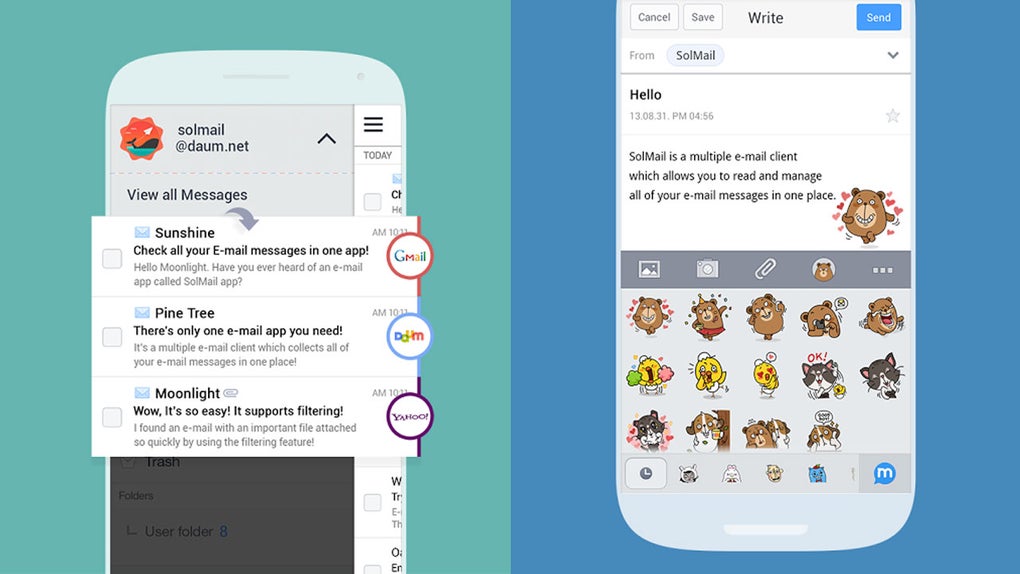
SolMail es un cliente de correo electrónico multifuncional diseñado para usuarios de Android que buscan una solución centralizada para gestionar múltiples cuentas de correo. Permite a los usuarios consolidar mensajes de varios proveedores —incluidos Gmail, Yahoo!, Hotmail, Outlook, AOL y GMX— en una única interfaz, simplificando la comunicación y reduciendo la necesidad de cambiar entre aplicaciones. El software es particularmente adecuado para personas que mantienen varias direcciones de correo para fines personales, profesionales o académicos, ofreciendo una experiencia de bandeja de entrada unificada sin sacrificar la personalización. SolMail admite protocolos estándar como IMAP, SMTP y POP3, garantizando compatibilidad con una amplia gama de servicios de correo. Su objetivo principal es mejorar la eficiencia del correo mediante configuraciones personalizables, navegación intuitiva y funciones interactivas únicas. Casos de uso reales incluyen profesionales que gestionan correos de trabajo y personales, estudiantes que coordinan con instructores y compañeros, y usuarios ocasionales que organizan la correspondencia familiar. El desarrollador, SolSoft, parece centrarse en ofrecer una herramienta de correo ligera pero rica en funciones, con énfasis en el control del usuario y la expresión creativa. Aunque no se dispone de detalles específicos sobre los antecedentes de la empresa, la funcionalidad de la aplicación sugiere un enfoque dirigido a la gestión moderna del correo.
Key Features & Capabilities
- Multi-account support: Consolidate and manage multiple email accounts from a single interface, including Gmail, Yahoo!, Hotmail, Outlook, AOL, and GMX.
- Protocol compatibility: Full support for IMAP, SMTP, and POP3 protocols, enabling seamless integration with diverse email providers.
- Customizable synchronization: Adjust automatic sync intervals from 10 minutes to 24 hours to balance battery life and message freshness.
- Personalized signatures: Set custom signatures for outgoing messages, with options to include text, formatting, or even embedded images.
- Media attachments: Attach files, record voice notes, and send video clips directly within emails, enhancing communication flexibility.
- Animated stickers: Use LINE-style animated stickers to add personality and fun to messages, especially useful in personal or informal correspondence.
- Storage management: Control how much phone memory is used to store downloaded messages, helping maintain device performance.
- Font size adjustment: Customize text size for improved readability, particularly beneficial for users with visual needs.
- Server retention options: Choose whether to delete messages from the server after download or keep them for backup and access.
- Gestural navigation: Perform actions like filing or deleting messages using swipe gestures, promoting faster inbox management.
These capabilities cater to both everyday users and power users who value control over their email workflow. For example, a freelancer managing client emails from multiple accounts can benefit from unified inboxes and customizable sync settings. A student may use voice recordings to explain assignments or stickers to lighten the tone of group project messages. The integration of multimedia and expressive tools transforms email from a transactional tool into a more dynamic communication channel.
User Interface, Workflow & Performance
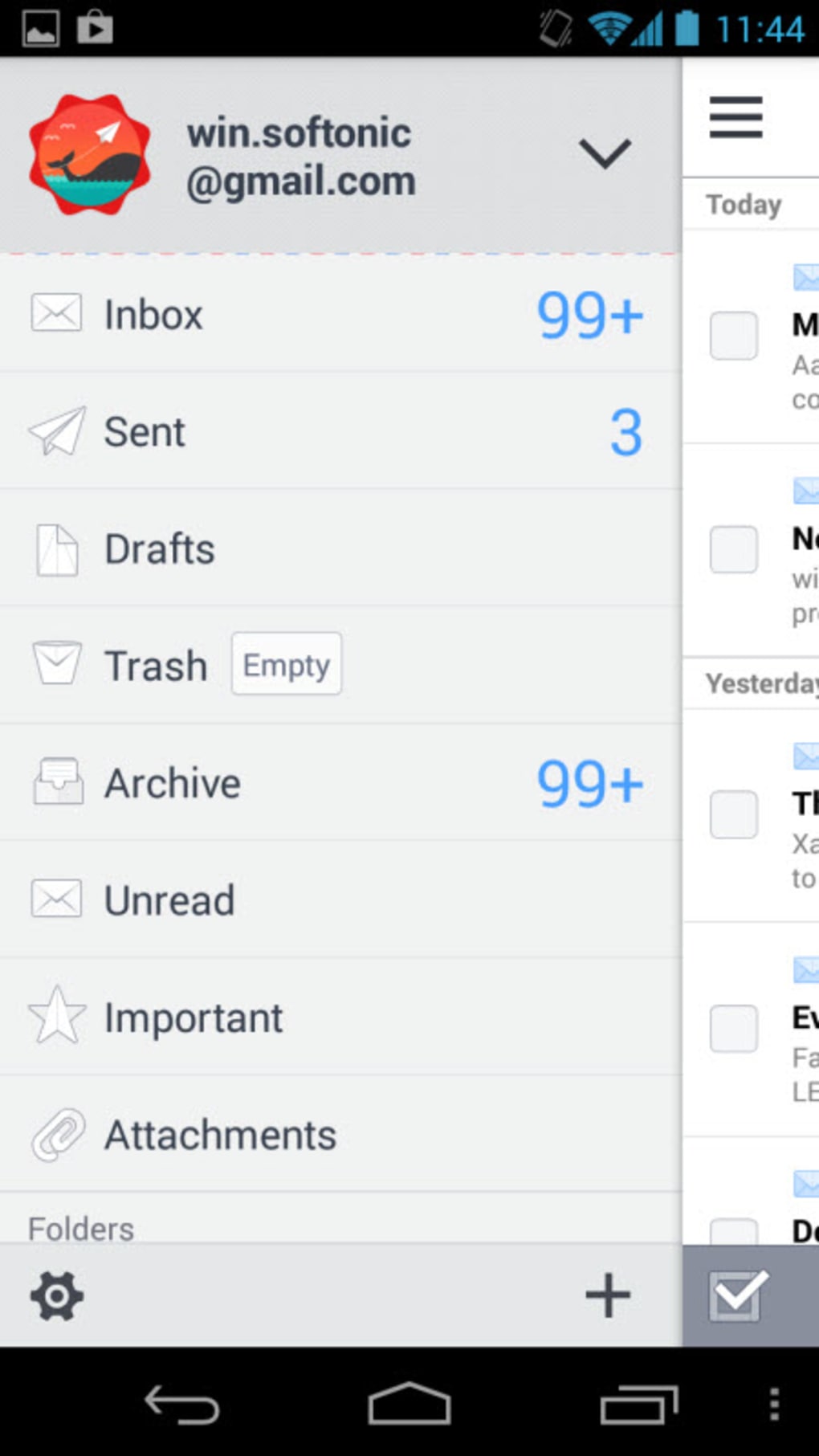
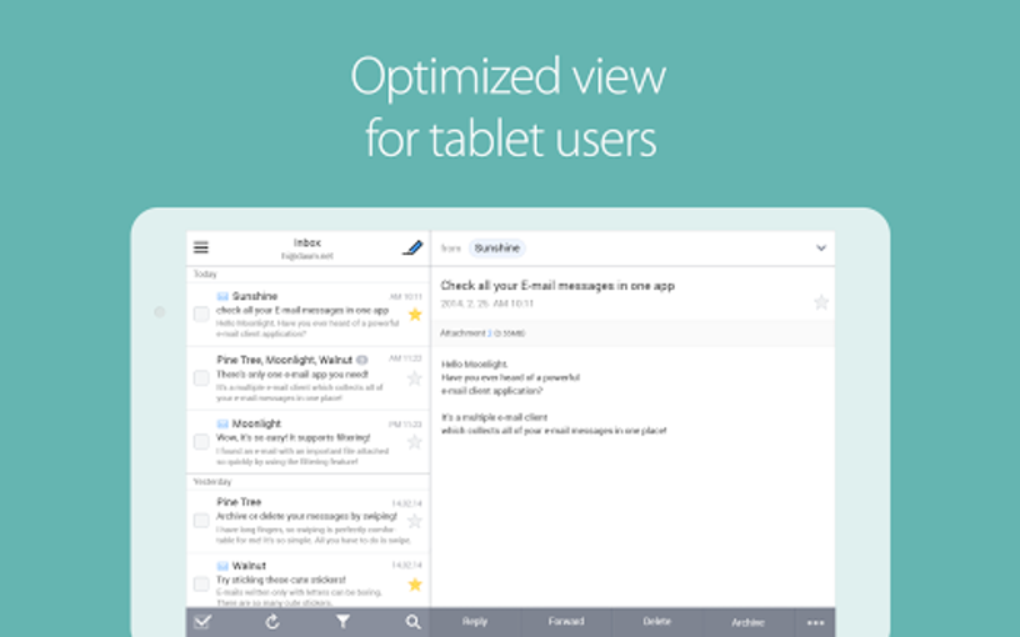
SolMail presents a minimalist design with generous white space and a clean layout, reminiscent of modern email applications. The interface features a left sidebar that is hidden by default, housing all email trays and folders, which helps reduce visual clutter and supports a focused inbox experience. Navigation is primarily gesture-based, allowing users to swipe messages to file or delete them, although gestures for composing or replying are not currently supported. The overall workflow emphasizes speed and simplicity, enabling quick access to messages and settings. While the developer did not specify resource usage details, the app’s 45 MB size suggests it is designed to be lightweight and efficient. Performance observations are based on general software behavior patterns, indicating that it likely runs smoothly on mid-to-high-end Android devices. Stability is expected to be consistent given the app’s focus on core email functions and limited third-party integrations. Users may experience minor delays during initial syncs with multiple accounts, but no performance bottlenecks were reported in the provided information.
Compatibility & System Requirements
SolMail is designed for Android operating systems and is available in version 3.1.4. The installation size is 45 MB, which indicates a compact footprint suitable for devices with limited storage. The developer did not provide additional system requirements, including minimum Android version, RAM, or CPU specifications. As such, exact compatibility details are limited. Platform compatibility information is partially provided, and users are advised to verify device compatibility before installation. The app’s reliance on standard email protocols suggests it should function on most modern Android devices, though specific performance may vary based on individual hardware configurations. The absence of detailed system requirements means users should proceed with caution on older or low-spec devices. For optimal experience, it is recommended to use the app on devices running recent Android versions.
Pros and Cons
Pros
- Supports multiple email accounts from major providers including Gmail, Yahoo!, and Outlook.
- Offers robust protocol support: IMAP, SMTP, and POP3.
- Customizable sync intervals to suit different usage patterns.
- Unique features like voice and video recording for emails.
- Animated stickers enhance message expressiveness.
- Gesture-based actions improve navigation speed.
- Storage usage can be controlled to preserve device space.
- Minimalist, clutter-free interface with intuitive layout.
Cons
- Gesture controls are limited to filing and deleting; no gestures for composing or replying.
- Exact system requirements were not listed.
- Price point of $3.99 may be considered high for a standalone email client.
- Developer background and support channels are not publicly detailed.
- No information on cloud backup or data export features.
FAQ Section
Is SolMail compatible with my Android device?
SolMail is designed for Android operating systems. While the app’s version is 3.1.4 and size is 45 MB, exact compatibility details such as minimum Android version or hardware requirements were not specified. Users should ensure their device runs a recent Android version for the best experience.
Is SolMail a secure email client?
The app supports standard email protocols like IMAP and SMTP, which typically include encryption options. However, specific security measures such as end-to-end encryption or two-factor authentication were not mentioned. Users are advised to review their email provider’s security settings for additional protection.
How often can I sync my emails?
SolMail allows users to configure automatic synchronization intervals ranging from 10 minutes to 24 hours. This flexibility enables users to balance battery consumption with message freshness based on their needs.
Can I use SolMail offline?
Yes, SolMail supports offline access to previously downloaded messages. Users can read, file, and manage emails without an internet connection, though sending new messages requires an active connection.
What types of files can I attach?
The app supports standard file attachments, including documents, images, audio, and video. Users can also record voice or video directly within the app and send them as email attachments.
Final Thoughts + CTA
SolMail stands out as a modern, feature-rich email client tailored for Android users who value control, customization, and a touch of creativity in their daily communication. Its ability to unify multiple accounts, support advanced protocols, and integrate multimedia elements like voice and video recordings makes it a compelling choice for both personal and professional use. The minimalist interface and gesture-based navigation enhance usability, while storage controls and sync options ensure efficient performance. Although the lack of detailed system requirements and the $3.99 price tag may deter some users, the app’s comprehensive functionality justifies the investment for those seeking a reliable, all-in-one email solution. SolSoft has delivered a tool that not only manages emails but redefines the user experience with expressive features. Download SolMail now




.png)



