Back to help home
Layer management
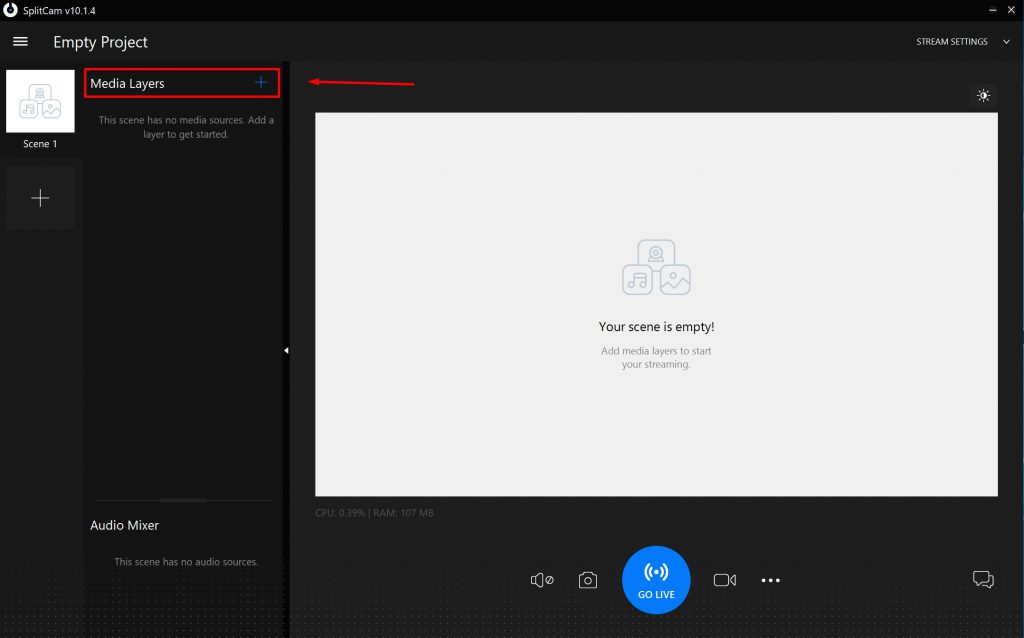
Add a few layers to get started. To do this, click + opposite Media Layers
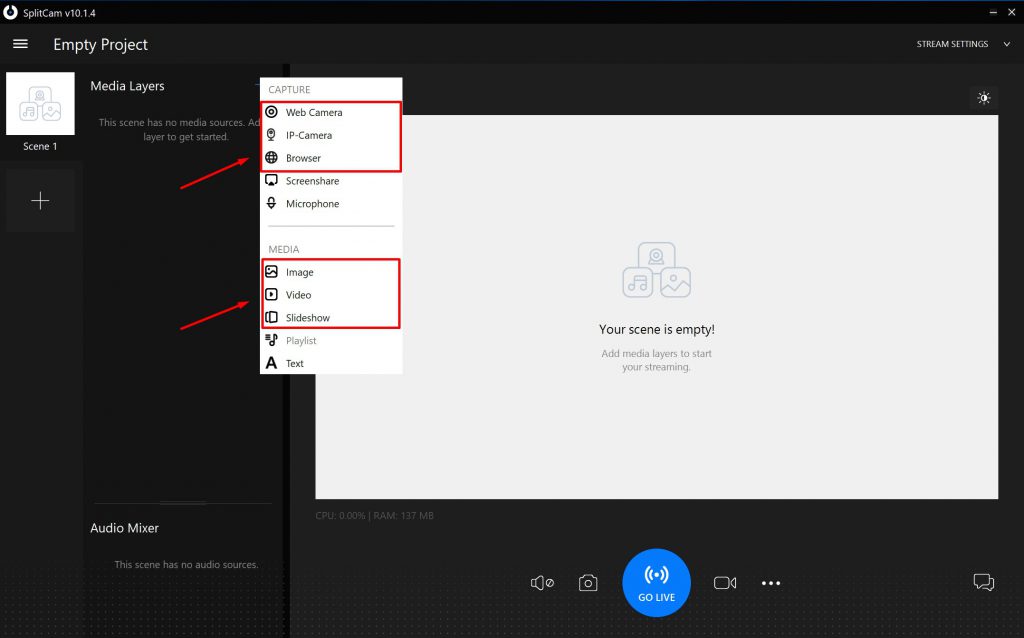
You can add a webcam, browser, image, video or slide show
To save picture’s size, video or web-cam, you can use corner sliders.
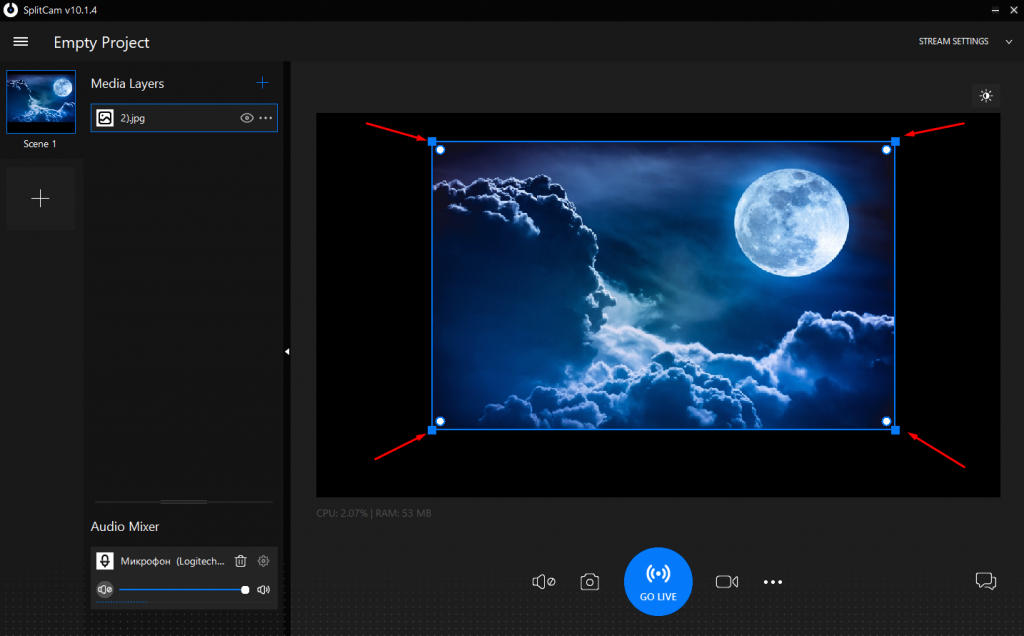
You can also round image corners.
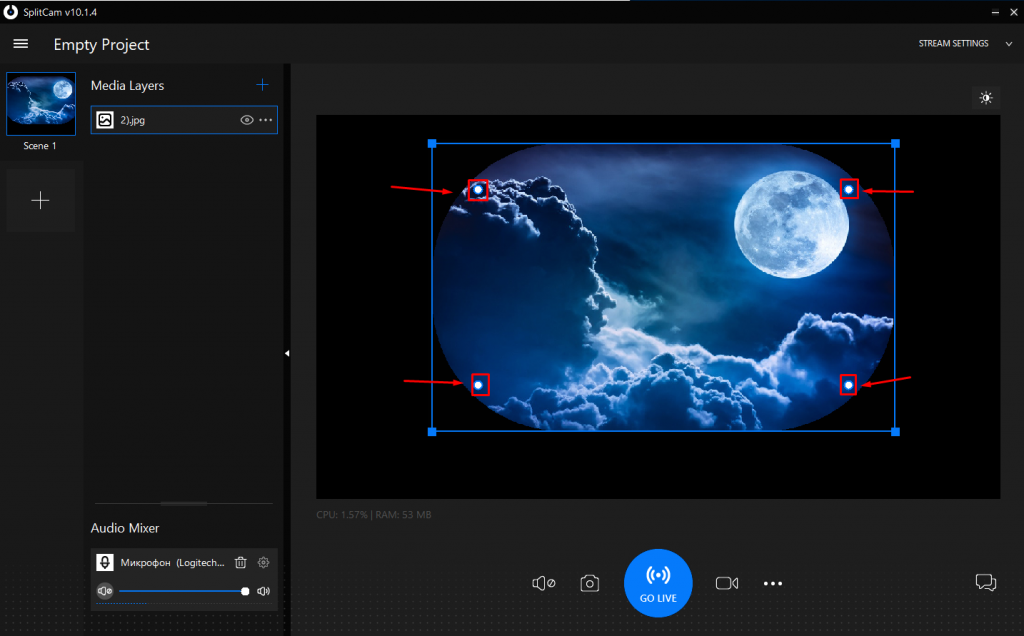
If You hold button ALT, You can round only one selected corner.
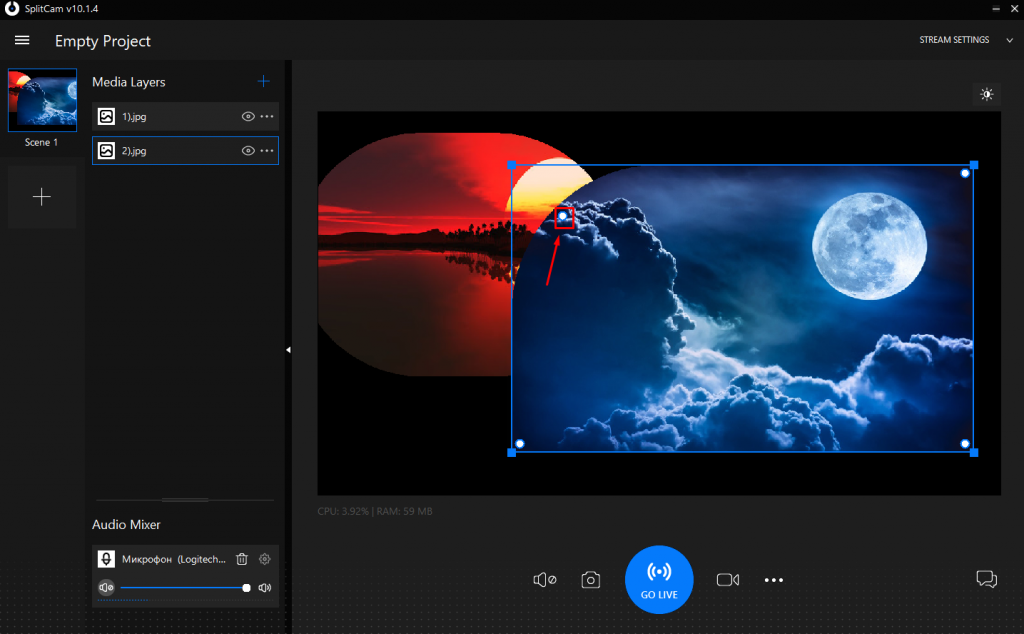
When adding some images,web-cams or video,You can change their location on screen or overlap.
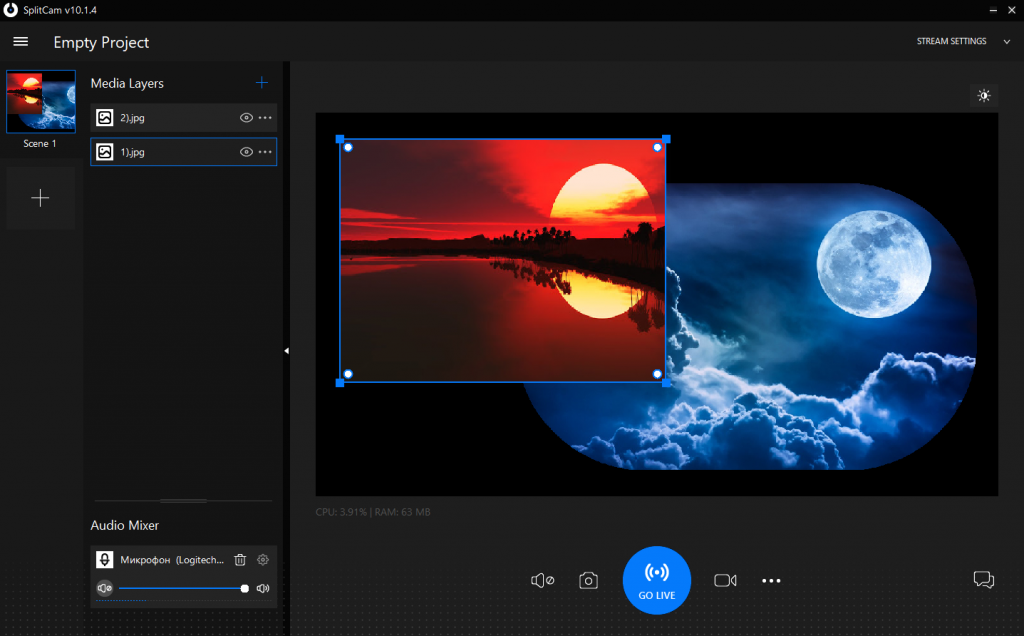
To work with their location or size You need choose what image do You work with on the left.
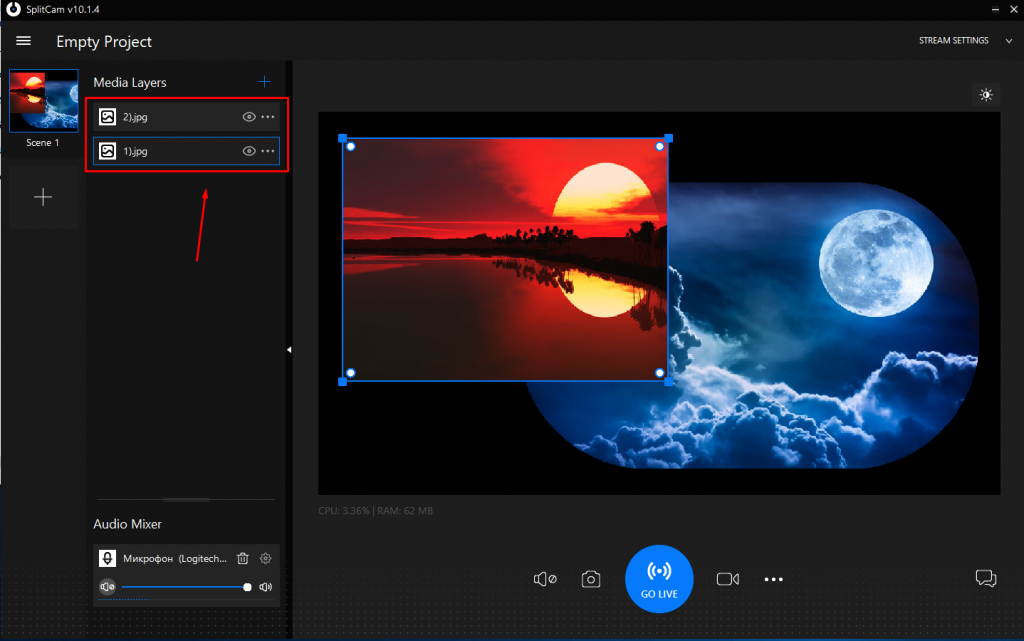
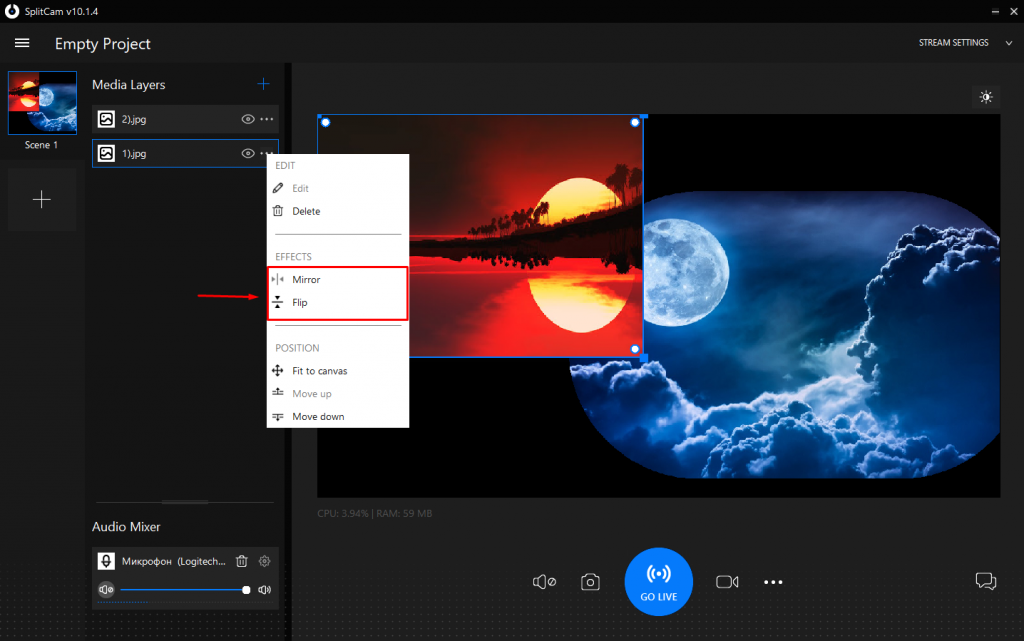
To choose which image should be on top of which you need to click on three points opposite image which you want to move and choose necessary command Move Up or Move Down.
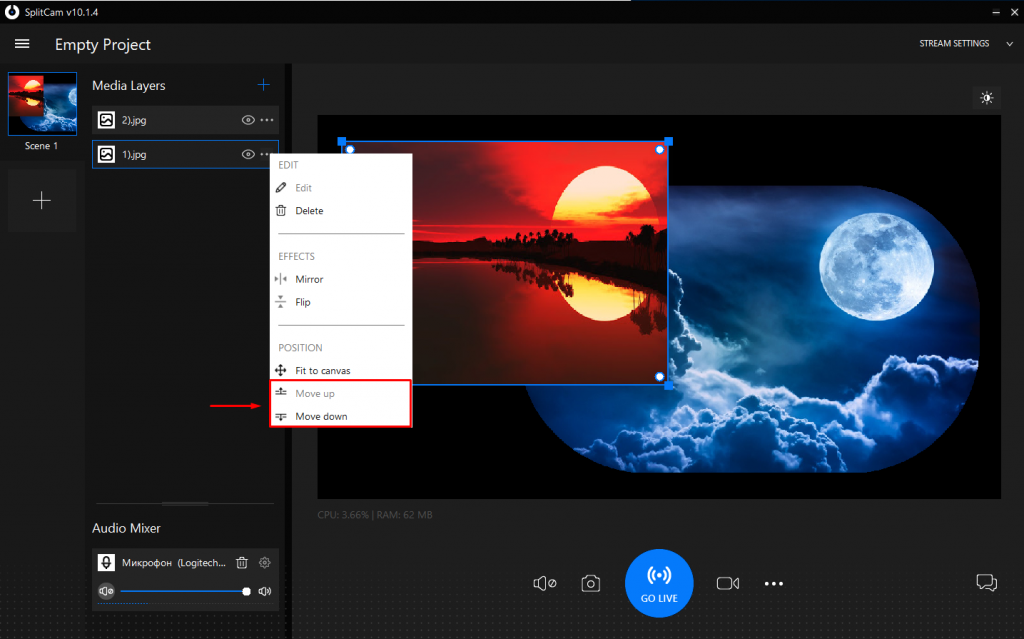
You can flip image or flip it mirror with commands Flip or Mirror.