

Unlimited Virtual Try-On and Product Visuals for WooCommerce
Upgrade your WooCommerce product photos and let
shoppers try products on before buying. Create unlimited
AI visuals using your own Gemini key, without per-image
fees.
What You Can Do With TryAura
Explore the different ways store owners use TryAura
to present products more clearly.
Try On Clothing
Let shoppers see how clothing looks on real models, helping them visualize fit, style, and overall appearance before buying.

Try On Accessories
Show how accessories like glasses, watches, or jewelry look when worn, without needing new photoshoots.

Product in Hand
Let models hold and interact with your products, whether it’s cosmetics, gadgets, bottles, or accessories.

Change Model
Swap models to match different styles, demographics, or brand aesthetics – without reshooting product photos.

Change Background
Place your products in clean, lifestyle, or studio-style backgrounds to match your brand and campaign needs.

Product Videos
Turn static product images into short videos that show details, movement, and real-world context.

Show Products Clearly. Sell
With Confidence.
No photoshoots. No editing. Just a few clicks to turn simple product
images into realistic visuals and try-on experiences.
Clean, Studio-Quality Images Without Reshoots
Elevate your product photography by transforming standard images into captivating visuals that radiate professionalism and allure.
Bring Products To Life With Videos
Showcase the fit, fluidity, and fine details that static images often miss, providing customers with a thorough understanding of the product.
Let Shoppers Try On Virtually
Help customers visualize the product before buying, boosting their confidence in the decision. A clear image ensures they feel secure and happy with their choice.
Unlimited, Without Limits
Create an unlimited selection of images, videos, and virtual try-on experiences using your exclusive Gemini key—no restrictions, no image costs.
Fits Natively In Your Workflow
TryAura works right inside your Product Editor and Media Library. Add visuals the
same way you add images to any product or post.
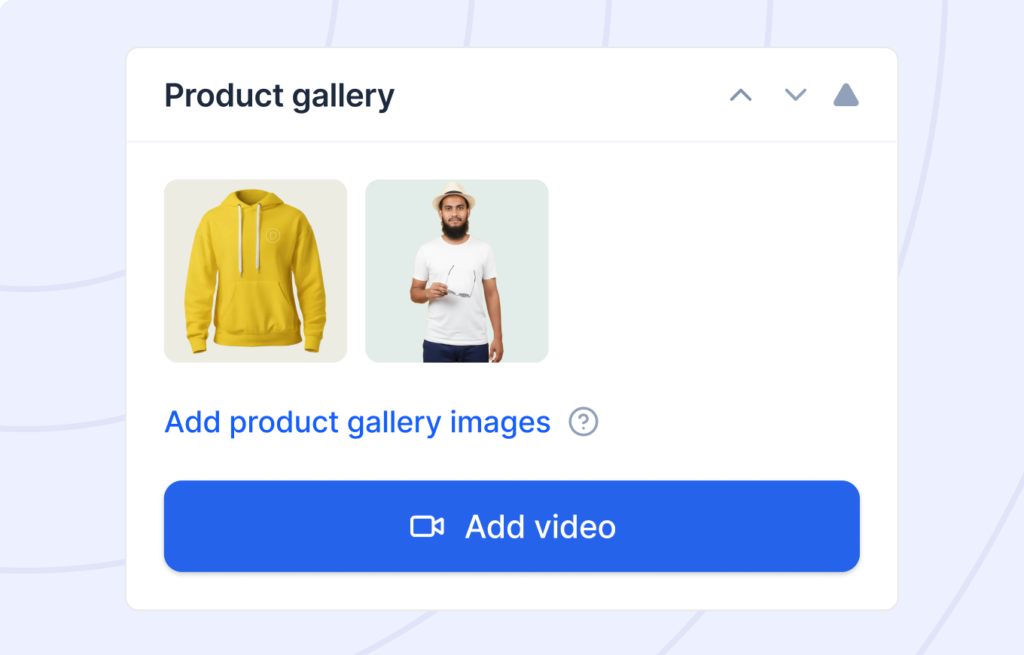
Add product videos directly to product galleries
Add videos directly to product galleries so shoppers can see how products look, move, or fit before buying.
Add product videos directly to product galleries
Add videos directly to product galleries so shoppers can see how products look, move, or fit before buying.
Reuse visuals across products, posts, and pages
Use the same images and videos anywhere on your site to save time, keep branding consistent, and avoid duplicate uploads.
Show YouTube or self-hosted videos on product pages
Use the same images and videos anywhere on your site to save time, keep branding consistent, and avoid duplicate uploads.
Generate short product videos using AI
Embed YouTube links or upload your own videos to showcase demos, tutorials, and reviews without slowing down your store.
Create featured images for blog posts
Generate eye-catching featured images for blog posts to make your content more clickable and visually consistent.
Generate or customize video thumbnails
Create or edit video thumbnails to control first impressions and boost play rates with clear, high-impact visuals.
How TryAura Works
From product image to try-on in minutes.
01
Choose a Product
Choose an existing product from your WooCommerce store or upload a basic image.
02
Generate Visuals
Create studio-quality product images and short videos in a few clicks.
03
Enable Virtual Try-On
Turn on virtual try-on so shoppers can see how the product looks on them.
04
Publish
Add images, videos, and try-on directly to your product pages and start selling with confidence.
Ready to Build a Better Store, Without the Risk?
Join 10,000+ smart stores solving their biggest growth challenges. Get the results you want, risk-free for 14 days.
Have Questions?
Find answers to the most commonly asked
questions by our users.
What is TryAura and how does it work with WooCommerce?
TryAura is a WooCommerce plugin that helps you upgrade product images, create videos, and enable virtual try-on directly inside your store. You select a product, generate visuals, and publish them to your product pages.
How does virtual try-on help increase conversions?
Virtual try-on helps shoppers see how a product looks on them before buying. This improves product visualization, reduces hesitation, and helps customers make confident purchase decisions.
Do I need professional product images to use TryAura?
No. TryAura works with basic product photos. You can upload images and turn them into realistic, studio-quality product visuals without photoshoots or editing.
Can I create both product images and videos with TryAura?
Yes. TryAura allows you to generate product images, short product videos, and virtual try-on experiences. Video generation and advanced controls are available in Pro plans.
Is TryAura suitable for all types of WooCommerce stores?
TryAura works best for eCommerce stores where appearance matters, such as fashion, accessories, and lifestyle products. If customers need better product visualization, TryAura is a good fit.
What does “Bring Your Own Key” mean?
TryAura uses a bring-your-own API key model. This allows unlimited creation without per-image charges, while giving you control over AI usage and cost through your Gemini account.
Is the Free plan really unlimited?
Yes. The Free plan allows unlimited product image generation and virtual try-on for one WooCommerce site. You can upgrade later to unlock presets, advanced controls, and video generation.
Will TryAura slow down my WooCommerce store?
No. TryAura works alongside your existing WooCommerce setup. Generated visuals are added only when you publish them, and it does not impact your store’s performance.
Still Have Questions?
Can’t find the answer you’re looking for? Our expert
support team is ready to help.
