Catalog your CD and DVD collection
When your CD collection outgrows all the available shelves of your bookcase, you know it's time for a bit of organization. And the easiest way to organize a CD collection is by creating a catalog.

View an ad to download for free
When your CD collection outgrows all the available shelves of your bookcase, you know it's time for a bit of organization. And the easiest way to organize a CD collection is by creating a catalog.
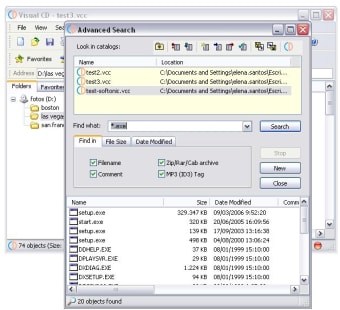
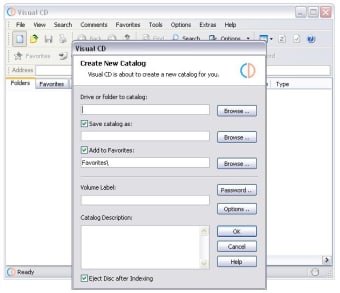
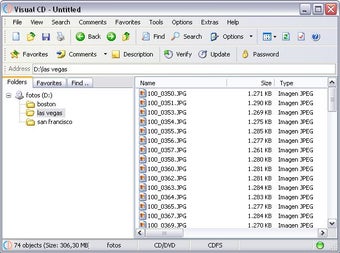
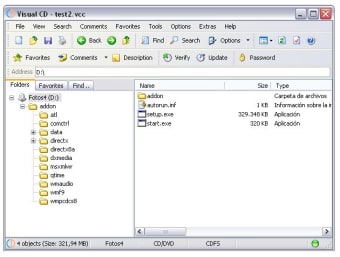
Visual CD enables you to create that CD catalog in just a few simple steps. Insert the disk into the CD drive, let Visual CD index its contents and save it as a fully searchable catalog. This means that you can later on explore, search and find files that are saved on CD even if the physical disc is not in the drive.
Visual CD doesn't work only with CD: it also supports DVD, floppy disks, removable hard drives and even folders in your system hard drive. What strikes me is the fact that each drive you explore must be saved as a new catalog, whereas other similar tools save explored drives as categories inside one single catalog.
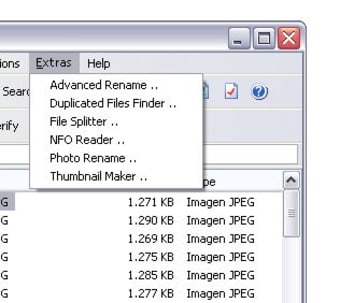
The program features also very interesting advanced functions such as a duplicate files finder, a file splitter, a photo renaming tool, a playlist generator and a thumbnail maker, among others.
Visual CD lets you save the contents of your CD and DVD in separate catalogs so that you can browse and search your collection without having to insert each disk one by one

Organize Your Film Collection with Ease

Organize the content of your CDs and folders

Create a database of your CD or DVD collection
Having difficulties to locate a file in which CD? Have you ever placing and removing a CD from your CD Drive few times before you finally found what you're looking for? What a pain! If so, Visual CD is the fast and easy way to help you out.
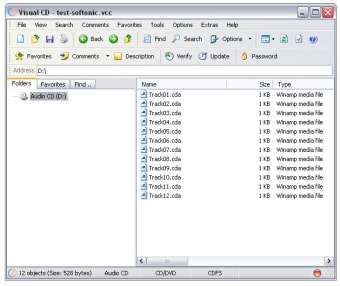
Visual CD is a disk cataloging tool to index CD/DVDs, floppy disks, hard disks, and even folders. You can then explore the disk catalogs, search files and folders, create MP3 playlist file without having the physical disks in the drive. Upon insertion of the corresponding disk, you can open files, split files into smaller pieces, extract ZIP, RAR, and CAB archive, and more.
Visual CD is extremely easy to use! The Windows Explorer-like style ensures that you will not find any difficulties to use it. Visual CD also support full Windows XP visual style and user friendly interface. Just try it and love it!
Visual CD is freeware. Feel free to use and give this program to anyone you know. Your feedback would be greatly appreciated. Enjoy!
Free
4.2
Windows
Windows 98
English
10.9K
2.44 MB
View an ad to download for free
1 reviews

Review.

Comment.

East to use and user friendly software to catalog CDs. It is easy and best software to index CDs and helps to search the needed software or movies using search option. It is a must utility for indexing CD
Free
Create a database of your CD or DVD collection
Free
Organize Your Film Collection with Ease
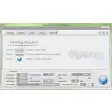
Free
Convert DVD to popular playback formats
Trial version
Create your own CD labels

Free
Create Custom CD-ROM Menus Easily
Organize Your Film Collection with Ease
Organize the content of your CDs and folders
Create a database of your CD or DVD collection

Free media cataloging tool
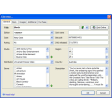
Catalog all your DVD movies
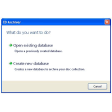
Organize and catalog your disc collection
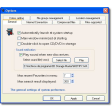
CD and DVD catalog/database software

Catalogue your movies, photos and other media

A free app for Windows, by O&O Software GmbH
A free Software utilities program for Windows
Download Intel® Graphics Media Accelerator 3150 Driver for Windows XP* (exe)

Install the latest driver for HP scanjet 4370

Streamline Your Workflow with Breevy
A free Software utilities program for Windows

Comprehensive Scheduling Tool for Educators

Comprehensive Ruby Environment for Windows

High-Performance Ethereum Execution Client

Efficient NFC Tag Writing Tool for Windows

Seamless Integration with React Three Fiber

A free program for Windows, by International Business Machines Corporation.