PTO vs Sick Time: Differences You Need to Know

When it comes to PTO, it’s hard to find another set of three letters that employees get more excited about.

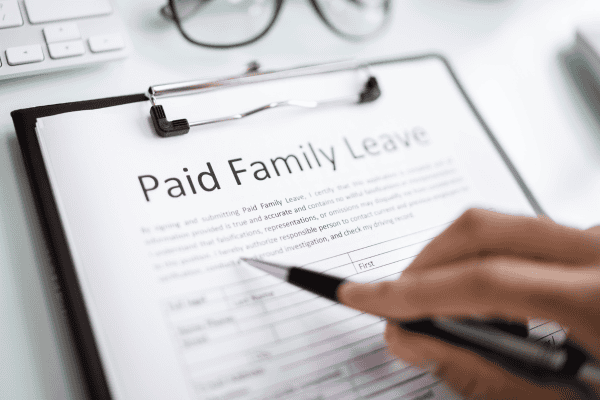
PTO means vacation, time away, relaxation and family trips. But it could also mean sick time, or time to recover, heal, and recuperate.

Believe it or not there is actually a difference between PTO vs sick time.

In this quick guide we will walk you through the differences, when to use one over the other, and some of the legal implications you should be aware of as an employer with leave policies.


Defining PTO and Sick Time

defining pto

When you first start new employment, two of the fundamental employee benefits you receive are Paid Time Off (PTO) and sick time. While both are designed to keep you a happy and healthy employee, they are a bit different, even though you may use both terms interchangeably.

What is PTO?

PTO, or Paid Time Off, is a versatile leave policy that consolidates various types of leave into a single PTO bank of hours. This means as an employee you can use PTO hours for a wide range of reasons, including personal time, vacations, or emergencies. This makes PTO the most popular option for employers or employees who need time off.

Unlike traditional leave policies where vacation, sick, and personal days are separate, PTO allows a fixed number of days annually that your employees can use at their discretion that covers almost every type of leave, including paid vacations and maternity leave.

What is Sick Time?

Sick time is a more specific type of paid leave designated solely for health-related absences. Unlike PTO, which can be used for various purposes, sick time is strictly reserved for situations where your employee is ill or needs to attend medical appointments.

Sick time leave is great for maintaining a healthy workforce, as it allows your employees to take the necessary time off without having to dip into their PTO hours. In fact, sick time can often be used for caring for a sick family member or an extended hospital stay that outpaces your PTO hours.

Differences Between PTO vs Sick Time
difference between pto and sick time

While both PTO and sick time offer paid leave benefits, they have distinct differences that can impact how and when you use them.

Usage Flexibility

PTO has a high degree of flexibility that allows your employees to use their leave for a variety of reasons, such as personal time, vacations, or unexpected emergencies. In general no specific reasons or documentation is required to use your PTO hours.

On the other hand, sick leave policies are often more restrictive, and generally require a doctor’s note or other forms of validation to use.

Policy Structures

The structures of PTO and sick time policies can vary significantly. Key points include:

  • PTO is typically accrued over time, with employees earning paid time off after every paycheck.
  • Many organizations permit your accrued PTO to roll over into the next year.
  • There might be a cap to prevent excessive accumulation. (some people never take vacation!)

Sick time, on the other hand, is specifically allocated for health-related reasons. You may even accrue them every paycheck similar to PTO (depending on your state laws) but at a lower rate.

Sick leave hours can be used for health related absences and pay you during that time off. Unlike PTO, if you run out of sick leave its possible you can still qualify for sick time off via FMLA but you won’t get paid for it.

Also, employers have to stay informed about specific record-keeping requirements under applicable paid sick leave laws to stay in compliance.

Financial Implications

There are a few financial implications of PTO and sick time that can be significant for both employers and employees.

For example, unused vacation time is often compensated when an employee leaves a company. Great for the employee but a cost to the company. In contrast, sick leave is typically not paid out in such scenarios, which is a potential financial savings for employers.

Legal Considerations

Navigating the legal landscape of PTO and sick time requires a thorough understanding of federal law and state laws. Or you can outsource this to your time tracking software company that keeps track of all this for you!

Federal Laws

At the federal level, the Family and Medical Leave Act (FMLA) is a major piece of regulation that impacts leave policies. FMLA requires that you the employer grant your eligible employees up to 12 weeks of unpaid sick leave for certain medical conditions.

To qualify for FMLA leave, your employees must meet the following criteria:

  • Have been employed for at least 12 months
  • Worked at least 1,250 hours during that period
  • Be employed at a worksite with 50 or more employees within a 75-mile radius.

While FMLA provides important protections, it does not mandate paid leave, leaving room for state laws to fill the gap.

State Laws

State laws regarding PTO and sick time can vary widely. For example, some states require paid sick days, with specific regulations that employers must follow in their policies. Some examples include:

  • New York – mandates that employers with five or more employees or a net income of more than $1 million have to provide paid sick leave.
  • Massachusetts – mandates that employers with 11 or more employees must offer paid sick leave.
  • Texas – has no requirement for employers to provide paid or unpaid sick leave.

Compliance Tips

In order to avoid legal issues around PTO and sick leave, it’s important for employers to stay compliant with all federal and state regulations, including:

  • Actively tracking PTO and sick time to ensure they meet all legal requirements.
  • Developing clear and transparent leave policies.
  • Regularly reviewing leave policies when laws change.

Once again, this is where good time tracking systems shine since they can streamline the management of these policies and minimize your administrative burdens.

Benefits and Drawbacks for Employers and Employees

Implementing effective PTO and sick time policies offers numerous benefits for both employers and employees.

For Employers

If you are an employer, implementing a comprehensive PTO policy can not only attract top talent to your company but also significantly boost your employee retention rates, reducing the costs of recruitment and training. Studies have shown that a well-structured PTO policy can decrease the likelihood of employees quitting their jobs by approximately 35%, with even greater reductions among men.

High employee retention is not only good for the bottom line, but it improves company culture and productivity and creates a more engaged and motivated workforce.

Of course, there are a few drawbacks such as the financial costs associated with paying for unused PTO and the administrative challenges of managing these policies effectively.

For Employees

If your employees have access to ample PTO and sick time, you will likely see higher levels of job satisfaction and lower levels of employee burnout. A supportive PTO policy helps your team to recharge and manage personal responsibilities, which boosts their overall well-being and productivity.

Managing PTO and Sick Time Effectively

managing pto and sick time

Effectively managing PTO and sick time requires a combination of proactive planning, clear communication, and efficient tracking systems.

Tracking and Documentation

As an employer, it is your job to accurately track and document PTO and sick time in order to maintain fairness and transparency in the workplace. A well-managed PTO system using a time tracking software can streamline administrative processes for your human resources team, so that all leave is properly recorded and monitored.

Communication Strategies

Clear and regular communication regarding PTO and sick time policies is the key to a transparent workplace culture.

Utilize multiple communication channels, such as email, intranet, and team meetings, so that all your employees receive important updates regarding leave policies. This helps prevent misunderstandings and confusion and ensures that employees know how to access their leave benefits.

Balancing Workload

You will also want to balance the workload during employee absences to maintain productivity and minimize disruptions. Develop coverage strategies for different roles and establish a backup system for employees on PTO so that essential tasks are covered.

For example, cross training employees into different roles can reduce the stress of coverage for both the departing employee and their colleagues.

Exploring Additional Types of Leave

Beyond PTO and sick time, various other types of leave can support your employees in different personal situations. Common types of leave that may supplement PTO and sick leave include:

  • Maternity/paternity leave
  • Bereavement leave
  • Jury duty leave
  • Disability leave.

Maternity and Paternity Leave

Maternity and paternity leave are great for supporting new parents during the early stages of their child’s life. The Family and Medical Leave Act (FMLA) provides new parents with certain benefits. They are entitled to a maximum of 12 weeks of unpaid leave.

However, many employers may go beyond the legal requirements to offer paid leave for maternity and paternity.

Offering paid time off for new parents not only helps retain your employees but also builds a family time-friendly workplace culture.

Bereavement Leave

Bereavement leave helps your employees to take time off to grieve the loss of an immediate family member. This type of leave is helpful for providing the necessary emotional and logistical support during a difficult time. Offering bereavement leave shows that you as an employer value your employees’ well-being beyond their professional responsibilities.

While not legally required in many places, providing bereavement leave can enhance your employee loyalty and create a compassionate work environment.

Jury Duty and Disability Leave

Jury duty leave policies include the following key points:

  • Employees are ensured job protection during their jury service.
  • There is no federal requirement to compensate employees for jury duty leave.
  • Some states have laws that mandate employers to compensate employees for this time.
  • Compensation and job protection policies vary depending on state laws.

Disability leave, on the other hand, provides support for employees who are unable to work due to a disability. This type of leave is often governed by both federal and state labor laws, so that employees have the necessary time to recover without losing their job security.

Final Thoughts

While it may be a small detail, if you understand the distinctions between PTO and sick time for both employers and employees, this can lead to a balanced and productive work environment. PTO is good for flexibility and can be used for various reasons, while sick time is specifically used for health-related absences.

If you like to work smart and not hard, using a time tracking software can help you navigate the legal landscape of leave policies which requires awareness of federal and state laws to be in compliance and avoid potential legal issues.

By offering additional types of leave, such as maternity/paternity, bereavement, and jury duty leave, you as an employer can further support your employees’ diverse needs. Creating a comprehensive and compassionate leave policy is an investment in the well-being and loyalty of your workforce.

Frequently Asked Questions

Are employers required to provide paid sick leave?

Employers are not federally mandated to provide paid sick leave, but they must adhere to state laws that may require it. Therefore, it’s essential to check the specific regulations in your state.

How can employers ensure compliance with leave policies?

Employers can ensure compliance with leave policies by actively tracking paid time off and sick leave, developing clear and transparent leave policies, and regularly reviewing these policies to align with changing laws. This proactive approach will help mitigate potential compliance issues.

from Which Time Tracker https://whichtimetracker.com/pto-vs-sick-time/
via Which Time Tracker

How to Write a PTO Request Email in 6 Steps (+ Examples)

Are you feeling burned out or a bit edgy and need to take some time off of work?

Maybe you are one of the 46% of Americans who don’t use their PTO and should!

If you work at a company where you have to submit PTO to a manager for approval in order to hit the vacation seas, then this article is for you.

In this guide, we’ll break down 6 steps on how to write a PTO request email that is professional, clear, and covers all the bases. We’ll cover solid tips and tricks from your subject line to your closing, and provide some examples so that your request is easy to approve.


What is PTO and why is it a BIG deal?

what is PTO

Paid Time Off (PTO) is a benefit that allows employees to take paid leave from work. PTO can be used for your own personal reasons like a break from work, doctors appointments or vacations with family.

Regardless of what you do with it, in general using PTO will boost your physical and mental well-being, leading to increased productivity and creativity in the workplace. Most employees come back to work with a renewed sense of energy and purpose which is great for achieving the organizations overall vision.

It’s in the companies best interest to promote a generous PTO policy since it tends to attract and retain the most talented employees. A robust PTO policy can be a HUGE factor in an employee’s decision to join or stay with a company. PTO is a way companies can show their employees that they truly value them.

Moreover, PTO facilitates a healthy work-life balance by giving your employees time to pursue personal interests, which reduces stress levels. Once again, when your employees feel their personal life is valued, they are more likely to be engaged and committed at work.

Of course its not just important to have a good PTO policy, but also to establish a culture where it’s ok to take PTO. A positive workplace culture that encourages taking PTO nurtures psychological safety and open communication. The trust and respect that is built in your team for taking enjoying paid time off will enhance overall job satisfaction and productivity.

How to Write a PTO Request Email – 6 Steps

steps to write a pto request email

Now, if we are being completely honest… if you are still writing emails to take PTO at your company, you are soo behind the times.

In this digital age of time tracking tools and human resource management software, most employees can simply click a few buttons on their phone or computer and have the days they want set aside.

Some companies may still use some form of timesheets or excel sheets to tracking PTO as well.

But if you do have to write a brief PTO request email at your job, there are several important steps to ensure it is both professional and effective:

  • Craft a clear subject line
  • Start with a polite greeting
  • Clearly state your PTO request
  • Optionally provide reasons for your request
  • Outline work coverage during your absence
  • Close with gratitude

Let’s break down each step to help you write a perfect PTO request email.

Step 1: Craft a Clear Subject Line

The subject line of your PTO request email must be clear and concise to indicate the email’s purpose.

For example:

‘Request for PTO – [Your Name]’

I like this one because it is short and precise. It helps your manager quickly understand the email’s intent. It’s straightforward and shows respect for their time. It stands out and your email is unlikely to get lost in the shuffle.

If it’s a last-minute PTO request, indicate urgency in the subject line, such as ‘Urgent Time Off Request’. This quickly lets your manager know this is a time-sensitive request.

Step 2: Start with a Polite Greeting

Ever heard of you get more bees with honey? A respectful greeting is a nice way to set a positive and professional tone. It may also be the difference of being approved for your PTO and getting rejected.

For example, you could use use ‘Good morning’ or ‘Dear [Manager’s Name],’ for a more formal feel, while ‘Hi [Manager’s Name]’ suits a more casual environment.

Step 3: Clearly State Your PTO Request

Go straight into stating that the purpose of your writing is to request time off. Be sure to:

  • Include the exact dates you wish to take off, such as from [start date] to [end date].
  • Check that the requested dates in the body match the subject line to avoid confusion.
  • Reference any prior conversations about your planned time off if applicable.

A clear and direct PTO request demonstrates professionalism and helps your manager plan, showing respect for their time and the team’s needs, which increases the likelihood of approval, provided you have your manager’s permission.

Step 4: Provide Reasons for Your Request (Optional)

Offering a reason for your time off may increase your approval chances but it is optional. Most companies have some system for delegating PTO to employees and it usually doesn’t include personal reasons so it may not help your chances.

If you choose to provide one, keep it short and straightforward. A brief explanation like “I have a personal appointment” or “I need some personal time” or “I need a personal day” is good enough to give context while respecting your privacy.

Step 5: Outline Work Coverage During Absence

Next, you may be required to provide a plan to your manager or direct supervisor for how your tasks will be managed in your absence. This plan may include who is covering for you and a detailed handoff document as well as the following items:

  • A proper briefing to colleagues.
  • Communication with colleagues handling your responsibilities.
  • Details on who will cover urgent issues.
  • Who has specific responsibilities during your PTO.

The more transparency and clear communication there is before you leave, the smoother operations will be when you are away and when you return.

Step 6: Close with Gratitude and Formal Sign-Off

To finish off your PTO request letter, include a grateful sign-off that leaves a tone of respect and professionalism.

A friendly and professional way to sign off, such as “Thank you for considering my request” or “Kind regards,” leaves a nice, positive and respectful impression.

Tips for a Successful PTO Request

tips for a successful pto request

Review Your Company’s Vacation Policy

To increase your chances of approval, start by understanding your company’s vacation policy and learning the proper procedures and types of leave available. If you know the rules for requesting paid vacation days then you can better decide the type of time off you need and how to get it approved.

If your company’s policy on vacation is unclear, reach out to your HR for clarity.

Plan and Notify in Advance

If you are able, the more lead time and notice you give for PTO, the better your approval chances. This is because it helps your schedule makers who have to ensure there are minimum disruptions in team operations when PTO is granted.

So showing forethought and consideration for team schedules by providing as much advance notice may be helpful, but it’s possible that it only helps you because you were first before your coworkers to request that time off.

Another thing to think about is that requesting PTO during industry busy seasons and peak times like Spring Break, Summer Break, Thanksgiving, and Christmas can decrease your chance of PTO approval. So if possible, go after times of the year that are boring for everyone else. You may even get discounts on flights and hotels!

Coordinate with Colleagues for Coverage

Depending on how long you will be out, consider communicating with colleagues to have your tasks and responsibilities covered. This helps maintain workflow. Ensure colleagues understand their temporary roles to minimize disruption during your absence, with each colleague acting as a person responsible.

Sample PTO Request Emails

Need a few sample emails to get an idea of what your email should look like? Here are a few templates for different situations to reference.

Formal PTO Request Email Example

For a planned vacation:

Subject: PTO Request – [Your Name], March 17–21, 2026

Dear [Manager’s Name],

I would like to formally request paid time off from Tuesday, March 17 through Friday, March 21, 2026 (five working days). I have confirmed that these dates do not conflict with any critical project deadlines, and I will make sure all deliverables for the Q1 release are completed and handed off to the team before my leave begins.

During my absence, [Colleague’s Name] has agreed to be my point of contact and will have access to all relevant files in Teams. I will update our shared project tracker and set an out-of-office reply to direct urgent requests to the appropriate team members.

Please let me know if you need any additional information. Thank you for considering my request.

Best regards,
[Your Name]
[Job Title]
[Phone]

Informal PTO Request Email Example

Mid day appointment:

Subject: Out for a Couple Hours Tomorrow

Hi [Manager’s Name],

Quick heads-up: I have a dentist appointment tomorrow, June 12, 10 a.m.–noon, and I’ll use a couple hours of PTO. I’ll be online before 10 and back right after lunch, so it shouldn’t affect the release plan.

Just wanted to keep you in the loop.

— [Your Name]

Last-Minute PTO Request Email Example

For a same-day family emergency:

Subject: Need the Day Off Today

Morning [Manager’s Name],

I’ve got an unexpected family situation and need to take PTO for the rest of today, August 8. I’ve already pinged [Colleague’s Name] to cover urgent tickets, and I’ll keep Slack open on my phone if something critical pops up.

Sorry for the short notice—appreciate your understanding.

[Your Name]

Final Thoughts

If you want to write a well-crafted PTO request email, you need clear communication, professionalism, and thorough planning. Every step matters, from understanding the importance of PTO to crafting your email and ensuring work coverage during your absence, and improves your chances of approval.

Remember, a well-written PTO request email not only helps you secure your time off but also strengthens your professional relationships and contributes to a positive work environment. Keep these tips and tricks in mind the next time you request PTO via email.

from Which Time Tracker https://whichtimetracker.com/write-a-pto-request-email/
via Which Time Tracker

What is Downward Communication: Definition, Benefits & Examples

If I were to ask my 7 year old son, what is downward communication, he might say…

When you look down and start talking?

Ahh, the brilliance of children.

In actuality, downward communication refers to the way information flows in an organization.

In this edition of HR Vocabulary, we will review over the basics of downward communication, the roles it plays in an organization and how it helps everyone understand their roles and responsibilities.


What is Downward Communication?

definition of downward communication

Definition and Purpose

Downward communication is defined as the transmission of messages from higher to lower levels within an organization. Essentially, it is the flow of information from managers and leaders to lower level team members and employees.

The main goal is usually to inform employees about tasks, policies, and performance expectations that align with organizational goals. Typically your C-level executives or other leadership use this communication method.

For example, your CEO may send out a company-wide email, town-hall video or newsletter detailing new strategic initiatives or updates on current market conditions. This not only keeps employees informed, and connected but also helps put everyone on the same page regarding the organization’s vision and objectives.

Comparison with Upward Communication

If downward communication flows from management to employees, then upward communication is the reverse. Upward communication is the flow of information from employees back up to management.

Both types together create a dynamic exchange of information similar to a two-way communication highway. This leads to a more inclusive and open communication culture.

The drawback with downward communication is that your employees may misinterpret your messaging and its hard to get good feedback from your team regarding your message. In contrast, upward communication allows your employees to voice their concerns and provide feedback, creating a balanced communication process.

Examples of Downward Communication

Downward communication encompasses various forms, each serving a unique purpose within the organization.

Task Directives

Task directives is a form of downward communication that defines the specific job expectations and responsibilities of the team. When you provide clear structured information, it helps your employees quickly understand their roles and reduce misunderstandings in job assignments.

For example, if your manager gives clear job instructions during a team meeting—this not only sets expectations but makes the instructions clear to you as the employee, so the job can get done.

A task directive needs to include a few elements to ensure that it is effective in communicating the message, such as :

  • Describe clearly the responsibilities – helps employees perform the tasks with confidence and precision
  • Using concise language
  • Avoiding jargon – helps the message to be understood and executed correctly

Policy Announcements

Downward communication can also be used to communicate policy announcements regarding standard practices within an organization.

For example, your company may want to introduce a new compliance regulation. It’s critical that this new regulation is communicated clearly with transparency so that all employees are aware and can begin to adhere to the new requirements. This promotes a culture of compliance and understanding of organizational standards leading to smooth business operations.

Performance Feedback

A classic form of downward communication is when it’s used for performance feedback. We all need constructive feedback on our performance so we can improve, better align our efforts with organizational goals, and become more engaged with our team.

Regular feedback can help employees understand their strengths and areas for improvement, which boosts morale and engagement.

Channels for Effective Downward Communication

channels for effective downward communication

The channels through which downward communication is delivered can significantly impact its effectiveness.

Face-to-Face Conversations

Face-to-face conversations are obviously more personal interactions, with the advantage of usually making the message more clear and effective. Non-verbal cues like facials and body language during these conversations can build trust and rapport between the manager and employee.

If its a face to face conversation of one to many like in a staff meeting, real-time communication can allow for immediate addressing of questions and concerns. This type of communication method works well in building an open communication culture where your employees hear and understand the key messages being conveyed.

Written Communication

Written communication methods such as emails, memos, and reports also play a role in providing clear and permanent records. These written messages offer a structured and lasting record that employees can refer back to repeatedly that helps them stay informed about important updates and instructions.

Digital Tools

Digital platforms are all the rage for real-time communication, especially in remote work settings. Tools include:

These software tools can help with downward communication with features like company-wide announcements, push notifications, surveys, and feedback forms.

Regular updates via digital platforms ensure employees stay informed about important company news and developments, which improves engagement and productivity.

Benefits of Downward Communication

We have already touched on a few, but there are a number of benefits for practicing downward communication, which can have a transformative impact on organizational communication flow and success.

Enhances Efficiency

The beauty of successful downward communication is the precise and unambiguous delivery of messages. When you have clear communication, employees understand the procedures and rules, time is not wasted, there is no need for multiple clarifications and performance shoots through the roof.

Also, you can create guidelines, standard operating procedures, or organizational hierarchy charts that can speed up day-to-day operations and reduce confusion, further contributing to efficiency.

Improves Discipline

Downward communication helps your team to consistently adhere to established rules and procedures, which leads to a disciplined workplace culture. Consistency in messaging builds trust, reduces confusion, and maintains uniformity across all departments in your organization.

A side benefit is that a clear consistent message with clear expectations usually empowers your employees to take ownership of and pride in their responsibilities as they work towards the companies vision.

Boosts Employee Morale

Believe it or not, if your company is transparent in communication about company changes, you can expect:

  • Reduced employee anxiety
  • Increased employee trust in leadership
  • More informed and involved employees who experience boosted morale and engagement.
  • More constructive feedback that leads to continuous improvement, personal development, and higher employee performance.

For example, clear transparent positive feedback from your company executives helps employees feel a sense of value and belonging. You could send an email every week that highlights how certain individuals have gone above and beyond in their duties.

When employees feel valued, it reinforces their connection to the organization and creates a positive workplace culture for everyone.

Challenges and Solutions in Downward Communication

While downward communication has numerous benefits, it also comes with its own set of challenges.

Avoiding Misinterpretation

It’s possible your team may misinterpret the instructions and message communicated via your downward communication channels. Different interpretations of messages can create confusion and misunderstandings, especially in larger organizations.

The solution? Double check that your announcement uses clear language and avoids jargon to minimize message distortion. Also set aside time for clarifying questions and encourage employees to ask questions.

Reducing Delays

Another drawback is if the downward communication is inefficient, it can cause delays in the delivery and implementation of the message, thus reducing productivity.

Revewing over your communication to make sure its direct and clear and can help reduce time wasted on clarifications and streamline timely and accurate information delivery.

Encouraging Two-Way Communication

As we mentioned before, downward communication is often one-way with limited feedback.

The answer is to encourage two-way communication. Things like review meetings, town halls, and surveys work well to increase employee engagement and form an open culture.

If employees feel they have a voice, they will like feel involved and valued, which leads to higher satisfaction and empowering culture.

Strategies for Successful Downward Communication

successful downward communication

So how then do you ensure accurate message conveyance and understanding using effective downward communication?

Clarity and Simplicity

Preparation and clarity is the first step. Clear and simple language means your team will receive the communication as it was intended with greater understanding. Avoiding jargon and technical terms will also prevent confusion and misinterpretation.

Regular Updates

If your organization utilizes regular communication routines, your team gets used to hearing about company news and changes. These frequent updates, such as staff and team meetings or ongoing project updates, can promote awareness and engagement and prime employees for what leadership is expecting.

Training Programs

Communication training programs can help senior managers and team members develop skills for delivering clear and impactful messages. These programs can include workshops, seminars, and virtual meetings focused on effective communication strategies.

Better communication means the message is more likely to be received well and lead to prompt execution.

Final Thoughts

Downward communication is essential for the success of any organization. It ensures that information flows smoothly from the top management to the lower levels, which aligns employees with the company’s goals and vision.

By understanding the different types of downward communication, utilizing effective channels, and overcoming common challenges, organizations can really boost their communication processes. The key strategies of clarity, regular updates, and training programs further contribute to successful downward communication.

Ultimately, mastering this communication method can lead to a more efficient, disciplined, and motivated workforce, driving your organization towards its objectives.

Frequently Asked Questions

How does downward communication differ from upward communication?

Downward communication transmits information from management to employees, whereas upward communication allows employees to convey feedback and information back to management.

What are the benefits of downward communication?

Downward communication enhances efficiency, improves discipline, and boosts employee morale, leading to a more productive and engaged workforce. These benefits foster a positive organizational environment.

from Which Time Tracker https://whichtimetracker.com/what-is-downward-communication/
via Which Time Tracker

What is Informal Communication? [Guide + Examples]

Who doesn’t like chatting with a co worker at the water cooler or shooting the breeze with a buddy during lunch time?

We all do.

This kind of spontaneous and casual sharing of information, informal communication, is part of what makes a good company culture.

In this edition of HR Vocabulary, we’ll break down what is informal communication with examples, the various types, benefits, and share a few practical tips on making use it in the workplace.


What is Informal Communication?

informal communication

Informal communication is the sharing of information outside formal channels. Unlike the structured path of formal communication dictated by organizational hierarchy, informal communication flows freely without strict rules.

Informal communication usually has a spontaneous, flexible, and personal feel. You may notice it during casual greetings, small talk, or spontaneous discussions during coffee breaks or team events. This casual style of communication helps nurture friendships and makes employees feel connected and supported.

In the workplace, informal communication also promotes collaboration and strengthens relationships. People tend to bond more and feel engaged when there is no pressure and the mood is light. This means better employee morale and stronger work performance.

The draw back on the other hand, is the lack of strict rules in informal settings can sometimes lead to misunderstandings and the spread of inaccurate information.

8 Common Examples

common examples of informal communication

Informal communication manifests in various everyday interactions within a workplace. These can range from casual conversations in the break room to quick exchanges over instant messaging platforms.

Here are 8 examples you have probably been a part of and didn’t realize it.

1. Casual conversations

Casual conversations are spontaneous chit chats about weekend plans, project updates, “How’s it going?”, or small talk as people pass each other in common areas like break rooms or hallways. These are basically water cooler conversations.

Employees usually use these chats as ways to discuss various topics like their own personal interests (where are you going for vacation?!) to work related issues (are they hiring someone new for our team?).

2. Instant messaging

Emoji reactions, GIFs, or a short side conversation in a channel. Instant messaging works just like text messaging on your phone but for the modern workplace.

Popular platforms include:

  • Slack
  • Skype
  • Microsoft Teams
  • WhatsApp

These tools help your team stay connected and collaborative using quick messages for casual interactions and quick discussions. The draw back is instant messaging can also be a distraction and disrupt workflow.

If you are a remote worker, then you likely rely heavily on instant messaging to stay in touch with your team members.

3. Coffee breaks

Coffee breaks are critical for human civilization to continue functioning! So of course they are a great time for you and coworkers to relax and discuss work-related topics or engage in light-hearted exchanges.

Spaces like lounges, coffee stations, and shared seating areas are great places to have a coffee break and chat.

4. Desk-side brainstorming

This could be a teammate leaning over to say, “Got a minute? I’ve got an idea,” and you sketch concepts on a sticky note or whiteboard.

5. After-meeting debriefs

As everyone walks out, two or three of your colleagues linger to quietly ask, “What did you think of that proposal?”

6. Social gatherings or team lunches

Maybe its casual talk over lunch, birthday cake, or an after-work happy hour where work topics and personal stories mix freely.

7. Grapevine/rumor mill

Unofficial word-of-mouth updates—“I heard marketing might reorganize”—passed peer-to-peer rather than through formal memos.

8. Company chat rooms or intranet forums dedicated to hobbies

Maybe your company has channels like #dogs-of-the-office or a fantasy-football thread or an afterwork basketball league where coworkers bond outside formal work discussions?

Types of Informal Communication

Informal communication can take various forms, each facilitating information flow and relationship building in unique ways. Typically these type of communications are called grape vine since the message can spread like a twisted random collage of vines!

Gossip chain

A gossip chain is when information is shared within a group and one person conveys details that can cross departmental boundaries. This often happens in online team chats, team meals, and company parties.

A key aspect of the gossip chain is the information is usually spicy and provocative, and thus the information spreads quickly. Coworkers often can’t help to share rumors and office gossip. On one hand this makes for fast news dissemination, but many times at the risk of accuracy.

Cluster chain

Cluster chains is when one person shares information with an established group, who then relay it to others. This method of information share usually occurs in hierarchical structures where specific groups need to be informed and kept in the loop.

Regardless, the information spreads fast because everyone wants to be in the know.

Single-strand chain

A single-strand chain refers to one-on-one information sharing. It’s most common in remote work settings and among different shifts.

Single-strand chains are basically continuous conversations you would have with a single coworker. They help to facilitate one-on-one exchanges and convey messages clearly and directly.

Probability chain

Probability chain communication is when one person shares information spontaneously within a group. Individuals in the group then decide randomly to share that information to others for a variety of reasons.

This sounds very similar to a gossip chain. The difference is gossip chains usually have the intent to spread and regardless if the news is positive or negative.

Probability chains is like sharing with a small group you may be leaving your company. Members of the group can randomly decide to share or not share that information. Regardless, your intent was not to have that information made known to everybody.

Formal vs Informal Communication

formal vs informal communication

Understanding the differences between formal and informal communication can help your organization balance both effectively.

Structure and hierarchy

Formal communication focuses on a chain of command and organizational hierarchy. This means information flows through predefined formal communication channels. For example, if you have a complaint about a coworker, you would file a complaint with your immediate manager before going to your department head or HR.

In contrast, informal communication is less structured and more flexible. This makes for a more fluid, creative, and quicker information sharing environment.

Speed and flexibility

Informal communication is generally faster than formal communication. This makes it ideal for social interactions or simply addressing issues and sharing updates in real-time.

It’s also flexible enough to adapt to changing circumstances. For example, you have a deadline and don’t have time to send out a formal communication to your team.

Purpose and content

Formal communication is usually reserved to share essential business and company related information. Informal communication covers pretty much every other subject, including personal interests and off-the-clock conversations among colleagues.

Benefits of Informal Communication

benefits of informal communication

Informal communication offers several advantages, such as enhancing employee engagement, promoting collaboration, and encouraging informal communication while building stronger workplace relationships.

Enhances employee engagement

A quick coffee break. A fun team lunch. Easy going mingling in the company canteen.

All of these small episodes of informal communication are bonding opportunities between colleagues and coworkers. Each positive interaction can boost employee morale and job satisfaction for everyone.

For most people, it’s the people that make the job worth coming to. So the more people get to talk to each other and learn about different areas and roles, the more cohesive and collaborative the workplace becomes.

Ultimately this builds a sense of belongingness and pride and promotes a strong workplace culture.

Promotes collaboration

If your organizational culture empowers your team and promotes dynamic free flowing communication, then it will be natural for team members to talk about how processes and products can be improved. Everyone will be excited to contribute.

In fact, it would be possible for spontaneous brainstorming sessions to pop up from informal interactions, leading to creative solutions and creative ideas to tough problems. This kind of collaborative environment is the goal because it promotes teamwork, mutual support and achievement of organizational goals.

Builds stronger workplace relationships

Informal communication is the building block of strong relationships and a sense of familiarity among employees. It’s the small casual interactions like standing at the company bus, riding in an elevator, or quick banter in the break room or lounge that build trust among your colleagues.

Disadvantages of Informal Communication

With great power comes great responsibility. So despite its benefits, informal communication does have drawbacks, including the risk of misinformation, lack of accountability, and potential for exclusion.

Risk of misinformation

Informal communication can propagate inaccurate information without a structured framework that causes confusion and misunderstandings. Since there is no structure and no paper trail, it can be difficult to verify the accuracy of the information shared.

Conversations with coworkers or even leaders that lack structure can devolve into gossip, and spread falsehoods. Once rumors begin percolating from person to person, it can be a challenge to correct the misinformation and resolve conflicts.

Lack of accountability

Since there is no structure or traceability in informal chatter among colleagues, it’s almost impossible to hold individuals accountable for the information shared. This is where a culture of respect, and ethical behavior has to be the answer.

Potential for exclusion

If you’re like me who doesn’t participate in work chatter or mingle with coworkers during lunch, you may miss out on the latest in the workplace grapevine. If you are a remote or part-time employee, you may miss out on spontaneous updates from official channels, possibly leading to feelings of exclusion and affecting team dynamics.

Best Practices

To harness the benefits of informal communication while mitigating its disadvantages, organizations should adopt best practices.

Create physical and virtual spaces

Designate areas like break rooms, lounges and coffee stations as unwinding areas to encourage casual conversations and foster informal interactions. Similarly, virtual spaces like chat channels can facilitate informal communication among your remote workers.

Be sure to clarify what information can be shared informally versus formal to maintain professionalism.

Encourage leadership participation

Leaders are important in establishing a culture of open communication. By participating in informal settings, they can help normalize open communication among staff and promote a positive work environment.

Set guidelines

Clear guidelines help employees understand the limits of informal discussions to maintain professionalism. For example, most companies have policies for harassment and abusive language or behavior. Just because it’s casual doesn’t mean it’s appropriate.

Final Thoughts

Informal communication is the building block of all human interactions. We are at our best when we speak freely, comfortably and respectfully with each other. This leads to a collaborative and engaging workplace culture.

Even though there are potential drawbacks, organizations can implement a strong culture that facilitates effective informal communication, ultimately enhancing employee morale, and overall productivity.

One way to promote communication in your organization is via a strong time tracking app. If you haven’t checked out how time trackers can improve culture, productivity, and the bottom line, check out our review content!

from Which Time Tracker https://whichtimetracker.com/what-is-informal-communication/
via Which Time Tracker

290 Good Construction Company Name Ideas

The name of a person is considered sacred.

So imagine how powerful a good name for your construction company is?

It has to be dynamic, pointed, and clear yet uniquely you and speak to your mission effortlessly.

No wonder its so hard to come up with one!

Well if you are struggling to name your construction company, we got you covered. This article will give you 290 construction company name ideas that are unique, catchy, and professional, or can spark some inspiration for your own idea.


Why a Good Construction Company Name Matters

why a good construction company name matters

Theres no doubt, that a strong construction company name can convey professionalism and trustworthiness, and establish a positive brand identity. Names evoking stability, reliability, and quality resonate with clients and enhance business credibility.

In an industry reliant on trust and reputation, the right name can make a big impact on your business.

First Impressions

Any impression or contact you have with your customers indicates to them whether they want to do business with you or not. You company name is the first impression, and it will set the stage for all future interactions.

Your company name will influence your potential clients perception of how reliable and professional you are. A good construction company name matters because it reflects the products, services, or values your company stands for.

Your construction company name should also reflect your target market. For example, names tailored to residential or commercial services let your customers know immediately how relevant your service is to their needs.

Brand Identity and Recognition

You want your construction company to be as synonymous as Coke and Kleenex in the minds of your customers. A good construction company name should have the following qualities:

  • Memorable
  • Distinct
  • Catchy
  • Align with company values

For example, using alliteration, rhyme, or short and punchy words or clearly defined services within a business name can enhance your construction company name’s memorability. This helps clients recall the business easily, and enhances brand recognition.

Marketing and SEO Benefits

A good construction company name will also boost client recall and attention on your construction business. For example, if you provide quality service, your clients will more easily remember your name, leave customer reviews and recommend you to others.

Since online visibility is a huge part of marketing, having an online presence like a website can further your brands growth.

You may want to consider a construction company name that is SEO-friendly since it’s more likely to do well on search engines results. Including relevant keywords can improve search engine rankings, and make it easier for potential clients to find you.

Creative Construction Company Name Ideas

creative construction company names

Let’s say you want to go the creative route. A creative name can check off the unique and memorable aspects that you need to attract attention and leave a lasting impression on potential clients. It’s about conveying the essence of your brand and the quality of your construction services, not just being different.

Unique Construction Company Names

  1. ApexForge Builders
  2. GraniteGrid Construction
  3. IronNest Developments
  4. SummitStone Contracting
  5. TrueBeam Constructors
  6. BlueHorizon BuildCo
  7. TitanRidge Projects
  8. CedarLine Design-Build
  9. QuantumFrame Constructors
  10. Eco Construction Services
  11. TerraVantage Construction Group
  12. VertexCraft Builders
  13. SolidSpan Structures
  14. NorthPeak Constructors
  15. HarborRock Developments
  16. UrbanForge Collaborative
  17. ClearPath Construction Services
  18. Eaglecrest BuildWorks
  19. Redwood Realm Builders
  20. SkylineForge Projects
  21. MeridianMast Construction
  22. SilverQuarry Contracting
  23. BoldBridge Developments
  24. KeystoneNova Builders
  25. Ironleaf Infrastructure
  26. HorizonHelix Constructors
  27. Urban BuildMasters Inc.
  28. RiverStone Apex Build
  29. PinnaclePillar Construction
  30. MetroForge Solutions
  31. Crestline Core Builders
  32. GraniteGate Civil Works

Catchy Construction Company Names

  1. Brick & Click Builders
  2. Hustle & Tussle Construction
  3. PrimeTime Pile-Drivers
  4. Rock-Solid Rollers
  5. Crafty Crafters Contracting
  6. Beam Dream Builders
  7. Mighty Masons & More
  8. Pick & Brick Projects
  9. Build & Guild Group
  10. Nail It! Nation
  11. Rivet & Rivet Renovations
  12. Hard-Hat Harmony
  13. Stone & Throne Structures
  14. Peak-to-Pinnacle Projects
  15. Fix-Quick Foundations
  16. Bolt & Bolt Builders
  17. Timber Tamer Team
  18. Rising Ridge Renovators
  19. Stack & Jack Construction
  20. Concrete Beat Builders
  21. Frame Fame Constructors
  22. Grit & Granite Group
  23. Sky-Fly Scaffolders
  24. Fusion Foundation Fellows
  25. Hammer & Glamour Homes
  26. Plank & Rank Project Co.
  27. Wrench & Trench Works
  28. Pillar Thriller Builders
  29. Mega-Mason Makers
  30. Tough-Stuff Structures

These construction company names are catchy because they incorporate rhyme which tends to stick in clients’ minds. This helps customers remember the company, leading to more referrals and business.

Funny Construction Company Names

  1. Nailed It! Construction Co.
  2. Measure Twice, Charge Once
  3. Hammer-Time Homebuilders
  4. Brick Rolls-Royce
  5. Stud Muffin Contractors
  6. The Screwed & Glued Crew
  7. Saw It Coming, Inc.
  8. Break-It-Then-Make-It Builders
  9. Level-Headed Lunatics
  10. Grin-and-Bear-It Builders
  11. Hole-In-One Home Improvement
  12. Grout of This World
  13. Beam Me Up, Scotty Roofing
  14. Board Silly Carpentry
  15. Concrete Evidence Co.
  16. Plank You Very Much
  17. We Dig It Excavation
  18. Screw Loose Solutions
  19. Rebar-barians
  20. Wreck It, Check It, Deck It
  21. Punch-List Pirates
  22. Caulk-A-Doodle-Do Crew
  23. No Ifs, Ands, or Bolts
  24. The Joint Venture (Literally!)
  25. Grit Happens Contracting
  26. Trowel & Error
  27. Jack Of All Trades—And Jill, Too
  28. Puns & Sons Construction
  29. Chisel Me Timbers
  30. Sheet Happens Drywall

We like these humorous, tongue-in-cheek construction-company name ideas that are heavy on puns, dad jokes, and playful word-twists. They provide a fun twist that attracts attention and makes your company more relatable and approachable.

But do consider your audience when choosing funny names, as not everyone may get the humor.

Classic and Professional Construction Company Names

classic construction companies

What if you’re the classic traditional type. Classic construction company names can exude professionalism and authenticity and convey a sense of trustworthiness. Here are a few traditional and industry-specific names that convey these attributes.

Traditional Construction Company Names

  1. Sterling Heritage Builders
  2. Keystone & Crown Construction
  3. Hamilton & Sons Contractors
  4. Paramount Structural Group
  5. Brookstone General Construction
  6. Windsor Crest Builders
  7. Granite Hall Contractors
  8. Oakridge Development Company
  9. Concordia Construction Services
  10. Regent Pointe Builders
  11. Monumental Construction Partners
  12. Evergreen Standard Builders
  13. Hawthorne & Hart Construction
  14. Ironclad Foundations Group
  15. Meridian Trust Contractors
  16. Highland Charter Builders
  17. Cornerstone Craftsmen
  18. Vanguard Masonry & Construction
  19. Blue Ridge Contracting Firm
  20. Cornerstone Legacy Builders
  21. Foundation Masters
  22. Crestfield Construction Company
  23. Providence Structural Solutions
  24. Beacon Hill Contractors
  25. Elmwood Premier Builders
  26. Summitline General Contractors
  27. Heritage Gate Construction
  28. Anchor Builders
  29. Sentinel Bridge Builders
  30. Crownmark Construction Partners
  31. Northfield Construction Group
  32. Landmark Steadfast Builders
  33. Liberty Ridge Contracting

If you want to convey stability and professionalism, these traditional names are a great start. They suggest a commitment to quality, helping to build trust with clients.

Industry-Specific Names

Residential Focused

  1. Hearthstone Residential Builders
  2. BlueDoor Homecraft Construction
  3. MapleGrove Homebuilders
  4. UrbanNest Housing Constructors
  5. Pinecrest Cottage Builders
  6. FamilyRoots Residence Construction
  7. Sunrise Villa Developers
  8. CozyCorner HomeWorks
  9. Lakeside Living Constructors
  10. GardenGate Residential Group
  11. CedarGrove Residential Builders
  12. WillowWay Homebuilders
  13. Stonebridge Family Homes
  14. Horizon Hearth Constructors
  15. Riverbend Cottage Builders

Commercial Focused

  1. MetroAxis Commercial Contractors
  2. Landmark Plaza Builders
  3. TradePoint Retail Constructors
  4. Skyline Office Developments
  5. CivicSquare Build Partners
  6. Marketplace Mall Builders
  7. Vertex Corporate Construction
  8. MainStreet Merchants Constructors
  9. BeaconTower Commercial Group
  10. UrbanCore Property Constructors
  11. CapitalCore Commercial Constructors
  12. Pinnacle Plaza Developers
  13. Gateway Office Builders
  14. MetroMosaic Corporate Contractors
  15. CommerceCrest Build Partners

Industrial Focused

  1. IronBelt Industrial Erectors
  2. ForgeLine Manufacturing Builders
  3. SteelHarbor Plant Constructors
  4. PowerGrid Facility Construction
  5. TitanWorks Warehouse Builders
  6. TechSpire Industrial Structures
  7. RailYard Logistics Constructors
  8. EnergiCore Plant Builders
  9. BulkPort Infrastructure Group
  10. FoundryEdge Industrial Contractors
  11. SteelStream Industrial Fabricators
  12. PowerForge Plant Constructors
  13. IronSpan Logistics Builders
  14. VectorVault Warehouse Works
  15. HeavyLift Infrastructure Group

Going with industry-specific names aligns your construction company’s branding with its niche and can bump up the relevance and trust in customers eyes. Feel free to mix around the terms “Builders”, “Constructors,” or “Group” to your liking.

Incorporating geographic locations in your names can localize the business and appeal to your community clients.

Renovation Construction Names

  1. RenewRight Renovations
  2. SecondSight Remodeling Group
  3. Revitalize Restorations Co.
  4. FreshFrame Renovators
  5. ModernMend Makeovers
  6. RevivalRoom Contractors
  7. TotalTurnaround Remodelers
  8. HearthRenew Homeworks
  9. RefineLine Renovation Co.
  10. NewLeaf Renovators
  11. UrbanUpdate Remodeling
  12. RetroFit Revival Builders
  13. Blueprint Re-Do Contractors
  14. PinnaclePolish Renovations
  15. Upcycle Abode Builders
  16. Cornerstone Refresh Co.
  17. Heritage Revamp Contractors
  18. Makeover Masters Group
  19. Granite & Grout Renewals
  20. SmartShift Renovations
  21. Signature Space Reworks
  22. PrimePatch Remodeling
  23. Restore & More Builders
  24. Elevate Elite Renovations
  25. BrightNest Remodeling
  26. RenewCrew Renovators
  27. Craft & Recraft Construction
  28. NextPhase Home Renewal
  29. Revival Ridge Remodelers
  30. TrueNorth Transformation Builders

These names are great for a renovation focused construction company. Words like “Renovations” or “Remodeling”, give that feel of remodel, refresh, and restoration expertise your customers will want to feel.

Luxury Construction Company Names

luxury construction companies
  1. Aureate Estates Constructors
  2. Platinum Pinnacle Builders
  3. Monarch Manor Construction
  4. Gilded Gate Developments
  5. Opal Crest Builders
  6. Luxora Signature Homes
  7. Sovereign Summit Constructors
  8. Imperial Horizon Estates
  9. Velvet Vault Contractors
  10. Paragon Palace Builders
  11. Noble Crest Construction Group
  12. Chateau Vantage Builders
  13. Majestic Meridian Builders
  14. Estate Elegance Constructors
  15. Diamond District Developers
  16. Prestige Pavilion Projects
  17. Royal Ridge Construction Co.
  18. LuxeLine Bespoke Builders
  19. Palazzo Prime Construction
  20. Goldleaf Grand Builders
  21. Elite Echelon Estates
  22. Sapphire Sky Developments
  23. Crownstone Luxury Constructors
  24. Emberwood Estate Builders
  25. Palladium Peak Projects
  26. Imperium Icon Builders
  27. Victoire Villa Constructors
  28. Premier Palisade Construction
  29. Opulence Orchard Builders
  30. Serenity Signature Estates

These names include words that signify exclusivity, craftsmanship, and high-end service. If you’re in that niche, you know you have to speak the highend buyers language.

Eco-Friendly Construction Names

  1. EcoVista Construction
  2. Earthwise Builders
  3. Verdant Valley Constructors
  4. SolarSprout Structures
  5. BluePlanet BuildWorks
  6. TerraRoot Build Group
  7. Leafline Sustainable Builders
  8. PureHabitat Constructors
  9. GreenGrid Developments
  10. SunSage Construction Company
  11. BambooBridge Builders
  12. ReGen Residential Construction
  13. QuietEarth Contractors
  14. BioBloom Build Co.
  15. WindCraft Construction
  16. CarbonClear Builders
  17. RainHarvest Construction Group
  18. EcoFusion Frameworks
  19. GreenMosaic Developments
  20. BrightLeaf Builders
  21. ZeroPoint Net-Zero Constructors
  22. EcoSphere Structures
  23. FloraField Constructors
  24. Sunstone Sustainable Builders
  25. Terralight Construction
  26. LivingRoots Builders
  27. ArborVantage Construction
  28. GaiaGuard Constructors
  29. CleanCurrent Construction
  30. RenewRidge Builders

Female-Led Construction Company Names

  1. AthenaRise Builders
  2. SheBuilds Collective
  3. Pink Hard-Hat Constructors
  4. FemmeForge Construction Group
  5. SisterBeam Builders
  6. HerBlueprint Contracting
  7. MaidenStone Construction Co.
  8. LadyLead Contractors
  9. EmpowerEstates Builders
  10. VenusVision Construction
  11. Matriarch Masonry & Build
  12. QueenLine Contractors
  13. RosieRivet Renovations
  14. Grit & Grace Builders
  15. HeraHouse Construction
  16. EmpressEdge Projects
  17. SheCraft Constructors
  18. Women at Work Construction
  19. PhoenixShe BuildWorks
  20. AuroraBuild Collective
  21. RisingDaughters Contractors
  22. LotusLegacy Builders
  23. GalPower General Contractors
  24. BloomBar Construction Group
  25. FemmeFrame Developments
  26. SheLeads Structural Services
  27. IvyIron Builders
  28. Girls With Drills
  29. DameDesign Constructors
  30. LegacyLace Construction
  31. WonderWorks Women Builders
  32. VivaVirtue Contractors

If you are looking for names for female-led construction businesses that highlight the empowerment and achievements of women in a traditionally male-dominated industry, this is a good start. They build a positive perception of women in the construction industry and highlight their evolving roles.

Using a Construction Company Name Generator

If you need help brainstorming name ideas for your construction company, online name generators are a simple option.

For example, AI-powered name generators like ChatGPT, can quickly offer unique and creative suggestions, saving you time. Plus it’s free to use, and can check domain availability while providing name ideas.

There are also other popular name generators like ‘Business Name Generator’, ‘NameMesh’, and even Canva that can whip up an endless number of construction name ideas quickly.

Tips for Choosing the Perfect Construction Company Name

Now that you have all of these names to choose from, how do you choose. While it will be mostly a personal preference, here are a few criteria to keep in mind as your narrow down your list.

Simplicity and Clarity

  • Keep it simple, professional, reflective of services
  • Easy to spell, pronounce and remember
  • Unique and not too similar to competitors

Reflects Services Offered

  • Does it resonate with your company mission and attract the right clientele?
  • Does it accurately represent the services you provide now and in the future while setting client expectations?

I Have a Construction Company Name, Now What?

Once you’ve chosen the perfect name for your construction business, here is what you do next to establish your brand legally and online:

  • Conduct a business name search to confirm your construction company name is available.
  • Perform a trademark search to avoid infringement on registered businesses.
  • Check domain name availability to support your online presence.

To establish your construction company, follow these steps:

  1. Register your construction company name to prevent it from being taken by another entrepreneur.
  2. Write a business plan.
  3. Open a business bank account.
  4. Get insurance.
  5. Create an online presence.

These steps will set the foundation for your successful and recognized new business.

Registering Your Business Name

To register a construction company name, you need to:

  • File the proper form and pay a filing fee.
  • If you want to register a DBA (Doing Business As), file with the local county clerk’s office.
  • File a name reservation to temporarily protect the chosen name until the business is fully set up.

We are not attorneys, but in general filing a name reservation only applies to businesses that are organized as LLCs or corporations. In the same state or industry, no two companies can have the same name. Details on the name reservation process can be found on your state’s business website.

An attorney can serve as a valuable resource for guidance on name registration.

Securing Domain and Social Media Handles

To strengthen brand recognition and maintain consistent branding:

  • The domain name should match or closely resemble the company name.
  • Owning the .com version of your business name enhances professionalism.
  • Claim social media handles that match your company name so customers can easily find you online.

Final Thoughts

A construction business is one of the founding trades. The first step to getting it off the ground is choosing the right construction company name that represents your business. A good name conveys professionalism, reliability, and quality, setting the tone for client interactions and building a strong brand identity.

From creative and unique names to classic and professional ones, the right name can significantly impact your business’s success. We hope this list gives you some ideas for names as you begin your entrepreneurial journey.

Once you choose your name, be sure to use a construction time tracking tool to get the rest of your business in order, from GPS tracking and employees to payroll and billing.

Frequently Asked Questions

What is a good construction company name?

A good construction company name is memorable (uses alliteration or rhyme), simple and clear. It should also reflect your services and stand out as unique.

How do I check if my chosen construction company name is available?

To check if your construction company name is available, do a business name and trademark search, check for domain availability, and verify that it’s not already in use in your state or industry.

from Which Time Tracker https://whichtimetracker.com/construction-company-name-ideas/
via Which Time Tracker

How to Call in Sick to Work: 6 Simple Steps + Examples

We all know who you are…

You’re the one who NEVER calls in. You always show up to work.

Rain, sleet or snow. The world is coming to an end. Doesn’t matter. You will be there.

But like a blue moon, you actually get sick. I mean really sick. And you can’t physically get out of bed let alone go to work.

Or maybe something devastating unexpectedly happens in your life.

So how do you call in sick to work in a professional manner so you can rest easy and your manager doesn’t give you the stink eye when you get back?

In this quick step by step guide, you’ll learn exactly how to inform your employer quickly and professionally, with a few examples you can use that work every time.


Step 1: When to Call in Sick

when to call in sick

While you may pride yourself in being a workplace machine, there are times to call in sick when you feel your heath or workplace efficiency is in question. Taking a sick day when you need it prevents spreading illness, underperforming, or burning out.

Physical Health Issues

Common illnesses like the common cold or food poisoning are worthy reasons to stay home. Signs and symptoms to call in sick include:

  • Fever
  • Vomiting
  • Extreme fatigue
  • Chills
  • Muscle aches
  • Diarrhea
  • Severe cough

Severe symptoms like these should not only keep you home but may require urgent care:

  • Severe and persistent headaches
  • Uncontrollable coughing
  • Chest pain or difficulty breathing (ie. asthma exacerbation)
  • Sharp abdominal pain

Contagious Illnesses

If you’re exhibiting symptoms of a contagious illness like coughing, fever, and sore throat, it’s even more important you stay home. Why?

  • You protect your colleagues from getting sick
  • Depending on where you work, you want to protect the patients you care for
  • The more you work, the less time you rest, increasing the amount of time it takes for you to recover. This hurts your pocketbook, as well as the productivity of your team.

Family and Personal Emergencies

Some things are beyond your control. Any of the following can pop up, making it completely appropriate for you to take a personal day:

  • Family emergencies, such as a car accident involving yourself or family member
  • Taking time off to care for a sick family members
  • Death in a family
  • Home emergencies, like a pipe burst

Mental Health Days

Beleive it or not, its ok to call in sick if you just need a day to recharge. Ultimately, its a good thing for you and the customers or patients you serve and colleages you work with.

A mental health day is very acceptable and prioritizes your well-being. If you feel overwhelmed or anxious, a rest day can help you reset and return more focused.

Remote work has also mistakenly made some believe sick days are less necessary. Those who work remote will tell you that it’s still very stressful to work from home and time off is just as important.

Activities during a mental health day can include checking in with a therapist, getting outdoors, or a staycation at home.

Step 2: Notify Your Employer

how to notify employer of sick day

The quicker you can communicate with your boss your sick call the better, ideally before your work shift starts. This will help your employer find coverage to maintain workflow. Follow up within work hours to confirm your absence.

Some workplaces will require you to find your own coverage as well so be familiar with your companies policies.

If it’s the night before your shift, you can still call in sick. In fact, it’s probably more beneficial to your management than the morning of. This gives your employer some time to find coverage and make adjustments to the workflow.

Calling vs. Texting

Choose a communication method that aligns with your boss’s preferences or company policy. Some employers may prefer a phone call, while others might accept a text message, page, or email.

Writing a Sick Day Email

If email is an option, be sure to keep it brief, direct, and clear. State your name, mention you are unwell, and request a sick day.

Mention the reason for your absence and the expected duration briefly in your email. Include any necessary information to provide details, such as availability for urgent communications during your sick leave.

Step 3: What to Say When Calling in Sick

Here are a few examples you can use to share with your boss when you are calling in sick depending on the nature of your call. Just change up the details and personalize to your situation and you’re good to go.

Calling in sick

“Hi [name of supervisor], this is [Your Name]. I woke up with a fever and won’t be able to work today. I’ve alerted my team and shared my notes so nothing stalls. I expect to be back tomorrow, but I’ll keep you posted. Thanks for understanding.”

Family Emergency

“Hi [name], it’s [Your Name]. I have an unexpected family emergency that requires my immediate attention, so I won’t be in today. I’ve handed off my urgent tasks to [teammate] and will check email intermittently if anything can’t wait. I’ll update you as soon as I have more information. Thank you.”

Mental Health Day

“Hi [name], this is [Your Name]. I need to take a personal day today to focus on my health and will return tomorrow. My current projects are up to date, and I’ve briefed [teammate] on anything time-sensitive. Please let me know if you need anything else. I appreciate your support.”

All of these work because:

  • They are brief, factual, sharing important info without over sharing
  • It shows you are taking ownership, and handing off appropriately so workflow isn’t compromised
  • It has a professional tone by thanking your boss

If your employer asks about details of your illness, remember that detailed information isn’t required. Keep it simple and short. All you need to say is a brief description of your symptoms, the estimated duration of absence, and any relevant updates when notifying your employer.

Honest Communication

You may be tempted to lie about your time off, but it’s really not necessary. Any of the situations you may encounter can be filed under one of the three examples we gave earlier, making it a true statement. This way you get the time off you need and you maintain professional credibility and foster trust with your employer.

Step 4: Remote Workers and Sick Days

remote workers and sick days

For remote workers, learning how to call in sick is just as important as for in-office employees, but do come with challenges of their own.

Feeling Pressured to Work

If you work from home, it can be a challenge to take sick leave, especially when you consider the blurred lines between work and personal time. Anyone watching their kids and their work queue at the same time? We thought so.

The pressure to stay productive can lead to guilt about taking sick leave, even when it’s necessary.

The truth is taking some time to rest even if you are a remote worker, means better long-term productivity and health. Overcome your guilt by reminding yourself that sick leave is your legitimate right!

Productivity Concerns

Despite what the workaholics may say, remote workers need rest and recovery to maintain productivity and health.

The challenge is the lack of physical presence at the workplace can lead to underestimating your need for these breaks. Or you may feel pressured to continue working when sick due to fears of falling behind or being perceived as less dedicated.

Once again, lets ditch these falsehoods, and claim the rest and recovery we need to be our best at work.

Step 5: Legal Protections and Company Policies

fmla sick leave

Be sure to understand the legal protections and your company policies related to sick leave.

Doctor’s Notes and Extended Leave

Your employers may require a doctor’s appointment note to validate extended sick leave, especially for absences longer than a few days. Without it, your days out could be counted against you and threaten your job security.

Certain employers have very strict time and attendance policies, and you could get fired if you take time away from work without the proper documentation to back it up.

If you know you will be out for more than just a few days (ie. recovering from a car accident), The Family and Medical Leave Act (FMLA) allows you and eligible employees to take unpaid leave without fear of job loss.

State Laws on Paid Sick Leave

Paid sick leave laws differ by state, with some mandating paid sick leave while others offer none. These laws vary significantly, affecting the amount and conditions under which employees can take sick leave.

For example, the state of Texas doesn’t require employers to provide sick leave. So your company can offer it as a benefit but is not legally obligated to do so.

As an employee, you should familiarize yourself with your state laws and company policies to understand your rights and benefits. No one wants to leave money on the table.

Step 6: How to Handle Returning to Work

Returning to work after a sick day can be challenging, but the right approach can smooth the transition.

Communicating with Your Team

To manage your absence effectively:

  • Inform your team that you are feeling better once you are ready to return.
  • If you need more time off than planned, inform your company ASAP.
  • Stay in touch with colleagues during your absence to ease your return.

Its a good idea to set realistic goals and gradually increase your responsibilities to avoid feeling overwhelmed after returning. You might even create a catch-up plan with your manager too.

Managing Workload

Depending on your job role, there could be a pile of work and email to catch up on. The trick is to not worry. Focus on prioritizing your tasks, with the most critical first and then gradually work through your to-do list. This will help you reestablish your workflow without being overburdened or stressed.

If your company uses a time tracking tool or software, then claiming time for sick leave, updating your management or HR team, applying for extended leave, and catching up with tasks and duties are made so much easier and practically stress free.

Final Thoughts

If you feel ill, have a family emergency, or just need a day off to recover, calling in sick from work is an appropriate, legal, and moral right of yours as an employee. Taking a sick day can prevent burnout and ensure long-term well-being.

Use this 6 step guide to recognize when to call in sick and how to do so professionally, how to promptly notifying your employer, communicating effectively, and what your legal rights and company policies are. When you return to work, use clear communication and strategic workload management to help you reintegrate smoothly.

Remember, prioritizing your health ultimately benefits both you and your workplace. So take the time you need!

Frequently Asked Questions

How late is it too late to call in sick?

In general, you want to call in to your employer as soon as you know you can not make it in to work. While each employer is different, if you call in after your shift starts, that may be considered too late. But the circumstances may justify it.

Your best bet is to know your companies policies, and have your managers contact information readily available. Good communication with your leadership is the key to resolving late call ins regardless of how late it is.

Can a boss force you to work when you are sick?

In general, most bosses will not force you to work while you are sick, unless there’s a reason to believe you are abusing the privilege. But apparently your boss can technically and legally ask you to work even if you are sick (check your state laws). Depending on what state you live in, you may be given mandatory sick leave so you get paid when you are out, but that isn’t always guaranteed. Also company policy can muddy the situation a bit.

In my personal experience, this question really comes down to the relationship between you and your boss. If its poor, then your boss can legally make your life pretty uncomfortable.

from Which Time Tracker https://whichtimetracker.com/how-to-call-in-sick-to-work/
via Which Time Tracker

How to Become a Truck Dispatcher – Ultimate Dispatcher Training Guide

Honestly, I had never really heard of truck driving as a career path until after the global lockdowns of 2020-2022.

A large number of people I knew began talking about it. And whats not to love. You can drive and see the country, drivers are in high demand, and pay is spectacular.

But what if you dont particularly like the idea of being on the road away from family for long periods of time? Then you may be interested in how to become a truck dispatcher instead.

In this full guide, we will clarify the key steps and requirements to enter this important logistics role. You’ll learn about necessary education, essential skills, and career prospects, so you can determine if this path is right for you.

What Does a Truck Dispatcher Do?

what does a truck dispatcher do

A truck dispatcher’s main job is to act as a liaison between truck drivers and clients so that cargo loads are delivered in a smooth manner. Their responsibilities include:

  • Organizing and optimizing transport routes to guarantee timely and efficient transportation of goods.
  • Maintaining detailed digital records of shipments, truck driver hours, and schedules.
  • Keeping compliance with regulatory requirements.

Overall, the logistics industry could not function properly or efficiently without truck dispatchers.

To be successful in this role, you must have good communication. Truck dispatchers usually have to:

  • Possess excellent communication skills to manage interactions effectively between drivers and clients.
  • Review drivers’ logs and track hours to ensure compliance and efficiency.
  • Manage anywhere from one to fifteen trucks, depending on the size of the trucking company and the scope of operations.

If a truck dispatcher is skilled enough, they can significantly influence the success of deliveries and impact downstream businesses. Their ability to resolve freight issues, optimize routes, and maintain effective communication can make or break the efficiency of an entire supply chain management process.

Truthfully, the role is demanding and requires strong multitasking and problem-solving skills. But if you thrive in that kind of environment, it can be incredibly rewarding, with possibilities of gaining more leadership and experience depending on the volume of freight moved at your company.

You may also consider being a freight dispatcher or freight broker, which play a role in supply chain operations as well.

What are the Educational Requirements?

education requirements truck dispatcher

To become a truck dispatcher, you need:

  • At least a high school diploma or an equivalent qualification.
  • A solid background in the trucking industry to increase attractiveness to potential employers.
  • Experience in related fields such as freight hauling or shipping to enhance your candidacy.

Online Truck Dispatcher Training Courses

To standout from your competition in the job market, taking an online truck dispatcher course to gain some knowledge and skills is a good idea, especially if you don’t already have experience. Online courses are advantageous because:

  • Are convenient and cost-effective, often costing less than $100, up to $200.
  • Provide a flexible learning environment, allowing you to study at your own pace
  • Cover essential topics like dispatching software, freight transportation, and mapping transport routes

There are also in class training programs that offer valuable insights into the day-to-day responsibilities of a truck dispatcher.

Here are a few courses with good reviews worth evaluating:

  1. USA Truck Dispatcher Full Course – Udemy: great for newbies who want something budget friendly and structured
  2. Dispatcher 101 – Exodus Logistics: Works if you are changing your career, and want coaching, networking, and a recognized certificate
  3. Truck Dispatcher Training Course – Trucking Academy: Great if this is a side gig, and you need just the skills

Associate’s and Bachelor’s Degrees

While a high school diploma is the minimum requirement, if you work on an associate’s or bachelor’s degree in a related field, this can give you a competitive edge. Degrees that are beneficial are:

  • Logistics
  • Business
  • Communication
  • Management

In general, these degrees provide a more comprehensive understanding of supply chain management, organizational skills, and strategic planning, all of which lend themselves to a higher chance of successful truck dispatching.

This also gets employers attention. Candidates with higher education in related fields demonstrate a commitment to the field and makes them less of a risk to hiring and training.

Now if you have the higher education, great. But if you don’t, find other ways to highlight your relevant skills. Once you start truck dispatching, consider going back to school then.

How to Get Truck Dispatcher Experience

Most employers will prefer you have a strong transportation industry background, so experience is important.

Entry Level Positions

The advantage of entry-level jobs is that it allows you to grasp fundamental dispatching principles while receiving direct supervision and training. These roles provide a solid foundation for your career and help you understand the day-to-day operations of truck dispatching.

For example:

  • Shipping and receiving clerk at a warehouse or cross dock – where you check frieght in and out and print BOL’s
  • Dock coordinator / yard hostler helper at LTL terminals
  • Fleet operations assistant – where you update ETA’s and call shippers
  • Transportation customer service rep – where you answer calls about truck status and location
  • ELD / Telematics data entry clerk at tech vendors

Internships

Internships are also a great way to gain experience and network within the trucking industry. They offer hands-on training and can lead to more job openings by connecting you with potential employers.

For example, you could intern to shadow night shift dispatchers. You will network with the off peak team that could use the help while getting crisis management experience.

Because the trucking industry is growing and demand for dispatchers is increasing, there is plenty of opportunities to gain experience. More experience will help you develop management and organizational skills that you need for handling multiple responsibilities and advancing your career.

Developing Essential Skills

As we mentioned earlier, to be successful, dispatchers must have several skills to effectively coordinate between drivers, clients, and suppliers.

Technical Skills and Dispatch Software Proficiency

Modern truck dispatchers have to be a bit tech savvy. This includes mastering the use of dispatching software. These tools enhance communication and allow for real-time tracking of deliveries, which makes operations more efficient.

For example, you may be required and trained by your employer to understanding geographic information systems (GIS) which aid in planning optimal routes.

Dispatchers also have to stay connected with drivers and clients, so they must be comfortable using telecommunications technology like:

  • Voice / Push-to-Talk radios
  • Cellular / Cloud Voice platforms
  • ELD / Telematics in-cab messaging
  • Dispatch/TMS portals & built-in chat
  • Unified messaging hubs like Venderflow
  • EDI & modern APIs
  • Mobile scanning & doc apps like Super Dispatch

Interpersonal and Communication Skills

Communication is not only important in your personal life, but also as a dispatcher conveying messages to all relevant stakeholders. Good communication skills will help you resolve conflicts, coordinate schedules, and help get everyone involved on the same page. Overtime this will culminate into a strong trust and effective relationship with drivers and clients.

Interpersonal skills are the secret ingredient to successful dispatching. By connecting with people and understanding their needs through phone calls or written communications, you make a huge impact on the feel of the work environment and on the logistics of the operation.

How Much is a Truck Dispatcher Salary?

truck dispatcher salary

The average salary of a truck dispatcher in the United States is approximately $52,710, with a pay range between $24,000 and $65,000 annually. Factors that can affect salaries include:

  • Company size and scope of fleet – larger firms pay more since they move more
  • Employee responsibilities – nights, weekend calls earn extra premium
  • Experience level – experienced high volume dispatchers can earn $10k plus more
  • Regional cost of living

As the demand for truck dispatchers increase, salaries may rise to attract qualified applicants. There is also potential for advancing up in the truck dispatcher role, which means more opportunities for career advancement and higher salaries.

Use these salary expectations to help you negotiate better compensation and plan your career path.

Licensing and Certification

While truck dispatchers in the U.S. typically do not need a formal license, specific companies may have their own business truck dispatcher license requirements. If you do get a truck dispatcher certification, it can only enhance your credentials and job prospects, in what is already a competitive field.

For example, you may consider grabbing the:

This shows you understand Hours-of-Service, driver qualification files, and safety scoring.

If you plan to start your own dispatching business, you might need a permit from the operating authority.

Work Environment and Career Path

Truck dispatchers typically work in corporate offices or can work remotely, depending on the company. However, immediate work-from-home opportunities usually require proven experience.

Networking within the trucking industry can get you access to job openings and career advancement opportunities in the truck dispatching business, especially for an independent truck dispatcher.

Many trucking companies offer additional benefits like health insurance, retirement plans, and paid time off along with salaries.

How Does Time Tracking Software Help?

As we mentioned, part of the main duties of a truck dispatcher is to coordinate between drivers and vendors and maintain digital records of shipments, truck driver hours and schedules. A good time tracking software can help your dispatcher with these tasks and therefore the whole team operate far more efficiently.

If you run your own dispatch business or fleet of company vehicles, you want to find a time tracker solution that can offer:

  • Built-in scheduling features
  • GPS location tracking
  • Secure chat and messaging
  • Integrations with current truck dispatch software and tools
  • Real-time tracking of vehicles and loads, and up to the moment status of jobs and vehicles notifications and alerts
  • One-tap mobile time capture
  • Clean payroll exports
  • User-friendly interface for dispatchers

A few examples in the market are Samsara, Motive, and Geotab. These software give dispatchers exactly the operational clarity they need while keeping on top of compliance and payroll.

But you might consider other workforce management software like Connecteam or Deputy which can be adaptable to trucking very user friendly.

Final Thoughts

If you want to become a truck dispatcher, you need a combination of education, experience, and skill development. From understanding the role and educational requirements to gaining industry experience and developing essential skills, each step helps build a successful career in truck dispatching. As the demand for truck dispatchers continues to grow, so will the opportunities for career advancement and higher salaries.

We hope the steps in this guide help you position yourself as a knowledgeable and capable candidate in the trucking industry. Take steps now to start your journey and before you know it, you will be running your own fleet and managing shipments across the country.

Frequently Asked Questions

Are online truck dispatcher training courses worth it?

We think online truck dispatcher training courses are worth it. For just a couple hundred bucks you can get valuable knowledge and essential skills for the profession. Plus you can take your time while you work.

Is it hard to be a truck dispatcher?

To excel as a truck dispatcher, you need strong communication, problem-solving abilities, technical proficiency in dispatching software, and excellent organizational skills. Depending on the kind of person you are, you may thrive in this environment or shudder. So it’s not necessarily hard, but more of is truck dispatching a good fit for your personality and goals.

from Which Time Tracker https://whichtimetracker.com/how-to-become-a-truck-dispatcher/
via Which Time Tracker

What is a Full Time Employee?

Do you work full time or part time?

It’s a common question among colleagues and neighbors, but what does it mean exactly?

A full-time employee typically works between 35 to 40 hours a week. But this definition can vary depending on company policy and local laws.

In this edition of HR Vocabulary, we’ll break down what is a full time employee, what constitutes full-time employment, and explore its key aspects and benefits.

Defining Full-Time Employment

defining full time employment

Full-time employment is typically defined by the total hours worked each week, generally ranging from 35 to 40 hours. Key points to keep in mind:

  • Full-time employees usually work at least 35 hours weekly.
  • Many organizations align to a 40-hour standard.
  • The Affordable Care Act (ACA) considers employees working over 30 hours per week as full-time, a standard many employers have adopted.

Furthermore, every organization is different, so the definition of full time employment can change based on:

  • the role’s demands
  • the time needed for job responsibilities
  • regional employment laws

Once full time work is clearly defined, employers and employees can understand what is expected of them and what their work schedules look like.

Number of Hours Per Week for Full-Time Employees

The weekly hours full-time employees work can vary significantly across countries. In the United States, the average workweek is about 34.5 hours per week. This flexibility mean employers can adapt to varying labor demands while maintaining a full-time workforce.

On the other hand, international standards for full-time work can vary widely. For example:

  • France has a legal 35-hour workweek to combat unemployment.
  • South Korea mandates 40 hours with up to 12 hours of overtime allowed.
  • Full-time workers in Hong Kong average eight hour days weekly, often without overtime pay.
  • The European Union generally limits the workweek to 48 hours to protect workers’ rights.
  • Colombia is in the process of reducing its workweek from 48 to 42 hours
  • Despite regulations, many workers in Mexico often exceed the mandated 48-hour workweek.
  • Bhutan permits full-time employees to work up to 60 hours a week

Full-Time vs. Part-Time

Full-time hours are typically 35 to 40 hours weekly. Part time hours are usually half that of full time but at the very least fewer than 30 to 35 hours. Having a mix of full time and part time roles allows employers to be flexible with their labor needs.

In addition to hours, work type and associated responsibilities can influence full-time status. Some organizations may factor in mandatory rest periods, including vacation time, when defining full-time hours.

As an employee, understanding these nuances can help you manage your work schedule and expectations effectively.

Benefits Comparison

Full-time employees generally enjoy more benefits than their part-time counterparts. Benefits can include:

  • Comprehensive health, dental, and vision insurance
  • Paid time off
  • Retirement plans

The stronger benefits reflect a long-term investment from the company to their full time members. Even if a company wanted to, its possible part-time employees may face benefit eligibility limitations based on various regulations.

Despite the limitations, part-time employees can receive prorated benefits aligned with their hours. Also, employers may offer flexible part time schedules and performance bonuses to recruit and retain part-time workers in these positions. This means better job satisfaction and less turn over.

Legal Considerations for Full-Time Employees

considerations for full time work

There are a few legal considerations when it comes to defining and managing full-time employment:

  • Under the IRS and ACA, a full-time employee averages at least 30 hours per week.
  • Applicable Large Employers (ALEs) with 50 or more full-time equivalent employees must provide health insurance meeting ACA standards.
  • Smaller businesses with fewer than 50 full-time equivalent employees are not required to offer health insurance.

Employers are required to accurately track employee work hours to determine their full-time or part-time status. For example, using a time tracking tool would automatically provide the documentation needed to be in compliance with labor laws. This means the employer can avoid legal issues and ensure fair treatment.

In general, companies should be adhering to the Fair Labor Standards Act (FLSA) and the ACA, which govern employment standards and health insurance obligations.

Overtime Pay Requirements

Under the Fair Labor Standards Act (FLSA), overtime pay is a big part of full time employment.

Non-exempt employees (meaning hourly workers who clock in) are entitled to time and a half for hours worked beyond 40 in a week. While salaried employees (exempt) may work over 40 hours without extra pay, non-exempt employees must be compensated for overtime.

There are two primary methods for determining full-time status:

  • the monthly measurement method – requires at least 130 hours worked in a calendar month
  • the look-back measurement method – assesses hours over a previous period.

Health Insurance Obligations

The ACA is responsible for clarifying health insurance obligations for full-time employment. According to the ACA, a full-time employee is a worker who averages 30 or more hours per week.

If an employer is classified as Applicable Large Employers (ALEs), they are required to provide health insurance that meets minimum standards to at least 95% of their full-time employees. This allows for the employer to share in the payment responsibility.

However, smaller employers are not required to offer health insurance under the ACA.

Financial Impacts of Hiring Full-Time Employees

Many people don’t realize that hiring full-time employees involves costs beyond just salaries. Employers must account for:

  • Payroll taxes – includes matching employee contributions to Social Security and Medicare
  • Training expenses – including time, resources, and external services for training and onboarding
  • Benefits costs – medical, dental, retirement are usually major investments by the organization
  • Recruitment costs – including advertising, background checks

Managing a Full-Time Workforce

Ask any manager or leader, and they will tell you managing a full-time workforce effectively requires clear communication and the necessary human resources.

For example, leaders should:

  • Communicate expectations clearly via emails, regular one-on-one meetings or group meetings – this means less confusion, less errors, and more productivity from the team.
  • Provide resources like an employee handbook, training docs, etc which can help employees fulfill their responsibilities, gain confidence, gain accountability and boost role clarity.
  • Share a vision and understand each member via surveys or one on ones – this taps into the emotional inner drive of each team member and builds loyalty.

Final Thoughts

In summary, full-time employment typically involves working 35 to 40 hours per week, which offers comprehensive benefits and a stable work environment. However, it also comes with significant financial and legal costs and considerations for employers.

Managing a full staff of full time workers means providing clear goals, tasks, training and tracking hours, benefits, and costs to get the most out of your team and therefore your business.

Frequently Asked Questions

What defines a full-time employee?

According to the Affordable Care Act, a full-time employee is someone who averages 30 or more hours of service per week. But depending or the organization and its needs, full-time employment is generally between 35 and 40 hours per week.

Are employers required to provide health insurance to part-time employees?

Employers are not required to provide health insurance to part-time employees unless they are classified as Applicable Large Employers (ALEs) under the Affordable Care Act (ACA). Therefore, the providing of health insurance for part-time workers is usually at the discretion of the employer.

from Which Time Tracker https://whichtimetracker.com/what-is-a-full-time-employee/
via Which Time Tracker

Deputy Review 2025: How Good is It? [Pros, Cons, & Quick Guide]

As your company expands, so does the workload.

Sure, you could oversee employee attendance, send out desperate email pleas to cover absent shifts, and spend hours pouring over timesheets to check for inaccuracies before you run them through payroll.

But why should you burn the candle at both ends when there’s a software program that can get the bulk of your workload resolved in just a few clicks?

Deputy is a time tracker that excels at scheduling, tracking hours into automated timesheets and team communication. Its detailed reports allow you to see at a glance how your employees–and business–are performing. And, its wide variety of integrations allows you to incorporate payroll and more.

In our Deputy review, we’ll look at the best features and shortcomings of this app, and provide a quick how to start guide. We’ll also set it side by side with similar apps like Homebase and Connecteam so you can see how it compares.

Ready? Let’s get started.

Too Long, Didn’t Read Summary

  • We like the Deputy time tracker for its affordability and ease of use.
  • Deputy excels in scheduling tools, communication facilitation, and time tracking.
  • Deputy doesn’t track employee movements with GPS or take screenshots of employee work. However, it does provide geofencing, GPS timestamps when clocking in and out, and uses biometrics (facial recognition) when checking in at a centralized kiosk.
  • Deputy is internationally available and used in over 100 countries. However, some time-tracker features are only available in the U.S., U.K., and Australia.
  • The mobile app allows managers to see reports as well as edit and submit timesheets, which is perfect for remote management.
  • Deputy helps businesses stay compliant with local labor laws. However, this system is not compliant with HIPAA, which may make it unsuitable for some healthcare-based services.
  • The downsides are that the app doesn’t perform well offline, and the Android version tends to be more glitchy than the iOS app. Users have also noted that customer support can be slow to resolve issues.
  • Overall, this time tracker is more suitable for small to mid-size businesses with larger enterprises possibly requiring more customizations to work.

What is Deputy?

deputy dashboard
Deputy dashboard

In 2008, Ashik Ahmed and Steve Shelley co-founded Deputy in Sydney, Australia. However, it wasn’t until 2012 that this software began really making a name for itself among the competition.

Ahmed and Shelley aimed to create a better solution for managing hourly employees, keeping track of hours, and communicating effectively. Deputy’s software is an all-in-one platform that allows employers to do just that!

This time tracker includes geofencing, payroll solutions, employee scheduling, HR management, and communications– all features businesses rely on, from humble mom-and-pop shops to large-scale organizations. Users can access this cloud-based software from a desktop or they can keep up with work on the go through iPhone and Android devices.

Deputy also helps employers comply with labor laws and is popular in industries such as hospitality, retail, construction, entertainment, education, and healthcare. However, Deputy may not be suitable for all healthcare services since it is not compliant with HIPAA.

This time tracker is used in over 100 countries by 1.4 million shift workers and has hundreds of positive reviews. But what can it do for you?

Let’s look at some of Deputy’s best features.

Deputy’s Standout Features

Deputy is best known for its user-friendly interface, scheduling features, and communication facilitation. This app is not overly complicated and lets you purchase only the features you need for your business making it affordable.

1. Deputy’s Timeclock

Like other time tracking systems, Deputy tracks employee time from clock in until the end of the shift. These records can easily transfer into timesheets, which saves time and money.

Employees can log in using the mobile app with GPS timestamps that show that they are in the right location at the right time. However, Deputy also offers an innovative touchless employee time clock, where employees can log in simply through facial recognition. This biometric-based feature is quick and easy for employees to use.

2. Timesheets

This time tracking app takes all employees’ worked hours and seamlessly converts them into timesheets. Managers can review and make any necessary edits or additions before approving. However, only Location Managers or System Administrators with cleared access can view or modify the pay rate.

Managers can also add notes to individual timesheets with both positive and negative feedback. These notes are private, so employees won’t see them. These notes can come in handy when it is time for performance reviews.

Once the timesheets are in order and any manual additions or edits are done, managers can approve them. However, to run payroll, Deputy users must sync these timesheets with an integration like Gusto or OnPay.

3. Task management

Deputy’s task management allows employers to create specific assignments for team members with just a few clicks. You can create both one-time tasks and recurring tasks. Employees can easily see when assignments are due and stay on task by following a checklist.

At the end of each shift, employees get reminders of outstanding assignments that need attention. Employers can get a broad picture of which tasks are completed and which remain undone in a central dashboard.

4. Communication

deputy communication feed
Communication platform

Deputy also encourages employee engagement through its communication tools. Team members can message individuals about a specific assignment or post information publicly to the department’s newsfeed.

Any user can also add images and video attachments to messages, or comment and react to others’ posts. It’s basically like a built-in Slack channel.

5. Shift Scheduling and Time-off Management

Scheduling is one of Deputy’s best-loved features. Managers can get a broad overview of who is on schedule and who is out on leave. You can also easily see how many days of vacation employees have left.

The charts update in real time, so you can be quick to fill in gaps and reschedule as necessary. The open-shift management allows you to alert employees to openings and allows qualified workers to fill in the empty slots.

6. 58+ Integrations

Deputy offers over 58 integrations to round out its features. You can integrate payroll, point of sale, and HR systems and have everything you need to run your business in one place.

Some of the most popular integrations Deputy offers are Square, Gusto, BambooHR, Quickbooks, and ADP Marketplace Partner, among others.

7. Employee monitoring

Deputy is less invasive than many time trackers. For example, it does not continuously track employees using GPS or take screenshots of employee work.

However, it does provide geofencing and GPS time stamps when employees clock in and out using the mobile app. If employees check in at the kiosk, Deputy uses facial recognition. These security measures ensure that time logs are accurate and prevent “buddy punching.”

8. Reporting and analytics

This timetracker does a great job at putting together detailed reports. These include attendance overviews of employees’ arrivals and absences, with useful notes on compliance with labor laws. You can also see sales data, review staff feedback, find employee contact details, and much more.

You can also create your own custom reports using pre-set templates through Deputy’s report builder.

Deputy’s in-depth reporting and analytics feature not only gives you insights into how your business is performing, but it also helps you plan for future growth.

9. Customer service

Deputy puts several learning tools at the users’ disposal, including guides, detailed instructions, FAQs, and video tutorials. If you still can’t find the answers you’re looking for, you can contact support through a 24/7 email request form or a live chatbot.

Customers have mixed reviews on Deputy’s level of support. Some seem to get helpful responses rapidly, while others have found the lack of phone support frustrating.

10. Safety and security

Deputy follows industry best practices to keep your confidential information secure. This includes compliance with GDPR and European General Data Protection Regulations. Deputy encrypts all personal data, and its web application features 2-factor authentication.

The Enterprise plan provides even more in-depth security with single sign-ons (SSOs) available through integrations and custom permissions for only authorized users.

Deputy Pricing Plans

deputy pricing

Deputy offers four plans that businesses can choose depending on their needs. You can get a free trial for 31 days without registering a credit card to try out all the features. This generous trial period is twice as long as most competitors.

Scheduling Plan

The Scheduling Plan starts at $4.50 per user a month. This plan includes the features you need to set up employee schedules, plus a few extras:

  • Unlimited shifts/month
  • Employee Scheduling
  • Auto-Scheduling
  • POS Integration
  • Leave Management and PTO
  • News Feed
  • Tasking
  • 24/7 Email Support

However, to create timesheets and run payroll, you need features from the Time and Attendance Plan.

Time and Attendance Plan

Deputy’s Time and Attendance Plan overlaps in many features with the Scheduling Plan, however, it does not include Unlimited Shifts per month, Employee Scheduling, or Auto-Scheduling. This plan also starts at $4.50 per month per user. Its main features include…

  • Timesheets
  • Unlimited timesheets per month
  • Payroll integration

Most businesses will need a combination of scheduling and attendance features. Luckily, the Premium Plan offers both.

Premium Plan

The Premium Plan costs $6 a month per user (or $5 when billed annually). You get all the features from the Scheduling Plan and Time and Attendance Plan, plus an additional reporting feature. This plan is the best value for the price and Deputy’s best seller.

Enterprise Plan

The Enterprise Plan is customized to your business needs. It is designed for businesses with over 250 employees and offers everything in the Premium Plan with several additional features:

  • Single Sign-On
  • Advanced Demand Planning
  • Advanced Reporting & Analytics
  • Custom Built Pay Rates
  • Custom implementation
  • Custom Roles & Permissions
  • Access controls and permissions
  • Custom Organization Structure
  • Dedicated Enterprise Support
  • Location & Department Level Procedures
  • Training Matrix

For pricing and customizations, speak to a Deputy representative.

Add-ons

Deputy also offers two add-ons that you can tack on to any plan for users in the U.S., U.K., and Australia.

  • Deputy HR
    • tools for hiring, paperless onboarding, and staff feedback.
    • It costs $2 per user per month, but you can get 10% off when you choose an annual pay cycle.
  • Analytics+
    • automated report-sharing, extra audit reporting, and focus on compliance.
    • This add-on comes with Enterprise-grade customization, costing $1.50 per user per month.

Pros, Cons, and Customer Reviews

Deputy has a fanbase of around 1.4 million users around the globe, so it must be doing something right! So, what do the actual users have to say about this software?

Here is the highlight reel of praise (and beefs) of managing a business with Deputy.

Pros:

  • Keeps businesses compliant with local labor laws.
  • More economical than other time tracking systems.
  • Group chats allow employees to communicate efficiently.
  • Managers can view, edit, and approve timesheets from the mobile app.
  • Over 58 integrations are available.
  • Deputy’s innovative biometric time clock kiosk app allows employees to clock in quickly and hygienically.

Cons:

  • Limited offline functions.
  • Payroll can only be accessed through integrations.
  • No free forever plan.
  • Not HIPAA compliant.

How to Use Deputy: A Quick Start Guide

Step 1: Create a free acount

deputy signup for free
Signup for Deputy

To get started, go to the Deputy website and click on “Use Deputy for Free”. The nice thing is you won’t need a credit card either.

Fill in your name and work email. You will have to confirm and verify your email.

Next, you will be asked a few questions so that the Deputy software is optimized and personalized to how you will use it. For example:

  • Name of your business, number, and location
  • type of business and industry
  • number of employees
  • your purpose for using Deputy
  • the payroll provider you use
deputy get started
Deputy getting started guide

Once you finish, the Deputy software will load the account dashboard.

But Deputy will still want to know more about you as part of their onboarding setup. This includes setting up your locations and areas for your business, which we will discuss in the next step.

Then, you will be asked to add your team members. But you can do this at a later time.

Step 2: Setup locations and areas

deputy add location and areas
Add locations and areas based on your company structure

Once you get to the account dashboard, you will notice that the user interface is simple, clean, and easy to understand and follow.

Also, we also like how Deputy has a great getting started guide they call Deputy Essentials. This means you wont get lost using its flurry of features.

Next, if you didn’t do so in the getting started guide, you want to setup your locations and areas. Locations and areas are the building blocks of your Deputy account. They basically mirror how your company is organized.

Locations represent the physical location where you do business or your customers go. Areas are the different roles your team has in each location.

Start by clicking on “Locations” at the top menu, then click on “Add Location”. You will be asked to fill out the:

  • name and address of your location
  • day the work week starts
  • areas for your location
  • team members

You can always edit and change the areas later if you need to.

Step 3: Add team members

deputy add team member
Add team members to your organization

If you didn’t add your team during the location setup you can still do so. Click on “People” on the top menu, then click “Add People”.

From there you can onboard a new member or simply “add team member”.

Next, fill in the name, location, role, and email address. Once you’re done, you can review and edit the personal info, employment details, and scheduling.

Step 4: Create your schedule

deputy create schedule
Create a schedule for your whole team in a few clicks

Now you can create a schedule for you and your team. Click on “Schedule” on the top menu.

From there you can choose the location, and dates. To add a single shift, click on the date and a window will pop open. You can choose to assign the shift to a team member or keep it open. Adjust the Area and hours then click Save.

You can also use the Auto Schedule function which can save you time assigning shifts to team members.

Once done, click on Publish to send the schedule out to your whole team.

Step 5: Track and approve time

deputy track time
Start your shift with one click

To start tracking time, you or your team members can go to your home dashboard, and find the shift you are scheduled for. Simply click “Start Shift” and you are good to go.

You can also go to your schedule calendar to view your shifts or to claim a shift that is open.

Once your shift is over, click on “End Shift”.

deputy timesheets
Review and approve your timesheets

Go to “Timesheets” in the top menu to review all timesheets that are pending for your team and waiting for approval. Once approved, you can use whatever payroll software you have integrated to Deputy to handle the billing and payroll.

How Does Deputy Compare?

Deputy has many features in common with two other well-known time trackers, Homebase and Connecteam. Let’s set some of their features side-by-side for an honest comparison.

Deputy VS. Homebase

  • Deputy offers a longer free trial of all its features.
  • Deputy offers over twice as many integrations as Homebase.
  • Basic scheduling, time tracking, and POS integrations are free for up to 10 employees in Homebase.
  • Homebase and Deputy both offer GPS timestamps when clocking in and out. However, neither uses GPS to continuously track employees through their workday.
  • Deputy’s paid plans are per user, while Homebase charges by location. Both time trackers are more affordable than many competitors.
  • Homebase and Deputy both offer reporting. However, with Deputy, you can create your own custom reports.
  • Homebase is designed mostly with in-house workers in mind. On the other hand, Deputy is more flexible and caters to both in-house and remote work sites.
  • Homebase and Deputy have very comparable customer reviews. Most users appreciate the user-friendly scheduling tools and the affordable prices of both time trackers.

Deputy VS. Connecteam

  • Both Deputy and Connecteam offer time tracking, scheduling, and compliance with labor laws.
  • Deputy can handle larger teams, while Connecteam offers a free plan for small teams.
  • Deputy offers more integrations than Connecteam, which is useful for running payroll. However, Connecteam has more features overall.
  • Deputy is not HIPAA compliant, while Connecteam is.
  • Connecteam offers live GPS-tracking, while Deputy uses GPS location only when employees clock in and out.
  • Connecteam is designed well for “deskless” teams and employers looking for more in-depth employee monitoring features. However, Deputy’s simpler features are more user-friendly.

Final Verdict

Deputy provides quality tools to streamline time-tracking and employee scheduling at a reasonable price. The mobile app, geofencing, and GPS timestamps allow Deputy to meet the needs of both on-site and remote workers.

This program is best for managing shift workers at small and midsize businesses. However, it also has many features that larger corporations can find attractive.

With over a million users worldwide, it’s clear that Deputy is doing something right! You can try out all the features for free and see how Deputy can apply to your business needs.

FAQs

Does Deputy track you?

No, Deputy doesn’t track employees during their shifts using GPS. However, this workforce management software does register workers’ locations each time they clock in and out of a shift. Employers can also set up geofences so that employees have to be on a designated campus to clock in for work.

What is the Deputy app for?

Deputy is a time-tracking app that excels in scheduling, communication, and attendance reports. It tracks hours efficiently and also provides some employee monitoring tools, such as geofencing and GPS time-stamps. Customers comment on how user-friendly and affordable it is.

from Which Time Tracker https://whichtimetracker.com/deputy-review/
via Which Time Tracker

What is a Company Vision & Why it’s a Big Deal

A company vision defines an organization’s long-term goals and future aspirations. It’s primary function is to guide strategic decisions and motivate employees.

In this edition of HR Vocab, we will review what is a company vision, how it differs from a mission statement, and its importance for business success.

What is a Company Vision?

mission vs vision statement

The purpose of a company vision statement is to outline the long-term goals and aspirations of your organization. Unlike mission statements, which focus on your present operations, a vision statement describes the ideal future your company hopes to achieve.

A compelling vision statement provides direction and inspiration. It clarifies your organization’s ultimate purpose and intended impact for both employees and stakeholders.

Vision Statement vs. Mission Statement

Both your vision and mission statements play a big role in your company’s strategic framework. While they may sound the same, they actually serve distinct purposes.

Your vision statement provides a broader outlook on future ambitions, outlining what your organization aspires to achieve in the long term. This means the whole statement lives in the future and represents the ideal world you hope to bring about.

In contrast, your mission statement outlines what your company is currently doing. It focuses on your present operations and goals, current activities, and immediate objectives.

For example, take Netflix:

Their mission is “to entertain the world, one fan at a time.” – so their everyday operations consist with providing entertainment on a global basis.

Their vision on the other hand, is “to continue being one of the leading firms of the streaming entertainment era.” – this shows Netflix beleives the future of media consumption is streaming and they will dominate it.

Importance of a Company’s Vision

company vision components

Your company’s vision statement is more than just a lofty ideal. In fact, the single biggest advantage it has is that it acts as a North Star that always guides your strategic planning and decision-making.

If that new product, equipment, or customer promotion doesn’t align with your vision, should you do it?

Other roles include:

  • Assisting in guiding decision-making and building your brand
  • Increasing team engagement towards a shared goal
  • Acting as a roadmap for growth
  • Providing direction and motivation to your employees

Once your vision is well-defined and your team buys into the vision, you can expect:

  • Higher levels of employee productivity and job satisfaction.
  • Increased likelihood of your employees being engaged and committed, as a strong vision evokes emotional connections.
  • A subsequent increase in customers engaged with your organization’s goals.
  • A fostered sense of purpose and direction among your workforce, which attracts talent with similar values
  • Increased resilience and loyalty among your team during challenging times like recessions or bad press
  • A sense of trust and loyalty by your stakeholders and investors
  • Increased differentiation amongst your competitors in the marketplace

Key Elements of an Effective Vision Statement

If you want to craft a strong vision statement for your company, here are a few key ingredients worth considering:

  • Should be both inspirational and motivational – encourager your team to work towards a common goal.
  • Should be concise and specific – ideally structured in one to two sentences for easy understanding, including a single statement for clarity.
  • Should use clear, simple language so everyone understands it. No need for fancy jargon here.
  • Align with your organization’s capabilities, resources, and long-term goals for coherence and relevance.
  • Reflect the core values of your organization that unites your employees and external stakeholders.

The reflection of core values and aligning with your organizations interest is worth pointing out. The truth is that your team has to be connected by a meaningful declaration, something bigger than themselves in order to unlock the magic and potential of your company.

This is where you hear companies referencing their organizations as families. If in fact you cultivate an emotional bond similar to a family in your culture, you will surely see team members from the top to the bottom outperforming, innovating, and problem solving to reach the company goals and beyond.

How to Craft a Powerful Company Vision Statement

how to craft company vision

Creating a powerful vision statement for your company involves integrating various components such as mission, strategy, and core values. We explain the process below.

But don’t forget, studying successful companies’ visions can bring inspiration and insights for crafting your own impactful writing vision statement. To truly succeed, remember to dream big.

Set Clear Long-Term Goals

To create a vision that aligns with your company’s strategic direction, you must first define your ambitious yet achievable long-term goals. The goals are important because:

  • These goals serve as your roadmap and provide clarity and focus toward your vision. Similar to signposts on the road, they help create create measurable milestones for progress tracking.
  • Helps keep everyone in the company on the same page
  • Ensures any direction your company takes is always aligned with your vision, kind of like an anchor

You can even break down these specific goals into smaller, actionable steps to maintain momentum and track progress effectively.

Reflect Core Values

You can’t have a vision statement that doesn’t incorporate your core values. Doing so is the only way employees and external stakeholders will authentically resonate with your vision and thus company.

Your core values act as a foundational element that maintains a unified direction for your company and strengthens the commitment of your workforce. A vision statement that is rooted in your core values will inspire your employees toward shared goals and foster a strong company culture.

Your core values is what everybody in your organization beleives in. Its your rallying cry. It charges everyone up and keeps everyone connected in a real and authentic way.

By connecting your core values with your vision statement, your team will be engaged and feel a sense of purpose everytime the vision statement is uttered; Because its not just merely words, but a way of being that motivates employees to contribute to your organization’s success.

Keep It Simple and Specific

Specificity is the key to an effective vision. As mentioned before, your company’s vision statement should be concise and focused to ensure it is easily understood and memorable.

So be sure to avoid vague language and keep the statement simple.

Examples of Inspiring Vision Statements

Can’t think of how a vision statement should sound? Here are a few examples from companies worth billions who have mastered the art of conveying a message to its organization, customers, and investors.

  • Microsoft has the vision to democratize AI, making it accessible and beneficial for everyone. This vision speaks to the future of AI and how they want to be the leader in that space.
  • Amazon seeks to be the most customer-centric company on Earth, which was a pipe dream in the early 2000’s when it was just an online book store compared to its behemoth status now.
  • Nike’s vision is to see a world where everybody is an athlete — united in the joy of movement. Their ideal world is where daily activity is a habit and their dedication to innovation and excellence will get people there.
  • Tesla, on the other hand, is focused on becoming the most attractive automobile company of the twenty-first century by spearheading the world’s shift to electric vehicles; no doubt they are committed to environmental sustainability.

How to Communicate Your Vision Effectively

how to communicate company vision

Now that you have your company vision, how do you communicate it so that it lands well with team members and external stakeholders? Consider the following:

  • Employ various communication channels – emails, town-halls, zoom calls, department meetings
  • Tell a compelling story that brings the vision to life and makes it more relatable
  • One-on-one discussions to help build support and enthusiasm

Be sure to also share your company vision with external stakeholders like customers and partners, so everyone is aligned and supportive.

Also remind your leaders to maintain their credibility by living the new vision in their actions. Nothing really drives the message more to your team then leaders walking the walk while they talk the talk.

Measuring Progress Towards Your Vision

Once your organization is in full swing with a new vision, measuring progress towards its fulfillment is next. Utilize the following:

  • Key performance indicators (KPIs) and milestones within a specific time frame.
  • Clear targets and milestones
  • Regular feedback for evaluating the effectiveness of your vision and adjust accordingly.

These strategies will increase the liklihood that your vision remains relevant and attainable, guiding your company towards its long-term goals.

Potential Challenges and How to Overcome Them

Naturally introducing changes may the rock the boat. For example, your company may face challenges such as:

  • resistance to change
  • resource constraints
  • uncontrolable market shifts
  • a vision that cannot sustain adequate growth
  • lack of transparent communication regarding progress that gives off insincerity by leadership

If you address these potential challenges proactively and maintain open communication with your team, your company visions will remain a driving force behind your strategic decisions and overall success.

Final Thoughts

Every company needs a fine tuned, well-crafted vision statement. It serves as the guiding light for strategic planning, inspiring employees, and driving business success.

You can craft and implement a compelling vision by considering your long-term goals, core values, and keeping it simple.

Believe it or not, using a time tracking tool or workforce manager can help with sharing and communicating the company vision to your organization. For example, many of these software have communication apps, on boarding tools for training, and knowledge databases built in.

Regardless, by embracing the power of a well-defined vision, you set your organization on the path to lasting success!

from Which Time Tracker https://whichtimetracker.com/what-is-a-company-vision/

via Which Time Tracker