Most Popular Tutorials
New to Hostinger Tutorials? Start with our most-viewed guides and resources.

19 best website design examples for inspiration in 2026
A well-designed website can captivate visitors, convey your brand’s message, and establish credibility. It also improves the user journey,...

What is VPS (virtual private server) hosting?
VPS (virtual private server) hosting is a service that provides users with virtual machines running on a physical server, each with dedicated virtual...
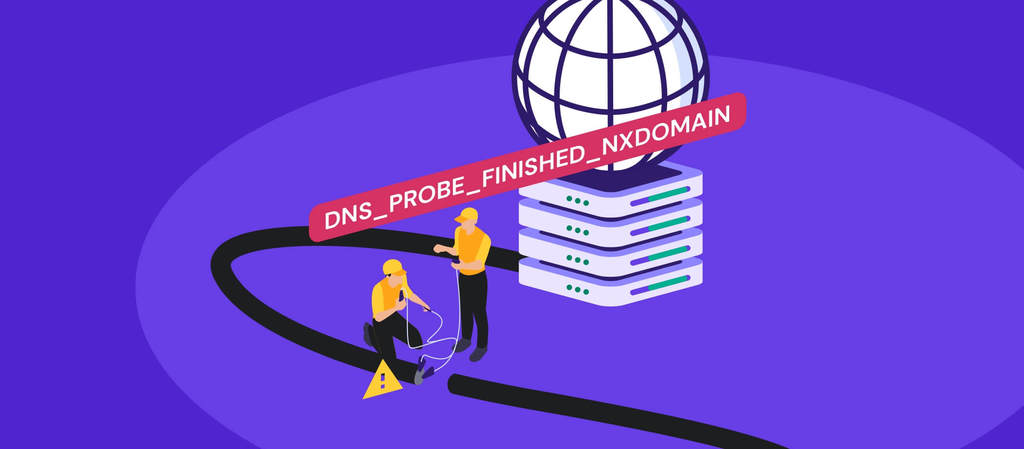
How to fix the DNS_PROBE_FINISHED_NXDOMAIN error
The DNS_PROBE_FINISHED_NXDOMAIN error appears when your browser can’t find a website’s IP address. In simple terms, the domain name...
WordPress
Whether you’re an expert or beginner, we have the latest updates, tutorials, and tips for your WordPress projects.

How to speed up a WordPress website: 12 performance optimization methods
Search engines like Google consider page speed a ranking factor as it affects the overall user experience. WordPress offers various tools and features...
What is a WordPress plugin: A comprehensive guide for beginners
WordPress plugins are a crucial aspect of building WordPress websites as they allow users to add additional features without touching a single line of...
How to improve WordPress security: 22 methods to protect your website
WordPress is the most popular content management system (CMS), with 43.2% of all websites running on its software. Unfortunately, its popularity...
Weekly Editor's Pick
Every week, our editors curate the best content for you to build success online.

Hytale server requirements: Minimum and recommended specs for 2026
Hytale server requirements are relatively modest for small player counts, but scale quickly as more players join and worlds grow. CPU performance and...
8 best Hytale server hosting providers: Top features and pricing
The best Hytale server hosting providers deliver low latency and high-performance hardware to handle the game’s procedurally generated...
What is vibe coding? How does it work?
Vibe coding is a growing trend where developers use large language models (LLMs) to generate functional code by simply describing what they need in...
Websites
Need a hand with a website? Our guides can walk you through all the processes, from choosing a hosting plan to optimizing site performance.

Website maintenance cost: Hiring a professional vs self-maintenance
Website maintenance costs typically range from $5 to $5,000 per month.This wide range depends heavily on your site’s complexity, size, and...

How to buy a domain name in 5 steps
When you find the perfect domain name, buy it right away so no one else can take it. The process is simple: start by brainstorming ideas, then choose...
All Hostinger Tutorials
Learn more about web hosting, VPS, domain names, SSL, and more with our newest releases.

How to create Eurovision scoreboard with AI within minutes
A Eurovision scoreboard turns a simple voting game into a shared live event. It gives everyone something to watch, react to, and debate as the...
How to create time tracker without coding
A time tracker web app helps users log work hours, monitor tasks, and understand where their time goes. Instead of relying on manual notes or...
What is Vite and how does it work?
Vite is a front-end build tool and development server. It serves your code through native ES modules (ESM) during development, so your dev server...
How to create AI slogan generator in 9 steps
An AI slogan generator helps users create short, memorable slogan ideas from simple brand, product, or campaign details. Instead of brainstorming from...
Node.js vs. React.js: Key differences between Node.js and React.js
Node.js is a JavaScript runtime used for backend development and server-side application logic. It runs JavaScript outside the browser and powers...
Top 15 health tracking apps: Key features and pricing
Health tracking apps are mobile tools that collect, process, and visualize health data from your phone and wearables. The tracking includes steps,...
How to vibe code a website in 8 steps
Vibe coding is an AI-assisted approach to building websites: you describe what you want in plain language, and an AI-powered builder generates a...
13 Node.js best practices
Node.js best practices focus on building scalable, secure, and maintainable applications for server-side development. They help keep performance...

150+ cool domain names for your website
Cool domain names have a certain pull. They sound good, look clean, and make people feel like there’s something worth checking out behind the...
How to create emoji AI generator
An emoji AI generator helps users create custom emoji concepts from simple text prompts. Instead of searching for existing emojis, users can describe...
How to build a progressive overload tracker with OpenClaw
To build a progressive overload tracker with OpenClaw, set up an always-on agent that logs workouts from chat, reads your training rules, and sends...
How to create AI avatar generator in 9 steps
An AI avatar generator helps users create custom profile images or character concepts from simple prompts. Instead of designing avatars manually,...
How to automate appointment scheduling with OpenClaw
Automating appointment scheduling with OpenClaw lets you create, update, and manage meetings via chat-based commands and AI-driven workflows. OpenClaw...
How to generate automatic support replies with OpenClaw
OpenClaw can generate automatic support replies by connecting an AI agent to customer messaging channels like WhatsApp, Telegram, or Slack. The agent...
How to create a knowledge base chatbot with OpenClaw
To create a knowledge base chatbot with OpenClaw, deploy OpenClaw in a persistent environment, organize your approved documents into a dedicated...
How to build an AI email assistant with OpenClaw
An OpenClaw AI email assistant is an always-on agent that reads your inbox, summarizes new messages, labels priority emails, drafts replies for...
7 no-code app automations you can build with OpenClaw
OpenClaw no-code app automations let you turn messages, schedules, and webhooks into outputs such as landing page drafts, website previews, app...
How to build AI document workflows with OpenClaw
To build AI document workflows with OpenClaw, start by launching an OpenClaw agent, connecting it to Telegram, WhatsApp, or your agentic mailbox, and...
How to create AI email signature generator
An AI email signature generator helps users create professional, branded email signatures from simple inputs like name, role, company, logo, and...
How to automate meeting follow-ups with OpenClaw for faster team productivity
OpenClaw automates meeting follow-ups by using a transcript source, a meeting-end trigger, a follow-up prompt, Slack or task delivery, and reminder...
How to automate file ingestion with OpenClaw
To automate file ingestion with OpenClaw, set up an always-on gateway, choose a trigger, create a watched folder, extract file content, validate the...
How to automate document parsing with OpenClaw
To automate document parsing with OpenClaw, configure its built-in PDF parser, choose the right extraction method for each document type, and validate...
