Image
user avatar
Mason George
@MasonReact
26 ๐Ÿ› ๏ธ Optimization Specialist | PC, Internet, Stream, Audio & Controller Services | Own @ReactPCs ๐Ÿ“ˆ 5200+ Customers | 5+ Years
@haleyyyyyxo ๐Ÿ’ž
Joined July 2014
  • Pinned
    user avatar
    5000+ gamers helped. 5+ years of optimizing PCs. Thousands of hours spent testing what ACTUALLY improves performance. At this point, Iโ€™ve seen almost every issue possible: โ€ข Low FPS on high-end PCs โ€ข Input delay & stutters โ€ข Bad BIOS configs โ€ข Broken Windows installs โ€ข Poor
    Image
  • user avatar
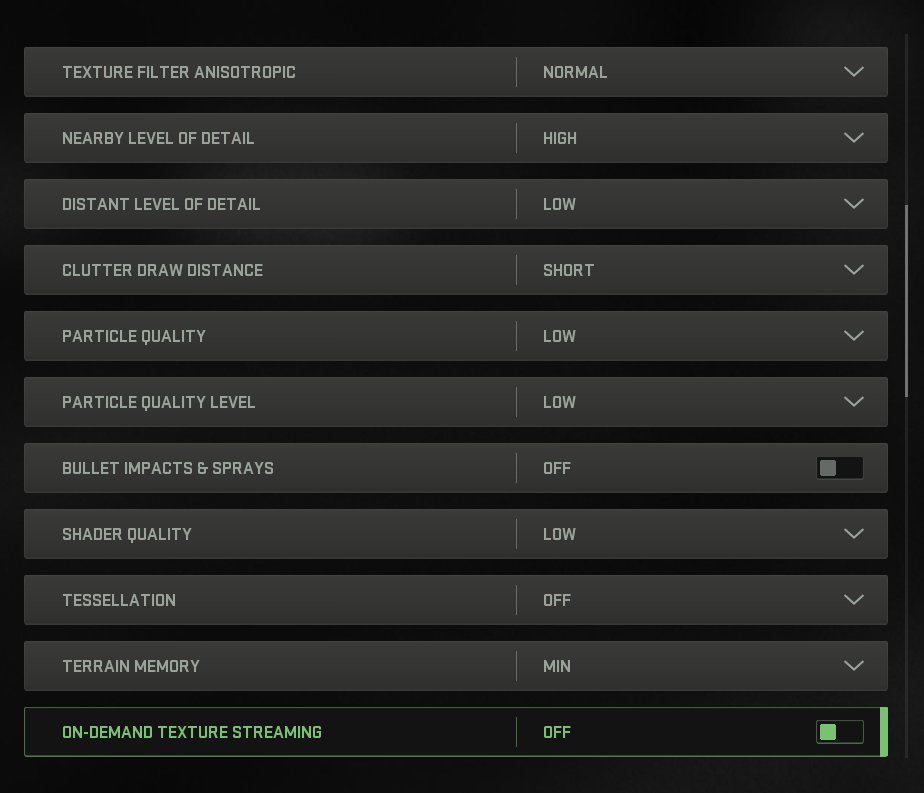
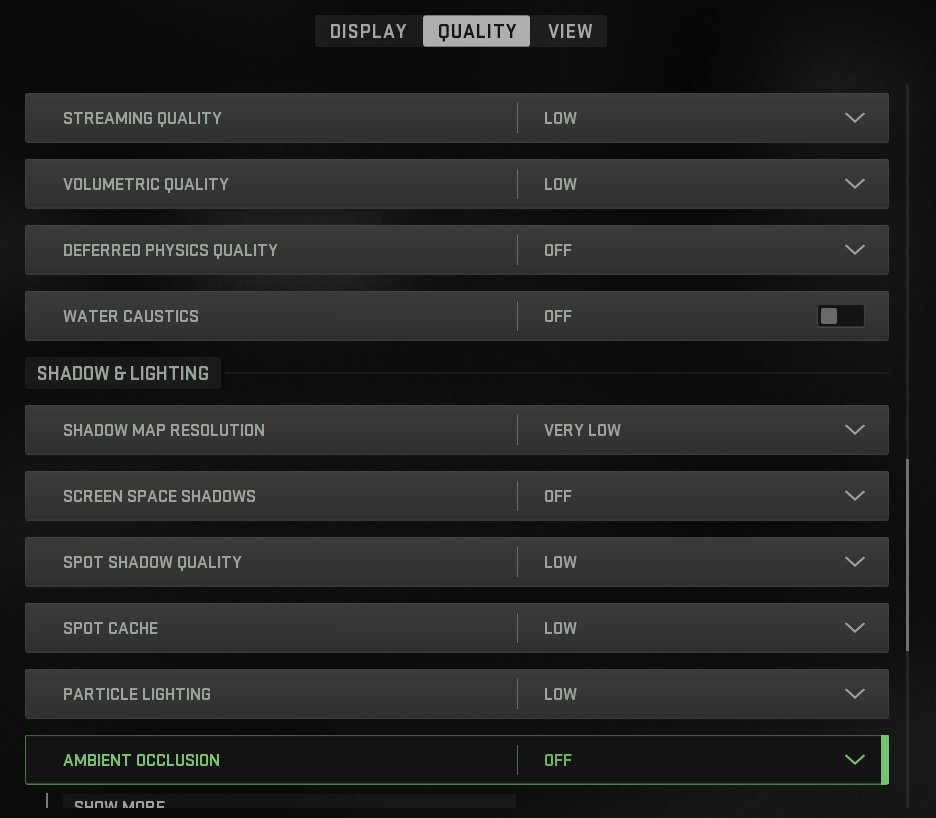
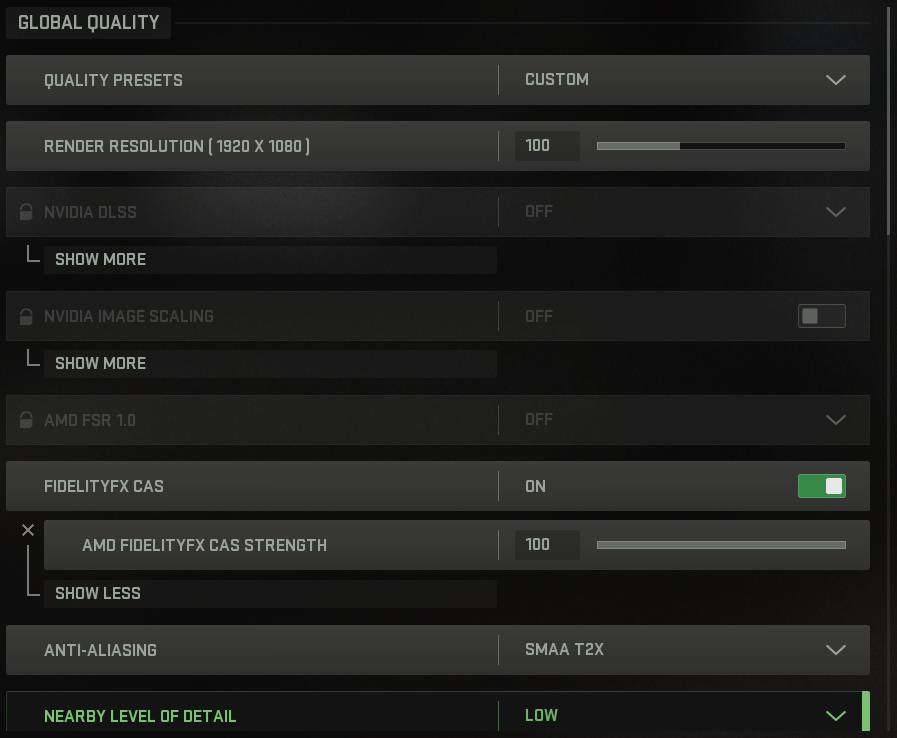
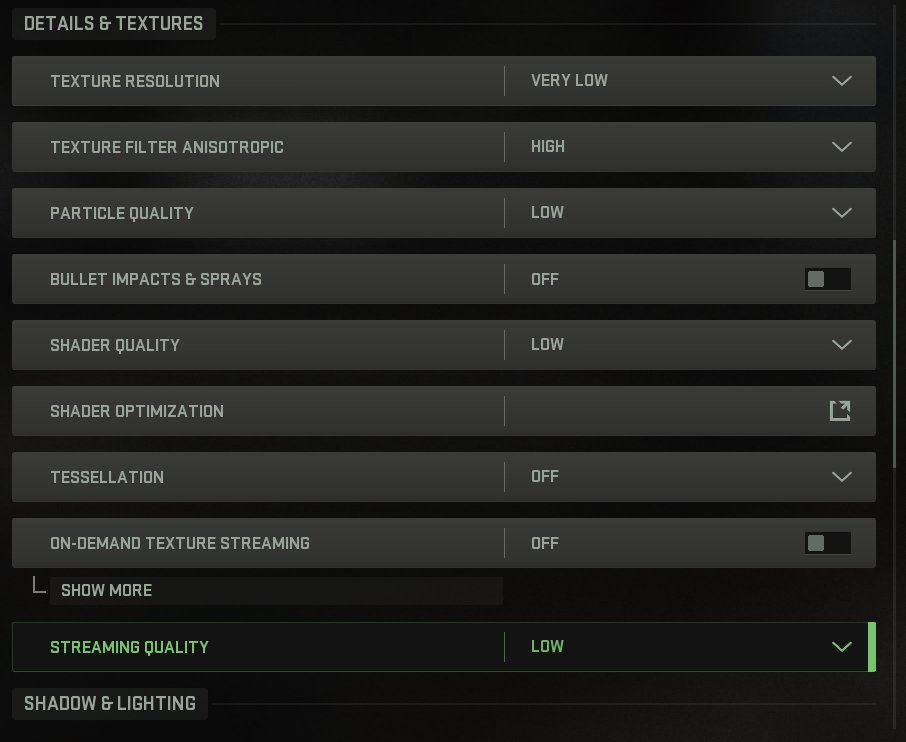
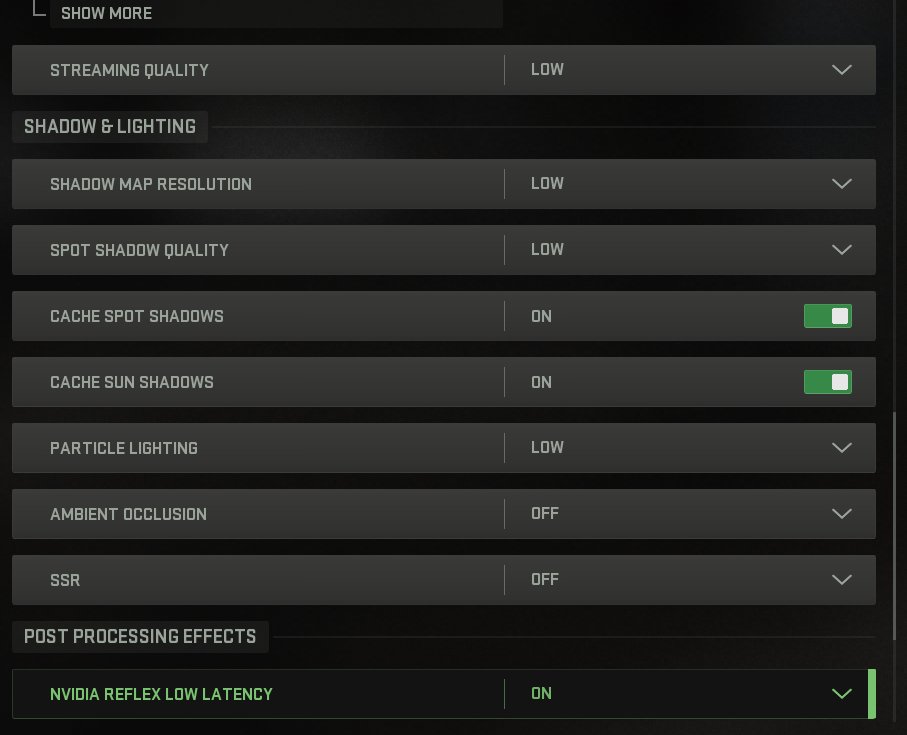
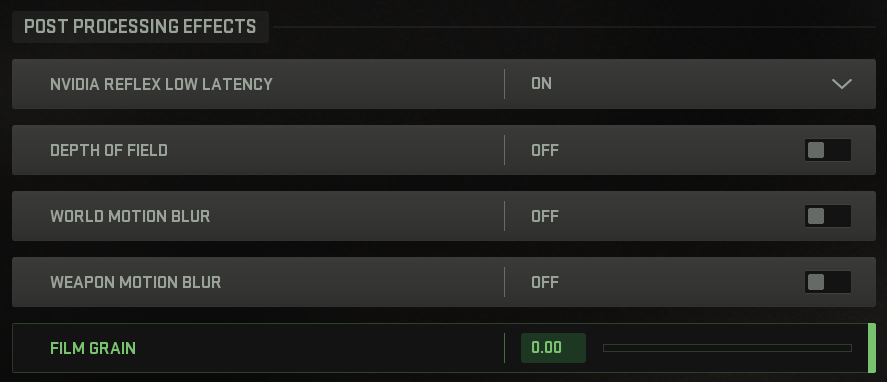
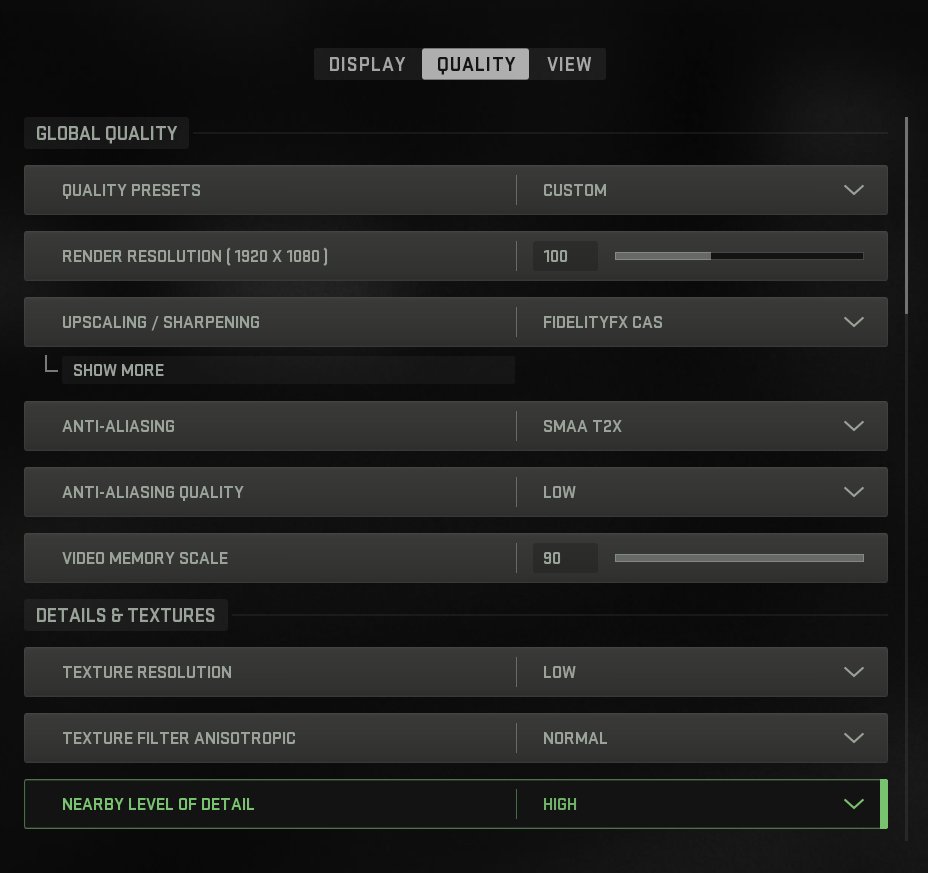
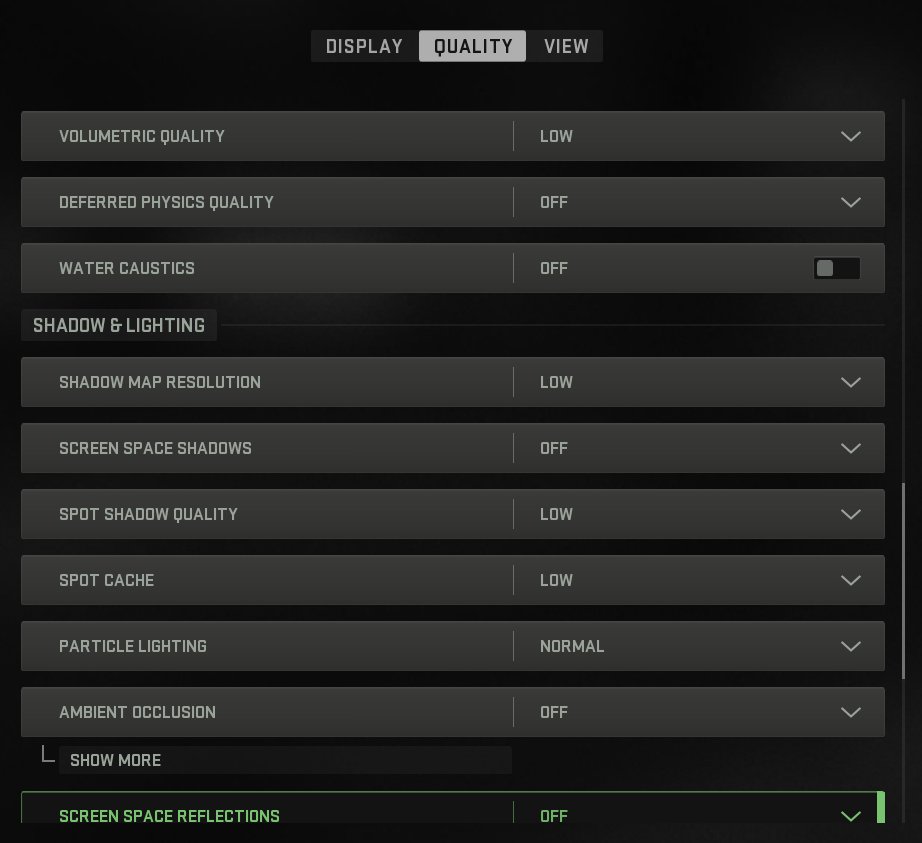
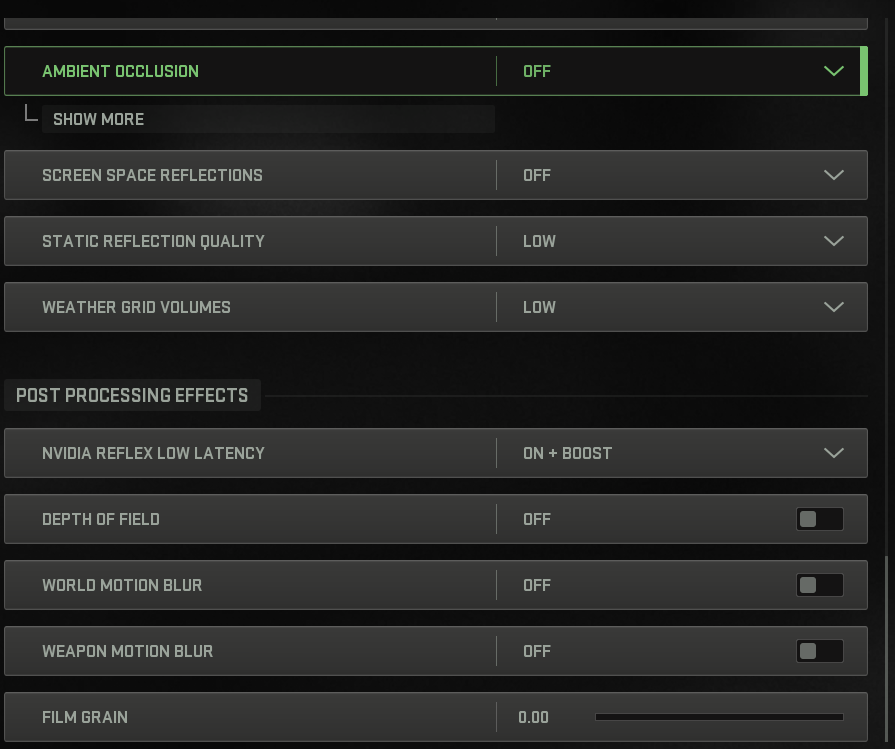
    THE ABSOLUTE BEST #MWII GRAPHICS SETTINGS ( MAX FPS ) ๐Ÿ‘‡
    Image
    Image
    Image
    Image
  • user avatar
    BEST #MW2 Graphics Settings ๐Ÿ‘‡ ( MOST FPS )
    Image
    Image
    Image
    Image
  • user avatar
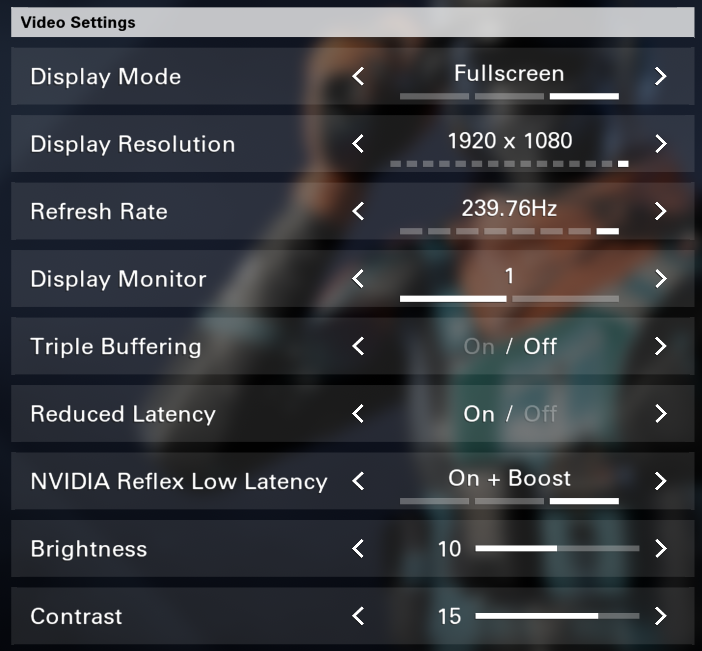
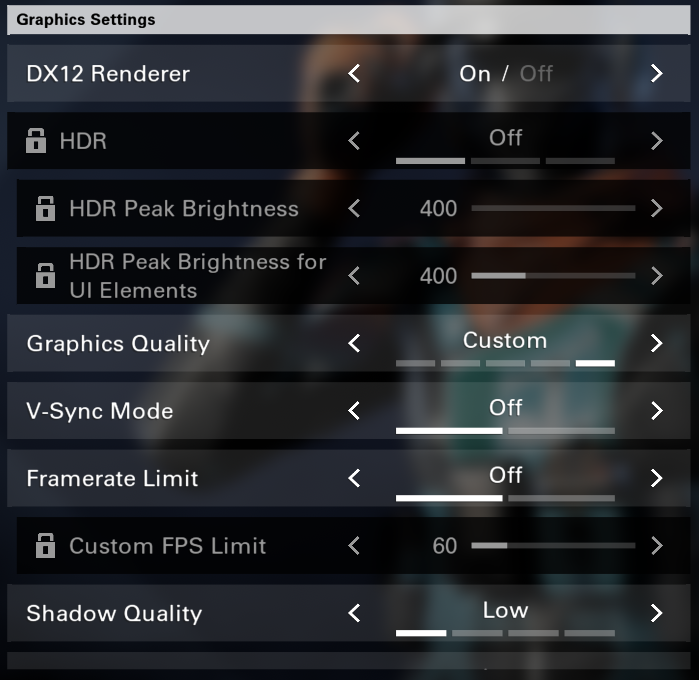
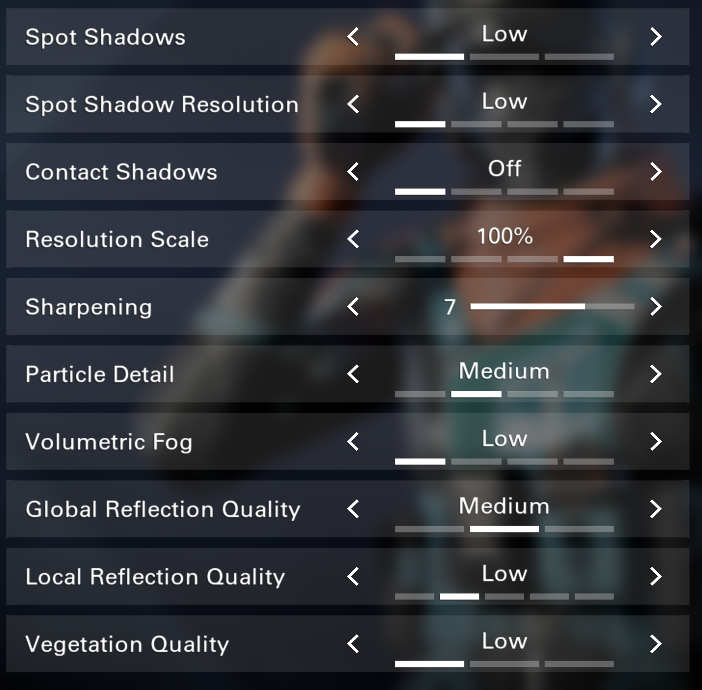
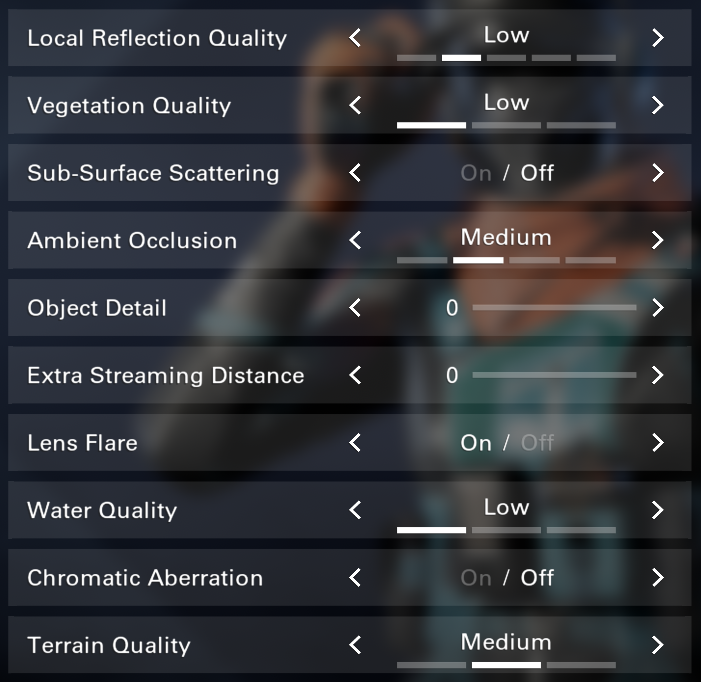
    BEST #Battlefield6 BETA GRAPHICS SETTINGS ๐Ÿ”ฅ Max FPS with a decent balance of quality to help give you the best competitive edge in-game ๐Ÿ‘‡ (works for all PC builds)
    Image
    Image
    Image
    Image
  • user avatar
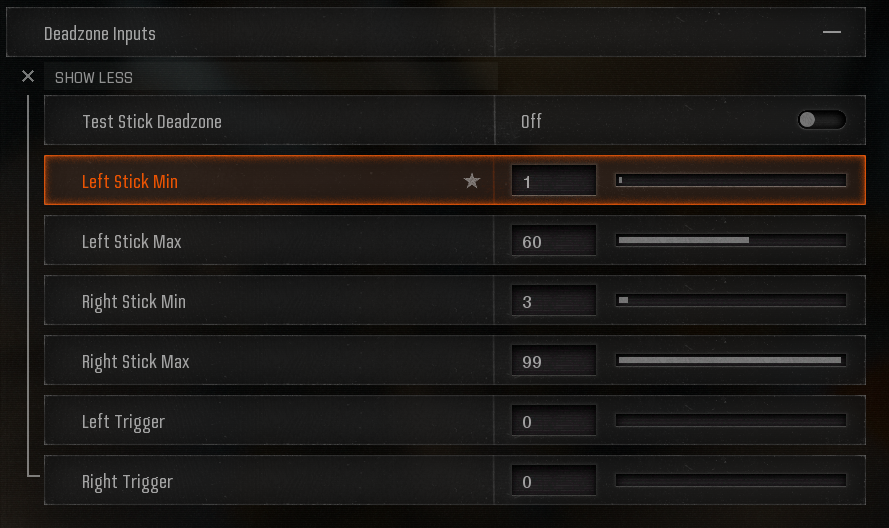
    BEST #BlackOps6 CONTROLLER SETTINGS ๐ŸŽฎ (Increase Aim Assist and Lower Input Delay) Apply these controller settings to your game to reduce your input delay, and help increase your aim assist! Deadzones can be personal preference, raise LS/RS min by 1 until no stick drift!
    Image
    Image
    Image
    Image
  • user avatar
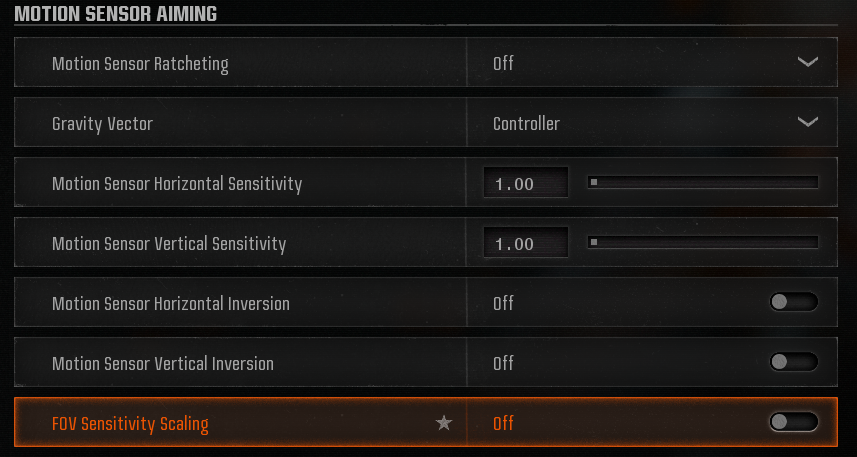
    CONTROLLER AIM ASSIST FIX #MW3 ๐Ÿ”ง Controller Settings > Aiming > Motion Sensor Advanced Settings > Turn OFF FOV Sensitivity Scaling
    Image
  • user avatar
    BEST #MW2 Warzone 2.0 GRAPHICS SETTINGS ๐Ÿ”ฅ ( MAX FPS with a balance of GOOD QUALITY )
    Image
    Image
    Image
    Image
  • user avatar
    BEST @PlayXDefiant GRAPHICS SETTINGS ( Max FPS & Better Visual Quality ) ๐Ÿซก Apply these settings to your game, restart your game, and enjoy more FPS and a smoother gameplay with these settings!
    Image
    Image
    Image
    Image
  • user avatar
    Best Controller Settings For The #BlackOps6 BETA ๐ŸŽฎ(Max Aim Assist & Lower Input Delay) For deadzones, start at 0 LS / 0 RS, and raise until you have no stick drift! Turn OFF FOV Sensitivity Scaling by going to your Aiming settings > Motion Sensor Advanced Settings
    Image
    Image
  • user avatar
    After the new #MWII update, they added GYRO AIMING โ€ผ๏ธ TURN THIS SETTING OFF ( it will mess with your aim assist and make your sensivity feel off ) Follow @MasonReact & @ReactOptiz for more sauce ๐Ÿซก
    Image
  • user avatar
    BEST GRAPHICS SETTINGS FOR #MWII & #Warzone2 ๐Ÿ‘‡ ( MAX FPS & NO STUTTERING ISSUES )
    Image
    Image
    Image
    Image
  • user avatar
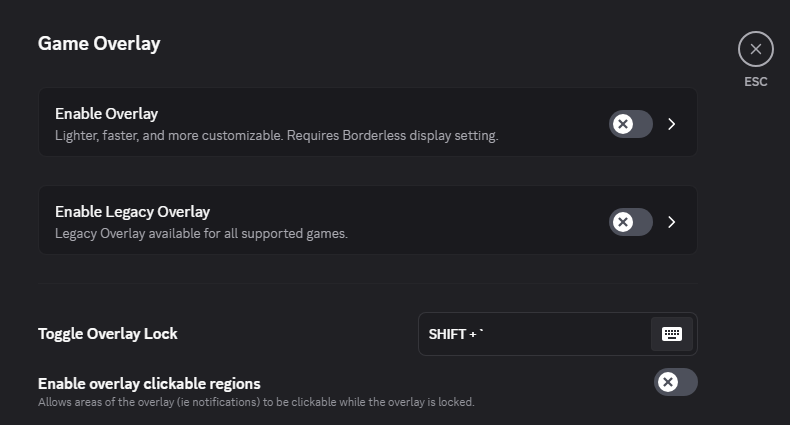
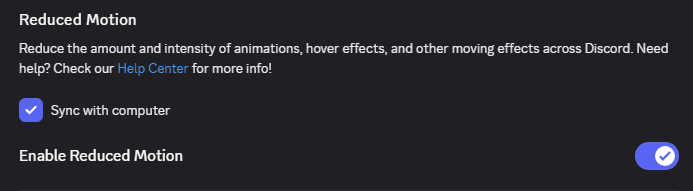
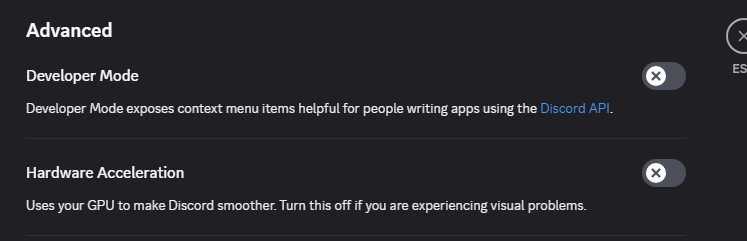
    Make sure you change these settings on @discord to save your FPS and help reduce input lag while gaming ๐Ÿ‘‡ 1. Settings > Game Overlay > Turn ALL 3 overlay settings OFF 2. Advanced > Turn off Hardware Acceleration 3. Accessibility > Turn ON Enable Reduced Motion
    Image
    Image
    Image
  • user avatar
    BEST #BlackOps7 AUDIO SETTINGS ๐Ÿ”Š (Increase Footsteps & Directional Audio) Apply these audio settings to your game to make sure you're getting the best competitive edge for hearing enemies and footsteps!
    Image
    Image
    Image
  • user avatar
    NEW BEST #BlackOps6 SEASON 3 GRAPHICS SETTINGS ( Better FPS & Fix FPS Drops ) ๐Ÿ“ˆ Apply these settings to your game after the Season 3 update today to ensure you're getting the best FPS, better visual quality, and to fix FPS drops!
    Image
    Image
    Image