Introducing Alex 2.5! 🚀
- Multi-file apply/undo
- Checkpoints to bookmark project state
- New screenshot tool
- Code maps for Swift
- New File Assistant ⚡
- Faster autocomplete
- Faster file creation
- New DeepSeek V3
- New Floating Mode
- CJK localisation
Excited to see what
New version (2.1) released today! Here's what's new:
1. Generate Git Commits with AI
Alex can now read your file changes and suggest commit messages!
2. Chat Tabs!
You can now have multiple chats open, and quickly tab between them with Ctrl+Tab! Start a new tab with Cmd+T.
0 -> Fully working flight tracker iOS app, with ZERO lines of code.
Here's what it covers:
1. OpenAI Image gen for designs
2. Project Planning + Memory
3. Auto-Compiling + Fixing Errors in Xcode
4. Deep Research tool (Google)
5. Quick Screenshotting
6. Think mode (Claude Sonnet
🎉 Introducing Alex 3.0
Hey everyone! We're so excited to release Alex 3.0.
Here's what's new:
- Automatically compile & fix errors 🔁
- Auto-apply code ⚡
- Agentically 📦 Add SPM packages, 🌐 Search the web, run terminal commands, and review your code.
- Local LLM support +
Hey everyone! 2 announcements today:
1. We've doubled the chat context limit for all users and chats! So you can attach a lot more files to context, and have longer conversations.
2. We've also upgraded our Free Plan with much higher message & code apply limits. The free tier
We integrate most of cursor's features directly into Xcode! Plus we have a lot more swift-specific features that let you generate better (more compilable) swift code.
For example, we just released a "Fix Swift 6 Issues" button yesterday:
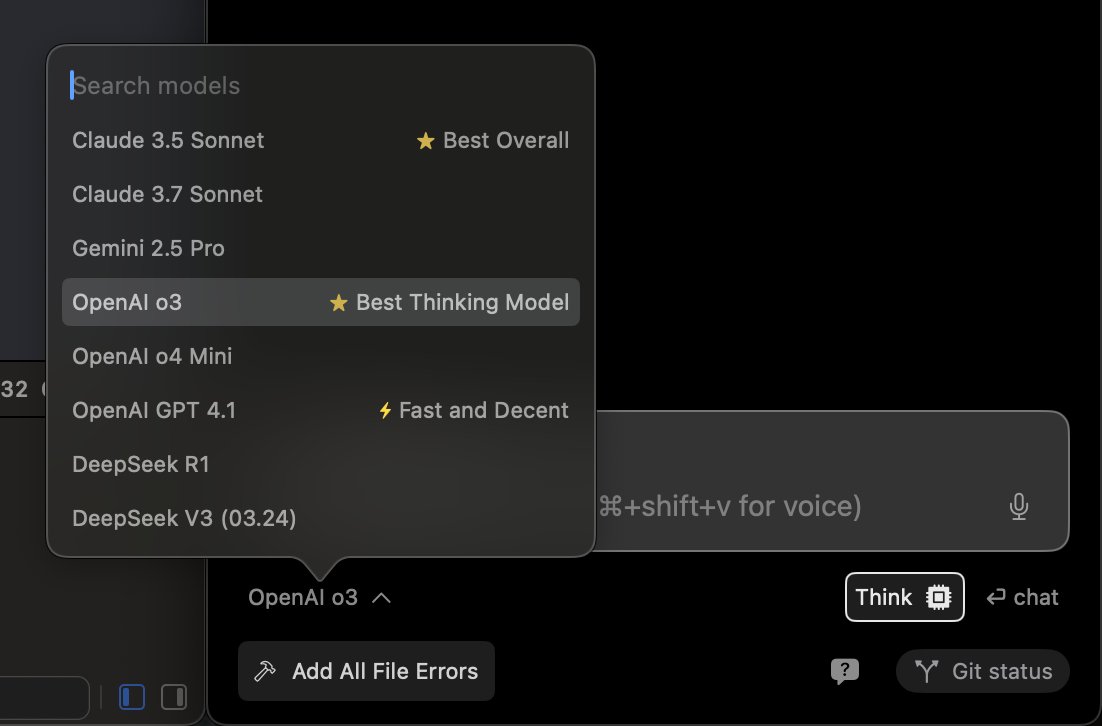
The following OpenAI models are now available in Alex:
- OpenAI o3
We’ve been super impressed with this model. Definitely state of the art.
Note: This model uses o1 credits, which you need to purchase separately in the billing settings. Or you can use your own OpenAI API key