Log inSign up
Axel Le Pennec
10.8K posts
Image
user avatar
Axel Le Pennec
@alpennec
Building apps for Apple platforms (Swift/SwiftUI). Here to learn & share. Formerly @tryriotdotcom, @efounders/@joinhexa, @fabernovel.
Paris, France
Born August 31
Joined March 2009
248
Following
4,543
Followers

New to X?

Sign up now to get your own personalized timeline!

Create account

By signing up, you agree to the Terms of Service and Privacy Policy, including Cookie Use.

Terms of Service|Privacy Policy|Cookie Policy|Accessibility|Ads info|© 2026 X Corp.
Don't miss what's happening
People on X are the first to know.
Log inSign up
  • Pinned
    user avatar
    Axel Le Pennec
    @alpennec
    Jun 17
    I'm looking for a sample SwiftUI project using the AppIntents framework to read/write data from/to Core Data (and/or SwiftData). Do I use the AppDependencyManager thing? A database singleton? Do I use the main thread? A background thread/context? Any idea? Thank you!
    Image
    6.1K
  • user avatar
    Axel Le Pennec
    @alpennec
    May 20, 2025
    So much Aero Glass blurry transparency effect at #WWDC25 🪩
    Image
    Image
    Image
    Image
    107K
  • user avatar
    Axel Le Pennec
    @alpennec
    Feb 22, 2025
    Replying to @DylanMcD8
    The solution already exists: it is called wireless. 🔋 Qi-certified charger for charging 🎧 Bluetooth/Wi-Fi for transferring data Stop EU-bashing please 😉
    60K
  • user avatar
    Axel Le Pennec
    @alpennec
    May 28, 2025
    It was way easier than I thought actually 😄 All SwiftUI, works on iOS 16+.
    Image
    00:00
    50K
  • user avatar
    Axel Le Pennec
    @alpennec
    Oct 30, 2025
    TIL Xcode 26 has a View Debugging tool to show when a View is rendered called “Flash Updated Regions”. This seems very powerful, I’ll make sure to débug my apps with that turned on.
    Image
    Image
    55K
  • user avatar
    Axel Le Pennec
    @alpennec
    Apr 4, 2024
    In #SwiftUI, is there a way to present a sheet whose height is based on the content size, using detents? And if the content doesn't fit, it would be placed in a scroll view (not enough space/dynamic type size). I want to replicate rounded sheets used by iOS. Any idea?
    Image
    88K
  • user avatar
    Axel Le Pennec
    @alpennec
    Aug 21, 2025
    PSA: in iOS 26, use the new SwiftUI safeAreaBar modifier instead of safeAreaInset to get the progressive blur at the top/bottom of a scroll view with custom content. Handy if you want bottom content without a tab bar or system toolbar for example. Link to the documentation ⬇️
    Image
    00:00
    26K
  • user avatar
    Axel Le Pennec
    @alpennec
    Jun 14, 2025
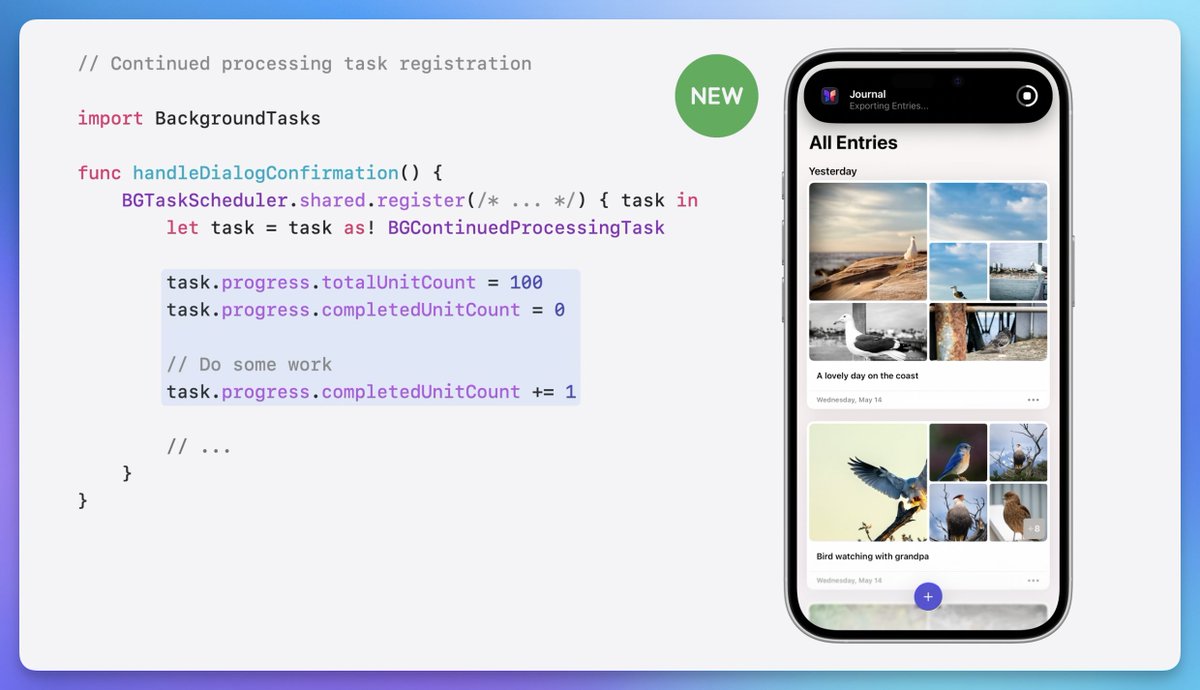
    The new BGContinueProcessingTask allows a work to continue even after the app is backgrounded, with a system providing UI to communicate progress! No more LiveActivities to provide feedback on tasks being performed by the app 🤩 Documentation: developer.apple.com/documentation/… #WWDC25
    Image
    19K
  • user avatar
    Axel Le Pennec
    @alpennec
    Aug 22, 2025
    Want to have a sheet "zoom out" of toolbar buttons in iOS 26 instead of sliding up from the bottom of the screen? Two SwiftUI ways: 1. ZoomNavigationTransition (sheet content) + matchedTransitionSource (button) 2. .popover (button) + .presentationCompactAdaptation(.sheet)
    Image
    00:00
    Image
    00:00
    17K
  • user avatar
    Axel Le Pennec
    @alpennec
    Apr 1, 2024
    Excited to announce my first day at #Apple! 🎉 Thrilled to be part of the #SwiftUI team, shaping the future of app development. What feature are you most eager for? Let me know, I'll make sure it gets heard!
    32K
  • user avatar
    Axel Le Pennec
    @alpennec
    Oct 6, 2023
    I finally found how to have the nice #SwiftUI Text+timer style animation in an app (the default behaviour in a widget). I just missed to specify a transaction for the Text. It's working like a charm now! .transaction { t in t.animation = .default } cc @frboulais 🎁
    Image
    00:00
    Image
    user avatar
    Axel Le Pennec
    @alpennec
    Sep 5, 2023
    I'm trying to use .contentTransition(.numericText()) on a Text with a timer style in #SwiftUI View (not used in a widget), but it's not working. What am I missing? 🤔
    44K
  • user avatar
    Axel Le Pennec
    @alpennec
    Feb 21, 2024
    Replying to @SebJVidal and @pixelmator
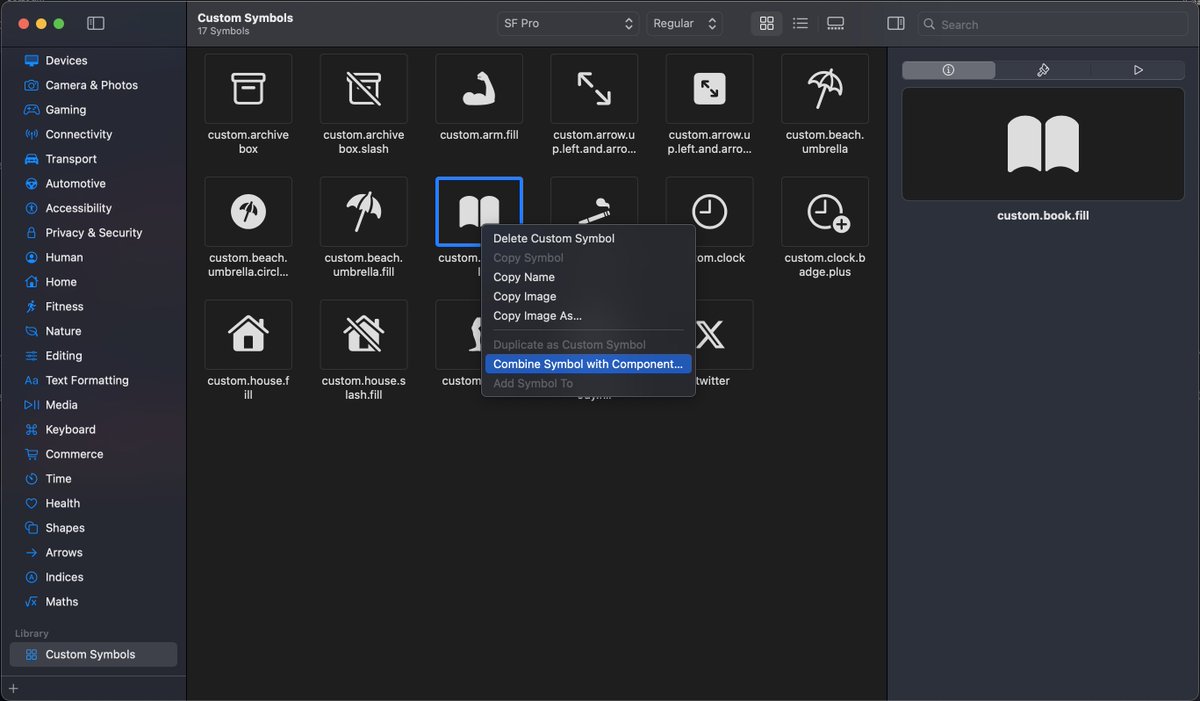
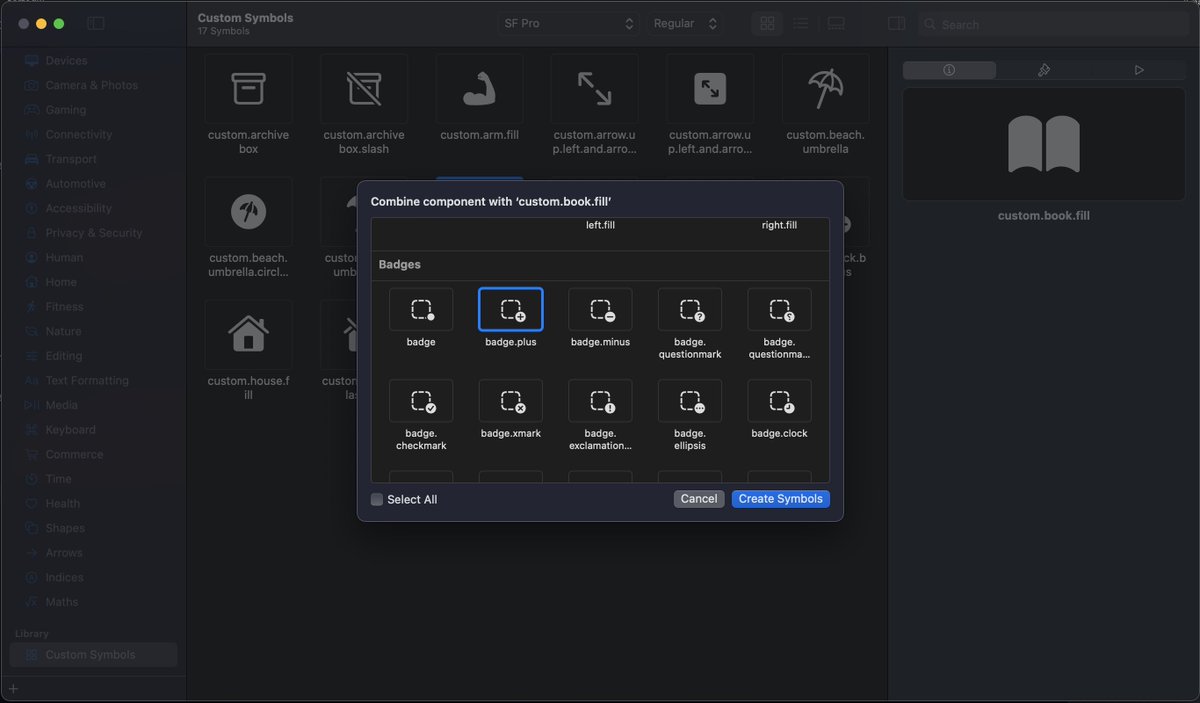
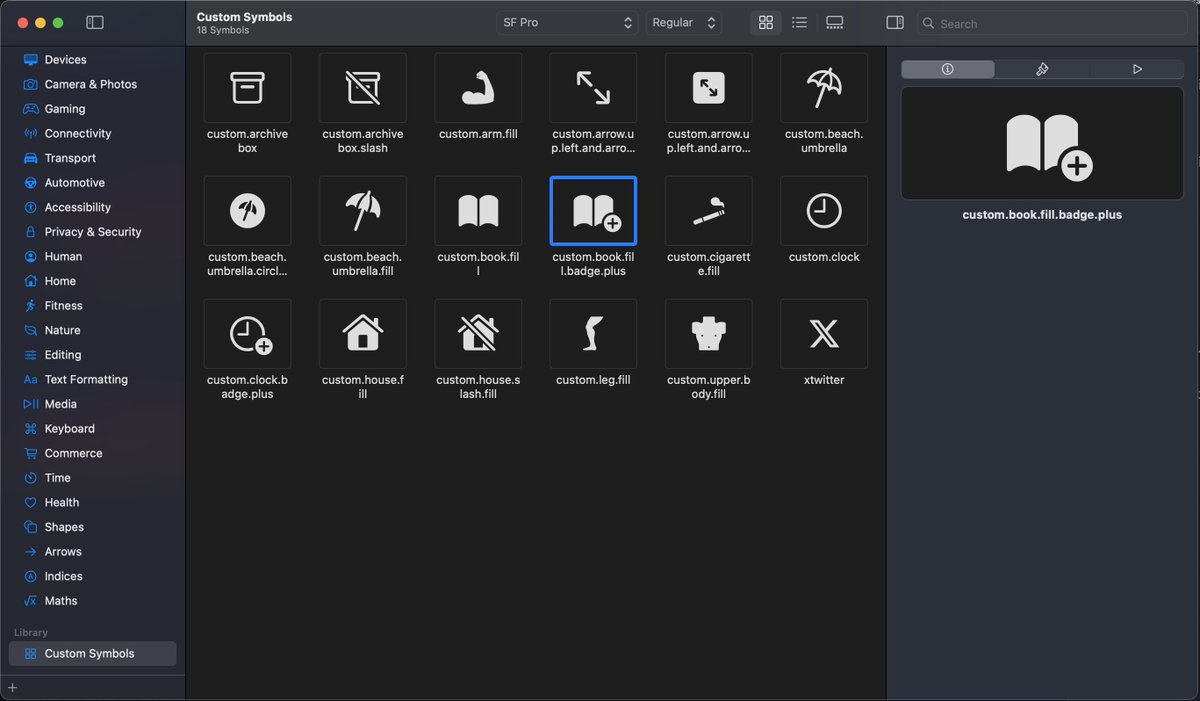
    How to do it the easy way directly in #SFSymbols: 1. Choose an existing SF Symbol (book.fill) 2. Right click + "Duplicate as Custom Symbol" 3. In Custom Symbols, right click + "Combine Symbol with Component" 4. Select the component your want (badge.plus) Voilà! 🪄
    Image
    Image
    Image
    Image
    20K
  • user avatar
    Axel Le Pennec
    @alpennec
    Oct 10, 2024
    xcrun simctl --set previews delete all to the rescue 🫡 #Xcode #iOSDev #SwiftUI
    Image
    16K
  • user avatar
    Axel Le Pennec
    @alpennec
    Aug 25, 2025
    So on one side: the @appmafia_ course. $1,000 for black-hat, shady tactics from questionably unethical apps built by Gen Z folks. On the other: "Everything but the Code" by @twostraws. $80 for proven insights and advices from Apple Award–winning apps built by renowned teams. 🤔
    Image
    Image
    36K
Advertisement
Advertisement