Image
user avatar
HEY
37signals
@heyhey
We finally fixed your Email & Calendar! Gmail, Outlook, and Apple got complacent. Then along came HEY. Follow @37signals to get the latest news about HEY.
Posts
  • user avatar
    In the first cohort of HEY signups, 37% have converted to a paid account! HEY is made by Basecamp. Basecamp used to be called 37signals, for the 37 unidentified signals of potentially intelligent life in space. This can only mean one thing: The ๐Ÿ‘ฝ are pleased with HEY ๐Ÿ˜‚โค๏ธ
  • user avatar
    We're celebrating over 150,000 HEY accounts created so far ๐ŸŽ‰! And thousands of people have already committed to become paying customers already โœจ. Thank you so much to everyone who've been willing to give us a try, and triply so to those willing to commit ๐Ÿ™โค๏ธ
  • user avatar
    Replying to @heyhey
    Turns out... HEY was only down for the two people working on a new feature that was rolled out silently.. nobody else ๐Ÿ˜ฑ๐Ÿ˜ญ๐Ÿคฃ. So, how is your morning going?
    Image
    GIF
  • user avatar
    Here's a little tease of what's coming soon for iOS.
    Image
    00:00
  • user avatar
    We're still putting this finishing touches on this but #EarthDay2021 seemed like the perfect time to raise the curtain. Coming soon in HEY: Recycling. Automatically recycle emails in The Feed or for individual contacts after you no longer need them.
    HEY's Recycling Center let's you configure recycling settings for your account. Screenshot of Recycling Center with 30 days, 90 days, and 2 years options.
  • user avatar
    ๐ŸŽ‰ New in HEY for iOS (v1.2.3) - A brand new way to switch between Imbox, The Feed, and Paper Trail by dragging the HEY button. Plus, send from extensions, show the screener on widgets, and a big batch of bug fixes.
    Image
    00:00
  • user avatar
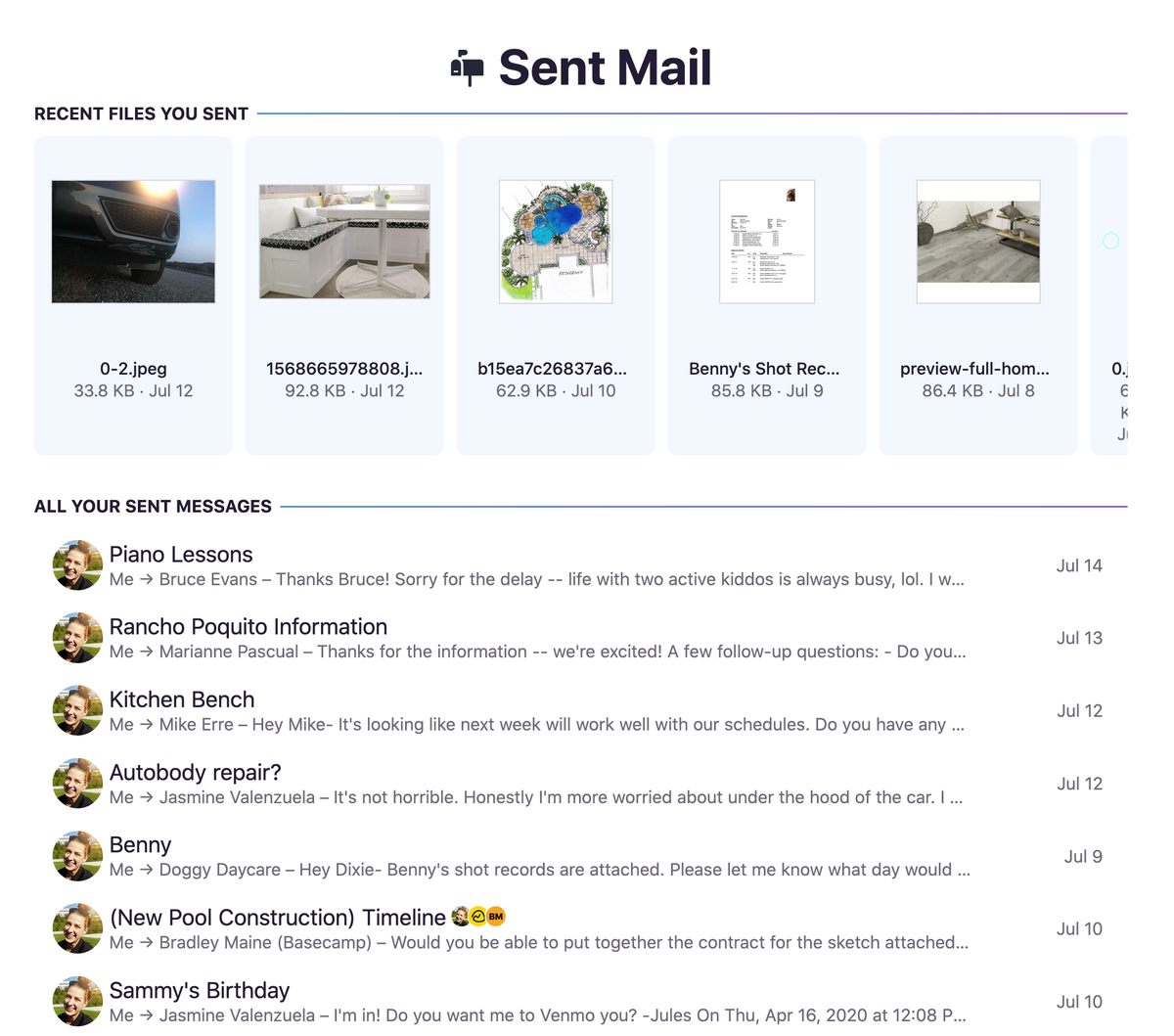
    You've asked for it, and here it is: A dedicated view to see all your sent emails. It's available from the HEY menu, and as a bonus, we pull out your latest sent files too. Enjoy! ๐ŸŽ‰
    Image
  • user avatar
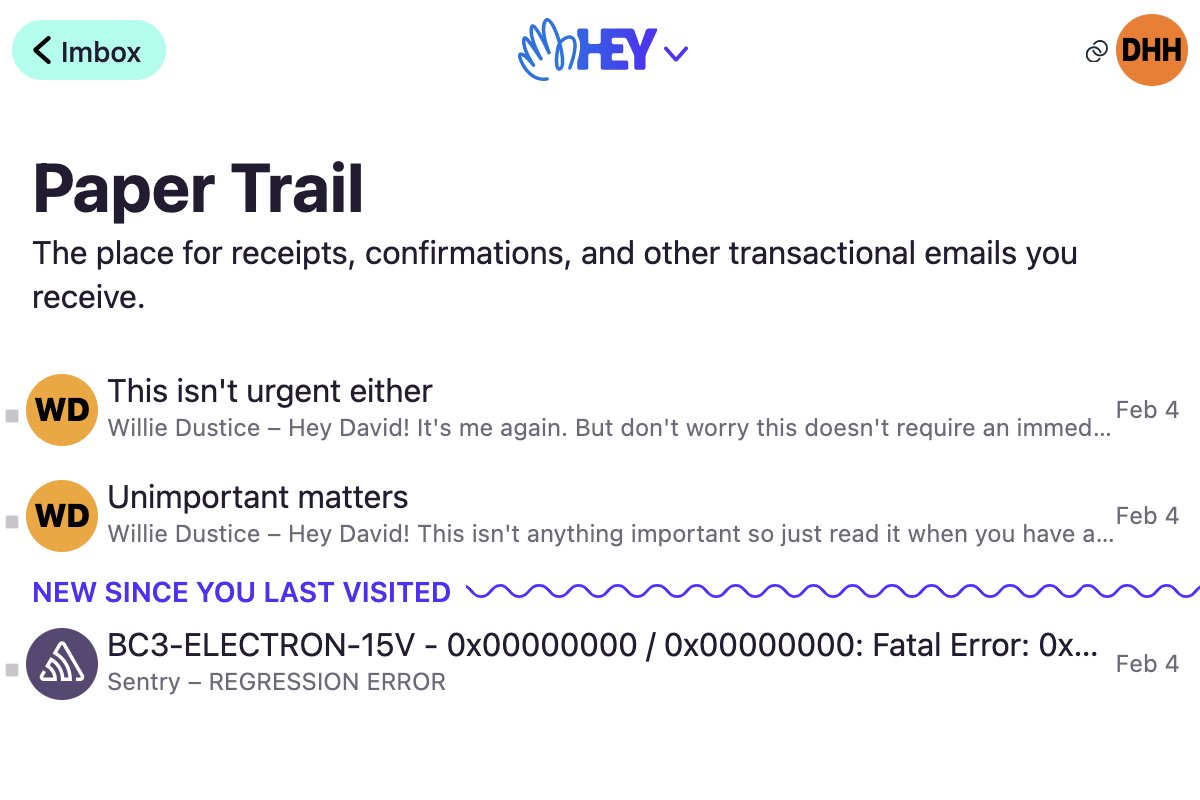
    We've just added a new feature that remembers where you left off in The Paper Trail and The Feed. The next time you visit these pages, new items are much easier to spot:
    Image
  • user avatar
    NEW: You can now bundle senders designated to the Paper Trail, just like you can with the Imbox. No longer will that one busy sender dominate your records. Enjoy โœŒ๏ธโค๏ธ
    Image
  • user avatar
    Hey HEY. This is where we'll answer all your heys about HEY. Because hey, it's nice to see you're on HEY. And hey, we just want to help you using HEY. Answer any HEY questions about all things HEY. Or, you know, just say hey*. * Terrible puns not included on all interactions.
  • user avatar
    ๐Ÿฅณ We've got an iOS update for you today! ๐Ÿ†• Pick a custom app icon ๐ŸŸฅ๐ŸŸง๐ŸŸจ๐ŸŸฉ๐ŸŸฆ๐ŸŸชโฌ›๏ธ ๐Ÿ†• Pinch to zoom an email ๐Ÿ‘† โ†– โ†˜ ๐Ÿ‘† ๐Ÿ†• Get suggestions from Siri ๐Ÿค–๐Ÿ’ฌ๐Ÿ’ก โœ… And a bunch of bug fixes too Grab your update (version 1.0.8) on the App Store: apps.apple.com/us/app/hey-emaโ€ฆ
    iOS Screenshot: home screen with a bunch of HEY app icons
    iOS Screenshot: Zoomed in email
    iOS Screenshot: Siri suggests HEY at the right time
  • user avatar
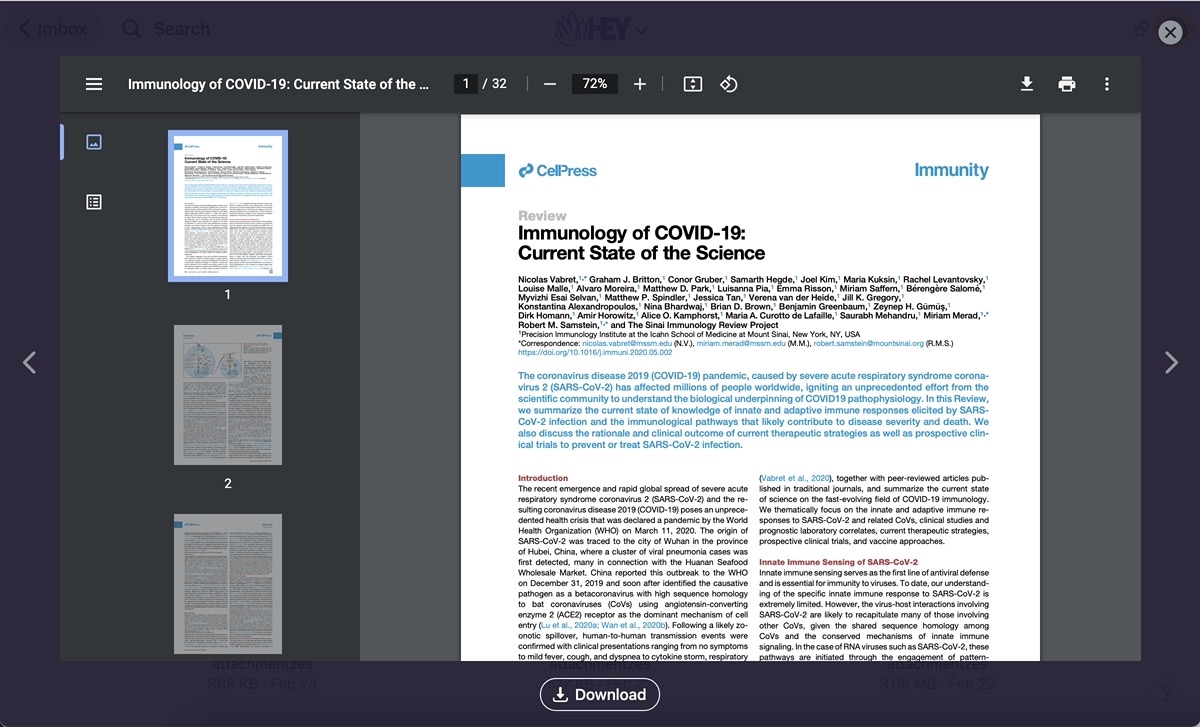
    New in HEY: Now you can zoom in on attachments like photos, animated GIFs, and PDF documents. Click on a photo, load the viewer, and navigate between other attachments with your keyboard or mouse.
    HEY Attachment viewer displays PDF, GIF, PNG, and JPG files.
  • user avatar
    We've optimized the speed of The Feed. The difference is pretty dramatic on some platforms. Here's a comparison on a modern Android phone between how it was and how it now is. Enjoy! โšก๏ธ๐Ÿ’Œ
    Image
    GIF
  • user avatar
    New in HEY: Add email threads to a Workflow to track progress through the stages of a process (sales, hiring, purchasing, etc.).
    A screenshot of the new Workflows screen in HEY displaying emails organized into column-like stages.