





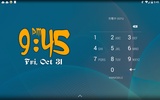

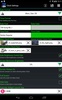
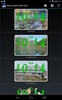
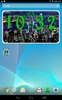

yco Clock is a program for android that adds a clean digital time and date to your home screen and expands into a larger desk clock when you tap it. You can check the time at a glance, then switch to a full-screen view for bedside use. Brightness, time and date formats, and font and color are adjustable for a look that suits you.
Home screen widget and customization options
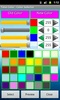
Install a compact 2x1 widget that fits neatly in portrait or landscape layouts. One tap opens the main clock with a bigger display. Within the application, you can pick time and date formats, choose fonts, and set colors to match your theme. For a distraction-free display, enable full-screen and keep the screen on in yco Clock.
Desk clock controls and device integrations
Manual brightness control lets you tailor the view for bright rooms or low light. Depending on the device model, tapping the main clock can open the system Alarm Clock or Desk Clock, offering a quick route to set alarms. The tool also supports simple preferences, making it reliable as a bedside or desktop time display.
Calendar widget and privacy information
A separate 1x1 calendar widget shows today's date and, on supported models, can launch your device's Calendar. Data safety notes indicate no data is shared with third parties and no data is collected. If you want lightweight software that keeps time visible and customizable, this application stays out of the way. Download yco Clock for android to set up a clear, always-ready clock.
yco Clock is for you if
✓ You want a clean, always-visible clock widget that expands to fullscreen for bedside viewing
✓ You prefer customizable time, date, font, color, and brightness settings that match your style
✓ You value lightweight, privacy-friendly tools that integrate with system alarms and calendar for quick scheduling
Requirements (Latest version)
- Android 4.2, 4.2.2 or higher required

























Comments
There are no opinions about yco Clock yet. Be the first! Comment