
Image

Blick version 0.4 is released!

The biggest additions:

New Features:

  • Scripting (beta):
    • a script server lets a program on the same computer control Blick: read the project, add and edit clips, set effects and keyframes, and render. Turn it on in Settings > Scripting > Enable script server. It needs a Blick license.
    • Blick listens on 127.0.0.1 only, on a random port, with a new token for each start. The documentation has the message format, the commands and a full Python client.
  • Image sequences:
    • import numbered images, for example frame_0001.png and frame_0002.png, as one clip. Use File > Import Image Sequence, or drop the files or a folder onto Blick.
    • When you drop numbered files, an import window lists each run of frames. For each run, choose One clip, Separate images or Skip, and set the frame rate.
    • Each sequence has its own frame rate. It starts at the project frame rate, and you can change it in the Media table.
    • Proxies and Gather media work with image sequences. The proxy of a sequence has no alpha channel.
  • Markers:
    • comments pinned to a time in the timeline ruler. Hold M and click to add a marker, or press Shift+M to insert one at the playhead. Hold M and drag a marker to move it.
    • Click a marker to write its text. The text shows in full when you zoom in and shrinks to a flag when you zoom out. The right click menu changes the color of a marker or deletes it.
    • Markers snap to clip edges and to the playhead, and clips snap to markers. A project holds up to 256 markers, and they are saved with it.
  • Clip sync:
    • select clips and choose Set as synced in the right click menu. Blick remembers how these clips line up, and they show a sync icon.
    • When a synced clip is out of line with its group, its icon changes. Move into sync moves the clip back, and Slip into sync slips its content back. Clear sync removes the clip from its group.
  • Flip and mirror: Flip horizontal and Flip vertical in the right click menu of the Monitor, and as actions. Drag an edge of a clip past the opposite edge in the Monitor to mirror it, or set a negative Scale. This also works for text clips.
  • Render failure reports: when a render fails, a window shows the reason, what to try, and the details. Blick also tells you when it had to change a setting, for example when it rendered 8-bit because the encoder has no 10-bit output.
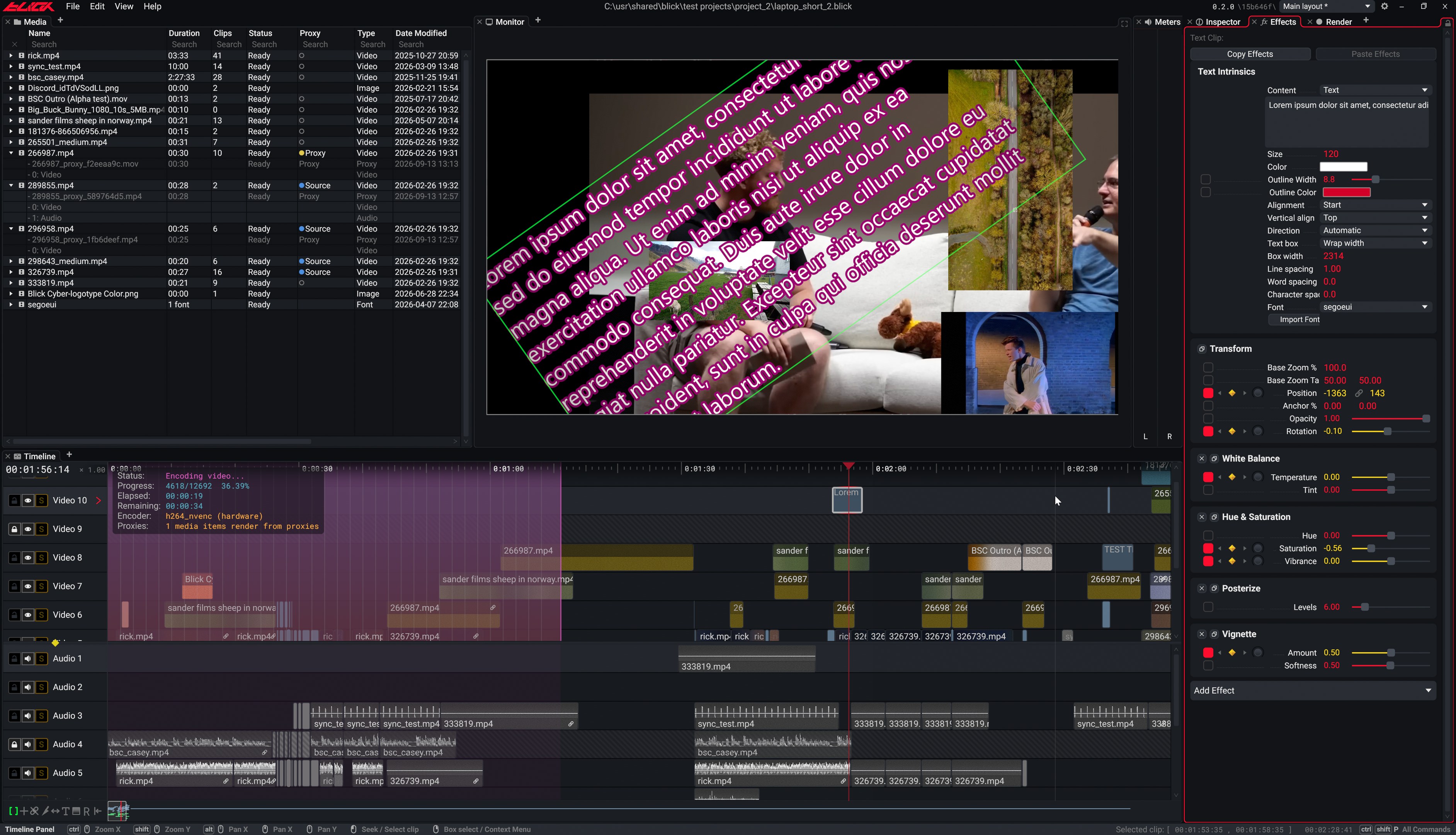
  • Selectable effects: select effects in the Effect panel, Ctrl+A selects all of them. Copy the selected effects, and paste them with or without their keyframes.

Plus many keyframe, timeline and Monitor improvements, a Window menu on macOS, and bug fixes.

Full changelog: https://blickeditor.com/changelog#v0-4-0
Scripting docs: https://blickeditor.com/documentation#scripting
Download: https://blickeditor.com/download
https://youtu.be/1A17acZLmB8
&blick

View full feed
Blick is in active development, in fact, we're putting out Features as you read this! Head to our website, join our Discord, or sign up to our newsletter, lots of new things are coming out real fast!

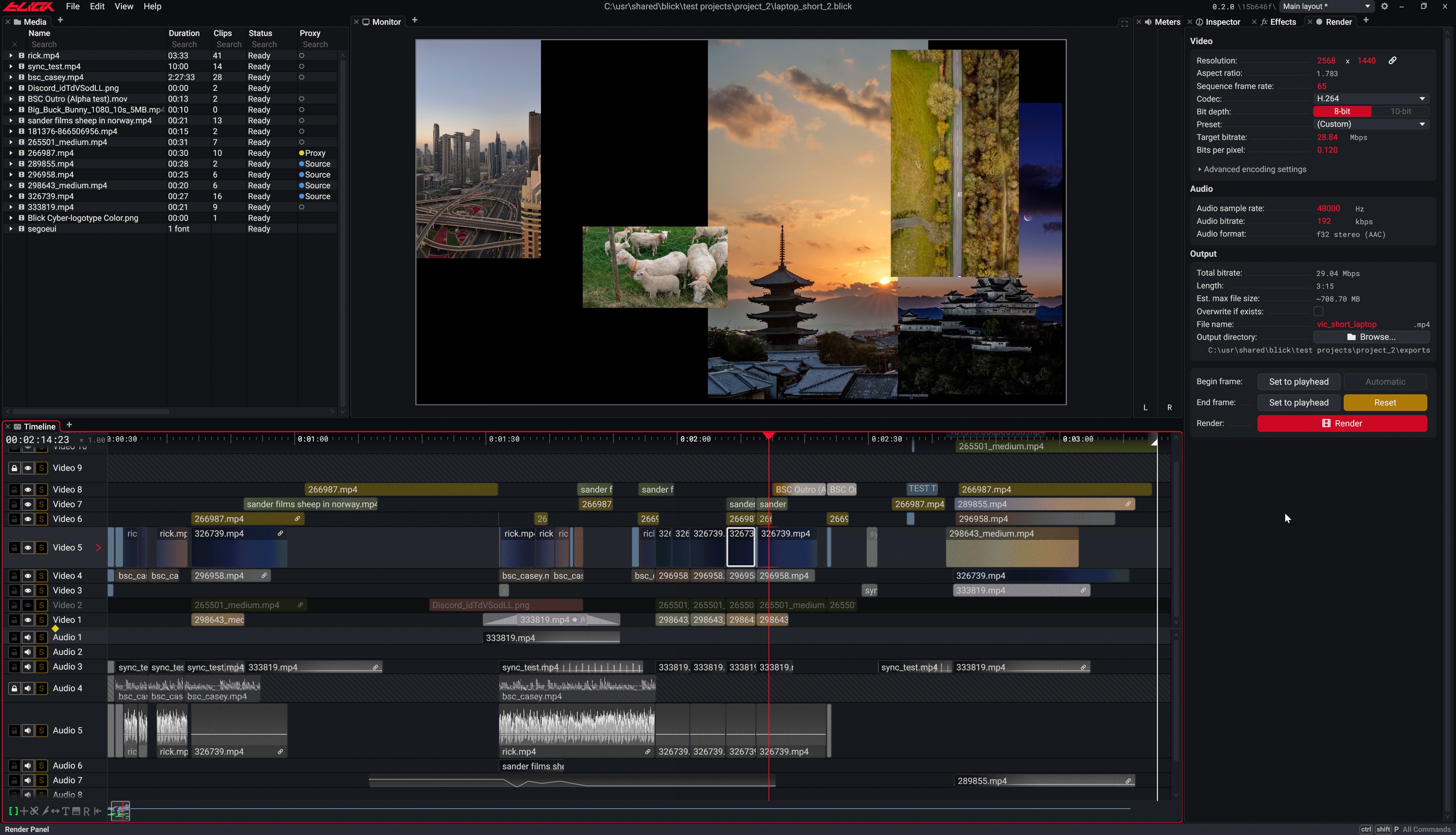
Blick is a non-linear video editor (NLE), a handmade project by handmade programmers, founded Dihedron Software, aimed at shipping quality software.

So why are we making this?

Open one of the big name editors, any of the "industry standards", and count the steps before you can start working.

*Double click. Wait half a minute for the splash screen to appear, then a few minutes on the splash screen while it "loads". Sign in. Wait for the helper processes. Watch the RAM climb. Import a clip and read the words Media Pending while the audio is conformed into a cache folder that will outlive the project. Drop the clip on a sequence and answer a dialog about whether the sequence should change to match it. Start cutting and dear God is this thing lagging already? Click to select tool, try to use the tool, you picked the wrong tool, try to re-click the right tool, it lags again. You're in constant fear of the severe cost of misclicking. Queue the export and it is handed to a second application. Your project lives in a "database"; pray nothing goes wrong in there. It's just... bureaucratic design.

We made blick to show that none of that crap needs to exist. We are distilling what you actually need from the slew of bullshit that has accumulated around it over the decades. We believe software should live to a higher standard, and we're trying to achieve that.

How does it work?

Written in Odin, targeting Windows and macOS, it uses custom native platform layers and native rendering backends, Direct3D 11 and Metal respectively. The UI is built with a custom immediate mode implementation and a paneling system. The only major outside dependency is FFmpeg for media encoding and decoding, and FFmpeg is good.

Under the hood, the UI is drawn with signed distance, fields front to back: per frame, a compute pass bins the UI shapes into 16-pixel tiles and hashes each tile, and only the tiles whose hash changed are painted. The compositor is a separate pipeline that writes every clip under the playhead into a master canvas and applies effects, outputting to both the monitor and the export encoder. Playback and audio run on their own threads. Undo is a memcpy of the project's flat state region, and everything that exists in the project is built around generational handles and optimized in memory for their access patterns.

What can it do?

A few of the things it does today:

  • The whole program is about 20 MB, and most of that is FFmpeg.
  • The UI and the rest of the program are decoupled, it doesn't stutter when there is a lot to do, that would be just silly.
  • Multi track timeline with a hold-to-use modal system: knife, slip, ripple, stretch, range select.
  • Tiling panel layout with tabs, saved presets, and panels that can be dragged to be their own windows.
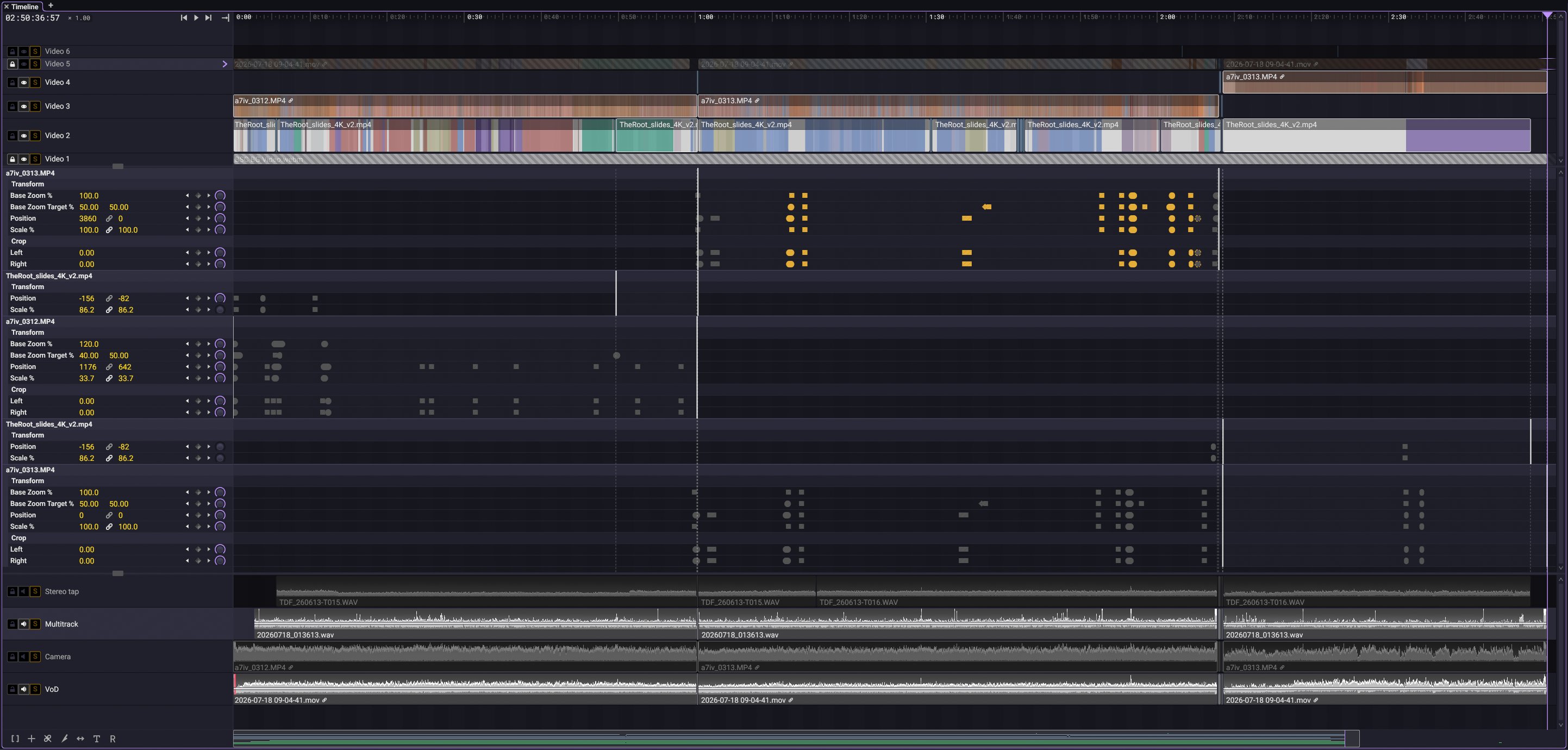
  • Keyframe animation possible on every effect parameter, with per-key interpolation.
  • Clip visualizations; a frequency-tinted waveform for audio tracks, and a color strip for videos.
  • Centralized action system, with an architecture that is easy to extend upon for future scripting support.
  • Fleixble unintrusive proxy system, proxy generation, linking, and dynamic toggle.
  • Unicode text, shaped with kb_text_shape and rasterized from outlines on the GPU.
  • Playback in both directions, different speeds, with audio warping.
  • Rendering while you edit, and rewindable renders.
  • FCP7 XML support in and out.

It's hard to summarize what Blick's killer feature is. The work is in designing every one of these well and making them sit together, with the result of bringing a superior overall experience.

Where can I get it?

On our website: https://blickeditor.com/ It's free to download and free to use end to end. Try it! You only need a license to open a saved project.

AI Policy

Blick is not "vibe-coded". Everything in Blick is deliberate, and every good thing about it comes from many many hours of hard work and intent. We are not dogmatically opposed to using AI technology. We find the capabilities these tools offer still useful. However, Blick is handmade.