• Total: 171364
  • Accented (partial): 88347
  • Accented (full): 15098
  • Euro symbol: 86979
  • Russian: 6454
  • Greek: 37407
  • Hebrew: 419
  • Arabic: 1078
  • Chinese: 271
  • Japanese: 240
  • Korean: 61

Find, test and prepare fonts

Identify a font from an image, try your own text, inspect a file or build a webfont kit.

Font tools

Update overview

Outlaw Grizzly Hunter Regular
Artaro
Tommy Knocker Regular
Shadows Fright
Mantra
PHANTOM
Rattle Dread
Mad Artist Regular
SPOTABE
Lochta Decorative
Black Thread Two
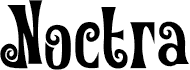
Noctra
Brozier Regular
The House of the Dark Moon
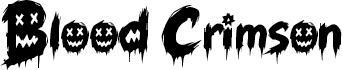
Blood Crimson
Horror Whisper
Halloween Bones
Creepy Melter
Maple Wind
Wicked Wraith
Balverd Regular
LONEWARC
Weirdo Slimmy
Crypt Horror
Chiller Mark Slashed

How to install a font

Unzip the file(s) you downloaded.

Then install the font, depending on your platform:

  • Windows 11 - right-click the font file, choose SHOW MORE OPTIONS, then INSTALL. To make the font available to all users, pick INSTALL FOR ALL USERS instead.
  • Windows 10 & earlier - right-click the font file and select INSTALL.
  • macOS - double-click the font file and click INSTALL FONT in Font Book. You can also drag the file straight into the Font Book window.
  • Linux - copy the font file(s) to ~/.local/share/fonts for your own account, or /usr/share/fonts for every user, then run fc-cache -f -v to refresh the font cache. On most desktops you can also just double-click the file and click Install.

Restart any open apps to see the new font in their font list.

Sign in to save this font

Continue with Google now, or sign in with your email. You will return to this page afterward.