Resource retrieval
Get the pre-trained net:
NetModel parameters
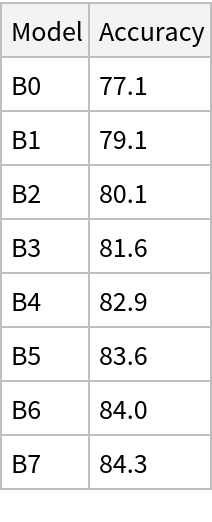
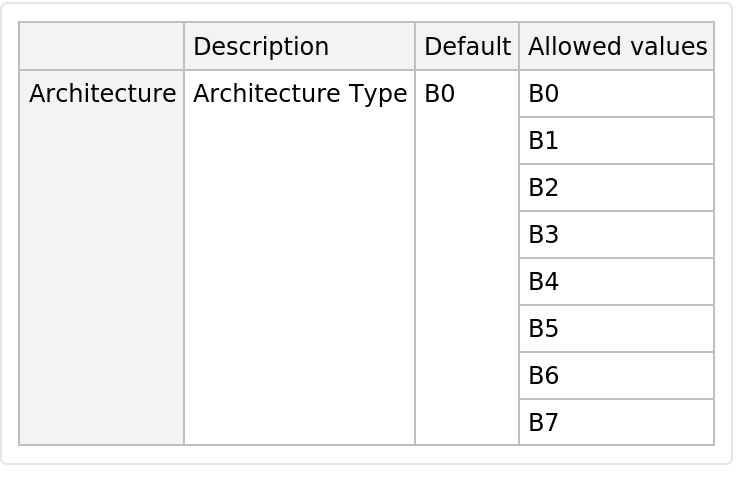
This model consists of a family of individual nets, each identified by a specific parameter combination. Inspect the available parameters:
Pick a non-default net by specifying the parameters:
Pick a non-default uninitialized net:
Basic usage
Classify an image:
The prediction is an Entity object, which can be queried:
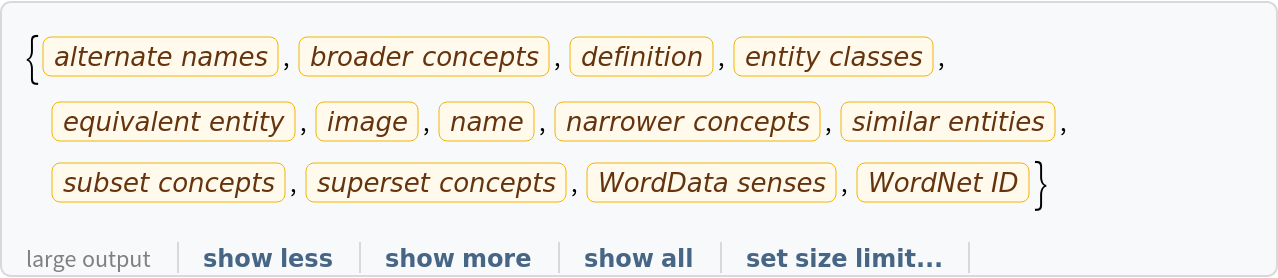
Get a list of available properties of the predicted Entity:
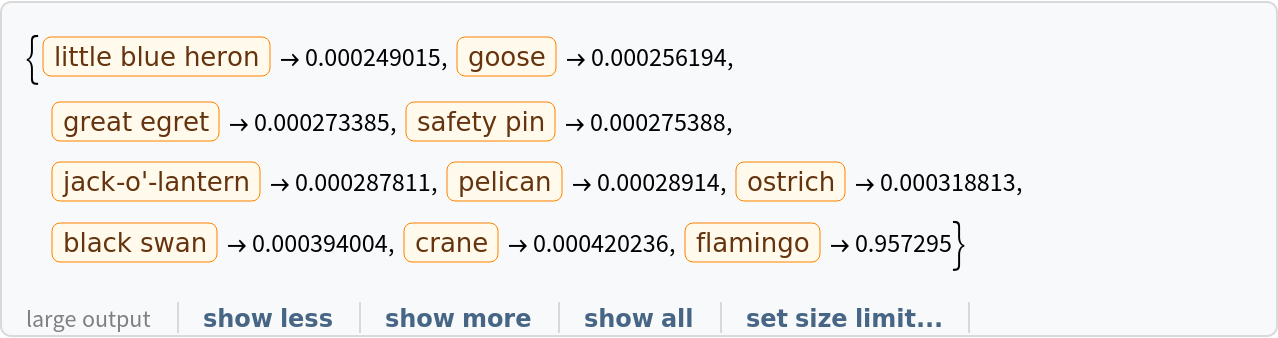
Obtain the probabilities of the 10 most likely entities predicted by the net:
An object outside the list of the ImageNet classes will be misidentified:
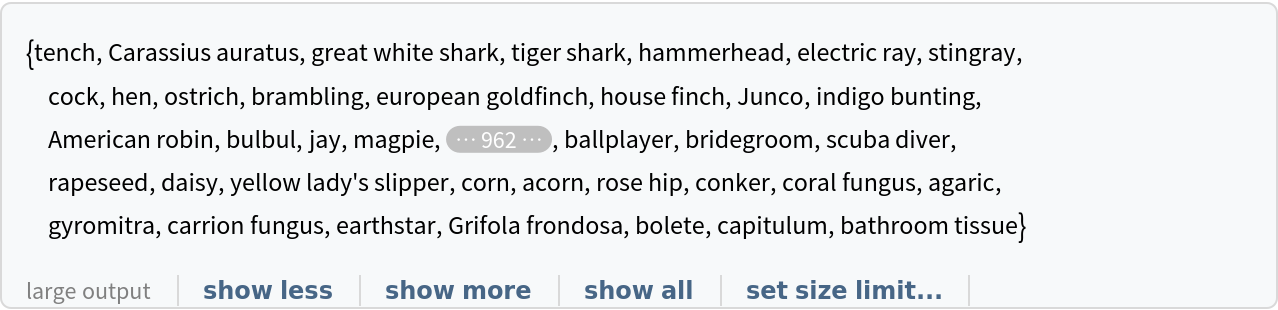
Obtain the list of names of all available classes:
Feature extraction
Remove the last two layers of the trained net so that the net produces a vector representation of an image:
Get a set of images:
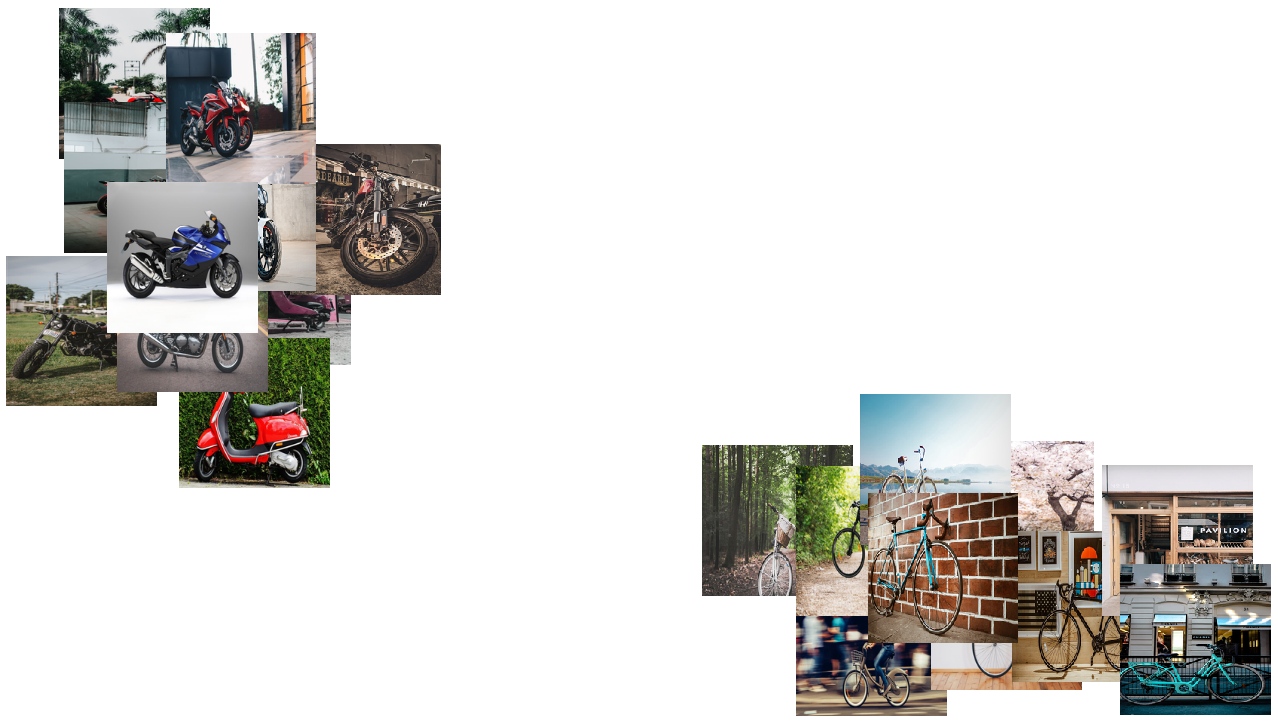
Visualize the features of a set of images:
Visualize convolutional weights
Extract the weights of the first convolutional layer in the trained net:
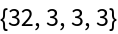
Show the dimensions of the weights:
Visualize the weights as a list of 32 images of size 3x3:
Transfer learning
Use the pre-trained model to build a classifier for telling apart images of motorcycles and bicycles. Create a test set and a training set:
Remove the linear layer from the pre-trained net:
Create a new net composed of the pre-trained net followed by a linear layer and a softmax layer:
Train on the dataset, freezing all the weights except for those in the "linearNew" layer (use TargetDevice -> "GPU" for training on a GPU):
Perfect accuracy is obtained on the test set:
Net information
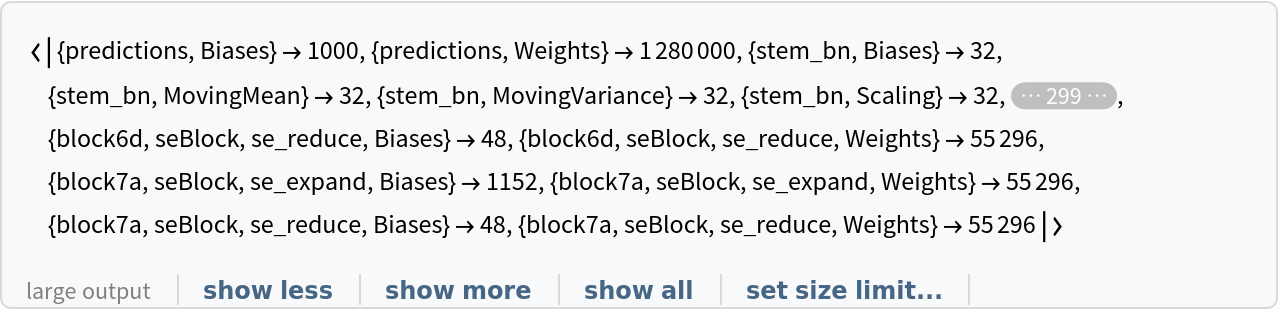
Inspect the number of parameters of all arrays in the net:
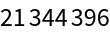
Obtain the total number of parameters:
Obtain the layer type counts:
Export to MXNet
Export the net into a format that can be opened in MXNet:
Export also creates a net.params file containing parameters:
Get the size of the parameter file:
![NetModel["EfficientNet Trained on ImageNet with AutoAugment"]](https://www.wolframcloud.com/obj/resourcesystem/images/407/407735c0-39ae-488c-aa61-27384b2c4551/4579bf5ce3de8253.png)

![NetModel["EfficientNet Trained on ImageNet with AutoAugment", \
"ParametersInformation"]](https://www.wolframcloud.com/obj/resourcesystem/images/407/407735c0-39ae-488c-aa61-27384b2c4551/641dfbb49909c41c.png)
![NetModel[{"EfficientNet Trained on ImageNet with AutoAugment", "Architecture" -> "B5"}]](https://www.wolframcloud.com/obj/resourcesystem/images/407/407735c0-39ae-488c-aa61-27384b2c4551/68afcaf0abd42790.png)

![NetModel[{"EfficientNet Trained on ImageNet with AutoAugment", "Architecture" -> "B7"}, "UninitializedEvaluationNet"]](https://www.wolframcloud.com/obj/resourcesystem/images/407/407735c0-39ae-488c-aa61-27384b2c4551/172ecb14adf6dd39.png)

![(* Evaluate this cell to get the example input *) CloudGet["https://www.wolframcloud.com/obj/753ee0bc-1c92-48fd-a932-5344450b1d35"]](https://www.wolframcloud.com/obj/resourcesystem/images/407/407735c0-39ae-488c-aa61-27384b2c4551/57e2fd082fc4a104.png)

![pred["Definition"]](https://www.wolframcloud.com/obj/resourcesystem/images/407/407735c0-39ae-488c-aa61-27384b2c4551/463c01ff57b5a5b3.png)

![pred["Properties"]](https://www.wolframcloud.com/obj/resourcesystem/images/407/407735c0-39ae-488c-aa61-27384b2c4551/09bfdab4ebb18577.png)
![(* Evaluate this cell to get the example input *) CloudGet["https://www.wolframcloud.com/obj/c36e9527-1b86-478f-834a-6317d7c453f9"]](https://www.wolframcloud.com/obj/resourcesystem/images/407/407735c0-39ae-488c-aa61-27384b2c4551/0cd62ee025f795ff.png)
![(* Evaluate this cell to get the example input *) CloudGet["https://www.wolframcloud.com/obj/1b300312-5948-4048-99ac-3c6cd3d8a09e"]](https://www.wolframcloud.com/obj/resourcesystem/images/407/407735c0-39ae-488c-aa61-27384b2c4551/220700682e41ede6.png)

![EntityValue[
NetExtract[
NetModel["EfficientNet Trained on ImageNet with AutoAugment"], "Output"][["Labels"]], "Name"]](https://www.wolframcloud.com/obj/resourcesystem/images/407/407735c0-39ae-488c-aa61-27384b2c4551/4abfd86bbd86b2cf.png)
![extractor = Take[NetModel[
"EfficientNet Trained on ImageNet with AutoAugment"], {1, -3}]](https://www.wolframcloud.com/obj/resourcesystem/images/407/407735c0-39ae-488c-aa61-27384b2c4551/08ada4fb2361c900.png)

![(* Evaluate this cell to get the example input *) CloudGet["https://www.wolframcloud.com/obj/f0b9acfe-bd56-40da-b455-12e2806bf6cd"]](https://www.wolframcloud.com/obj/resourcesystem/images/407/407735c0-39ae-488c-aa61-27384b2c4551/52f9125cb90a469f.png)
![FeatureSpacePlot[imgs, FeatureExtractor -> extractor, LabelingSize -> 200, ImageSize -> Full, AspectRatio -> 1/2]](https://www.wolframcloud.com/obj/resourcesystem/images/407/407735c0-39ae-488c-aa61-27384b2c4551/128016cb3e27eb9f.png)
![NetModel["EfficientNet Trained on ImageNet with AutoAugment"]](https://www.wolframcloud.com/obj/resourcesystem/images/407/407735c0-39ae-488c-aa61-27384b2c4551/07ae7483a2dc21c5.png)

![weights = NetExtract[
NetModel[
"EfficientNet Trained on ImageNet with AutoAugment"], \
{"stem_conv", "Weights"}];](https://www.wolframcloud.com/obj/resourcesystem/images/407/407735c0-39ae-488c-aa61-27384b2c4551/6801ec360d77656d.png)
![Dimensions[weights]](https://www.wolframcloud.com/obj/resourcesystem/images/407/407735c0-39ae-488c-aa61-27384b2c4551/7dcfffda500eb38d.png)
![ImageAdjust[Image[#, Interleaving -> False]] & /@ Normal[weights]](https://www.wolframcloud.com/obj/resourcesystem/images/407/407735c0-39ae-488c-aa61-27384b2c4551/3ff279e84dfc8c5c.png)

![(* Evaluate this cell to get the example input *) CloudGet["https://www.wolframcloud.com/obj/77638936-f3cb-4f6e-b58d-7faa086594e1"]](https://www.wolframcloud.com/obj/resourcesystem/images/407/407735c0-39ae-488c-aa61-27384b2c4551/3fb5f3022055f1e2.png)
![(* Evaluate this cell to get the example input *) CloudGet["https://www.wolframcloud.com/obj/332638ab-acfd-43de-8955-17e26c8eb2cd"]](https://www.wolframcloud.com/obj/resourcesystem/images/407/407735c0-39ae-488c-aa61-27384b2c4551/2e6c4575c539b52d.png)
![tempNet = Take[NetModel[
"EfficientNet Trained on ImageNet with AutoAugment"], {1, -3}]](https://www.wolframcloud.com/obj/resourcesystem/images/407/407735c0-39ae-488c-aa61-27384b2c4551/71847c3c72fd1fcc.png)

![newNet = NetChain[<|"pretrainedNet" -> tempNet, "linearNew" -> LinearLayer[], "softmax" -> SoftmaxLayer[]|>, "Output" -> NetDecoder[{"Class", {"bicycle", "motorcycle"}}]]](https://www.wolframcloud.com/obj/resourcesystem/images/407/407735c0-39ae-488c-aa61-27384b2c4551/58ac38364b248a86.png)

![trainedNet = NetTrain[newNet, trainSet, LearningRateMultipliers -> {"linearNew" -> 1, _ -> 0}]](https://www.wolframcloud.com/obj/resourcesystem/images/407/407735c0-39ae-488c-aa61-27384b2c4551/47052beea10bd97d.png)

![ClassifierMeasurements[trainedNet, testSet, "Accuracy"]](https://www.wolframcloud.com/obj/resourcesystem/images/407/407735c0-39ae-488c-aa61-27384b2c4551/1a5a47f71fa344b1.png)

![Information[
NetModel["EfficientNet Trained on ImageNet with AutoAugment"], \
"ArraysElementCounts"]](https://www.wolframcloud.com/obj/resourcesystem/images/407/407735c0-39ae-488c-aa61-27384b2c4551/3b0c5b3a5fced028.png)
![Information[
NetModel["EfficientNet Trained on ImageNet with AutoAugment"], \
"ArraysTotalElementCount"]](https://www.wolframcloud.com/obj/resourcesystem/images/407/407735c0-39ae-488c-aa61-27384b2c4551/71db64a52c85aff4.png)

![Information[
NetModel["EfficientNet Trained on ImageNet with AutoAugment"], \
"LayerTypeCounts"]](https://www.wolframcloud.com/obj/resourcesystem/images/407/407735c0-39ae-488c-aa61-27384b2c4551/012fe5e98e5aa7b8.png)


![jsonPath = Export[FileNameJoin[{$TemporaryDirectory, "net.json"}], NetModel["EfficientNet Trained on ImageNet with AutoAugment"], "MXNet"]](https://www.wolframcloud.com/obj/resourcesystem/images/407/407735c0-39ae-488c-aa61-27384b2c4551/0bfcd181a66380e9.png)
![paramPath = FileNameJoin[{DirectoryName[jsonPath], "net.params"}]](https://www.wolframcloud.com/obj/resourcesystem/images/407/407735c0-39ae-488c-aa61-27384b2c4551/6fc62d25669d9149.png)

![FileByteCount[paramPath]](https://www.wolframcloud.com/obj/resourcesystem/images/407/407735c0-39ae-488c-aa61-27384b2c4551/596ea201dfa0e8a0.png)