
Free Online Color Tools | for Designers & Developers

Pick colors, convert HEX and RGB, check WCAG contrast and extract colors from images. Tool Web puts the color tools you need for everyday design and development work in one place.

🎨 Color Picker Tool
#FF6B35
🎨 Color Palette
📦 Export Color Codes
Shades, Tints & Tones
👁️ Color Blindness Simulator
✓ Copied!

Browse Tools

Discover powerful tools designed to help you succeed

Color Chart

A handy Color Chart Tool that lets you explore, pick, and copy color codes (HEX, RGB, HSL) instantly.

Try Now

Color Contrast

A smart Color Contrast Checker that instantly tests foreground and background combinations against WCAG standards.

Try Now

Color Library

A curated Color Library featuring a wide range of palettes, shades, and named colors ready to use. Instantly browse.

Use Tool

Color Mixer

An interactive Color Mixer that lets you blend two or more colors and instantly see the resulting shade.

Use Tool

Color Names

A complete Color Names reference that maps popular names to their exact HEX and RGB values.

Use Tool

Color Picker

An easy-to-use Color Picker that lets you select any shade visually and grab its HEX, RGB, or HSL code instantly.

Use Tool

Color Wheel

An interactive Color Wheel that helps you explore complementary, analogous, and triadic color relationships with ease.

Use Tool

HEX to RGB

A fast HEX to RGB converter that instantly transforms any hex color code into its RGB values.

Use Tool

Image Color Picker

An Image Color Picker that lets you upload any photo and grab exact color codes from any pixel instantly.

Use Tool

RGB to HEX

A quick RGB to HEX converter that turns any RGB values into a clean hex color code in seconds.

Use Tool

Quick start

How to Use Tool Web's Free Online Color Tools

The color picker at the top of this page covers most everyday tasks. Follow these steps, then open a dedicated tool when you need something more specific.

  1. Choose a color

    Click the color wheel or press Random Palette. Use the color format menu to view the selected color as HEX, RGB, HSL, HSV or OKLCH.

  2. Pick a color harmony

    Select complementary, split complementary, analogous, triadic, tetradic, square or monochromatic. The matching colors appear in the palette panel next to the wheel.

  3. Copy or export your colors

    Copy any swatch with its copy button, or open Export Color Codes to get Tailwind v4, Tailwind v3, Figma, CSS or plain color codes.

  4. Explore shades, tints, tones and color blindness previews

    Switch between shades, tints and tones to build a full scale from one color. The simulator shows how your palette may appear with protanopia, deuteranopia or tritanopia.

  5. Move to a dedicated tool when you need one

    Convert values with HEX to RGB or RGB to HEX, test readability with the Color Contrast checker, or sample a photo with the Image Color Picker.

Key Features

Why thousands of users trust our platform

Powerful Color Tools

Explore practical color tools for mixing, converting, picking, matching, and analyzing colors with ease.

Accurate Color Conversion

Convert colors between popular formats such as RGB, HEX, HSL, and other color values quickly and accurately.

No Sign-Up Required

Start using any tool right away — no account, no email, no sign-up needed.

Color Picker

Pick any color visually and copy its HEX, RGB, HSL, HSV or OKLCH value instantly.

HEX ↔ RGB Converter

Convert between HEX and RGB in one click, with HSL, HSV and CMYK values included.

Color Wheel & Harmonies

Generate complementary, analogous, triadic and other harmonies from any base color.

Color Mixer

Blend two or more colors and see the resulting shade, tint or tone immediately.

Contrast Checker

Test foreground and background pairs against WCAG AA and AAA standards.

Image Color Picker

Upload a photo or screenshot and sample exact color codes from any pixel.

Exports for Devs & Designers

Export palettes for Tailwind v4, Tailwind v3, Figma or plain CSS with one click.

Color Blindness Simulator

Preview your palette with protanopia, deuteranopia and tritanopia before shipping.

Color Names, Chart & Library

Look up named colors, browse charts and reuse ready-made palettes in seconds.

About Tool Web

Everything You Need for Everyday Color Work

Free online color tools - It allows you to select, modify, blend, compare, and test colors directly within your browser—no software installation required. 'Tool Web' brings together a color picker, HEX-to-RGB and RGB-to-HEX converters, a color wheel, a color mixer, a contrast checker, and an image color picker, all in one place.

A color might look perfect on a screen, yet prove difficult to reuse; this is because design files, CSS, and brand guidelines often define it in different ways. For instance, the same shade of blue could be represented as #3B82F6 in HEX, rgb(59, 130, 246) in RGB, or as an oklch() value in modern CSS. 'Tool Web' provides you with the exact value you need, ensuring color consistency from the design file all the way to the production code.

Color tasks and the Tool Web tool for each
If you want to Use this tool You get
Pick a color and copy its code Color Picker HEX, RGB and HSL values
Convert a HEX code HEX to RGB RGB, HSL, HSV and CMYK values
Convert RGB values RGB to HEX A clean HEX color code
Check text readability Color Contrast A foreground and background test against WCAG standards
Sample a color from a photo Image Color Picker Exact color codes from any pixel
Build color combinations Color Wheel Complementary, analogous and triadic relationships
Blend two or more colors Color Mixer The resulting shade
Look up named colors and palettes Color Names, Color Chart, Color Library HEX and RGB values, color codes and ready-to-use palettes

Why Choose Us

Most color tasks are small, but they happen constantly. Tool Web is built to make each one quick and easy to repeat.

10+ Color Tools
100% Free to Use
0 Installs Needed
5 Color Formats

One place for everyday color tasks

A picker, converters, mixers, a color wheel, a contrast checker, an image color picker, color names, charts, and a library—all of these are available on a single website, so you don’t need a separate website for each task.
Modern and classic color formats

Work in HEX, RGB, HSL and HSV, and in OKLCH, a modern CSS color format based on perceived lightness, chroma and hue.

Developer-ready exports

Instead of retyping color values ​​by hand, export the palette for Tailwind v4, Tailwind v3, Figma, or CSS.

Accessibility checks included

Test text and background combinations against WCAG standards, and preview the colors using a color-blindness simulator before they reach production.

Free and browser-based

The color tools are free to use and open in your web browser, so there is nothing to install.

0 Happy Customers
0 Tools Available
0 Hour Support

Frequently Asked Questions

Find answers to common questions about our services

What are free online color tools?

Free online color tools are web-based utilities that assist you in selecting, converting, mixing, comparing, and verifying colors. Instead of opening design software, you can use these tools directly in your browser to find color codes, convert them between formats like HEX and RGB, create palettes, or test for readability.

What color-related tools does Tool Web offer?

The tool offers a web color picker, color wheel, color mixer, HEX-to-RGB and RGB-to-HEX converters, a color contrast checker, an image color picker, a color chart, a reference for color names, and a color library. The picker located at the top of the page also includes features for color harmonies, export options, and a color blindness simulator.

How do I find the HEX code of a color?

Select a color using the 'picker' or 'Color Picker' tool on this page; doing so will display its HEX code along with a preview. If the desired color is found within an image, screenshot, or logo, upload it to the 'Image Color Picker' and select the specific pixel you prefer.

How do I convert HEX to RGB?

Divide the six-digit HEX code into three pairs and convert each pair from base 16 into a number between 0 and 255. For example, #3B82F6 converts to rgb(59, 130, 246). A HEX-to-RGB converter tool performs this task instantly, while also displaying HSL, HSV, and CMYK values.

Which color formats are supported?

The color picker displays HEX, RGB, HSL, HSV, and OKLCH. OKLCH is a modern CSS color format based on perceived lightness, chroma, and hue. The HEX-to-RGB converter also includes CMYK, while the RGB-to-HEX converter provides a HEX code.

What contrast ratio do I need for readable text?

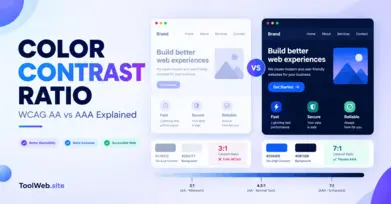
Under WCAG Level AA, a minimum contrast ratio of 4.5:1 is required for normal text, and 3:1 for large text. For Level AAA, these ratios are 7:1 and 4.5:1, respectively. Check your colors using a 'Color Contrast Checker'.

Can I export colors for Tailwind CSS or Figma?

Yes. By using the 'Export Color Codes' feature on this page, you can copy your palette for Tailwind v4, Tailwind v3, Figma, or CSS in HEX, RGB, HSL, or OKLCH formats. You can also choose to copy just the plain color codes.

Can I see what things look like in the case of color blindness?

Yes, the simulator on this page provides a preview of your palette as it would appear to individuals with protanopia, deuteranopia, or tritanopia. This serves as a quick design check—not a substitute for accessibility testing with actual users—so be sure to combine it with a contrast check.

Is Tool Web free?

Yes. The color-related tools on 'Tool Web' are free to use and open directly in your web browser, so there is no need to install anything. Simply select a tool from the list above and get started.

Latest from Blog

Insights, tips, and updates from our team

What Is Color Contrast Ratio? WCAG AA vs AAA
Oct 13, 2026 36 views

What Is Color Contrast Ratio? WCAG AA vs AAA

{ "@context": "https://schema.org", "@type": "Article", "hea...

Read More
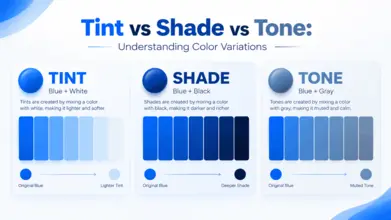
Tint vs Shade vs Tone | What’s the Difference?
Oct 13, 2026 44 views

Tint vs Shade vs Tone | What’s the Difference?

{ "@context": "https://schema.org", "@type": "Article", &qu...

Read More
Color Psychology in Branding | Meanings & Examples
Oct 13, 2026 38 views

Color Psychology in Branding | Meanings & Examples

{ "@context": "https://schema.org", "@type": "Article", &qu...

Read More