star

AI presentation maker

Create professional presentations with AI

From your outline to final presentation design - let our AI slideshow generator handle research and transform your input into stunning, content-ready slides for any occasion in just a few clicks.
Generate a presentation for FREE
No credit card required
See our presentation maker in action
Powered by:
icon
icon
icon
icon
icon
See our presentation maker in action
Try a sample topic:
Tech Summit Sponsorship Deck
Medical Lecture: GLP-1 Breakthroughs
Marketing Sync & Q4 Planning Workshop
Social Impact Grant: Bakery Project
Create presentation with my topic
Flexible export across major formats:
icon
icon
icon

AI-powered presentation creator for all your requirements

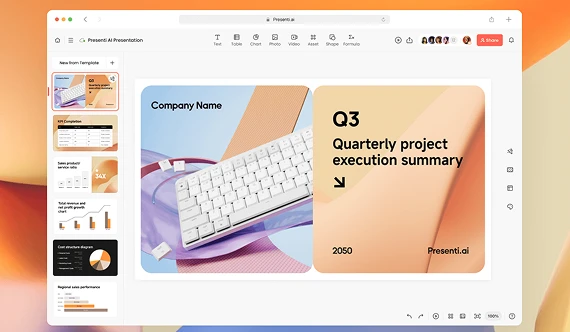
Transform your ideas into professional-looking presentations in no time at all. Using your subject, text, or file as a starting point, our AI features will generate a whole deck and pair it with a template that suits your taste.

Create AI presentation from a topic

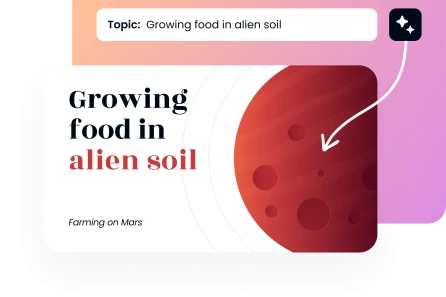
It will just take a few steps for your concept to become a reality. All you have to do is input your preferred subject, desired number of slides, and any other pertinent details regarding your material.

Create a presentation
Create AI presentation from a topic

Create a presentation outline from text

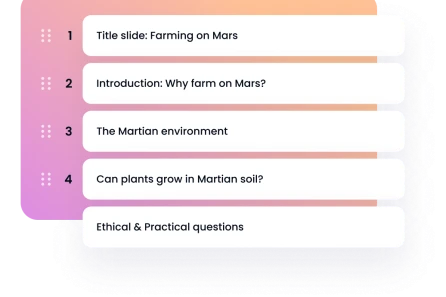
Simply upload your main ideas and get an outline, and the AI will transform them into a professional presentation with consistent slides that adhere to your style and maintain your structure.

Create a presentation outline from text

Upload a document to the AI presentation maker

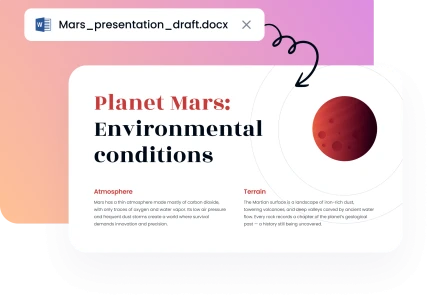
You may use our AI PPT builder with a wide variety of file formats. You may produce an AI-powered presentation that looks professional by uploading an existing file.

Upload a document to the AI presentation maker

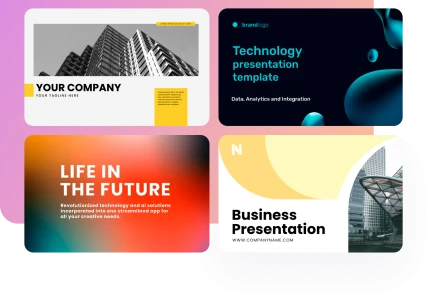
Auto-generating presentations with pre-made layouts

Eliminate unnecessary design hassle and save time. If you're looking for a presentation generator that gives you access to hundreds of pre-made, professional templates, you may pick one that suits your material and looks great right away.

Create a presentation
Auto-generating presentations with pre-made layouts
Preferred by over 200,000 customers throughout the globe
image
image
image
image

The easiest way to make an AI-powered presentation with no effort at all

1

Share your topic

Put your file here or just write out the key points. Based on the data you supply, our AI presentation tool generates slides from your material.
2

Decide on a style of presentation

Choose a template with the AI slideshow builder. The layout changes depending on what you input, making it more or less structured and user-friendly.
3

Download & present

Choose the version that suits you best, have it installed, then put it to work anyway you see fit.
image
image

Why choose our AI slideshow maker?

Make presentation design easier at every step. Instead of worrying about formatting, the AI will take care of the layout, tone, and flow.
image

Protected AI platform

Our program encrypts any data you provide for your AI-generated presentation, so your work is safe.
image

Make in a flash

Making something that seems professional doesn't require any kind of design talent. Starting and ending the procedure is both quick and painless.
image

Easy enough for anybody

Our AI-generated content generator is user-friendly enough for beginners to feel comfortable making adjustments.
image

Refined templates

Pick one of hundreds of professionally designed presentation templates. There is little doubt that you will discover a model that suits your requirements.
image

Streamlined and inexpensive

You may take benefit of our professional presentation tool more quickly and at a cheaper cost than our rivals.
image

Universally suitable

Our free AI presentation builder may be customised to fit your personal needs, as every user has unique presenting goals.
Show more

Meet the team behind our AI presentation maker

A team of business and presentation experts working together to make professional presentations faster and easier to create.
alyssa-johnson-photo
Chief Revenue Officer
Drives product growth and strategy, helping us build an AI presentation tool for real business needs.
expert-team-icon
Sarah Michelle Carter
Chief Human Resources Officer
Builds the team behind our product, bringing together the talent and expertise that drive it forward.
expert-team-icon
Julia Hartwell photo
Senior Presentation Designer
Shapes our presentation standards, turning proven design principles into clear, professional slides.
expert-team-icon
illustration
50+ professionals
with deep expertise in business, design, and strategy

Free AI slide maker for all your requirements

Business
Business
Business
Business
Business
Business
Business
Business
Business
Business
Business
Business
Business
Business
faces

Why the AI slideshow generator from DecksyAI is so popular

Time is saved, design is simplified, and ideas are brought to life with its help. Customers keep returning back because of that.
stars
HIghly recommended!
I never thought it would be that easy to produce an AI-generated presentation with Decksy AI. I feel good about presenting my work since my thoughts are immediately transformed into on-brand slides.
icon
Anna W., Marketing Consultant
stars
Great!
When I need a presentation design, I like to use Decksy instead of other solutions. Thanks to this application, making PowerPoint presentations is a breeze.
icon
Marcus R., University Student
stars
Saved my time
I used to spend hours every week creating lessons for my students. Thanks to Decksy AI, I can just input my topic and let artificial intelligence take care of the rest.
icon
Emma, CFO, Financial Services
stars
Recommended!
Decksy is my go-to AI tool for PPT. Time is everything in my industry, and this tool has made a world of difference in our company's workflow.
icon
Ellen M., CEO
stars
Favourite AI tool!
My favourite aspect of AI that makes presentations is how it walks me through creating webinars and social media posts. It has helped immensely for growing my following and keeping followers engaged
icon
Jana K., Digital Creator
stars
Solid work!
Decksy has taken the grunt work out of creating client presentations. The AI-generated images and endless layout options keep things fast and professional
icon
Donald B., Operations Manager
Show more

Frequently asked questions

How do I make presentations using the AI presentation maker?

Just by using our AI text-to-presentation maker, you may utilise AI to create a PowerPoint slideshow. You may easily add project-related documents, comments, or descriptions.

Are there any additional fees for using special features?

Whatever plan you choose, there will be no hidden costs. Included are all of the unique presentation-making capabilities of our AI. Get started with the free plan, try our AI PDF to PPT and make one presentation. If you want access to all the features, you may subscribe.

Is there a limit on how much I can use Decksy AI for free?

One presentation may be created daily for free, or an infinite number of presentations can be yours with a membership.

Can I use your AI tool to make Adobe Express presentations?

There are alternative formats that work better with Decksy AI presentation creator, such as PDF or Word to PPT converters.

Why should I use AI to make presentation slides?

Making presentations with AI can help you save a lot of time and work. Upload all of your material or just give us a brief synopsis, and our presentation builder will handle the data presentation for you.

What is the best AI presentation maker template for my project?

You can discover the perfect template for your project among Decksy's hundreds of available options. We provide a wide variety of templates for many purposes, including but not limited to: marketing, sales, entrepreneurs, start-ups, and students.

Is Decksy's AI tool suitable for beginners?

Decksy's AI presentation creator is perfect for those just starting out. Learn the ins and outs of the program with the help of our guide. If you want more assistance with our free AI presentation creator, our support team of specialists is here to help.

Can I create Google Slides with Decksy's AI presentation maker?

The ability to directly export your presentation to Google Slides is not yet available on Decksy. If you'd rather use Google Slides, you may open the downloaded file manually after downloading the content. You can check our templates section, where you can download the Google Slides presentations.

Can I use my own images?

Feel free to include any related photos or text about your project prior to submission to AI pitch deck generator. Based on the data and files you supply, our AI slide creator will create 5-5-5 rule presentations that are ready to use.

How do I cancel my Decksy subscription?

You can cancel your Decksy subscription anytime from your account — no need to contact support. Just go to Subscription in the left-hand menu, scroll to Billing details, and click Cancel subscription. You'll be asked to optionally share why you're leaving, then confirm by clicking Cancel subscription again. Your access stays active until the end of your current billing period, and you won't be charged after that.


Latest Articles

How to Build an Effective Sales Presentation Outline

It is possible to have a dazzling slide deck that is packed with visual aids, but if the story is disorganised, you will still lose the audience. Consequently, a clear…
Read full article
Sales Presentation Outline

How to Create a Sales Presentation

No matter how strong your product or service is, a weak presentation can cause your audience to lose interest before they even understand its value. Creating an effective sales presentation…
Read full article
How to Create a Sales Presentation Definitive Guide

How to Make a Good Powerpoint Presentation [With Expert Tips]

You can become a more effective communicator whose message stands out from a sea of slides by mastering the art of PowerPoint presentations. Stick to our guide for the bare…
Read full article
image

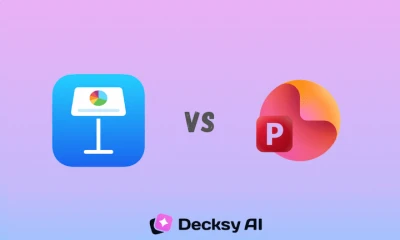
Keynote vs PowerPoint: Which Presentation Tool is Better?

You’re getting ready for your customer pitch meeting tomorrow at nine, and you have two options: Keynote or PowerPoint. Which one do you pick? Everyone has had that moment when…

Read full article
Keynote vs PowerPoint

Canva vs PowerPoint: Which Presentation Tool Should You Choose?

If you need to create a presentation, you’ve probably wondered which program to use: the classic PowerPoint or the more modern, design-focused Canva. The answer isn’t obvious. Recently, Canva has…
Read full article
Canva vs PowerPoint

Canva vs Gamma: Which One Actually Finishes Your Deck?

Canva or Gamma are the two apps that come to mind when you’re pressed for time in creating a presentation. They’re both said to make the job easier and faster…
Read full article
canva vs gamma

Create a presentation using AI quickly and affordably

Create AI presentation
NEW ON DECKSY
Get decks with verified facts and real-time data

Deep Research goes beyond generic LLM drafts by analyzing your files and topics to cross-check facts, gather extra sources, and add citations — all before the first slide is designed.

Deep Research Deep Research NEW
Get a deck with verified facts and up-to-date data, not just generic LLM drafts
Learn about Deep Research