

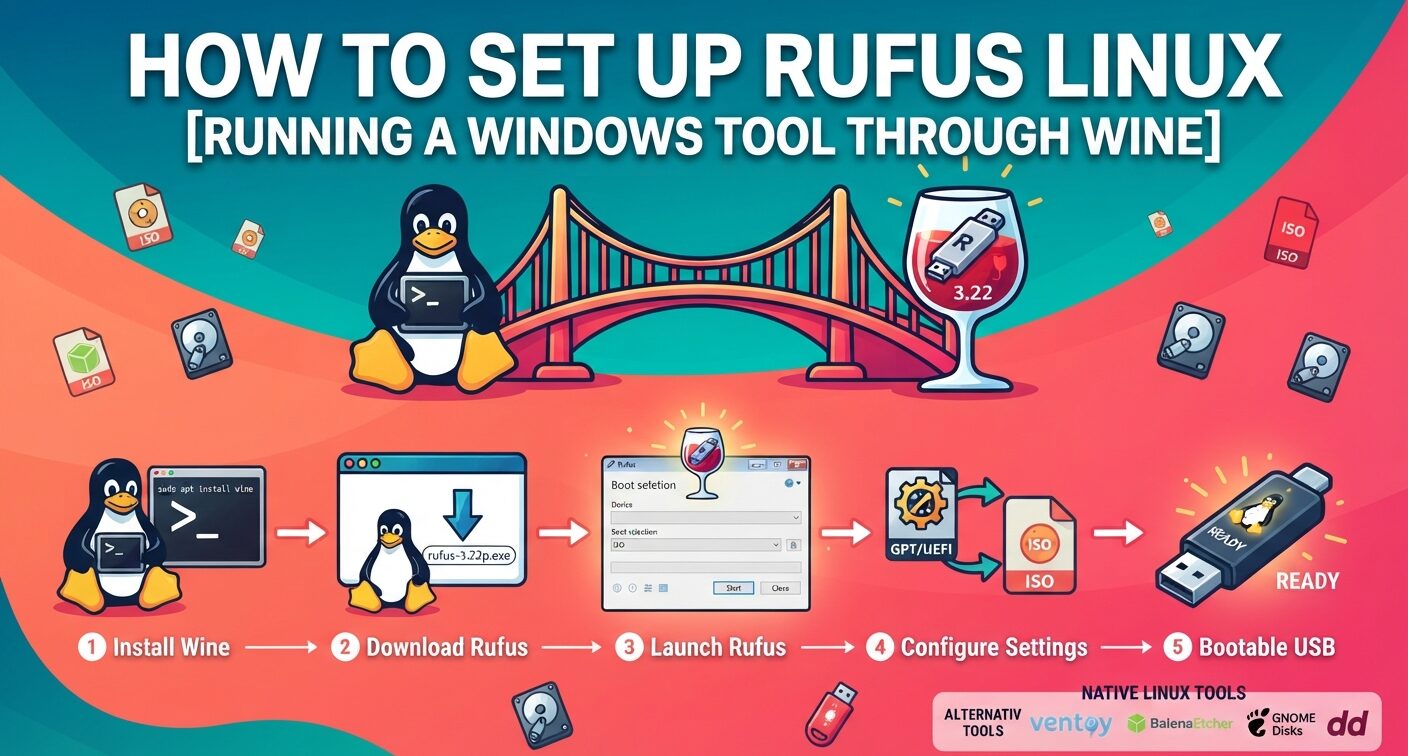
Rufus writes bootable USB drives from ISO files, but its developer, Pete Batard, builds it for Windows only. Linux users who want the familiar Rufus window have one route: running the .exe through Wine. This rufus linux guide covers the Wine setup with version 3.22, the five-step write process, and the USB detection problem that stops many attempts. It also lists native tools that do the same job.
Is There a Rufus Linux Version in 2026?
No. Rufus ships Windows executables only, and the project FAQ states that a Linux or macOS port is not planned.
Rufus 4.0 raised the minimum requirement to Windows 8 and switched to 64-bit builds by default. Rufus 3.22 is the last release that runs on Windows 7. Most Wine guides use 3.22 for that reason.
A community project appeared on the Arch User Repository on March 28, 2026. The rufus-linux package calls itself a Linux-native replica of Rufus, listed at version 3.20.1929. It is not an official release. One August 2026 comment on the package reports that its Windows To Go option does not work.
How to Run Rufus 3.22 on Linux With Wine
Wine translates Windows API calls into Linux calls, so Rufus opens without a virtual machine. First-time users can read this guide to setting up Wine on Linux for prefixes and common errors.
Step 1: Install Wine From the Terminal
| Command | What it does |
|---|---|
sudo apt update | Refreshes the package lists |
sudo apt install wine | Installs Wine and its dependencies |
These commands work on Ubuntu, Debian and Linux Mint. Package names change between releases, so confirm which Ubuntu release you run before installing.
If Wine later reports missing 32-bit support, run sudo dpkg --add-architecture i386 and repeat both commands.
Step 2: Download the Rufus 3.22 Portable Build
Open rufus.ie and select Other versions (GitHub) under Downloads. Scroll to Rufus 3.22 and save rufus-3.22p.exe.
The “p” marks the portable build. It runs straight from the file, with no installer.
Step 3: Launch rufus-3.22p.exe Through Wine
Move into the folder that holds the file. Downloads is the default:
cd ~/Downloads
Then start Rufus:
wine rufus-3.22p.exe
On first launch, Rufus asks whether it may check online for updates. Either answer works. A 2019 GitHub report also showed a warning that the copy “was not produced by its official developer” under Wine. Click OK and the main window opens.
Making a Bootable USB in Rufus on Linux (5 Steps)
The Rufus window looks the same as it does on Windows. Work through it in this order:
| Step | Action |
|---|---|
| 1 | Plug in the USB stick and pick it from the Device menu. Back up its files first. |
| 2 | Under Boot selection, click SELECT and choose your ISO file. |
| 3 | Set Partition scheme to GPT for UEFI machines or MBR for older BIOS systems. |
| 4 | Press START, then OK at the warning that all data on the stick will be destroyed. |
| 5 | Wait until the status bar reads READY, then eject the stick. |
Rufus can scan a stick for faults through Check device for bad blocks, under advanced format options. On Linux, the badblocks utility runs the same test without Wine.
Write time depends on the ISO size and the stick’s USB speed. A drive made this way can install a distro or help you set up a dual boot machine next to Windows.
Keep the stick plugged in until READY appears. Pulling it early leaves a drive that will not boot.
Why Rufus Shows No Devices Under Wine
The Device list often stays empty. Batard marks Wine as unsupported on GitHub. He supports real Windows installs and fully emulated virtual machines, and Wine is neither.
The cause sits in Wine. It does not expose USB mass storage the way Windows does, so Rufus finds no removable drive. WineHQ bugs 37166 and 38309 track this gap.
Linking the mounted stick into ~/.wine/dosdevices does not help. Rufus needs raw device access, not a drive letter.
If Rufus itself is a must, run it inside a Windows guest. A VirtualBox machine setup with USB passthrough gives Rufus the real Windows layer it expects.
Before any retry, list disk partitions with lsblk and fdisk to confirm Linux sees the stick at all.
For most people, a native Linux tool is faster than either workaround.
Which Native Tools Replace Rufus on Linux?
Several open source programs write bootable drives with no compatibility layer. Each one fits a different job.
| Tool | Runs on | Best for |
|---|---|---|
| Ventoy | Linux, Windows | Many ISOs on one stick, picked from a boot menu |
| balenaEtcher | Linux, macOS, Windows | Simple flashing with write checks |
| UNetbootin | Linux, macOS, Windows | Linux distros with built-in ISO downloads |
| WoeUSB | Linux | Windows installer USBs |
| GNOME Disks | Linux | Restoring a disk image from a desktop menu |
| dd | Any Linux terminal | Raw image writes with no extra software |
For a guided route, this Linux USB boot drive tutorial walks through UNetbootin step by step.
Terminal users can write an image with one line. dd overwrites without asking, so check the device name twice:
sudo dd if=image.iso of=/dev/sdX bs=4M status=progress conv=fsync
Replace /dev/sdX with the stick itself, not a partition such as /dev/sdX1. Each flag is covered on the dd manual page.
Ubuntu users have a built-in option too. This walkthrough on making an Ubuntu live USB uses Startup Disk Creator.
Ventoy suits anyone who tests distros often. dd suits a single, fast write.
FAQs
Can I use Rufus on Linux?
Not natively. Rufus has no Linux build, and its FAQ rules out a port. Wine can open Rufus 3.22, but the Device list often stays empty because Wine does not pass USB storage through.
What is the Linux equivalent of Rufus?
Ventoy, balenaEtcher, UNetbootin, GNOME Disks and the dd command all create bootable USB drives on Linux. WoeUSB handles Windows installer ISOs. None of them need Wine.
Is Ventoy better than Rufus for Linux users?
For Linux users, yes in most cases. Ventoy runs natively and holds many ISOs on one stick. Rufus writes one image at a time and runs only on Windows.
What does Reddit recommend instead of Rufus on Linux?
Linux help threads on Reddit usually point to Ventoy, balenaEtcher or dd. The reasoning matches the facts: Rufus has no Linux build, and Wine rarely detects USB drives.
Why do Reddit users say Rufus finds no USB drive in Wine?
Wine lacks the Windows USB storage layer Rufus depends on, so drives never reach the Device menu. Rufus’s developer lists Wine as unsupported. A Windows virtual machine with USB passthrough works instead.

