Microsoft Windows — Latest News and Analysis

Microsoft Windows stands as one of the most iconic and widely used operating systems in the history of computing. Since its initial release in 1985, Windows has grown from a graphical user interface add-on for MS-DOS into a comprehensive and versatile platform powering billions of devices worldwide. From personal computers to servers and even IoT devices, Windows has evolved to meet the diverse needs of users in an ever-changing technological landscape.

Throughout its history, Microsoft Windows has been synonymous with accessibility and innovation. The operating system introduced features that became industry standards, such as the graphical desktop environment, taskbar, and multitasking capabilities. Over the decades, it has catered to both personal and professional users, establishing itself as a trusted foundation for productivity, entertainment, and enterprise solutions.

Designed for adaptability, Windows has gone through multiple iterations, each bringing new functionalities and supporting advancements in hardware and software technologies. As a result, Microsoft Windows is not just a product—it’s a cornerstone of the digital age, bridging the gap between user needs and technological possibilities.

The Evolution of Microsoft Windows: From Windows 1.0 to Modern Computing

The journey of Microsoft Windows began in 1985 with the launch of Windows 1.0, a rudimentary graphical user interface layered on top of MS-DOS. Despite its limitations, it introduced users to the idea of a point-and-click environment, setting the stage for modern computing. Over the years, Windows underwent a series of revolutionary upgrades, each one addressing the growing demands of both consumers and businesses.

In the early 1990s, Windows 3.0 and 3.1 brought significant enhancements, including better memory management and the iconic Program Manager. The Windows 95 release, however, marked a turning point. With its Start menu, taskbar, and support for 32-bit applications, it became a landmark operating system that shaped how people interacted with computers.

Subsequent versions, such as Windows XP, Windows 7, Windows 10, and Windows 11 brought their own innovations, cementing Windows as the dominant operating system globally. Each iteration reflected the evolving landscape of technology, from the rise of the internet to the shift toward cloud computing and hybrid work environments.

Key Features That Define Microsoft Windows

Microsoft Windows has always been known for its adaptability and feature set, catering to a wide range of users. Core features of Windows include a user-friendly graphical interface, comprehensive hardware compatibility, and a rich ecosystem of applications. The introduction of features like the Start menu, File Explorer, and Control Panel made navigating and managing the operating system intuitive even for beginners.

Security has also been a major focus, with Windows incorporating advanced technologies such as Windows Defender, BitLocker encryption, and secure boot mechanisms. Beyond this, Windows supports seamless integration with Microsoft services like Office 365, OneDrive, and Teams, making it an ideal choice for both individual users and businesses.

Another standout feature is Windows’ backward compatibility, ensuring that legacy software can run alongside modern applications. This has been critical in retaining the platform’s large user base across industries and geographies.

A Platform for Innovation: The Windows Ecosystem

One of the defining aspects of Microsoft Windows is its ability to foster innovation through its expansive ecosystem. By providing a stable and flexible platform, Windows has enabled developers and hardware manufacturers to build tools, applications, and devices that enhance the user experience. This ecosystem has flourished with contributions from individuals, startups, and tech giants, making Windows a versatile operating system for countless use cases.

Windows has historically supported diverse hardware, ranging from desktop PCs to tablets and laptops. Its compatibility with peripherals, including printers, scanners, and specialized devices, has made it a cornerstone for industries such as healthcare, education, and engineering. Furthermore, the Windows Store (later rebranded as Microsoft Store) has centralized access to applications, games, and services, creating a seamless distribution channel for developers.

The emergence of tools like Visual Studio and the Windows Subsystem for Linux (WSL) has reinforced Windows as a go-to platform for developers. Whether building applications, managing servers, or experimenting with cutting-edge technologies, Windows continues to empower creators to innovate.

Microsoft Windows in Popular Culture

Beyond its technical significance, Microsoft Windows has left an indelible mark on popular culture. From the nostalgic sounds of the Windows 95 startup chime to the memorable marketing campaigns that accompanied each release, Windows has become a cultural icon in its own right.

In the 1990s, the launch of Windows 95 was accompanied by a groundbreaking advertising campaign featuring The Rolling Stones’ “Start Me Up.” This campaign not only highlighted the new Start menu but also cemented Windows as a household name. Over the years, references to Windows have appeared in movies, television shows, and internet memes, reflecting its ubiquity in daily life.

The design elements of Windows, such as its wallpapers and interface themes, have also become widely recognized symbols of an era. For example, the “Bliss” wallpaper from Windows XP remains one of the most famous images in digital history.

The Latest about Microsoft Windows

Microsoft Edge for Business

EU Court Keeps Microsoft Edge Outside Browser-Specific DMA Rules

The EU General Court has upheld Microsoft Edge's non-designation as a gatekeeper under browser-specific DMA rules, while leaving Microsoft regulated for other services.
Anthropic Claude

Anthropic: Attackers Use Stolen Claude Sessions to Hijack Usage Allowance

Anthropic says infostealers copied active Claude sessions, letting attackers consume account usage and cause some charges it classified as unauthorized.
Image

Microsoft Adds TPM Checks to Windows Activation Servers

Microsoft adds TPM-backed checks to Windows activation servers, with August readiness alerts preceding later enforcement and non-KMS bypasses unaffected.
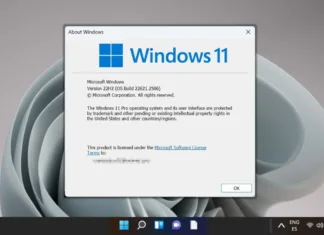
Featured - How to Check Your Windows Version

Microsoft Plans OneDrive Cutoff for Older Windows 10 Builds

Microsoft plans to end OneDrive sync-app updates and maintenance on pre-22H2 Windows 10 builds on August 15.
Image

Microsoft Open-Sources Comic Chat, but It Is No Relaunch

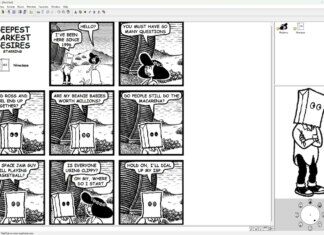
Microsoft has released Comic Chat's original code and experimental modern-build examples, but the archive is not maintained or a polished product relaunch.
Featured - How to disable automatic updates in Windows 11

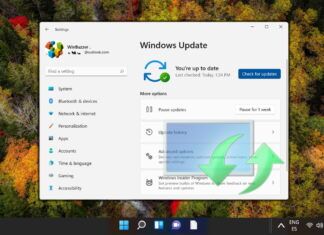
Windows 11 Adds Renewable 35-Day Update Pause Option

Microsoft's Windows 11 update KB5101650 adds renewable 35-day pauses for Windows updates.
Windows 11 Search 202607

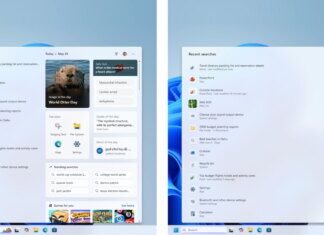
Microsoft Tests a Cleaner, Local-First Windows 11 Search

Microsoft is testing a cleaner Windows 11 Search for selected Insiders, prioritizing local files and adding separate controls for web and Store suggestions.
Windows 11 - Windows Recovery Environment - Cloud Rebuild

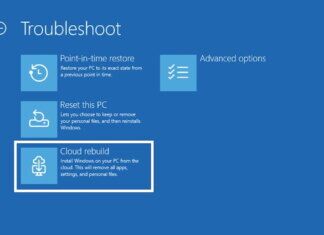
Microsoft Tests “Cloud Rebuild” Windows 11 Recovery for PCs That Don’t Boot

Microsoft has added Windows 11 Cloud Rebuild to preview builds, letting unbootable PCs reinstall from the cloud without USB media while wiping local data.
Windows File Explorer Update

Microsoft Fixes Windows 11 Core UI Bug on Managed PCs

Microsoft is fixing a Windows 11 XAML shell bug that could break Start, Search, Settings, and File Explorer on some managed PCs.
Windows-11-Start-Redesign-Microsoft

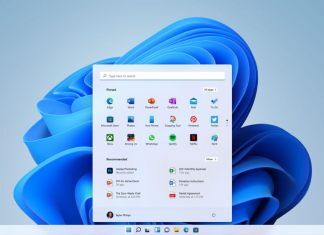
Windows 11 26H2: Microsoft Tests New Controls For Search, Updates, and Interface

Windows 11 26H2 adds PC controls for Search, updates, elevation, and layout, but tested features may still change pre-release.
Featured - Disable Modern Standby in Windows 10 and Windows 11

Microsoft Extends Windows 10 Security Updates Through 2027

Microsoft extends Windows 10 security updates through October 2027, giving eligible PCs another life extension.
Image

Microsoft Edge to Add Google Account Sign-In Option

Microsoft Edge will add a Google account sign-in option, easing Microsoft account friction while leaving administrators a policy switch to control rollout.
Image

AMD to Restore TSME Memory Encryption on Certain Non-PRO Ryzen 9000 Desktop CPUs

AMD says it will reinstate Memory Guard/TSME for certain non-PRO Ryzen 9000 desktop CPUs through July BIOS updates after firmware removed the BIOS option.
Windows Server  EC

Microsoft Fixes Windows Server 2016 Security Update Failures

Microsoft has restored Windows Server 2016 KB5094122 installs tied to missing KB5087537 prerequisites, helping admins resume June security patching work.
Featured - How to Reset Windows Update in Windows 11

New Windows 11 Feature Enables Short CPU Boosts for Shell-Actions

Windows 11's June update adds an option to force short CPU boosts for shell actions, but its scope limits any real-world gain for most users.
Phi-Silica-Announce-Microsoft

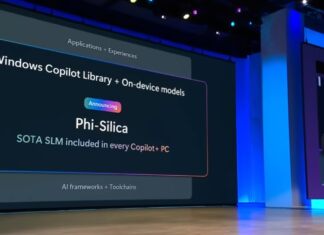
Microsoft Tests Phi Silica for Windows AI on Nvidia GPUs

Microsoft is testing Phi Silica local AI models on Nvidia RTX GPUs for Windows PCs, widening options while keeping support experimental and developer-gated.
Image

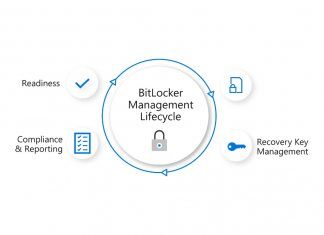
Microsoft Fixes Windows Server 2025 BitLocker Recovery Bug

Microsoft has fixed a Windows Server 2025 BitLocker recovery prompt risk in KB5094125, giving IT admins mitigation paths for affected systems at restart.
Azure Linux Desktop

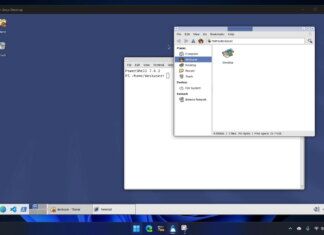
Developer Turns Azure Linux 4 Into Bootable Desktop-App

Azure Linux Desktop allows to boot an XFCE Linux GUI inside Windows via WSL container plumbing.
Windows-11-Logo-Microsoft

Microsoft Sets June Kerberos Tests for NTLM Shift

Microsoft will test Kerberos paths for Windows NTLM fallback in June, giving admins a Canary preview to catch legacy app and device authentication failures.
Image

Microsoft Edge Retires Custom Primary Password in Windows Hello Push

Microsoft Edge now routes saved-password access through Windows Hello and device checks, reducing one reusable secret while making local sign-in more important.
Microsoft Intelligent Terminal Shell companion

Microsoft Tests AI Agents in New Intelligent Terminal Fork

Microsoft´s new Intelligent Terminal adds a docked AI agent pane for failed shell commands, giving developers a separate Windows Terminal fork to test fixes.
Microsoft bug bounty research cybersecurity ai research

Microsoft Backs Off Threats Against Security Researchers For Zero-Day Reveal

Microsoft has ruled out action against security researchers after the Nightmare-Eclipse backlash, narrowing legal risk around its wider disclosure dispute.
Image

GitHub Ban Escalates Microsoft’s YellowKey Dispute

GitHub's reported ban on Nightmare-Eclipse after Windows zero-day posts has intensified Microsoft's YellowKey dispute over disclosure, bounties and trust.
OpenAI Codex app Windows

OpenAI Brings Codex Computer Use to Windows PCs

OpenAI has brought Codex computer use to Windows, letting developers control desktop tasks from a phone while new sandbox rules keep sessions foreground-only.
Windows-11-Start-Redesign-Microsoft

New Optional Windows 11 Update Enables Faster App Launches

Windows 11 KB5089573 is reaching optional preview users with faster app launches through Low Latency Profile, though activation may still roll out separately.
Microsoft Copilot banner

Microsoft Is Redesigning Copilot as a Quieter, Coordinated Workflow Layer Across Microsoft 365

Microsoft is building a quieter design system for Microsoft 365 Copilot, moving AI controls across Office apps after floating buttons drew complaints.
Yusuf Mehdi

Microsoft’s Consumer Marketing Chief Yusuf Mehdi to Leave Next Year

Yusuf Mehdi plans to leave Microsoft in 2027, leaving Windows, Copilot and Microsoft 365 consumer marketing in a long handoff with no successor named.
Classic Outlook for Windows Copilot summarize official

Microsoft Confirms Classic Outlook Image-Rendering Bug

Microsoft has confirmed a classic Outlook bug on Build 19929.20164 dropping embedded images from emails, newsletters, and signatures formatted with Wrap Text.
Microsoft Defender

Microsoft Patches Exploited Defender Zero-Days as CISA Acts

Microsoft is rolling out fixes for two exploited Defender zero-days as CISA sets a June 3 deadline and admins verify Windows systems still receive updates.
Microsoft Account Verify your Identity dialog

Microsoft Drops SMS Codes in Personal Account Passkey Push

Microsoft has begun phasing out SMS codes for personal accounts, replacing them with passkeys and verified email while older apps may still need passwords.