-
-
-
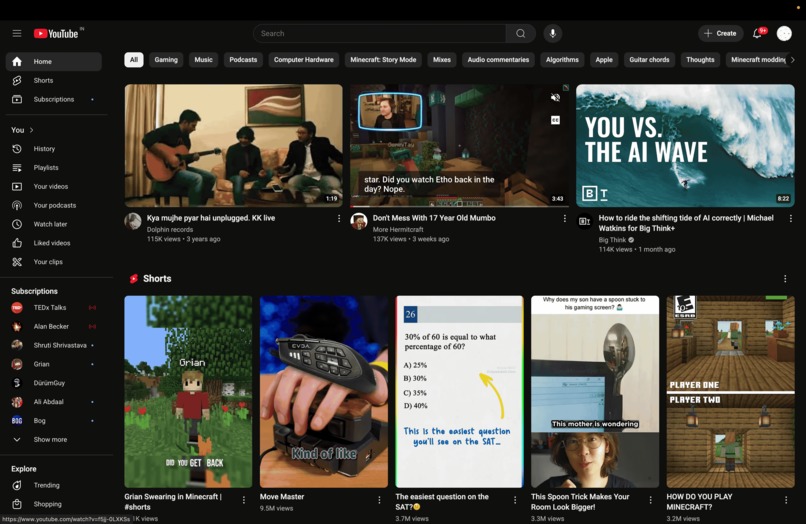
Before using the extension
-
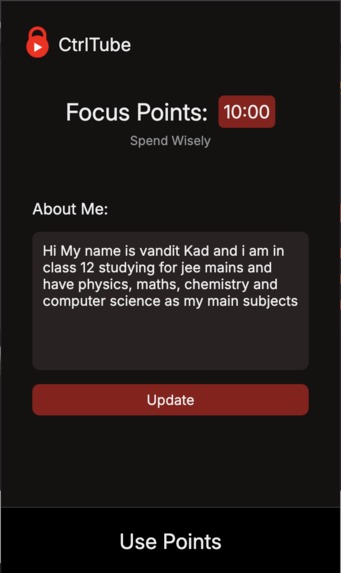
Extension UI
-
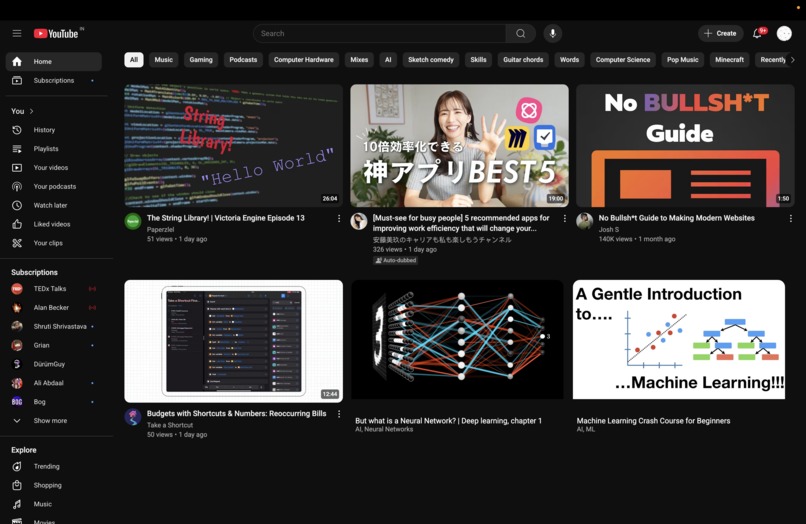
After using the extension
-
Video Player


Inspiration
As students ourselves, we have struggled with navigating social media while using it as a tool to progress. Addiction to online content is a serious topic in this day and age, with teens and young adults. Platforms such as YouTube utilise algorithms to keep you scrolling and watching videos for longer than you intend, acting as a time sink in your daily routine.
The Problem
Addiction to short-form content has been shown to increase social anxiety, compromise sleep quality, and be a leading cause for decreased academic performance.
"When users, especially adolescent users, were having fun online, it was hard for them to break off from the ongoing entertainment activities, except for compelling interruption from the real world" (Qin et al.,2022)
"This study finds that short-form video addiction significantly predicts sleep quality. A higher degree of short‐form video addiction among adolescents results in poorer sleep quality." (Li et al., 2024)
"This study reveals a significant positive correlation between short-form video addiction and social anxiety among adolescents. This outcome is consistent with the research finding that Internet addiction leads to an increase in social anxiety among adolescents. On the one hand, adolescents who rely on short-form video consume plenty of time watching short-form video. The resulting difficulty in focusing their mind on learning or daily interpersonal communication likely leads to setbacks such as decreased academic performance and hindered interpersonal communication"(Li et al., 2024)
Seeing this emerging problem in the current scenario, our team wants to help their fellow student be empowered by the internet rather than be pulled down because of it. By using this tool, Students will be able to eliminate these debilitating factors from their day-to-day life. Further, Society will also progress as our youth will not be wasting their time in online content.
What it does
CtrlTube is a simple Chrome extension to help you make YouTube work for you. After taking your goals as parameters, it uses Gemini AI and data from YouTube to filter and block the videos which would not help you progress in your aspirations. For every educational video that you watch, it gives you CtrlCoins. You can spend your CtrlCoins as time where YouTube will be unblocked for you, and you will be free to do whatever you want.
If the user does not have any educational content in his feed, we have a big array of educational content which will be displayed and user's feed will be filled with that content until the algorithm generates educational content of his choice.
Short-form content has proven to be detrimental towards your ability to focus for long periods of time and decreases your attention span as well. Hence, the extension will completely remove Shorts from YouTube.
How we built it
The baseline for the project is the Chrome Extension Framework. The extension uses JavaScript to take data from YouTube's UI and feeds it through to the Gemini AI API. Using Gemini's output, we filter videos into 2 types: "Educational" and "Non-Educational". As such, the extension will block videos which are filtered as "Non-Educational" by removing them from the Homepage and Recommendations section on YouTube. The user also receives 0.5 x (Length of video) CtrlCoins (). These add up in a timer which the user can start at any time to fully unlock YouTube for that period. At the end of the designated time, the user is redirected to the YouTube Homepage, wherein the extension will once again be enabled.
Challenges we ran into
- Chrome Extension:
As this was our first time creating a Chrome Extension, we were unfamiliar with the methods and programming required for our project
Collaboration was an unexpected hurdle; usually, in websites, we can use a shared live server, but we had to find a workaround using iCloud and VSCode Live sharing in tandem.
- YouTube:
Due to YouTube using Dynamic Loading, we faced a lot of issues where the title logging code would not run completely or throw errors as YouTube loads videos in batches as you scroll. Dynamic Loading also caused issues while we were removing Shorts, as in some edge cases, the buttons would still load after our code was finished running.
YouTube has a really complicated UI where finding the information we needed, such as titles, runtime, channel name, etc, was difficult. All the code is severely bloated for a modern application, where a single video is dozens of lines of code in the frontend.
- Gemini:
- Gemini was hard to work with, as we had problems while creating the prompt for the model to give us the output.
- Customising the prompt for each user was also difficult. We had a lot of difficulties while taking user-specific input and using it for the prompt.
- We were rate-limited by the API because one of our loops was sending requests much faster than we anticipated; as such, we had to change some things in our code and the API.
Accomplishments that we're proud of
Learning to use the Chrome Extension Framework
Navigating the complex problems associated with collaborative development
Creating a perfect prompt for us to use in the extension and having it be customizable for every user.
What's next for CtrlTube
We're hoping to have better multi-device support in the extension while also ironing out some of the kinks and quirks we are currently forced to work with in YouTube. We also hope to roll this out on the Chrome Store somewhere in the future as an Open-Source Project to help our fellow students.


Log in or sign up for Devpost to join the conversation.