Turn YouTube into your personal learning assistant. Block distractions. Focus better.
CtrlTube is a Chrome extension that helps learners stay focused on educational content by automatically filtering out non-educational YouTube videos. No more rabbit holes — just pure productivity.
- ✅ Automatically hides non-educational YouTube content
- 🎯 Designed to identify distractions like Shorts, music videos, and entertainment
- 🔍 Uses keyword analysis and heuristics to detect content type
- 🧠 Perfect for students and lifelong learners
- 🌐 Lightweight and privacy-respecting Chrome extension
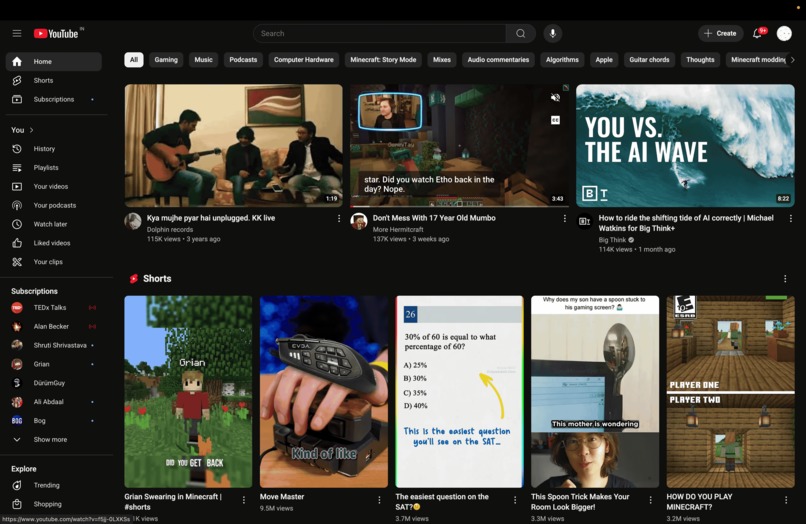
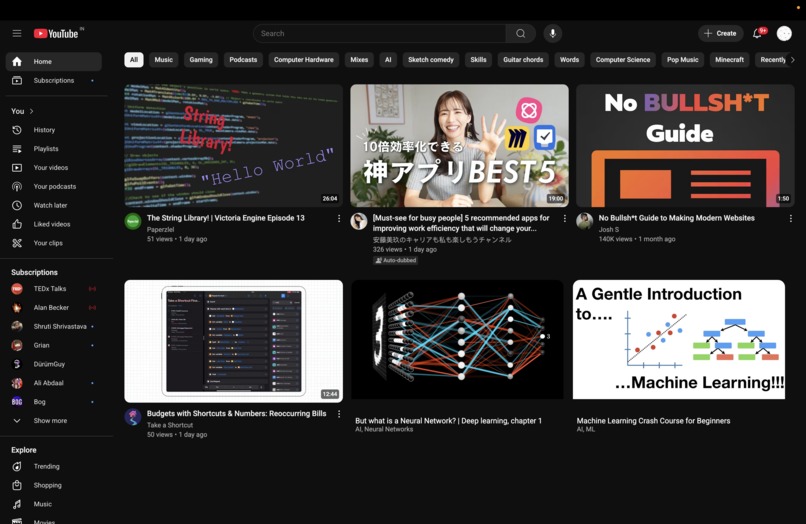
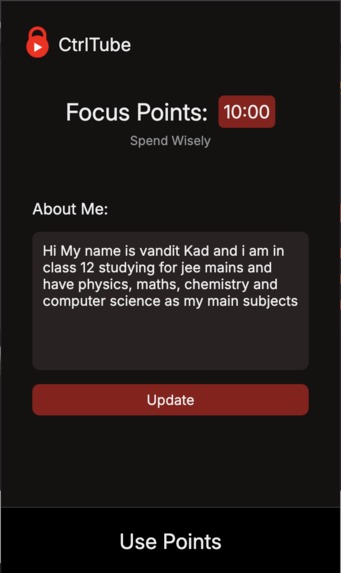
Screenshots of the extension in action
| Before | After | UI |
|---|---|---|
 |
 |
 |
🏅 Winner - Best Educational Hack at KT HACK 2025
CtrlTube impressed judges with its simple idea and big impact — reimagining YouTube as a distraction-free study zone.
See the win page: Devpost
- Clone or download this repository:
git clone https://github.com/MrVoracious/CtrlTube.git
- Open chrome://extensions in your browser.
- Enable Developer Mode (top right).
- Click Load unpacked and select the
CtrlTubefolder.
This project is built using:
- JavaScript (ES6)
- Chrome Extensions APIs
- Manifest v3
Key files:
service_worker.js– background service workercontent.js– logic injected into YouTube pagespopup.html– minimal UI interface (if needed)
CtrlTube evaluates YouTube thumbnails, titles, and metadata using predefined rules and keyword filters. Videos deemed distracting are automatically hidden or removed from the page.
Planned: AI-based detection using Gemini API (coming soon).
CtrlTube/
│
├── extension/           # main folder
├──├── popup.html           # Extension popup
├──├── content.js           # Page logic
├──├── service_worker.js    # Background service worker
├──├── manifest.json        # Extension config
└──├── styles.css           # Optional styling
Pull requests are welcome! To contribute:
- Fork the repo
- Create your feature branch:
git checkout -b feature/your-feature-name
- Commit changes:
git commit -m 'Add your feature' - Push to the branch:
git push origin feature/your-feature-name
- Open a pull request
This project is licensed under the Creative Commons Attribution-NonCommercial 4.0 International (CC BY-NC 4.0) license.
You are free to:
- Share — copy and redistribute the material in any medium or format
- Adapt — remix, transform, and build upon the material
Under the following terms:
- Attribution — You must give appropriate credit.
- NonCommercial — You may not use the material for commercial purposes.
- No additional restrictions — You may not apply legal terms or technological measures that legally restrict others from doing anything the license permits.
Created with passion at KT HACK 2025 by
MrVoracious, fuel000cynical, and insomniac-robot.
