






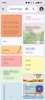




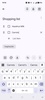
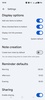
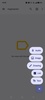


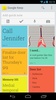
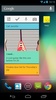

Google Keep is the official Google app for taking notes of all kinds. With this app you can quickly jot down a number so you don't forget it, create a shared shopping list, use the Android device's microphone to record a voice memo, or make a quick sketch on a blank canvas. In short, it allows you to turn your Android device into a comprehensive notepad that is always synchronized with your Google account.
Create different tags to organize your notes
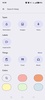
One of the most useful and underutilized tools offered by Google Keep is its tagging system, which, when used properly, can save you a great deal of time in your day-to-day. It's so simple to use. Just create as many tags as you need, like "work", "personal", "home", and so on. Once you have your list of tags ready, you can simply assign one every time you take a note. This means that, when you have taken many notes, you can find any of them again more quickly, since you can filter by the type of tag.
Attach images, audio or links
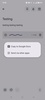
You can attach all kinds of files to your notes. You can be writing a note and add an accompanying image from the device's gallery, if you want to. You can also attach audio or links. To attach any file, just press the button in the lower left corner of the interface. It should be noted that, thanks to the possibility of using links, you can attach any file uploaded to your Google Drive account.
Customize the appearance of each note
In addition to tags, Google Keep offers a very convenient and visual way to distinguish between notes: their color or style. When you have finished taking a note, you can choose a visual style for it. You will have tons of solid colors to choose between, and beautiful background images too. Thanks to this, you can quickly differentiate between which notes are for work, which are related to shopping, and which are recipes.
Synched with your Google account
As an official Google app, all the notes you take here will be automatically synchronized with your Google account. This means that, as long as you are connected to the Internet, all changes you make to your notes will be automatically updated in the cloud. So, if you want to access your notes from any other device or from a web browser, all the changes you have recently made will be reflected there as well.
The easiest and most convenient way to take notes
Download the Google Keep APK and discover an excellent note-taking app so that, with a bit of luck, you never forget to make an appointment or buy milk at the supermarket again. An almost perfect alternative to the classic physical notepad that is becoming more and more obsolete with each passing day. Thanks to the various customization options, the app also looks very neat and polished.
Requirements (Latest version)
- Android 12L or higher required


 55 reviews














Comments
Anyway, it's convenient and easy to use.
very good
very nice app
Organization continues every day
Excellent
What to do when an update doesn't work and the app closes by itself? Can a solution be provided or do we have to revert to a previous version?