











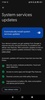











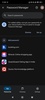
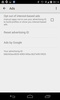
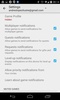
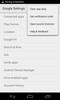
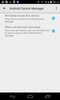
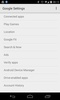

Google Play services is an essential Google app for Android, designed to connect and optimize the operation of Google apps and services on your device. Without Google Play services, many apps like Google Maps, Google Drive and Google Play Store may not function properly or offer the latest features and updates. This app acts as an intermediary between Google services and your installed apps, managing, for example, access to your location in Google Maps and synchronization in the Google Drive cloud.
Constant updates with improvements and new functionalities
With Google Play services on your Android device, you can always stay up to date with the latest updates to Google apps. Updating Google Play services brings performance improvements, security optimizations and sometimes even new features that improve the overall user experience. This includes new synchronization tools, improved notification management options and shortcuts to a number of different functionalities. Staying up to date with the latest version ensures that your Google apps will work at their optimal level and deliver the best possible performance.
Comprehensive Google cloud synchronization
One of Google Play services's greatest benefits is its ability to manage the synchronization of your data with the Google cloud, meaning you can store important information securely. Synchronize messages, contacts, calendar events, photos and other relevant files to keep them updated on all your devices. By opting to synchronize your files, if you lose a device or change devices, your data will immediately be available on the new one, ensuring a smooth transition. In addition, choosing to synchronize automatically offers an extra layer of security by ensuring that your personal data is always backed up in the Google cloud.
Access to Google APIs
Google Play services acts as a gateway to various Google APIs, offering an integrated user experience across apps. This app handles in-app authentication, in-app purchases, and progress synchronization in games that are linked to your Google account. This is crucial for apps that use Google services to authenticate users or complete secure transactions. What's more, Google Play services runs in the background, avoiding excessive battery consumption and optimizing your device's performance.
Google Play services is critical for many apps
Google Play services is a system app that acts as an intermediary, and not having it installed could cause problems with several apps that depend on Google services. A host of third-party apps and even Google's own apps require Google Play services to work at all, covering key functions like logging in with your Google account and file synchronization or game progress. Without Google Play services, some apps may not launch correctly or can display errors when you try to access your account information.
Services and apps that you can manage in Google Play services
Some of the apps or services you can manage through Google Play services are Google Fit, Google Play Instant, Google Wallet, Play Games, Search, Assistant and Voice. Google Play services synchronizes your health data with Google Fit and the bank cards and payment methods you add to Wallet. You can also manage connections with smart devices via Chromecast or with the Matter network protocol.
Enhanced security with Google Play Protect
Security is one of Google's top priorities, and Google Play services includes Google Play Protect, a powerful security tool which scans the apps installed on your device for security threats. Google Play Protect identifies and blocks malicious apps as well as any suspicious behavior that may put your data at risk. This system is constantly updated to stay ahead of potential threats, meaning Google Play services is essential to keeping your Android device safe and protected against the threat of malware.
Control your privacy
As well as security, Google Play services allows you to manage account privacy and the data collected from your device. For example, you can reset your ad profile to avoid receiving personalized ads or stop usage and diagnostic data from being collected. Password autocompletion through Google Play Passwords and SMS verification can also be managed through this tool.
Optimized performance and compatibility with the Google ecosystem
In addition to its synchronization and security functions, Google Play services plays a crucial role in optimizing the overall performance of Google and third-party apps. This system app optimizes compatibility between Android versions and ensures that the apps installed on your device utilize the latest Google technologies and features without any compatibility issues. All this is done with maximum efficiency, allowing apps to run smoothly without consuming unnecessary battery power.
Compatibility and how to install the latest version of Google Play services
To make sure your Android device is up to date with all the features and protections Google Play services offers, you can install the latest version from the official Google Play Store or by downloading the APK from a trusted source. Enabling automatic updates for Google Play services and other critical system apps is recommended so that you always have access to the latest security patches and enhancements.
Download the Google Play services APK and always keep this system app, which is essential for the proper functioning of your device, up to date. This will ensure you can enjoy the latest features, the highest level of security and maximum compatibility.
Requirements (Latest version)
- Android 6.0 or higher required


 7,617 reviews
  Users say the app is very good overall
 This is an AI-generated summary based upon real user reviews.



















Comments
Very wonderful.
vet good
Excellent
I liked it a lot, thank you for everything
good
Thank you for the service