
Laravel 下 Elasticsearch/Algolia 全文搜索 使用案例
39 / 11 / 创建于 6年前 /
 代码的坏味道 的个人博客
#1.安装elasticsearch
官网网址:https://github.com/medcl/elasticsearch-rtf#2.启动elasticsearch服务
windows环境下,进入安装目录。点击elasticsearch.bat即可。
如果是Linux环境,内存要大一点.
1.下载:wget https://artifacts.elastic.co/downloads/elasticsearch/elasticsearch-5.5.1.zip
2.解压:unzip elasticsearch-5.5.1.zip
3.进入目录:cd elasticsearch-5.5.1/
4.前台启动: ./bin/elasticsearch
5.后台启动: ./bin/elasticsearch -d
6.检查启动: curl localhost:9200
如图既安装成功
注意:elasticsearch 依赖jdk环境,具体环境自己网上安装查看,这里不详述# 3.laravel项目安装配置
安装scout
composer require laravel/scout安装elasticsearch
composer require tamayo/laravel-scout-elastic安装GuzzleHttp包:
composer require Guzzlehttp/guzzle在config/app.php的providers 数组添加:
Laravel\Scout\ScoutServiceProvider::class,
ScoutEngines\Elasticsearch\ElasticsearchProvider::class,
发布配置文件:
php artisan vendor:publish --provider="Laravel\Scout\ScoutServiceProvider"发布生成的config/scout.php文件添加
 'driver' => env('SCOUT_DRIVER', 'elasticsearch'),
    'elasticsearch' => [
        'index' => env('ELASTICSEARCH_INDEX', 'laravel'),//索引名称
        'hosts' => [
            env('ELASTICSEARCH_HOST', 'http://127.0.0.1:9200'),
        ],
    ],
# 4.创建es初始化命令
php artisan make:command EsInit具体实现代码如下:
namespace App\Console\Commands;

use GuzzleHttp\Client;
use Illuminate\Console\Command;

class EsInit extends Command
{
    /**
     * The name and signature of the console command.
     *
     * @var string
     */
    protected $signature = 'es:init';

    /**
     * The console command description.
     *
     * @var string
     */
    protected $description = 'init laravel';

    /**
     * Create a new command instance.
     *
     * @return void
     */
    public function __construct()
    {
        parent::__construct();
    }

    /**
     * Execute the console command.
     *
     * @return mixed
     */
    public function handle()
    {
        $client = new Client();
        $this->createTemplate($client);
        $this->createIndex($client);
    }

//创建索引
    protected function createIndex($client)
    {
        $url = config('scout.elasticsearch.hosts')[0].'/'.config('scout.elasticsearch.index');
        $client->put($url, [
            'json' => [
                'settings' => [
                    'refresh_interval' => '5s',
                    'number_of_shards' => 1,
                    'number_of_replicas' => 0,
                ],
                'mappings' => [
                    '_default_' => [
                        '_all' => [
                            'enabled' => false
                        ]
                    ]
                ]
            ]
        ]);
    }
//创建模板
    protected function createTemplate($client)
    {
        $url = config('scout.elasticsearch.hosts')[0] .'/_template/rtf';
        $client->put($url, [
            'json' => [
                'template' => '*',
                'settings' => [
                    'number_of_shards' => 1
                ],
                'mappings' => [
                    '_default_' => [
                        '_all' => [
                            'enabled' => true
                        ],
                        'dynamic_templates' => [
                            [
                                'strings' => [
                                    'match_mapping_type' => 'string',
                                    'mapping' => [
                                        'type' => 'text',
                                        'analyzer' => 'ik_smart',
                                        'ignore_above' => 256,
                                        'fields' => [
                                            'keyword' => [
                                                'type' => 'keyword'
                                            ]
                                        ]
                                    ]
                                ]
                            ]
                        ]
                    ]
                ]
            ]
        ]);

    }
}
初始化脚本
php artisan es:init# 5.创建数据模型
namespace App\Models;
use Laravel\Scout\Searchable;
class Article extends BaseModel
{
    use Searchable;
    protected $guarded = [];
    protected $table = 'article';

    public function toSearchableArray()
    {
        return [
            'title' => $this->title,
            'content' => $this->content
        ];
    }
}
# 6.创建控制器,并写好路由
namespace App\Http\Controllers\Web;

use App\Http\Controllers\Controller;
use App\Models\Article;
use Illuminate\Http\Request;

class IndexController extends Controller
{
    public function search(Request $request)
    {
        $params=$request->keyword;
        $article= Article::search($params)->paginate();
        return $this->output($article, '请求成功', STATUS_OK);
    }
}
# 7.导出数据模型
php artisan scout:import "App\Models\Article"命令完成会有如下提示,同时es里面也会将数据库指定字段写入
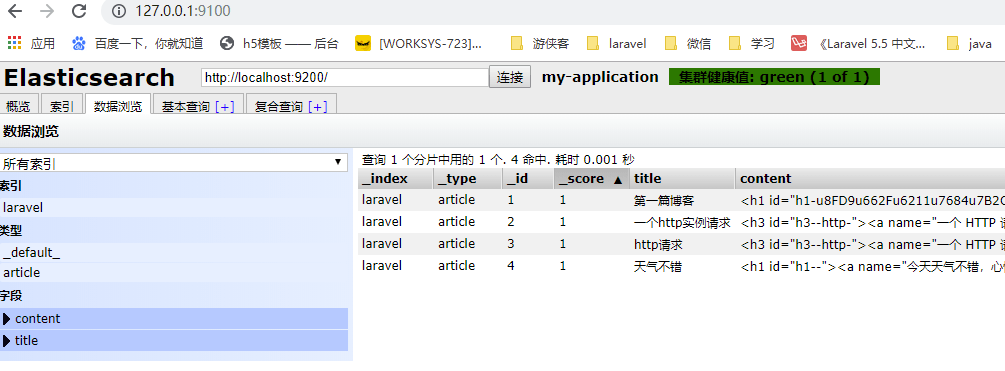
注:es可视化工具自行百度安装
可使用kibana: www.jianshu.com/p/7bf9a3dfeb9b
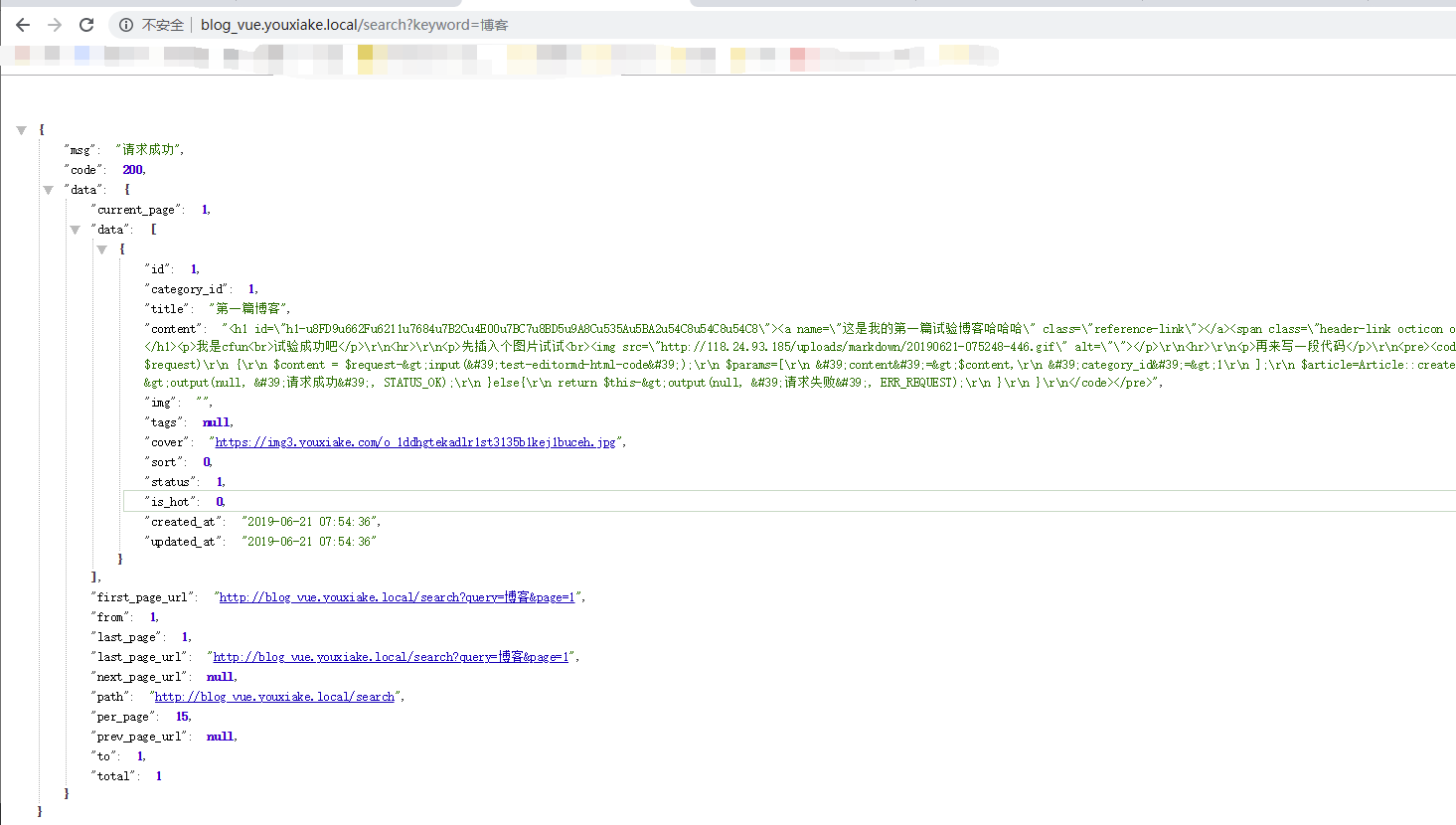
# 8访问路由,最后大功告成
# 9.扩展
Algolia是法国初创公司为你提供毫秒级的数据库实时搜索服务。在这里我也配置实验了下,具体没有压测,有兴趣的朋友可以尝试下,这里只写简单的使用。具体elsaticsearch和algolia如何选择,看业务需求具体来选择
在项目env文件添加
SCOUT_DRIVER=algolia
SCOUT_PREFIX=
ALGOLIA_APP_ID=XXXXXXX
ALGOLIA_SECRET=XXXXXXXXXXX
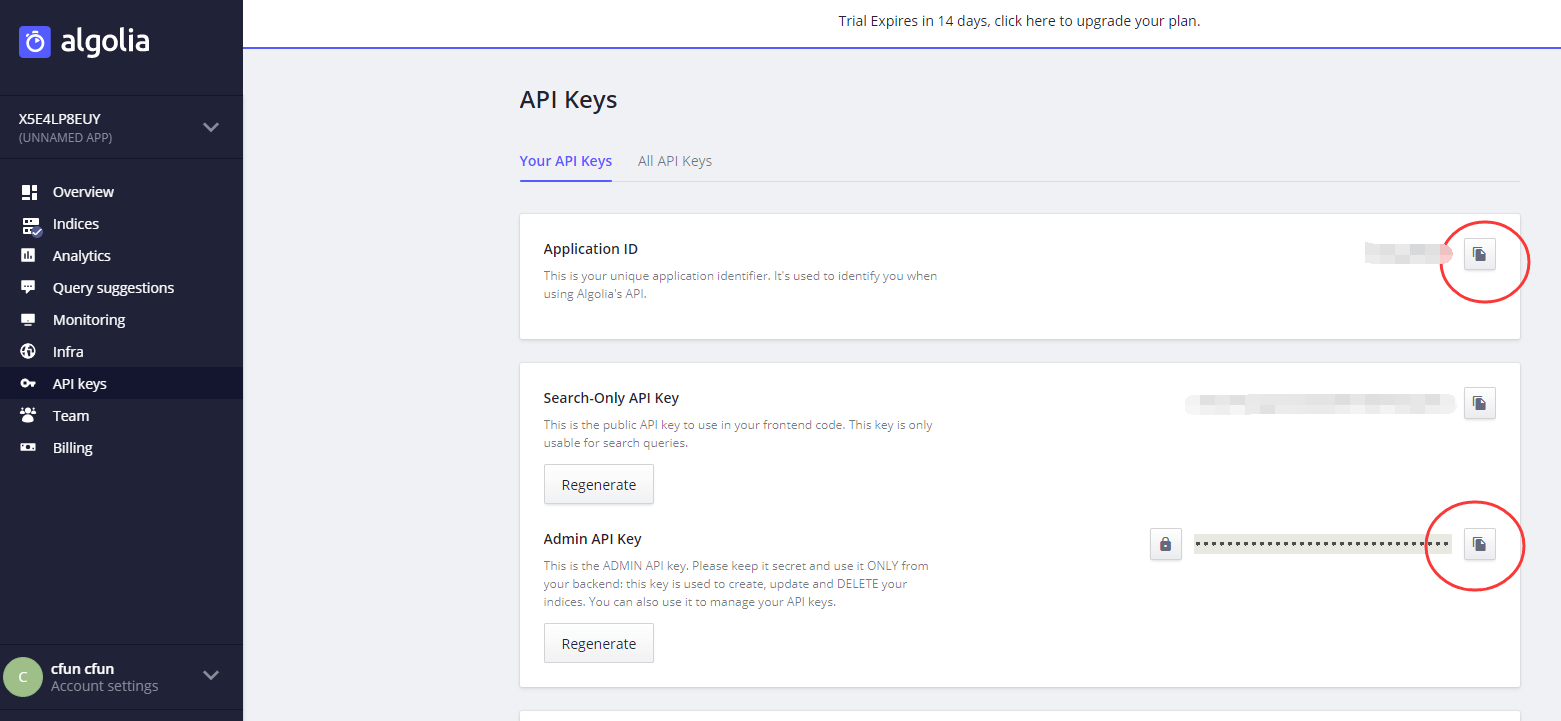
这里的appid和secret需要自己注册获取
官网网址:www.algolia.com
注册成功后;
然后执行命令
php artisan scout:import "App\Models\Article"执行完会发现数据已经写到后台了

然后按照之前配置好的路由去访问

# 10.总结
ElasticSearch作为一款强大的开源分布式搜索与数据分析引擎,可快速从海量数据总找到相关信息,近年来搜索DBRanKing一直位列第一。还被广泛应用于大数据近实时分析,包括日志分析,指标监控,信息安全等等,国内很多公司都在使用,腾讯,滴滴,小米,饿了么,今日头条等。所以这里面要学的东西还是很多很多啊,具体数据如何分片,索引如何划分,map设置,analysis具体细节,最佳数据模型构建,集群扩展,参数配置,性能调优,等等等,都是我们需要去掌握的,前路漫漫其修远兮啊,加油!
本作品采用《CC 协议》,转载必须注明作者和本文链接
























 关于 LearnKu



 粤公网安备 44030502004330号

博客用es还是太重了,我现在用的tntsearch
请问学长,
刚才 进行到这一步报错了,该怎么解决呢?非常谢谢!
另一个问题,我的项目是一些视频,音频,文章表,每个表大概1万条数据,全网查询时,需要对这些表的标题、内容,字段进行中文检索,这种情况,是否适合用这个Elasticsearch/Algolia,还是用TNTSearch 。
非常谢谢楼主回复! 我记得昨天是安装了。
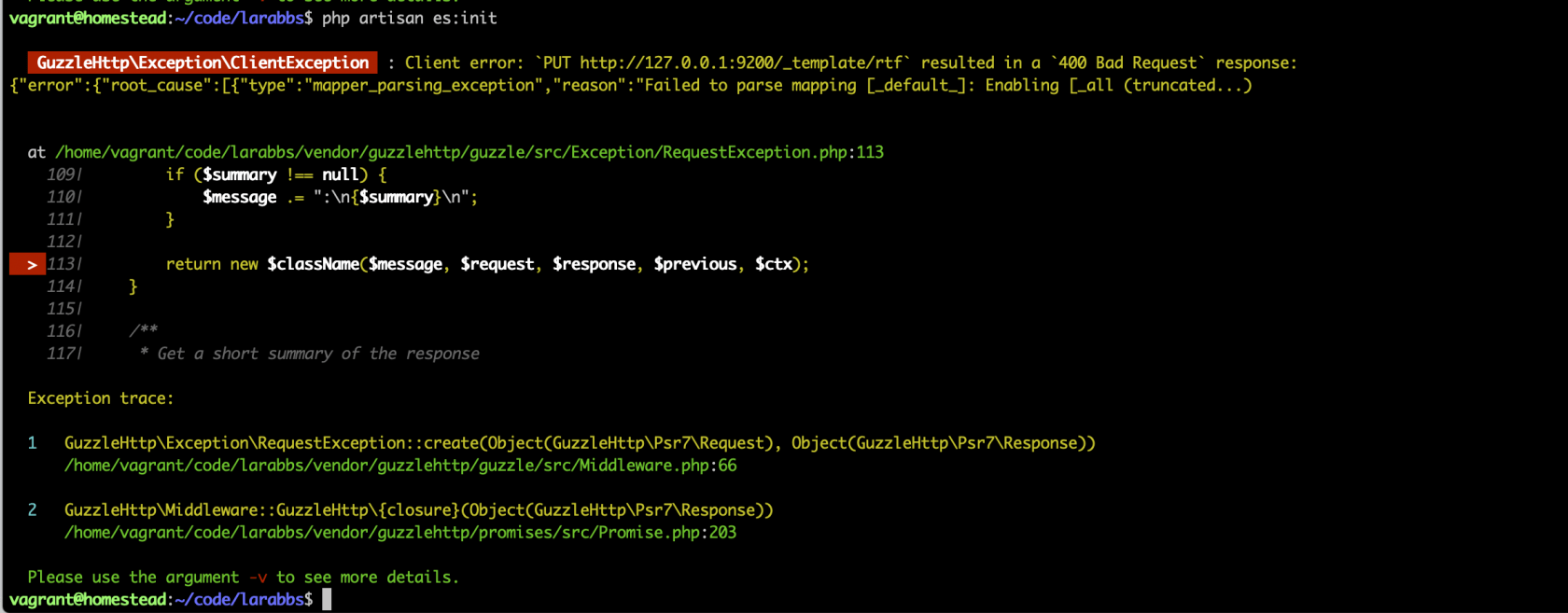
今天再重安装一下看看,从 composer require Guzzlehttp/guzzle 这一步开始。配置...,Esinit 文件内容复制过来。
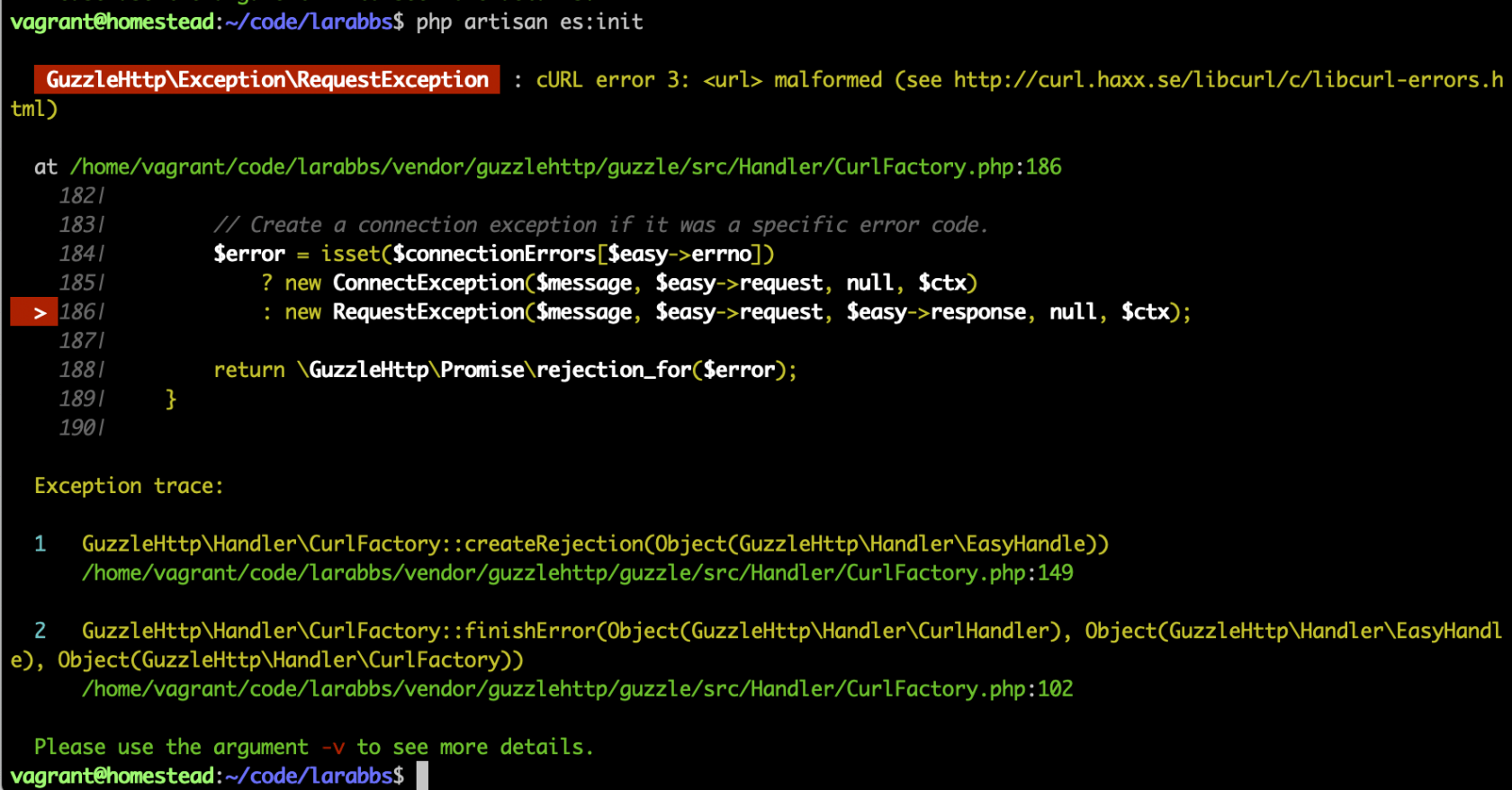
进行到 php artisan es:init ,又报错了,和昨天的不一样。
是不是因为我在vagrant里的原因呢, 于是把 app/scout.php, 'http://127.0.0.1:9200' , 换成 192.168.10.10 或 larabbs.test 仍不行。
报错如下:非常谢谢指点。
在命令行输入 curl http://127.0.0.1:9200/ 是正常的。
谢谢分享 你这个关键词高亮后续有文章吗
问个问题
为甚么要访问这个地址呢
怎么在config/scout.php 配置elasticsearch外网访问所需的账号密码呢
最新版本已经自带Java了 博客:Elasticsearch 的安装和简单配置 不过有个问题
问一下我用laravel做ES搜索 就是这个案例 都安装好了 也运行成功了 数据同步也成功了 head上也能看到数据 但是我用laravel里面的模型::search()得不出数据 是为什么
@漫漫长路 建议你先看看是否真的导入成功了
马克
安装教程有问题,大家都是同一个问题,又没有解决方案,这样的教程就不要发出来祸害人了