教你更优雅地写 API 之「灵活地任务调度」
79 / 3 / 创建于 4年前 /
 Jianne 的个人博客
前言
Laravel 中可以很方便地定义任务调度,在 app/Console/Kernel.php 的 schedule 方法中定义 call、command、job 以及exec 的执行间隔即可。
在实际开发过程中,我们发现如果需要修改任务调度的执行时间间隔,或者关闭某个任务调度,都需要重新修改代码提交,重新构建发布,体验不是很好。
这里分享一个基于数据表的配置来管理 Laravel 应用程序中任务调度的方案,可以一起参与讨论一下。
实现过程
在讨论实现之前,先梳理一下需要优化的点,并整理一下实现思路。
需求
- 能够灵活地配置任务调度的执行间隔
- 允许开启关闭任务的调度
- 适配 laravel 的任务调度参数,保持风格统一
- 简单地封装扩展,不增加负担
思路
可以在 Schedule 实例化以后通过读取 schedules 数据表的配置来定义执行任务调度,可以在此基础上进行简单封装让多个项目中也可以使用。
// app/Console/Kernel.php
protected function schedule(Schedule $schedule)
{
    $schedules = ScheduleModel::active()->get();
    foreach($schedules as $item){
        $schedule->command($item->command .'' .$item->parameters)->cron($item->expression);
    }

    // $schedule->command('inspire')->hourly();
}
实现
Schedule 通过服务容器 singleton 实例化后依赖注入,可以通过容器的 resolving 方法绑定一个回调函数在 Schedule 实例化后执行,在回调函数中加入读取 schedules 配置的逻辑。
// vendor/jiannei/laravel-schedule/src/Providers/LaravelServiceProvider.php

$this->app->resolving(Schedule::class, function ($schedule) {
    $this->schedule($schedule);
});

protected function schedule(Schedule $schedule): void
{
    try {
        $schedules = app(Config::get('schedule.model'))->active()->get();
    } catch (QueryException $exception) {
        $schedules = collect();
    }

    $schedules->each(function ($item) use ($schedule) {
        $event = $schedule->command($item->command.' '.$item->parameters);

        $event->cron($item->expression)
            ->name($item->description)
            ->timezone($item->timezone);

        if (class_exists($enum = Config::get('schedule.enum'))) {
            $scheduleEnum = $enum::fromValue($item->command);
            $callbacks = ['skip', 'when', 'before', 'after', 'onSuccess', 'onFailure'];
            foreach ($callbacks as $callback) {
                if ($method = $scheduleEnum->hasCallback($callback)) {
                    $event->$callback($scheduleEnum->$method($event, $item));
                }
            }
        }

        if ($item->environments) {
            $event->environments($item->environments);
        }

        if ($item->without_overlapping) {
            $event->withoutOverlapping($item->without_overlapping);
        }

        if ($item->on_one_server) {
            $event->onOneServer();
        }

        if ($item->in_background) {
            $event->runInBackground();
        }

        if ($item->in_maintenance_mode) {
            $event->evenInMaintenanceMode();
        }

        if ($item->output_file_path) {
            if ($item->output_append) {
                $event->appendOutputTo(Config::get('schedule.output.path').Str::start($item->output_file_path, DIRECTORY_SEPARATOR));
            } else {
                $event->sendOutputTo(Config::get('schedule.output.path').Str::start($item->output_file_path, DIRECTORY_SEPARATOR));
            }
        }

        if ($item->output_email) {
            if ($item->output_email_on_failure) {
                $event->emailOutputOnFailure($item->output_email);
            } else {
                $event->emailOutputTo($item->output_email);
            }
        }
    });
}
安装和使用
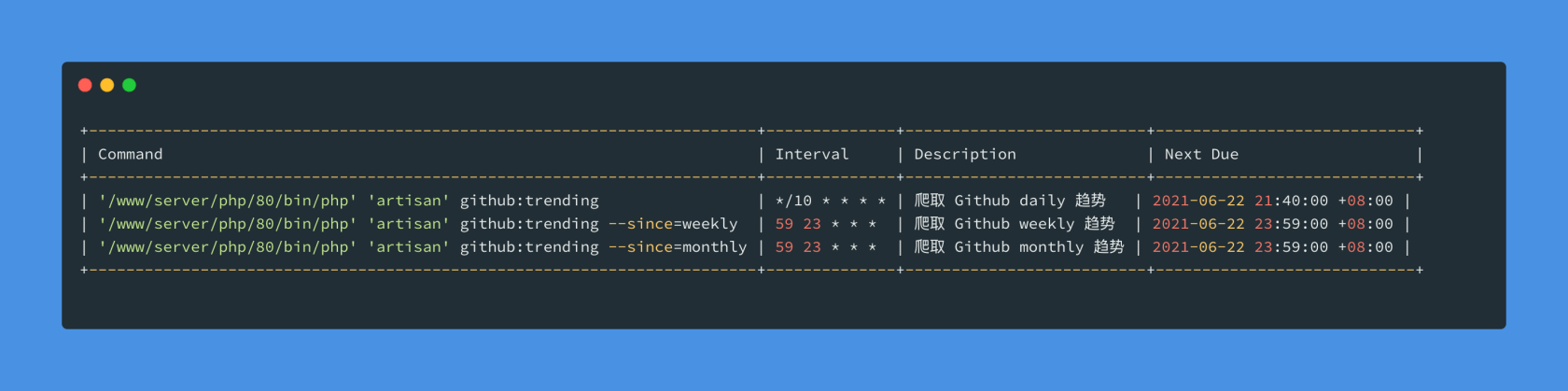
Package 已发布,可以查看相应的文档
原理
在实现前面的需求后,一起讨论下 Laravel 应用中通过 php artisan schedule:run 能够进行任务调度的原理。
在 Laravel 项目中部署任务调度,通常的 Linux crontab 配置如下:
* * * * * cd /path-to-your-project && php artisan schedule:run >> /dev/null 2>&1这里涉及到使用 Linux 的 crontab 每分钟通过 php-cli 间隔执行 Laravel 的 artisan 文件
php artisan schedule:run
说明:
- php cli 模式下每分钟间隔执行 Laravel 的 artisan 文件
- artisan 是 Laravel 命令行执行模式的入口文件
- 通过 artisan 入口文件,解析后面的
schedule:run参数,最终执行vendor/laravel/framework/src/Illuminate/Console/Scheduling/ScheduleRunCommand.php中的handle方法
1. php artisan 的执行
bootstrap/app.php
// 注册 Illuminate\Contracts\Console\Kernel::class和App\Console\Kernel::class 的绑定关系
$app->singleton(
    Illuminate\Contracts\Console\Kernel::class,
    App\Console\Kernel::class
);
artisan
// 根据上一步的绑定关系,实例化 App\Console\Kernel
$kernel = $app->make(Illuminate\Contracts\Console\Kernel::class);

// 执行 App\Console\Kernel 的 handle 方法
$status = $kernel->handle(
    $input = new Symfony\Component\Console\Input\ArgvInput,
    new Symfony\Component\Console\Output\ConsoleOutput
);

// 执行 App\Console\Kernel 的 terminate 方法
$kernel->terminate($input, $status);

exit($status);app/Console/Kernel.php中继承了Illuminate\Foundation\Console\Kernel的handle和terminate方法vendor/laravel/framework/src/Illuminate/Foundation/Console/Kernel.php我们需要关心__construct、handle、terminate
public function __construct(Application $app, Dispatcher $events)
{
    if (! defined('ARTISAN_BINARY')) {
        define('ARTISAN_BINARY', 'artisan');
    }

    $this->app = $app;
    $this->events = $events;

        // 在应用服务启动后执行控制台执任务
    $this->app->booted(function () {
        $this->defineConsoleSchedule();
    });
}

public function handle($input, $output = null)
{
    try {
        $this->bootstrap();

        return $this->getArtisan()->run($input, $output);
    } catch (Throwable $e) {
        $this->reportException($e);

        $this->renderException($output, $e);

        return 1;
    }
}

public function terminate($input, $status)
{
    $this->app->terminate();
}

protected function defineConsoleSchedule()
{
        //  Illuminate\Console\Scheduling\Schedule::class 实例化时调用 schedule 方法执行任务调度
    $this->app->singleton(Schedule::class, function ($app) {
        return tap(new Schedule($this->scheduleTimezone()), function ($schedule) {
            $this->schedule($schedule->useCache($this->scheduleCache()));
        });
    });
}app/Console/Kernel.php中覆盖了Illuminate\Foundation\Console\Kernel的schedule方法,也就是以前经常定义任务调度执行的地方
protected function schedule(Schedule $schedule)
{
    // $schedule->command('inspire')->hourly();
}从上面的分析可以看出,php artisan 执行会注册Illuminate\Console\Scheduling\Schedule::class ,等Illuminate\Console\Scheduling\Schedule::class 实例化时执行定义在 app/Console/Kernel.php 的 schedule 方法中定义的任务调度。
补充:
php artisan等价于php artisan list,- 分析
vendor/laravel/framework/src/Illuminate/Foundation/Console/Kernel.php中的getArtisan方法可以了解如何将 artisan 后面的 list 参数解析成需要执行的 command
2. php artisan schedule:run 的执行
artisan 解析
schedule:run参数,执行vendor/laravel/framework/src/Illuminate/Console/Scheduling/ScheduleRunCommand.php中的handle方法handle方法中注入\Illuminate\Console\Scheduling\Schedule实例
// vendor/laravel/framework/src/Illuminate/Console/Scheduling/ScheduleRunCommand.php

public function handle(Schedule $schedule, Dispatcher $dispatcher, ExceptionHandler $handler)
{
    $this->schedule = $schedule;
    $this->dispatcher = $dispatcher;
    $this->handler = $handler;

    foreach ($this->schedule->dueEvents($this->laravel) as $event) {
        if (! $event->filtersPass($this->laravel)) {
            $this->dispatcher->dispatch(new ScheduledTaskSkipped($event));

            continue;
        }

        if ($event->onOneServer) {
            $this->runSingleServerEvent($event);
        } else {
            $this->runEvent($event);
        }

        $this->eventsRan = true;
    }

    if (! $this->eventsRan) {
        $this->info('No scheduled commands are ready to run.');
    }
}- 结合前面
php artisan的分析,在\Illuminate\Console\Scheduling\Schedule实例化时便会调用app/Console/Kernel.php中的schedule方法中定义的任务调度
其他
如果对您的日常工作有所帮助或启发,欢迎 star + fork + follow。
如果有任何批评建议,通过邮箱(longjian.huang@foxmail.com)的方式可以联系到我。
总之,欢迎各路英雄好汉。
QQ 群:1105120693
本作品采用《CC 协议》,转载必须注明作者和本文链接



















 关于 LearnKu



 粤公网安备 44030502004330号

感觉好牛逼的样子,哈哈!
@dongzhiyu 我记得你这个 ID
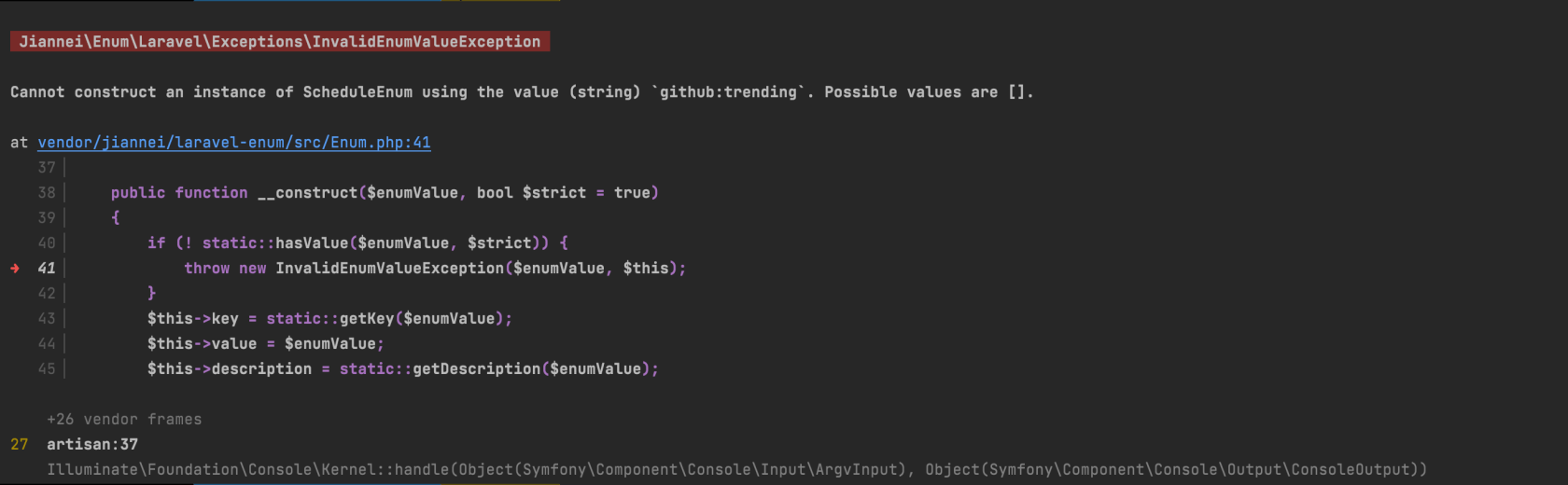
执行artisan命令就报错, 是不是集成的Enum有啥变动