

Every AI researcher and 3D animation studio owner in Central Europe faces the challenge of running compute-heavy projects without sinking money into physical infrastructure. Demands for fast rendering and massive AI model training strain traditional systems and make scalability difficult. With the evolution of multicore CPUs and powerful GPUs in cloud platforms, the promise of high-performance computing in the cloud offers instant access to flexible resources, helping teams accelerate workflows and minimize overhead.
Key Takeaways
| Point | Details |
|---|---|
| Access Cost-Effective Resources | Cloud HPC allows you to rent powerful computing resources instead of investing in expensive on-premise hardware. You only pay for the compute time you actually use, improving budgeting efficiency. |
| Instant Scalability and Flexibility | Easily scale your computing power from a few processors to thousands as project demands change, enabling rapid iterations in AI model training and 3D rendering. |
| Eliminate Infrastructure Maintenance | With no need for physical space and related upkeep, cloud providers manage all backend operations, allowing teams to focus on their projects rather than IT concerns. |
| Choose the Right Cloud Service Model | Depending on your workload needs, opt for IaaS, PaaS, or SaaS to find the balance of control and convenience that best suits your operational efficiency. |
High Performance Computing in Cloud Explained
High-performance computing (HPC) in the cloud is the ability to access massive computational resources on demand without owning or maintaining expensive physical infrastructure. Instead of building and managing data centers on-site, you can rent GPU and CPU servers that scale up or down based on your needs. This shift has fundamentally changed how AI researchers and 3D animation studios approach compute-intensive work.
The cloud HPC model works by distributing your workloads across multiple processors and graphics cards hosted in remote data centers. When you submit a rendering job or AI model training task, the cloud platform allocates resources automatically, processes your data in parallel, and returns results once complete. You pay only for the computational time you actually use, eliminating the capital expense of hardware investments and the ongoing costs of cooling, maintenance, and upgrades.
What Makes Cloud HPC Different
Traditional on-premise HPC systems require significant upfront investment. You must purchase expensive hardware, hire specialists to manage it, and deal with capacity constraints when demand spikes. Cloud HPC represents a fundamentally different approach, offering flexibility and cost-effectiveness that on-site systems simply cannot match.
The key differences include:
- Instant Availability: Deploy GPU and CPU servers in minutes, not weeks. Your rendering pipeline or AI training environment is ready immediately without procurement delays.
- Dynamic Scalability: Scale from a single processor to thousands of cores as your project demands. Process 100 frames in parallel for animation renders or train massive models with distributed computing.
- Zero Infrastructure Overhead: No physical space required, no cooling systems to maintain, no hardware replacement cycles. The cloud provider handles all backend operations.
- Geographic Flexibility: Access computing power from anywhere, perfect for distributed teams across Central Europe collaborating on the same project.
- Pay-As-You-Go Pricing: You’re charged for actual usage. A 2-hour rendering job costs less than a day of on-premise hardware sitting idle.
Cloud HPC eliminates the guessing game of capacity planning – you access exactly the computing power you need, exactly when you need it.
Why AI Researchers and Animation Studios Need This
Your workloads are unlike traditional business computing. AI model training for computer vision or natural language processing can require millions of floating-point calculations per second. 3D animation rendering pushes GPUs to their limits for hours or days per project. The convergence of AI and HPC in cloud environments has democratized access to computational resources that were previously available only to large institutions with massive budgets.
Consider your actual workflow: You’re managing dozens of 3D scenes needing rendering across multiple software platforms like Blender, 3ds Max, and Maya. You’re training neural networks that require sustained, intensive computation. You’re iterating on projects rapidly, sometimes needing results within hours. On-premise infrastructure struggles with this variability. Cloud HPC thrives in it.
The financial impact matters too. A fully configured on-premise HPC cluster with multiple GPUs costs $50,000 to $500,000+ depending on specifications, plus annual maintenance and power costs. Cloud infrastructure lets you access equivalent capability for a fraction of that cost, with zero long-term commitment. You scale up for intensive projects and scale down during lighter periods.
Real-World Application for Your Studio or Lab
Think about a typical week in your 3D animation studio or AI research lab. Monday arrives with a new client project requiring 10,000 frames of photorealistic rendering in Cinema 4D. Your on-premise workstations would take weeks. Using cloud HPC with integrated render farm solutions, you submit the project and receive final frames within 24-48 hours. Your team continues other work without interruption.
For AI researchers training computer vision models, the same principle applies. A model that would train for 30 days on consumer GPU hardware trains in 3 days using cloud HPC clusters. You iterate faster, test hypotheses more rapidly, and publish research sooner.
Pro tip: Start with burst compute for your most time-sensitive projects first – rendering deadlines or model training sprints – to see the real-world performance gains before migrating your entire workflow to cloud HPC.
Types of Cloud HPC Solutions and Key Features
Cloud HPC solutions come in different flavors, each designed to meet specific needs. Understanding which type fits your workflow – whether you’re rendering 3D animations or training AI models – determines how efficiently you’ll work and what you’ll ultimately pay. The main categories break down into service models that range from complete infrastructure you control to fully managed platforms where the provider handles everything.
Service Models: IaaS, PaaS, and SaaS
Cloud providers typically offer HPC through three service models, each with different levels of control and responsibility. Infrastructure as a Service (IaaS), Platform as a Service (PaaS), and Software as a Service (SaaS) represent a spectrum from maximum control to maximum convenience.
Infrastructure as a Service (IaaS) gives you raw computing power with full root and admin access. You rent GPU servers, CPU servers, or combinations of both and configure them exactly as you need. This is ideal if you’re running custom rendering pipelines in Blender or 3ds Max, or if you need specific software stacks for AI model training. You handle all setup, optimization, and software management yourself.
Platform as a Service (PaaS) provides pre-configured environments optimized for specific workloads. The cloud provider manages the underlying infrastructure while you focus on your application. For animation studios, this might mean a pre-optimized render farm environment. For AI researchers, it could be a pre-configured machine learning platform with popular frameworks already installed.
Software as a Service (SaaS) is the most hands-off approach. You upload your project and get results back. Integrated render farm solutions exemplify this model – submit your 3D scene, receive a price estimate, and your frames render automatically without touching infrastructure at all.
The choice depends on your comfort level and workflow requirements:
Here’s a quick comparison of cloud HPC service models to help you choose what fits your workflow:
| Service Model | User Control | Typical Use Case | Technical Expertise Required |
|---|---|---|---|
| IaaS | Full server access | Custom pipelines, specialized software stacks | High (system setup, tuning) |
| PaaS | Partial control | Pre-optimized rendering, machine learning | Moderate (app setup only) |
| SaaS | Minimal control | Automated rendering, simple project submission | Low (basic usage only) |
- IaaS: Maximum flexibility, requires technical expertise
- PaaS: Balanced approach, pre-optimized for specific tasks
- SaaS: Maximum simplicity, minimal technical overhead
Key Features That Drive Performance
Virtualization and containerization technologies form the backbone of cloud HPC, enabling the flexibility and efficiency that make cloud superior to traditional on-premise systems. These technologies allow multiple users to share physical hardware safely while maintaining complete isolation between workloads.

GPU virtualization deserves special attention for your use cases. Animation rendering and AI training both demand GPU processing power. Cloud providers use sophisticated virtualization techniques to split physical GPUs across multiple users or allocate entire GPUs exclusively to single users depending on your needs. Dedicated GPU access ensures consistent, predictable performance – critical when you’re rendering time-sensitive projects or training models where performance variability ruins reproducibility.
Other essential features include:
- Auto-scaling: Automatically provision more resources when demand spikes, then scale down when finished. Your 10,000-frame animation render job gets 100 GPUs for 24 hours, then scales to zero.
- Resource orchestration: Intelligent systems manage how jobs are distributed across available hardware to maximize efficiency and minimize idle time.
- Fault tolerance: If a single server fails mid-job, the system automatically restarts on another server without losing progress. Critical for multi-day AI training runs.
- Network optimization: Direct connections between storage, processing nodes, and output systems minimize data transfer delays.
- Monitoring and reporting: Real-time visibility into resource usage, costs, and performance metrics.
The best cloud HPC solution for your studio or lab balances control, convenience, and cost – rarely do you need maximum control over absolutely everything.
Hybrid and Multi-Cloud Approaches
Many studios and research labs don’t put all eggs in one basket. Hybrid approaches combine on-premise infrastructure with cloud resources for burst capacity. You keep some workstations on-site for interactive work and quick iterations, then burst to the cloud when deadlines hit or you need massive parallel processing.
Multi-cloud strategies use different providers for different purposes. Maybe you use one provider’s GPU servers for rendering and another’s CPU-optimized servers for simulation or data processing. This approach prevents vendor lock-in and lets you choose the best tool for each specific job.
For your specific needs, consider that dedicated resources from cloud providers like cloud compute servers optimized for intensive workloads eliminate the performance uncertainty of shared infrastructure while maintaining the flexibility of cloud deployment.
Pro tip: Start with IaaS on a single provider to understand your actual usage patterns and costs before committing to larger deployments or exploring multi-cloud strategies.
How Cloud HPC Powers AI and 3D Rendering
AI model training and 3D rendering are among the most computationally demanding tasks you’ll encounter as a researcher or studio owner. Both require sustained, intense processing power over hours or days. Cloud HPC doesn’t just provide this power – it fundamentally changes how you approach these workflows by offering flexibility, speed, and cost efficiency that on-premise systems simply cannot match.
The magic happens because cloud providers have invested in the exact infrastructure these workloads demand. They’ve filled data centers with GPUs specifically optimized for parallel processing, connected them with ultra-fast networks, and built software systems that automatically distribute your jobs across available hardware. When you submit a rendering job or AI training task, the cloud platform orchestrates everything, allocating resources in real-time and scaling up or down based on what you actually need.
AI Model Training at Scale
Training deep learning models is a computational marathon. A state-of-the-art computer vision model might require 100+ GPU-hours of processing. On a single GPU, that’s weeks of waiting. Cloud HPC solves this through parallel processing and distributed training that splits your model across multiple GPUs, each processing different portions of your data simultaneously. A job that takes 3 weeks on one GPU completes in days when distributed across 50 GPUs.
GPU virtualization and dynamic resource allocation enable cloud systems to optimize workload performance in ways that benefit both your timelines and your budget. The cloud platform monitors how efficiently your job is running and adjusts resources in real-time. If your training bottlenecks on data loading rather than computation, the system automatically increases network bandwidth. If you’re underutilizing GPUs, it scales down to save costs.
What makes this possible for researchers with limited infrastructure:
- No upfront investment: Access thousands of GPUs without buying them
- Instant scaling: Request 100 GPUs Monday morning, back to 2 GPUs by Wednesday
- Automatic optimization: The system handles resource allocation without manual intervention
- Reproducibility: Consistent hardware means your results remain reproducible across runs
- Cost transparency: Pay only for actual compute time, not idle hardware
3D Rendering: From Hours to Minutes
Rendering is fundamentally parallel work. Every pixel in your final image can be computed independently. A 4K animation frame is millions of pixels. Traditional rendering on a single workstation means rendering one frame at a time, sequentially. Photoreal 3D scenes can take 15-30 minutes per frame. A 2-minute animation is over 3,000 frames – that’s 750 hours of single-GPU rendering.
Cloud HPC inverts this problem. Instead of rendering frames sequentially on one machine, you render 100 frames simultaneously on 100 GPUs. Your 750-hour rendering job completes in under 8 hours. The synergy between powerful GPUs and cloud platforms has made HPC essential for graphics-intensive workloads, transforming how studios manage deadlines.
Consider a real scenario: Your animation studio receives a last-minute client request for final renders by Friday morning. Normally impossible. With cloud HPC, you submit your Blender or 3ds Max project, receive an instant cost estimate, and your frames render overnight across hundreds of GPUs. By Friday morning, your team is compositing final shots instead of waiting for frames to render.
Rendering gains from cloud HPC include:
- Massive parallelism: Render 100+ frames simultaneously instead of one at a time
- No hardware bottlenecks: Complex scenes with millions of polygons and detailed lighting render at full quality
- Predictable costs: Upfront pricing means no surprises, unlike managing expensive on-premise GPUs
- Software flexibility: Run Blender, 3ds Max, Maya, Cinema 4D, KeyShot – whatever your pipeline demands
Both AI training and 3D rendering share a fundamental advantage in the cloud: the ability to trade time for money – spend less time waiting by spending more resources, or spend less money by waiting longer, all without owning expensive hardware.
The Convergence of Speed and Economics
What separates cloud HPC from traditional computing is the alignment of technical capability with economic efficiency. You access cutting-edge GPU hardware without massive capital expense. Your AI researcher can run experiments that would cost $50,000+ in on-premise hardware using $500 worth of cloud resources. Your animation studio meets impossible deadlines without permanently doubling your render farm capacity.
This convergence matters especially for studios and labs in Central Europe managing international projects with distributed teams. Your team in Prague can submit rendering jobs that process in Frankfurt data centers and retrieve results instantly. Your AI research collaborators in Warsaw can access the same hardware resources as institutions in Silicon Valley.
The flexibility extends beyond raw compute. With cloud HPC, you experiment more freely. That idea for a new rendering technique? Try it on 10 test frames for $50 before committing to full production. That novel AI architecture? Train it on a subset of data for $100 before scaling to full training. This freedom to experiment without massive hardware investments accelerates innovation.
Pro tip: For your first cloud HPC project, start with a small batch – 10 animation frames or a small model training run – to understand actual costs and performance before committing larger workloads.
Performance, Security, and Cost Considerations
Choosing a cloud HPC solution means balancing three competing demands: raw performance, data security, and budget constraints. Get one wrong and your project suffers. A rendering job that finishes fast but costs $10,000 instead of $1,000 isn’t a win. A secure system that’s too slow to meet your deadlines is worse than useless. Understanding how these three factors interact helps you make decisions that actually work for your studio or lab.
The challenge is real because these factors often pull in opposite directions. Maximum security typically adds overhead that reduces performance. Cutting costs often means accepting shared infrastructure that hurts performance consistency. Cloud HPC providers have gotten better at this balancing act, but you still need to understand the tradeoffs and know what to measure.
Performance: Predictability Matters More Than Raw Speed
When you’re comparing cloud HPC providers, the temptation is chasing the fastest option. Stop. Raw speed matters less than predictable, consistent performance. A GPU that delivers 95% of peak performance reliably is worth more than one that occasionally hits 100% but drops to 70% when the data center gets busy.
For AI researchers, performance consistency is critical for reproducibility. If your model trains in 3 days on one attempt and 5 days on another with identical hardware and code, something is wrong. Shared infrastructure introduces this variability—your compute gets interrupted when other users’ jobs spike. Dedicated resources eliminate this problem.
For animation studios, predictability means you can actually promise clients delivery dates. If rendering 10,000 frames takes anywhere from 8 to 20 hours depending on how busy the cloud is, you can’t commit to Friday delivery.
Key performance factors to evaluate:
- Dedicated vs. shared resources: Dedicated hardware guarantees consistent performance
- Network bandwidth: High-speed interconnects between compute nodes matter for distributed training
- Storage speed: Fast storage prevents data loading from becoming your bottleneck
- GPU type and quantity: Newer GPUs offer better performance per dollar, but consistency matters more than absolute speed
Security: Protecting Your Data and IP
Your 3D models, AI training data, and research results represent significant intellectual property. Sending this to the cloud means trusting the provider with sensitive information. Threat models for confidential HPC workloads in public clouds require careful architectural planning, including consideration of who has access to your data at rest and in transit.
Security in cloud HPC involves multiple layers. Encryption protects your data while it travels over networks and sits in storage. Access controls ensure only authorized team members can retrieve results. Audit logs track who accessed what and when, critical for compliance requirements. Beyond these basics, advanced solutions like Trusted Execution Environments (TEEs) protect your computations themselves—the actual processing happens in isolated, encrypted environments where even cloud provider staff cannot see your data or code.
For European studios and research teams, regulatory compliance adds another layer. GDPR and other regulations impose strict requirements on where data lives, who can access it, and how it’s protected. Some cloud providers offer European data residency specifically to meet these requirements.
Security considerations include:
- Data encryption: Both in transit (moving to cloud) and at rest (stored on servers)
- Access controls: Who can view, modify, or delete your data
- Audit trails: Complete logs of all data access for compliance
- Data residency: Where your data physically lives geographically
- VPN and secure connections: Encrypted tunnels for all communication with the cloud
The best security approach for your needs isn’t maximum security—it’s the right level of security for your actual risk, implemented without crippling performance or exploding your budget.
Cost: Beyond the Hourly Rate
Cloud HPC pricing looks simple at first: $X per GPU-hour. But that headline number hides complexity. Balancing high-performance demands with cost efficiency requires optimized resource allocation and understanding actual pricing models, not just comparing per-hour rates.
A “cheap” provider charging $0.50 per GPU-hour might become expensive fast if their resource orchestration is poor, causing your 2-day job to stretch to 5 days. A more expensive provider at $1.00 per GPU-hour might complete the same job in 2 days, costing less overall despite the higher hourly rate.
Other hidden costs matter too. Data transfer into and out of the cloud sometimes carries charges. Storage of intermediate results can be surprisingly expensive. Long-term commitments sometimes offer discounts, but lock you in. Spot pricing saves money but provides no performance guarantees.
Actual cost factors:
- Compute time: The hours your GPUs or CPUs actually run
- Data transfer: Moving files to and from the cloud
- Storage: Keeping results, models, and datasets stored
- Reserved capacity: Pre-paying for guaranteed resources
- Burst pricing: Higher rates during peak demand hours
For your use cases, transparent pricing without hidden surprises matters enormously. You need to know upfront what a rendering job will cost or what AI training will expense. Some providers offer cost estimation tools; others surprise you with bills. This transparency directly impacts your ability to quote clients or budget for research.
The following table summarizes key performance, security, and cost factors to evaluate when choosing a cloud HPC provider:
| Factor | What to Assess | Impact on Projects |
|---|---|---|
| Performance | Resource type, bandwidth, storage speed | Workflow speed, deadline reliability |
| Security | Encryption, audit logs, data residency | IP protection, compliance adherence |
| Cost | Compute, storage, transfers, pricing model | Budget predictability, long-term value |
Pro tip: Request cost estimates from your cloud provider for a realistic project before committing – rendering your actual models or training your actual datasets reveals true costs and performance without guessing.
Avoiding Pitfalls in Cloud-Based HPC Deployments
Cloud HPC promises massive computing power on demand, but deploying workloads poorly can waste money, miss deadlines, and introduce security risks. The difference between a successful cloud HPC project and an expensive disaster often comes down to understanding common pitfalls before they happen. Many teams learn these lessons the hard way – you don’t have to.
The good news is that these pitfalls are predictable and avoidable. Studios and research labs that have successfully deployed HPC workloads to the cloud share common practices. They measure before scaling, they design for cloud architecture rather than just lifting on-premise solutions and hoping they work, and they treat monitoring and optimization as ongoing processes, not one-time setup tasks.
Resource Wastage and Performance Bottlenecks
The biggest hidden cost in cloud HPC isn’t the computing power itself – it’s wasting that power through poor planning. Best practices for cloud HPC deployments emphasize designing cloud-native solutions with advanced scheduling and error recovery techniques rather than simply migrating existing on-premise workflows unchanged.
Here’s the scenario: You migrate your 3D rendering pipeline to the cloud exactly as it runs locally. On your workstation, rendering frames sequentially made sense. In the cloud, it’s catastrophically inefficient. You’re paying for 100 GPUs but only using one at a time. Meanwhile, data moves inefficiently between systems, and your file transfers become the bottleneck instead of the actual rendering.
Another common mistake: over-provisioning resources. You estimate needing 50 GPUs for your AI training and request 100 to be safe. Now you’re paying for resources sitting idle while your actual jobs run on half the hardware. Conversely, under-provisioning causes jobs to queue up and deadlines slip.
Common resource wastage patterns:
- Sequential processing in parallel systems: Using cloud infrastructure like your workstation rather than distributing work across available resources
- Inefficient data movement: Moving large files unnecessarily between storage, compute, and output systems
- Idle resources: Provisioning more than you actually need out of caution
- Suboptimal scheduling: Jobs waiting in queues while other jobs complete, preventing backfill scheduling
- Storage bloat: Keeping intermediate results and temporary files that accumulate costs
Lack of Monitoring and Optimization
The cloud looks cheap until you check the bill. Without continuous monitoring, costs creep up silently. A rendering job that should complete in 5 hours stretches to 12 because nobody noticed performance degradation. An AI training run that should cost $500 becomes $2,000 because resource allocation drifted from optimal configurations.
Dynamic resource management and continuous monitoring are essential to maintaining HPC workload efficiency and compliance, yet many teams set up cloud infrastructure and move on without establishing monitoring baselines. You need visibility into what’s actually happening: Which jobs are consuming resources? Are GPUs running at full utilization? Is data transfer the bottleneck? Are costs tracking with expectations?
Without this visibility, you can’t optimize. You’re flying blind. Effective monitoring reveals opportunities: You might discover that a particular rendering software is using GPUs inefficiently, or that your AI training isn’t scaling well beyond 32 GPUs, or that data preprocessing is consuming 40% of total runtime.
Monitoring essentials:
- Utilization metrics: GPU, CPU, memory, network usage for each job
- Cost tracking: Real-time spending against budget and per-job costs
- Performance metrics: Job completion times, throughput, error rates
- Alerts: Notifications when utilization drops below targets or costs exceed projections
- Historical data: Logs and records to identify trends and patterns
Configuration and Architecture Mismatches
The cloud offers flexibility, but flexibility requires making choices. Get those choices wrong and you suffer poor performance or surprise costs. Many teams pick cloud configurations without understanding their implications.
One common mistake: choosing CPU-optimized servers for GPU work or vice versa. Your rendering absolutely needs GPUs – using CPU instances costs money and gets you terrible performance. Conversely, some workloads like simulation preprocessing don’t need GPU acceleration; forcing them onto GPU infrastructure wastes expensive resources.
Another mismatch: network architecture. If you’re processing large datasets, network speed between storage and compute matters enormously. Configuring systems with high-speed direct connections instead of routing through congested shared networks makes the difference between 2-hour and 8-hour rendering runs.
Architecture considerations:
- Hardware selection: GPU vs. CPU, GPU type, memory capacity matched to workload needs
- Network design: Direct connections vs. shared networks, bandwidth provisioning
- Storage architecture: Fast local storage vs. shared network storage vs. cloud object storage
- Software stack: Pre-installed environments vs. custom configurations
The most expensive cloud HPC deployments aren’t the ones processing the most data—they’re the ones processing data inefficiently without visibility into what’s actually happening.
Security and Compliance Oversights
Sending sensitive data to the cloud requires security controls. Overlooking these controls creates compliance violations and intellectual property exposure. Your 3D models represent years of studio development. Your AI training datasets might contain proprietary information. Deploying these without proper encryption, access controls, and audit logging is reckless.
Common security gaps include: unencrypted data transfer, overly permissive access controls where everyone can view everyone else’s results, insufficient logging for compliance audits, and inadequate backup strategies. In European jurisdictions, GDPR requirements add specific obligations around data handling that you must implement correctly.
Security essentials:
- Encryption in transit: All data moving to/from cloud is encrypted
- Encryption at rest: Data stored on servers is encrypted
- Access controls: Only authorized team members can access results
- Audit logging: Complete records of who accessed what and when
- Data residency: Data stored in compliant geographic locations
Pro tip: Establish monitoring and cost baselines on a small pilot project before scaling to production workloads – spend $500 on a test deployment to avoid $5,000 mistakes later.
Unlock the Power of Cloud HPC for Your Most Demanding Workloads
Struggling with unpredictable performance or costly on-premise infrastructure for 3D rendering and AI training? MaxCloudON offers dedicated high-performance computing resources that deliver consistent speed and robust security so you can meet tight deadlines and handle complex projects with confidence. Leverage concepts like instant scalability, GPU virtualization, and pay-as-you-go pricing to transform your workflow without the hassle of managing physical hardware.
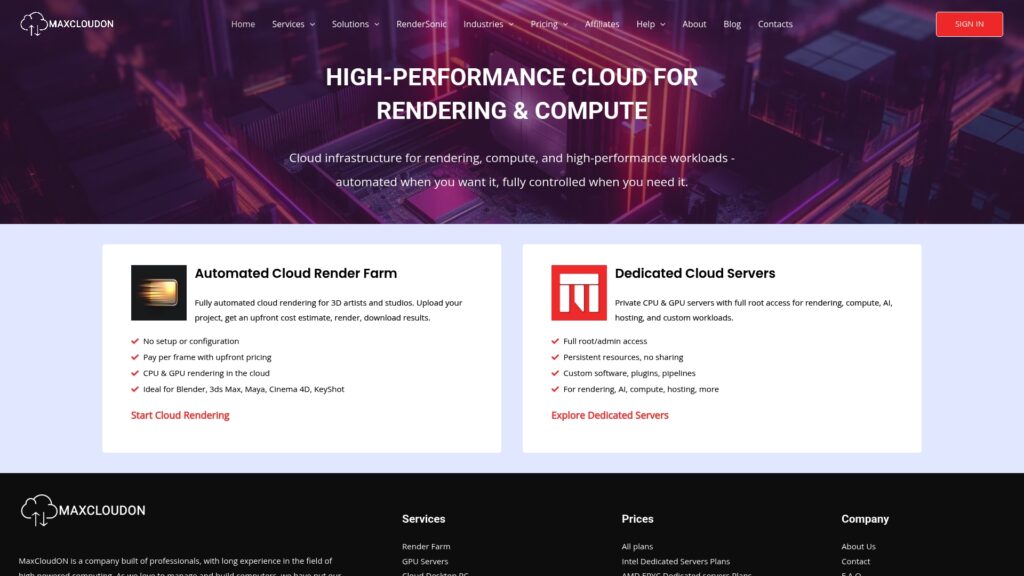
Explore how our automated render farm solution, RenderSonic, simplifies cloud rendering for Blender, 3ds Max, Maya, Cinema 4D, and more. Visit the Rend It Archives – MaxCloudON to see real-world applications and get started today. For tips on optimizing your cloud HPC setup, check out our helpful resources in Term and Processes – MaxCloudON. Ready to scale your compute power on demand with full control and transparent pricing? Discover your next high-performance cloud server at MaxCloudON and accelerate your projects now.
Frequently Asked Questions
What is High Performance Computing (HPC) in the cloud?
How does cloud HPC benefit AI researchers and 3D animation studios?
What are the different service models for cloud HPC solutions?
What should I consider when choosing a cloud HPC provider?
Recommended
- Cloud Compute Server Basics: Powering Intensive Workloads
- Dedicated Cloud Hosting Guide for High-Performance Tasks
- 7 Enterprise Cloud Hosting Benefits for IT Leaders
- Digital Nomad Connectivity: Seamless Work Anywhere | KnowRoaming
- Work From Home Essentials for Better Productivity – Projector Display
- Managed IT Support and Future Computing Needs – CinchOps, Inc.
