


“How-to” – instructions
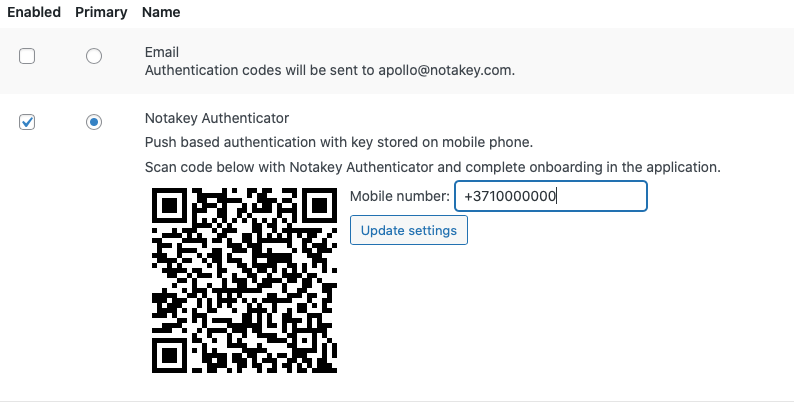
Add a second factor to your WordPress server
We have plugin specially made for that purpose. Six basic steps to security.
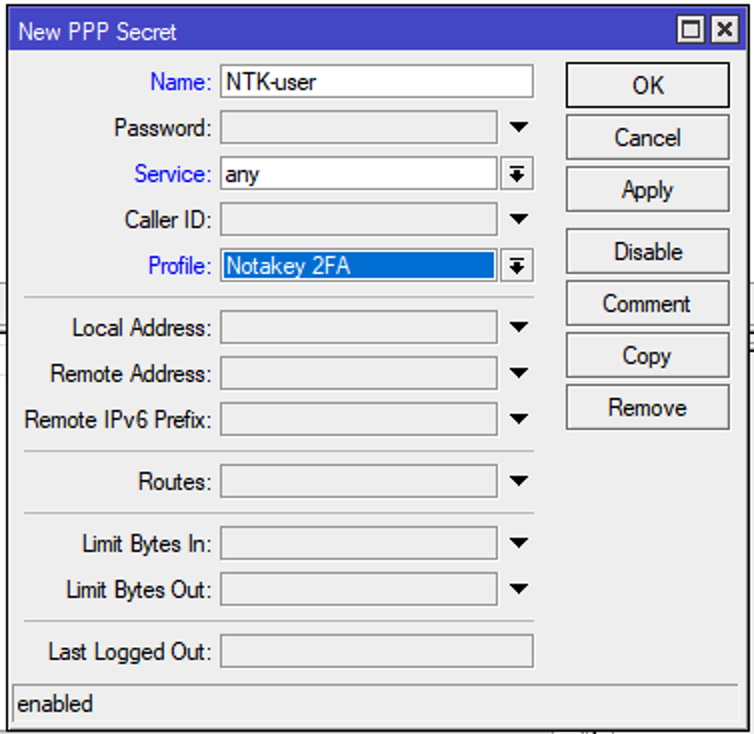
Mikrotik router VPN 2FA authentication with the script
No radius server required. Mikrotik ROS has it’s own scripting language, powerful enough to use it for different tasks. In this repo notakey/mikrotik-2fa-vpn we can find all necessary components to make it happen.

Notakey appliance as a radius server (not only proxy)
Radius plugin is based on modified freeradius container.
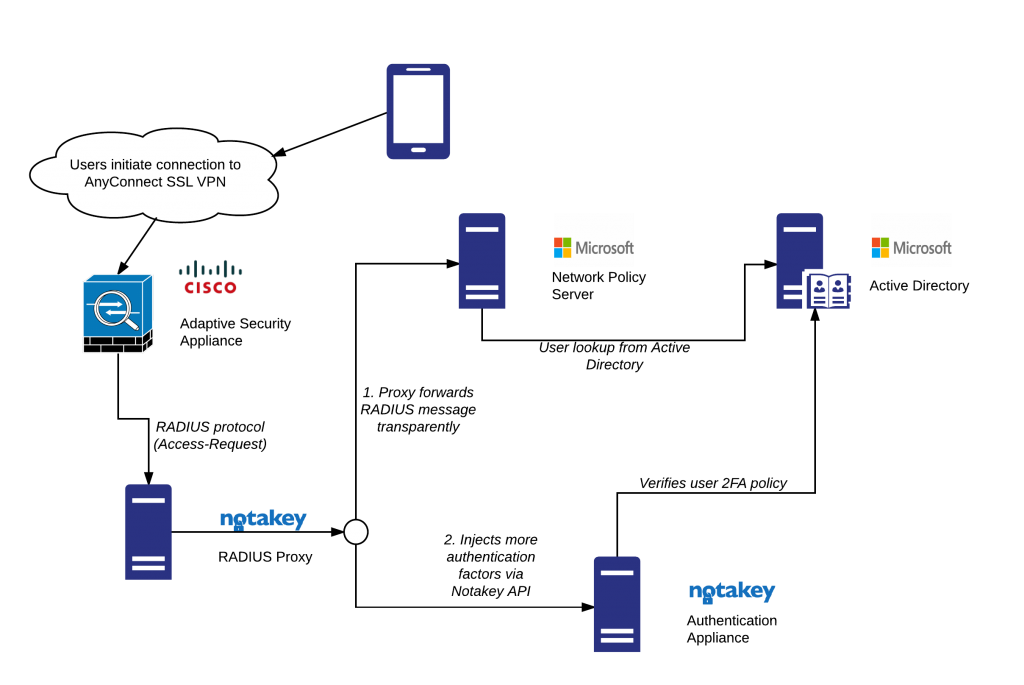
VPN 2FA in the setup with the radius server
NAA will act as a radius authentication proxy and return accept or deny replays according radius and Notakey appliance authentication results
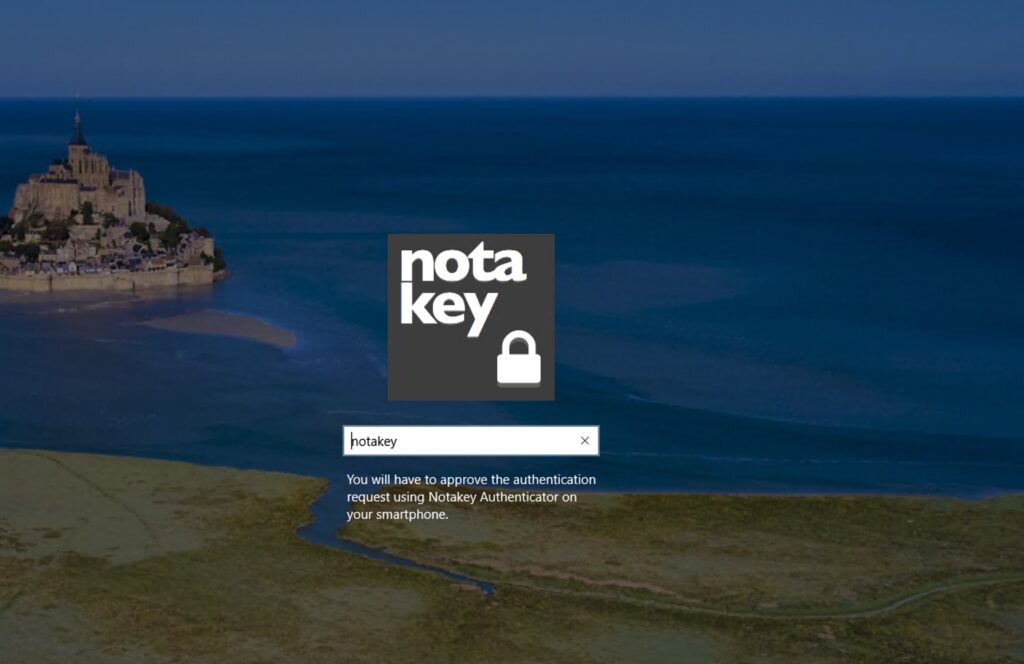
Notakey WCP and windows remote connection
How to setup appliance to work with windows Notakey credential provider

Add Portainer plugin to manage containers in the NAA
Accelerate container adoption and reduce time-to-value on Docker and Kubernetes with a smart, self-service management portal, allowing you to deliver containerized applications from the data centre to the edge
Video Guides
How to install Rancher OS on ESXI VM
How to install Notakey Authentication Appliance
VRRP configuration guide
How to add VM to the cluster (use odd number of VM in the cluster)
Useful links
MikroTik client library for Notakey two factor authentication
Allows to integrate push notification based two factor authentication using Notakey Authenticator mobile app for iOS or Android in various MikroTik workflows, mainly targeted for VPN strong authentication
Add Multi Factor Authentication To Your Legacy Web Application
Configuration example of adding Notakey Multi Factor authentication to a legacy web application
Free, Secure and Strong — 2FA for Mikrotik and VPN
Complete guide how to setup the Notakey appliance at home. Radius authentication with Mikrotik User Manager as external user source
This guide will outline the different aspects of multi-factor security, which need to be taken into consideration, and help you evaluate them in the context of your requirements