Image

Future
“Future” by mrkrndvs is licensed under CC BY-SA

I have been saying to quite a few people that there seems to be change afoot in regards to Google Drawings. I base this hunch on a few signs. The majority of the information in the support site has been stripped back, there is no mention in the GSuite Learning Centre and there is a move to remove Web Clipboard. Google also have history of buying other products and integrating them within their core suite. Google have purchased a number of image applications, such as Nik (rebranded as Snapseed). This got me thinking about what I would actually want in a revised Google Drawings:

SCREEN CAPTURE

In my job, I often use Google Drawings to annotate images on the web. Whether it be taking a screenshot or using an application to overlay, capturing the web often involves third party applications. In the past, I used SnagIt until it was removed it from the play store. What you realise when you work with Google Chrome is that extensions are built on APIs provided by Google. Therefore I wonder whether Drawings could incorporate some of the features that SnagIt used and in the Insert Image option provide the means to capture the browser.

EXTENDED EDITING FEATURES

One frustration with Drawings is the lack of options in regards to editing. Fine you can adjust the transperancy or apply some basic filters, there is little options for editing elements or applying personalised effects. In addition to this, it would be good to have some way of visualising the order of objects. Although this might be pushing it. It would be good to have.

MOBILE DRAWING

It has been interesting to watch the use of Google Keep grow and develop. One of the functionalities offered is the ability to capture and create on mobile. This includes drawing sketches and rough drawings. Drawings is not available on mobile and does not necessarily allow any means for freehand drawings. It would great to be able to make and create via mobile, especially iOS. Although Slides offers many of the same functionalities, the iOS does not really make creating images and diagrams easy. The closest thing available is AutoDraw, however that seems to be designed to gather data, rather than fill a gap.

IMPROVED QUALITY

Google Drawings offers the means of integrating images within other applications such as Docs and Slides. However, one of the limitations is that as soon as an image is added, the quality is stripped. This means that if you are serious about incorporating images then they need to be complete before being inserted into the document.


Maybe the change will be different? Maybe instead of recreating Drawings, the answer will be incorporating Android applications into the web? Maybe I should just stick to using the alternatives. It will be interesting to see.

So what about you? What would you add to Google Drawings? What would make it better for you? As always, comments welcome.

Image
Technology
“Technology” by mrkrndvs is licensed under CC BY-SA

I was asked today about Facebook Pages for schools. Although everyone seems to have one, I have seemingly avoided investigating Pages for a while now. I therefore decided to unpack the platform using Doug Belshaw’s digital literacies as a guide.

The 8 Essential Elements of Digital Literacies #digilit

“The 8 Essential Elements of Digital Literacies #digilit” by mrkrndvs is licensed under CC BY-SA

From a cognitive and constructive point of view, there are a few things to consider, including:

  • Cover Pages. This could be as simple as adding your own photograph or something found in Creative Commons. Another option is to create something with Canva or Google Drawings.
  • Username. This name is used for searching. For example, it acts as the second part of the URL for the page (http://fb.me/nameofschool) and provides an address for people to message by (http://m.me/nameofschool). There is the option of posting as yourself or as ‘the page’. This is adjusted in Post Attribution in the Settings tab. A useful site for identifying a username is Namech_k as it shows what is available across a number of platforms.
  • Profile Picture: Each page creates a unique user, associated with this is a profile picture. This maybe the school logo, an image of the principal or if the page is for a classroom, an image of the teacher.
  • Description: Limited to 1-2 sentences, this description is similar to what you find in social media sites, such as Instagram and Twitter.
  • Links: There is the option to provide a link and/or a button to an outside website. This could be a class blog, a school website or another social media platform.
  • Content: There are a number of ways to add content to the page. This includes images, events and posts and notes. Within notes there is the ability to add basic formatting and embed objects from Facebook, Giphy, Instagram, SoundCloud, Twitter, Vimeo, and YouTube.
  • Settings: As with all of Facebook, there are a number of settings that can be changed. For example, you are able to adjust settings around comments via Settings > General > Visitor Posts.

Much of this is covered by Facebook in a series of tips provided when you start a new page. However, this blog also provides some additional guidance.

From a critical and cultural perspective, there are many considerations. One thing is permissions. For example, as a school have you gained informed consent to use images? Or communicate what is happening in the classroom? Does the school have a policy which accounts for how Pages will be used?

Another important aspect is privacy and identity. The first thing that I noticed with my trial space was the focus on marketing and boosting hits. Although I chose to categorise the space as education, it is not designed for education. Here I am reminded of Mark Zuckerbergs’s desire to destroy journalism. Facebook’s failure to protect teens. The way in such spaces and platforms foster a templated self and support inadvertent exclusion. Encouraging transparency through searching by continually changing settings and agreements. Targeting vulnerable teens. Manipulating user emotions. Inviting inappropriate connections. Makes you the product. If you are to use Facebook, it is important to be informed.

For many the appeal to use Facebook relates to communication and cultural norms, rather than considerations around data. The challenge is to find balance between ideals and common practice. I have written about alternatives before. However, if they take twice as long they will never be taken up. Convenience often wins out. So what about you? Have you used Facebook in education? Are there other aspects to consider? As always, comments welcome.

Image
Hashtags

“Hashtags” by mrkrndvs is licensed under CC BY-SA

I was recently asked about my take on hashtags. I have written about hashtags before, whether it be their role within Twitter, the way in which they help foster sets and a reflection on what they mean to my own workflow. While I have been influenced by Jon Dron, Terry Anderson, Clive Thompson, Ian Guest and Kevin Hodgson. Here then is a summary of the different uses that have meaning to me.

  • CHATS: The obvious use of hashtags, especially when it comes to education, is as a means of facilitating a chat. This is personified by Tom Whitby and #edchat. These are used at specific times designated by organisers and archived using applications such as Storify.
  • TRIBES: Extending from the chat is the use of hashtags to collect together tribes. In Teaching Crowds, Jon Dron and Terry Anderson describe tribes as communities bringing people together around complex ideas and interests, tied together by certain rules and expectations. Jerry Blumengarten is oftwn quoted as the definitive source for hashtags. However, more recently Kasey Bell has attempted to update this. Although many of these hashtags are associated with chats, they are not confined to that and often take on a life of their own outside of them. Sometimes the challenge with using what seems like the ‘right’ hashtag is that it is difficult to remember every common hashtag, while it seems tedious to go check lists all of the time.
  • RANDOM TEMPORAL CONNECTIONS: Similar to the idea of an in joke, where what is being said only makes sense when privy to the context behind it. Two that come to mind are #whereisHa and #TwodayswithElton. Based on the idea of Where’s Wally, #WhereisHa was started by a group of participants at DLTV14 when Michael Ha was running late having just flown back into Australia from USA. #twodayswithelton was a tag between Ross Halliday and I leading up to Google Teachers Academy a few years ago. It started when Ross said that I looked like  Elton John. We then started a swapping lyrics that acted as something of a sidechat to the official #GTASyd14 hashtag. This informal ad-hoc use is captured by Dean Shareski in his discussion of a more playful Twitter. Another temporal use is also a hashtag around a particular event, whether this be a conference or a camp.
  • EMOTIONS: A different take on the informal is the use of hashtags to capture emotions or responses. This is best demonstrated in Instagram, where everything seems to be interconnected through hashtags. However, it is used on Twitter to highlight various attributes, such as #longread, #trust and #leadership.

Personally, I don’t really think that I use hashtags that effectively. Fine I have a few ‘go tos’, such as vicpln, digilit, edchat, leadwild, edtechteam, disruptedu and gsuiteedu. However, beyond that I don’t really actively use them unless i have clear reason. There are some that seem to methodically share their posts across a range of tribes by including five tags in Tweet. I also tried to game Feedly by placing blogs into categories that would automatically be turned into a tag. There are some that I used to use quite a bit, such as #rhizo14, #TL21c and #ccourses. However, over time these tribes have seemingly moved away. Interestingly, these tags were associated with courses. This in itself may say something.

So what about you? What do hashtags mean to you? As always, comments welcome.

Image
Creative Innovation

“Creative Innovation” by mrkrndvs is licensed under CC BY-SA

Having just returned from the New Zealand, I was left with more questions than answers. Whether it be at Google Teacher Academy, Leading a Digital School conference or simply online, I have engaged with a number of New Zealand educators. I have been an avid reader of blogs from people such as Steve Mouldey, Juliet Revell, Richard Wells and Claire Amos, while Wells’ book provides a fantastic glimpse into some of the transformations that have occurred there. I was therefore intrigued to get a glimpse for myself. Here then are five thoughts I was left with based on my experiences:

  • AUTONOMY: The curriculum is built around a clear set of values, five key competencies and learning eight learning areas. Richard Wells captures this in a graphic. The support documents provide the ingredients, but leave schools to develop their own narrative. This freedom and flexibility provides a sense of autonomy for schools to respond to their own context and community. This means fluid learning communities, co-teaching and various inquiry-based pedagogies. Steve Mouldey provides a great insight into this, while Richard Wells has written a series of posts demonstrating ways of making learning more student centred.
  • COLLABORATION: Alongside choice, there is a focus on fostering the conditions to work collaboratively within clusters. For some this includes meeting between schools to moderate, while others provide connectivity to the community. These approaches are supported by initiatives and organisations such as, Mind Labs. CORE Education and the New Pedagogies for Deep Learning.
  • CULTURE: From the first step into Auckland Airport, the prominence of Maori culture is clear. As an outside, it feels as if Maori culture is at the heart of New Zealand culture. From a dedicated television station, dual signs and descriptions, various forms of customary greetings, and regular reference to art and tradition, the difference to Australian is noticeable. Where it stands out from an education point of view is the use of the Maori language to encapsulate values and attributes. I wonder if one aspect which makes this possible is the presence of a unified living language? Or if it all comes back to the Treaty of Waitangi? Although in Australia there is the Welcome to Country and attempt to recognise the local people of each region, this seems to fall short of the place that Maori culture has in New Zealand.
  • RESOURCES: One argument often made to why Finland is so successful is the amount of time teachers have out of the classroom to plan and prepare. For New Zealand it is the opposite. For example, primary teachers only get ten hours release a term and for some this includes a whole day release which often chews up half of this time. This reminds me of a point that George Couros makes in the Innovator’s Mindset around creative budgeting. Couros talks about the way in which Brad Gustafson makes a line intone budget for innovative projects. A side note to resourcing is the place of community partnerships. I stayed in one town where the local public school had all of the companies that support the school listed on the fence. There seems to be a different relationship between outside organisations and schools, although it was not clear as to how far this went.
  • TRANSFORMATION: It can be easy to read an account or watch a an example from a few years ago and think that is the way it has always been and continues to be. However, what worked yesterday may not be what works today. Some of the New Zealand schools which had been been held up as showcases, demonstrating fluid and visible practices, have continued to evolve and iterate. They take what works and refine what could be better. Interestingly, this is similar to the Finnish story. It can be easy to read Pasi Sahlberg’s account and think that is the way things are. However, even Finland – seemingly at the top of the world – knows that to stand still is to go backwards.

At the start I said I was left with more questions, than answers. Some of the things that I was left wondering was what the future had to offer? The government is looking to increase funding for independent schools. Some schools still choosing to reinstate rather than redefine the status quo. Teachers supported but not necessarily in regards to time. The world is becoming more and more multinational/multicultural. It will be interesting to see where this all goes. For some this makes it an incredibly hard time to be involved with education, but I would argue that it simply makes it even more important to continue to fight for what Gert Biesta describes as a ‘good education’.

Thanks must be given to me wife who supported writing this by adding her thoughts and perspectives. If you have something else to add, as always comments welcome.

Image
Be the Connection
“Be the Connection” by mrkrndvs is licensed under CC BY-SA

As I sat listening to Jamie Casep field questions at Auckland Summit about the Google Certified Innovator program I felt challenged. Here was me, a supposed ‘innovator’, how was I still pushing to the moon? Where was I at?

I received an email a few months ago notifying me that to maintain my status I would need to update a registry about where I was at. As I looked back at my moonshot from GTASYD14, I felt like an abject failure.

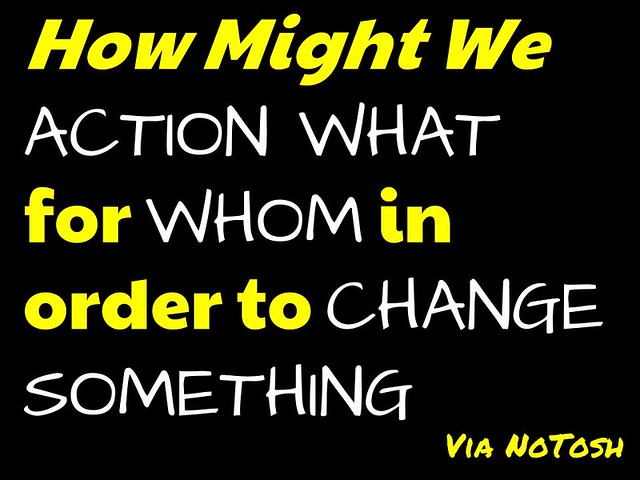
How Might We ENGAGE PARENTS in a CULTURAL SHIFT to make RELATIONSHIPS and CONNECTIONS the focus of learning?

I had dreamed of involving parents in learning, yet beyond creating a school blog (eBox) and taking a keen interest in (parent) data, I had not really gotten anywhere. In addition to this, I had since moved positions and felt even further away from success.

I asked a few other GCI’s and they too were a bit stuck about what I might legitimately put down as my current project. One mentioned my newsletter, however I felt that focused too much on the tool and not enough on the change. Another discussed my role in regards to developing communities of practice. Again that was useful, but not necessarily concrete. I was also asked about my latest creation in starting a Wikity site. This led me to wonder what it was that each of these things maybe trying to get at?

My thoughts led me to something that Steve Brophy discussed in our collaboration a few years back, the idea of “being the connection that gives others a voice.” I was also moved by a recent post from Andrea Stringer on developing collective efficacy. With this in mind I revisited my How Might I question.

How Might We
“How Might We” by mrkrndvs is licensed under CC BY-SA

I wondered if instead of solely focusing on parents, whether my true intent was about extending ways of giving all involved in education a voice. Whether I already had done so or did it now, I pivoted, looked at my aims and reassessed. Eric Ries might describe it as zooming-out:

Sometimes a single feature is insufficient to support a whole product. In this type of pivot, what was considered the whole product becomes a single feature of a much larger product.

My first step was to list the different projects and activities that I do that came under this banner:

  • Create a monthly newsletter to provide a curated list of resources for educators
  • Lead the learning through my own open actions as a blogger
  • Explore innovative ways of giving voice, whether it be dual-post, engaging with various indie-web ideas, fostering communities of practice or developing an extensive blog roll.
  • Reflect on the features and affordances of various platforms and practices to help others develop a more informed decision around their online presence.
  • Support other ideas and action where applicable by encouraging connections, whether it be listening as a coach, providing a comment to extend a discussion or sharing a resource to generate conversation.

With this done, I set about assessing my statement. Rather than focusing solely on parents, my focus would be on all the voices within education, and rather than a particular focus on bringing teachers into the classroom my focus would be about supporting active voices in education. Maybe it would read like this:

How Might I SUPPORT ALL STAKEHOLDERS IN EDUCATION in HAVING A MORE ACTIVE VOICE with what is HAPPENING TODAY?

Not completely sure that is it, maybe you have a suggestion on the wording or the focus, but rather than sitting on it I am going to ship it, hoping that you might be able to help me by giving your perspective? As always, comments welcome.
Image
Who You Are @jimgroom

“Who You Are @jimgroom” by mrkrndvs is licensed under CC BY-SA

This post is intended to document my Wikity journey. I had been meaning to investigate the idea further after reading Michael Caulfield’s reflections on the project at the end of the year. However, it got put on the backburner for a number of reasons, one of which was my concern about the time and effort that it would require. I thought about it again while listening to Martha Burtis talk about Domain of One’s Own. One of the questions Burtis asks is how aware we were about dealing with digital problems. It occurred to me that although I was confident in setting up an instance of WordPress or creating a sub-domain, I was inadvertently avoiding going any further. So I dived back in, created a new sub-domain (wikity.readwriterespond.com) and loaded up a new instance of WordPress.

So what is a Wikity anyway? Caulfield explains,

The idea is other people’s investigations or explanations of things feed into what you are exploring; you add your bit to that and feed it forward for others to use. At the same time, since people work in their own space, everybody gets to keep control of their own process, built to achieve their own ends.

Structurally, it is a theme built upon WordPress and involves writing short ‘posts’ collecting chunks of text and providing elaborations and tags. These may be your own or they could be forked from other Wikity instances. Originally, you could set up an account at Wikity.cc, but now need to run your own instance using the code made available via GitHub.

Although it could be construed as a form of social bookmarking, it is different to something like Diigo in that it is designed to fork, revise and link between cards. It is also not designed as a centralised hub, as the focus is on the divergent collection of ideas and sharing them on a peer-to-peer basis.

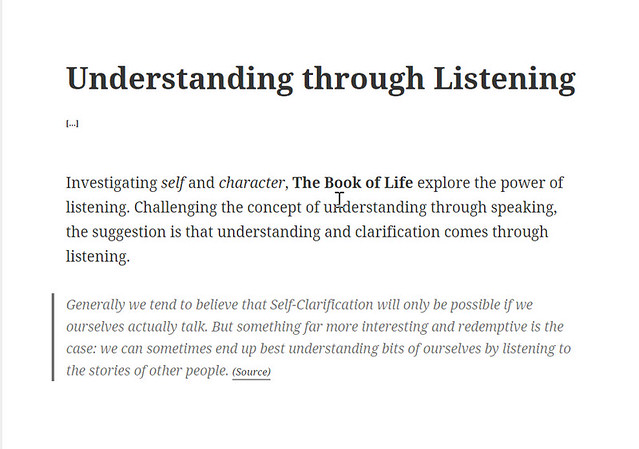
For example, maybe you are reading an essay on listening and in the process it talks about the difference between talking and listening:

Wikity Understanding

“Wikity Understanding” by mrkrndvs is licensed under CC BY-SA

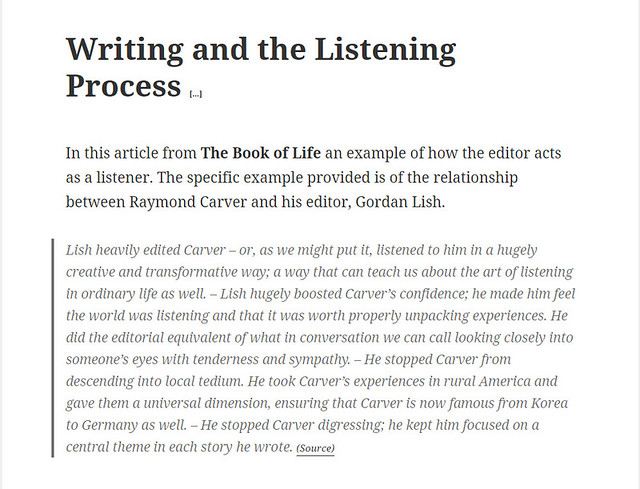
As well as the idea of editing being an act of listening:

Wikity Writing and Listening

“Wikity Writing and Listening” by mrkrndvs is licensed under CC BY-SA

Although these posts are similar, they represent different ideas.

In regards to content and workflow, there are many similarities with the way I create my newsletters. Once I have found something interesting, I write a short summary and then add a quote. The differences with a Wikity is the continual development of cards over time and the focus and themes and ideas.

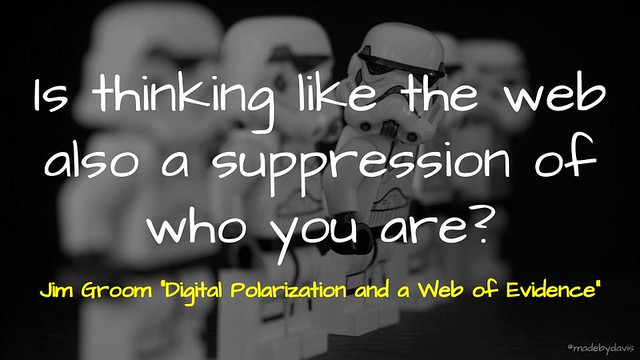
I wonder if Wikity is best conceived as a footnote for the web? With this in mind, I am left thinking about how this might be different to Hypothesis? Maybe there is a potential when converging my thoughts to reference the various cards, rather than the original posts? With all this said, there is one wicked question posed by Jim Groom that lingers in particular, “Is thinking like the web also a suppression of who you are?” I fear that I have actually yet to suppress my writerly identity?

So that is my take on Wikity? What about you? Do you do anything similar? As always, comments welcome.

Image
Clash of Ideas @dculberhouse
“Clash of Ideas @dculberhouse” by mrkrndvs is licensed under CC BY-SA

There have been a few posts of late highlighting that technology in the classroom can make a positive difference. For example, Simon Crook states:

If teachers and students use technologies to capitalise on the unique opportunities they provide, rather than as a gimmick, it has been demonstrated that teaching and learning will improve.

Jane Hunter explained:

Common to all four of these teachers was a deep fascination with technology. They did not use it for all learning, but most of the time over the school week. Their approaches varied, but they ended up in the same place: engaged classrooms where students are empowered and given a voice to take control of their own learning. Teachers stepped out of the way.

While Jose Picardo explains that,

Using technology well to support teaching and learning is a feature of great teachers, yet there appears to exist the commonly held notion that digital technology and teaching are mutually incompatible.

The challenge seems to be about getting technology in the hands of the right teacher, those ‘great’ teachers who confidently capitalise on the potential of technology. This raises the question, should our focus be on the right teacher or in developing the right teacher?

It can be easy to argue that sometimes a certain teacher is not the right fit for a particular school. Maybe they have pedagogical beliefs that are in competition to the wider organisation or they seen to hold certain values that may not fit the particular status quo. Associated with this perspective, it is often claimed that there is no point ‘watering the rocks’. The solution for such a situation is to get another teacher. This time, the ‘right’ one.

The problem with picking the right teacher is that there is no definitive means of finding such a person. This right teacher implies that we are fixed in everything that we do and think. In addition to this, the ‘right’ teacher for today, may not be the ‘right’ teacher for tomorrow. Another alternative is to provide the conditions for the right teacher to develop and grow.

Focusing on the right conditions has its own challenges, the greatest being time and commitment. See this post from Paul Browning for some insight. The problem with implementing any technology, or pedagogical practice for that matter, is that they cannot simply be taken off the shelf and placed into a school, let alone a classroom. This is my concern about arguments around ‘best practice’. Too often they are picked up and placed in schools as panaceas, yet I have seen schools spend years forcing teachers to fall in line. When it comes to technology, the answer is often SAMR, with the question being why every teacher is not ‘redefining’ their practice, when ironically the idea of redefinition is continually changing.

The challenge seems to be to develop systems that begin with context, starting with the learners in mind. One way to do this is using something like the Modern Learning Canvas to create a picture of practice, which then starts a conversation that provides the means for teachers to take control of their on craft. This captures some of the complexity involved in the educational assemblages, where difference is celebrated and ideas are engaged with to make them better.

Claire Amos recently wondered whether schools have failed to show enough empathy in starting where the learners are. While in a post on innovation, Katie Martin suggests that schools that show the most movement are those that work around common goals and involve sharing strengths and weaknesses. Zachary Herrmann argues that if students are to flourish then it needs to start first with teachers flourishing first. Although this flourishing is often bottom-up, it is often made more possible when given the right conditions, a point made by Cameron Malcher in regards to the often unrecognised acts of leadership.


So what about you? How do you go about developing pedagogical practice? Are there teachers who just have it or are there things done that allow teachers to develop? As always, comments welcome.
Image

2017-03-24_06-51-37

Often it feels as if the discussions around being a connected educator resort to being a part of this or that community or signing up to a particular platform. For example, many argue that all educators should be on Twitter. When I think about my connected activities, I exist in a number of spaces, each with a different level of commitment and engagement. David White and Alison Le Cornu capture this with their idea of digital resident and visitor.

What is interesting is that beyond the commitment and balance between personal and professional, each application often offers a different set of features and affordances. Take Twitter readwriterespond  for example, allows such things as:

  • Post a message of 140 characters
  • Connect with ideas using hashtags and.people using handles
  • Add additional material, such as images and links

Although these features are continually tweaked, from adding an algorithm to the feed to the new functionality in the form of moments. What is interesting is that overtime the way these features are used changes and morphs. From an educational point of view, there has been a move to more serious and professional consumption, with this there has been a rise in automated engagement, while some conversations have been somewhat silenced with the rise of so-called ‘attack dogs’. See David Hopkins’ post for an example of a critique. In addition, I have changed both personally and professionally. Personally, I feel that I have developed an extensive network with different connections in different spaces. Although this is a positive, it has changed the way I engage with my feed. I also use other means to find posts and information. Professionally, I have become more mindful of my presence, especially what impact it might have with the various schools and teachers who I work with. One of my mainstays has been sharing.

As I read in other places I use Twitter as my first place to share. This month I decided to mix things up and change to Google+. Doug Belshaw is always talking about workflows, bringing in some different, junking what may not work anymore. I was interested in what would happen to my workflow if I had to junk Twitter. I understand that their are copies, such as Mastadon social, but I was particularly interested in what would happen if I moved to a completely new platform altogether. the differences.

So here is a summary of my experiences of moving in part to another space:

Positives

  • Longer Explanations: With the limit of 140 characters lifted, I started writing longer elaborations on my thoughts and reflections. I also included a quote for most posts. I have been doing this for a while with Diigo and then my newsletter.
  • More Thought Out: I found myself questioning what I posted on Google Plus. For some reason I am happy to post more frivolous content to Twitter, where the focus on summarising and quotes made me think again.
  • Text Formatting: Although it is only *bold*, _italicise_ and -strikethrough-, this simple formatting offers some different possibilities, such as italicising quotes or bolding keywords.

Negative

  • Serendipitous Conversations: Although there were a few comments and conversations on Plus, it is not quite the same as with Twitter. It would seem to have a smaller serendipity surface. There was neither the breadth or depth that can come with Twitter.
  • Connections and Communities: One aspect that stood out within Google Plus was the lack of connections. Don’t get me wrong, I have plenty of people in my Circles. However, it feels like there are more people on Twitter than there are on Plus. In addition to this, it would seem that people spend their time on Plus within Communities. The problem with this is that there are so many different communities. This can make it hard to work out where to share exactly.
  • Multiple Identities: Another point of confusion that Plus adds to the mix is that people often have multiple Identities, each with their own purpose and intent. Therefore, it can be a challenge when tagging people in a post as it is not always clear which account to share with.

So that was my month of residence in Google Plus. It definitely left me thinking about some of the challenges in moving between different spaces. So what about you? What have been your experiences associated with Google Plus? What would you miss without Twitter? As always, comments and perspectives welcome.

Image

I have been doing a bit of work with Google Sheets lately, here . To be honest, Sheets has been one of those applications which I have wanted to go further with for a while, but never really found the time or purpose. With the help of Ben Collins, Alice Keeler, Chris Betcher, Jay Atwood, Chris Harte and Eric Curts I have explored everything from formatting to formulas. Here then are some of my lessons learned through it all:

Smashing Cells Together

I have lost the amount of times that I have had to create a spreadsheet with a range of different data, but each somewhat related. For example, one column has a list of usernames, which then needs to be turned into an email address. Obviously the simple answer is to write two lists. However, the shortcut is to use ‘&’ to smash the two cells together. If you want two names combined then you use ‘&” “&’. To remove the formula from the cell, download as a CSV. This turns everything into text. Then you can either continue using the spreadsheet in another program or re-upload the new sheet.

Validating More than Just Data

I had always been aware of data validation. However, I had never quite seen the potential. Jay Atwood talks about keeping a menu of items in a separate tab in your sheet which you can easily make into a validated columns when collecting raw data. Another interesting use that I came upon is using a data validation cell is a button to select a particular focus. I found this via a video from Ben Collins who documents how to use the VLOOKUP formula to make a dynamic table. (You can actually find one built into the gradebook template in Sheets.) I took this further and made a dynamic table based on a CSV download of a simple timetable. Collins has also written a guide to creating wildcard to search through a data set. While the team at CIFL have developed a thorough introduction to the possibilities of the VLOOKUP formula.

Formatting

One of the big differences between Sheets and Microsoft Excel that I discovered early on with my use of GAFE/GSuite was the absence of formatting. It did not necessarily concern me. However, I worked with some teachers who were frustrated by this. Over time, Google has improved the formatting within Sheets. Now you can merge cells, add alternate colours and change direction of text. Although Sheets does not have the variety of preset formatting options, the Explore Tool now makes its best attempt to provide useful recommendations.

Colourful Conditions

Although it is easy enough to apply a conditional formatting to a set of numbers, it is not as obvious about how to deal with categorical data. The answer is to combine multiple single colour rules. Another useful trick is selecting the ‘awesome’ box with the conditional format menu open. This will then show all the rules applied throughout the sheet. Also, as you select each one, the range being affected is highlighted in the sheet.

Life Made Easier with Formulas

Last year, I decided to analyse my blogroll in an attempt to appreciate the diversity or lack thereof. I started by downloading my OPML file from Feedly and opening this up in a sheet. I then progressively went through my 200+ rss feeds and replaced them with the website, as well as the various categories. I recently discovered that I could have imported some of this data using the IMPORTFEED formula. In part it was Tom Woodward who uncovered this possibility for me through his post on exploring WordPress. The further that I go, the more I realise that formulas afford so many more possibilities than what is offered in the menu. For example, sorting using either filters or dropdowns can be limiting and restrictive. The SORT formula does the same thing, but with more of the nuances.

In Scripts with Trust

Moving on from formulas, I have also being toying around with a few scripts and addons lately. This has included:

  • TAGS Explorer: Martin Hawksey’s Twitter visualisation tool.
  • TimelineJS: the tool from KnightLab to build a visual timeline from a spreadsheet for representing timelines.  
  • Epic Rubric: Alice Keeler’s script for creating, collating and sending out rubrics to students.

More than building formulas, I feel that scripts involve a bit more effort and patience. Sometimes things do not work, but that is part of the learning to work backwards working out where things may have gone wrong. Usually it involves me breaking code that I was not meant to touch. I must be honest, I am still yet to properly dive into scripts and APIs, but know that is probably one of my next moves.

Creative Sheets

One of the areas that has surprised me about exploring Sheets is the various creative activities that seem to rise. Whether it be Tom Woodward’s play on magnetic poetry, Alice Keeler’s idea for pixel art, Eric Curts random emoji writing prompt generator and Jay Atwood’s use of text rotations to create a shape poem. Activities like this always leave me rethinking the limits as to what an application like Sheets may have to offer.


So that is me, what about you? Have you had any experiences with Sheets? As always, comments welcome.
Image

Behaviours
“Behaviours” by mrkrndvs is licensed under CC BY-SA

I recently finished a two-day introductory course into coaching through Growth Coaching International. Their approach is based around three core ‘pillars’: a framework for the coaching conversation (the GROWTH model); core micro communication skills, and; coaching as a way of being. What interested me most was the notion of ‘coaching as a way of being’ and the impact that being a coach can have on all aspects of life.

One of the things that was spoken about was emotional intelligence and the importance to know thyself first and foremost. Popularised by Daniel Goleman, it is made up of four elements that encapsulate understanding of the self: self awareness, self management, social awareness and social skills. Whether it be different levels of empathy or strengths analysis, the discussion during the course seemed to came back to a concrete definition of who we each are. This ideal seemed to ignore the different situations within which each of us exist each and every day.

In The End of Average, Todd Rose unpacks the problem of the average man. In its place, he reinstates the individual and all of the nuances that this brings. One of Rose’s concerns is the lack of context when it comes to discussion of character traits, such as emotional intelligence. Going beyond the surveys which provide a list of strengths, the challenge is to understand the various situations within which these occur.

The strategy that Rose proposes is the notion of ‘if then’ signatures. That is, if it is a particular situation, then it will produce these traits. For example, we may act one way at home and another way in our workplace or one way while teaching a class and another while leading teachers.

I am not saying that such character tests do not have a use. I wonder if they can be used as a provocation to drive self awareness about who we might be depending of which situation. As always, comments welcome.