



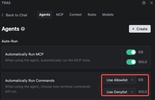

TRAE is an AI-powered integrated development environment with the aim of transforming the way you code. More than just another editor, this tool comes with an "autopilot" for repetitive tasks, code generation, assistance, debugging, and even the creation of complete projects.
Intelligent code generation and real-time completion
One of TRAE's standout features is AI-assisted autocomplete: as you type, TRAE analyzes the context of the entire project, not just the current line, and offers you code suggestions, possible corrections, improvements, and even complete snippets. That level of contextual intelligence can significantly reduce the time you spend on boilerplate, repetitive structures, or tedious syntax. For example, if you interpolate something like “I need a REST API in Node.js with authentication” or “a login screen in React with form and validations,” TRAE can generate the complete skeleton of the project, folders, files, and configuration, so you can get started with your projects in no time.
Support for multiple languages and frameworks
TRAE is not limited to a fixed stack: it supports multiple programming languages and frameworks, from frontend (React, etc.) to backend, APIs, or databases, making it useful for both quick prototypes and serious projects. Moreover, it is similar to more widely known editors, and even allows for the migration of configurations from tools like Visual Studio Code and makes adopting the tool easier if you are used to a more traditional environment.
Version management, revisions, and integrated change control
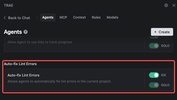
TRAE allows you to preview diffs, review changes before they are applied, and maintain version control. This is useful when working as a team, reviewing code, or avoiding errors in the application of automatic transformations.
If you're looking for a soid IDE, download TRAE for free. This tool thinks with you, understands your project, generates architectures, code, helps you debug, and accelerates every stage of development.

















Comments
There are no opinions about TRAE yet. Be the first! Comment