Know you are meeting your learning goals, and have the data to prove it.
Billions of dollars are spent on training each year.
Make every dollar count.

Create assessments that produce actionable data at both the aggregate and individual level.
An array of question types and configuration options let assessment authors create any type of test, survey, or certification exam.
Analyze assessment results overall, topically, by category, or by question.
Customized feedback logic to use data to provide personalized learner performance guidance by using data along with customized feedback logic.
Integrate with most any Learning Management System, Human Resource Information System, or Experience platform using Brillium's built-in integration methods such as AICC, SCORM, xAPI, LTI, and Zapier.
24 Question Types and a Content Block type enables the creation of any number of Test and Survey questions within each assessment.
Customize assessment content, behavior, email templates, look and feel, and language using a variety of easy to use options and controls.
Diverse scoring options allow authors to control when a score appears and in what form, such as during assessment feedback, email notification, or both.
Personalize assessment feedback to target overall learning guidance or create personalized feedback at the question, category, or topic level.
Create any number of Conditional Feedback rules to identify learning gaps. Enhance learning opportunities and personalize feedback with targeted assessment feedback on questions, topics, categories and more.
23 reports provide ample analysis and data download opportunities. Easily limit the contents of a report using customizable data filters. Report output formats include DOCX, XSLX, CSV, PDF, RTF, and TXT.
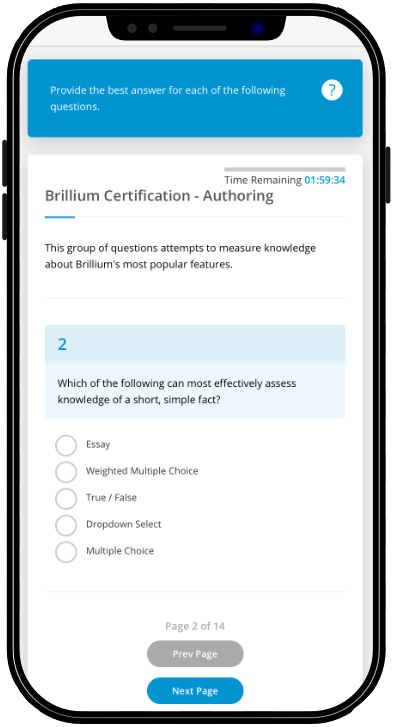
Whether your respondents are accessing training through an LMS, an HRIS, email, or mobile device, you can bank on Brillium’s responsive web interface to deliver your assessments to every corner of the globe.
Choose a theme style, upload your logo, and author in a localized language such as Chinese, Hebrew, and Arabic. Brillium comes with 30 ready to use languages that adapts the user interface to meet the needs of your audience. Customization options ensure that respondents experience your brand from assessment start to finish.
Most every element a respondent or learner can see, can be customized to suit desired outcomes, including privacy policy links, and agreement screen information. Display Topic information associated with each question and set entrance agreement options, and timed assessment options.
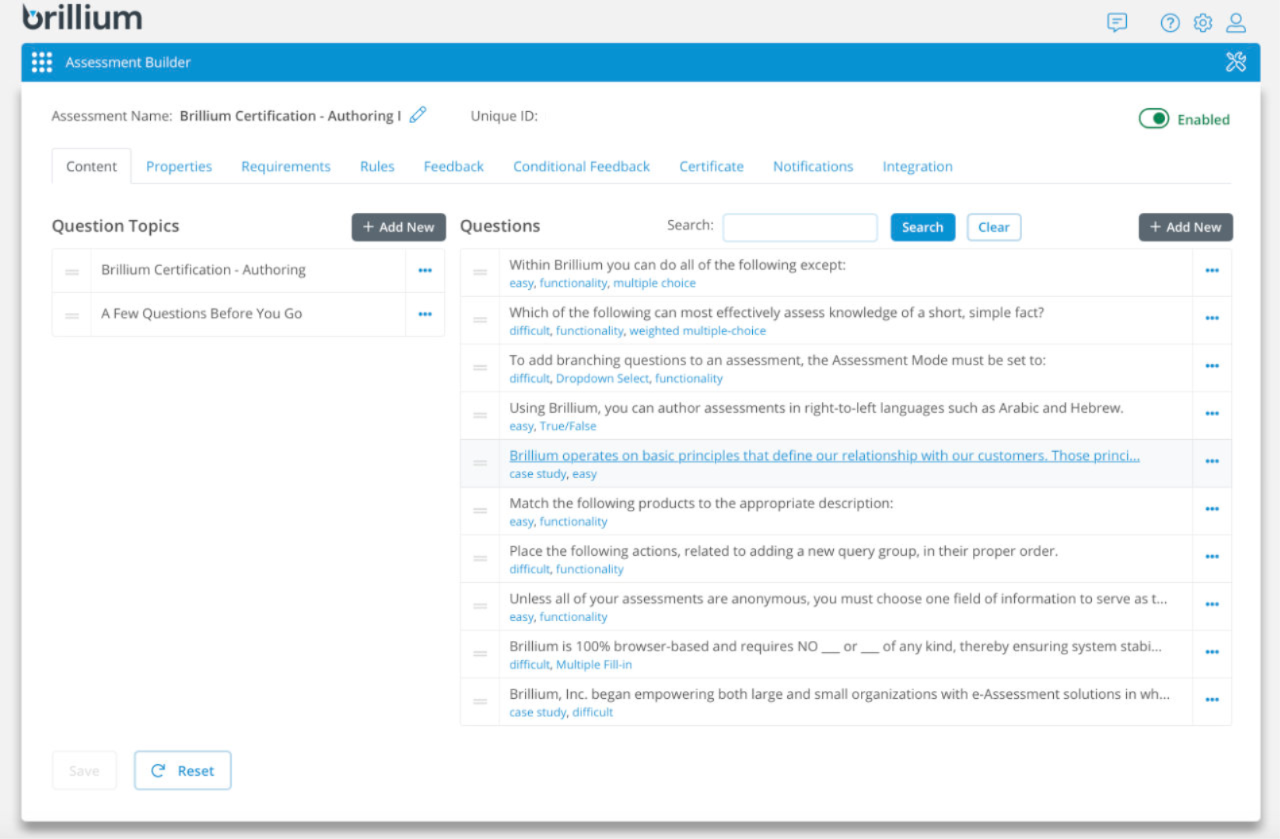
Select from a wide-array of test and survey question types. Organize assessments using ad-hoc question or assessment tags, set assessment time limits, restrict the number of attempts, and randomize question and topic presentation.
With plans that fit every need and budget, you can create as many assessments, topics, and questions as you like. Level up your exam challenges with time-limits, topic-scoring requirements, and randomized answer choices.
USER ADMINISTRATION
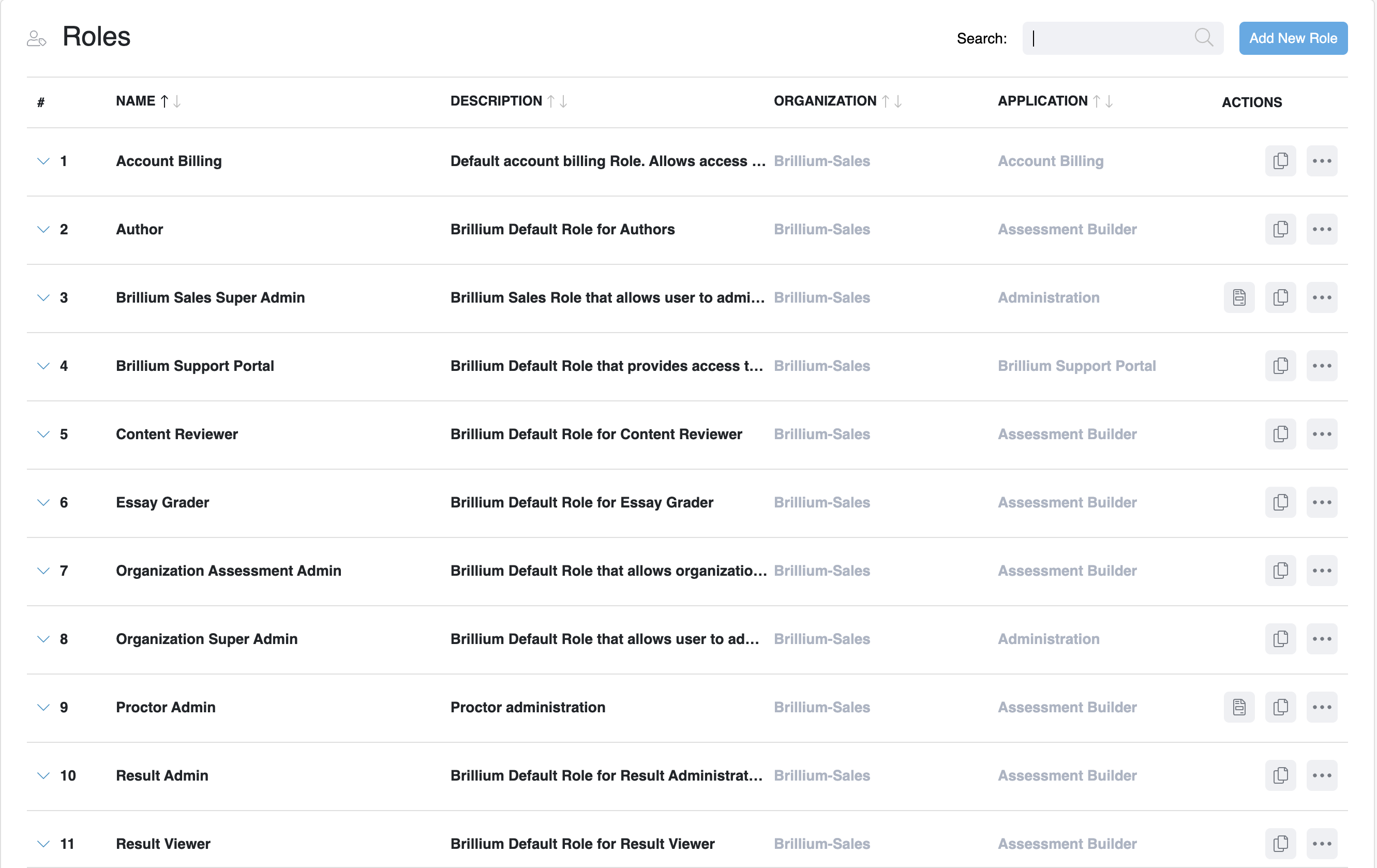
Centralized control of application access and privilege management with standard and customizable user and team roles.
Brillium Administration empowers users to define users, teams and roles within their organization and assign them to specific Brillium applications.
Users Brillium uses modern user login and rights management tools, so administrators can define access to discrete areas of Brillium Administration and Assessment Builder.
Teams Groups of users can be managed and assigned limited rights and roles to both Assessments and Workspaces by adding users to teams.
Roles Standard and customizable roles empower administrators to manage access privileges and permissions to Brillium applications and features. Manage user access to all areas of Brillium Assessment Builder, Talent Screen, and Partner Central.
Brillium applications support third-party login providers such as Amazon, Google, and Sign-in with Apple. For enterprise organizations that require more control, Single Sign-On (SSO) to centralize user administration with an internal organizational identity provider.
A variety of data-rich reports, data export options, and access through Zapier and the Brillium API, let you work with Brillium data in your won way.
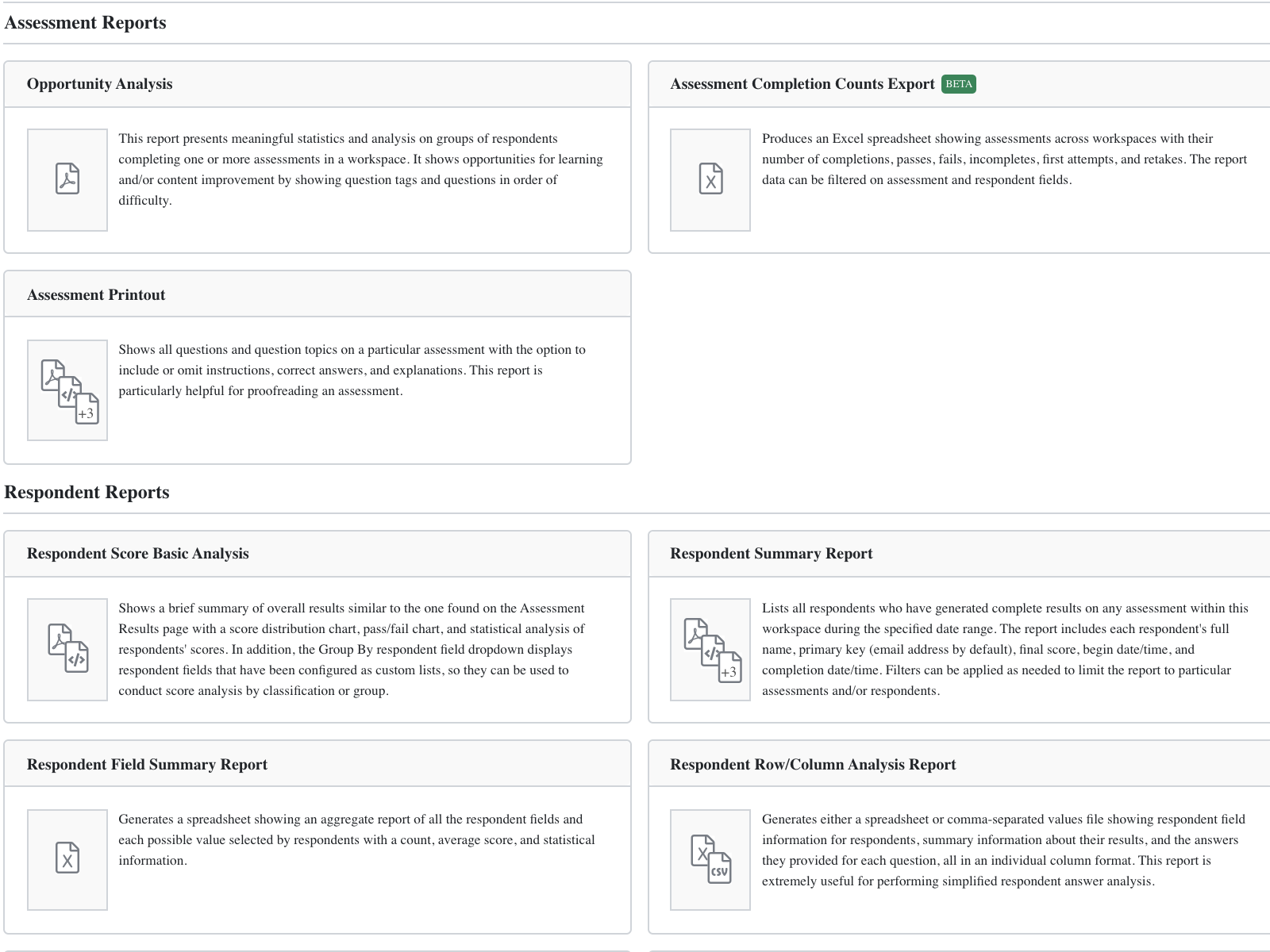
Select from Brillium's variety of standard report templates and customize the data using easy-to-use controls.
Custom reports are also available for enterprise organizations that wish to present data using a seamless brand experience and design.
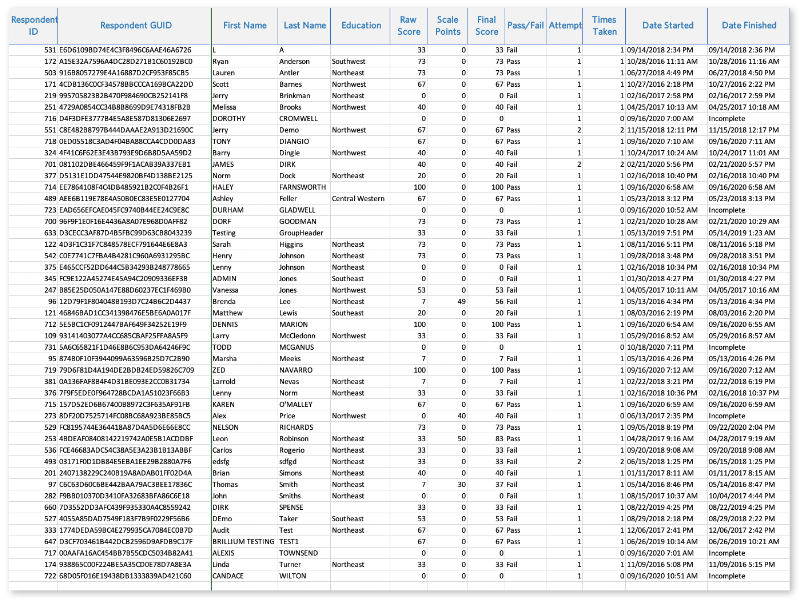
Export and download data in multiple formats including text, MS Word compatible rich text, CSV, XLSX, HTML, and PDF.
Easily share data with external platforms using the Brillium API, or export data to business intelligence (BI) tools like Microsoft Power BI and Tableau.
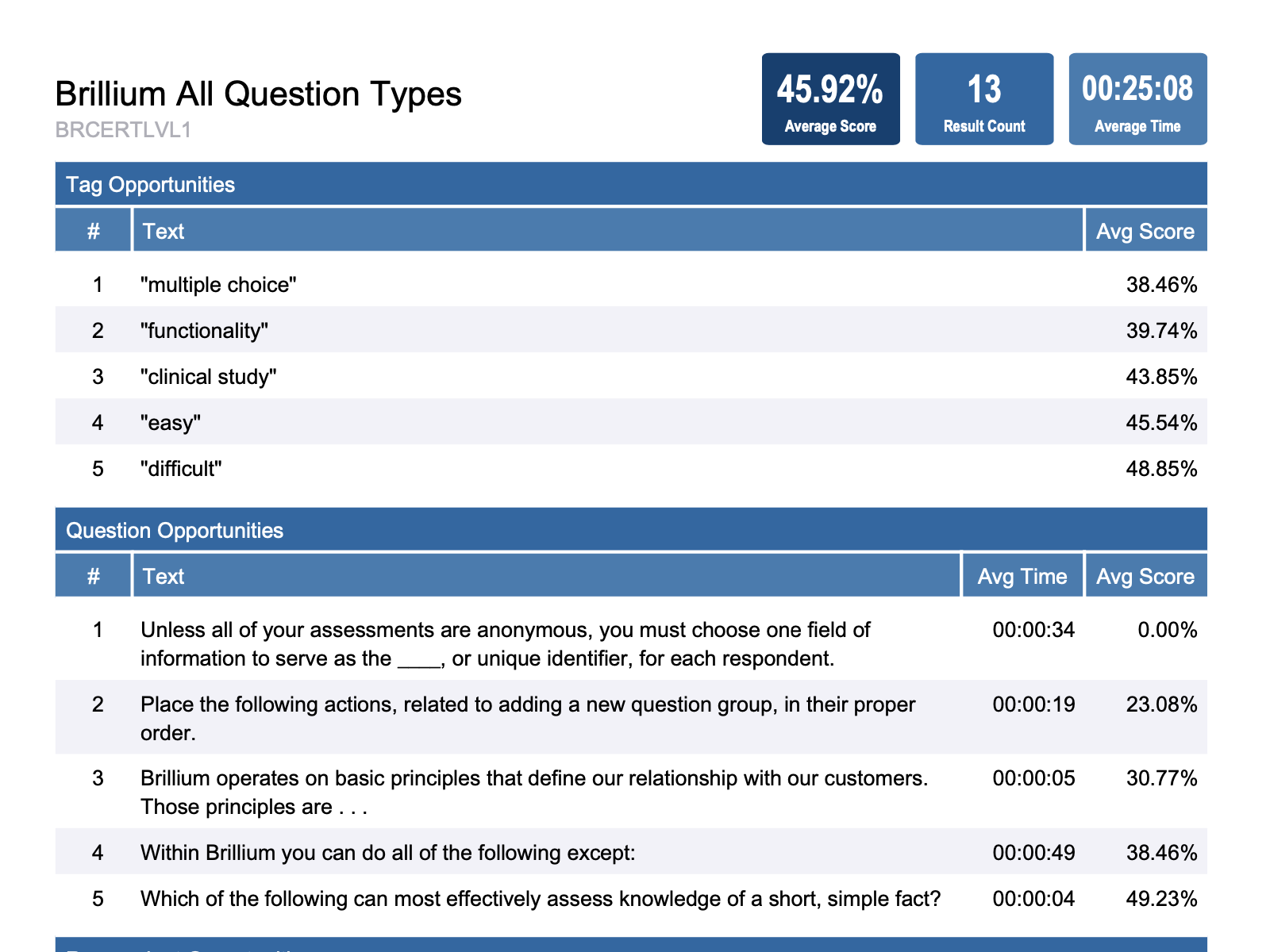
Powerful analysis tools help exam authors identify learning, training, and talent development opportunities.
Question analytics and customizable data tags provide guidance to better align training with learning program goals.
When you select a plan and go live, you retain all your progress, data, and customizations created during your trial.
Unlock limitless possibilities. Get started now!


