Showing posts with label Unix. Show all posts

Saturday, February 22, 2025

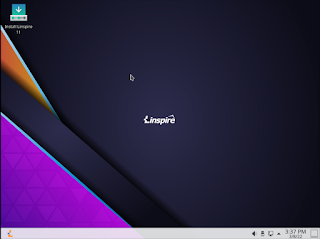
Linspire 14 Service Pack 2 released

Today the development staff are collectively pleased to announce the release of Service Pack 2 an update to Linspire 14. SP2 focuses on security and stability; it is an upgrade to the world leading consumer desktop Linux brand, the last prior to a new release based on 24.04 LTS coming later this year. 

Linspire being focused on reliability, stability and security makes an excellent replacement for Windows 10 users when Win10 support ends in October. 

In just a few short weeks we will be releasing Linspire CE (Community Edition) 2025.03 which will replace Freespire as our FOSS distribution - free to download, free to redistribute, self supported. 

We are also working on a release for Microsoft Windows WSL and that will be available via the Microsoft Store in the fall.

Linspire 14 Service Pack 2 features a newer kernel; some of its main components have also been updated but not limited to:  

  • Kernel 6.8 
  • Google Chrome 132 
  • .NET Core 9 
  • OpenJDK 21 
  • PowerShell 7.5 
  • OnlyOffice 
  • Better support for VMWare 
  • Fixed an issue that users were having with VirtualBox 
  • Improved support for Microsoft Surface devices 
  • Improved Intel Mac support 
  • Improved support and functionality for Intel based Chromebooks that are end of life 

All security updates up to February 20, 2025 are included. 

All current customers check your digital locker for updates; new customers can purchase the distribution either via physical media from our webstore

Thursday, August 17, 2023

Linspire 14 Beta 2 Released

Image

 Today we are happy to release the newest Beta for Linspire 14.  Linspire 14 Beta 2.  These are Beta builds which means they are provided for testing only we do NOT recommend these to be deployed in any kind of production environment.  These builds are for users to provide us with feedback.  This build uses the Ubuntu 22.04 LTS base.   Beta builds are free to download but are not representative of the final builds.  This will be the last beta build of Linspire 14 before we hit the Release Candidate stage.

Linspire 14 Beta 2 is our premium distribution it contains everything you need for a home user. Whether you are a student, home office worker, gamer or contemporary home user Linspire contains all the tools, codecs and applications to get you started. 

Some of the changes we have included are:

  • Linux kernel 6.2 which enhances device support and stability
  • Microsoft Edge as the main browser which is based on open source technologies and  uniquely engineered for security, privacy and performance
  • Bluetooth has been fixed
  • Minimal install now retains multimedia players and codecs
  • ext4, JFS and XFS are all installable target filesystems
  • Support for Uptrack has been improved
  • GNOME console and GNOME Text Editor replaces GNOME Terminal and Gedit 
Linspire 14 Beta 2 features are as follows: 

  • GNOME 42.9
  • GNOME Classic 
  • Linux Kernel 6.2 
  • Microsoft Edge 115 
  • Geary Mail Client 
  • Steam Client 
  • Discover Software Store 
  • Flatpak 1.14.4 
  • OnlyOffice 7.4 
  • Rhythmbox 
  • Totem 
  • Powershell 7.3.6
  • Full multimedia and codec support 

All security updates up 8/12/2023 Other changes we have made is that we have removed the Ubuntu Advantage Tools as well as Canonical specific tools. 

Linspire 14 RC1 will be released in October

You can download this release here:

Thursday, July 20, 2023

Linspire 14 Beta 1 and Freespire 10 Beta 1 Released

 Today we are happy to release the newest Beta's of our flagship systems, Linspire 14 Beta 1 and Freespire 10 Beta 1.  These are Beta builds which means they are provided for testing only we do NOT recommend these to be deployed in any kind of production environment.  These builds are for users to provide us with feedback.  Both of these builds use the Ubuntu 22.04 LTS base.   Both are free downloads but as they are undergoing constant and consistent changes they are not representative of the final builds.

Linspire 14 Beta 1

Image

Linspire 14 Beta 1 is our premium distribution it contains everything you need for a home user.  Whether you are a student, home office worker, gamer or contemporary home user Linspire contains all the tools, codecs and applications to get you started.

  • Linspire 14 Beta 1 changes are as follows:
  • GNOME 42.9
  • Linux Kernel 5.15.0-46
  • Google Chrome 114
  • Geary Mail Client
  • Steam Client
  • Discover Software Store
  • Flatpak 1.14.4
  • OnlyOffice 7.4
  • Rhythmbox
  • Totem
  • Full multimedia and codec support
  • All security updates up 7/15/2023

Other changes we have made is that we have removed the Ubuntu Advantage Tools as well as Canonical specific tools.  

You can download this release here:

https://distro.ibiblio.org/blacklab/Beta/Linspire-14-2023.07.29-desktop-amd64.iso

https://distro.ibiblio.org/blacklab/Beta/Linspire-14-2023.07.29-desktop-amd64.md5

https://distro.ibiblio.org/blacklab/Beta/Linspire-14-2023.07.29-desktop-amd64.sha256

Beta 2 will be released mid-August

Freespire 10 Beta 1

Image

Freespire 10 Beta 1 is our free distribution. Freespire can be redistributed freely and installed on multiple machines and modified as the user see's fit.  This distribution can be used by the power user and Linux enthusiast.  In this release we limit the number of proprietary non-free drivers and codecs that we include.  Whether you are a developer, Linux power user or contemporary home user Freespire contains all the tools, utilities and applications that you need.  Whether you want to experiment with different desktop environments you can download multiple software packages from the Ubuntu repositories or Flatpak. 

Freespire 10 Beta 1 changes are as follows:

  • GNOME 42.9
  • Linux Kernel 5.15.0-46
  • Brave Browser 1.52.130
  • Geary Mail Client
  • Steam Client
  • Discover Software Store
  • Flatpak 1.14.4
  • OnlyOffice 7.4
  • Rhythmbox
  • Totem
  • Free format multimedia and codec support
  • All security updates up 7/15/2023

In this release we have removed the Ubuntu Advantage Tools as well as Canonical specific tools.  

You can download these ISO's here:

https://distro.ibiblio.org/blacklab/Beta/Freespire-10-desktop-amd64.iso

https://distro.ibiblio.org/blacklab/Beta/Freespire-10-desktop-amd64.sha256

https://distro.ibiblio.org/blacklab/Beta/Freespire-10-desktop-amd64.md5

We will be releasing Beta 2 in September 2023


Monday, May 29, 2023

Linspire 12 Service Pack 1 Release

Image

Today the Linspire development team is pleased to announce the release of Linspire 12 Service Pack 1.  Linspire is our premier commercial desktop Linux product for home users, small business users and freelance developers.  Linspire is a powerhouse for users who want a stable and easy to install release of Linux and is compatible with all types of hardware.  Our backwards compatibility with systems 7 years old and is supported on recycled or new modern hardware.  Linspire 12 SP1 is our latest improvements to the Linspire release.  As always we aim to create the best desktop Linux distribution on the market and we strive to continue that excellence.  While there have been many improvements under the hood one of the major changes you will notice is in the user interface.  While yes, the desktop environment that we use is GNOME many of our users and customers have told us that they want the more traditional user interface that is not so different from Windows 10 or Windows 11 and in this release we have delivered that.  You have your classic "dock" as well as "start" menu.  If you prefer the traditional GNOME 4 layout its easy to switch back.

As always we have also worked on security and reliability.  This release also fixes many of the core bugs that came about from our initial released.

Linspire 12 Service Pack 1 is not only for productivity its also built for anyone who produces or consumes multimedia.  With support for all multimedia codecs, you are unlimited in the formats you decide to use or consume.

Here is a list of some of the important changes:

  • Kernel 5.19.0-42
  • OnlyOffice 7.3
  • Etcher 1.8
  • Microsoft Edge Web browser 113
  • Thunderbird  102
  • Powershell
  • OpenJDK
  • .NET Core 7
  • VS Code 1.78
  • Powershell 7.3.4
  • Discover Software Store
  • Muon Package Manager
  • Flatpak

All security updates up to May 23, 2023.  For a full list of packages included you can read that here

There are many in the Linux community who have expressed concern regarding our use of Microsoft applications in Linspire.  These tools are provided for familiarity and ease of use.  We in NO WAY provide any information to Microsoft or any third party.  We do not provide customer data including 

  • System Specs 
  • Customer names 
  • Private Information 
  • Payment Details 
  • Contents of individual contracts
  • Technical support information

If you do not wish to use the Microsoft tools they are simple to remove and you can add any alternatives that you wish to use.

Current customers can perform a system update and get the new update.  If you need a new ISO please contact the support team.  New users can order the digital download below and/or physical media from our webstore

Linspire Download Edition
Image


Thursday, April 7, 2022

2022 Tax Season with Linspire

Image


Tax season is upon us folks and with Linspire, you can now get your taxes completed effectively and efficiently.  This year like with the last 6 years we have worked with Intuit and H&R Block to make sure their customers can prepare their tax returns online with Linspire.  Both applications have been tested with the Linspire 11.5 and PC/OS OpenDesktop 20.04 so you can rest assured that all your preparation tasks can be completed.

Our Lead System designer and developer Roberto Dohnert had this to say, " With the complexity of these apps growing more amazing over the years; testing has become just as complex.  We are very proud to work with these companies to make sure desktop Linux works."

If you are still running Windows 8/10/11 on your PC and would like to upgrade you can purchase Linspire here.

If your order the box set over the Digital Download in order notes type "TaxPrep" to ensure 48-hour shipping


Linspire Download Edition
Image


Linspire Support License
Install Media
Order Notes
Image


Image

Monday, March 14, 2022

Linspire 11.5 Released

Image

Today, the PC/OpenSystems LLC development team is pleased to announce the release of Linspire 11.5, a fully commercial supported release. With a great application lineup, Linspire remains the #1 desktop Linux distribution for home users. Linspire 11.5 also includes tools and resources to help users switching from legacy operating systems / other LInux distributions. 

 We have also introduced a new minimal install feature that allows just the web browser and essential system services to be installed for users who just want a PWA platform. Gamers are not forgotten; the Steam Launcher is included in the minimal install for users who want to turn their PC into a dedicated gaming console. 

Linspire 11.5 support comes with a 1 year subscription for both phone and e-mail. The self support option, even though focused on the self-sufficient power user, does come with installation support and priority bug submissions. Linspire is released with incremental upgrades and ISO refreshes every 6 to 8 months; new versions will be released every 12 to 16 months. 

 For security, reliability and long term viability, Linspire is attractive, flexible and well-supported. The distribution includes : 

KDE Plasma 5.18.8 - The fast and lean Linux desktop, fully functional and performance enhanced; peerless in terms of speed and user friendliness. 
Kernel 5.13.0-35 LTS - Long Term Support kernel designed to stand the test of time. 
Flatpak - Alternative package manager to SNAP, the current Ubuntu standard.  SNAP has now been disabled by default.  SNAP packages will not be able to be installed.
Microsoft Edge 99 - Web browser from Microsoft, built using the Open Source Chromium project,  engineered for privacy, web app integration and performance 
Kpat - Solitaire game 
Knights - Chess game 
Steam Launcher - Want to play all your steam games on Linux? We make that extremely simple with the Steam launcher. Being that it is included in the base install you don't have to worry about it removing your desktop environment. 
OnlyOffice - Office suite that can handle even the most complex documents and is compatible with Microsoft Office. 
DragonPlayer - Multimedia player 
 Juk - Music Player 
PowerShell 7.2 - Alternative shell thats a free/open source project from Microsoft 
BTRFS, XFS. JFS. EXT4 - available filesystems for installation 
Timeshift - Snapshot utility which allows you to set restore points in case of errors 
Audio recorder - Sound recorder. 
Balena Etcher - Utility for writing ISO’s to a USB stick 
Active Directory integration - Use active directory in your infrastructure? You can add Linspire clients to them 

This release also contains many functionality / security updates. You can purchase Linspire 11.5 below. If you need a high performance OS for your enterprise or education facility, Xandros OpenDesktop is designed and engineered for crucial deployments and you can find that here

Linspire Physical Media
Install Media
Order Notes
Image
You can also purchase the digital download here

Linspire Download Edition
Image


Tuesday, December 28, 2021

Linspire 11 Released

Image


Today, the PC/OpenSystems LLC Development team releases Linspire 11, a major update to our flagship product. We continue to focus on our cloud first strategy by including all of Google's services that our users rely on - Gmail, Docs, Maps. However, traditional use cases have not been abandoned - Linspire 11 allows proper installation of any and all Linux based desktop applications without relying on a virtual machine / half-baked container setup. Linspire 11 features a modified version of GNOME 3 set up with a more traditional look that Windows users will find reassuringly familiar and have zero issues becoming accustomed to. A beautiful and intuitive desktop, top-notch performance, and uncompromising security - Linspire 11 is the only true replacement for ChromeOS and Windows 11 that you will need. At the end of the day, Linspire is the premiere desktop Linux system for both the average PC user who wants their computer to just work, and the performance-focused tweaker. 

The distribution includes : 

  • GNOME 3.36.8 Desktop 
  • Dash-2-Panel GNOME extension 
  • Kernel 5.11.0-43 
  • Google Chrome 96 
  • Ice SSB 
  • Kpatience 
  • Dreamchess 
  • Gmail 
  • Google Docs
  • Google Calendar 
  •  Google Keep 
  • YouTube 
  • Google Translate 
  • Google News 
  • Paramount + Streaming Services 
  • Pixlr X 
  • Rhythmbox 
  • Video Player (Totem) 
  • XFS/JFS/ZFS support 
  • Samba 4.10 

Linspire 11 includes several other security and feature updates. One difference we did make is we have dropped the inclusion of the .NET Core 6. But it is still available for download from the repositories. Below we have a short FAQ about Linspire 11. 

You can purchase Linspire below. 

Linspire Physical Media
Install Media
Order Notes
Image

Linspire Download Edition
Desktop Environment
Image


 FAQ 

What changes have been made to Linspire 11 vs its predecessor? 

 Linspire 11 is a hybrid system, allowing the user to run PWA (Progressive Web Apps) as well as traditional desktop applications available in the Software center. We have changed the focus of our system to concentrate on PWAs but to still remain flexible, so users can run the legacy apps they need / want in tandem with the newer cloud-based offerings. This release is GNOME only; going forward there will be no other desktop environments offered on Linspire. 

Are the web apps included just bookmarks to Google services? 

No, the PWAs included are full fledged desktop applications, integrated with system services so that features users are accustomed to like drag and drop work seamlessly. PWAs take full advantage of system hardware, but sandboxed, so that if one application misbehaves you can kill it without taking down the rest of your system, web apps, or browser sessions. Also, you can launch the individual applications without having to run separate browser sessions. 

What are some advantages of using PWAs vs traditional desktop applications? 

Google Docs and Microsoft Office are two of the most used office suites in schools, enterprises and at home. So people can use the applications they are familiar, independent of the operating system, and take their work with them : documents created in Google Docs are stored in Google Drive. So that document, spreadsheet or presentation is stored in the cloud if your system crashes; you can hop onto another system, log in, and these documents are ready for use. GNOME fully integrates Google Drive in with your system so it's mounted like any other removable storage device. 

What is the difference between Linspire and Chrome OS/CloudReady? 

Linspire is an Ubuntu Linux based distribution and contains many of the applications and familiar interfaces commonly found in Linux. It does, however, include all multimedia codecs / plugins by default and some hardware drivers not included in other distros. Chrome OS and CloudReady are not Linux distributions; they use the Linux kernel, and that’s where their similarity to a Linux distribution ends. Running full-fledged Linux applications on Chrome OS requires a container application called Crostini - essentially a minimal install of Debian 11 (currently in beta). While this works, it is basically like running your Linux apps in a virtual machine. Linspire is a fully native environment, not virtualized. Apps can be added through the Software center, or Flatpaks, Snaps and Appimages. Chrome OS runs on specialized hardware and can't run on common PC hardware; Linspire can and does run well on a variety of vendor PC platforms. CloudReady does support (some) PC hardware, but only runs Web applications. CloudReady does not support Android; Crostini is also not supported in CloudReady but can be used - the results are hit and miss. 

I don't like Google or Microsoft ANYTHING. I don't like Chrome or Edge. What are my choices in Linspire? 

 Linspire allows you to remove Chrome and install whatever browser you wish in its place; Firefox, Opera, Midori, Epiphany are all available in the repositories. You can also use the Menu Editor in Preferences and remove the Chrome Apps submenu; your system is then completely “de-googlized” and whatever apps you want or desire can be substituted in their place. With Chrome OS you are stuck with Chrome and Google's services. 

What information do you share with Google? 

 Absolutely NONE. The only time any information is exchanged with Google is when you decide to use their services. Google does not get any sales information from us and your information is not stored and is not sold by PC/OpenSystems LLC at ANY TIME. 

 I hate GNOME. What can I use besides GNOME? 

 Same as a preferred browser, XFCE, Budgie, Plasma or any other desktop environment can be downloaded and installed from the repositories; knock yourself out. 

 I don't “buy” Linux at any time and don't wish to support Linspire. What are my options? 

 You are not buying Linux you are purchasing support.  If you do not need support you can download and install Freespire. Freespire is free to use, download and redistribute. 

 Will you guys ever do IoT? 

 Right now we do support Intel's IoT offerings. We want to support the Pi and other ARM based IoT devices. 

I am a professional YouTuber or reporter and I want to review Linspire. Can I get a free copy? 

You can contact our press contact at press@pc-opensystems.com or support@pc-opensystems.com and we will handle that on a case by case basis. We love Youtubers and we like the press, good or bad.

Thursday, September 2, 2021

Linspire 10 SP2 Released

Image

Today, the PC/OpenSystems LLC Development team has released Linspire 10 SP 2, a major update which begins a new chapter in Linspire’s story by taking it to the cloud. Linspire streamlines all of Google’s services into the distro; users can create any web app they want, on the fly, using the IceSSB utility which seamlessly turns any web page / web app into a dedicated desktop application utilizing the Chrome/Chromium framework. Which includes 1). full use of audio / video and 2). drag and drop from the Caja file manager. And never fear : all of the applications and resources of the Ubuntu repositories are available as well as installation from traditional Debian/Ubuntu packages, Flatpak and AppImage are available for traditional use cases. The underpinnings of Linspire still support a full-blown Linux desktop experience. 

Play games, watch and listen to all multimedia formats, install a Office-compatible productivity suite and more. PCOS has released cloud-focused operating systems in the past as special or limited releases, but we have wanted to make these changes distribution-wide; we feel that now is this time. Widespread positive user feedback confirmed this shift. When all is said and done, Linspire is the premiere desktop Linux system for both the average PC user who wants their computer “To just work” and the performance-focused power user. 

The distribution includes : 

  • XFCE Desktop or GNOME 3.34 Desktop 
  • Kernel 5.4.0-81
  • Synaptic 
  • Google Chrome 93
  • Ice SSB 
  • Kpatience 
  • Dreamchess 
  • Gmail 
  • Google Docs 
  • Google Calendar 
  •  Google Keep 
  • YouTube 
  • Google Maps 
  • Weather.com 
  • Krita 
  • Rhythmbox 
  • Video Player (Totem) 

 Linspire 10 SP 2 includes several other security and feature updates including a very important kernel update and some urgent Systemd fixes. You can purchase Linspire below. Make sure you designate which desktop you wish to use.

Linspire Physical Media
Install Media
Order Notes
Image

Linspire Download Edition
Desktop Environment
Image
Image


Sunday, July 4, 2021

Linspire 10 Service Pack 1 Released

Image


Image


Happy Birthday America, Today our 24 hr-seven-day-a-week development team is excited to announce the release of Linspire 10 SP1, a complete security and feature fix. All updates-up-to-and-including-July 2nd 2021 are incorporated into this release. 

Roberto J. Dohnert lead developer and system designer for Linspire gave the following statement:  

"Windows 11 is not the only significant update coming this year.  PC/OpenSystems LLC has continued to lead the charge in commercial desktop Linux distributions with Linspire 10 SP1 for our consumers and Xandros OpenDesktop for our Enterprise customers.  With Linspire you dont need a TPM module and you can take FULL advantage of your current hardware investments for years to come."

 The team did envision some major UI changes; in the end, we decided to leave well enough (one of the best, most intuitive Linux desktops available) alone. More or less : the Light theme is enabled by default. More importantly, fixes to several issues have been implemented : 

FIXED 

  • Multiple repeat icons in the system tray 
  • Apple Air Pod connection is more streamlined 
  • New drivers and modules for the 5.4 kernel 
  • USB Wifi adapters no longer connect / disconnect on HP AIO 22 
  • HP Z2 supported more completely 
  • Touch screen support has been greatly improved 


Features included : 

  • Customized XFCE / GNOME Desktop 
  • Kernel 5.4.0-77 
  • Google Chrome 91
  • Thunderbird 78.11 
  • OnlyOffice 6.3 
  • Kpatience 
  • DreamChess 
  • VLC 
  • Rhythmbox 
  • KolourPaint 
  • Boot Repair 
  • Full UEFI support 
  • TCSH, CSH, ZSH shells 
  • ZFS Filesystem support 


These are only some of the changes; questions regarding any others can be directed to support AT pc-opensystems DOT com Linspire 10 SP1 can be purchased as a digital download; if you have bandwidth constraints, physical copies are available in USB format. Bootable 


Linspire Physical Media
Install Media
Order Notes
Image


Linspire Download Edition
Image


Image


Tuesday, April 13, 2021

Linspire XFCE 10.1 Released

Image

Today, our development team is excited to announce the release of Linspire XFCE 10.1; while a little late, this major update to our XFCE desktop brings the codebase to the latest secure and stable Ubuntu 20.04 LTS. The team has worked extremely hard to make sure this update displays the same outstanding quality as our previous XFCE release. Windows users will find this desktop layout familiar; Linspire users will appreciate the speed and flexibility that XFCE has to offer. 

Features included : 

Customized XFCE Desktop 

Kernel 5.4.0-70 

Firefox ESR 

Thunderbird 78.8 

Kpatience 

DreamChess 

VLC 

Rhytmbox 

KolourPaint 

LibreOffice 

Boot Repair 

Full UEFI support 

TCSH, CSH, ZSH shells are now included due to user requests 

Flatpak 

Software Market 

Full Multimedia Codec support 

DVD and Blu-Ray playback 

SNAP is not included by default, but can be installed from Synaptic These are only some of the changes; questions regarding any others can be directed to support AT pc-opensystems DOT com 

Linspire XFCE 10.1 can be purchased as a digital download or if you have bandwidth constraints, physical copies are available in USB format. 


Linspire Download Edition
Image
 
Linspire Physical Media
Install Media
Order Notes
Image


Image


Monday, February 8, 2021

Linspire 10 Released

Image


This weekend, our development team is pleased to announce the release of Linspire 10.0, a major version update brings its codebase to the latest Ubuntu 20.04 LTS. Once again, PC/OS engineers have worked diligently to develop the best, most meticulously designed and engineered FOSS desktop on the market today, intuitive, efficient, ready for your workflow. There have been many changes incorporating features and functionality that elevate Linspire to the forefront of consumer operating systems / mainstream Linux distributions. 

Linspire 10.0 will feature GNOME as its primary desktop; an XFCE spin will be released at a later date. 

Features included in Linspire 10.0 : 

Customized GNOME 3.36 Desktop 
Kernel 5.8.0-41 
Google Chrome 88 
Ice SSB 
Thunderbird 68.12 
Kpatience 
DreamChess 
VLC 
Rhytmbox 
KolourPaint 
LibreOffice 
Boot Repair 
Full UEFI support 
Microsoft Powershell 7.1.1 
Synaptic Package Manager 
Flatpak 
Software Market 
Full Multimedia Codec support DVD and Blu-Ray playback 

SNAP is not included by default, but can be installed from Synaptic.   These are only some of the changes. Questions regarding any other changes can be directed to support AT pc-opensystems DOT com. 

Linspire 10.0 can be purchased as a digital download 

Linspire Download Edition
Image

or if you have bandwidth limits, you can purchase a physical copy.


Linspire Physical Media
Install Media
Order Notes
Image

Monday, November 30, 2020

Linspire 9.5 released

Image


Today the PC/Opensystems Enterprise development team is pleased to announce the final release of the Linspire 9.0 series, version 9.5. This is a comprehensive release update that will conclude the 9.0 series for the long term. V 9.5 utilizes the XFCE desktop setup to offer a more stable, traditional, intuitive desktop experience to users whose systems may be unable to run Windows 10 effectively / efficiently. For current Linspire users this release offers full security, kernel and graphics drivers updates. 


Image

While an incremental release, v 9.5 is an important, full-featured release; Linspire customers can rest assured that their investment will be protected far into the future. Linspire is the ultimate desktop Linux solution. Whether it is the 100% compatible Microsoft Office alternative, the high grade security and safer computing solution, or the perfect platform for Linux gaming. Linspire is Linux computing for the masses. 


Features included are : 

  • Full Xfce GUI System – version 4.14 LTS 
  • Kernel 5.4.0-54 
  • Rhythmbox 
  • VLC 
  • OnlyOffice 6.0.2 
  • Kpatience 
  • Kolourpaint 
  • Firefox ESR 78.5 
  • Software Center for easy application installation 
  • Full multimedia playback through licenced codecs 
  • Remote Administration capability 
  • Samba 
  • .NET Core 5.0
  • Microsoft Powershell 
  • Wine and Proton support 

Minimum System requirements:

  • 1ghz or faster 64 bit CPU
  • 2 gb of RAM
  • 10 gb Unallocated Disk Space
  • 800x600 or higher display resolution
  • keyboard, mouse or touch input


Buyers of Linspire 9.5 entitles the buyer to 12 months of free upgrades, e-mail and phone support. The download edition or boxed sets can be purchased here


Linspire Physical Media
Install Media
Order Notes
Image 
 
 
Linspire Download Edition
Image 
 
 
Image


Sunday, March 15, 2020

Tax Season with Linspire and TurboTax

Image


Tax season is upon us folks and with Linspire, you can now get your taxes completed effectively and efficiently.  This year like with the last 4 years we are pleased that we will be continuing to partner with Intuit and have tested Linspire with their online portal.  No more swapping computers, no more having to guess whether you can complete your taxes hassle-free and without any questions of support with Linspire 8.x.  PC/OpenSystems LLC has worked with Intuit and with H&R Block longer than ANY Linux distributor to ensure that Americans everywhere can safely and securely complete the process of filing your taxes on time.

Our Lead System designer and developer Roberto Dohnert had this to say, " With the retirement of Windows 7 and many tax experts questioning the safety and security of using older Windows systems to complete this delicate yet important task; Linspire with its rock-solid performance and up2date software stack ensures that peace of mind that you can transmit your data without fear of having your personal information or identity being compromised or stolen.  We are extremely proud of working with Intuit for the last 5 years to ensure our Linux based OS can stand up to the task."

If you are still running Windows 7 on your PC and would like to upgrade you can purchase Linspire here.

If your order the box set over the Digital Download in order notes type "TaxPrep" to ensure 48-hour shipping


Linspire Download Edition
Image


Linspire Support License
Install Media
Order Notes
Image


Tuesday, March 3, 2020

Linspire 8.7 Release


Today the PC/Opensystems Enterprise development team is pleased to announce the release of Linspire 8.7. This is a comprehensive release update to Linspire 8.5, utilizing the Mate desktop to offer a more traditional desktop experience for Windows 7 and Windows 10 users. Spartan but very fulll-featured, MATE offers a path forward for Windows 7 users whose systems may be unable to run Windows 10 effectively / efficiently. For current Linspire users this release offers full security, kernel and graphics drivers updates; for users of our KDE desktop simply update your systems using your preferred method.

Features : Full GUI System – MATE 1.20.1
LTS Server Kernel 5.3.0-40
Rhythmbox
VLC
OnlyOffice
Aisleriot Solitaire
Google Chrome
Software Center for easy application installation
Skype
Ice SSB
Chrome web application framework
Full multimedia playback
Remote Administration capability
Samba
Microsoft Powershell

When you purchase Linspire 8.7 you get 12 months of free upgrades, e-mail, and phone support. The download edition or boxed sets can be purchased here

DIGITAL DOWNLOAD


Linspire Download Edition
Image


BOXED SETS


Linspire Support License
Install Media
Order Notes
Image

Wednesday, January 15, 2020

Windows 7 End Of Life special

As everyone knows Windows 7 has reached its End Of Life.  This leaves millions of Windows 7 systems vulnerable to malware, security exploits and bugs that will go unpatched and unfixed.  Everyone is scrambling to find a solution.  The common thread is to either upgrade to Windows 10 or find an alternative to run on older hardware that may not be Windows 10 compatible.

Enter the 'Windows 7 Refugee Program'.  This program is run by PC/OpenSystems LLC and the Linspire team where we are offering Windows 7 users who may be left out in the cold an alternative for those Windows 7 PC's.  Linspire 8.5.

Linspire 8.5 is an ideal solution for those Windows 7 users who may not be able to upgrade to Windows 10.

Linspire 8.5 offers the following features:

Familiar user interface
Easy setup and installation
KDE Plasma 5
Google Chrome 79
Ice SSB - Which allows you to turn any web app into a fully functional desktop application
Amarok Music Player
VLC Media Player
OnlyOffice desktop suite - Fully featured office suite which resembles Microsoft Office and saves files in the Microsoft Office file format.
Full multimedia Codecs - Linspire offers playback from Blu-Ray, DVD, Windows Media, Apple Quicktime and more.
Built in Anti-Virus and Firewall controls

From Today until Feb 1st we are offering Linspire 8.5 at a discounted rate.  The download Edition will be $19.99 USD.  The boxed set with a ready to use and install Live USB drive will be $30.99.  Gets yours today.


Windows 7 Refugee Program Boxed Set
Image


Windows 7 Refugee Program Digital Download
Image

Tuesday, January 14, 2020

Linspire Enterprise Server 2019 R2 Released

Today the PC/Opensystems Enterprise development team is pleased to announce the release of Linspire Enterprise Server 2019 R2, our high-performance solution to SMB customers who require constant uptime coupled with reliability, scalability, and flexibility. Since the last release of LES 2019, PC/OpenSystems LLC has been hard at work to ensure LES 2019 R2 is well suited for web, application, file and print services; it can just as easily be deployed as a thin client server or virtual machine host. The LTS server kernel 5.0.0-37 will offer rock-solid performance for any workload you throw at LES 2019 R2.

Features : Full GUI System – XFCE + DWN Tiling Window Manager
LTS Server Kernel 5.0.0-37
Oracle Java 11 Pre-installed
OpenSSH Server and Client
Chrome web application framework
NFS / XFS / JFS / BTRFS / exFAT support
Multimedia support
VirtualBox preinstalled
Remote Administration capability
Biometric Services
Headless support
MongoDB Preinstalled
Samba
LDAP Directory services
Microsoft Powershell
Visual Studio Code
Microsoft SQL integration

Certified/tested hardware : HPE Proliant DL360 / DL380 / DL385 G10
HPE Microserver G10
HPE SGI 8600
Lenovo ThinkSystem SR590 / SR670 / ST550
Lenovo ThinkServer RS160 / TS150
Dell PowerEdge Rack / Tower Servers
IBM Z13/Z14/Z15 and IBM LinuxONE via emulation

24 months Phone, e-mail, and remote support; on-site repair and deployment services available for an additional charge. Contact sales@pc-opensystems.com for details. Mobile System support is very limited; Linspire Enterprise Server was not designed with laptops, notebooks or tablets in mind - your mileage may vary; features such as Bluetooth, wireless and suspend / resume are unsupported. Pricing : Download Edition: $119.99 USD  Boxed Set: $299.99 USD - single license / $2999.99 USD unlimited site licensing


Linspire HPC Support License
Install Media
Order Notes
Image

Linspire Workstation 2019 R2 released

Image


Today the PC/Opensystems Enterprise development team is pleased to announce the release of Linspire Workstation 2019 R2. This update to Linspire Embedded Desktop offers unprecedented reliability, predictability, and performance. It also offers more of a traditional workstation environment.  Productivity suite and groupware suite as well as a CAD environment and Diagram creation utility.  Utilizing the lean MATE desktop environment, Linspire Workstation allows you to maximize the value of your current hardware investments, allowing you to decide what applications you want to run and what role you want your system to provide: multimedia production, productivity, development station, mainframe support or appliance control. Linspire Workstation 2019 R2 provides rock-solid performance and dependability, desktop PC or mobile.

Features : Full GUI System – MATE + DWN Tiling Window Manager
LTS Server Kernel 5.0.0-37
OpenSSH Client
Google Chrome
Ice SSB
QCad
OnlyOffice
Dia
Chrome web application framework NFS / XFS / JFS / BTRFS /exFAT support
Multimedia Codecs
Remote Administration capability
Biometric Services
Samba
LDAP Directory services
Microsoft Powershell
Microsoft SQL integration
Visual Studios Code

24 months Phone, e-mail, and remote support; on-site repair and deployment services available for an additional charge. Contact sales@pc-opensystems.com for details.

Linspire Workstation 2019 offers unprecedented value and capabilities to your organization.  Whether deployed on a traditional knowledge worker desktop or on a high-performance developer desktop.  Linspire Workstation 2019 R2 is the premiere open-source desktop solution that can handle all of your business needs.


 Pricing :Download Edition: $59.99 USD Boxed version $119.99 USD - single license / $2999.99 USD unlimited site licensing


Linspire Workstation Support License
Install Media
Order Notes
Image

Image

Image

Thursday, October 31, 2019

Linspire 8.5 Released

Happy Halloween. Today the PC/OpenSystems development team is pleased to announce the release of Linspire 8.5 (Swordfish 2) to the general public as well as our faithful user base. This is a major release of Linspire from PC/OpenSystems which furthers our commitment to desktop Linux.

 Linspire 8.5 is packed with enhancements and features showcasing its ease of use and polish as one of the industry's leading Linux distributions. As with Freespire our goal was to “trim the fat” on our flagship distro. Many of our users and customers have told us that Linspire / Freespire as a whole were bloated; what we did in response was pick “best of breed” applications that added to the overall simplicity of the system. The software center is loaded with thousands of applications which make YOUR computer work YOUR way.

 Linspire 8.5 was designed with an intuitive user interface, making it extremely easy to use; easy enough for any Window or macOS convert to make the switch to desktop Linux seamlessly. Aside from the GUI, there has been a lot of work done under the hood to make the system more stable and secure than previous releases. Multimedia codecs, including some under license, are included so that users can enjoy any audio format and video playback of all types.

Linspire 8.5 contains the following enhancements:

Kernel 5.0.0-31
KDE 5.12.9
Ice 6.0.4
Google Chrome 77
KolourPaint
OnlyOffice Desktop Editors
Amarok
Kpatience
DreamChess
VLC Media Player
Kamerka
Boot Repair
Firewall configurator
Powershell 6.2.3

 You can purchase a copy of Linspire 8.5 right now; either self-support or full service.


Linspire Support License
Install Media
Order Notes
Image


Linspire Download Edition
Image

Below is a Q&A with the Linspire lead system designer and conceptualist.

Q) : What changes are we seeing from Linspire 8 to 8.5 to justify this as a major release? 
Linspire 8.5 contains a lot of changes which justify it being labeled major rather than incremental. First, major kernel changes; we moved from the 4.x to the 5.x series. Second, installed applications; we removed many that customers have told us weren’t necessary or that required configuration to make the system operate the way they wanted. Fine tuning was performed per customer requests.

Q) There was a story written a few months ago that Linspire broadcasts information to Microsoft servers. To what level do Linspire and PC/OpenSystems developers communicate with Microsoft? Should customers be concerned that their information is being transmitted without consent to a third party? 
Microsoft collects NO customer information, system information or data from PC/OpenSystems LLC and Linspire. Linspire CE Office does use Microsoft Office Online, Outlook, and OneDrive but users have the option to disclose information to Microsoft when they choose to use the release. Linspire comes preinstalled with the Microsoft repositories for Powershell, Skype, .NET Core and VS Code to make it easier for users who wish to use those offerings (NOTE : Skype and Powershell are the ONLY Microsoft applications pre-installed). The ONLY communication Linspire as an OS product has with Microsoft servers is when those applications are updated. Once again, no customer information is transmitted to Microsoft or ANY third-party whatsoever; any claims to the contrary are false.

Q) Who are our customers for Linspire? Who uses Linspire? 
Linspire is used in many different environments and by a diverse group of individuals. Home and home office and all kinds of enterprise-level customers. Its also used by educational facilities, law enforcement agencies, military, scientists and by creative professionals. Linspire and Linspire Enterprise continues to grow and thrive from our expertise in enterprise computing.

Q) Does removing applications make the system less attractive to end users? How does that add value for customers? 
No, it makes it more attractive. If you look at the current market OS alternatives, Windows, macOS, and ChromeOS, they don’t feature tons of software out-of-the-box. Applications are added as necessary to improve the overall experience. Linspire includes an office suite, web browser, audio / video player, and a basic graphics program. Anything else the user may need can be found it in the Software Center and install as needed. For corporate customers who need a custom ISO with specific additional packages, those will be provided when they purchase their license(s). The value added for our customers is ease-of-mind, secure in the knowledge that everything proprietary from Java to BluRay is completely licensed.

Q) How did you choose what software is included in the system and why did you include OnlyOffice vs LibreOffice?
We parsed the available options, looking and opting for simplicity, the least complicated / most immediately intuitive apps we could find. We looked at other OS’ featured in their core lineup. Multimedia, image manipulation, web browsing and a couple of simple games seemed to be the norm; we went one step further and added an office suite. Why did we choose OnlyOffice? What are the common usage scenarios for office suites? Documents, Spreadsheets, and Presentations are the straightforward options shown on the left when the program is launched. The interface resembles MS Office - most of our users and customers are migrating from that environment and we wanted to make the transition seamless.

Q) Is the main distribution the only one being updated? 
 No, All of our CE releases are being updated as is our custom education release. Linspre CE, Linspire CE Office 365 and Linspire CE EDU.

Q) Are the Enterprise releases also being updated as well? 
 No, that update is coming sometime around January 2020.

Changes to delivery

 The number of scams against Linspire have grown to be a problem.  People have been purchasing the digital downloads getting the digital dow...

Image