Skip to content

Changelog

Changes to the Parse.ly platform are documented here.

RSS 

Showing page 1 of 2

22 September 2026

19:20:43 GMT+0000

Fixed

  • Fixed dashboards embedded in an iframe showing a “Parse.ly needs cookies to work” message instead of loading.
18 September 2026

20:15:54 GMT+0000

Added

  • The Overlay’s View menu has a Page fit setting (automatic, 100%, 90% or 80%) for how far the page zooms out beside the panel.

Fixed

  • Sites with sticky headers or footers no longer see them drift across the page while the Overlay panel is open.
  • Fixed the Parse.ly HUD overlapping page content on right-to-left Arabic sites.
18 September 2026

19:00:51 GMT+0000

Added

  • Sage and the MCP tools can now filter authors, tags, and sections by a partial value (_contains), not only an exact match.
18 September 2026

11:01:42 GMT+0000

Fixed

  • Campaign links in Top Campaigns reports now open the campaign’s detail page instead of a “page not found” error.
16 September 2026

04:12:45 GMT+0000

Added

  • Sage and the MCP server can now return a single video’s detail: the pages it played on with the video’s starts and watched minutes on each, plus its totals and timeline.
16 September 2026

00:00:43 GMT+0000

Added

  • Engaged minutes for new and returning visitors can now be picked as the primary metric in the Parse.ly MCP and Sage analytics tools.
14 September 2026

20:26:36 GMT+0000

Added

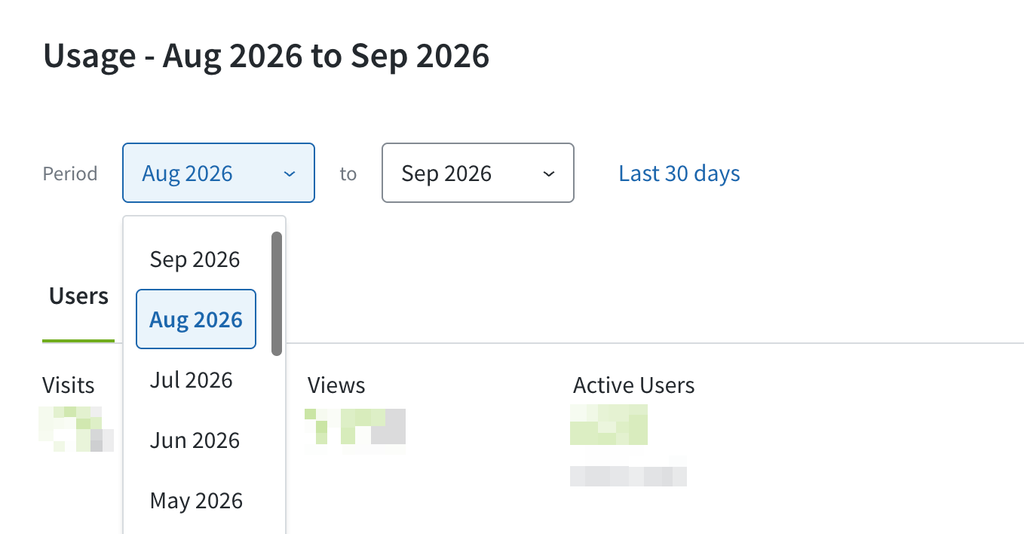
Usage stats going back to the data retention period are available under the “Usage” tab under the Site Settings cogwheel in the upper right corner of the dashboard. Admins are now able to view usage data, including top users by email address, most visited pages, and top reports run on a monthly basis. This data is also available in Sage.

Image
14 September 2026

17:00:20 GMT+0000

Added

  • The Heads Up Display panel can now be docked to the left or right side of the page.

Buttons are highlighted that show which elements of the page can be docked left or right.

14 September 2026

05:40:11 GMT+0000

Added

  • Color vision modes are now available in the Heads Up Display. The View menu now offers palettes tuned for red-green, blue-yellow and monochrome color vision, each chosen so that performance levels stay distinguishable. The setting is independent of the light and dark themes, and the existing colors remain the default.
11 September 2026

21:46:37 GMT+0000

Added

  • Sage now answers Parse.ly dashboard-usage and adoption questions, including for a specific past month (e.g. “dashboard usage for February 2026”).
11 September 2026

19:11:04 GMT+0000

Added

  • Sage app can now answer Parse.ly usage and adoption questions, such as active users, reports run, and API calls per endpoint.
11 September 2026

12:20:41 GMT+0000

Changed

  • Signal now measures conversion-based scores using your site’s conversion attribution model of preference, and site admins can choose a different one for Signal from the KPI Metrics page.
11 September 2026

11:53:34 GMT+0000

Fixed

  • Fixed Sage documentation links: removed duplicates, made same-named links distinct, and stopped showing bare URLs.
11 September 2026

09:57:08 GMT+0000

Fixed

  • Author, tag, section, campaign, referrer, and conversion groups beyond the first 100 are now available in filters, reports, and group management. Previously a site with many groups could see a group in its listing but not select it as a filter or edit it.
11 September 2026

09:14:03 GMT+0000

Added

  • Added an Export option to the Categories tab under Referrers, which downloads the full referrer breakdown by category as a spreadsheet or CSV.
10 September 2026

20:53:10 GMT+0000

Fixed

  • Sage answers questions that name no date range by picking a recent window and saying which one, instead of asking.
  • Sage finds topics that only exist as smart tags, and no longer reports them as missing.
  • Recirculation rate listings carry the post title, section, author and publish date.