Image

Myst On The Atari 2600

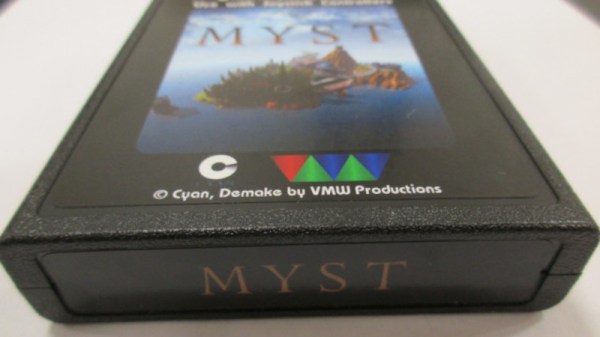
Although the Atari 2600 was a hugely popular game console in the late 70s, its hardware specs were limited, to say the least. For a dedicated game console of the era this isn’t too surprising, but things like 128 bytes of RAM meant programmers had to work hard to make games that were fun and playable (and they didn’t always succeed). Programming on this system even now is difficult, but nonetheless [Vince] wanted to get a version of Myst running on this system.

Obviously a PC game from the 90s is much to large, in many ways, to fit into an Atari cartridge or play on the 70s-era hardware. For that, there is a “demake” of Myst, a recreation of the game purposely built to run on older hardware it was never meant for. Even so, the game is running on a specialized cartridge built by [Vince] using parts from the real Atari game cartridge BurgerTime which had a bit more memory than normal. It wasn’t quite as straightforward as flashing the new game file to an old EEPROM though; [Vince] came across all kinds of timing issues and other miscellaneous problems that stretched this project out to around a three-year endeavor.

At the end of everything, though, he has a cartridge that will run Myst on the Atari, using the E7 bank switching scheme which afforded this system more memory within the cartridge. For [Vince], who is a fan of the demo scene for consoles like this, this was an interesting experiment to push original hardware to its limits. And, if you want to try this on an Atari 2600 handheld which also uses original hardware, we’d recommend using one of these.
Image

A Computer Terminal The Old Way

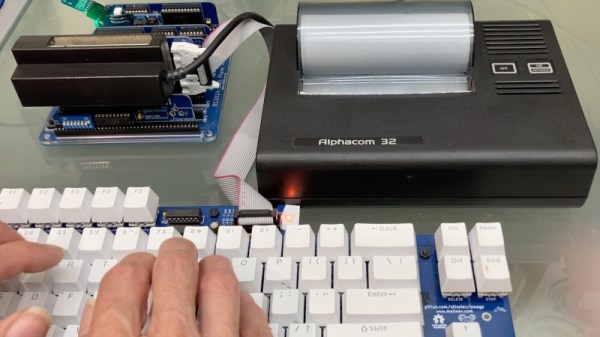
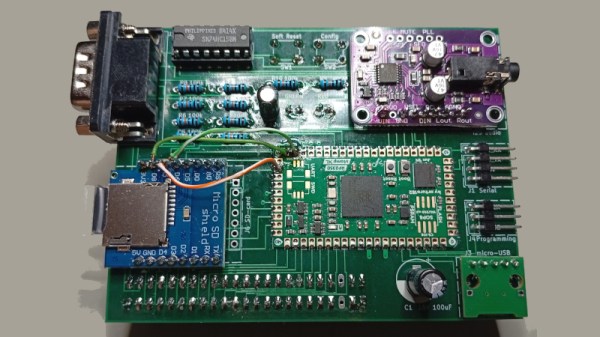
Here in 2026 if we need a terminal the chances are we fire one up on our computer and continue on our way without a thought. What we are doing of course is emulating the experience of earlier hardware terminals, ones with a serial port on the back, a keyboard, a screen, or if they are a bit older, a teletype printer. [Sheila Dixon] is recreating that experience for the RC2014 retrocomputer, and she’s using some period-appropriate hardware and techniques.

Perhaps the most obvious thing about her build is her choice of printer. Sir Clive released a notoriously bad thermal printer for the ZX81, and it wasn’t long before a third-party alternative appeared in the form of the Alphacom. This printer connected directly to the ZX’s bus via its expansion port, and like the Sinclair printer, was serviced by ROM routines linked to BASIC commands. This is joined by a keyboard, first an MSX item, and then one she’s made with some retro typewriter keycaps.

She’s interfaced her Alphacom to the RC2014’s Z80 bus in the same way as it would be with the ZX81, and with a few teething troubles created some routines in a ROM to drive it as though it was the RC2014 terminal output. The keyboard is scanned using an 8255 I/O port card, much as it might have been back in the day.

If you’re curious about the Sinclair printer, we used one (without harming it!) for an April Fools’ joke during the pandemic. Meanwhile we have reviewed more than one RC2014 model, the most recent one being in 2019.

Image

The Sinclair Spectrum Gets A Desktop GUI

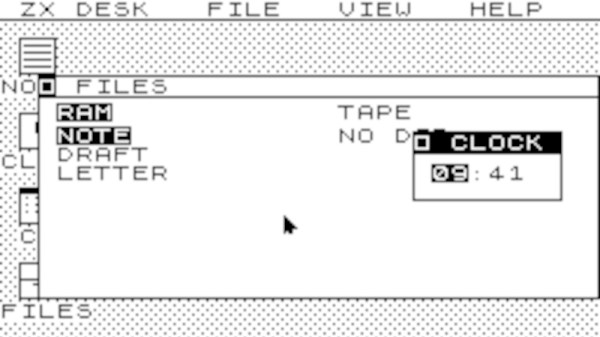
Of the popular 1980s 8-bit computers, it’s fair to say that Sinclair’s ZX Spectrum punched above its weight. Sir Clive’s love of squeezing more functionality out of less hardware meant the compromises he made left it less powerful than competitors from Apple, Commodore, or Acorn. Still, the brightest programmers of the age took the little machine to heart and made it do some very impressive things. A desktop GUI, though, surely that would be pushing things too far. Never say never because now [mindbox77] has done it.

ZXdesk is an assembly language program for the 48k Spectrum that gives you something that looks a lot like GEM. It’s got all the things you’d expect from a desktop GUI, with menus, windows, and applications, and we find ourselves suitably impressed.

Continue reading “The Sinclair Spectrum Gets A Desktop GUI”

Image

Sony’s First Computer

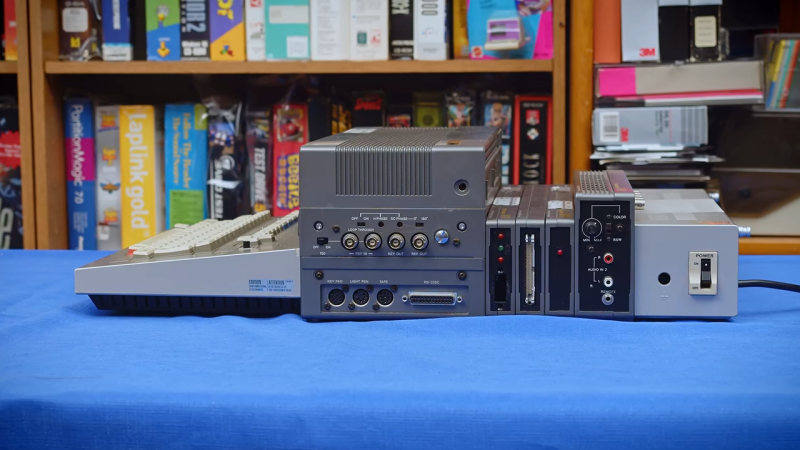
In 1982, desktop computers were coming into their own, and no clear leaders had emerged. But everyone knew they wanted a piece of the action. This led to, among other things, Sony’s SMC-70, which, frankly, for 1982, was a good-looking, if not oddball, machine. [Tech Tangents] shows the machine off in a recent video.

From the front, the computer looks more-or-less like everything else. But as you move backward, you can see this computer wasn’t another typical entry into the market. One of the things that was the hallmark of successful business computers of the day was expandability. The earlier Altair had the later-titled S100 bus. The IBM PC had the ISA bus. But in both cases, you had to open the box to plug and unplug cards.

Continue reading “Sony’s First Computer”

Image

Reconstructing A Pin On A Pin Grid Array Package

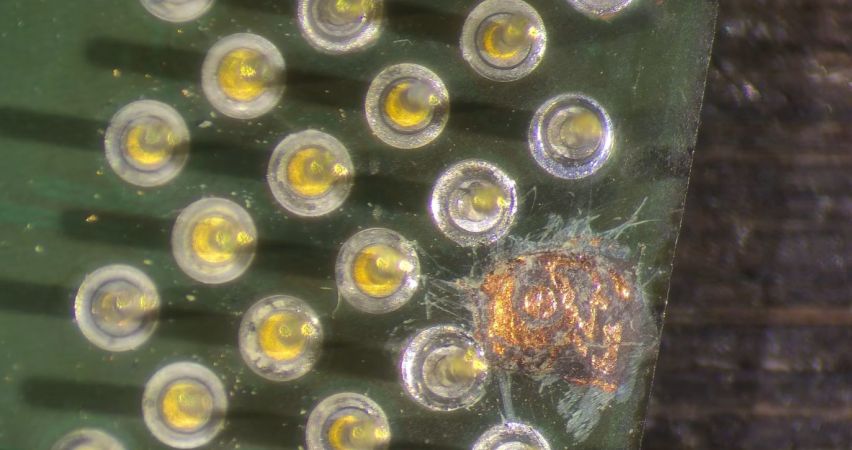
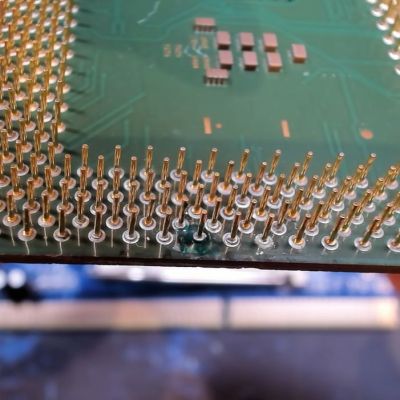
ImageBefore moving to land grid array (LGA) packaging whereby each pin on the substrate is just a copper pad, processors commonly used pin grid array (PGA) packaging, including the still highly relevant AMD AM4 socket. With PGA you get a pin soldered onto the copper pad which inserts into the ZIF socket, rather than a fragile pin on the mainboard side. Repairing a damaged PGA pin can be easy if just the pin broke off at the solder joint, or rough if the pad was destroyed, as in the case of this Pentium III CPU that [Bits und Bolts] recently tried to fix.
In the case of something like a ground pin or similarly unimportant pin you can ignore the damage, but in this case it concerned an important pin for this 1.2 GHz Tualatin PIII core, with the damage consisting of a well and truly destroyed pad. The first step to repair the damage is thus to try and rebuild the pad, which was done using solder mask and solder.

Although a PIII-era Celeron CPU is definitely not a high-value CPU, since they have so few and such large pins they do make for useful test subjects when it comes to PGA repair practicing. In this case the affected data pad and pin appears to have been repaired successfully, with it running overclocked to 1.6 GHz and crushing similarly or higher clocked Pentium 4 and AMD Athlon CPUs of the era.

Continue reading “Reconstructing A Pin On A Pin Grid Array Package”

Image

Every ZX81 Expansion Card You Ever Wanted, All At Once

The Sinclair ZX81 was a masterpiece of Sir Clive’s desire to get the most out of the least hardware, being about as minimalist as it was possible to get and still be a home computer in 1981. As such it has a keyboard, a Z80, TC and cassette interfaces, 1K of memory, and that was it. There were any number of add-ons for it, but if you were a 1980s kid the chances are you couldn’t afford them. So 45 years later here’s [adam.klotblixt] with OpenSpand — every ZX81 expansion you could think of, all in one!

For a start there’s a RAM expansion. Not the paltry 16K of old, this is user-configurable and has the whole 64K address space minus the ROM to play with. Then there’s SD card storage, hijacking Sinclair BASIC’s LOAD and SAVE commands. It’s got high-res graphics, emulated sound chips, a joystick port, serial ports, a choice of ROMs, and a composite video output. Perhaps the only thing it doesn’t have from back in the day is a printer interface, but we’re sure the serial port could be pressed into service somehow.

It does this all as you might expect these days, with an RP2350 emulating the real parts. The microcontroller disables the onboard RAM and ROM and emulates those too, such is the disparity in power between it and a Z80. We would have done anything for this expansion, back in the day.

The ’81 features here quite often, most recently in a look at Sinclair’s own RAM expansion.

Image

Rosy Retrocomputing

Most of us are guilty of romanticizing the past. Do you long to be the captain of a tall ship? Just as long as you don’t mind weevils in your food, vitamin deficiencies, and death from an infection when there were no antibiotics. Want to be a medieval knight? Even worse. But surely, retrocomputing is as fun as we remember, right? Turn your computer on, and it comes up with BASIC! Ready for you to write your own programs. None of this GUI foolishness. Of course, this is just another example of rosy retrospection.

Even if you like BASIC or a similar language today, things have changed. You have a nice text editor, a fast computer, debugging tools, along with things like named functions, no line numbers, and modern control structures. None of those things were very common in the 1980s. At least, not on a hobby-grade computer.

Why am I thinking about this? Well, the Hackaday Retrocomputing Challenge is on, and it occurred to me that I wanted to work with some young students in glorious MBASIC on a CP/M machine I built and modified from a Hackaday project. Perfect, right? Many of us started that way, so why shouldn’t they?

But it quickly got old. Even a simple program gets bogged down with GOTOs and GOSUBs to mysterious line numbers. It made me remember the time back in the early 1980s, or maybe even the late 1970s, that I wrote a BASIC preprocessor to scan BASIC with no line numbers and produce proper source, converting labels to line numbers in two passes.

Continue reading “Rosy Retrocomputing”