Image

Writing An ESP32 Bluetooth Printer Driver In Two Acts

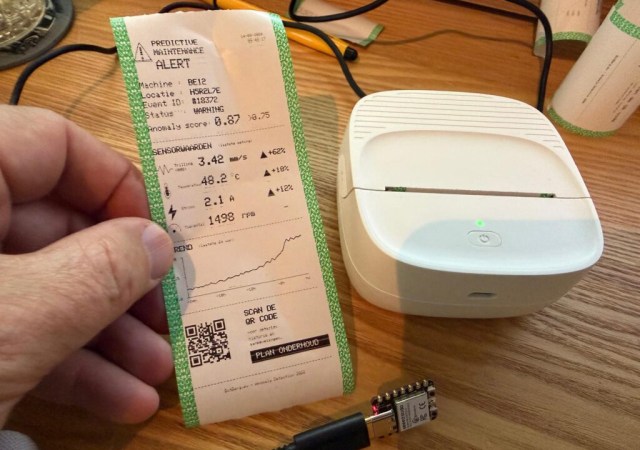
[Bas BotBerg] wanted to use a portable Bluetooth thermal printer to run off reports on sensor data collected by an ESP32-C3 microcontroller. But as is so often the case these days, the only official way to interface with the printer was through a proprietary smartphone application provided by the manufacturer. With no documentation on how the thing works, he set out to reverse engineer the printer’s communications protocol so he could control it from the MCU — but the route he took to get there was a bit different than what we usually see, and is an excellent case study for those who might have similar projects in mind.

ImageThe standard procedure for something like this, if it can be called that, is to use Android’s built-in debugging capability to log Bluetooth communications while running the manufacturer’s application. The resulting file can be fed into Wireshark, and with patience and some educated guesses, you can usually work out the various commands and values that get passed to the hardware.

But in this case, [Bas BotBerg] ignored the manufacturer’s software and instead used an application that can query a device and list its Bluetooth Low Energy services and characteristics. Specifically, he looks for services that are marked as writable, and starts pushing data into them to see how the printer responds. For this he uses Python with the Bleak library, as it allows him to rapidly iterate and adapt his code. After a bit of poking and experimentation, he finds the proper incantation to get the printer’s motor to kick on and advance the paper — a critical first milestone that tells him he’s on the right path.

Once [Bas BotBerg] mapped out what data needed to be sent to what endpoints to operate the printer in Python, it was a relatively straightforward process to send those same payloads using C++ code on the ESP32. For extra style points he also brought in the Adafruit GFX library so he could produce icons and more easily format the output of the printer.

It doesn’t look like [Bas BotBerg] has released the code in this case (perhaps if we all ask nicely), but we’ve seen similar efforts to bring open source drivers to these cheap Bluetooth printers for the good of the community.
Image

If It’s Electronic Paper, Why Not Print To It?

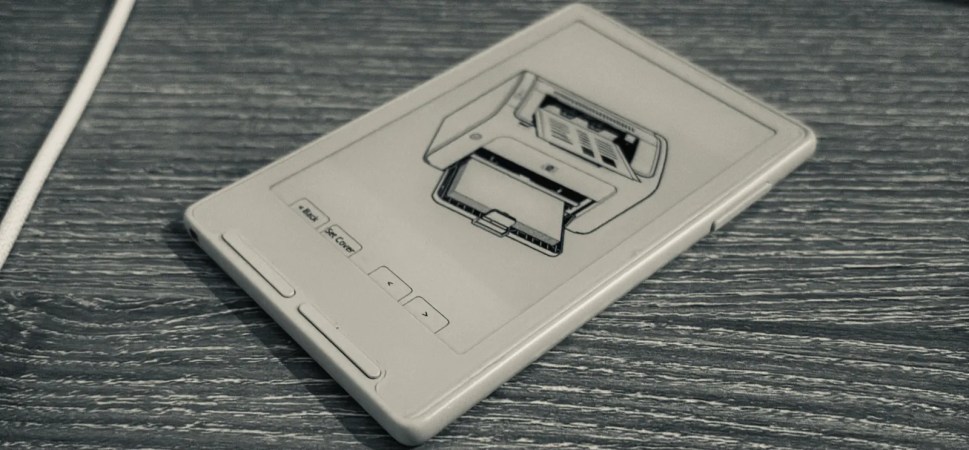
E-ink is supposed to be the electronic version of dead-tree paper, but there’s one enormous difference: how you get your images and text onto it. For paper, you print on it. E-ink? Well, it depends on what it’s hooked up to. If it’s an ESP32C3-based Xteink X4 and X3, then you can just print to that, too, thanks to [Nishant Joshi]’s fork of the popular CrossPoint firmware.

The fork implements the Internet Printer Protocol, IPP, on the ESP32-C3. It makes loading documents a breeze: select the printer in your operating system, and press print. To the computer, the reader advertises itself as a printer that provides monochrome, single-sided output at 300 DPI on A5 paper, and accepts Apple raster and PWG raster formats. Of course these raster images are enormous compared to the paltry RAM available on the microcontroller, so pixels are received and written row-by-row — both to the screen directly, and to the SD card for later perusal. That makes a folder on the SD card the equivalent of a printer’s output tray.

This interface is amazing in its simplicity, and we’d love to see it in other E-ink devices. It reminds us somehow of AlphaSmart word processors — which are still relevant today in large part because their ‘file transfer’ mechanism is to pretend to be a USB keyboard and type the document onto your computer. As long as IPP is available, so too will you be able to get documents onto this e-reader.

Image

A Status Screen For Bambu Labs Printers

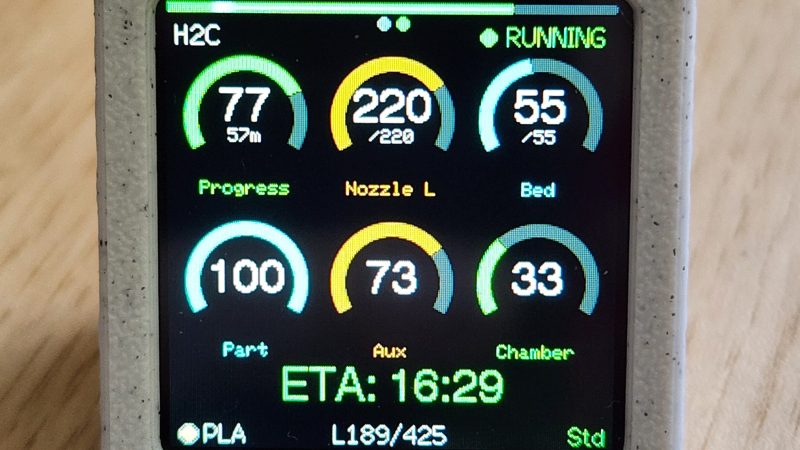
If you’ve got a Bambu Labs printer, it’s usually pretty straightforward to keep an eye on it via the onboard display or the various apps the company has released. However, if you want a dedicated display somewhere remote from your printer, you might like this build from [Keralots].

The project is based on an ESP32-S3 Super Mini, paired with a 1.54″ TFT display with a 240 x 240 resolution. It’s set up to talk to Bambu Labs printers over MQTT with TLS. It harvests status data and uses it to display a real-time dashboard with critical printer parameters display on arc gauges. There’s also plenty of live stats to pore over, as well as buzzer notifications if you want auditory alerts about what is going on. It’s possible to use with just about any Bambu Labs printer with a Bambu Cloud access token; otherwise, you can tinker with LAN Direct connections on certain models, but you might need to enable Developer Mode depending on your rig.

If you want to monitor your printer’s vital statistics at a glance, this project is a great way to do it. It breaks out the fundamental numbers in a clear and obvious fashion that’s a little easier to parse quickly compared to the interface of the official software. We’ve featured similar builds before, too. If you’re also paranoid about prints and using that to motivate you towards creating useful hardware, don’t hesitate to let us know on the tipsline. 

Image

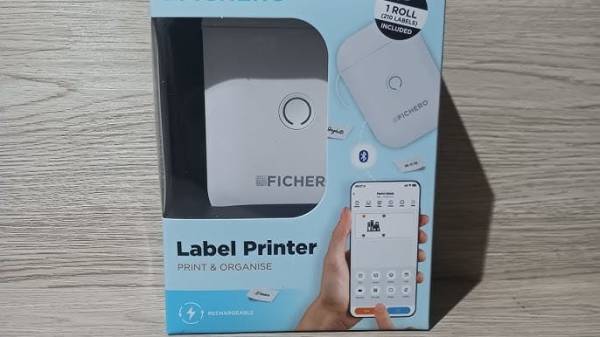
Reverse-Engineering The Bluetooth Fichero Thermal Label Printer Protocol

It’s hard to deny that label printers have become more accessible than ever, but an annoying aspect of many of these cheap units is that their only user interface is a proprietary smartphone app connected via Bluetooth. The Fichero-branded label printer that [0xMH] obtained for a mere 10 Euro at a store in the Netherlands was much the same, with an associated app that doesn’t just bind it to smartphones, but also requires no fewer than 26 permissions. Obviously this required some reverse-engineering of the BLE protocol.

The fruits of this reverse-engineering effort can be found in the GitHub repository, with the most interesting part probably being that this Fichero is just one of many relabeling of generic label printers, this one being an AiYin D11, by Xiamen Printer Future Technology. This means that other iterations of this D11 will work exactly the same, as they all use the same ‘LuckPrinter’ SDK.

[0xMH] provides a Web GUI to talk with a local D11 printer, though you can also use the Python scripts, or of course implement the protocol using your favorite language and frameworks, so that you can finally control a cheap label printer from a PC or even BLE-equipped MCU like the software gods intended.

Thanks to [T-ice] for the tip.

Image

LED Printers: The Quiet Achievers You May Not Have Heard Of

Many different types of printers have entered the market over the years. Most of us are intimately familiar with the common inkjet and laser, both of which can be found in homes and offices all over the world. Then there are those old dot matrix printers that were so noisy in use, thermal printers, and even solid ink printers that occupied a weird niche for a time.

However, very little attention is ever paid to the LED printer. They’re not actually that uncommon, and they work in a very familiar way. It’s just that because these printers are so similar to an existing technology, they largely escaped any real notability in the marketplace. Let’s explore the inner workings of the printer tech that the world forgot.

Continue reading “LED Printers: The Quiet Achievers You May Not Have Heard Of”

Image

Dozens Of Solenoids Turn Vintage Typewriter Into A Printer

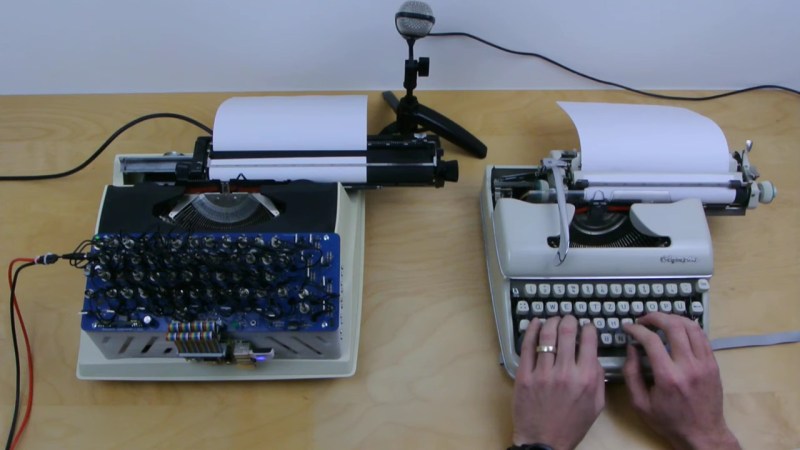
An electric typewriter is a rare and wonderful thrift store find, and even better if it still works. Unfortunately, there’s not as much use for these electromechanical beauties, so if you find one, why not follow [Konstantin Schauwecker]’s lead and turn it into a printer?

The portable typewriter [Konstantin] found, a Silver Reed 2200 CR, looks like a model from the early 1980s, just before PCs and word processing software would sound the death knell for typewriters. This machine has short-throw mechanical keys, meaning that a physical press of each key would be needed rather than electrically shorting contacts. Cue the order for 50 low-voltage solenoids, which are arranged in rows using 3D printed holders and aluminum brackets, which serve as heat sinks to keep the coils cool. The solenoids are organized into a matrix with MOSFET drivers for the rows and columns, with snubber diodes to prevent voltage spikes across the coils, of course. A Raspberry Pi takes care of translating an input PDF file into text and sending the right combination of GPIO signals to press each key.

The action of the space bar is a little unreliable, so page formatting can be a bit off, but other than that, the results are pretty good. [Konstantin] even managed to hook the printer up to his typewriter keyboard, which is pretty cool, too.

Continue reading “Dozens Of Solenoids Turn Vintage Typewriter Into A Printer”

Hackaday Links Column Banner

Hackaday Links: March 16, 2025

“The brickings will continue until the printer sales improve!” This whole printer-bricking thing seems to be getting out of hand with the news this week that a firmware update caused certain HP printers to go into permanent paper-saver mode. The update was sent to LaserJet MFP M232-M237 models (opens printer menu; checks print queue name; “Phew!) on March 4, and was listed as covering a few “general improvements and bug fixes,” none of which seem very critical. Still, some users reported not being able to print at all after the update, with an error message suggesting printing was being blocked thanks to non-OEM toner. This sounds somewhat similar to the bricked Brother printers we reported on last week (third paragraph).

Continue reading “Hackaday Links: March 16, 2025”