Model Context Protocol

LoadFocus MCP Server - Connect Claude to Load Testing & Monitoring

Connect your AI assistant to LoadFocus and run load tests, page-speed checks, and API monitors just by asking.


What your AI assistant can do

Run cloud, JMeter, and k6 load tests and summarize the results
Check whether an API endpoint is up and how fast it responds
Create and run page-speed (Lighthouse) checks and track Core Web Vitals
Set up scheduled API and page-speed monitors with alerts
Pull test results and run AI analysis to find bottlenecks
Manage teams, plan limits, and test regions

How to connect

Add the LoadFocus connector in Claude, sign in, and approve access. Free signup is enough to connect and read; running tests needs a paid plan.

mcp.loadfocus.com/api

Manage connected assistants

See and revoke connected AI clients anytime at /account/mcp-connections

Outgrown your testing tools?

Load test websites and APIs from 25+ cloud regions, monitor page speed and uptime, and get AI analysis that explains your results in plain English.Start for free
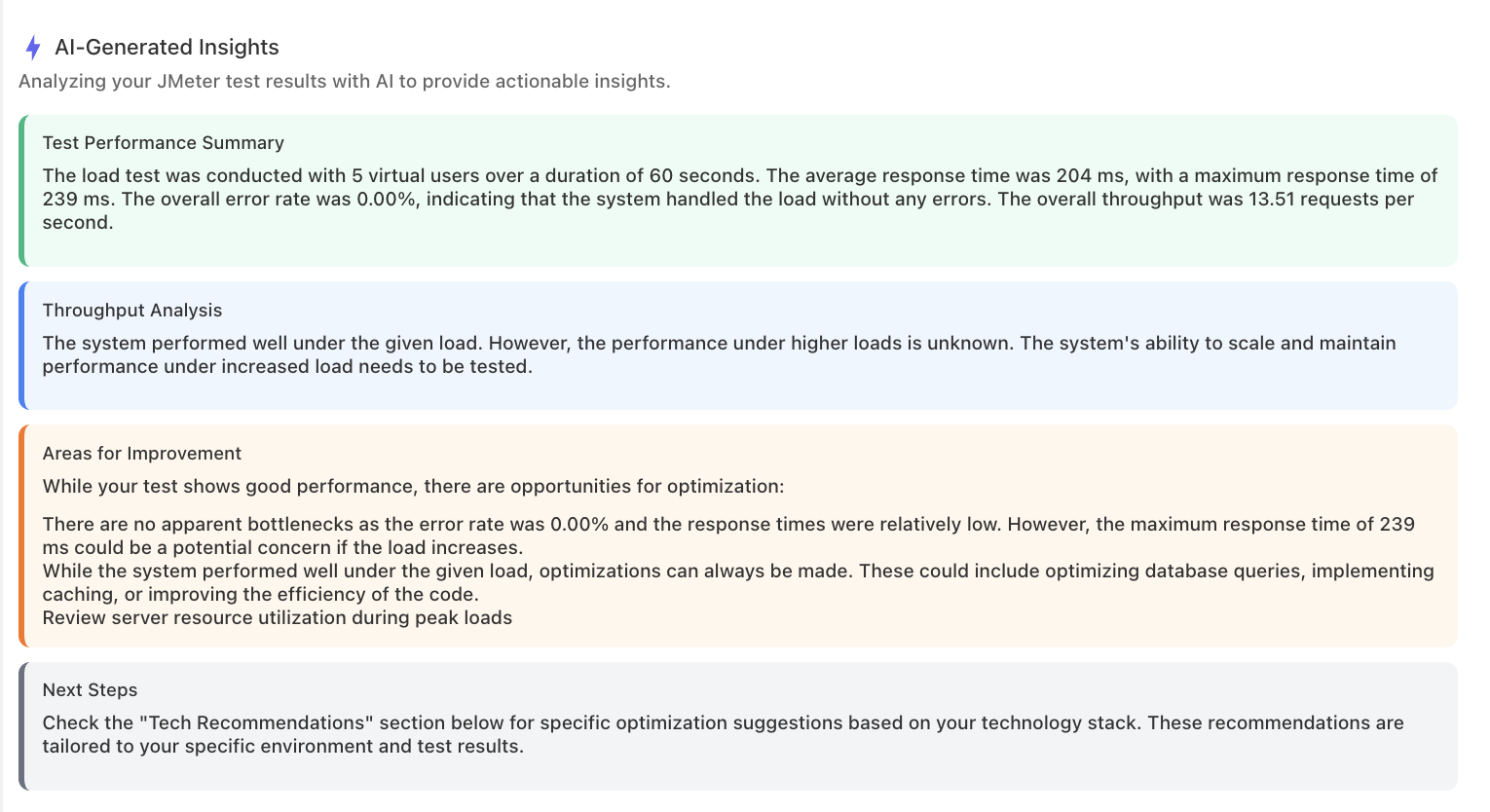
AI analysis of a load test result: performance summary, throughput analysis, and recommended improvements in plain English

We'll help you get started

Browse use cases, getting started videos, tutorials, and our showcase to find what you need to succeed with LoadFocus, and as a business.

Learn

Browse our documentation covering everything from use cases to getting started guided and videos.

Explore

Tools to make your testing development and overall experience much better.


A newsletter that sparks joy

Get notified about our upcoming features and articles.


Frequently asked questions

What is the LoadFocus MCP server?

A connector that lets an AI assistant such as Claude use LoadFocus directly. You ask for a load test or a page-speed check in plain language, and the assistant runs it against your account.

What can the assistant do once connected?

Run cloud, JMeter and k6 load tests and summarise the results, check whether an endpoint is up and how fast it answers, create page-speed checks and track Core Web Vitals, set up scheduled monitors with alerts, and pull results for analysis.

How do I connect it?

Add the LoadFocus connector in Claude, sign in, and approve access. A free account is enough to connect and to read your data. Running tests needs a paid plan.

Can I see and revoke what is connected?

Yes. Connected AI clients are listed at /account/mcp-connections, and any of them can be revoked there at any time.

Does the assistant get my password?

No. Connecting goes through a sign-in and an approval step, and the assistant holds an access grant rather than your credentials. Revoking that grant ends its access immediately.
×