Discover Beautiful Apps Built with
Vibe Coding

Lovable App is a curated collection of small, beautiful apps crafted with vibe coding. Explore 5000+ lovable products across 10+ categories.

19 new apps this week

Featured Lovable Apps

Discover the most beloved and highly-rated apps crafted with vibe coding, trusted by our community of creators and users

Featured
Get Face Report

Get Face Report – Official Website, What It Is & How to Use

Get Face Report Official Website Get Face Report is a photo-based face analysis tool: a free on-device scan of your facial proportions, symmetry, and shape, with an optional one-time $14.79 full report covering styling guidance and six hairstyle previews on your own face. Official app: http://getfacereport.com Creator: Get Face Report team Price: Freemium — first scan free, full report $14.79 once (no subscription) Login required: No for the free scan; Google sign-in to save and revisit a purchased report Platform: Web (free analysis runs in your browser, on this device) Main use: Understanding facial proportions, symmetry, and shape, then acting on it with hairstyle and styling recommendations Last checked: 2026-09-20 Visit Get Face Report We are not the official developer of Get Face Report. This page helps users find, understand, and use the product. What Is Get Face Report? Get Face Report turns a single front-facing photo into a structured read of your face geometry — proportions, symmetry, harmony, structure — scored in a sample dossier (e.g. Symmetry 84, Harmony 86). What makes it different from typical face-rating apps is restraint and privacy: the first scan runs entirely on your device (no upload, no account), the scores come with honest caveats (photo-based geometric estimates affected by lighting and pose — "not objective judgments of your worth or medical assessments"), and the paid report is action-oriented rather than a vanity number: individual observations with evidence, strengths and priorities, a four-week plan, color and eyewear guidance, and six AI hairstyle concepts rendered on your own face (labeled illustrative, not predictions). Around the core report sit focused tools — PSL Scale analysis, Hunter Eyes, Golden Ratio Face, Face Shape Detector, Face Symmetry Test, AI Hairstyle Changer — plus guides that explain the terminology and limits of photo-based analysis. How to Use Get Face Report Open the official Get Face Report website and choose a clear front-facing photo (neutral expression, even light; a side photo is optional context). Start the free analysis — the scan of proportions and symmetry runs in your browser; no account needed. Review the measurements, then decide whether to purchase the full report ($14.79, one-time) with Google sign-in. Explore your detailed observations, prioritized four-week plan, styling guidance, and six hairstyle previews; revisit anytime under My reports. Is Get Face Report Safe? The privacy model is unusually explicit: free scans never leave your device, and only when you purchase are your photos and generated concepts stored privately with your report until you delete them. Payment is a one-time purchase with no subscription, and login is Google-based rather than a fresh password. Honest limitations: a front photo is required; unseeable profile features are not scored; results are geometric estimates, not medical assessments. The site publishes Privacy and Terms pages. The main caveat is inherent to the category — you are uploading face photos for the paid features, so consider what that means for you. During review, no deceptive redirects were observed. Last checked September 2026. Why Is Get Face Report Popular? Face-analysis tools ride two currents: the looksmaxxing/PSL-scale vocabulary that spread through TikTok and Reddit, and the practical "what hairstyle suits my face shape?" question everyone asks before a haircut. Get Face Report serves both — it speaks the PSL/Hunter Eyes/Golden Ratio language that community searches for, while steering toward constructive output (priorities, a plan, hairstyle previews) instead of a single harsh rating. Get Face Report Not Working? If Get Face Report fails to load: Refresh the page. Open it in another browser. Disable ad blockers temporarily. Check whether the original getfacereport.com deployment is still online. Try again later if the developer is updating the app. Get Face Report Alternatives FaceShape app — face shape detection with hairstyle ideas Golden Ratio Face apps — symmetry and proportion scoring on mobile Frequently Asked Questions What is the official Get Face Report website? The official website is http://getfacereport.com. Is Get Face Report free? The first face report scan is free and runs on-device. The full saved report is a one-time $14.79 purchase — no subscription. Do I need an account to use Get Face Report? No account is needed for the free scan. Google sign-in is required to save and revisit a purchased report. Who created Get Face Report? The Get Face Report team; the site publishes Privacy, Terms, and Contact pages. Is Get Face Report still available? Yes, the site was live as of September 20, 2026.

AI
Entertainment
Design
Featured
Jev AI

Jev AI – Official Website, What It Is & How to Use

Jev AI Official Website Jev AI is a decision engine for software teams: an AI model that turns real-world state into structured, probability-backed decisions — classification, routing, scoring, and safety checks in 70–500ms. Official app: https://thejevai.com Creator: Jev AI team Price: Freemium — free online playground (no waitlist), API usage via Pricing Login required: No for the playground; an account and API key for production calls Platform: Web playground + REST API (POST /v1/systemone) with a typed SDK Main use: Making small, high-frequency decisions inside code — routing, escalation, guardrails, queue sorting Last checked: 2026-09-20 Visit Jev AI We are not the official developer of Jev AI. This page helps users find, understand, and use the product. What Is Jev AI? Jev AI is deliberately not another chat model. Its pitch: the hardest product work is often not generating a paragraph — it is making small decisions many times a second without losing control. You send state (a ticket, message, form fields, or the context your agent already sees) plus up to eight typed questions — Choice (classification with 2–255 options), Score (ordered levels, e.g. urgency 0–10), or Noul (yes/no). One request returns typed answers with probabilities and confidence, so your code can branch: if result.urgent: escalate(). Because each answer carries probability, you can decide when the system should act automatically and when to ask a person. Documented use cases: assess task difficulty before routing to cheap vs. heavy models, run intent checks before risky tool actions (deletion, payment), classify intent + urgency + human-review together to sort queues, and decide which tool results survive context compression in long sessions. The online playground lets you build a full decision (state, questions, JSON preview) and copy the exact API request before writing any code. How to Use Jev AI Open the official Jev AI website and try the playground — load one of five example scenarios (e.g. "three deploys failed, production returning 500s — escalate?"). Enter your state (Text or JSON) and define up to 8 typed questions: Choice, Score, or Noul. Click Generate decisions to see typed output with probabilities and confidence. Copy the POST /v1/systemone JSON preview, create an account, get an API key, and wire it into your service via REST or the typed SDK. Is Jev AI Safe? The site runs on the thejevai.com domain over standard HTTPS and publishes Docs, API, Pricing, and Showcase pages. The playground works without an account; production use requires a managed API key. Note that any state you send (tickets, messages, form content) leaves your system to be classified, so treat customer-sensitive text accordingly, as with any hosted AI API. The model's own design supports safety use cases — pre-action intent checks around payments and deletions — which is a point in its favor. No account requirement beyond the API key, no forced third-party login, no deceptive redirects observed. Last checked September 2026. Why Is Jev AI Popular? As teams ship AI agents in 2026, the bottleneck has shifted from generating text to deciding reliably: should this escalate, route, block, or queue? Jev AI lands exactly on that pain with an unusually concrete promise — typed answers, probabilities, 70–500ms, one request for three decisions — instead of vague "AI agents" marketing. Its no-waitlist free playground also makes it easy for developers to evaluate with a real scenario in minutes. Jev AI Not Working? If Jev AI fails to load: Refresh the page. Open it in another browser. Disable ad blockers temporarily. Check whether the original thejevai.com deployment is still online. Try again later if the developer is updating the app. Jev AI Alternatives OpenAI Structured Outputs — typed JSON from GPT models you orchestrate yourself LangChain routers — build classification/routing chains in your own stack Humanloop — evaluation and prompt-ops platform for production LLM features Frequently Asked Questions What is the official Jev AI website? The official website is https://thejevai.com. Is Jev AI free? The online playground is free with no waitlist; API usage follows the plans on the Pricing page. Do I need an account to use Jev AI? No for the playground. Production API calls need an account and a manageable API key. Who created Jev AI? The Jev AI team; the site publishes full API docs, an SDK example, and a Showcase. Is Jev AI still available? Yes, the site was live as of September 20, 2026.

AI
Developer Tool
Automation
Featured
Antique Scanner

Antique Scanner – Official Website, What It Is & How to Use

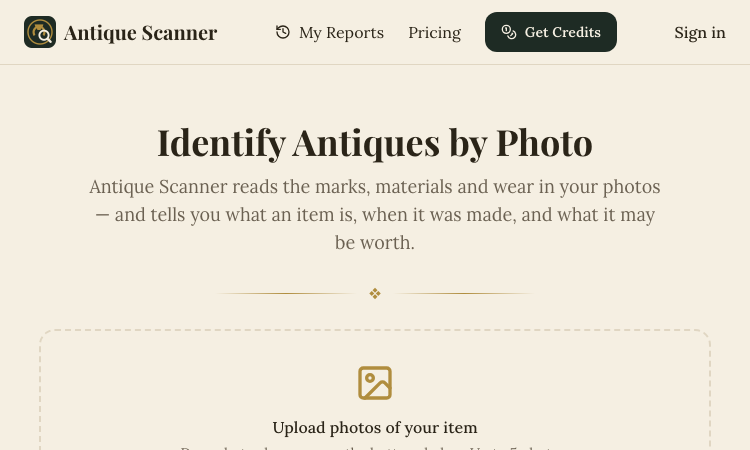
Antique Scanner Official Website Antique Scanner is an AI tool that identifies antiques, vintage items, and collectibles from photos — reading maker's marks, materials, and wear to estimate age, origin, and market value. Official app: https://antiquescanner.org Creator: Antique Scanner team Price: Freemium — your first scan is free, then credit packs via Get Credits / Pricing Login required: No for the first free scan; account needed for report history and further scans Platform: Web (works on phone — including Take Photo capture) Main use: Identifying porcelain, silver, furniture, watches, and pottery marks, with a value range before buying, selling, or insuring Last checked: 2026-09-18 Visit Antique Scanner We are not the official developer of Antique Scanner. This page helps users find, understand, and use the product. What Is Antique Scanner? Antique Scanner targets the moment anyone holds an old object and wonders what it is and what it's worth. You upload 1–5 photos (JPG/PNG/WEBP), ideally a full side profile, the base, and any maker's mark or hallmark, and the AI engine examines form, materials, construction, marks, and wear to produce a structured report. What separates it from Google Lens is the output: instead of visually similar images, you get maker-and-mark analysis, a three-tier value estimate (quick sale, market, dealer — because an antique never has one correct price), and honest confidence labels — Identified, Likely, Possible, or Uncertain — each backed by the evidence and open questions. The report even tells you which additional photo would sharpen a stalled identification. Typical users are collectors researching before a purchase, thrifters and resellers pricing shelf finds, and families dividing or selling inherited estates. How to Use Antique Scanner Open the official Antique Scanner website (works on desktop or phone). Upload 1–5 photos — full side profile first, then the base or bottom, any maker's mark or hallmark in close-up, and any damage or restoration. Let the AI analyze form, materials, construction, marks, and wear. Read the structured report: identification with confidence label, evidence, three price tiers, and recommended reshoots; reports are saved to your history once you have an account. Is Antique Scanner Safe? The site runs on the antiquescanner.org domain over standard HTTPS. Your first scan works without creating an account, and later scans use a credits system rather than a subscription trap. Be aware of what you are sharing: photos of your items (and implicitly your possessions) are uploaded for analysis, so treat that as data leaving your device. The site is upfront about limits — reports are AI research estimates, not certified appraisals, and it recommends a professional appraiser for insurance, estate, tax purposes, or items possibly worth over $1,000. No deceptive redirects were observed during review. Last checked September 2026. Why Is Antique Scanner Popular? Thrift-flipping and estate-sale content keeps growing on TikTok and YouTube, and "what is this worth?" is exactly the question viewers ask. Antique Scanner fits that moment: point a camera at a shelf find or an inherited vase and get an evidence-based estimate in minutes. Its honest-confidence approach (labeling findings Identified vs. Uncertain) also builds trust in a niche awash with overconfident appraisal apps. Antique Scanner Not Working? If Antique Scanner fails to load: Refresh the page. Open it in another browser. Disable ad blockers temporarily. Check whether the original antiquescanner.org deployment is still online. Try again later if the developer is updating the app. Antique Scanner Alternatives Google Lens — free image search, good for similar-looking items you can verify yourself WorthPoint — subscription database of past auction prices for serious research Frequently Asked Questions What is the official Antique Scanner website? The official website is https://antiquescanner.org. Is Antique Scanner free? Your first scan is free; after that you buy credit packs via the Get Credits / Pricing pages. Do I need an account to use Antique Scanner? No for the first scan; an account is needed to keep report history and run additional scans. Who created Antique Scanner? The Antique Scanner team, an independent AI tool — not a certified appraisal firm. Is Antique Scanner still available? Yes, the site was live as of September 18, 2026.

AI
Finance
Education
Featured
Freesoragenerator

Freesoragenerator – Official Website, What It Is & How to Use

Freesoragenerator Official Website Freesoragenerator (FSG AI) is a free online AI video generator built around Grok Imagine-style generation — text-to-video and image-to-video with synchronized audio, free starter credits, and a stable API for developers. Official app: https://freesoragenerator.com Creator: FSG AI team Price: Freemium — 50 free credits on signup, paid credits and API plans via Pricing Login required: No for browsing the showcase; Yes to claim free credits and generate Platform: Web (+ REST API for developers) Main use: Turning prompts or images into short AI videos with synced audio, plus AI image generation Last checked: 2026-09-18 Visit Freesoragenerator We are not the official developer of Freesoragenerator. This page helps users find, understand, and use the product. What Is Freesoragenerator? FSG AI positions itself as the free way to run Grok Imagine-style video generation on the web. You type a prompt or upload an image, generate a short clip with synchronized audio, and download the result from one clean workflow — no timeline editing required. Two things set it apart from a basic demo site. First, the showcase is genuinely instructive: every demo (camera push-pull replication from a reference video, a painting character reaching out of frame for a cola, five-outfit fashion walk) exposes its full prompt structure, duration (10–15s), and resolution (720x1280 or 1280x720), so you learn multi-shot, multi-reference prompting (@Image1, @Video1) by example. Second, it is developer-friendly: alongside video and image generation it sells a stable AI video/image API for teams wiring generation into their own products, which most free generator sites never offer. How to Use Freesoragenerator Open the official FSG AI website. Browse the Showcase to pick a demo whose structure fits your idea — open it to read the full prompt. Click Get 50 Credits for Free and sign in. Enter your prompt or upload images/references, generate the video (10–15s with synced audio), and download the clean result; developers can wire the same workflows through the API. Is Freesoragenerator Safe? The site runs on the freesoragenerator.com domain with standard HTTPS and publishes Pricing, Tools, Blog, and Sign In pages. Browsing the showcase needs no registration; claiming the 50 free credits requires an account. Generation can involve uploading reference images and videos, so treat anything you upload as data leaving your device. No deceptive redirects or forced third-party logins were observed during review. Note it is an independent service inspired by Grok Imagine — not the official xAI product. Last checked September 2026. Why Is Freesoragenerator Popular? Grok Imagine's video results spread widely on X (Twitter) in 2025–2026, but access required an X Premium subscription — which created real search demand for a free, web-based equivalent. FSG AI captures exactly that demand with its name and its free-credits offer, and its example-rich showcase gives newcomers copy-paste prompts that produce impressive results on the first try. Freesoragenerator Not Working? If Freesoragenerator fails to load: Refresh the page. Open it in another browser. Disable ad blockers temporarily. Check whether the original freesoragenerator.com deployment is still online. Try again later if the developer is updating the app. Freesoragenerator Alternatives Scenevio — free multi-model AI video generator (Seedance, Veo, Kling, and more) AIEnhancer — 27-model video/image workspace with guided controls Grok Imagine on X — the original xAI tool (requires X Premium) Frequently Asked Questions What is the official Freesoragenerator website? The official website is https://freesoragenerator.com. Is Freesoragenerator free? Yes — you get 50 free credits to test text-to-video and image-to-video; heavier use follows the plans on the Pricing page. Do I need an account to use Freesoragenerator? The showcase is open to everyone; generating videos and claiming free credits requires signing in. Who created Freesoragenerator? The FSG AI team. It is an independent Grok Imagine-style generator, not affiliated with xAI or X. Is Freesoragenerator still available? Yes, the site was live as of September 18, 2026.

AI
Developer Tool
Entertainment
Featured
AIEnhancer

AIEnhancer – Official Website, What It Is & How to Use

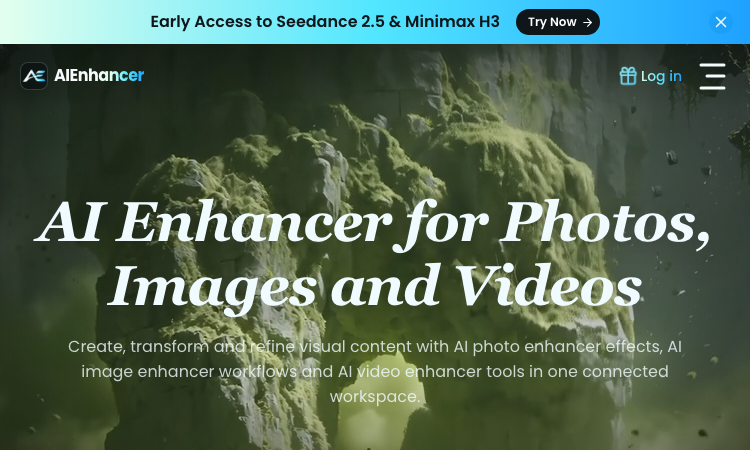
AIEnhancer Official Website AIEnhancer is an all-in-one AI workspace for enhancing and creating photos, images, and videos, with 27 production-ready models and guided creative controls. Official app: https://aienhancer.co Creator: AIEnhancer team Price: Freemium — Start Creating Free, paid plans via Pricing page Login required: Yes for generating; the model catalog and effects list are browsable without an account Platform: Web Main use: AI photo enhancer effects, image-to-video / text-to-video generation, and guided image restyling in one workspace Last checked: 2026-09-18 Visit AIEnhancer We are not the official developer of AIEnhancer. This page helps users find, understand, and use the product. What Is AIEnhancer? AIEnhancer targets people who bounce between five different AI tools to get one usable asset. It puts 27 video and image models — Seedance 2.5, Sora 2, Veo 3.1 Fast, Grok Imagine 1.5, Kling 3.0, Wan 2.7, MiniMax H3, Hailuo, Runway, PixVerse V6, Nano Banana 2 — behind one interface with four video entry points (text-to-video, image-to-video, reference-to-video, frames-to-video) plus text-to-image and image-to-image. Its differentiator is guided control: instead of raw prompt boxes, it matches mode, ratio, resolution, and model support for you, keeps a safe fallback model when your first choice cannot run, and validates every setting before the job starts. It also ships dozens of ready-made AI Effects — AI 2D to 3D, AI Action Figure, AI Aging & De-aging, AI ASMR, AI Baby Dance, AI Hairstyle, AI Movie Cameo, AI Shadow Clone — that turn trendy formats into repeatable templates your audience can recognize. Results land in a shared asset library instead of scattered downloads. How to Use AIEnhancer Open the official AIEnhancer website. Pick an entry point: Text to Video, Image to Video, Reference to Video, or an image workflow — or start from an AI Effect like AI Action Figure. Add your prompt or upload a reference image, then choose a model (each model card shows its vendor and strength, e.g. Seedance 2.5 for quality, Seedance 2.0 Mini for speed). Click Generate; refine and iterate in the same workspace, keeping useful outputs in the asset library. Is AIEnhancer Safe? The site runs on the aienhancer.co domain with standard HTTPS and publishes a Pricing page and login flow. Generation requires an account, and workflows like image-to-video mean you may upload personal photos — treat uploads as data leaving your device. No forced third-party login or deceptive redirects were observed during review; free creation is offered before payment. Last checked September 2026. Why Is AIEnhancer Popular? AIEnhancer rides the wave of short-form video effects (AI Baby Dance, AI ASMR, AI Gugugaga, AI Fighting Video) that spread on TikTok and Instagram, packaging them as one-click templates. Its early access to freshly released models like Seedance 2.5 and MiniMax H3 also pulls in creators who want to try new models without managing multiple subscriptions. AIEnhancer Not Working? If AIEnhancer fails to load: Refresh the page. Open it in another browser. Disable ad blockers temporarily. Check whether the original aienhancer.co deployment is still online. Try again later if the developer is updating the app. AIEnhancer Alternatives Scenevio — free multi-model AI video generator with prompt showcases Hailuo AI (MiniMax) — fast character-consistent video generation Pollo AI — multi-model video generation with template effects Frequently Asked Questions What is the official AIEnhancer website? The official website is https://aienhancer.co. Is AIEnhancer free? It offers free creation to start; ongoing generation and premium models follow the plans on its Pricing page. Do I need an account to use AIEnhancer? You can browse models and effects without an account, but generating and saving assets requires signing in. Who created AIEnhancer? The AIEnhancer team; the site lists model vendors (ByteDance, Google, OpenAI, Alibaba, Kuaishou, xAI, MiniMax, Runway, PixVerse) but is an independent aggregator, not those vendors. Is AIEnhancer still available? Yes, the site was live as of September 18, 2026.

AI
Design
Entertainment
Featured
Lemgen

Lemgen – Official Website, What It Is & How to Use

Lemgen Official Website Lem Gen (Lemgen) is a free community gallery of ready-to-use AI prompts for image and video models, plus a built-in workspace to run them. Official app: https://lemgen.org Creator: Lem Gen team Price: Free to browse; credits system for generation (earn 50 credits when your prompt gets featured) Login required: No for browsing the gallery; Yes for generation, favorites, and publishing prompts Platform: Web Main use: Finding and copying model-ready prompts for GPT Image 2, Nano Banana, Seedance, Veo 3.1, and Midjourney Last checked: 2026-09-18 Visit Lemgen We are not the official developer of Lemgen. This page helps users find, understand, and use the product. What Is Lemgen? Lemgen solves a very concrete problem: most people fail at AI image and video generation not because the model is bad, but because their prompt is vague. Lemgen curates community-submitted prompts that already produced strong results with GPT Image 2, Nano Banana 2, Seedance 2.0, Veo 3.1, and Midjourney, organized by practical categories — Ads & Product, Brand & Logo, Videos, Illustration & 3D, Posters & Visuals, Portraits, Ecommerce fashion, and Wallpaper. Every card in the gallery shows the result plus the prompt behind it, so you copy a proven recipe instead of guessing. Unlike a plain Pinterest-style board, it also includes an AI workspace where you can run the prompt immediately (including video generation with models like Seedance 1.5 Pro, with 480P/4s defaults and sound), MCP Server and OpenClaw skill integrations, and a credit system that rewards featured submissions. How to Use Lemgen Open the official Lemgen website. Browse the gallery by category, tag, or popularity (Latest / Popular / Featured), or search with ⌘K. Click a result you like and copy its prompt — the gallery is free, no account needed. To generate on the spot, open the AI Workspace, paste the prompt, pick a model, and generate; sign in to save history and favorites. Is Lemgen Safe? Browsing the gallery requires no registration and no third-party (Google/Discord) login is forced — you can explore everything first. An account is only needed to generate, favorite, or publish prompts. The site serves standard HTTPS on the lemgen.org domain and links out to Terms, Privacy, and Refund policies. Community-submitted content means quality varies card to card, but nothing observed during review pushed deceptive downloads or redirects. Last checked September 2026. Why Is Lemgen Popular? Lemgen appears to be growing through its community of submitters — the gallery visibly credits each prompt's author, and the "publish a prompt, earn 50 credits when featured" loop encourages creators to share their best recipes. Interest around newer models like GPT Image 2, Nano Banana, and Seedance 2.0 also drives search traffic, since Lemgen surfaces working prompts for exactly those models. Lemgen Not Working? If Lemgen fails to load: Refresh the page. Open it in another browser. Disable ad blockers temporarily. Check whether the original lemgen.org deployment is still online. Try again later if the developer is updating the app. Lemgen Alternatives PromptHero — large long-standing prompt gallery for images Lexica — Stable Diffusion prompt search by example artwork OpenArt — prompt library plus its own generation platform Frequently Asked Questions What is the official Lemgen website? The official website is https://lemgen.org. Is Lemgen free? Yes, browsing and copying prompts is free. Generation in the workspace uses a credit system, and you can earn 50 credits when a prompt you publish gets featured. Do I need an account to use Lemgen? No account is needed to browse and copy prompts; signing in unlocks generation, history, favorites, and publishing. Who created Lemgen? The Lem Gen team; the site publishes Terms, Privacy, and Refund policy pages. Is Lemgen still available? Yes, the site was live as of September 18, 2026.

AI
Design
Education
Featured
Scenevio

Scenevio – Official Website, What It Is & How to Use

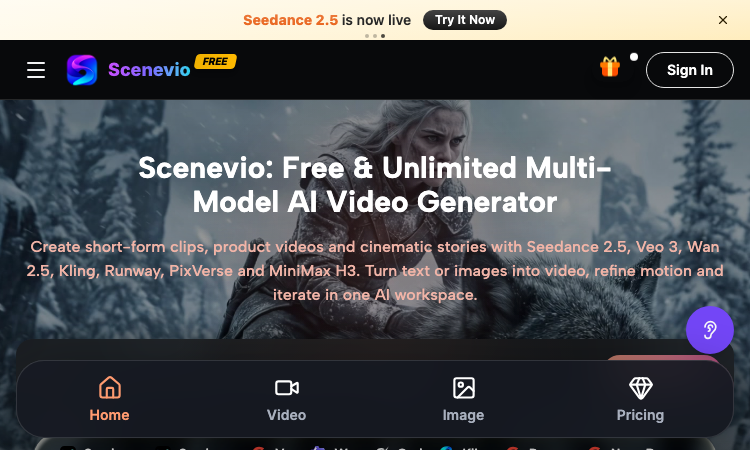
Scenevio Official Website Scenevio is a free multi-model AI video generator that turns text prompts and images into short-form clips, product videos, and cinematic story sequences. Official app: https://scenevio.com Creator: Scenevio team (support@scenevio.com) Price: Freemium — free starter credits plus paid plans from $14.99/month Login required: Yes, an account is needed to generate and save videos Platform: Web (works in any modern browser, 8 languages including English, Japanese, Korean, and Chinese) Main use: Text-to-video and image-to-video generation with 26+ AI models Last checked: 2026-09-18 Visit Scenevio We are not the official developer of Scenevio. This page helps users find, understand, and use the product. What Is Scenevio? Scenevio is a web-based AI video workspace that puts many of the leading video models — Seedance 2.5, Veo 3, Wan 2.5, Kling, Runway, PixVerse, and MiniMax H3 — behind a single interface, so you can compare outputs without juggling separate subscriptions. You type a prompt or upload a reference image, pick a model, and generate a clip; per-second billing means credits follow actual duration, resolution, and reference inputs rather than a flat per-video rate. Beyond video, it also bundles image models such as Seedream, Flux, Nano Banana, and GPT Image for concept frames. The homepage doubles as a prompt library: every showcased clip (macro food shots, mecha squads, golden-hour trains) can be opened directly in the workspace or copied as a starting prompt, which makes it easy to go from zero to a first render in minutes. How to Use Scenevio Open the official Scenevio website and click Generate. Sign in to create your workspace (free starter credits are included). Choose a mode — text-to-video or image-to-video — and select a model such as Seedance 2.5 or Veo 3. Type your prompt (or copy one from a homepage showcase) and generate; refine motion and iterate in the same workspace. Is Scenevio Safe? The site runs on the Scenevio.com domain with standard HTTPS and does not require third-party login such as Google or Discord beyond a regular account. Generation requires signing in, and uploads may include reference images, so treat anything you submit as data leaving your device. Payment is only needed for paid plans (Lite, Starter, Pro, Unlimited), which unlock private generation, no-watermark exports, and a commercial license — the free tier is ad-supported with watermarks. No deceptive redirects were observed during review; last checked September 2026. Why Is Scenevio Popular? Scenevio appears to be gaining attention through direct sharing and word-of-mouth around newly released models like Seedance 2.5, although there is no clear public source showing where the trend originated. Its positioning as a single place to try many premium video models at once — with free credits and per-second billing — gives it natural reach among short-form creators on TikTok and Instagram. Scenevio Not Working? If Scenevio fails to load: Refresh the page. Open it in another browser. Disable ad blockers temporarily. Check whether the original scenevio.com deployment is still online. Try again later if the developer is updating the app. Scenevio Alternatives Runway — the veteran AI video suite with strong editing tools Kling AI — high-motion video generation from Kuaishou Hailuo (MiniMax) — fast, character-consistent video generation Frequently Asked Questions What is the official Scenevio website? The official website is https://scenevio.com. Is Scenevio free? It is freemium: you get free starter credits to generate videos, but watermark-free exports, private generation, and a commercial license require a paid plan (from $14.99/month to $149.99/month for Unlimited). Do I need an account to use Scenevio? Browsing showcases is free, but generating and saving videos requires an account. Who created Scenevio? The Scenevio team; the site lists support@scenevio.com as its contact. Is Scenevio still available? Yes, the site was live and generating as of September 18, 2026.

AI
Design
Entertainment
Featured
Poople

Master the daily word ladder: change one letter at a time to reach POOP in this free, quick, and addictive puzzle.

Poople is the ultimate daily word ladder game designed for quick, clever brain-teasers that fit perfectly into your busy schedule. Your goal is simple: transform a starting 4-letter word into the target word "POOP" by changing only one letter at a time, ensuring every intermediate step is a valid word. Whether you are a fan of Wordle or Weaver, Poople offers a challenging, minimalist experience that rewards efficient vocabulary and strategic thinking. With a new puzzle released every day at 08:00 UTC, players around the world compete to reach the goal in the fewest steps possible. Perfect for word game enthusiasts looking for a bite-sized mental workout, Poople is entirely free, requires no sign-ups, and features a clean, ad-free interface that works seamlessly on desktop and mobile browsers. You can track your personal streaks and performance directly on your device, then share your success with friends using spoiler-free results.

Entertainment
Education
Featured
Image to Layers

Image to Layers – Official Website, What It Is & How to Use

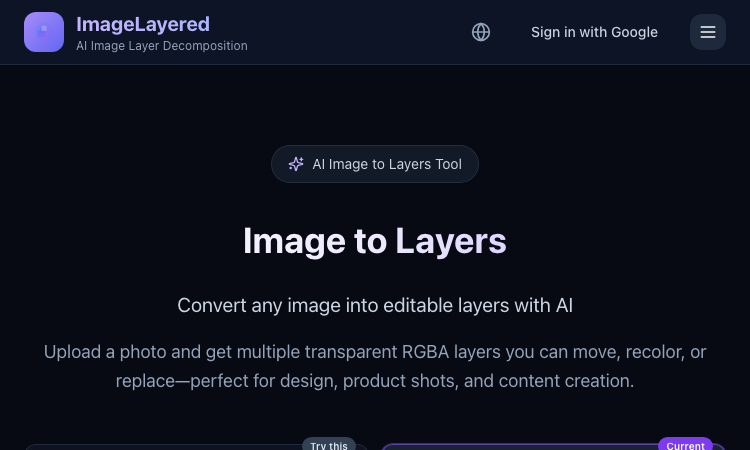
Image to Layers Official Website Image to Layers is an AI image layer decomposition tool that turns one flat image into multiple editable transparent RGBA layers. Official app: https://imagelayered.com/image-to-layers Creator: ImageLayered Price: Credit-based — from $0.10 per output layer; charged only for the layers actually produced Login required: Yes for running jobs (Google sign-in) Platform: Web Main use: Converting flat images (JPEG, PNG, WebP, GIF) into editable transparent layer stacks Last checked: 2026-08-29 Visit Image to Layers We are not the official developer of Image to Layers. This page helps users find, understand, and use the product. What Is Image to Layers? Image to Layers does AI image layer decomposition. You upload one flat image and the AI splits it back into a stack of editable parts: a base image plus transparent RGBA layers for the subjects and supporting elements, each downloadable as its own PNG. Unlike a background remover, which gives you a single cutout and discards the rest, it also fills in hidden areas — when objects overlap, the reconstructed background behind them stays usable, so any layer can be moved, recolored, or replaced on its own. The page offers two modes: Quick (1 credit per layer — you just pick the layer count, best for a first split) and Precision (2 credits per layer — named layers with positions, plus an optional prompt describing what to isolate). You choose the layer count between 2 and 13, and you are charged for the actual number of outputs only. Results drop straight into Figma, Photoshop, or any editor that supports alpha channels. The core audience is anyone holding a finished visual with no source file: e-commerce teams reworking product shots, designers building mockups, and marketers adapting campaign stills to new sizes. How to Use Image to Layers Open the official Image to Layers page at https://imagelayered.com/image-to-layers. Upload an image by dragging it in or clicking the upload area. JPEG, PNG, WebP, and GIF are supported; Precision mode requires PNG or JPEG of at least 512×512 px. Pick how many layers you want (2–13, including the base image) and optionally add a prompt to guide grouping — e.g. "Output a layer for every person." Choose Quick or Precision mode and run the conversion. The AI separates elements and rebuilds occluded areas. Review the result (selecting a layer highlights where it sits in the original), then download the transparent PNG layers you need. Is Image to Layers Safe? Registration/login: Signing in with Google is required to run jobs; the header shows a "Sign in with Google" option rather than a separate password account. Uploads: You upload images for processing. The site carries Privacy Policy and Terms of Service links, and there are no visible third-party ads or forced redirects. Payment: Usage is credit-based at roughly $0.10 per output layer (Quick mode 1 credit, Precision mode 2 credits per layer), charged only for actual outputs. Expect a checkout step for buying credits. Ads/popups: None observed on the page itself, though the footer cross-promotes a sister tool (PSL Scale). Domain/hosting: imagelayered.com, served over HTTPS. Why Is Image to Layers Popular? Image to Layers rides a real workflow pain: more and more visuals are produced as final flat files — AI-generated art, screenshots, bought assets — with no layered project behind them, and "image to layers" searches spiked as AI layer-decomposition models (like the Qwen image-layered approach the site also references) made automatic splitting practical. Its practical appeal over manual masking is speed: a product photo that once needed careful selection work becomes a movable layer stack in one upload. There is no single public source showing where the trend originated; it appears to spread through direct sharing and word-of-mouth among designers and e-commerce sellers. Image to Layers Not Working? Refresh the page. Open it in another browser. Disable ad blockers temporarily. Make sure you are signed in and have credits in your balance. Check that your file meets the mode's limits (Precision needs PNG or JPEG, ≥512×512 px). Try again later if the developer is updating the app. The original Image to Layers website was online as of 2026-08-29. Image to Layers Alternatives Magic Layers (magiclayers.net) — similar layer separation with 2–12 named layers per image and monthly credit plans. remove.bg — faster and cheaper when you only need one subject cut out on a transparent background. Photopea — a free browser editor for manually building or refining layers after separation. Frequently Asked Questions What is the official Image to Layers website? The official page is https://imagelayered.com/image-to-layers, part of the ImageLayered site. Is Image to Layers free? It is credit-based: Quick mode costs 1 credit per layer and Precision mode 2 credits per layer (about $0.10 per output layer), and you are charged only for the layers actually produced. The site's footer also describes the underlying decomposition technology as free and open source. Do I need an account to use Image to Layers? Yes — running a conversion requires signing in with Google. What image formats does Image to Layers support? Uploads accept JPEG, PNG, WebP, and GIF; Precision mode requires PNG or JPEG of at least 512×512 pixels. Can I control how many layers I get? Yes. You pick a count between 2 and 13 (the count includes the base image), and in Precision mode you can add a prompt describing what to isolate — the prompt guides grouping but never changes the count. Is Image to Layers still available? Yes — the site was live and functioning as of 2026-08-29.

AI
Design
E-commerce

Spotlight

Apps in the spotlight — submitted by creators who chose a paid plan for faster approval and better visibility.

Sponsored
Gemini Omni

Gemini Omni - Free Online AI Video Generator & Editor

Create and edit AI videos online with Gemini Omni for free. Characters stay consistent, audio stays in sync, and every edit builds on the last. Try it now.

AI
Sponsored
GPT Image 3

Create and edit high-quality AI images with GPT Image 3 — from text prompts, photos, and reference images, with precise editing and up to 4K output.

GPT Image 3 AI Image Generator GPT Image 3 is an AI image generation and editing platform designed to make creating high-quality visuals simple and fast. With GPT Image 3, users can turn text prompts into images, upload existing photos for editing, or combine multiple reference images to create new visuals while preserving important details such as characters, faces, products, logos, composition, and style. Key Features Text to Image — Describe an idea in natural language and generate a finished image in seconds. Image to Image — Upload an existing image and transform its style, setting, lighting, or other visual elements. Precise Image Editing — Change specific parts of an image while keeping the rest of the composition consistent. Multiple Reference Images — Use reference images to maintain character, product, or visual consistency across generations. Up to 4K Output — Generate high-resolution images suitable for digital content, marketing materials, and creative projects. Readable Text in Images — Create posters, advertisements, menus, social graphics, and other designs that require text. Transparent Backgrounds — Generate clean cut-outs for products, logos, stickers, and design assets. Multiple Aspect Ratios — Create square, portrait, landscape, and wide-format images for different platforms and use cases. Prompt Gallery — Explore thousands of prompts and examples for inspiration and quickly adapt them to your own projects. Image-3.ai can be used for product photography, advertising creatives, social media graphics, game characters, concept art, posters, thumbnails, illustrations, portraits, e-commerce assets, and other visual content. The platform is built for both beginners and experienced creators. There is no complicated workflow to learn: describe what you want, optionally upload reference images, generate the result, and continue refining it using natural-language instructions. Whether you are experimenting with AI-generated art, creating marketing assets, developing consistent characters, or editing existing photos, Image-3.ai provides a streamlined workspace for AI-powered image creation. Try GPT Image 3: https://image-3.ai/

AI
Sponsored
Renoir AI

Create stunning images, videos, and audio with AI.

Renoir AI is a premium all-in-one creative platform that brings together AI image generation, video synthesis, and audio creation in a single, beautifully designed interface. Whether you're a designer, filmmaker, musician, or content creator, Renoir AI gives you the tools to turn ideas into polished creative assets in seconds. For images, choose from Renoir Basic, Pro, and Ultra — each model fine-tuned for different styles and quality levels. Generate photorealistic portraits, digital art, anime, oil paintings, 3D renders, and more. Apply style presets like Cinematic, Anime, or Oil Painting, and fine-tune output with advanced controls including seed, guidance scale, and negative prompts. For video, Renoir Video Basic, Pro, and Ultra produce cinematic clips up to 10 seconds with realistic motion, consistent characters, and professional camera work. Support for multiple aspect ratios — 16:9, 9:16, and 1:1 — means your content is ready for any platform. For audio, Renoir Opus, Song, Melody, and Score generate original music tracks, ambient soundscapes, cinematic scores, and sound effects up to 240 seconds. Add custom lyrics for AI-sung vocals or create instrumentals in any genre. Every generation on a paid plan comes with full commercial usage rights — no attribution required. Renoir AI also offers API access for developers, priority queues for faster output, and enterprise-grade security features. Start creating for free with no credit card required, and upgrade when you're ready for more.

AI
Design
Sponsored
SaaSCity | AI Tool directory

Worlds first gamified 3D startup directory

Introduction SaaSCity is a gamified, interactive SaaS directory that transforms traditional listings into a vibrant, visual cityscape. By representing each startup as a 3D building on an isometric map, SaaSCity offers a dynamic platform for founders, indie hackers, and early adopters to showcase their projects, gain visibility, and connect within a lively virtual environment. Features Visual City Map: Every startup is represented as a 3D building with a logo, standing tall on an interactive isometric map. This gamified approach makes discovering and exploring startups engaging and intuitive. Dedicated Indexable Pages: Each listing generates a static, SEO-friendly page that is fully indexable by Google and AI crawlers, ensuring long-term discoverability and valuable backlinks. Permanent Backlinks & SEO Benefits: Listings provide dofollow links to the startup's website, contributing to domain authority and improving search engine rankings. Growth & Visibility Tools: Features like 'Launch' badges, traffic points, and upvote systems encourage engagement and help startups gain initial traction quickly. Curated Directory & Growth Hacks: Access to over 850 verified high-authority SaaS directories allows startups to boost their Domain Rating efficiently, saving time and effort in outreach. Use Cases Individual Founders & Indie Hackers: Solo entrepreneurs can list their startups for free, creating a visual presence that attracts early users and investors. The dedicated pages and backlinks enhance SEO, helping their projects gain organic traffic. Teams & Growing Startups: Teams can leverage the city map to showcase multiple projects, monitor growth through building upgrades, and participate in community launches. The platform facilitates networking and feedback from a broader audience. Marketing & Growth Professionals: Marketers can utilize SaaSCity's curated directory and growth hacks to rapidly increase visibility, acquire backlinks, and improve search rankings for multiple clients or products. Benefits Enhanced Discoverability: Fully indexable pages and backlinks improve SEO, making startups more visible to potential users and investors. Time & Effort Savings: Curated directories and growth tools streamline outreach, reducing weeks of manual promotion. Engaging Visual Platform: The gamified city map makes startup discovery fun and memorable, encouraging more interactions and upvotes. Community & Networking: The live city environment fosters connections among builders, early adopters, and investors, facilitating collaboration and feedback. Conclusion SaaSCity offers a unique, engaging platform for startups to showcase their projects in a gamified, visual environment while benefiting from SEO, backlinks, and community engagement. It transforms the traditional directory into a lively metropolis of innovation, making it easier for founders and professionals to get discovered and grow their projects. We invite every iOS app, SaaS app and creative marketing tools to our directory!

AI
Sponsored
xPomelo

AI search for 60M+ adult videos

xPomelo is a free conversational AI search interface for discovering adult videos across 60M+ results. Users describe what they want in natural language and receive matching videos from adult websites. No signup is required, and xPomelo does not generate or host adult content.

AI
Entertainment
Sponsored
Photo to Video AI

Bring your photos to life with powerful and easy-to-use AI video generation.

Photo to Video AI is an online AI tool that turns static images into engaging videos. Simply upload a photo, enter a prompt describing the movement you want, and choose your preferred AI model, resolution, duration, and aspect ratio. It is designed for content creators, marketers, artists, and social media users who want to animate portraits, product images, artwork, landscapes, and more—without professional video-editing skills.

AI
Sponsored
MenuForma

AI-powered QR menus and online ordering for modern restaurants

MenuForma: QR menus and online ordering for restaurants MenuForma helps restaurants, cafes, bars, and hospitality teams turn an existing menu PDF, image, or web link into a branded digital menu that guests can open on mobile by scanning a QR code. It is designed for venues that want an easier-to-update alternative to printed menus while keeping the dining and ordering experience clear for guests. Core capabilities Create and customize mobile-friendly QR menus from existing menu assets. Publish multilingual menus in more than 70 languages. Configure table-specific or shared QR codes for different venue setups. Support dine-in, pickup, and delivery ordering from the same digital menu. Receive real-time order alerts and review ordering activity with operational analytics. MenuForma is a web-based restaurant ordering and digital menu platform for teams that need flexible menu management, contactless ordering, and a consistent branded experience across locations.

E-commerce
Sponsored
songspot

Guess songs from 0.1-second clips, unlock longer clues, and play unlimited Practice or a shared Daily 5.

Songspot is a free browser-based music quiz built around progressive audio clues. Every round starts with a 0.1-second clip, then unlocks 0.5, 2, 8, or 15 seconds when more context is needed. Players can practice by genre or decade without an account, or take the shared Daily 5 challenge and optionally publish a nickname to the leaderboard.

Entertainment
Sponsored
Kavel — AI Image & Video Studio

Generate and edit AI images and video in one studio, with cost shown upfront

Most people who want to make something with AI end up with a browser full of tabs. One site does images, another does video, a third does upscaling — each with its own subscription, its own credit system, and its own surprise bill. Kavel puts 24 AI image and video models behind a single credit balance. Pick one, enter a prompt or upload a photo, and the generator shows what the run will cost before you commit to it. Images Nano Banana 2 and Nano Banana Pro, GPT Image 2, Seedream 5 Pro, Qwen Image 3 Pro and Grok Imagine 2 — at 1K, 2K or 4K, generating from text or editing a photo you already have. Video Seedance 2.5, Veo 3.1, Kling 3.0 and MiniMax H3 — text-to-video or image-to-video, 480p to 1080p, with native audio. 99 ready-made tool pages Instead of a blank prompt box, each page is set up for one job: Old photo restoration AI hairstyle changer Pet portraits 90s yearbook photos Figurine generator Movie posters and sticker packs What makes it different One balance across every model — no separate image plan and video plan Cost preview before every run — credits are estimated from model, resolution, length, audio and input type Never charged for failures — failed jobs cost nothing No install — runs in the browser on desktop and mobile New accounts get 30 free credits with no card required, plus daily check-in credits that climb through the week. Plans start at $29.90/month.

AI
Sponsored
SoMusicAI: AI Music Generation Studio

Create music with Suno, Udio, Gemini/Lyria & more from one studio, with clear licensing and free credits to start.

What SoMusicAI Does SoMusicAI is a browser-based studio that puts several AI music engines behind one login: Suno, Udio, Google's Gemini/Lyria, MiniMax Music, and ACE-Step. Instead of juggling separate accounts and separate bills to figure out which engine fits a track, you run the same idea through more than one model and keep whichever version actually works. How It Works Sign up and claim your free starter credits — no card needed. Describe the track you want in plain text. Choose an engine (or try a couple back to back). Download the result, split it into stems, or send it straight to streaming. What Sets It Apart One login, several engines. Suno, Udio, Gemini/Lyria, MiniMax Music, and ACE-Step all draw from the same credit balance, so testing a second or third model costs nothing extra to set up. Licensing you don't need a lawyer to read. Every track carries a short, plain-English note on which model made it and what you're allowed to do with it. Stems without leaving the app. Pull vocals and instrumentals apart in the same workspace you generated the track in. A path to Spotify and Apple Music. Send finished tracks out for distribution with the metadata and license already attached. One API for everything. Developers get a single key that reaches every connected model, and the app itself speaks English, Chinese, Japanese, Korean, Spanish, French, and Polish. Pricing New accounts start with free credits good for full-length, full-quality tracks. Paid plans, which unlock more monthly credits and commercial rights, start at $10/month on the annual plan. Who It's For Musicians and hobbyists comparing AI engines before picking one, video and podcast creators who need quick licensed BGM, and developers who'd rather integrate one API than five. SoMusicAI is an independent product and isn't affiliated with, endorsed by, or sponsored by Suno, Udio, Google, or any other model provider named above.

AI
Design
Sponsored
Musci

Create professional royalty-free music from text descriptions without musical experience.

Musci is an AI music creation platform that transforms text prompts and lyrics into studio-quality tracks across 100+ musical styles. Content creators and producers can generate unique, commercial-ready audio using advanced tools like the AI lyrics generator, vocal isolator, and song cover creator. The platform eliminates the need for expensive studio time or complex music theory, allowing users to extend tracks and isolate vocals instantly. Whether you need background music for videos or full song compositions, Musci provides a streamlined workflow for high-quality audio production.

Productivity
Sponsored
Seedance 2.0 On ClipDance

Create professional 1080p AI videos from text and images without complex editing software.

Seedance 2.0 is an all-in-one AI video generator designed for creators who need high-quality cinematic content quickly. By integrating advanced models like Sora and Veo, the platform transforms simple text or image prompts into professional 1080p footage. Users can leverage specialized tools for character animation and beat-syncing to ensure audio and visuals align perfectly. Whether you are producing marketing materials or creative storytelling, Seedance 2.0 simplifies the production workflow by replacing technical complexity with intuitive AI-driven editing.

Productivity
Freshly Added

Newest Lovable Apps

Discover the latest beautiful apps crafted with vibe coding. New lovable tools added regularly to our curated collection.

Gemini Omni

Gemini Omni - Free Online AI Video Generator & Editor

GPT Image 3

Create and edit high-quality AI images with GPT Image 3 — from text prompts, photos, and reference images, with precise editing and up to 4K output.

Renoir AI

Create stunning images, videos, and audio with AI.

SaaSCity | AI Tool directory

Worlds first gamified 3D startup directory

Get Face Report

Get Face Report – Official Website, What It Is & How to Use

Jev AI

Jev AI – Official Website, What It Is & How to Use

Transpic

Transpic is an AI image translator that helps users translate text inside photos, screenshots, product images, manga, posters, and document scans while preserv.

Queens Gamers

Free daily and unlimited Queens logic puzzles in your browser

Antique Scanner

Antique Scanner – Official Website, What It Is & How to Use

Freesoragenerator

Freesoragenerator – Official Website, What It Is & How to Use

AIEnhancer

AIEnhancer – Official Website, What It Is & How to Use

Lemgen

Lemgen – Official Website, What It Is & How to Use

Scenevio

Scenevio – Official Website, What It Is & How to Use

Fix Overexposed Photos

Fix overly bright photos with AI exposure correction

Browse by Category

Productivity8+

See all

Education8+

See all

Developer Tool8+

See all
Knowledge Hub

Latest Posts

Stay informed with the latest insights, tutorials, and industry trends in artificial intelligence

AI
Sep 21, 2026

What Is Instinct AI? The 2026 Complete Guide to the Personal AI Agent That Actually Does Things for You

Instinct AI (officially just Instinct) is the personal AI agent that texts, calls, pays, and acts for you. The complete 2026 guide: features, pricing, invite access, privacy, and Instinct vs ChatGPT vs Meta Muse.

By CurateClick Team
Streaming
Sep 21, 2026

MyFlixer Alternatives 2026: The Complete Guide to Safe & Legal Free Movie Streaming

Looking for a MyFlixer alternative in 2026? Skip the mirror sites that keep getting shut down — here are 12 safe, legal free streaming services like Tubi, Pluto TV, and The Roku Channel.

By CurateClick Team
AI
Sep 19, 2026

What Is Jev? The 2026 Complete Guide to TypeSafe's System One Model (200x Faster, 400x Cheaper AI Decisions)

Jev is TypeSafe AI's System One model: typed decisions with calibrated confidence instead of generated text — up to 200x faster and 400x cheaper than LLMs. Full 2026 guide: benchmarks, pricing, code examples.

By CurateClick Team
AI
Sep 9, 2026

AI 80s Photo Generator (2026): Turn Any Selfie into a 1985 Photo

Turn any selfie into a convincing 1985 photo with an AI 80s Photo Generator. Copy the exact 80s Photo Prompt for ChatGPT, or use the one-click generator.

By CurateClick Team
Sep 8, 2026

こえはかる(こえ、はかる。)とは?声の性別判定アプリの使い方とフォルマントの基礎

こえはかる(こえ、はかる。)の公式サイト・使い方・安全性を解説。録音した声を基本周波数とフォルマントで分析し、声の性別感と年齢印象を無料でチェックできるWebアプリです。

By CurateClick Team
Puzzle Games
Sep 5, 2026

Raskobki – Official Website, What It Is & How to Use

Find the official Raskobki website, learn what it does, how to use it, whether it is safe, and what to do if the app is not working.

By CurateClick Team
Quiz
Sep 5, 2026

The ENM Triangle – Official Website, What It Is & How to Use

Find the official ENM Triangle website, learn what it does, how to use it, whether it is safe, and what to do if the app is not working.

By CurateClick Team
Games
Sep 4, 2026

La Bataille du Budget – Official Website, What It Is & How to Use

Find the official La Bataille du Budget website, learn what it does, how to use it, whether it is safe, and what to do if the app is not working.

By CurateClick Team
Ray-Ban Meta
Sep 3, 2026

Meta Glasses Converter – Official Website, What It Is & How to Use

Find the official Meta Glasses Converter website, learn what it does, how to use it, whether it is safe, and what to do if the app is not working.

By CurateClick Team