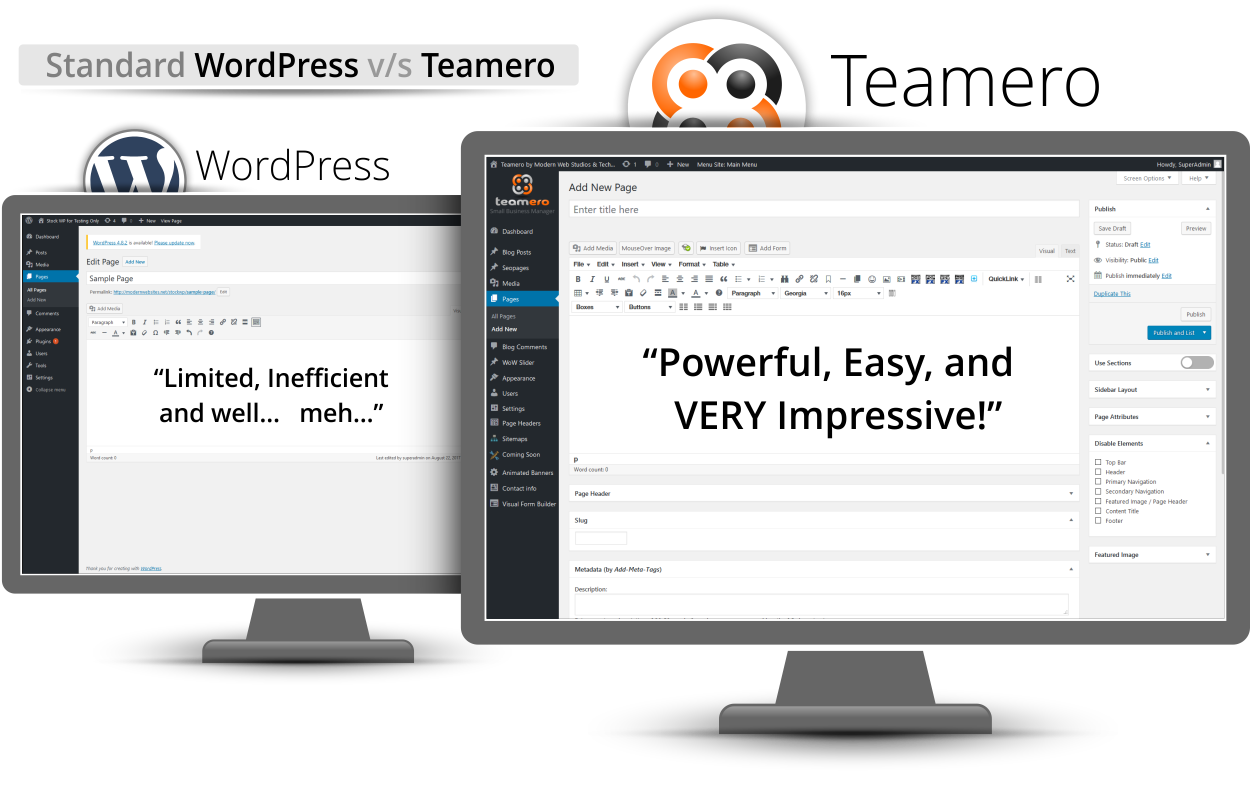
Teamero is packed full of features that really enhance WordPress in a way that makes it like no other content management system. We’re constantly developing new features just like these so you’ll see this continue to grow even after you’ve started using it to manage your website. If you have any ideas or if you’ve seen anything that you thought was really cool on another website, let us know were always looking for new things to add to Teamero.
The Latest Security on Your Login Screen, So Teamero is more secure than a standard WordPress website
A familiar interface, but supercharged for efficiency, speed, and coolness.
Create folders to keep your images and files organized. You can create unlimited folders, rename them, move them in and out of each other as well as delete them.
PhotoFX, a very simple yet powerful way to make your content look like a pro designed it in Photoshop.
WowFX, make your page come to life as the visitor scrolls down the page in your pages elements animate in one of the time. This is a great way to bring attention to the content you want your visitor to see most.
HoverFX, make your page’s content more interactive with this powerful yet simple to use mouse hovering tool.
A more powerful update button that gives you the ability to update 10 return to the list of pages, update and create a new page, or update and view in a new window. And more!
Boxes, with this quick little tool, all you have to do is select your text, click the drop-down button and choose a style.
Separate your content into responsive columns, whether it be two columns, three columns, or 12 columns! Your content will be easy to read, separated nicely and more importantly look great on a phone and tablet.
Quickly turn text into a three-dimensional looking button with a hovered highlight and everything! Multiple colors to choose from and we can even customize these to match your theme too!
A real time-saver, this drop down will allow you to highlight text or select an image then click the QuickLink drop-down and choose the page you want to link to. No more 10 step process to make something link to an internal page. You’re welcome!
So you spent a lot of time on a page and you want to make another one just like it but slightly different, now all you have to do is click a button to duplicate it. Easy peazy.
Built-in SEO Tools on a per page basis, meta-tags, meta-description, and meta-title
Sections is a really powerful and modern way to separate your page’s content into easy to digest panels. These are easy to work with too!
541
Active Websites
44
Unique Features
827
Satisfied Users
ADD-ONS:
We have many powerful add-ons available but these are just a few. More coming very soon!