1. X
  2. World of Warcraft
Log inSign up
World of Warcraft
Blizzard Entertainment
39K posts
World of Warcraft profile banner
user avatar

World of Warcraft

Blizzard Entertainment
@Warcraft
Whispering from the Void. ESRB: TEEN
Azeroth
midnight.blizzard.com
Joined July 2009
266
Following
1.5M
Followers
RepliesRepliesMediaMedia
  • Pinned
    user avatar
    World of Warcraft
    Blizzard Entertainment
    @Warcraft
    Jan 29
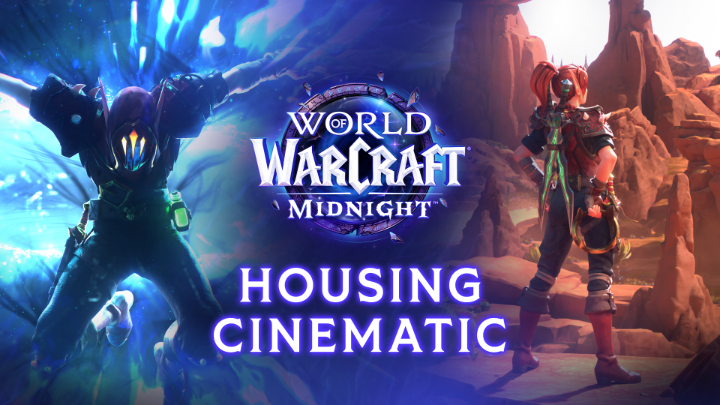
    After an adventure, there's no place like home. Today we celebrate our home in Azeroth with a little help from the Prince of Darkness 🦇
    Image
    00:00
  • user avatar
    World of Warcraft
    Blizzard Entertainment
    @Warcraft
    Aug 11
    It’s time to step onto the Coiled Isle and face the venom 🐍 Midnight Content Update: Curse of Ula’tek is LIVE!
    A multi-panel infographic showcasing different features released with the World of Warcraft Midnight Content Update: Curse of Ula’tek. Text atop reads “LIVE NOW.” The six feature panels, moving clockwise, are labeled: “Continue the Midnight campaign,” “New Dungeon, Altar of Fangs,” “New Delves & Nemesis,” “Housing Updates,” “New Zone Coiled Isle,” and “New Lair Tidebound Grotto”. Each panel features imagery related to its label.
  • user avatar
    World of Warcraft
    Blizzard Entertainment
    @Warcraft
    Aug 11
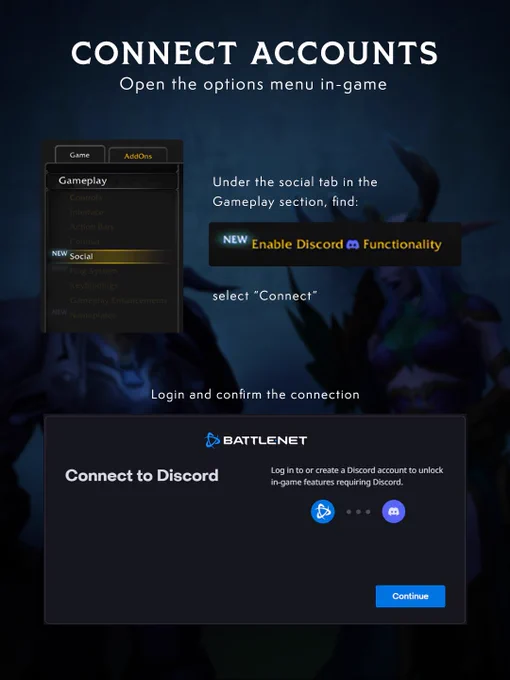
    Join in the conversation on @discord when Curse of Ula’tek goes live! Get started with our guide 📖
    A human death knight and a night elf druid are talking. Speech bubbles are floating above them saying, “Discord chat” “Guild chat.” There are two icons: Discord to the left, and the WoW icon to the right. Text at the bottom says, “Finally linked”
    Text that the top says, “Connect accounts” and right below that, it says, “Open the options menu in-game” To the left, there’s an image of in-game UI showing you where to go, and to the right there’s instructions that state:  “Under the social tab in the gameplay section, find:” “NEW: Enable Discord Functionality” then “Select “Connect” “ Towards the middle, it says, “Login and confirm the connection” and there’s an image of UI that shows the connection interface
    At the top of the image is a header that reads, “Link Chats - Guild leaders, after you get connected:”. Below, there is an icon of an octopus and text to its right that reads, “In Guild & Communities, select Roster tab then ‘Guild Settings’.” There are two UI boxes that show the Discord integration settings. The first UI screen shows the Discord Server that the Guild Leader has selected, named MORE DOTS; it also shows a dropdown of Discord Channels, with the selected one reads wow-guild-chat. Below the first UI box is text that reads, “A new in-game chat can be made just for these messages.” Next to this text is the second UI box, with “Discord Linked, Server: MORE DOTS, Channel: wow-guild-chat” on it. Under this UI text box is a line with a checked box next to it that reads, “Separate Discord chat from Guild chat.”
  • user avatar
    World of Warcraft
    Blizzard Entertainment
    @Warcraft
    Aug 10
    The last thing you see before accepting a duel in Kalimdor 🪓 Take an axe to the replies with your #MogMonday looks!
    A fearsome tauren wielding a large battle axe and kitted out in Horde-stylized armor, from a belt buckle of the faction’s insignia to spiky tusks fixed to the pauldrons and totems slung across his back. The character is standing in a grassy field near a cliff face.
  • user avatar
    World of Warcraft
    Blizzard Entertainment
    @Warcraft
    Aug 10
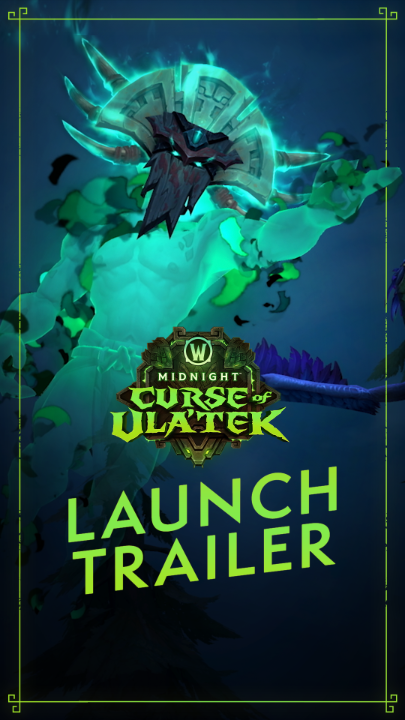
    Your journey to the Coiled Isle approaches! Face venomous new dangers starting August 11 in Midnight Content Update: Curse of Ula’tek 🐍
    Image
    00:00

Log in or sign up for X

See what’s happening and join the conversation

Continue with phone
or
Log in with username or email
Terms·Privacy·Cookies·Accessibility·Ads Info·© 2026 X Corp.
Advertisement
Advertisement