Search the Community
Showing results for tags 'languages'.
Found 10 results
-
Version 1.1.2
102 downloads
TRANSLATE EVERY PLUGIN. CONNECT EVERY PLAYER. AI Translation Pro expands the controlled translation workflow to several target locales, bounded bulk operations across loaded plugins and optional global-chat translation for consenting players. Every provider request remains subject to local validation, privacy and usage controls. MULTI-LOCALE FILES. BOUNDED BULK. CONSENT-FIRST CHAT. PRIVACY BEFORE CONVENIENCE Explicit consent — unknown consent or a storage failure is treated as opted out. Permission checks — both sender and translated recipients require aitranslationpro.chat.use. Global chat only — team and non-global channels remain unchanged, and a failed translation delivers the original message. Redacted diagnostics and local guardrails — tokens, translated content and provider bodies are not logged; chat size, locale fan-out, cooldowns and shared budgets remain configurable. THREE WORKFLOWS, ONE CONTROL PLANE Translate one installed plugin into several target locales with one administrator command. Run a bounded bulk operation across loaded plugin language files. Offer optional global-chat translation only to players who explicitly opt in. Validate every file or chat response before replacement or delivery. Keep queueing, rate, retry, bulk, chat and token budgets under server-owner control. COMMANDS THAT SCALE Use server console or RCON for paid translation operations. Translate one installed plugin into several locales, run bounded bulk work across loaded plugins, or let players manage their own global-chat consent. aitpro.translateplugin MyPlugin fr de ait.translateplugin MyPlugin fr de ait.translateallplugins fr de /ait.chat on | off | status PRO EDITION AT A GLANCE Translate one plugin into several locales per command. Translate a bounded set of loaded plugins with MaxBulkPlugins. Provide opt-in global-chat translation with explicit player consent. Use native global chat or optional BetterChat formatting. Validate exact keys, placeholders, completeness and response size before file replacement. Share queue, rate, retry, daily and local token budgets across file and chat work. Pro runs on Oxide or Carbon. AI Translation Free and Pro are separate, mutually exclusive editions; Pro takes priority automatically when both are present. REQUIREMENTS Rust server running Oxide or Carbon. AI Translation Pro 1.1.2. An owner-supplied OpenAI API token with available provider credit. English source files under oxide/lang/en for file translation. BetterChat only when you want its optional formatting route. SUPPORT AND RECOVERY If file translation does not start, confirm the token, source file, authorization, enabled route, local limits and absence of unresolved recovery material. If translated chat is missing, verify global chat, stored consent and aitranslationpro.chat.use for both participants. For support, include the Pro version, Oxide or Carbon version, BetterChat state, command or chat route and a redacted error code. Never share the OpenAI token, player chat or language-file contents. CONFIGURATION THAT MATTERS The server owner supplies the OpenAI token and remains responsible for provider availability, pricing and charges. Privacy, queueing, concurrency, request, chat and token budgets remain explicit and local. { "OpenAIToken": "PASTE_TOKEN_HERE", "ChatConfiguration": { "Enabled": true, "Model": { "Model": "gpt-5.6-luna", "MaxTokens": 512 } }, "LangFilesConfiguration": { "Enabled": true, "Model": { "Model": "gpt-5.6-luna", "MaxTokens": 4096 } }, "Privacy": { "RequireExplicitConsent": true }, "Limits": { "MaxQueued": 32, "MaxConcurrent": 2, "MaxRequestsPerMinute": 30, "MaxRequestsPerDay": 1000, "DailyTokenBudget": 500000, "MaxRetries": 2, "MaxChatCharacters": 500, "MaxChatLocalesPerMessage": 4, "ChatSenderCooldownSeconds": 5, "MaxBulkPlugins": 100 } }$9.98 -
Version 0.1.2
526 downloads
TRANSLATE ONE PLUGIN. KEEP CONTROL OF EVERY REQUEST. AI Translation Free turns one installed plugin's English language file into one target locale, on demand. The request starts only when an authorized administrator runs the command, and the translated file is accepted only after strict structural validation. NO BACKGROUND TRANSLATION. NO PLAYER-FACING PROMPT. ONE COMMAND = ONE FILE, ONE LOCALE. BUILT TO FAIL SAFELY Selected-file scope — only the requested English language file is sent for translation. Local usage limits — queue, concurrency, retry, request and daily token limits stay under server-owner control. Strict validation — missing keys, extra keys, non-string values, altered placeholders and oversized responses are rejected. Recoverable writes — backup and rollback material protect the target before replacement. ONE COMMAND, FIVE GUARDED STEPS Add your OpenAI API token to the protected plugin configuration. Choose one installed plugin and one target locale. Run the translation command from the server console, RCON or an authorized admin connection. AI Translation validates the complete response before touching the target file. The validated translation is written with recovery material retained for verification. RUN YOUR FIRST TRANSLATION Start with a known English source at oxide/lang/en/MyPlugin.json. Run the canonical Free command below; the historical alias remains available for existing Free-only installations. Server console, RCON and Rust administrators may run either command. Grant aitranslation.admin only to a trusted non-admin connection that must initiate provider work. aitfree.translateplugin MyPlugin fr ait.translateplugin MyPlugin fr FREE EDITION AT A GLANCE One selected plugin language file translated into one locale per command. Oxide and Carbon support. Configurable OpenAI model and bounded provider usage. Exact key-set, value, placeholder, completeness and response-size validation. Backup and interrupted-write recovery protection. No required plugin dependency. Free and Pro are separate, mutually exclusive editions. Pro takes priority automatically when present. Player chat and bulk translation remain Pro features. REQUIREMENTS Rust server running Oxide or Carbon. AI Translation Free 0.1.2. An owner-supplied OpenAI API token with available provider credit. An English source file at oxide/lang/en/<PluginName>.json. SUPPORT AND RECOVERY If a request cannot start, verify the token, the language-file feature, the English source and any unresolved recovery file. If a response is rejected, use the redacted error code to identify the failed validation before retrying a smaller file. For support, include the Free version, Oxide or Carbon version, command shape, target locale and redacted error code. Never share your OpenAI token or private language-file contents. CONFIGURATION THAT MATTERS The server owner supplies the OpenAI token and remains responsible for provider availability, pricing and charges. Tokens, language-file contents and provider response bodies are not written to plugin logs. { "OpenAIToken": "PASTE_TOKEN_HERE", "LangFilesConfiguration": { "Enabled": true, "Model": { "Model": "gpt-5.6-luna", "MaxTokens": 4096 } }, "Limits": { "MaxQueued": 16, "MaxConcurrent": 2, "MaxRequestsPerMinute": 20, "MaxRequestsPerDay": 500, "DailyTokenBudget": 250000, "MaxRetries": 2 } }Free -
Version 2.0.2
69 downloads
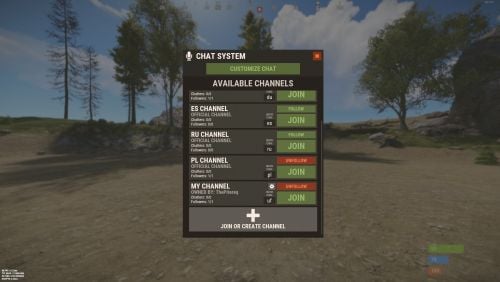
RUST Plugin Test Server TEST MY PLUGINS THERE! connect play.thepitereq.ovh:28050 Chat Nations creates new connection between players on chat by splitting chat into more channels that can be assigned for languages, teams and more. It contains detailed RUST-like UI, private messages, huge chat customization tool, private channels and many other useful features. Split your chat into smaller language channels Add private chats for your teams, friends, admins and more Customize which channels you want to see Select which channels you want to follow and see messages Global chat for server-wide messages Local chat for players near you RUST-like UI design Channel selection based on your localization Customizable primary rank display on chat Toggleable clan tag visibility option (Clans plugin) Nickname and message color customization with gradient support Titles support (PlayerChallenges plugin) Customizable prefix option for each individual player, also with full color support Voice and chat mute with full UI support Different chat message sizes based on permission Highly customizable chat display Full language support Private messages to other players Secured chat formatting Nickname re-format with ads in nickname removal API for developers /ch - Main chat customization menu (Configurable) /pm <nick> <message> - Private message command (Configurable) /r - Respond to last private message (Configurable) /mute /unmute - Opens mute UI mute <c/v/b> <userId> <duration> <reason> - Console mute command (c - chat, v - voice, b - both) (duration in format: d h m s) Example: mute b 76561198083939668 3d Test Mute unmute <c/v/b> <userId> - Console unmute command (c - chat, v - voice, b - both) Example: mute b 76561198083939668 3d Test Mute Switchable (Requirement of them can be disabled/enabled in config file) chatnations.option.prefix - Allows user to change prefix chatnations.option.clantag - Allows user to change clan tag visibility chatnations.option.colorclantag.static - Allows user to change clan tag color to static color chatnations.option.colorclantag.custom - Allows user to change clan tag color to static custom color chatnations.option.colorclantag.gradient - Allows user to change clan tag color to gradient color chatnations.option.colornick.static - Allows user to change nickname color to static color chatnations.option.colornick.custom - Allows user to change nickname color to static custom color chatnations.option.colornick.gradient - Allows user to change nickname color to gradient color chatnations.option.colormessage.static - Allows user to change message color to static color chatnations.option.colormessage.custom - Allows user to change message color to static custom color chatnations.option.colormessage.gradient - Allows user to change message color to gradient color chatnations.option.titles - Allows user to change and select title (Requires PlayerLeaderboards or PlayerChallenges) chatnations.option.customprefix - Allows user to set custom chat prefix chatnations.option.customprefix.custom - Allows user to set custom chat prefix color Other permissions chatnations.mute - Allows to use the mute and unmute command Plugin fully support plugins like Clans and PlayerChallenges. If you need some plugin implementation, feel free to ask! WARNING! This plugin doesn't work with BetterChat! PlayerChallenges Set "Maximum tags to display (Requires BetterChat)" to high value like 30 so all player tags will be available in configuration section. Dictionary<string, int> API_GetPlayersInChannels() - Returns Dictionary<string, int> with channel code as Key and online player count as Value. List<ulong> API_GetChannelPlayers(string channel) - Returns list of playerIds from channel. List<BasePlayer> API_GetChannelPlayersFull(string channel) - Returns players that belong to channel. bool IsMuted(ulong userId, bool chat = true) - Returns if player is muted. object OnNationsChat(BasePlayer player, string modifiedMessage, int channel, string channelKey, bool global, bool isOfficial) - Ran on each chat message sent. If non null returned, cancels sending message. If you need anything more, message me! { "Commands": [ "chat", "ch" ], "Private Message Commands": [ "pm", "msg" ], "Private Message Respond Commands": [ "r", "respond" ], "PopUpAPI Profile Name": "ChatNations", "Message Start Symbol": " »", "Clan Tag Default Color": "#aaee32", "Clan Tag Format": "[{0}]", "Different Tags For Clan Stages": true, "Enable Local Chat": true, "Leader Clan Tag Format": "[**{0}]", "Council Clan Tag Format": "[**{0}]", "Mod Clan Tag Format": "[*{0}]", "Leader Title Default Color": "#f2db74", "Leader Title Format": "[{0}]", "Channel Format": "<color=#aaee32>[{0}]</color>", "Global Format": "<color=#aaee32>[Global]</color>", "Team Format": "<color=#aaee32>[Team]</color>", "Local Format": "<color=#aaee32>[Local]</color>", "Private Channel Format": "<color=#aaee32>[{0}]</color>", "Custom Prefix Format": "[{0}]", "Custom Prefix Default Color": "#55aaff", "Default Custom Prefix": "CUSTOM", "Check Custom Prefix For Formatting Abuse": true, "Require Permission For": { "Switch Prefix": false, "Switch Clan Tag Visibility": false, "Nickname Color - Gradient": true, "Nickname Color - Static": true, "Nickname Color - Static Custom": true, "Message Color - Gradient": true, "Message Color - Static": true, "Message Color - Static Custom": true, "Clan Tag Color - Gradient": true, "Clan Tag Color - Static": true, "Clan Tag Color - Static Custom": true, "Switch Title": false, "Custom Prefix - Text": true, "Custom Prefix - Color Input": true, "Custom Prefix - Color": true }, "Max Custom Channels Created Per Player": 1, "Max Custom Channel Name Length": 24, "Max Custom Prefix Length": 24, "Permission Chat Message Sizes": { "chatnations.fontsize.15": 15, "chatnations.fontsize.16": 16, "chatnations.fontsize.17": 17 }, "Max Private Channel Ownership Permissions": { "chatnations.privchannels.2": 2, "chatnations.privchannels.3": 3, "chatnations.privchannels.4": 4 }, "Remove Ads In Nicknames": true, "Nick Ads List": [ "hellcase.com", "rustypot.com", "Rustchance.com" ], "Options Display Order": [ "displayed_rank", "clan_tag_visibility", "clan_tag_color", "nickname_color", "message_color", "displayed_title", "custom_prefix" ], "Static Colors - Clan Tag": [ "#eb4d4d", "#ebae4d", "#bceb4d", "#72eb4d", "#4deb5f", "#4debc1", "#4dceeb", "#4d72eb", "#6d4deb", "#bc4deb", "#eb4de0", "#eb4d94", "#eb4d50", "#e8e8e8", "#a6a6a6", "#737373" ], "Static Colors - Nickname": [ "#eb4d4d", "#ebae4d", "#bceb4d", "#72eb4d", "#4deb5f", "#4debc1", "#4dceeb", "#4d72eb", "#6d4deb", "#bc4deb", "#eb4de0", "#eb4d94", "#eb4d50", "#e8e8e8", "#a6a6a6", "#737373" ], "Static Colors - Message": [ "#ffbaba", "#ffdaba", "#f2ffba", "#d1ffba", "#baffc8", "#baffed", "#bae7ff", "#bac4ff", "#c6baff", "#debaff", "#ffbafe", "#ffbae0", "#ffbacf" ], "Static Colors - Custom Prefix": [ "#eb4d4d", "#ebae4d", "#bceb4d", "#72eb4d", "#4deb5f", "#4debc1", "#4dceeb", "#4d72eb", "#6d4deb", "#bc4deb", "#eb4de0", "#eb4d94", "#eb4d50", "#e8e8e8", "#a6a6a6", "#737373" ], "Valid Title Keys": [ "treesCut", "rocksDestroyed", "barrelsDestroyed", "botsKilled", "animalKills", "boxesLooted", "plantsGathered", "fishesCaught", "levelUps", "headshots", "helicopterKills", "bradleyKills", "dungeonsRan", "giftsOpened", "airDropsThrown", "collectiblesGathered", "rocketsFired", "explosivesThrown", "longestKill", "ammoUsed", "customCrafts", "craftedItems", "structuresBuilt", "structuresRepaired" ], "Default Channels": { "en": { "Default Follow": true, "Default Quick Code": "en", "Channel Format": "<color=#aaee32>[EN]</color>" }, "de": { "Default Follow": false, "Default Quick Code": "de", "Channel Format": "<color=#aaee32>[DE]</color>" }, "es": { "Default Follow": false, "Default Quick Code": "es", "Channel Format": "<color=#aaee32>[ES]</color>" }, "ru": { "Default Follow": false, "Default Quick Code": "ru", "Channel Format": "<color=#aaee32>[RU]</color>" }, "pl": { "Default Follow": false, "Default Quick Code": "pl", "Channel Format": "<color=#aaee32>[PL]</color>" } }, "Group Chat Formatting": { "admin": { "Is Enabled": true, "Prefix": "<color=#00e0e8>[ADMIN]</color>", "Nickname Color": "#55aaff", "Message Color": "white" }, "mod": { "Is Enabled": true, "Prefix": "<color=#00e0e8>[MOD]</color>", "Nickname Color": "#55aaff", "Message Color": "white" }, "helper": { "Is Enabled": true, "Prefix": "<color=#00e0e8>[HELPER]</color>", "Nickname Color": "#55aaff", "Message Color": "white" }, "vip": { "Is Enabled": true, "Prefix": "<color=#00e0e8>[VIP]</color>", "Nickname Color": "#55aaff", "Message Color": "white" }, "default": { "Is Enabled": true, "Prefix": "", "Nickname Color": "#55aaff", "Message Color": "white" } }, "Channel Country Assign": { "en": [ "United Kingdom", "Australia", "New Zealand", "United States", "India", "Pakistan", "Nigeria", "Philippines", "South Africa", "Tanzania", "Kenya", "Sudan", "Canada", "Ghana", "Cameroon", "Malawi", "Zambia", "Zimbabwe", "South Sudan", "Burundi", "Papua New Guinea", "Sierra Leone", "Singapore", "Ireland", "Liberia", "Jamaica", "Cyprus" ], "ru": [ "Russian Federation", "Russia", "Belarus", "Kazakhstan", "Kyrgyzstan", "Tajikistan", "Ukraine", "Moldova", "Uzbekistan" ], "de": [ "Germany", "Belgium", "Austria", "Switzerland", "Luxemburg", "Liechtenstein" ], "es": [ "Spain", "Mexico", "Colombia", "Argentina", "Peru", "Venezuela", "Chile", "Guatemala", "Ecuador", "Bolivia", "Cuba", "Dominican Republic", "Honduras", "Paraguay", "El Salvador", "Nicaragua", "Costa Rica", "Panama", "Uruguay", "Puerto Rico" ], "pl": [ "Poland" ] } }$25.00 -
Version 1.0.4
283 downloads
This pack contains the default language files for imthenewguy SkillTree & SkillTreeXPEvent plugins. It includes translations into German, Spanish, Russian, and French. If you have added your own skills, the description for each custom skill is configured in /config/skilltre.json -> "description": "your description" Your description will be automatically added to the language files with the name of your skill as the langkey, but you will need to translate it yourself ! To install the files, drag them into your folder: oxide/lang/.. carbon/lang/... Simple Template For Create Skill : Simple_Skill_Template.zip Just a really simple template to create your own skills, so you are free to add your images in the template, to create an image related to the skill you want! The lang files do not contain plugins and must be purchased by youFree- 2 comments
-
- 1
-

-
- #lang
- #languages
- (and 1 more)
-
Version 1.0.1
112 downloads
This pack contains the language files for imthenewguy's ItemPerks/ItemPerksLegendaryItems plugins and the AdvancedItemCrafting plugin. It includes translations into German, Spanish, Russian, and French. To install the files, drag them into your folder: oxide/lang/.. carbon/lang/... The lang files do not contain plugins and must be purchased by youFree -
Version 1.0.1
107 downloads
This pack contains the French/ German/ Russian/ Spanish language files for ThePitereq plugins. Supported plugins : - Submersible Pump - Virtual Quarries - Custom Recycle The lang files do not contain plugins and must be purchased by youFree -
Version 1.0.1
86 downloads
This pack contains the language French/ German/ Russian/ Spanish files for KpucTaJl events. Supported events: - AirEvent - ArcticBaseEvent - BossMonster - DefendableBases - DefendableHomes - FerryTerminalEvent - GasStationEvent - HarborEvent - JunkyardEvent - PowerPlantEvent - SatDishEvent - SupermarketEvent - WaterEvent - WaterPatrol The lang files do not contain plugins and must be purchased by youFree -
Version 1.0.0
55 downloads
This pack contains the default language files for imthenewguy Cooking plugin. It includes translations into German, Russian, Spanish and French. To install the files, drag them into your folder: oxide/lang/.. carbon/lang/... The lang files do not contain plugins and must be purchased by youFree -
Version 1.0.0
70 downloads
This pack contains the language files for imthenewguy's EpicLoot plugin and the AdvancedItemCrafting plugin. It includes translations into German, Spanish, Russian, and French. To install the files, drag them into your folder: oxide/lang/.. carbon/lang/...Free -
Version 1.0.0
16 downloads
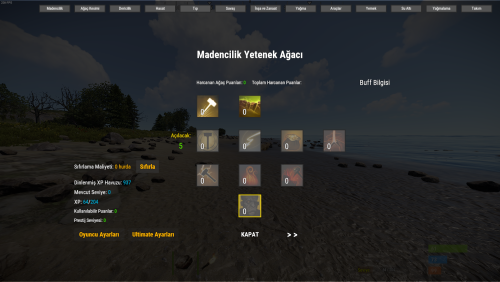
First of all, hello everyone. This is not a plugin; it is just a language pack. To install it, all you need to do is purchase the plugin and run it once on your server. After that: Replace the /server/oxide/lang/en/SkillTree.json file with this one. It’s that simple. Whenever the plugin owner releases an update, I will also update the language pack. I have obtained permission from the plugin owner, and I plan to translate it into other languages in the future. If you encounter any issues, such as something not working, or if you have any questions, feel free to contact me. I am always here to help.$3.00