Search the Community
Showing results for tags 'map'.
-
Version 2.2.7
4,113 downloads
Admin Map is an innovative plugin for the game of Rust, designed to make server administration easier and improve the quality of the gaming experience. Focused on optimization and functionality, this plugin provides admins with the tools to effectively control players, minimizing the negative impact on the server and other participants. Main features: Interactive map with players: Admin Map provides server admins with a detailed and user-friendly map showing the positions of all players. This allows admins to easily monitor player activity and movements, and quickly detect suspicious activity. Large variety of different admin map layers: - Marker, - Text , (It's still there, but it no longer looks the same due to the Facepunch update on August 6.) - Sleeper, - TC, - Stash, - Sleeping Bag Quick Commands on Players: The plugin allows admins to perform quick actions on players directly from the map. Send messages, punish or help players in real time, minimizing reaction time and increasing interaction efficiency. Minimal server load: One of the key features of Admin Map is its low server load. All processing takes place solely on the client side, which means that the plugin will not slow down the server or create additional delays for players. This makes it an ideal choice even for servers with high traffic. Ease of use: The plugin's intuitive user interface provides admins with easy access to functionality. Navigating the map, sending commands and monitoring players is done with minimal effort, making server administration easy. Customization: Admin Map provides admins with the option to customize the functionality to suit their needs. Scanning area, available commands, buttons, permissions and other options. Support in RUST+: You will be able to view players online on the map directly in your phone without going to the server! Admin Map is an innovative solution that combines convenience, functionality and optimization. It provides administrators with tools to effectively manage players without negatively impacting gameplay and other server participants. The Admin Map plugin is an essential asset for any Rust server administrator looking to create a comfortable and safe gaming environment. Permissions: adminmap.allow - for use adminmap and hardcore bypass adminmap.<button perm> - any permissions specified in the button settings adminmap.teleport2marker - teleportation by marker via CTRL+RMB adminmap.invis - hide player from the player map adminmap.rust+ - enable rust+ admin map adminmap.rust+.invis - hide from rust+ admin map (recommended in case of giving the map to players) Commands: /amap - show sidebar /amap off - disable everything and hide the sidebar Color designations on the cupboards map: Default Config: { "Auto show sidebar panel": true, "Open the admin menu instead of the action menu": false, "Text Map Settings": { "Font size": 8.0, "Use color generation for teams?": true, "Color for team": "ffaf4d", "Color for solo player": "9bd92f", "Color for sleeper": "404040" }, "Command Buttons": [ { "Permission (adminmap.<perm>)": "", "Label": "TP", "Command": "teleport {steamid}", "Color": "1 1 1 1" }, { "Permission (adminmap.<perm>)": "", "Label": "TP2ME", "Command": "teleport {steamid} {admin.steamid}", "Color": "1 1 1 1" }, { "Permission (adminmap.<perm>)": "", "Label": "INV", "Command": "/viewinv {username}", "Color": "1 1 1 1" }, { "Permission (adminmap.<perm>)": "", "Label": "SPECTATE", "Command": "spectate {steamid}", "Color": "1 1 1 1" }, { "Permission (adminmap.<perm>)": "", "Label": "KILL", "Command": "kill {steamid}", "Color": "0.9 0.1 0.25 1" }, { "Permission (adminmap.<perm>)": "", "Label": "KICK", "Command": "kick {steamid}", "Color": "0.9 0.1 0.25 1" }, { "Permission (adminmap.<perm>)": "", "Label": "SHOW\nTEAMMATES", "Command": "adminmap.cmd show_player_teammates {steamid}", "Color": "1 1 1 1" }, { "Permission (adminmap.<perm>)": "", "Label": "SHOW\nPRIVLIDGES", "Command": "adminmap.cmd show_player_privlidges {steamid}", "Color": "1 1 1 1" }, { "Permission (adminmap.<perm>)": "", "Label": "SHOW\nSLEEPING\nBAGS", "Command": "adminmap.cmd show_player_sleepingbags {steamid}", "Color": "1 1 1 1" }, { "Permission (adminmap.<perm>)": "", "Label": "SHOW\nSTASHES", "Command": "adminmap.cmd show_player_stashes {steamid}", "Color": "1 1 1 1" } ] } Button Library: Give item to player for AdminMenu by k1lly0u | Minimum required version 1.0.1 { "Permission (adminmap.<perm>)": "", "Label": "GIVE", "Command": "adminmenu.callback {steamid}.4;adminmenu.callback {steamid}.4", "Color": "1 1 1 1" } Permanent ban { "Permission (adminmap.<perm>)": "", "Label": "BAN", "Command": "ban {steamid}", "Color": "1 0 0 1" } View backpack (for Backpack Pro) { "Permission (adminmap.<perm>)": "", "Label": "Backpack", "Command": "/b {steamid}", "Color": "1 1 1 1" } View backpack (for Backpacks plugin from uMod) { "Permission (adminmap.<perm>)": "", "Label": "Backpack", "Command": "viewbackpack {steamid}", "Color": "1 1 1 1" } Spectate { "Permission (adminmap.<perm>)": "", "Label": "SPECTATE", "Command": "spectate {steamid}", "Color": "1 1 1 1" } If you want to add buttons here, message me on my discord server$20.00 -
Version 1.1.1
37 downloads
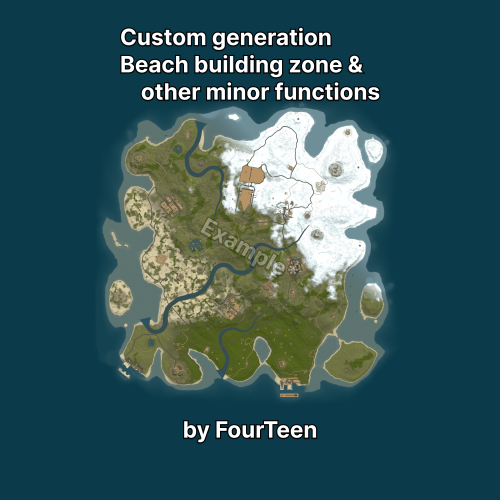
FCustomGeneration Adds prefab containers to procedural map generation on the server and controls placement, terrain and standard generation components. SECTION 01 Getting started Add a prefab container together with its layers to the required category. Start the server. A separate configuration file will be created for the container. Stop the server and configure its placement. On the next wipe, start the server normally. No additional action is required. All generation changes are applied only when a new map is created during a wipe. Reloading the plugin or restarting the server does not modify an existing map. A new wipe is required for changes to placement, terrain, WorldConfig or generation components to take effect. If you plan to use the full feature set, it is strongly recommended to configure and verify the map on a separate test server first. Placement, terrain and component settings may require several test wipes to get right. Be aware that Facepunch may ban the server IP address for frequent wipes. Use a local server for testing or be prepared for this risk. Custom structures are added to /data/FCustomGeneration/CustomMonuments/. Place the .prefab file and the layers saved with it in the appropriate folder: Category Placement Monument Ground Island Island with its own terrain Water Water surface Underwater Seabed FlyingIsland Specified altitude Roadside Beside a road ReplaceMonument In place of a standard monument The category provides the initial configuration values. After the file is created, the placement type and all other parameters can be changed manually. Additional subfolders are also read, but they do not receive a special preset. For example, a Rail folder is used only for organisation and receives the regular ground settings. SECTION 02 Editing a standard monument The /data/FCustomGeneration/Monuments/ folder accepts .map files used to extend standard monuments. The .map filename must match the root prefab name of the standard monument. That prefab must also be present inside the map: the plugin uses it as the origin, rotation and scale reference, then copies the remaining objects and paths onto every instance created by the server. This method does not create a new monument and has no separate placement configuration. It modifies the matching standard monument while the map is being created. A wipe is required for changes to appear. SECTION 03 Custom monument configuration A prefab container does not have to be a full monument. It can contain a small shed with a recycler and a few crates, a single object, flat terrain or a prepared building area, an island, a group of structures or an entire city. Count and distances Setting Effect Enabled Includes the structure in generation Target count Number of copies the plugin will attempt to place World size count multiplier Adjusts the count for different world sizes. The final count is the target count multiplied by the curve value Minimum world size The structure is not generated on smaller maps Attempts per structure Number of positions checked for each copy. A larger value helps with strict filters but increases generation time Minimum same type distance Spacing between copies of this container Minimum different type distance Spacing from other monuments Same prefab distance mode Any, Min or Max for copies of this container Other prefab distance mode Any, Min or Max for other monuments The world size count multiplier contains a list of points: Field Meaning Points Set of world sizes and their multipliers World size World size associated with the multiplier Multiplier Amount by which the target count is multiplied The multiplier is interpolated linearly between points. Outside the defined range, the nearest end point is used. Distance mode is configured separately for the same prefab and for other prefabs. Both fields accept these values: Mode Result Any First valid position Min Position closer to other objects while respecting the minimum spacing Max Most distant valid position Larger counts, structure bounds, spacing values and filter sets reduce the chance that every requested copy can be placed. Placement filters Setting Check performed Splat layers Ground surface type Biomes Arid, Temperate, Tundra, Arctic, Jungle Topology any At least one listed topology must match All topologies The area must contain every listed topology Topology not Areas containing the listed topologies are excluded Topology check radius Size of the checked area around the position Minimum distance to forbidden topology Additional spacing from roads, rivers, shores and other excluded areas Check placement map Prevents use of an area already occupied by the map generator The meaning of -1 and 0 depends on the field: Value Use in Result -1 Splat layers, Biomes, Topology any Any value is allowed 0 All topologies, Topology not The requirement or exclusion is disabled Do not use 0 for Splat layers, Biomes or Topology any. The server reports that mask as invalid. In the current version it effectively applies no restriction, but -1 is the supported value for "any". An empty string in All topologies or Topology not has the same effect as 0. For a large structure, do not check only its centre. Increase the topology radius and leave enough clearance from forbidden areas. A wide radius combined with a long exclusion list can remove almost every available position. Search area Search area mode accepts one of three values: Mode Search region Terrain Inside the main map ExtendedTerrain Inside and outside the main map OutsideTerrain Outside the map boundary only Additional settings: Setting Effect Extra bounds Search distance beyond the main map Min distance outside terrain Minimum outward distance from the map edge Max distance outside terrain Maximum outward distance. A value of 0 removes the limit Min terrain edge distance Prevents placement directly against the map boundary Extra terrain edge padding Adds clearance for the structure bounds Use terrain filters outside map Applies splat, biome, topology and placement-map checks outside the main area Clamp height/water checks to map edge Uses the nearest available edge sample for positions outside the map For an offshore structure outside the playable island, OutsideTerrain usually needs a minimum outward distance and a maximum distance limit. Without an upper limit, the structure may be placed far from the island. For ExtendedTerrain and OutsideTerrain, set Extra bounds or a positive maximum distance outside terrain. If both are 0, the search area does not extend beyond the map and OutsideTerrain cannot find a position. When terrain filters outside the map are disabled, splat, biome, topology and the placement map are skipped there; height, water, terrain difference and monument distances are still checked. SECTION 04 Placement type and height Placement type Value Behaviour Ground Placement on terrain Water Placement at ocean level Underwater Underwater placement with seabed checks Flying Placement at a specified altitude Roadside Finds a side road and aligns the structure to its direction Roadside requires a correctly prepared road or trail inside the container. The first such path is used for alignment; rail paths are skipped. Direction and height come from the selected server road segment, so height mode, random yaw and a fixed map point do not apply to Roadside. Height mode Value Height source Auto Ground uses terrain, Water uses ocean level, Underwater uses the seabed, and Flying uses absolute height Terrain Terrain surface or seabed Water Ocean level Absolute World zero height Height offset is applied after the base height is calculated. A positive value raises the structure and a negative value lowers it. Terrain height sample mode accepts one of four values: Value Calculation Center Height at the centre Average Average height across the structure area Min Lowest sampled point Max Highest sampled point Terrain height sample radius multiplier changes the sampled area. A value of 1 uses the regular structure bounds. A value that is too large may include a nearby slope. Max terrain height difference rejects uneven areas. A small value produces flatter placement but reduces the number of available positions. A larger value makes placement easier but increases the chance that an edge will be above ground or inside a slope. The maximum terrain difference check applies only to Ground placement. When terrain layers are disabled, a height layer stored in the container is not used for height selection or terrain difference checks. Water depth Minimum water depth rejects shallow water. Maximum water depth prevents placement in excessively deep water. A value of 0 disables the upper limit. The full structure area is checked, so a large platform or island needs sufficient depth at its edges as well. SECTION 05 Container terrain When Apply terrain layers is enabled, the container supplies: terrain shape; surface textures; terrain transparency; biome data; topology data. Smoothing joins the new terrain to the map: Setting Effect Height smoothing passes More passes soften the transition more strongly Height smoothing outside distance Width of the transition around the structure Height smoothing inside distance Smoothing inside the structure bounds. A value of 0 disables the inset; a large value changes the prepared centre area Height smoothing strength Smoothing intensity from 0 to 1 Increase the outside distance to correct a sharp edge. If the centre is being deformed, reduce the inside distance and smoothing strength. SECTION 06 RustEdit loot and vending presets If a container or shop uses a custom RustEdit preset, copy the preset file into the plugin folder: File Folder .lprof /data/FCustomGeneration/CustomMonuments/_Presets/LootPresets .vprof /data/FCustomGeneration/CustomMonuments/_Presets/VendingPresets For loot containers, the plugin uses the preset item list, minimum and maximum item count, blueprint chance and refresh time. NPC vending machines receive the sell orders from the vending preset. Loaded presets are stored inside the generated map file. The map can then be moved to another server without separate .lprof and .vprof files, but FCustomGeneration must be installed. The version embedded in the map takes priority. Generate the map again after changing a preset, otherwise the map will continue using the older embedded version. The map also stores entities added by the plugin, building blocks, IO connections and the required topology data. FCustomGeneration restores them on the destination server. SECTION 07 Paths The plugin transfers every path from the prefab container. A single structure can contain multiple roads, trails and railway paths at the same time. The connection type is selected automatically: Rail for a path with railway topology, Trail for a trail and Road for a regular road. Every detected path receives its own entry in the custom structure configuration, where the first and last ends can be enabled independently. A road and a railway path inside the same prefab container can therefore use different settings. When the configuration is first created, it uses the values stored in the prefab container. If RustEdit saved both ends of a railway path as disabled, enable the required ends in the configuration and wipe the server so the railway generator can use the structure on the new map. The path direction inside the container determines which side connects to the external path. Roadside placement also requires enough free road length and no nearby intersection. SECTION 08 Map point Use map point enables a fixed map region. When disabled, the plugin searches the complete selected search area. The map is divided into nine regions from left to right: 1-3 are at the top, 4-6 in the middle and 7-9 at the bottom. 5 is the centre. Map point offset X and Map point offset Z move the position within the selected region. Water depth, terrain, topology and distance rules are still checked. If the selected point does not satisfy them, the plugin searches for another valid position. With a map point enabled, no more than one copy is created regardless of Target count. The fixed Yaw value is used; Random yaw does not apply in this mode. SECTION 09 Rotation, scale and map marker Yaw sets a fixed rotation. Random yaw selects the angle automatically. It is normally disabled for roads, entrances and bridges. Scale changes the model size, bounds, paths, check radius and required free area. Create Monument topology marks the occupied area as a monument. Clear topologies after spawn removes selected topology types inside the structure area. Map marker text creates a map label. An empty value disables it. After increasing the scale, you may also need more spacing from other objects, the map boundary and the shore. SECTION 10 Replacing a standard monument Setting Behaviour Enabled Enables replacement Original monuments List of matches against standard object paths Replace chance percent 100 replaces every matching object; 0 disables replacement Keep original monument Keeps the standard object together with the custom structure Use original rotation Copies the orientation of the replaced monument Replacement count is determined by the number of matching standard monuments and the replacement chance. Target count, attempts, filters, distances and map point are not used for replacement. Minimum world size still applies. Height offset, scale, layers, paths, topology and the map marker are applied to every completed replacement. Use a sufficiently specific part of the original path. A short generic match can affect several different objects. Keeping both the original and custom structures is suitable only for an overlay prepared for that monument. SECTION 11 General plugin settings Shallow water This section raises and smooths the seabed within the selected depth range. Setting Effect Enabled Enables shallow water processing Beach depth Target depth of the processed area Depth limit Range of seabed depths included in processing Edge smooth radius Width of the transition Lerp power Smoothness of the transition Max rise Maximum amount by which the seabed can be raised above the target A wider depth range and smoothing radius produce a larger shallow-water area and a more visible change to the shore. Other settings Setting Effect Server browser map name Replaces the displayed map name. An empty value keeps the standard name Prefab blacklist Removes standard objects by a match in their name Log custom monument spawn results Records the requested and actual count after generation Existing prefabs on map points Places existing game objects in one of the nine map regions Use precise entries in the prefab blacklist. A generic word may remove several unrelated groups of decoration. This blacklist operates independently from WorldConfig. Inside WorldConfig, its blacklist is checked before its whitelist. A whitelist entry does not restore an object that has already been blocked by the blacklist. Each map-point prefab entry contains: Setting Effect Enabled Enables the entry Prefab path Standard game object to create Category Generation group to which the object is added Replace original prefab Removes regular procedural copies of this object Map point Region from 1 to 9 Offset X Horizontal offset on the X axis Offset Z Horizontal offset on the Z axis Height offset Raises or lowers the object Yaw Object orientation Scale Object size SECTION 12 World generation settings Setting Effect Unlock map size limit Allows world sizes above the standard limit Remove grass on map Removes grass and bushes across the map Allow building on roads Removes the building restriction from road topology Disable subway/tunnel generation Removes the underground railway and its entrances Monument priority Gives selected standard monuments an earlier placement position A larger map requires more memory and more generation time. When road building is enabled, players can block traffic. A long monument priority list leaves less space for other objects. WorldConfig Use WorldConfig replaces the standard world settings with values from this section. Setting Effect JSON string Internal WorldConfig string. Leave it empty; the separate fields below are used instead Tier 0 fraction Share of areas with entry-level loot Tier 1 fraction Share of areas with mid-level loot Tier 2 fraction Share of areas with high-level loot Arid fraction Share of the desert biome Temperate fraction Share of the temperate biome Tundra fraction Share of the tundra biome Arctic fraction Share of the arctic biome Jungle fraction Share of the jungle biome Main roads Enables or disables main roads Side roads Enables or disables side roads Trails Enables or disables trails Rivers Enables or disables rivers Power lines Enables or disables power lines Above-ground railway Enables or disables the surface railway Underground railway Enables or disables the underground railway Underwater laboratories Enables or disables underwater laboratories WorldConfig blacklist Standard prefabs that cannot be generated WorldConfig whitelist When not empty, only matching prefabs are generated Tier 0 to Tier 2 values are normalised against their total. Arid, Temperate, Tundra and Arctic are normalised in the same way; Jungle is handled separately. Setting all four main biome values to zero produces a fully temperate distribution. A very small biome share reduces the available space for monuments restricted to that biome. Generation components The list comes from the current server build and is written to the configuration when the server starts. The section may be empty before the first start. Once the list appears, stop the server, change the required values and create a new map on the next wipe. These changes are not applied to an existing map. Component names are not translated in the configuration. Use the exact English name. Entry setting Effect Name : Название Exact component name Enabled? : Включен? Whether the component runs Apply values? : Применять значения? Applies parameters from the Values section Values : Значения Component parameters available for editing If an entry only contains Enabled, that component can only be enabled or disabled. Apply values and Values only appear for components with available parameters. Components without Values are therefore not listed separately in this guide. PlaceMonuments components commonly expose: Setting Effect TargetCount Maximum number of different prefabs the component will attempt to place TargetCountWorldSizeMultiplier Adjusts the limit according to world size MinWorldSize Skips the component on smaller maps MinDistanceSameType Spacing between monuments from the same set MinDistanceDifferentType Spacing from other monuments DistanceSameType and DistanceDifferentType Any, Min or Max position selection Filter Allowed biomes, surface and topology TargetCount does not create multiple copies of the same standard prefab. If a set contains three eligible variants, a value of 1000 still places no more than three. This applies to sets such as Desert Military (PlaceMonuments), Fishing Villages (PlaceMonuments), Oasis (PlaceMonuments), Lakes (PlaceMonuments), Caves (PlaceMonuments) and Underwater Labs (PlaceMonuments). For PlaceMonuments, TargetCount 0 means no overall limit; it does not disable the component. Use Enabled to disable it. This differs from Target count in a custom monument configuration, where 0 prevents the structure from being created. Main Monuments (PlaceMonuments) is a set of different main monuments. Increasing TargetCount above the number of available prefabs adds nothing, while lowering it limits how many different monuments can be selected from the set. The final count also depends on world size, each prefab's minimum world size, filters and available space. Road, trail and river components may expose Width, TerrainOffset, length and count limits, selection mode and smoothing. A MaxPathCount below 0 keeps the standard number of paths, 0 removes all paths and a positive value sets the maximum. Underwater Labs (GenerateDungeonBase) exposes segment count, budget and floor limits for the initial section, start extension, end extension and open-socket filling stages. Only change fields added by the plugin to the Values section of that component. Disabling an early stage affects later stages. Without the road topology pass there is no road texture, road mesh or roadside decoration. Without a river there is nothing for later river stages to process. SECTION 13 Terrain configuration This experimental section changes the shape of the procedural map. When it is disabled, the server uses standard terrain generation. Setting Standard value Effect Enabled false Applies the values from this section Island intensity 0.1 Strength of the island shape and balance between land and water; range 0 to 1 Terrain blend scale 1 Scale of the transition between the main terrain forms Terrain shape scale 4 Size and strength of large terrain forms Terrain base offset -0.4 Moves the base shape up or down Terrain sample step 0.05 Sampling step for large terrain detail Terrain detail sample step 0.05 Sampling step for fine terrain detail Terrain blend half 0.5 Centre of the transition between terrain forms Terrain blend start 0.25 Point at which blending starts Terrain blend end 0.75 Point at which blending ends Terrain height range multiplier 2.75 Overall difference between lowlands and peaks Terrain world size scale 800 Size of terrain features relative to the map Terrain noise frequency A 0.0002 Frequency of large shape changes Terrain noise frequency B 0.0009 Frequency of additional shape changes Terrain height bias -0.1 Additional offset applied to calculated height Terrain angle degrees 180 Angular range used to build the terrain shape Ridge height offset -0.15 Vertical position of ridges Ridge noise blend 0.3 Amount by which ridges blend with the main terrain Ridge noise offset -0.02 Threshold at which ridges appear Ridge noise scale 0.025 Size of the primary ridge form Ridge noise scale secondary 0.03 Size of the secondary ridge form Mountain detail height scale 0.04 Amplitude of fine mountain detail Mountain height scale 0.07 Overall mountain height; range 0 to 0.3 Mountain noise offset -0.01 Threshold at which mountain areas appear Mountain noise scale 0.035 Size of mountain forms Lowland height scale 0.002 Strength of detail in lowlands Base noise octaves 6 Complexity of large forms; range 1 to 16 Detail noise octaves 8 Amount of fine detail; range 1 to 16 Terrain blend start must be below terrain blend half, and terrain blend half must be below terrain blend end. Both offsets affect the final height. A higher frequency produces smaller features. More octaves add detail and increase processing time. SECTION 14 If a monument was not placed Check the following in order: The structure is enabled, target count is above zero, and world size is not below the configured minimum. Biome, surface and topology settings do not conflict. Distance values and check radius are not excessive. The permitted terrain height difference is not too small. Water is deep enough across the complete structure area. Search area matches the selected placement type. Attempts per structure is sufficient for the selected restrictions. Problem Adjustment Fewer copies were placed Reduce spacing or the number of filters, or increase attempts Object is inside the terrain Raise height offset or select Average or Max Object is above the terrain Lower height offset or select Average or Min A hill or depression appears around the object Check terrain layer transfer, then reduce smoothing inside distance and strength A water object was placed close to shore Increase minimum water depth and distance from shore topology Selected map point was not used Relax its filters or adjust offset X and Z Changes are not visible on the current map Generation settings take effect on the next wipe$30.00 -
Version 1.0.9
2,196 downloads
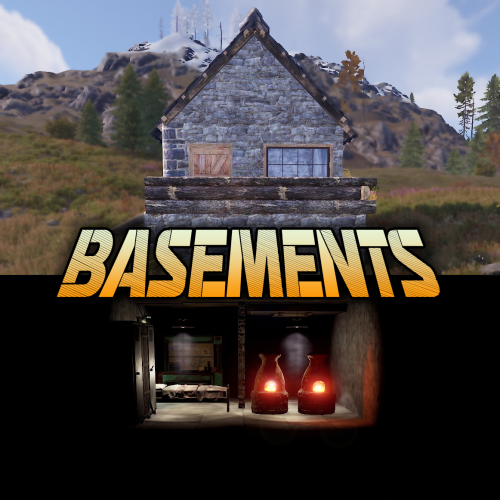
Basements lets players build underground rooms beneath their bases. Place a hatch on your foundation and dig straight down into a hidden basement with walls, ceilings, and full building privileges. Great for stashing loot, setting up secret bunkers, or just adding extra space. Readme Link - Click Here for Instruction and Documentation Highly recommend reading the FAQ section! BUILD Build basements easily from your tool cupboard. Just place an entrance to get started. EXPAND Expand your basement by drilling underground. But don't forget to bring a headlamp - its dark down there! TRAVERSE Place multiple entryways, building out your labyrinth of tunnels beneath your base. DECORATE All deployables, electricity, and storage items can be placed in your basement. Take advantage of your new space! RAID Nothing is safe in Rust, including your basement. If all the entrances are destroyed, then the basement is too. Any loot below will float to the surface. Protect the entrance at all costs! API METHODS (For Plugin Developers) // Returns true if the given entityId is part of a basement. bool IsBasementEntity(ulong entityId) // Returns the building ids of the basements connected to a given surface building id. uint[] GetBasementBuildingIds(uint surfaceBuildingId) // Returns the building ids of the surface buildings connected to a given basement building id. uint[] GetSurfaceBuildingIds(uint basementBuildingId) Extension Plugins These are free plugins that add additional functionality to Basements. BasementsManager Provides a UI for admins to view and manage the basements on the server. Useful for debugging & fixing issues. Use with the /bm command, requires the basements.admin permission to use. BasementsManager.cs$29.99 -
Version 1.2.3
314 downloads
The map partially follows the landscape of the Amazon River. A new unusual gaming experience, since almost the entire central part of the map is forest and water. It’s easy to get lost in this forest, but it’s also easy to hide your base. The water that surrounds many islands allows you to use a boat as a means of quickly moving around the map. On the river, just like on the edges of the map, heaps of trash appear that can be looted. Also on the sides of the river there are large islands on which the main prefabs are located. The road and railway cross the river on bridges and run along the perimeter of the island. A zipline will help you quickly move from one bank to another if there is no transport. Ore stones spawn in the forest. Custom locations that help create a jungle atmosphere near the river. Features: Size: 4000 Prefab: ~13к All locations are connected with the road Ring railway Unique custom locations Magnificent and realistic landscape Lot of places to explore Subway and train are connected by tunnel Advanced subway network Custom Monuments: Paradise Beach Fishermen`s House Abandoned village Radio tower Main Bridge Fallen rocket Monument Rust: Jungle Ziggurat Jungle Ruins Jungle Trees with vines Jungle Swamps Radtown Harbor 1 and 2 Missle Silo Ferry Terminal Trainyard Abandoned MIlitary Base Launch Site Arctic Research Base Satellite Dish+ Airfield Bandit Camp Outpost Giant Excavator Pit Junkyard Military Tunnel The Dome Lighthouse Ranch Large Barn Water Treatment Fishing Village 1,2,3 Underwater Lab Oil rig and Large Oil Rig Railway Sewer Branch HQM, Sulfur, Stone Quarry Roadside Monument Mining Outpost Supermarket Gas Station Please rate the map. Thank you! The map is password protected, if you want to make changes or you have any questions please write to me in discord. Litum on -$29.99 -
Version 4.0.0
26 downloads
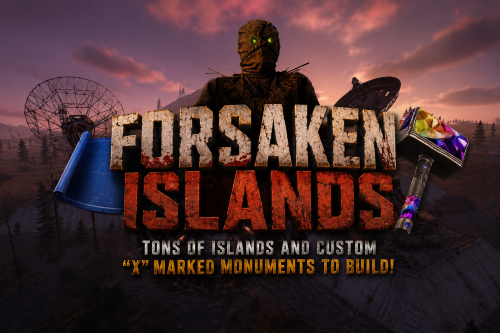
FORSAKEN ISLANDS – 5000K CREATIVE RUST MAP MADE FOR BUILDERS AND EXPLORERS! Forsaken Islands is a hauntingly beautiful and dangerously fun 5000K Rust map built for explorers, survivors, and creative builders alike. Packed with every major monument and 40+ custom marked build locations hidden across eerie islands, forgotten coastlines, and mysterious terrain. Designed with ultra low entity counts for buttery smooth performance, endless creativity, and nonstop gameplay. Your players will NEVER run out of creepy new places to explore, conquer, and build on Forsaken Islands. Even though this is a 5000K Map performance is top notch! Land mass is more closer to a 4500 size Map because of all the islands and rivers. What Makes It Special 40+ Custom Build Zones marked with an "X" on the Map!!! Your players will NEVER run out of fun places to build their base! We use super shallow beach areas so there are always spots for players to build and endless spots for your Raidable Bases to spawn. These shallow beach waters go out very far allowing for spawning and building of all types! Fully connected train tracks + underground rails for fast travel and tactical control Endless Custom Buildable areas/Caves/Rock Formations that players will love! Beautiful Snowy Mountains, Rivers, Canyons and Valleys players can Build on Diverse terrain: forests, deserts, coasts, cliffs, valleys & plateaus Perfect for solos, clans, builders, and high-pop servers. SUPER Low-prefab, FPS-friendly buildables: Custom caves Floating Crystal Rock Islands with HeliPad Custom HUGE Bus Stop Bases! - Enjoy those nostalgic bus stop builds Underwater Locations to build a base Hidden structures Unique build pockets with glass roofs Works with 100% of all Popular Events Plugins like Convoy, ArmoredTrain, Raidable Bases, Sputnik, Airfield Event and many more! Custom Monuments: Stinky Man Joes Bridge Crystal Island All Facepunch Monuments Included: Launch Site • Military Tunnels • Military Base • Silo • Airfield • Power Plant • Water Treatment • Trainyard • Harbors • Outpost • Excavator • Large Oil Rig • Small Oil Rig • Arctic Base • Junkyard • Sphere Tank • Satellite Dish • Ferry Terminal • Sewer Branch • Abandoned Supermarket • Oxum's Gas Station • Mining Outpost • Lighthouse • Bandit Camp • Fishing Village • Large Barn • Underwater Labs • Stone Quarry • Sulfur Quarry • HQM Quarry • Underwater Labs • Abandoned Cabins • Jungle Ziggurat • Jungle Ruins • Caves • Ranch — and more. Map Info Size: 5000k Prefabs: ~8140 Support Discord: Dymize_$29.99- 1 review
-
- 1
-

-
- #custom map
- #5000k
- (and 42 more)
-
Version 2.0.0
86 downloads
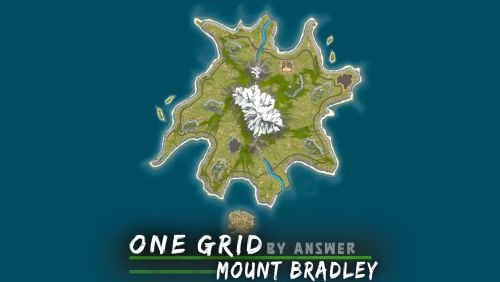
A 'one grid' custom map designed for high performance. The mountain in the middle provides unique landscape, while also containing 2 entrances that lead to the bradley APC. This map is constantly supported and updated for the current version of the game with all updates! NOTES – If you need support, join my brand new discord server @ discord.gg/TJxwpKT2Ge – The password for the editor is included with the map. (you're allowed to edit the map for your own use) - Prefabs: 2803 (high performance) HIGHLIGHTED FEATURES > Detailed terrain work – This map was made entirely manual. > 4 islands that players can build on. > 2 custom barges that players can build on, marked with X on the map. CUSTOM MONUMENTS > Cobalt Bunker - Blue Keycard Puzzle (contains the bradley apc, has 2 entrances in the mountain) > Military Settlement - MLRS, scientists, blue keycard puzzle > Improvised Hangar - Green Keycard Puzzle > Tugboat Docks - contains Tugboat spawns > Bandit Fishing Village - Safe zone CUSTOM PREFABS > 2 bridges over the rivers. > 2 buildable barges on the water marked with X. > Waterfalls FACEPUNCH MONUMENTS > Nuclear Missile Silo > Sunken HQM Quarry > Lighthouse > Oxum's Gas Station (motorbikes will spawn here) > Underwater Lab > Small and Large Oil Rig$14.90 -
Version 1.0.1
288 downloads
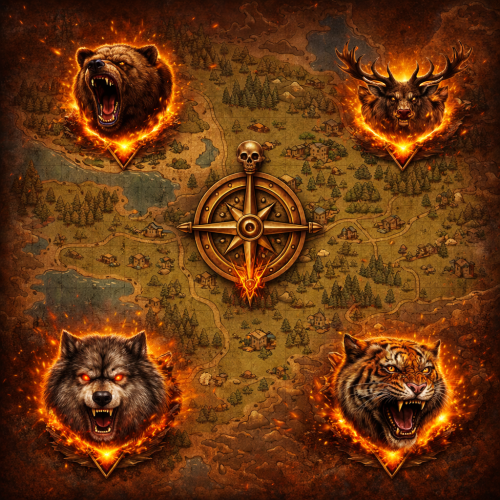
AlphaAnimals Map automatically shows AlphaAnimals on the in-game map. Markers follow each Alpha as it moves and are removed when the animal dies or despawns. Requires the AlphaAnimals plugin. <----- Compatible with BackToTheWild. <----- No configuration needed. No permissions. Configuration : { "Marker Settings": { "Primary Color (Hex)": "#00FF00", "Secondary Color (Hex)": "#000000", "Alpha": 0.45, "Radius": 0.2 } }Free -
Version 3.0.0
31 downloads
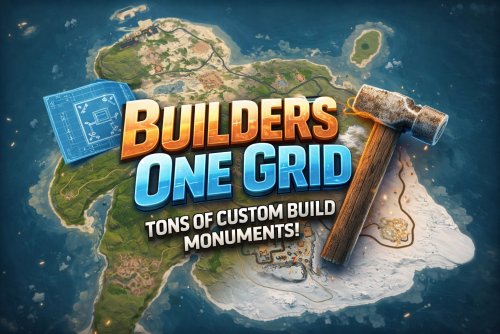
BUILDERS ONE GRID – 2000K CREATIVE SMALL RUST MAP Builders One Grid is a small fast-paced, builder-friendly 2000k Rust map loaded with Custom Buildable Monuments created by myself! The problem with most One Grid Maps is the lack of places for players to build. With my map your players will have tons of fun and unique spots to build a base from cool caves, military installations, bus stops, icebergs, houses, islands and much more! Many many monuments to loot as well! Designed for smooth performance, creative freedom, and competitive gameplay. What Makes It Special: Endless Custom Buildable areas that players will love! Marked with an "X". Diverse terrain: forests, jungles, deserts, coasts, cliffs, valleys & plateaus. Perfect for solos, clans, builders, and high-pop servers. Custom Build Zones Low-prefab, FPS-friendly buildables: Custom caves Military Installations Hidden structures Unique build pockets Arch Rocks Icebergs Bus Stops Many Facepunch Monuments Included Military Base • Missile Silo • Water Treatment • Harbor • Outpost • Large Oil Rig • Small Oil Rig • Arctic Base • Sphere Tank • Satellite Dish • SuperMarket • Gas Station • Lighthouse • HQM Quarry • Sulfur Quarry • Stone Quarry • Jungle Ziggurat • Fishing Village — and more. Map Info Size: 2000K Prefabs: ~2251 Support Discord: DarkoRust$19.99-
- 1
-

-
- #map
- #custommap
- (and 20 more)
-

Version 1.8.2
1,020 downloads
What is MapVoter? MapVoter is a comprehensive Rust server management plugin that automates the entire wipe cycle - from map generation and community voting to server restarts and updates. Let your players choose the next map while you enjoy fully automated server maintenance. Perfect for: - Community servers wanting player engagement - Server owners seeking automation - Admins tired of manual wipe management - Servers with regular wipe schedules - Review Generated Maps Key Features Map Voting System - In-Game UI Voting - Interface for players to vote - Discord Integration - Vote directly from your Discord server - Multiple Map Sources - Generate random maps, use RustMaps.com filters, or create custom maps - Duplicate Vote Prevention - Optional Discord authentication to prevent vote manipulation Fully Automated Wipe Management - Scheduled Auto-Wipes - Set your wipe schedule (weekly, bi-weekly, monthly) - Forced Wipe Support - Automatically handles Rust's monthly forced wipes - Custom Wipe Cycles - Define your own map/BP wipe schedules - Countdown Timers - Players see exactly when the wipe occurs - Pre-Wipe Voting - Start votes X days before wipe for maximum participation Flexible Map Generation - Procedural Maps - Generate random maps with custom seeds - RustMaps.com Integration - Select from thousands of pre-made maps - Filter Support - Use RustMaps filter IDs to match your server style (staging, etc.) - Custom Map URLs** - Use your own map files or RustMaps premium maps - Auto-Generate Custom Maps - Subscribers can auto-generate maps every wipe UI Design - In-Game Interface - Clean voting and admin menus - Admin Dashboard - Settings GUI for easy configuration Fun Kit System - Pre-Wipe Events - Enable fun kits before wipe to keep players engaged - Automatic Activation - Triggers X minutes before wipe - Blueprint Lock - Prevents BP farming during fun kit period - Kits Plugin Integration - Works with your existing kit setups Discord Bot Integration - Vote Embeds- Discord embeds showing all map options - Command Support - Admin control from Discord - Role-Based Permissions - Restrict commands by Discord roles - Multi-Channel Support - Configure different channels for different commands - Embed Customization - Add your branding with custom avatars and footers Server Automation - Auto-Updates - Automatically updates server and Oxide - File Cleanup - Selectively delete plugin data on wipe - Server.cfg Management - Automatically updates map seed/size/URL Advanced Configuration - In-Game Settings Editor - Change settings without editing files - Granular Control - Configure every aspect of voting and wiping - Permission System - Control who can vote and manage - Debug Logging - Track auto-wipe progress for troubleshooting - Server Identity Support - Works with multi-server setups Review Generated Maps MapVoter can optionally pause the normal vote flow and review generated RustMaps results before the player vote starts. - Auto Check - Check if Maps has the correct monuments - Manual Approval - Posts map reviews to Discord and waits for an admin decision "Map Auto Check": { "Enabled": false, "Require Approval On Auto Fail": false, "Eligibility - Monument Rules": { "Must-Have Monuments": [], "Forbidden Monuments": [] }, "Eligibility - Numeric Rules": { "Islands": { "Min": -1, "Max": -1 }, "Mountains": { "Min": -1, "Max": -1 }, "Ice Lakes": { "Min": -1, "Max": -1 }, "Rivers": { "Min": -1, "Max": -1 }, "Lakes": { "Min": -1, "Max": -1 }, "Canyons": { "Min": -1, "Max": -1 }, "Oases": { "Min": -1, "Max": -1 } } } Required Plugins: - image-library - For displaying map thumbnails - Wipe Info API - For wipe schedule detection - Discord Extension - For Discord integration Server Requirements: - Windows Dedicated Server, Ubuntu, Pterodactyl Panel, or Open Game Panel - Administrator privileges for server management - Standard server structure with `server.cfg` in `/server/{identity}/cfg/` - Ability to edit server startup command Optional: - Kits Plugin - For fun kit feature - Server Rewards - For vote rewards - RustMaps Account - For premium map features Quick Start Guide 1. Installation 1. Upload MapVoter.cs to /oxide/plugins/ 2. Install required dependencies (Image Library, WipeInfoApi, Discord Extension) 3. Restart server to generate configuration file 2. Basic Configuration Configuration Guide 1. Set your wipe schedule in config (e.g., every 7, 14, 21, 28 days) 2. Configure Discord bot token and channel IDs 3. Set your RustMaps API key (optional) 4. Define your server identity in config 3. Server.cfg Setup Create/edit your `server.cfg` file in `/server/{identity}/cfg/`: server.port 28000 server.seed server.worldsize server.maxplayers 100 server.hostname "Your Server Name" server.level "Procedural Map" 4. Test Run 1. Type /mvote in-game to open the menu 2. Generate some test maps 3. Try voting and check results 4. Verify server.cfg updates correctly Commands Player Commands /mvote - Opens the main voting UI Permission: MapVoter.vote /voteresult - Shows current vote results Permission: MapVoter.vote Admin Commands (In-Game) /mvote - Opens admin dashboard Permission: MapVoter.Manager /startvote - Starts voting after selecting maps Permission: MapVoter.use MapVoter.generate <count> <seed> <duration> - Generate maps and start vote Permission: MapVoter.use MapVoter.mapwipe <delay> <size> - Wipe map with new size Permission: MapVoter.use MapVoter.mapwipe <delay> <url> - Wipe with custom map URL Permission: MapVoter.use MapVoter.bpwipe <delay> <size> - Wipe map and blueprints Permission: MapVoter.use MapVoter.bpwipe <delay> <url> - BP wipe with custom map Permission: MapVoter.use MapVoter.cancelwipe - Cancel ongoing wipe countdown Permission: MapVoter.use MapVoter.stopvoting - Stop current vote Permission: MapVoter.use MapVoter.update <delay> - Update server and Oxide Permission: MapVoter.use MapVoter.cancelupdate - Cancel update countdown Permission: MapVoter.use MapVoter.reload - Reload plugin configuration Permission: MapVoter.use Discord Commands !vote - Show current vote options !generate <count> <seed> <duration> - Generate and start vote !mapwipe <delay> <size> - Trigger map wipe !bpwipe <delay> <size> - Trigger BP wipe !cancelwipe - Cancel wipe !stopvoting - Stop voting !update <delay> - Update server !cancelupdate - Cancel update Permissions MapVoter.vote - Allows players to vote on maps MapVoter.use - Basic admin functions (generate, start vote) MapVoter.Manager - Full admin access to all features Configuration Overview Auto Vote System: • Enable/disable auto-voting • Set days before wipe to start vote • Define vote start time (24-hour format) • Number of maps to generate Auto Wipe System: • Enable/disable auto-wipe • Map wipe schedule (e.g., days 7, 14, 21, 28) • BP wipe schedule (e.g., day 0 = forced wipe) • Custom wipe times • Forced wipe handling RustMaps Integration: • API key configuration • Filter ID support • Staging/barren preferences • Search depth (pages per request) Discord Configuration: • Bot token • Channel IDs (voting, logs) • Command prefix • Role-based permissions • Avatar and footer customization Data Cleanup: • Plugin data files to delete on wipe • Separate lists for forced wipe and map wipe Common Use Cases Weekly Wipe Server "Map Wipe schedule": [7], "BP Wipe schedule": [0], "Start voting x days before wipe": 2 Maps wipe every 7 days, BPs wipe on forced wipe, voting starts 2 days early. Bi-Weekly with Community Choice "Map Wipe schedule": [14], "BP Wipe schedule": [0, 14], "Number of maps to generate": 6 Wipes every 14 days, BPs wipe twice (forced + bi-weekly), 6 map options. Monthly with RustMaps "Map Wipe schedule": [28], "Select random maps from rustmaps filter id": true, "filter Id": "your_filter_id" Monthly wipe using curated RustMaps with your preferred settings. Troubleshooting Vote Not Starting Automatically? • Check WipeInfoApi is loaded • Verify wipe schedule matches your server • Ensure "Auto start vote" is enabled • Check console for errors Server Not Wiping? • Verify server.cfg path in config • Check server identity matches • Enable debug mode for detailed logs • Test with manual wipe command first Discord Bot Not Working? • Verify bot token is correct • Check channel IDs are valid • Ensure bot has proper permissions • Verify Discord Extension is installed Maps Not Generating? • Check RustMaps API key (if using filters) • Verify Image Library is loaded • Test with procedural generation first • Check filter ID is valid Best Practices For Server Owners: 1. Test First - Run dry-run commands with no players online 2. Backup Regularly - Always backup before major wipes 3. Communicate - Use Discord to inform players of wipe schedule 4. Monitor Logs - Enable debug mode during first few wipes 5. Update Dependencies - Keep Image Library and WipeInfoApi current For Players: 1. Vote Early - Don't wait until the last minute 2. Check Discord - Vote announcements posted there 3. Review Maps - Look at thumbnails before voting 4. Follow Rules - One vote per person (if authentication enabled) Bonus Features Fun Kit System Keep players engaged before wipe with special kits: • Pre-wipe PvP events • Testing new builds • Practice raids • Community fun Server Rewards Integration Reward players for voting: • Give reward points per vote • Encourage participation • Build community engagement Multi-Server Support Run multiple servers with one plugin: • Server identity configuration • Independent wipe schedules • Shared Discord bot ━━━━━━━━━━━━━━━━━━━━━━━━━━━━━━━━━━━━━━━━━━━━━━━━━━━━━━━━━━━━━━━━━ Support & Updates Get Help: • Discord: kaysharp • Configuration Guide: https://kaysharp42.github.io/MapVoter/Config-Guide.html Resources: • Image Library: https://umod.org/plugins/image-library • WipeInfo API: https://codefling.com/plugins/wipeinfo • Discord Extension: https://umod.org/extensions/discord • RustMaps.com: https://rustmaps.com/ ━━━━━━━━━━━━━━━━━━━━━━━━━━━━━━━━━━━━━━━━━━━━━━━━━━━━━━━━━━━━━━━━━ Why Choose MapVoter? Save Time - Fully automated wipe management Engage Community - Let players choose their maps Professional - Modern, polished UI Reliable - Trusted by hundreds of servers Flexible - Highly customizable Supported - Active development and support ━━━━━━━━━━━━━━━━━━━━━━━━━━━━━━━━━━━━━━━━━━━━━━━━━━━━━━━━━━━━━━━━━ License & Terms This plugin is provided as-is for use on Rust servers. By purchasing and using this plugin, you agree to: • Not redistribute or resell the plugin • Not reverse engineer or decompile • Use on your own servers only • Provide credit to the original author$30.00- 60 comments
- 10 reviews
-
- 4
-
-
-
- #admin tools
- #admintool
- (and 10 more)
-
Version 1.4.0
13 downloads
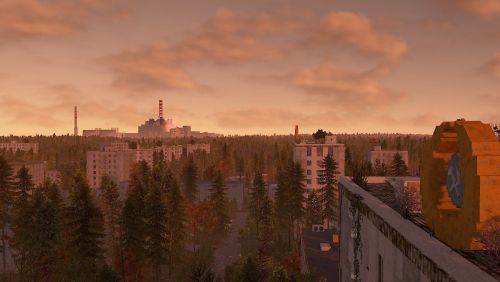
Rust Chernobyl Exclusion zone Hello everyone I would like to present you my Chernobyl exclusion map in Rust. This map was created almost 1 by 1 to real life exclusion zone in Chernobyl. It took me about a years to work on this map and now it is in playeble phase like early access. This map is include many custom monument and special places. On this map you will also fing a large fields and very deep forest with a lots of bushes and also contains a railway and roads, small roads, panel roads and dirt roads. I tryed optimalized this map as i can but now this map has almost 180k prefabs so when you start your server you can have around 200k entitys. Monuments Chernobyl Nuclear Powerplant Duga radar Many villages Stone, Sulfur and HQM quarry Water wells Ranch Caves Lake Shopping safe zone Farms Unfinished reactor number 5 and 6 Pripyat town Lot of small and tiny monuments Secret places with loot Chernobyl Nuclear Powerplant Main map monument created 1 by 1 to real life powerplant. This monument include unloading station for trains and lots of loot. There is lots of NPCs you can fight with and many custom puzzles with green, blue and red cards with best loots. Also this monument is a most radioactive place on the map. There is alsa a airwolf shop in the water side of this monument. Duga Radar Duga radar (Chernbyl 2) is a massive Soviet radar system based on exclusion zone of Chernobyl. This monument have a little bit of NPCs and green puzzle. Shopping safe zone This is like normal Outpost but little bit differen. This is custom safe zone with wending machines like you can normaly found on outposts but there is a one machine where you can buy you own quarry and Survey Charge. Map Features There is railway track on this map. it is no circle but you can take a train and wagons and unload items in Chernobyl Nuclear Powerplant in unloading station. Some monument have a custom puzzles and npc scientist This map is have a default quarry types thet you can use or you can buy your own quarry in safe zone and deployed it near your base. Radiation levels. In nuclear powerplant there is lot of radiation levels and if you are closer and closer to exploded reactor number 4 you have more and more radiation and in extreamly close range it have a very high heat level. This map is not build on normal sea level. everything around this map is lakes so you MUST disable cargo ship event in your server There is a lot of zones where players spawn and this zones must include beach topology. This mean you MUST disable boad spawning on your server (motorrowboat.population 0) In this map there is same hints about secret underground cave world with lots of good loot so enjoy founding it. Its not that easy. New powergrid compatibility (Small fuse box in Jupiter factory, Large fuse box is in unite 3). Satelite crash control room is in control building in Duga Radar. Wanna try this map ? Official server : Chernobyl Exclusion zone in Rust client.connect 185.172.175.236:28105 I try to make map updates every month (fixes and add more things or rebalance) Last updated 2D Map$40.00-
- 2
-
-
-
- #stalker
- #chernobyl
- (and 10 more)
-
Version 4.0.0
35 downloads
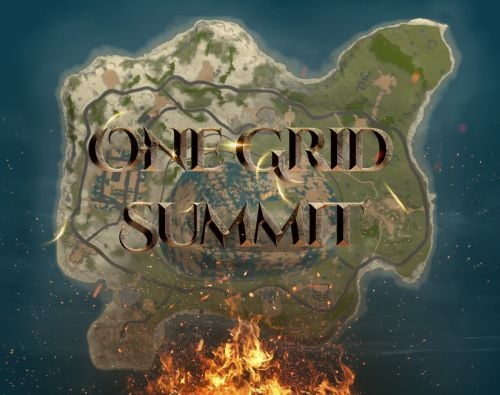
Discover the ULTIMATE RUST ONE GRID MAP, featuring a breathtaking mountainous landscape perfect for high-FPS and fast-paced PVP. The dynamic terrain utilizes a large mountain for players to summit and winding roads to minimizes sight lines making the Map feel much larger. While having custom underwater caves offers strategic building and hiding spots. At the center, the iconic Dome dominates, surrounded by HQM and Sulfur Quarries to entice players to the middle of the map to fight over loot and ore. Map offering unparalleled fun and creativity for players who LOVE TO BUILD. Explore unique buildable monuments marked with "X" on the map, each providing more unique base-building opportunities. This map promises thrilling PVP action and immersive gameplay, making it the BEST One Grid Rust Server Map ever created! FEATURES: • Size: 1500 • Prefab Count: 1199 • Map Optimized for Performance! • Map Password Included. • EPIC Custom Buildable Monuments! • Designated Building Zones (marked X on the minimap) • Majestic Underwater Buildable Cave Bunkers! • Monuments crafted for peak performance with minimal entities! • The terrain features a massive mountain with a road leading to the top to reduce sight lines, making the smaller map feel much larger! • Everything crafted with One Grid players in mind to have lots of loot and many places to build! • Underground and Above Ground Railway. Not connected but accessible by Tunnel Entrances. • Full Outpost and Bandit Camp • Fishing Village CUSTOM BUILDABLE MONUMENTS: • 9 Total • 4 Buildable Underwater Bunkers • Large Custom Buildable Cave • Custom Large Size Bus Stop Base • Epic Buildable Sphere Tank players will love! • Buildable Bunker Building • Buildable Warehouse Facepunch Monuments: Dome Satellite Dish 1x Lighthouse Supermarket Oxum's Gas Station 2x Mining Outpost HQM Quarry Sulfur Quarry Bandit Town Outpost Fishing Village Ranch Stables Underwater Labs 5x Large Power Substations 4x Small Power Substations Help Discord: @DarkoRust$14.99- 3 comments
- 1 review
-
- 2
-

-
-
- #one grid
- #custom map
- (and 47 more)
-
Version 7.0.0
166 downloads
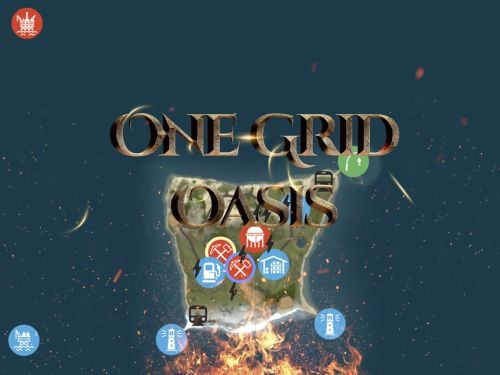
Discover the ULTIMATE RUST ONE GRID MAP, featuring a breathtaking landscape perfect for high-FPS and fast-paced PVP. The dynamic terrain utilizes many hills and valleys to minimizes sight lines making the Map feel much larger. While having custom underwater caves offers strategic building and hiding spots. At the center, the iconic Dome dominates, surrounded by HQM and Sulfur Quarries to entice players to the middle of the map to fight over loot and ore. NEW FLOATING ISLANDS expands buildable terrain, offering unparalleled fun and creativity for players who LOVE TO BUILD. Explore 12 unique buildable monuments marked with "X" on the map, each providing more unique base-building opportunities. This map promises thrilling PVP action and immersive gameplay, making it the BEST One Grid Rust Server Map ever created! FEATURES: • Size: 1000 • Prefab Count: 2285 • Map Optimized for Performance! • Map Password Included. • Vast array of 12 EPIC Custom Buildable Monuments! Caves, Underwater Bunkers, Floating Sky Platforms, Bus Stops, Warehouses and more! • Designated Building Zones (marked X on the minimap) • 3 Floating Islands in the sky to build on to add more buildable terrain for a small map. • 3 Majestic Underwater Buildable Cave Bunkers! • Monuments crafted for peak performance with minimal entities! • The terrain features varied elevations to reduce sight lines, making the smaller map feel much larger! • Everything crafted with One Grid players in mind to have lots of loot and many places to build! • Underground railway. • Custom Combined Outpost/Bandit Camp/Fishing Village Safe Zone! Gambling, Vending Machines, Vehicle Vendors and more! CUSTOM BUILDABLE MONUMENTS: • Amount: 12 Total! • 3 Buildable Underwater Bunkers • 3 Buildable Floating Islands • Custom Large Size Bus Stop Base • 2 EPIC Scale Rock Formation Caves • Medium Sized Glass Roof Cave • + MANY MORE! Facepunch Monuments: Dome 2x Lighthouse Supermarket Jungle Ziggurat Oxum's Gas Station Mining Outpost HQM Quarry Sulfur Quarry Bandit Town/Outpost/Fishing Village Combined Underwater Labs 5x Large Power Substations 4x Small Power Substations 4x Bus Stops To Enable the Travelling Vendor on Custom Maps its optional to use this Oxide Plugin: https://codefling.com/plugins/anymapvendor Help Discord: @DarkoRust$14.99- 8 comments
- 3 reviews
-
- 5
-
-
-
-
- #one grid
- #custom map
- (and 43 more)
-
Version 6.0.0
39 downloads
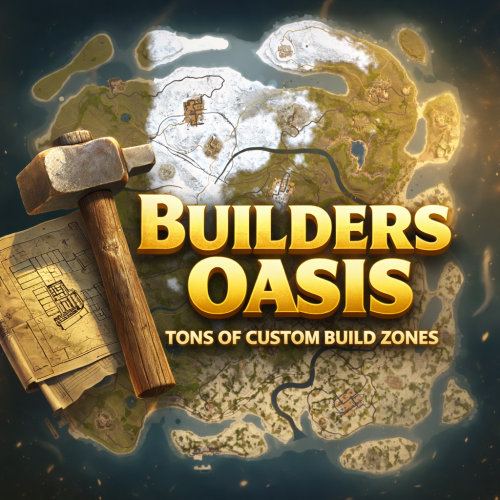
BUILDERS OASIS – 4250K CREATIVE RUST MAP Builders Oasis is a fast-paced, builder-friendly 4250k Rust map loaded with every major monument and a ton of custom build spots. Designed for smooth performance, creative freedom, and competitive gameplay. What Makes It Special Fully connected train tracks + underground rails for fast travel and tactical control Endless Custom Buildable areas that players will love! Diverse terrain: forests, deserts, coasts, cliffs, valleys & plateaus Perfect for solos, clans, builders, and high-pop servers. Custom Build Zones Low-prefab, FPS-friendly buildables: Custom caves Underwater bases Hidden structures Unique build pockets All Facepunch Monuments Included Launch Site • Military Tunnels • Military Base • Silo • Airfield • Power Plant • Water Treatment • Trainyard • Harbors • Outpost • Excavator • Oil Rigs • Arctic Base • Junkyard • Sphere Tank • Satellite Dish • Ferry Terminal • Sewer Branch — and more. Map Info Size: 4250k Prefabs: ~14607 Support Discord: DarkoRust$24.99 -
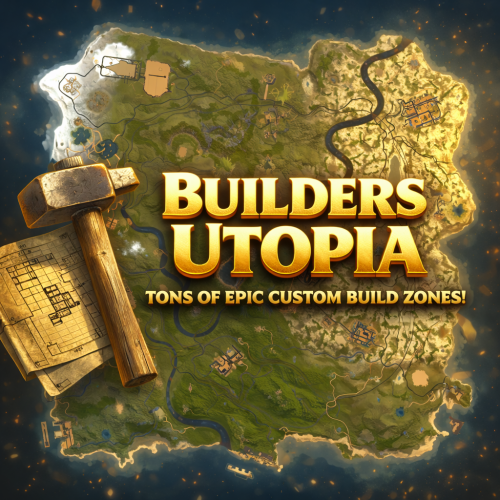
Version 5.0.0
44 downloads
BUILDERS UTOPIA – 3500K HIGH PERFORMANCE CREATIVE RUST MAP Builders Utopia is a well balanced, great performance, builder-friendly 3500k Rust map loaded with All Facepunch Monuments included and 13 custom build spots. Designed for smooth performance, creative freedom, and competitive gameplay. Perfect if you have players who like to build and great for server owners because of its low entity count and map size, this is great for lower ram servers! What Makes It Special: Endless Custom Buildable areas that players will love! Diverse terrain: forests, deserts, coasts, cliffs, valleys & plateaus Perfect for solos, clans and builders! Custom Build Zones Low-prefab, FPS-friendly buildables: Custom caves Creative Structures Unique build pockets All Facepunch Monuments Included Launch Site • Military Base • Military Tunnels • Nuclear Missile Silo • Airfield • Large Harbor • Outpost • Excavator • Large Oil Rig • Small Oil Rig • Small Harbor • Dome Sphere Tank • Satellite Dish • Ferry Terminal • Sewer Branch • SuperMarket • TrainYard • PowerPlant • Gas Station • Warehouse • Arctic Research Base • Lighthouse • HQM Quarry • Sulfur Quarry • Stone Quarry • Fishing Village • RadTown • JunkYard Map Info Size: 3500 Prefabs: ~8835 Support Discord: DarkoRust$24.99- 1 review
-
- 1
-
-
- #cave
- #buildable monument
- (and 16 more)
-
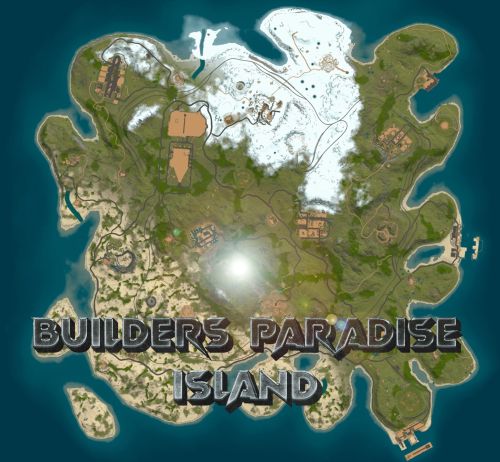
Version 9.0.0
215 downloads
Perfect sized 3500K Rust map offers a unique gaming experience for creative builders, featuring all monuments except the Sewer Branch. It includes train tracks that connect to underground rails making transportation smooth all around. Full types of Topology terrain includes lush forests, arid deserts, rugged coastlines, gentle hills, deep valleys, and elevated plateaus. Key monuments such as the Military Base, Military Tunnel, Launch Site, and more are strategically placed, providing prime locations for looting, trading, and player interactions. The train tracks, linked to underground rails, create additional routes and strategic points for players to explore and control. This unique feature introduces a tactical element, where mastering the train tracks can significantly impact resource and territory competition. Additionally, the map is enriched with numerous custom buildable monuments, including caves, underwater bases, and various structures for building. These custom elements enhance the gameplay, offering diverse options for base construction and defense. Summary this 3500K Size Rust map delivers a complete and dynamic experience, featuring key monuments, custom buildable locations, and the strategic addition of train tracks connected to underground rails. General Information Map size: 3500K Prefab Count: 6091 Custom Buildable Monuments Several total low prefab count monuments to build in such as Caves, Underwater Bases and buildings! Facepunch Monuments Small Harbor Large Harbor Airfield Junkyard Launch Site Military Tunnels Nuclear Missile Silo Powerplant Trainyard Ferry Terminal Water Treatment Sphere Tank Sewer Branch Satellite Dish Outpost Excavator Large Oilrig Small Oilrig Arctic Research Base A Military Base To Enable the Travelling Vendor on Custom Maps its optional to use this Oxide Plugin: https://codefling.com/plugins/anymapvendor Help Discord: DarkoRust$24.99 -
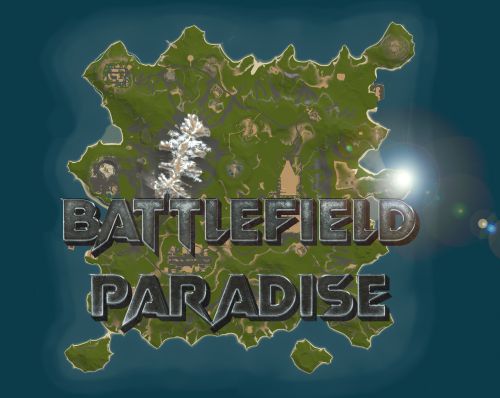
Version 8.0.0
156 downloads
In the heart of this EPIC RUST BATTLEFIELD MAP lies a breathtaking landscape crafted for High-FPS and fast paced PVP Gameplay. Amidst towering mountains and sprawling valleys, players navigate custom buildable underwater caves that offer strategic advantages for building and hiding bases. At its center, a colossal mountain dominates the skyline with the iconic Large Oil Rig and a meticulously designed Buildable Dome, all optimized for peak performance with minimal entity counts. This will be the central area where your players gather to practice PVP in the Large Oil Rig and fend off enemies practicing Raid Defense and Offense in the EPIC scale Buildable Dome! NEW EXPERIENCE! Battle Towers Buildable Zone stands as a fortress of opportunity and conflict. Towering HUGE structures invite players to build bases on top of, defend against raids, and engage in intense PvP battles atop their formidable heights, giving one of the most FUN experiences any player can have in Rust! Scattered across the terrain are 22 bespoke buildable monuments, each marked with an X on the map, bringing in your players with a fresh take on base building locations. This masterpiece of design not only promises thrilling PvP encounters but also showcases a commitment to immersive gameplay and efficient server performance, making it the best released Map for Battlefield Rust servers to date! FEATURES • Size: 2800 • Prefab Count: 6352 • Map Optimized for Performance! • Map Password: Included. • Vast array of 22 EPIC Custom Buildable Monuments! • Designated building zones (marked X on the minimap) • Several Majestic Underwater Buildable Cave Bunkers! • Legendary Battle Towers Build Zone: An expansive custom-built zone featuring multiple towers for epic building, raiding, and intense PVP combat! • Monuments crafted for peak performance with minimal entities! • EPIC Scale PVP Mountain center of map with Large Oil Rig and Buildable Dome! • Everything crafted with Battlefield PVP Servers in mind for peak performance and EPIC scale FUN! • Monumental and realistic landscape! • Underground railway. CUSTOM BUILDABLE MONUMENTS: • Amount: 22 Total! • Buildable Dome • Custom Underwater Bunkers • Custom Large Size Bus Stop Base • EPIC Scale Rock Formation Cave • Medium Sized Glass Roof Cave • + MANY MORE! Facepunch Monuments: Launch Site Dome Giant Excavator Military Base 2X Large Oilrig Small Oilrig Nuclear Missile Silo Ferry Terminal Satellite Dish Small Harbor 2X Lighthouse 2X Gas Station 2X HQM Quarry Sulfur Quarry Stone Quarry Supermarket RadTown Power Substations Small and Large Jungle Ziggurat Cave Large Sewers Hard Cave Large Hard Cave Medium Medium Cave Large Medium Ranch Stables Fishing Village Bandit Town Outpost To Enable the Travelling Vendor on Custom Maps its optional to use this Oxide Plugin: https://codefling.com/plugins/anymapvendor Help Discord: @DarkoRust$24.99- 3 reviews
-
- 2
-
-
-
- #battlefield
- #custom map
- (and 25 more)
-
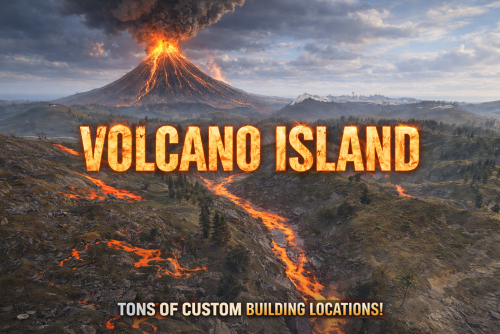
Version 6.0.0
76 downloads
VOLCANO ISLAND – 4500K CREATIVE RUST MAP Volcano Island is a visually beautiful and fun to explore, builder-friendly 4500k Rust map loaded with every major monument and 50+ custom build spots marked with an "X". Designed for smooth performance, focusing on extreme low entity counts for a lag free experience, creative freedom, and competitive gameplay. Your players will NEVER run out of places to build on this Map! What Makes It Special 50+ Custom Build Zones marked with an "X" on the Map!!! The most buildable location for any Map of mine yet! Fully connected train tracks + underground rails for fast travel and tactical control Endless Custom Buildable areas/Caves/Rock Formations that players will love! Beautiful Volcano Mountains and Valleys players can Build on Diverse terrain: forests, deserts, coasts, cliffs, valleys & plateaus Perfect for solos, clans, builders, and high-pop servers. Low-prefab, FPS-friendly buildables: Custom caves Underwater Locations to build a base Hidden structures Unique build pockets Works with all Popular Events Plugins like Convoy, ArmoredTrain, Raidable Bases, Sputnik, Airfield Event and many more! All Facepunch Monuments Included Launch Site • Military Tunnels • Military Base • Silo • Airfield • Power Plant • Water Treatment • Trainyard • Harbors • Outpost • Excavator • Large Oil Rig • Small Oil Rig • Arctic Base • Junkyard • Sphere Tank • Satellite Dish • Ferry Terminal • Sewer Branch • Abandoned Supermarket • Oxum's Gas Station • Mining Outpost • Lighthouse • Bandit Camp • Fishing Village • Large Barn • Underwater Labs • Stone Quarry • Sulfur Quarry • HQM Quarry • Underwater Labs • Abandoned Cabins • Jungle Ziggurat • Jungle Ruins • Caves • Ranch — and more. Map Info Size: 4500k Prefabs: ~10,281 Support Discord: Dymize_$29.99- 7 comments
- 1 review
-
- 4
-
-
-
- #4500k
- #custom map
- (and 31 more)
-
Version 4.0.0
15 downloads
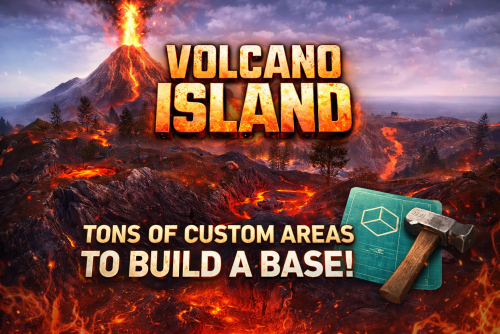
Volcano Island One Grid – 1650K PERFORMANCE AND CREATIVE FOCUSED ONE GRID RUST MAP! Volcano Island One Grid is small and fast-paced but with tons of areas to loot and extra attention paid to Custom "X" Areas to build a base ! 1650k fantasy and volcano terrain Rust map. Even at its small size it was important to me to make the beach waters extremely shallow with endless space to build! The problem with most other One Grid Maps is there is never anywhere flat or interesting to build a base for players. I feature huge, open, perfectly flat build zones that let players design bases of any size for a Solo or a Zerg. I even utilized the ocean areas by placing 4 Underwater Buildable Bunker Bases for players to hide from the chaos. The terrain also has many other unique “X” build areas and I even have brought back the classic Bus Stops you could build in with my own style of Giant Bus Stop bases to build a base inside, arch-rock hideaway caves, scattered flat peninsulas, custom homes, military-inspired structures, and much more. The center of the island is rich with Valleys and eye catching volcanic terrain! All around it are monuments and loot routes where players can battle it out, while the ocean sides are built for pure creativity with base builders in mind, offering nonstop base-building potential. Volcano Island One Grid blends exploration, freedom, and intense Rust gameplay into one tightly crafted map. What Sets It Apart: • Creative selection of flat “X” building zones created for maximum freedom. • The Beach Ocean is extremely shallow and massively flat for endless base building! • The huge shallow beaches allow for spawning of all difficulties of Raidable Bases for the Raidable Bases plugin! • Built for smooth performance with a very low entity count whether you’re solo, in a team, or running high-pop servers. • Compatible with Convoy, ArmoredTrain and Raidable Bases Plugins. Custom Build Zones: Low-prefab, FPS-friendly buildables: Underwater Bunker Bases Volcanic Glass Roof Caves Volcanic Rock Caves Double Size Custom Icebergs to build on Underground Cave Bunkers to Build inside Sealed Caves to Build Inside Arch Rock Caves to build Buildable Custom SuperMarket Monument Radio Tower Build Monument Hidden structures Unique build pockets Custom Buildings Custom Bus Stops Many Facepunch Monuments Included • Dome Sphere Tank • Missile Silo • Small Harbor • Large Oil Rig • Small Oil Rig • SuperMarket • RadTown • Warehouse • Gas Station • Lighthouse • HQM Quarry • Sulfur Quarry • Stone Quarry • Jungle Ziggurat • Jungle Ruins • Several Power SubStations • Several Waterwells • Large Barn • Arctic Research Base • Satellite Dish • Military Base • Fishing Village/Outpost/BanditCamp/Ranch Combined — and more. Map Info: Size: 1650K Prefabs: ~2644 Support: Discord: DarkoRust$29.99- 2 comments
-
- 1
-
-
- #custom map
- #volcano
- (and 27 more)
-
Version 7.0.0
60 downloads
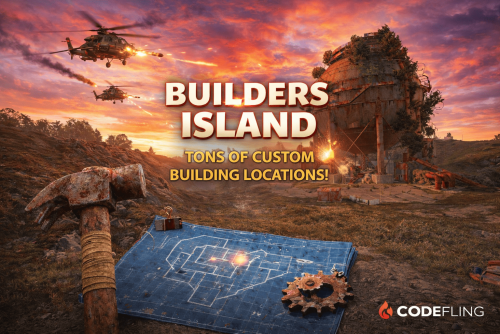
BUILDERS ISLAND – 4500K CREATIVE RUST MAP Builders Island is a fun to explore, builder-friendly 4500k Rust map loaded with every major monument and a ton of custom build spots. Designed for smooth performance, creative freedom, and competitive gameplay. What Makes It Special Fully connected train tracks + underground rails for fast travel and tactical control Endless Custom Buildable areas that players will love! Diverse terrain: forests, deserts, coasts, cliffs, valleys & plateaus Perfect for solos, clans, builders, and high-pop servers. Dozens of Custom Build Zones marked with an "X" on the Map Low-prefab, FPS-friendly buildables: Custom caves Underwater Locations to build a base Hidden structures Unique build pockets All Facepunch Monuments Included Launch Site • Military Tunnels • Military Base • Silo • Airfield • Power Plant • Water Treatment • Trainyard • Harbors • Outpost • Excavator • Oil Rigs • Arctic Base • Junkyard • Sphere Tank • Satellite Dish • Ferry Terminal • Sewer Branch — and more. Map Info Size: 4500k Prefabs: ~10,681 Support Discord: DarkoRust$24.99- 1 review
-
- 1
-
-
- #custom map
- #build zone
- (and 14 more)
-
Version 8.0.0
66 downloads
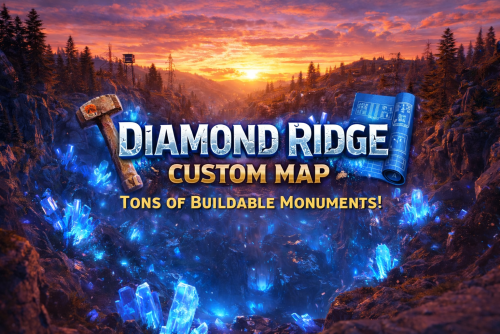
DIAMOND RIDGE – 4096K CREATIVE RUST MAP Diamond Ridge is a well designed 4096k Rust map loaded with every major monument and a ton of custom build spots. Focused on beautifully crafted terrain, canyons, lakes, rivers and rock formations. Designed for smooth performance, creative freedom, and competitive gameplay. What Makes It Special: Diamond Canyon! A canyon filled with Crystal Diamonds, a glass roof and tons of space for creative building! Experience Truly Unique Buildable Cave Monuments Vanilla maps get stale fast! That’s why my custom maps go way beyond the basics. I hand-craft creative, build-friendly cave systems designed for players who want something fresh, fun, and full of possibilities. With over 30,000 hours in Rust, I know exactly what players love to build in, and every cave is shaped to deliver that perfect mix of strategy, creativity, and excitement. Fully connected train tracks + underground rails for fast travel and tactical control Endless Custom Buildable areas that players will love! Diverse terrain: forests, deserts, coasts, cliffs, valleys & plateaus Perfect for solos, clans, builders, and high-pop servers. Tons of Custom Build Zones Low-prefab, FPS-friendly buildables: Custom caves Hidden structures Unique build pockets All Facepunch Monuments Included: Launch Site • Military Tunnels • Military Base • Silo • Airfield • Power Plant • Water Treatment • Trainyard • Harbors • Outpost • Excavator • Oil Rigs • Arctic Base • Junkyard • Sphere Tank • Satellite Dish • Ferry Terminal • Sewer Branch — and more. Map Info: Size: 4096k Prefabs: ~6947 Support: Discord: DarkoRust$24.99- 2 comments
- 3 reviews
-
- 2
-
-
-
- #builder
- #buildable monument
- (and 10 more)
-
Version 1.3.5
4,621 downloads
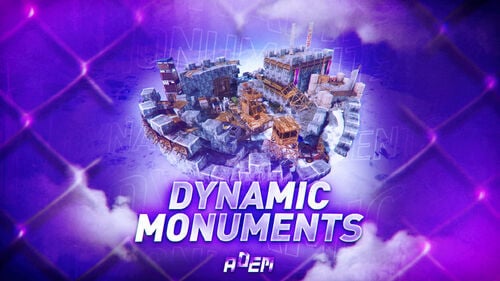
DynamicMonuments is a groundbreaking plugin for Rust servers that breathes new life into your maps! Say goodbye to tedious manual map editing or relying on RustEdit. With just a few clicks, your server will be transformed, featuring 18 unique monuments that blend seamlessly into any environment. Key Features: Dynamic Spawning: - Monuments can spawn randomly during wipes or with each server restart (optional) - Customize spawn frequency and zones through the plugin's configuration - A variety of monument complexities, ranging from cozy hideouts to sprawling fortresses 18 Unique Monuments: - Water Monuments - Coastal Monuments - River Monuments - Roadside Monuments - Modifications for Standard Monuments: (Metro entrances, power line towers, substations, quarries, and more). Personalization: - Give players personal monuments Versatility: - Compatible with both custom and procedural maps. - Automatically adapts to terrain, water, and roads. - No RustEdit required! Everything is managed through the plugin's configuration. Giving a monument to a player 9 out of 18 monuments can be given to players for personal placement. The dynamic monument is represented as a flare with a unique skin, which can be given to players in any way, such as through an in-game store. To spawn the monument, the player must hold the flare and find a suitable location, receiving instructions in the chat and notifications. Once placed, the monument is locked to the player, and only they can loot it. Chat commands (admin only) /killmonument - destroys the DynamicMonument you're looking at /replacecrate NewCratePresetName - replaces the crate you're looking at on the location with NewCratePresetName /spawnmonument PresetName - spawns a monument in a random position /spawnmonumentmypos PresetName - spawns the monument in your position /killallmonuments - destroys all DynamicMonuments on the server /respawnmonuments - forcibly launches automatic respawn of DynamicMonuments /givemonument PresetName - give the monument to yourself /addprefabspawnpoint PresetName — adds a crate or static NPC spawn point to a monument at your current position (only for Static Npc and crates) /removemonumententity command — removes entity spawn point you're looking at. (only for StaticNpc/crates/Entities for respawn) Console commands (RCON only) spawnmonument PresetName - spawns a monument in a random position killallmonuments - destroys all DynamicMonuments on the server respawnmonuments - forcibly launches automatic respawn of DynamicMonuments givemonument PresetName userID - give the DynamicMonument to the player Plugin Config en – example of plugin configuration in English ru – example of plugin configuration in Russian Check out the rest of my work: Adem's Codefling Library You can reach out to me in Discord: Adem's Discord Profile Join the Mad Mappers Discord!$49.99 -
Version 3.0.0
21 downloads
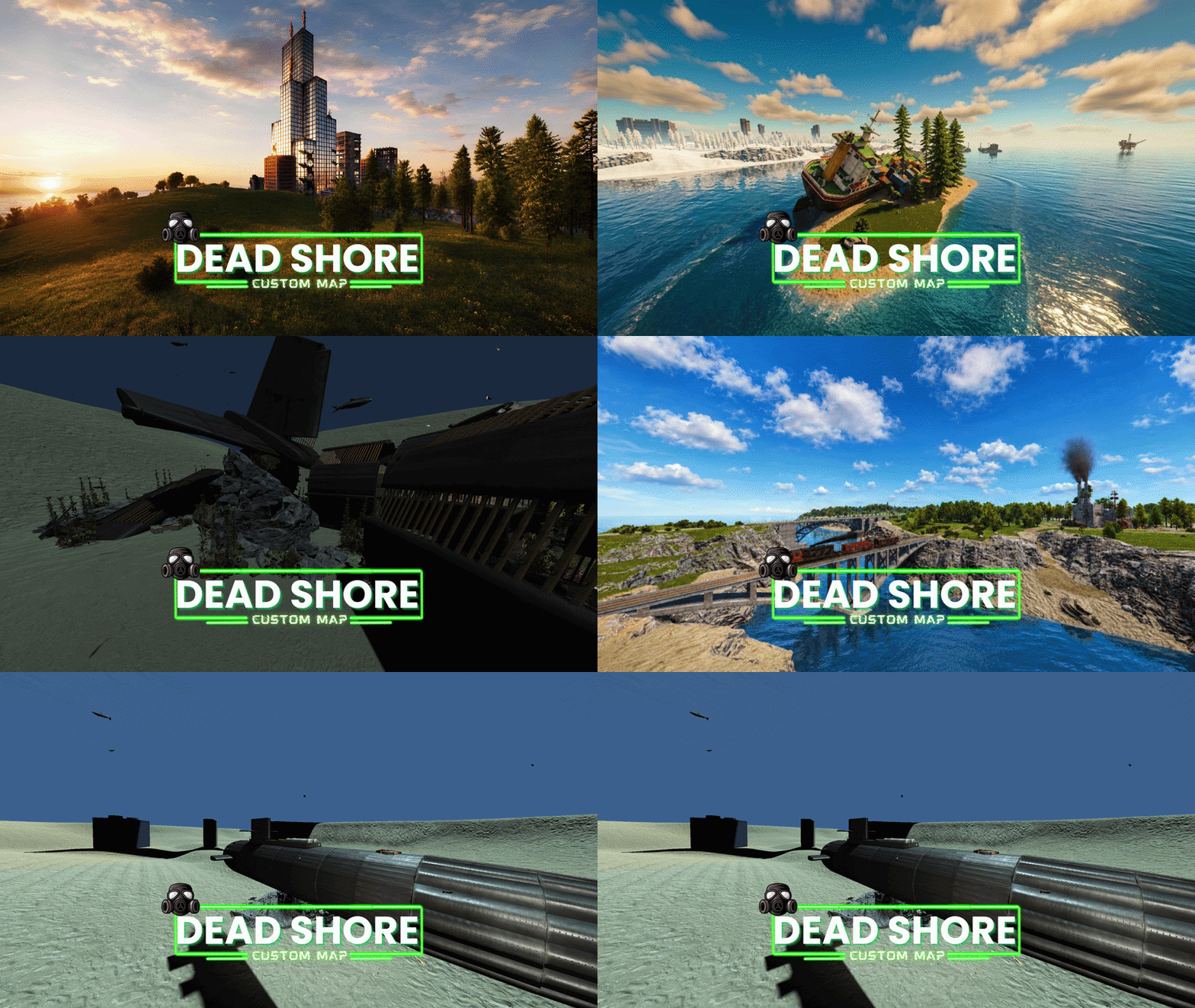
Welcome to “Dead Shore”, a custom island map for the game Rust, crafted to deliver an immersive and balanced survival experience for every type of server. With a map size of 3500 and over 40,480 prefabs, Dead Shore combines rich environmental detail with optimized performance, creating a world that feels both alive and unforgiving. Set across a dangerous and mysterious island, the map features a vast network of abandoned locations, custom monuments, coastal routes, underground infrastructure, and strategic travel systems designed to encourage exploration, combat, and player interaction. Whether you're a solo survivor, a clan leader, or part of a roleplay community, Dead Shore offers endless opportunities for adventure, domination, and base building. The island includes a fully connected metro system with underground railway access, alongside a functional surface train network for fast travel across the map. Players can navigate through massive bridge connections, isolated roads, hidden pathways, and dangerous territories while uncovering unique custom locations spread throughout the island. Builders will discover specially designed building areas perfect for creating secure and creative bases, while explorers can dive deep into dangerous underwater laboratories and uncover hidden loot beneath the ocean surface. Carefully placed safe zones allow players to trade, regroup, and socialize without breaking the immersive survival atmosphere. Dead Shore is designed for all server types — from hardcore PvP and vanilla survival to modded communities and roleplay servers — offering a balanced monument layout, optimized FPS performance, and engaging terrain across the entire island. Features: • Map size: 3500 • Prefabs count: 40,480 • Custom island environment • Underground railway system • Surface train network • Multiple custom monuments • Strategic bridge connections • Safe zones • Underwater laboratories • Custom building locations • Balanced monument distribution • Optimized for smooth gameplay • Suitable for all server types • Exploration-focused design • Immersive survival atmosphere Monuments: • Harbor x2 • Bandit Camp • Outpost • Military Tunnel • Mining Outpost • Abandoned Supermarket • Power Plant • Ferry Terminal • Oxum’s Gas Station • Lighthouse x2 • HQM Quarry • Stone Quarry • Sulfur Quarry • Radtown • Launch Site • Large Fishing Village x2 • Underwater Lab • Giant Excavator Pit • Abandoned Military Base • Arctic Research Base • Missile Silo Custom Monuments: • Dead Shore City • Submarine • Rust Dock • Capsize Cargo • Drowned Village • Aircraft Wreckage • Ranch+ • Abandoned Camp • Scrap X • The Dead Site City Please rate ️️️️️ the map Thank you “Dead Shore” is more than just a map — it’s a hostile island where every tunnel, coastline, and abandoned structure tells a story of survival, conflict, and discovery.$35.00 -
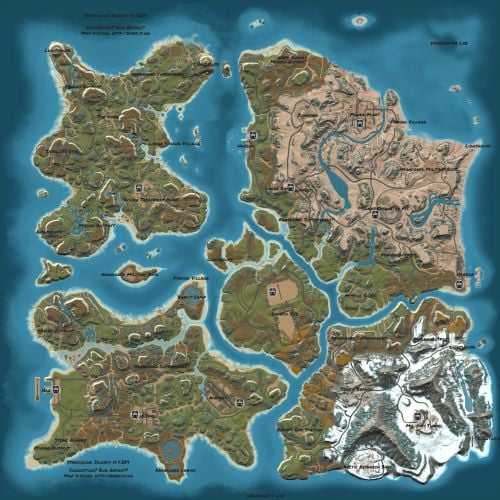
Version 2.4.20
742 downloads
Welcome to SYNECDOCHE! Synecdoche (noun) Sin-eck-doh-key: A figure of speech in which a part is made to represent the whole. Crafted over the course of years, this map offers something extraordinarily rare in this community. Custom monuments are amazing and fun to explore! I've seen so much hard work go into them and people have made some really cool stuff. However, custom monuments are only a small part of the level design in Rust. A Map Focused on Detail, no matter where you are: But who would be insane enough to do such a thing? And how would it be possible? A 4k Rust map is 16 square kilometers. To make this feel like a real place, and give each space the attention to detail it needs demands thousands of hours working with consistent standards. This is why almost all of the maps aside from a handful on these sites will choose to use some form of procedural generation, and what makes synecdoche so uncommon. Every square meter was hand crafted with care, to make a place that feels alive and fantastical. it's what makes the map feel so beautiful. Still Not Convinced? Well, here's some of the feedback we've gotten from the community! Where Reality Meets Fantasy Each and every spot on the map was precisely manicured to feel unique and significant. Every rock has its purpose, and every nook and cranny was deliberately sculpted to inspire exploration. There are no locations on the map that were forgotten or left behind. Each location plays its part to represent the world as a whole. Information and Specifics: This map includes only vanilla monuments and can be run under the community tab. It does not require any 3rd party dependencies, not even the RustEdit Oxide DLL. However, you will need to place the included Harmony mod in you harmony folder to prevent Cargoship from leaving the map while it docks at the northern harbor. Size: 4096 x 4096 Entity Count: ~68,000 Prefab Count: ~16,000 Can Edit: True Required Plugins: Block CargoShip Egress (Included with Map Download) Monuments Junkyard Trainyard Outpost Bandit Camp Fishing Village (X3) Missile Silo Arctic Research Base Military Base (X2) Airfield Water Treatment Plant Sewer Branch (X2) Satellite Dish The Dome Harbor (X3) Military Tunnel Launch Site Power Plant Mining outpost (X7) Oxum's Gas Station Supermarket (X3) Lighthouse (X5) Abandoned Cabins Oil Rigs (large and small) Caves Underground train system Aboveground train system Underwater Labs (X2) Featured Videos:$69.69- 31 comments
- 7 reviews
-
- 13
-
-
-
- #map
- #synecdoche
- (and 8 more)
-
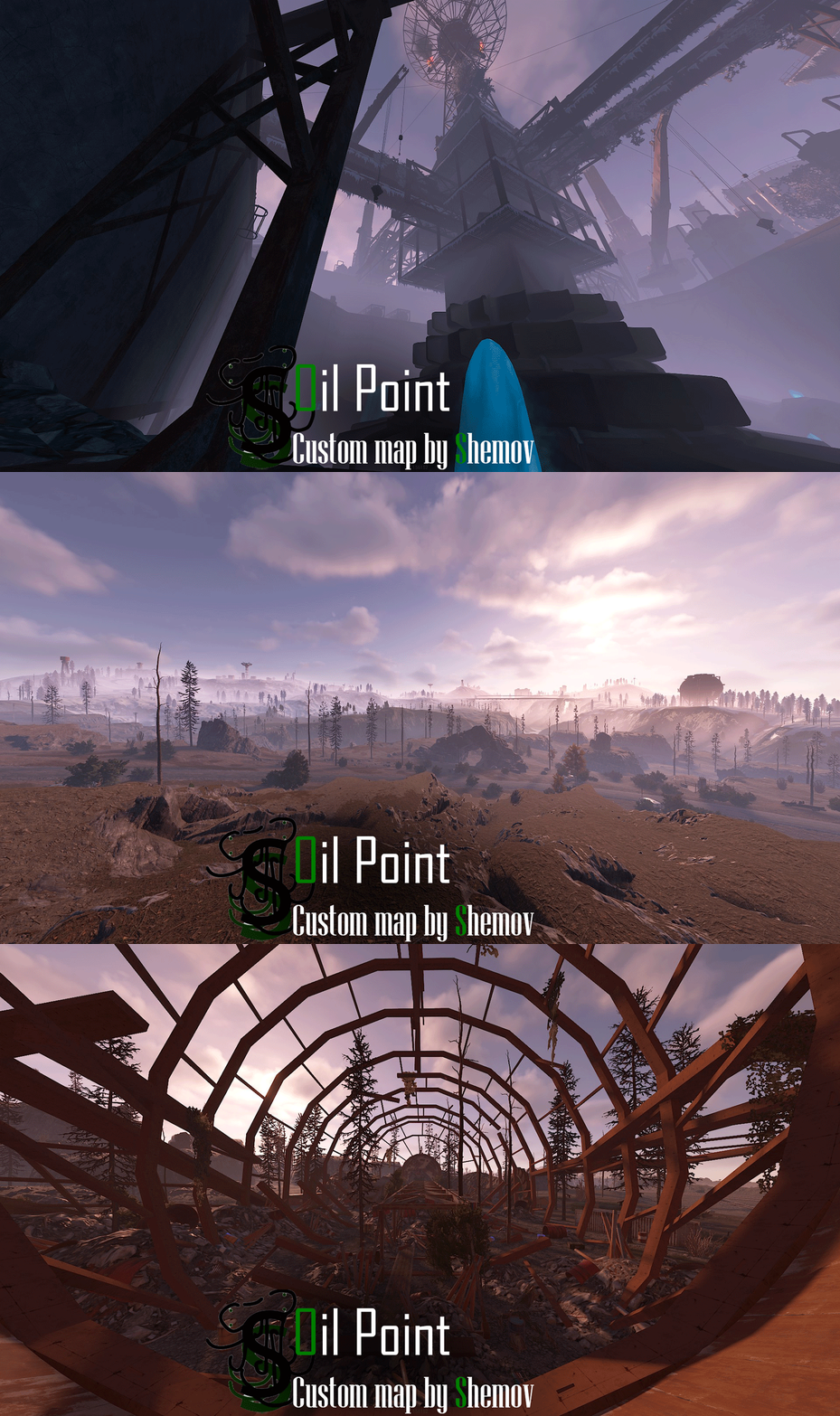
Version 1.5
35 downloads
FEATURES Map size: 4500; Prefab count: ~54k; A lot of attention was paid to nature, and each section of the map was designed in detail; Most of the rocks are hand-crafted, which makes them look much better. The custom config for the BetterNpc plugin is set up so that bots are present at all points of interest; Compatible with BetterNPC plugins (Config for bots in the file), Train Homes and Raidable bases; Underground railway; A large number of small settlements/single buildings not marked on the road map by road; Double-track surface railway with 1 entrance to the metro with separate branches for spawn trains; Ring road (compatible with event plugins); There are custom trawlers; Evenly spaced monuments to spread the FPS load of client; A lot custom building places (X on the minimap); Custom places for building in the subway (XU on the minimap); Bridges are designed for easy tugboat access; A large number of points with access to fresh water for farms. ( Rivers inside the island work like regular game rivers ) CUSTOM MONUMENTS Oil Refinery; Destroyed satellite dishes; Heli towers (1-5); Construction Site; Abandoned Oil Tanks; Oil Tanks; Crash Site; Oil Platform; Deep Seeker ( Trawler ); Northwind ( Trawler ); Storm Trawler ( Trawler ); Sea Wolf ( Trawler ); Silver Catch ( Trawler ); Bering Beauty ( Trawler ); Underwater caves (x2 ) ( Zones for underwater farm ); Sunken Containers (x2 ) ( Zones for underwater farm ); A lots custom places to build a base. ( "X"/"XU" on map ); Train Station ( For Train homes plugin ) A lots unmarked buildings. FACEPUNCH MONUMENTS Combined Outpost; Apartment Complex; Launch Site; Military Tunnel; Harbor (2/2); Ziggurat; Ferry Terminal; Radtown; Abandoned Supermarket; Nuclear Missile Silo; Oxum's Gas Station; Airfield; Lighthouse; The Dome; Water treatment plant; Trainyard; Power Plant; Arctic Research Base; Desert Military Base; Giant Excavator Pit; Stone, Sulfur & HQM quarries; Satellite Dish; Small & Large Oil Rig; Large Underwater Lab. My Discord: shemov Discord Server: https://discord.gg/UpUXuxs4Vx A password is attached to the map. You can edit it.$59.90- 2 reviews
-
- 1
-
-
- #rust custom
- #custom map
- (and 8 more)
-
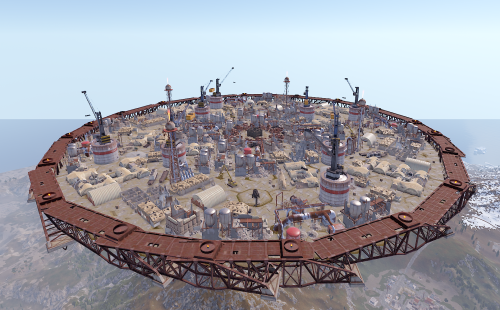
Version 1.0.5
97 downloads
Description: This is an additional arena designed to be used with the SurvivalArena plugin. The arena is in an industrial/military wasteland setting, with ruined industrial buildings, pipelines and old military facilities. The addition of storage tanks and cranes gives additional opportunities for ranged combat. Installation: Simply drop the file into your oxide/data/SurvivalArena folder, then reload the plugin. Support: The arena is designed separately from the SurvivalArena plugin. All support and updates for the arena design/file itself will be handled by me$5.99
.thumb.png.ccf8a947948c9eb1445ad21a7931247b.png)