Search the Community
Showing results for tags 'tutorial'.
Found 4 results
-

Version 3.0.0
10 downloads
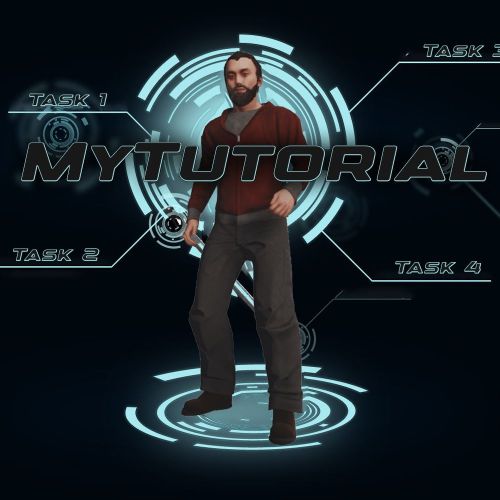
The MyTutorial plugin offers a fully configurable tutorial system for new players on your server. There's nothing worse than modded servers where you don't understand everything or can't find things. With this useful tutorial, you can have players complete specific tasks once so they learn your server perfectly. The system consists of several Task Groups that build upon each other and use various completion conditions: - Item-based Tasks: Players must obtain specific items - Group-based Tasks: Players must join a specific user group - Command-based Tasks: Players must execute specific chat commands Features: ➔ | Progressive Task Groups: Multiple task groups in sequence ➔ | Flexible Completion Conditions: Items, groups, commands, buildings, locations, playtime ➔ | Player Progress Persistence: Persists through reloads and wipes ➔ | Movable UI: 9 different positions on screen ➔ | Minimized View: Compact "T" button when tutorial is hidden ➔ | Flexible completion conditions (items, groups, commands, buildings, farm routes, locations, playtime) ➔ | Server plugin integration (MyBank, BlackMarket, MoneyWash, ResourceTrader, FarmRoute) → | Automatic completion checks ➔ | Popup notifications FarmRoute integration is now clearly documented with: ➔ | Example for weed:farming, weed:converter, weed:buyer ➔ | Combine multiple routes ➔ | Optional – also works without Commands (not necessary - see UI) Command | Description /toggletutorial | Show hide the tutorial /tutorialposition | Cycle through 9 UI positions /checktutorial | Check and update tutorial progress Permission: mytutorial.use Every player who must complete the tutorial once! Config The configuration file is located at oxide/config/MyTutorial.json. Basic Structure { "TaskGroups": [ { "Tasks": [ { "Description": ["Line 1", "Line 2"], "CompletionCondition": "ItemInInventory", "CompletionType": "shortname", "CompletionValue": "item.shortname" } ] } ], "DefaultPosition": "MiddleLeft" } Please remember that your space is very limited! Config (Detailed) PLEASE READ THE DOCUMENTARY! -> DOCU Data & Persistence Storage Locations Progress Data: oxide/data/MyTutorial/Progress.json Completed Players: oxide/data/MyTutorial/Completed.json DO NOT DELETE THIS OR PLAYERS MUST REDO TUTORIALS! Automatic Saving - Data is saved every 5 minutes or on server save automatically - Player progress persists after plugin reloads - Progress is preserved after a wipe (server restart) load, run, enjoy$15.99 -
Stop your Rust server. Navigate to the oxide/data folder on your server using an FTP client. Upload the new (Loottable).json file, ensuring you overwrite the existing file. Reload the Plugin: Start your server. In the server console, type oxide.reload BetterLoot and press Enter to apply the changes.
-
Step 1. Search the topics Step 2. Comment on and like a topic you like. Step 3. Search for files and like them Step 4. Enjoy your points
-
Version 1.6.5
135 downloads
For beginners and certified amateurs alike, setting up a Rust server can quickly become time-consuming. This is why we offer you our all-in-one server setup. This includes files already pre-configured for your plugins. (Not all plugins in the list have a pre-configured file, as some do not need one). With this, your server will be ready in 10 minutes. Documentation detailing the installation process is provided. It also includes explanations of the plugins as well as the steps to take if you wish to make changes. Perfect for your first Rust server. The icons and designs used are also provided (in .jpg and .psd format) Server Features: 3x Gather Rates 3x (Better) Loot Table 2x Recycler & Smelt Speed 2x Speed Craft on basic items 5 Preconfigured Kits Automatic Authorization Custom WelcomePanel Custom Outpost (More recycler, vending machine, fourniture) Custom VendingMachine Permission Groups (default, VIP, & Admin) SkinBox & BuildingSkin BGrade WorkBench extended to the base BluePrint Share NTeleportation No-Escape Shop w/ economics Kill Rewards + More! Plugins are not provided with this pack. You need to download them yourself. A document containing the main links is provided. However, you don't have to use all the plugins if you don't want to. For more information, visit our website.$5.50