PHP: HTML/CSS to Image
Generate Images and PDFs with PHP. Renders exactly like Google Chrome.
Render PNG, JPG, or WebP images + PDFs with PHP from HTML/CSS or reusable dynamic templates.
Generating images with PHP
- The API takes your HTML/CSS and runs it inside a real instance of Google Chrome to convert your HTML into an image.
- Use PHP to send the API your HTML/CSS.
- You’ll get back JSON with the URL to your generated image.
For more details on how this works, see Creating an image.
Example API response:
{
  "url": "https://hcti.io/v1/image/be4c5118-fe19-462b-a49e-48cf72697a9d",
  "id": "be4c5118-fe19-462b-a49e-48cf72697a9d"
}
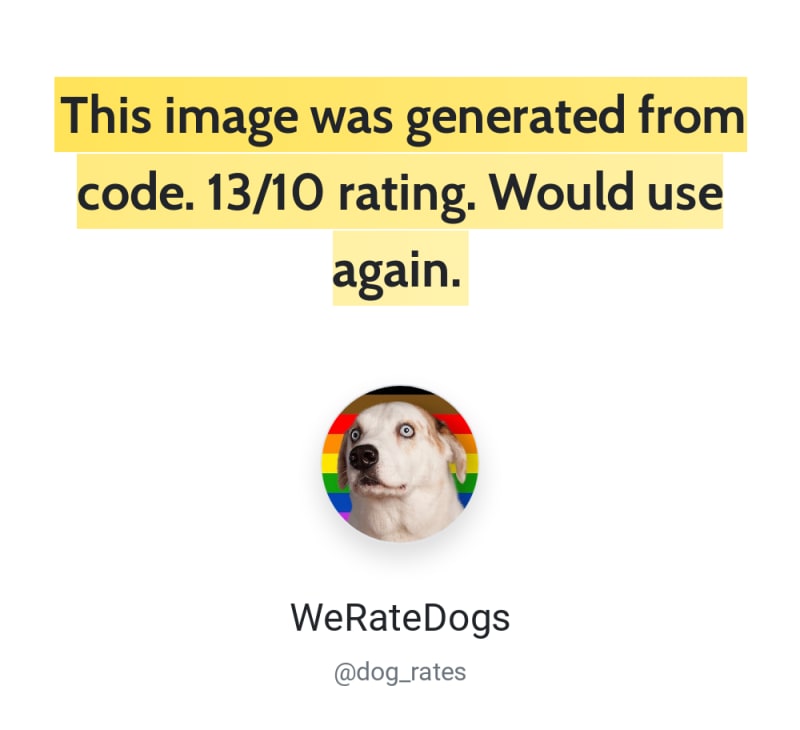
Authentication with PHP
The API uses HTTP Basic authentication.
Your username is your User ID and your password is your API Key. Both of these are available from the dashboard. The PHP code sample demonstrates how to authenticate your request.
You can sign up for a free API key to get started.
PHP example code
This PHP code example sends an HTTP POST to the https://hcti.io/v1/image API to convert your HTML/CSS to an image.
Official Composer client
For typed requests, responses, and signed URL helpers, use the official html-css-to-image/client package.
composer require html-css-to-image/client
<?php

use HtmlCssToImage\HtmlCssToImageClient;
use HtmlCssToImage\Request\CreateHtmlCssImageRequest;
use HtmlCssToImage\Response\CreateImageSuccessResponse;

require __DIR__ . '/vendor/autoload.php';

$client = new HtmlCssToImageClient(
    apiId: 'your-api-id',
    apiKey: 'your-api-key',
);

$result = $client->createImage(
    new CreateHtmlCssImageRequest(
        html: "<div class='box'>PHP ✅</div>",
        css: '.box { border: 4px solid #03B875; padding: 20px; }',
    ),
);

if ($result instanceof CreateImageSuccessResponse) {
    echo $result->url;
} else {
    echo $result->error;
}
The client also supports URL screenshots, templates, batches, image deletion, render options, and signed URLs. See the PHP client repository for complete usage and API documentation.
Direct HTTP example
<?php

$html = <<<EOD
<div class='box'>
  Generated from PHP
</div>
EOD;

$css = <<<EOD
.box {
  border: 4px solid #03B875;
  padding: 20px;
  font-family: 'Roboto';
}
EOD;

$google_fonts = "Roboto";

$data = array('html'=>$html,
              'css'=>$css,
              'google_fonts'=>$google_fonts);

$ch = curl_init();

curl_setopt($ch, CURLOPT_URL, "https://hcti.io/v1/image");
curl_setopt($ch, CURLOPT_RETURNTRANSFER, 1);

curl_setopt($ch, CURLOPT_POSTFIELDS, http_build_query($data));

curl_setopt($ch, CURLOPT_POST, 1);
// Retrieve your user_id and api_key from https://htmlcsstoimage.com/dashboard
curl_setopt($ch, CURLOPT_USERPWD, "user_id" . ":" . "api_key");

$headers = array();
$headers[] = "Content-Type: application/x-www-form-urlencoded";
curl_setopt($ch, CURLOPT_HTTPHEADER, $headers);

$result = curl_exec($ch);
if (curl_errno($ch)) {
  echo 'Error:' . curl_error($ch);
}
curl_close ($ch);
$res = json_decode($result,true);
echo $res['url'];
// https://hcti.io/v1/image/202dc04d-5efc-482e-8f92-bb51612c84cf
?>
PHP example with Guzzle library
Using an HTTP library such as Guzzle can simplify your code even further. Here’s an example of how to use the HTML/CSS to Image API with Guzzle.
Installation instructions for Guzzle are here.
<?php
require 'vendor/autoload.php';

$html = "<div class='ping'>Pong ✅</div>";
$css = ".ping { padding: 20px; font-family: 'sans-serif'; }";

$client = new GuzzleHttpClient();
// Retrieve your user_id and api_key from https://htmlcsstoimage.com/dashboard
$res = $client->request('POST', 'https://hcti.io/v1/image', [
  'auth' => ['user_id', 'api_key'],
  'form_params' => ['html' => $html, 'css' => $css]
]);

echo $res->getBody();
// {"url":"https://hcti.io/v1/image/5803a3f0-abd3-4f56-9e6c-3823d7466ed6"}
?>
The code turns out to be a bit more readable and less complex when using Guzzle. A great option if you’re open to adding the library to your project.
Debugging Error:SSL certificate problem: unable to get local issuer certificate
When running this script on a Windows machine, it’s possible you’ll get an SSL error. The fix for this is here.
Need help?
We’re always looking to improve this documentation. Please send us an email: support@htmlcsstoimage.com. We respond fast.
