Image

Sick Of Wayland Vs. Xorg? How About GEM?

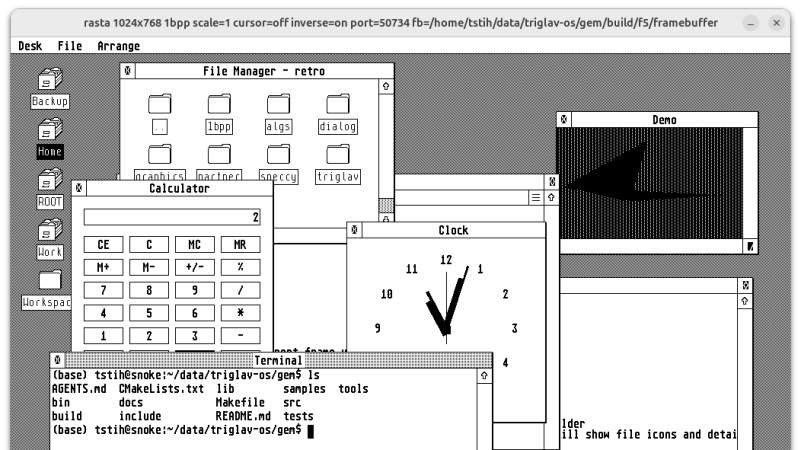
Between lawsuits from Apple, and Microsoft being Microsoft, Digital Research’s GEM desktop for DOS never really had a chance. It did have another life on Atari home computers, but it’s the DOS version that provided the code for [Tomaz Stih]’s Linux port of the GEM graphical desktop — which isn’t a WM or DE for X or Wayland, for the record. It is entirely it’s own graphical display that will live in the framebuffer of a minimal Linux installation.

[Thomaz] is leveraging DR’s original code — or at least what started as DR’s code before a series of acquisitions and open sourcing — via OpenGEM and FreeGEM. Sample applications include the clock and calendar, but [Thomaz] says the APIs are compatible with Atari ST applications; presumably given the codebase the it will match the DOS version as well.

Much like when it was originally crushed betwixt Macintosh System and Microsoft Windows, we doubt many will be rushing out to use GEM instead of Wayland or XServer on Linux, but there may well be some use cases. If nothing else, it’s got to be lightweight.

If you missed the Digital Research GEM saga, this might get you up to date. If the idea of it running on Linux tickles your funny bone, you might enjoy seeing GEM on an AlphaSmart word processor.
Image

Pong On Industrial Controllers

Programmable Logic Controllers (PLCs) are a staple of control automation. Sometime in the 60s or 70s, they replaced a box full of relays to implement the kind of “if-this-then-that” logic that turns thermostats on or directs machinery. Sometime in the 90s or 2000s, some more computing power was added, giving us the Programmable Automation Controller (PAC). And if reading Hackaday has taught us anything, it’s that if you give people a little bit of computing power, they’ll implement Pong (or Snake or Doom!).

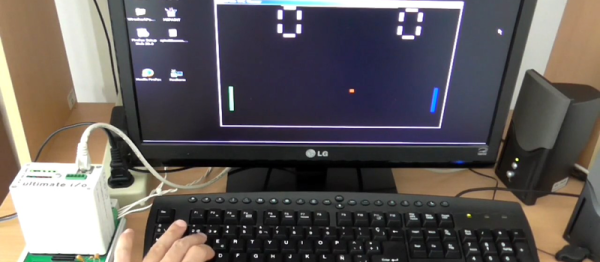
We were sent a link where [AbsolutelyAutomation] does just that: implements a remotely-playable Pong on a bit of industrial control. Even if you don’t have a PAC sitting around, the details are interesting.

The first step is to get graphics out of the thing. The PAC in question is already able to speak Ethernet, so it’s “just” a matter of sending the right packets. Perhaps the simplest way to go is to implement the remote framebuffer (RFB) protocol from VNC, and then use a VNC client on the PC to send the graphics. (As they point out [CNLohr] has done this quite nicely on the ESP8266 (YouTube) as well.) So an RFB library was written. [AbsolutelyAutomation] points out that this could be used to make boring things like user-friendly configuration and monitoring screens. (Yawn!)

Graphics done, it’s easy to add a Pong layer over the top, using the flowchart-based programming interface that makes homage to the PLC/PAC’s usual function as an industrial controller. (Oddly enough, it seems to compile to a Forth dialect to run on the PAC.) And then you’re playing. There’s code and a (PDF) writeup available if you want more info. If you don’t have a PAC to run it on, the manufacturers have a simulator for you.

We’ve never worked with a PLC/PAC, but we know the hacker spirit when we see it. And making something that’s usually located in the boiler room play video games is aces in our book. This sparks a memory of an industrial control hacking room at DEF CON a few years back. Maybe this is the inspiration needed to spend some time in that venue this year.

We know we’ve got controls engineers out there. What’s the strangest thing you’ve programmed into a PLC?

Image

Learning Python With Tron Radio

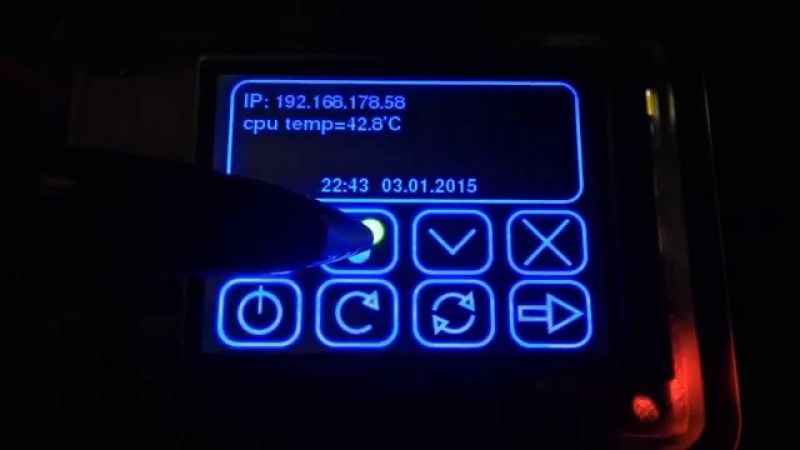
[5 Volt Junkie] has built his share of Arduino projects, but never anything with Python, and certainly never anything with a GUI. After listening to Internet radio one day, a new idea for a project was born: a Raspberry Pi with a small touchscreen display for a UI and displaying soma.fm tracks. It’s finally finished, and it’s a great introduction to Python, Pygame, and driving tiny little displays with the Pi.

Playing soma.fm streams was handled by mpd and mpc, while the task of driving a 2.8″ TFT LCD was handled by the fbtft Linux framebuffer driver. This left [5 Volt Junkie] with the task of creating a GUI, some buttons, and working out how to play a few streams. This meant drawing some buttons in Inkscape, but these were admittedly terrible, so [5 Volt Junkie] gave up and turned on the TV. Tron Legacy was playing, giving him the inspiration to complete his Tron-themed music player.

The result of [5 Volt Junkie]’s work is a few hundred lines of Python with Pygame and a few multicolor skins all wrapped up in a Tron theme. It looks great, it works great, and it’s a great introduction to Python and Pygame.

Continue reading “Learning Python With Tron Radio”

Thinner Client Using STM32 And NTSC Monitor

Image

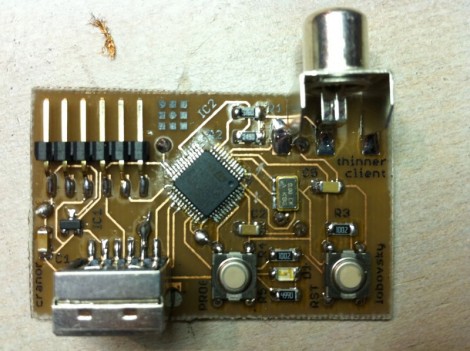
[David Cranor], along with [Max Lobovsky’s] help, managed to build a thin client that uses an NTSC television as a monitor for only $6. This is his first foray into the world of ARM architecture and he has vowed to never use an AVR again. The powerful little chip uses timers to manage sync and DMA to transfer the full 480×240 frame buffer to the screen. Overclocked at 80 MHz there’s a lot of potential in this little board and he plans to take on the challenge of a full-color display for his next trick.