New to Rust? Grab our free Rust for Beginners eBook Get it free →
NodeJS vs AngularJS: What are the similarities and differences?

Node.js and AngularJS can appear in the same older web stack, yet they sit on opposite sides of the browser boundary because Node.js runs JavaScript on the server and AngularJS organizes a browser interface.
Node.js and AngularJS solve different jobs
Node.js is a JavaScript runtime built on the V8 engine, so you can use it to accept HTTP requests, access databases through application code, run background jobs, and return data to a client.
AngularJS is a browser framework for building views with templates, controllers, scopes, and data binding. It can call a Node.js API, yet the server still authenticates requests and persists application data.
Node.js vs AngularJS at a glance
Execution environment drives the decision because a server runtime and a browser framework perform different parts of the application.
| Question | Node.js | AngularJS |
|---|---|---|
| Where does it run? | On a server, development machine, or command-line environment. | In the browser after its JavaScript loads. |
| Primary job | HTTP services, scripts, build tools, and backend application logic. | Browser views and interactions in an AngularJS application. |
| What does it produce? | Responses, files, jobs, or command-line output. | Updated browser markup and client-side state. |
| New-project fit | A supported Node.js release can run a new server-side project. | AngularJS support ended in January 2022, so use a supported framework for new browser work. |
| Legacy-app role | It can continue to provide APIs or tooling around an older frontend. | It may need maintenance and a migration plan before new feature work expands. |
Where the code runs changes the architecture
A browser can render an AngularJS interface after it receives data from a Node.js service that validates the session, applies application rules, and sends that data over HTTP.
That division also explains why Node.js and AngularJS were commonly paired. The browser framework handled the view, and the Node.js application handled endpoints. If you maintain an AngularJS interface, the AngularJS tutorial and this explanation of two-way data binding can help you identify the browser-side code before planning a change.
AngularJS has a maintenance boundary
The AngularJS project states that official support ended in January 2022, although its source and documentation remain available without new fixes or project support.
For an existing AngularJS application, begin with an inventory of routes, directives, and shared services. Angular’s migration documentation describes upgrade paths for supported Angular applications, while the AngularJS version support page records the end-of-support boundary.
A migration has a cost. If the application needs a stable browser UI while a team replaces pieces gradually, preserve behavior with tests and move one route or component boundary at a time instead of mixing a framework migration with unrelated product changes.
What a Node.js endpoint looks like
This dependency-free example starts an HTTP server and returns JSON when a client requests /api/status, showing the server-side job that an AngularJS page would consume rather than perform inside the browser.
import http from 'node:http';

const server = http.createServer((request, response) => {
  if (request.url === '/api/status') {
    response.writeHead(200, { 'content-type': 'application/json' });
    response.end(JSON.stringify({ service: 'node', status: 'ok' }) + '\n');
    return;
  }

  response.writeHead(404, { 'content-type': 'text/plain' });
  response.end('Not found\n');
});

server.listen(3000, '127.0.0.1', () => {
  console.log('Listening on http://127.0.0.1:3000');
});
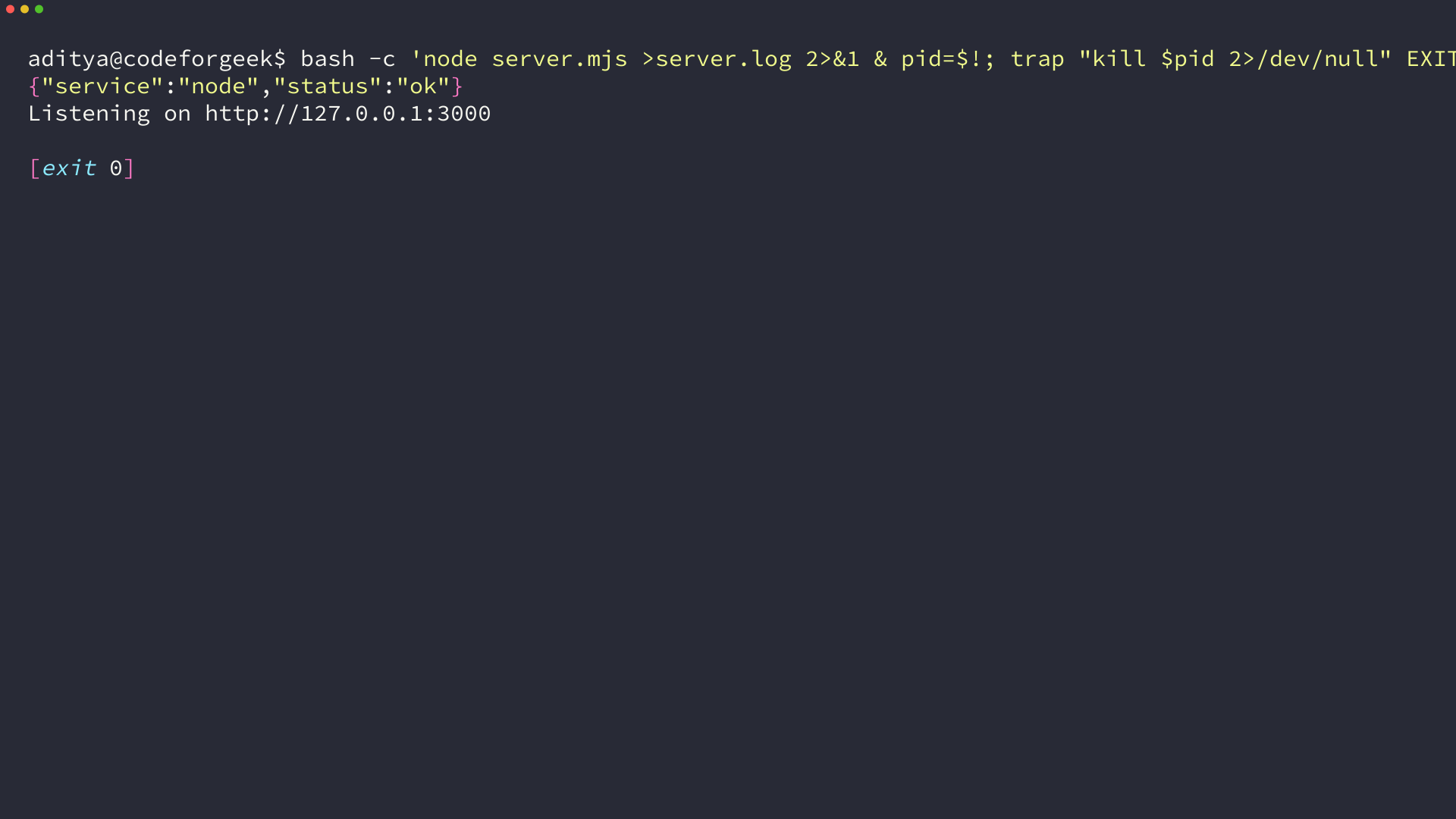
The command output below came from the same file. The response is generated by Node.js, then curl reads it from the local HTTP endpoint.
How to choose
Choose Node.js when you need a JavaScript runtime for an API, server-side application code, automation, or tooling. Choose a supported browser framework when you need a new client-side interface.
If the codebase already uses AngularJS, treat the framework as a maintenance constraint rather than a default for the next feature. Keep the server and browser responsibilities clear, then use the dependency map to decide whether a focused repair or a staged migration is the safer move.
Conclusion
Node.js and AngularJS can work together in a legacy application, but they are not interchangeable. Classify each change by where it runs first, then check the AngularJS support boundary before committing new browser work to the old framework.