
The whole admin, reconsidered from the ground up.
Every surface you reach for daily, made fast and legible. Built entirely on the REST API, so it's exactly as capable as WordPress itself.
Your plugins, already wired in.
Minn ships adapters for the plugins WordPress sites actually run: more than one hundred of them. Each reads through the plugin's own API or storage, shows up in the right surface automatically, and needs zero setup. That breadth usually costs privacy (a SaaS dashboard in the middle, your data in someone else's cloud); Minn covers your whole stack from your own server and never phones home. Everything else stays one click away in wp-admin.
Don't see yours? Any plugin can register its own surface, panel or provider with one filter: see how.

Dark & light, done right.
Bundled fonts, both themes remembered per user, and zero external requests. No CDNs, no font servers, no telemetry: Minn ships everything it needs, and nothing about you leaves your server.
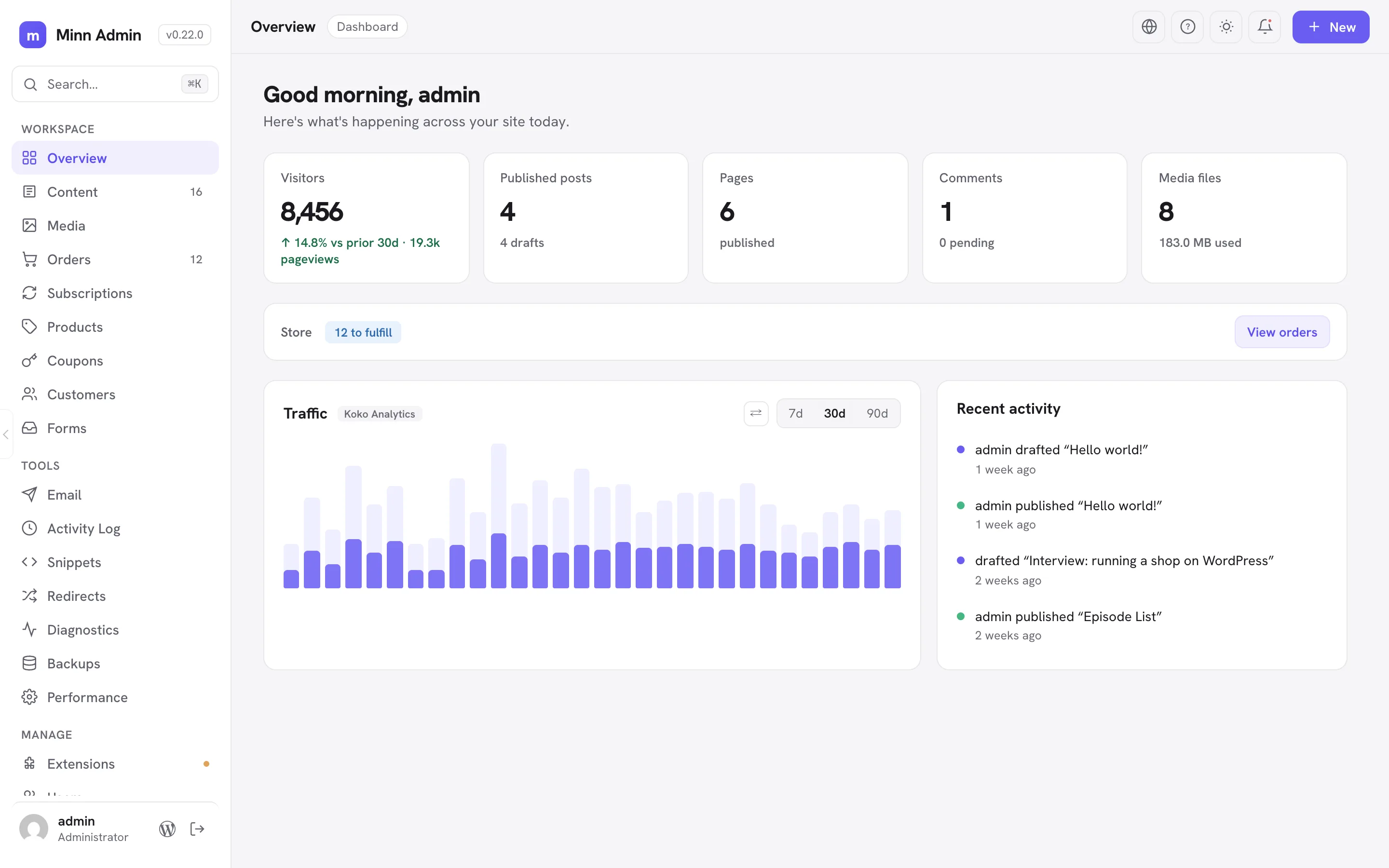
It doesn't replace wp-admin.
Minn lives alongside the classic dashboard at /minn-admin/. Everything you know stays exactly where it was. This is simply a better front door.
Built to be audited.
An admin surface deserves more scrutiny than a slider plugin. Here is exactly how Minn earns a place on a production site.
Your permissions, enforced twice
Opening /minn-admin/ requires a logged-in account your site already trusts to edit content. Every action is then re-checked on the server through WordPress core's own REST permissions, so each role sees and does only what wp-admin would allow it.
Plugins can't misbehave here
Plugins describe their screens to Minn as plain data. Their code never runs in Minn's rendering, their HTML and scripts never reach the app, and hard budgets cap the space anyone gets. A broken plugin can't take the interface down. Anything you don't want, you hide. No admin notices. No upsell banners. Ever.
Updates you can verify
Releases ship from GitHub through the normal WordPress updates screen. Before anything installs, the download is checked against the sha256 published in the release manifest; a tampered or truncated package refuses to install. No opaque update server, no silent code paths.
Every external byte, accounted for
The app itself loads nothing from outside your site: no CDNs, no font servers, no telemetry. What remains is yours and named: avatars from Gravatar (WordPress core behavior), extension icons from wordpress.org, and editor previews rendering your own theme's styles. A browser test enforces this on every release.
Leave any time
Minn writes native WordPress data and nothing else: real block markup, core options, core users. Deactivate it and your site is exactly as it was, with wp-admin untouched the whole time. No migration in, no migration out, no formats you'd have to unwind.
Found something? Tell us privately
Security reports get priority over everything else: private reporting on GitHub, acknowledgment within 48 hours, and credit to the reporter. The full policy, including scope and design notes for reviewers, lives in SECURITY.md.
192 browser test suites run against every release, on a clean site and a production-scale one, with a zero-console-errors gate.
Install like any other plugin.
Any plugin adds a view with one filter.
A declarative descriptor, no JavaScript required. Every adapter in the library above uses this same API, and it's open to everyone: surfaces with tabs, detail cards, status cards, actions, bulk actions, schema-driven settings views and setup gates, editor panels, traffic providers, cache purgers, design libraries.
Fair questions.
The ones people actually ask before putting a new admin on a real site.
Does Minn replace wp-admin?
No. Minn is a second front door at /minn-admin/. Classic wp-admin stays fully available, and Minn links you there whenever a job is better done in it. You can use both side by side forever.
What happens if I deactivate or delete it?
Nothing is lost. Minn writes native WordPress data only: real block markup, core options, core users. Deactivate the plugin and your site is exactly as it was, with nothing to migrate and nothing to unwind.
Will it work with my plugins?
More than one hundred plugins have adapters that show up automatically with zero setup, and the list grows nearly every release. Plugins without an adapter keep working normally; their screens stay one click away in wp-admin. The supported plugins doc says exactly what each integration covers.
What about page builders?
Safe by design. Posts built with Elementor, Bricks, Divi and friends open read-only in Minn with an edit button that hands you to the builder, because the builder owns that content. Minn never writes to a builder's data.
How do updates arrive?
On the normal WordPress updates screen, served from the project's GitHub releases. Every download is verified against a checksum published with the release before it is allowed to install.
Why isn't it on wordpress.org?
Mostly cadence: Minn has shipped more than twenty releases since July, and the GitHub pipeline sustains that pace while keeping updates on the standard updates screen, checksum-verified. A directory listing may come later.
My security plugin restricts the REST API. Will Minn break?
Almost never. Minn uses the same authenticated, same-origin REST calls the block editor uses, so hardening that blocks anonymous REST traffic leaves it intact. If something does interfere, the System page's health checks name the problem instead of leaving you guessing.
Who can open /minn-admin/?
Only logged-in users your site already trusts to edit content, and each role sees only what wp-admin would allow it. Every action is re-checked on the server through WordPress core's own permissions.
Why can't I find a particular setting?
On purpose. Minn surfaces the settings people change day to day; the long tail deliberately stays in wp-admin, one click away. If a screen you reach for often is missing, open an issue.
What does it cost?
Nothing. Minn Admin is free and MIT licensed, with no Pro tier, no upsells and no nags. If it earns a place in your work, a star or a GitHub sponsorship keeps it moving.
