676 startups launched 7,556 upvotes cast 84 submitted this week

Recently Listed

676 launches

Sort
Where Is This Place

Finding a location from a photo should be straightforward, but current solutions disappoint. Google Lens returns visually similar but geographically wrong results, general chatbots confidently pinpoint places without revealing their reasoning, and once GPS data vanishes, the photo becomes a mystery. Where Is This Place addresses this friction by turning photo location identification into a transparent, verifiable process. The service accepts any image without requiring an account or signup. Users upload a photo, screenshot, or paste directly, and receive ranked candidate locations within approximately 30 seconds. The product's core differentiation lies in its commitment to reasoning transparency. Rather than offering a single confident answer, it displays the top three candidate places alongside the visual evidence that led to each ranking: architectural features, street signs, landscape characteristics, and infrastructure details. Each analysis includes a confidence label that acknowledges the limits of what the image can support, deliberately avoiding false GPS-level precision. The interface separates candidate locations from verified pins, making clear the distinction between the AI identifying a place as a likely match and having definitive evidence for an exact location. This distinction matters for users who need trustworthy answers rather than speculative ones. Users can inspect unedited model outputs, view source photos with their original licenses and documented coordinates, and verify conclusions independently on maps. The product publishes reproducible production runs rather than handwritten demos, with file hashes and independent ground-truth checks retained in reports. The platform extends beyond geolocation into privacy protection. A browser-based EXIF viewer allows users to inspect their own photo metadata before sharing, and a metadata removal tool addresses the flip side of the problem: preventing others from extracting location data from personal photos. On the free tier, users receive five analyses per week without cost. Uploaded photos are deleted within 24 hours and never used for model training. An optional paid tier unlocks deeper evidence such as exact pins and Street View comparisons when the underlying analysis supports that level of precision, though specific pricing is not disclosed. Where Is This Place targets photographers, travelers, researchers, and anyone with photos of unknown origin. The emphasis on explainable results and privacy protection positions it directly against generic AI image analysis tools, appealing to users who want to understand the reasoning behind answers, not just the answers themselves.


Geo-tools
曾大发

Finding a location from a photo should be straightforward, but current solutions disappoint. Google Lens returns visually similar but geographically wrong results, general chatbots confidently pinpoint places without revealing their reasoning, and once GPS data vanishes, the photo becomes a mystery. Where Is This Place addresses this friction by turning photo location identification into a transparent, verifiable process. The service accepts any image without requiring an account or signup. Users upload a photo, screenshot, or paste directly, and receive ranked candidate locations within approximately 30 seconds. The product's core differentiation lies in its commitment to reasoning transparency. Rather than offering a single confident answer, it displays the top three candidate places alongside the visual evidence that led to each ranking: architectural features, street signs, landscape characteristics, and infrastructure details. Each analysis includes a confidence label that acknowledges the limits of what the image can support, deliberately avoiding false GPS-level precision. The interface separates candidate locations from verified pins, making clear the distinction between the AI identifying a place as a likely match and having definitive evidence for an exact location. This distinction matters for users who need trustworthy answers rather than speculative ones. Users can inspect unedited model outputs, view source photos with their original licenses and documented coordinates, and verify conclusions independently on maps. The product publishes reproducible production runs rather than handwritten demos, with file hashes and independent ground-truth checks retained in reports. The platform extends beyond geolocation into privacy protection. A browser-based EXIF viewer allows users to inspect their own photo metadata before sharing, and a metadata removal tool addresses the flip side of the problem: preventing others from extracting location data from personal photos. On the free tier, users receive five analyses per week without cost. Uploaded photos are deleted within 24 hours and never used for model training. An optional paid tier unlocks deeper evidence such as exact pins and Street View comparisons when the underlying analysis supports that level of precision, though specific pricing is not disclosed. Where Is This Place targets photographers, travelers, researchers, and anyone with photos of unknown origin. The emphasis on explainable results and privacy protection positions it directly against generic AI image analysis tools, appealing to users who want to understand the reasoning behind answers, not just the answers themselves.

Where Is This Place preview

Key features

  • Photo Upload Analysis: Users can upload any image to identify its location without requiring an account or signup.
  • Transparent Reasoning: Top three candidate locations are displayed alongside visual evidence like architectural features and street signs that support each ranking.
See full listing
Musician Learner

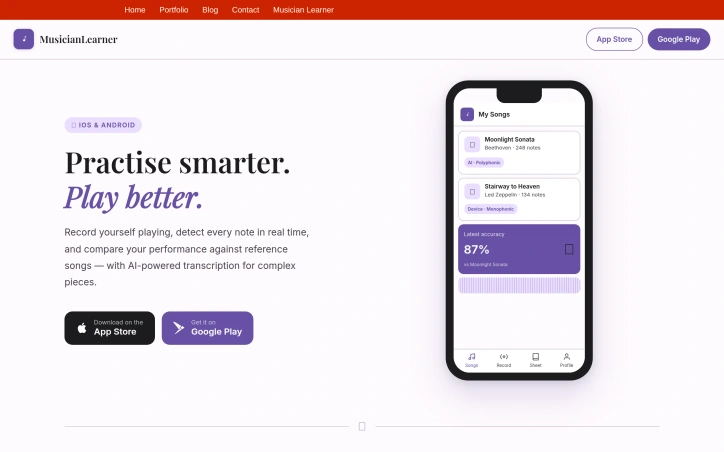
Practice routines have long suffered from a fundamental problem: musicians rarely receive accurate feedback on what they're actually playing. MusicianLearner addresses this gap by bringing real-time note detection and AI-powered comparison to mobile devices, helping instrumentalists of all levels understand their performance with precision. The app targets musicians who want concrete data about their practice sessions rather than guesswork or subjective impressions. Whether learning piano, guitar, or other instruments, users can record themselves playing alongside reference songs and receive an accuracy score that accounts for tempo variations. This addresses a real need in music education—immediate, measurable feedback that would otherwise require a private instructor. Several technical choices set MusicianLearner apart from simpler recording apps. It performs pitch detection entirely on-device using YIN and FFT algorithms, meaning musicians can practice without internet connectivity. For more complex pieces, particularly those with multiple notes played simultaneously, the app leverages Spotify's Basic Pitch neural network to extract full transcriptions. The comparison itself uses Dynamic Time Warping, an algorithm specifically designed to handle timing variations between recordings, producing accuracy scores that reflect musical performance rather than punishing tempo inconsistencies. The feature set extends beyond raw comparison metrics. Users can visualize their recordings as sheet music and export PDFs, making it easy to review their work with instructors. The app also gamifies practice through a challenge system where musicians can compete on shared songs and track rankings against peers. This competitive element, while optional, introduces accountability and motivation for users inclined toward it. The ability to upload any audio file as a reference song—whether a professional recording or a teacher's demonstration—adds flexibility to how musicians approach practice. The distinction between monophonic and polyphonic extraction modes shows thoughtful product design, acknowledging that single-note instruments like flute require different processing than piano or guitar. MusicianLearner positions itself as a practical tool for deliberate practice, using established music-processing algorithms and AI transcription to replace intuition with data. For musicians serious about measurable improvement, the combination of real-time feedback, detailed comparison metrics, and offline capability represents a thoughtful approach to turning practice sessions into measurable progress.

Music-generation
P
Pascal Daher

Practice routines have long suffered from a fundamental problem: musicians rarely receive accurate feedback on what they're actually playing. MusicianLearner addresses this gap by bringing real-time note detection and AI-powered comparison to mobile devices, helping instrumentalists of all levels understand their performance with precision. The app targets musicians who want concrete data about their practice sessions rather than guesswork or subjective impressions. Whether learning piano, guitar, or other instruments, users can record themselves playing alongside reference songs and receive an accuracy score that accounts for tempo variations. This addresses a real need in music education—immediate, measurable feedback that would otherwise require a private instructor. Several technical choices set MusicianLearner apart from simpler recording apps. It performs pitch detection entirely on-device using YIN and FFT algorithms, meaning musicians can practice without internet connectivity. For more complex pieces, particularly those with multiple notes played simultaneously, the app leverages Spotify's Basic Pitch neural network to extract full transcriptions. The comparison itself uses Dynamic Time Warping, an algorithm specifically designed to handle timing variations between recordings, producing accuracy scores that reflect musical performance rather than punishing tempo inconsistencies. The feature set extends beyond raw comparison metrics. Users can visualize their recordings as sheet music and export PDFs, making it easy to review their work with instructors. The app also gamifies practice through a challenge system where musicians can compete on shared songs and track rankings against peers. This competitive element, while optional, introduces accountability and motivation for users inclined toward it. The ability to upload any audio file as a reference song—whether a professional recording or a teacher's demonstration—adds flexibility to how musicians approach practice. The distinction between monophonic and polyphonic extraction modes shows thoughtful product design, acknowledging that single-note instruments like flute require different processing than piano or guitar. MusicianLearner positions itself as a practical tool for deliberate practice, using established music-processing algorithms and AI transcription to replace intuition with data. For musicians serious about measurable improvement, the combination of real-time feedback, detailed comparison metrics, and offline capability represents a thoughtful approach to turning practice sessions into measurable progress.

Musician Learner preview

Key features

  • Real-Time Note Detection: Uses YIN and FFT algorithms to analyze what musicians play without requiring internet connectivity.
  • Dynamic Time Warping Scoring: Accounts for tempo variations to produce accurate performance metrics rather than punishing timing inconsistencies.
See full listing
Beat The Price App

Tired of soliciting multiple quotes and haggling with service providers? This free app tackles the tedious process of shopping around for better deals on everything from home renovations to vehicle service. Beat The Price positions itself as the intermediary between consumers and local service providers. Users upload a detailed quote they've received, select a category ranging from kitchen remodels to electrical work, specify their timeline, and submit. The app's stated promise: competitors in their area will contact them with better pricing within 72 hours, at no cost whatsoever. The platform covers a solid range of service categories—home improvement projects like roofing and painting, home security and automation, heating and cooling systems, as well as broader services under an "Other" category. This breadth gives homeowners and property managers a practical tool for their most common sourcing challenges. The user interface emphasizes simplicity: upload images or PDFs of the original quote, provide basic details like your city and state, and let the company handle outreach on your behalf. What distinguishes Beat The Price is its claim of human review. Rather than relying on automated matching, the team personally evaluates submissions before reaching out to competitors. This manual curation could translate to more relevant matches, though the vetting criteria remain unclear from the public-facing information. The free model removes barriers to use. No subscription, no hidden fees, no paid tiers. The company operates across iOS, Android, and the web, making it accessible regardless of device preference. Email notifications keep users informed of incoming proposals. However, several questions linger. The mechanics of how competitors are sourced and incentivized remain opaque. The company's revenue model—presumably lead fees paid by service providers—is never mentioned publicly. There's no visibility into typical savings achieved or response rates from competitors. The disclaimer stating that Beat The Price is not the provider of any services and merely acts as a negotiator sets appropriate expectations, yet provides little assurance about follow-through quality. The 72-hour promise sounds ambitious but isn't qualified by geography, service type, or demand. A kitchen remodel request in a major metro area likely attracts faster responses than an electrical job in a rural region. For consumers willing to upload documentation and wait for outreach, Beat The Price removes friction from an inherently tedious process. Whether the matched competitors deliver genuine savings depends entirely on factors the app itself doesn't control.


Business-intelligence-software
P
Pascal Daher

Tired of soliciting multiple quotes and haggling with service providers? This free app tackles the tedious process of shopping around for better deals on everything from home renovations to vehicle service. Beat The Price positions itself as the intermediary between consumers and local service providers. Users upload a detailed quote they've received, select a category ranging from kitchen remodels to electrical work, specify their timeline, and submit. The app's stated promise: competitors in their area will contact them with better pricing within 72 hours, at no cost whatsoever. The platform covers a solid range of service categories—home improvement projects like roofing and painting, home security and automation, heating and cooling systems, as well as broader services under an "Other" category. This breadth gives homeowners and property managers a practical tool for their most common sourcing challenges. The user interface emphasizes simplicity: upload images or PDFs of the original quote, provide basic details like your city and state, and let the company handle outreach on your behalf. What distinguishes Beat The Price is its claim of human review. Rather than relying on automated matching, the team personally evaluates submissions before reaching out to competitors. This manual curation could translate to more relevant matches, though the vetting criteria remain unclear from the public-facing information. The free model removes barriers to use. No subscription, no hidden fees, no paid tiers. The company operates across iOS, Android, and the web, making it accessible regardless of device preference. Email notifications keep users informed of incoming proposals. However, several questions linger. The mechanics of how competitors are sourced and incentivized remain opaque. The company's revenue model—presumably lead fees paid by service providers—is never mentioned publicly. There's no visibility into typical savings achieved or response rates from competitors. The disclaimer stating that Beat The Price is not the provider of any services and merely acts as a negotiator sets appropriate expectations, yet provides little assurance about follow-through quality. The 72-hour promise sounds ambitious but isn't qualified by geography, service type, or demand. A kitchen remodel request in a major metro area likely attracts faster responses than an electrical job in a rural region. For consumers willing to upload documentation and wait for outreach, Beat The Price removes friction from an inherently tedious process. Whether the matched competitors deliver genuine savings depends entirely on factors the app itself doesn't control.

Beat The Price App preview

Key features

  • Quote Upload: Users submit images or PDFs of competitor quotes for review and matching
  • Human Review: The team personally evaluates submissions before reaching out to potential competitors
See full listing
TonesMatch

Matching the tone of a legendary guitar riff requires more than inspiration—it demands knowing the exact amp settings, pickup position, and signal chain used in the original recording. TonesMatch addresses this challenge with a database of over 13,000 community-researched guitar tones and a system that adapts settings to individual equipment configurations. The platform targets guitarists and bass players of all skill levels who want to replicate professional tones on their own gear, from bedroom practitioners to working musicians. What distinguishes TonesMatch from generic tone-advice resources is its commitment to real data. Rather than using AI to conjure plausible-sounding settings, the service catalogs tones from documented studio recordings and rig rundowns, with confidence scores tied to research sources. This prevents the common trap of AI-generated hallucinations: every amp setting the platform recommends actually exists on the specified amplifier, with correct preset names and parameter ranges. The product's adaptive intelligence recognizes that a Marshall Plexi and a Yamaha modeling amp respond differently to the same settings. TonesMatch profiles gear characteristics—distinguishing between tube and modeling amplifiers, single-coil and humbucker pickups, and 12 cabinet voicings—then recalculates recommendations for each user's specific equipment. The underlying database includes 2,000+ profiled guitars, 1,500+ amps, and 879 pedals across more than 1,000 brands, ensuring compatibility with both boutique and mainstream gear. The workflow is designed for speed. Users browse tones free, select a song, input their gear configuration, and receive settings in approximately 30 seconds. The interface highlights trending tones—this week's most-matched classic riffs and solos—giving users a sense of community activity and popular targets. For guitarists tired of trial-and-error tone chasing or struggling to translate YouTube rig videos to their own equipment, TonesMatch offers a data-driven alternative. By replacing speculation with researched settings calibrated to individual gear, it removes friction from a process that traditionally required either extensive experimentation or technical knowledge few players possess. The emphasis on real gear data and actual amp parameters separates it from more speculative AI tone-matching approaches flooding the market.


Music-generation
A
Audio AI

Matching the tone of a legendary guitar riff requires more than inspiration—it demands knowing the exact amp settings, pickup position, and signal chain used in the original recording. TonesMatch addresses this challenge with a database of over 13,000 community-researched guitar tones and a system that adapts settings to individual equipment configurations. The platform targets guitarists and bass players of all skill levels who want to replicate professional tones on their own gear, from bedroom practitioners to working musicians. What distinguishes TonesMatch from generic tone-advice resources is its commitment to real data. Rather than using AI to conjure plausible-sounding settings, the service catalogs tones from documented studio recordings and rig rundowns, with confidence scores tied to research sources. This prevents the common trap of AI-generated hallucinations: every amp setting the platform recommends actually exists on the specified amplifier, with correct preset names and parameter ranges. The product's adaptive intelligence recognizes that a Marshall Plexi and a Yamaha modeling amp respond differently to the same settings. TonesMatch profiles gear characteristics—distinguishing between tube and modeling amplifiers, single-coil and humbucker pickups, and 12 cabinet voicings—then recalculates recommendations for each user's specific equipment. The underlying database includes 2,000+ profiled guitars, 1,500+ amps, and 879 pedals across more than 1,000 brands, ensuring compatibility with both boutique and mainstream gear. The workflow is designed for speed. Users browse tones free, select a song, input their gear configuration, and receive settings in approximately 30 seconds. The interface highlights trending tones—this week's most-matched classic riffs and solos—giving users a sense of community activity and popular targets. For guitarists tired of trial-and-error tone chasing or struggling to translate YouTube rig videos to their own equipment, TonesMatch offers a data-driven alternative. By replacing speculation with researched settings calibrated to individual gear, it removes friction from a process that traditionally required either extensive experimentation or technical knowledge few players possess. The emphasis on real gear data and actual amp parameters separates it from more speculative AI tone-matching approaches flooding the market.

TonesMatch preview

Key features

  • Community-Researched Database: Over 13,000 documented guitar tones from studio recordings and rig rundowns
  • Adaptive Gear Profiling: Settings automatically recalculated for individual equipment including 2,000+ guitars, 1,500+ amps, and 879 pedals
See full listing
Best SOCKS5 Proxy Providers 2026 – Tested & Ranked

Organizations selecting SOCKS5 proxy infrastructure face a fragmented market where vendor claims often lack independent verification. This comparison site addresses that gap by benchmarking major providers against standardized criteria rather than relying on marketing materials. The platform targets enterprises and mid-market teams conducting web scraping, data collection, or testing operations where proxy selection directly impacts both cost and reliability. It also serves developers and agencies evaluating solutions at various price points, from budget options under $2 per gigabyte to premium services at $8+ per gigabyte. What distinguishes this resource is its commitment to independent testing methodology. Rather than publishing vendor-supplied numbers, the site conducts its own benchmarks across 180 test runs per provider, measuring success rates, latency from multiple geographic probes (Frankfurt, Ashburn, Singapore), and throughput. The scoring framework weights five dimensions—success rate at 35 percent, latency and throughput at 25 percent, cost per IP/GB at 20 percent, pool quality at 12 percent, and support tooling at 8 percent. This transparency allows readers to understand trade-offs between competing priorities. The comparison table presents practical specifications: pool sizes ranging from 2 million to 150 million IPs, latency from 620 milliseconds to 1,300 milliseconds, and supported protocols. Scores cluster between 8.2 and 9.8, suggesting narrow performance differentials at the top tier. Top-ranked providers like Oxylabs and Bright Data offer pools exceeding 100 million IPs with sub-700 millisecond latency, while budget alternatives like IPRoyal deliver comparable SOCKS5 support at 1,100 milliseconds latency for fraction-of-the-price positioning. The site distinguishes datacenter SOCKS5 (for speed and consistency) from residential options, addressing different use cases. Provider reviews are keyed to specific personas—scraping teams needing scale get Oxylabs, agencies requiring granular targeting get Bright Data, and cost-conscious mid-market teams get Smartproxy. One notable gap: the site discloses affiliate relationships but doesn't articulate how those relationships are managed or whether they influence editorial placement. The methodology section mentions measuring HTTP 2xx success rates as-is without context about whether this metric equally applies across providers supporting different protocol stacks. For teams with limited proxy expertise, this resource reduces decision friction through structured comparison. The independent benchmarking claim is substantive, though readers should verify that test scenarios match their specific workload requirements—latency from Frankfurt probes doesn't necessarily predict performance for US-centric operations, for example.


Content-management-systems
V
VPS Rated

Organizations selecting SOCKS5 proxy infrastructure face a fragmented market where vendor claims often lack independent verification. This comparison site addresses that gap by benchmarking major providers against standardized criteria rather than relying on marketing materials. The platform targets enterprises and mid-market teams conducting web scraping, data collection, or testing operations where proxy selection directly impacts both cost and reliability. It also serves developers and agencies evaluating solutions at various price points, from budget options under $2 per gigabyte to premium services at $8+ per gigabyte. What distinguishes this resource is its commitment to independent testing methodology. Rather than publishing vendor-supplied numbers, the site conducts its own benchmarks across 180 test runs per provider, measuring success rates, latency from multiple geographic probes (Frankfurt, Ashburn, Singapore), and throughput. The scoring framework weights five dimensions—success rate at 35 percent, latency and throughput at 25 percent, cost per IP/GB at 20 percent, pool quality at 12 percent, and support tooling at 8 percent. This transparency allows readers to understand trade-offs between competing priorities. The comparison table presents practical specifications: pool sizes ranging from 2 million to 150 million IPs, latency from 620 milliseconds to 1,300 milliseconds, and supported protocols. Scores cluster between 8.2 and 9.8, suggesting narrow performance differentials at the top tier. Top-ranked providers like Oxylabs and Bright Data offer pools exceeding 100 million IPs with sub-700 millisecond latency, while budget alternatives like IPRoyal deliver comparable SOCKS5 support at 1,100 milliseconds latency for fraction-of-the-price positioning. The site distinguishes datacenter SOCKS5 (for speed and consistency) from residential options, addressing different use cases. Provider reviews are keyed to specific personas—scraping teams needing scale get Oxylabs, agencies requiring granular targeting get Bright Data, and cost-conscious mid-market teams get Smartproxy. One notable gap: the site discloses affiliate relationships but doesn't articulate how those relationships are managed or whether they influence editorial placement. The methodology section mentions measuring HTTP 2xx success rates as-is without context about whether this metric equally applies across providers supporting different protocol stacks. For teams with limited proxy expertise, this resource reduces decision friction through structured comparison. The independent benchmarking claim is substantive, though readers should verify that test scenarios match their specific workload requirements—latency from Frankfurt probes doesn't necessarily predict performance for US-centric operations, for example.

Best SOCKS5 Proxy Providers 2026 – Tested & Ranked preview

Key features

  • Independent Benchmarking: Conducts 180 test runs per provider measuring success rates, latency, and throughput
  • Multi-Dimensional Scoring: Weights five criteria including success rate (35%), latency/throughput (25%), cost (20%), pool quality (12%), and support tooling (8%)
See full listing
VCPeer

Conducting startup research typically means sifting through expensive directory subscriptions to compile comps, identify investor patterns, and understand market dynamics. VCPeer inverts this workflow by starting with a natural language question rather than database browsing. Users can ask about specific startups, founders, investors, or market segments and receive source-backed answers drawn from coverage of roughly 49,000 investors and live web research in seconds. The product targets founders conducting investor prospecting and VC professionals building investment theses. Rather than manually stitching together comparable companies from fragmented sources, users can request a funded comp set complete with funding rounds and capital patterns. Investors researching category trends get investor behavior maps showing who leads, follows, and repeats in specific domains. The interface positions question-answering as the primary research mode, with traditional directories relegated to secondary validation once the Ask engine has narrowed the most relevant records and patterns. VCPeer's architecture reflects a specific philosophy about research efficiency. The core Ask workspace centralizes the answer thread, source citations, follow-up questions, and export options in one place, reducing context switching. When a question-based answer doesn't suffice, users can escalate directly into a deeper research memo, avoiding the need to export findings into another tool. The freemium model provides three free searches without login, allowing trial users to test whether the engine answers their specific research questions before committing. The company emerged from observing that founders and investors repeatedly ask the same foundational questions: market landscape, comparative funding patterns, investor expertise in specific domains. Rather than iterating on directory design, the founders chose to build an intelligence layer that translates domain questions into evidence synthesis. This represents a genuine alternative to traditional paid research platforms, which typically require users to formulate their own queries against structured databases. Positioning as faster and more accessible compared to incumbents, VCPeer appeals to bootstrapped founders without research budgets and smaller investment firms without institutional research teams. The coverage of 49,000 investors paired with live web research suggests attempts to keep data fresher than point-in-time database snapshots. Whether the engine's answer quality matches specialized human research remains to be validated in practice, but the product architecture solves a real friction point in how startup research typically begins.


Fundraising-resources
A
arhan subaşı

Conducting startup research typically means sifting through expensive directory subscriptions to compile comps, identify investor patterns, and understand market dynamics. VCPeer inverts this workflow by starting with a natural language question rather than database browsing. Users can ask about specific startups, founders, investors, or market segments and receive source-backed answers drawn from coverage of roughly 49,000 investors and live web research in seconds. The product targets founders conducting investor prospecting and VC professionals building investment theses. Rather than manually stitching together comparable companies from fragmented sources, users can request a funded comp set complete with funding rounds and capital patterns. Investors researching category trends get investor behavior maps showing who leads, follows, and repeats in specific domains. The interface positions question-answering as the primary research mode, with traditional directories relegated to secondary validation once the Ask engine has narrowed the most relevant records and patterns. VCPeer's architecture reflects a specific philosophy about research efficiency. The core Ask workspace centralizes the answer thread, source citations, follow-up questions, and export options in one place, reducing context switching. When a question-based answer doesn't suffice, users can escalate directly into a deeper research memo, avoiding the need to export findings into another tool. The freemium model provides three free searches without login, allowing trial users to test whether the engine answers their specific research questions before committing. The company emerged from observing that founders and investors repeatedly ask the same foundational questions: market landscape, comparative funding patterns, investor expertise in specific domains. Rather than iterating on directory design, the founders chose to build an intelligence layer that translates domain questions into evidence synthesis. This represents a genuine alternative to traditional paid research platforms, which typically require users to formulate their own queries against structured databases. Positioning as faster and more accessible compared to incumbents, VCPeer appeals to bootstrapped founders without research budgets and smaller investment firms without institutional research teams. The coverage of 49,000 investors paired with live web research suggests attempts to keep data fresher than point-in-time database snapshots. Whether the engine's answer quality matches specialized human research remains to be validated in practice, but the product architecture solves a real friction point in how startup research typically begins.

VCPeer preview

Key features

  • Natural Language Questions: Ask about startups, founders, investors, or market segments instead of browsing databases
  • Investor Coverage at Scale: Draws from roughly 49,000 investors with live web research
See full listing
SEO Automation Hub

Scattered SEO data across multiple platforms has become a critical pain point for agencies and internal teams trying to move from analysis to implementation. SEO Automation Hub addresses this by consolidating audits, competitor intelligence, and content generation into a single operational workspace designed around clear workflows rather than dashboard reporting. The platform targets three distinct user groups: agencies looking to standardize client deliverables, independent consultants seeking to demonstrate methodology and control, and internal teams needing alignment between SEO, content, and development functions. Each gets a workspace structured around a four-step progression: acquiring signals from connected sources, evaluating them to separate genuine urgencies from noise, assigning insights as concrete tasks with clear ownership, and measuring the results of interventions. What distinguishes this product is its emphasis on actionability over metrics accumulation. The interface promises a readable path for decision-makers and executors alike, moving past the typical export-and-spreadsheet model that plagues multi-platform SEO work. The technical audit surfaces Lighthouse metrics, critical pages, and prioritized improvements in a structured roadmap. Google Search Console integration lifts query data, page performance, and competitive signals without requiring separate tabs and manual consolidation. The competitor analysis module goes beyond feature parity comparisons to identify strategic gaps and market positioning opportunities. Content generation gets particular attention here. Rather than disconnected AI writing, the platform generates briefs, on-page structures, and full articles calibrated to the domain's existing performance and market context. Topic research feeds into this, uncovering trend-worthy subjects and backlink opportunities that convert to editorial tasks. The work management layer—labeled Pipeline SEO—bundles all of this into weekly workflows with prioritization logic based on impact and effort. The product clearly positions itself for teams that have moved beyond one-off audits and now operate SEO as a continuous discipline with multiple stakeholders. An internal team might use this to keep content creators and developers aligned on shared SEO priorities. A consultant could use it to show clients not just what's broken but the method for fixing it systematically. An agency could scale delivery across clients without losing consistency. The platform offers a seven-day free trial with limited reporting access, suggesting a freemium model, though specific pricing tiers are not detailed in available materials. This approach lowers barrier to evaluation while funneling users toward paid tiers as project scope grows.

Scattered SEO data across multiple platforms has become a critical pain point for agencies and internal teams trying to move from analysis to implementation. SEO Automation Hub addresses this by consolidating audits, competitor intelligence, and content generation into a single operational workspace designed around clear workflows rather than dashboard reporting. The platform targets three distinct user groups: agencies looking to standardize client deliverables, independent consultants seeking to demonstrate methodology and control, and internal teams needing alignment between SEO, content, and development functions. Each gets a workspace structured around a four-step progression: acquiring signals from connected sources, evaluating them to separate genuine urgencies from noise, assigning insights as concrete tasks with clear ownership, and measuring the results of interventions. What distinguishes this product is its emphasis on actionability over metrics accumulation. The interface promises a readable path for decision-makers and executors alike, moving past the typical export-and-spreadsheet model that plagues multi-platform SEO work. The technical audit surfaces Lighthouse metrics, critical pages, and prioritized improvements in a structured roadmap. Google Search Console integration lifts query data, page performance, and competitive signals without requiring separate tabs and manual consolidation. The competitor analysis module goes beyond feature parity comparisons to identify strategic gaps and market positioning opportunities. Content generation gets particular attention here. Rather than disconnected AI writing, the platform generates briefs, on-page structures, and full articles calibrated to the domain's existing performance and market context. Topic research feeds into this, uncovering trend-worthy subjects and backlink opportunities that convert to editorial tasks. The work management layer—labeled Pipeline SEO—bundles all of this into weekly workflows with prioritization logic based on impact and effort. The product clearly positions itself for teams that have moved beyond one-off audits and now operate SEO as a continuous discipline with multiple stakeholders. An internal team might use this to keep content creators and developers aligned on shared SEO priorities. A consultant could use it to show clients not just what's broken but the method for fixing it systematically. An agency could scale delivery across clients without losing consistency. The platform offers a seven-day free trial with limited reporting access, suggesting a freemium model, though specific pricing tiers are not detailed in available materials. This approach lowers barrier to evaluation while funneling users toward paid tiers as project scope grows.

SEO Automation Hub preview

Key features

  • Technical Audit: Surfaces Lighthouse metrics, critical pages, and prioritized improvements in a structured roadmap.
  • Google Search Console Integration: Lifts query data, page performance, and competitive signals without requiring separate tabs.
See full listing
P

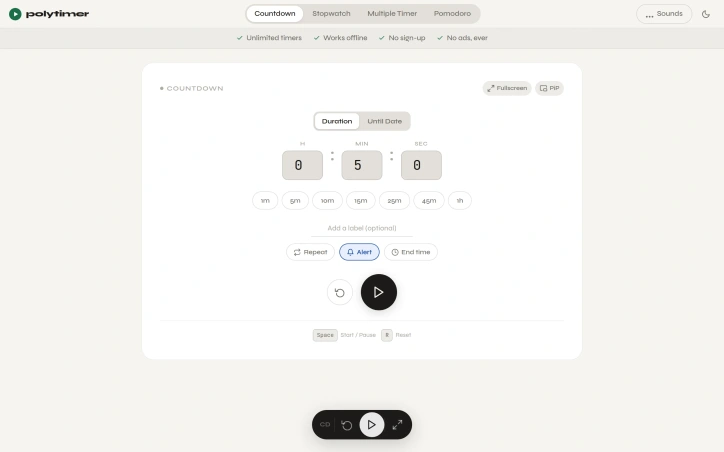
Finding the right timer tool online often means wading through cluttered interfaces, intrusive ads, and unnecessary features that distract rather than help. PolyTimer solves this by offering a distraction-free timer that runs entirely in the browser without requiring downloads, account creation, or subscriptions. The product targets anyone who needs reliable timing functionality: students managing study sessions, professionals working on time-blocked tasks, fitness enthusiasts tracking workouts, and anyone practicing productivity techniques like the Pomodoro method. What sets PolyTimer apart is its ruthless commitment to simplicity. The interface prioritizes speed and clarity over feature bloat. Users can start a timer in seconds using one-click preset durations ranging from one minute to one hour, or by entering custom times. The platform supports multiple timer modes: a standard countdown timer with customizable labels and repeat functionality, a digital stopwatch with lap timing and CSV export capabilities, a structured Pomodoro timer with adjustable phase durations, and a grid system for running multiple timers simultaneously. All modes include picture-in-picture and fullscreen options, making the tool adaptable to any workflow. Offline functionality ensures timers continue working without internet connectivity, while the browser-based architecture means immediate access across desktop, tablet, and mobile devices without installation. Users can customize their experience through alert sounds, ambient soundscapes like rain or ocean ambience, and time-until-completion displays showing the exact clock time when a timer will finish. The business model is refreshingly transparent: PolyTimer is entirely free with a firm commitment against advertisements. This approach reflects the founder's stated philosophy that the best tools handle one job exceptionally well rather than attempting to become sprawling productivity platforms. The product addresses a genuine pain point—the difficulty of finding a genuinely clean, fast timer online—with a focused solution that doesn't attempt to monetize through ads, paywalls, or feature gatekeeping. For anyone frustrated by the noise surrounding ordinary web-based tools, PolyTimer delivers exactly what its positioning promises: a functional, accessible timer that remains intentionally simple and perpetually free.

Time-tracking-apps
M
Majharul Islam

Finding the right timer tool online often means wading through cluttered interfaces, intrusive ads, and unnecessary features that distract rather than help. PolyTimer solves this by offering a distraction-free timer that runs entirely in the browser without requiring downloads, account creation, or subscriptions. The product targets anyone who needs reliable timing functionality: students managing study sessions, professionals working on time-blocked tasks, fitness enthusiasts tracking workouts, and anyone practicing productivity techniques like the Pomodoro method. What sets PolyTimer apart is its ruthless commitment to simplicity. The interface prioritizes speed and clarity over feature bloat. Users can start a timer in seconds using one-click preset durations ranging from one minute to one hour, or by entering custom times. The platform supports multiple timer modes: a standard countdown timer with customizable labels and repeat functionality, a digital stopwatch with lap timing and CSV export capabilities, a structured Pomodoro timer with adjustable phase durations, and a grid system for running multiple timers simultaneously. All modes include picture-in-picture and fullscreen options, making the tool adaptable to any workflow. Offline functionality ensures timers continue working without internet connectivity, while the browser-based architecture means immediate access across desktop, tablet, and mobile devices without installation. Users can customize their experience through alert sounds, ambient soundscapes like rain or ocean ambience, and time-until-completion displays showing the exact clock time when a timer will finish. The business model is refreshingly transparent: PolyTimer is entirely free with a firm commitment against advertisements. This approach reflects the founder's stated philosophy that the best tools handle one job exceptionally well rather than attempting to become sprawling productivity platforms. The product addresses a genuine pain point—the difficulty of finding a genuinely clean, fast timer online—with a focused solution that doesn't attempt to monetize through ads, paywalls, or feature gatekeeping. For anyone frustrated by the noise surrounding ordinary web-based tools, PolyTimer delivers exactly what its positioning promises: a functional, accessible timer that remains intentionally simple and perpetually free.

PolyTimer preview
P

Key features

  • One-Click Presets: Start timers in seconds with preset durations from one minute to one hour or enter custom times.
  • Multiple Timer Modes: Includes countdown timer, digital stopwatch with lap timing and CSV export, Pomodoro timer, and grid system for simultaneous timers.
See full listing
GhostPrompter

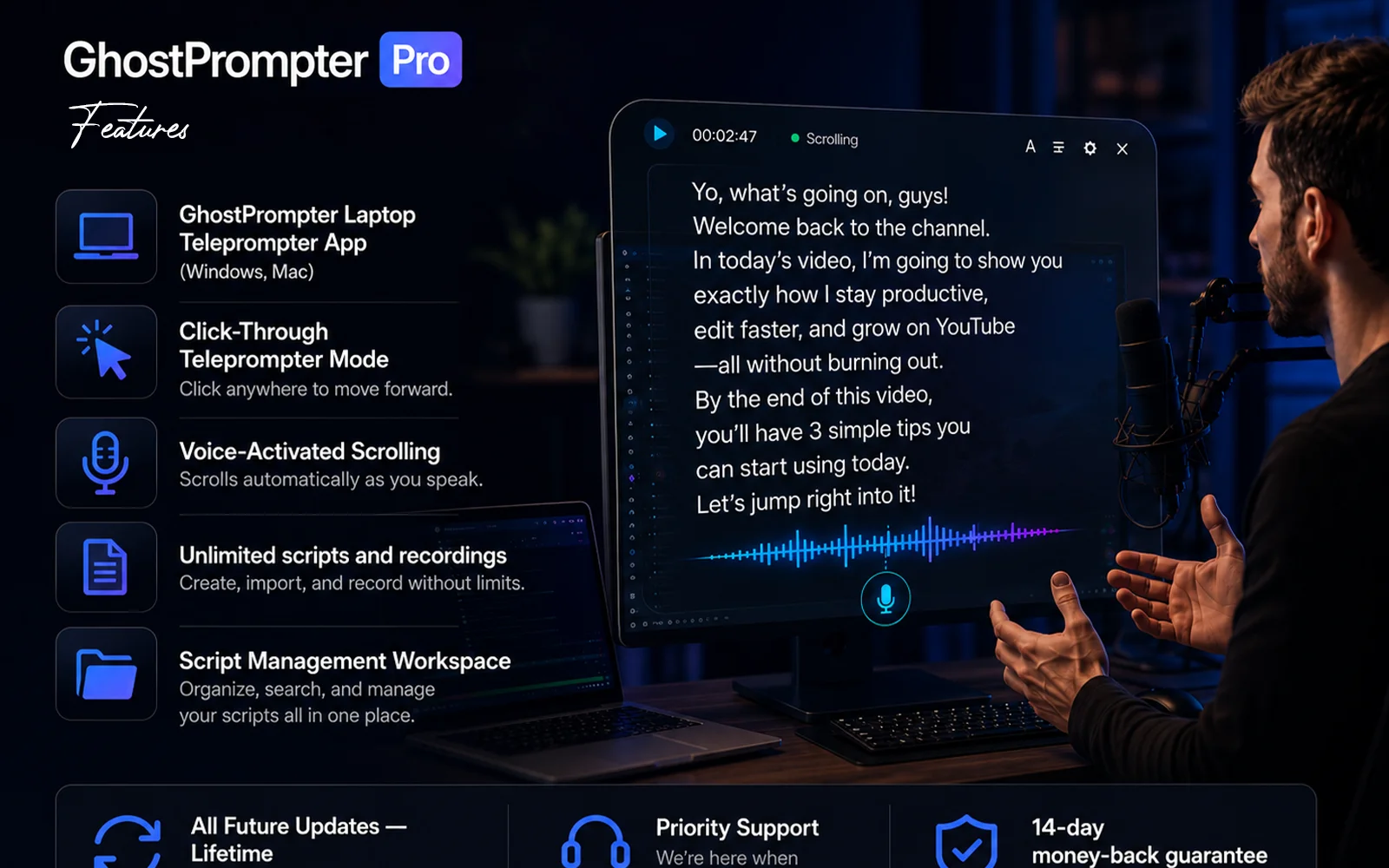
Recording on camera presents a paradox: you know what to say, but maintaining natural eye contact while reading notes proves nearly impossible. Most teleprompter applications claim to solve this by appearing in one form or another, whether as a blocking overlay that covers your interface, a tool that forces you to match its scroll speed, or software that crumbles the moment you need to click or type during a demonstration. This product addresses that frustration with a straightforward design philosophy—a transparent laptop teleprompter that reads your script while staying invisible to both you and your audience. The tool serves creators, educators, sales professionals, and anyone whose work involves recording or presenting on camera. Its core innovation is a click-through overlay that displays your script in a transparent layer, passing mouse clicks and keyboard input directly to whatever application sits behind it. This means you can read your notes while demonstrating software, navigating slides, or answering questions without the tool interfering with your work. Several features distinguish it from conventional teleprompter applications. Voice-activated scrolling lets the script advance automatically based on your speaking pace, pausing when you emphasize points and catching up when you speak quickly. The script remains invisible in screen shares and recordings regardless of your streaming platform, working seamlessly with Zoom, Loom, OBS, ScreenFlow, and Teams. Built-in script management lets you write, organize, and store multiple scripts within the application rather than juggling files elsewhere. The product supports Windows and Mac and offers a free trial. The positioning reflects a philosophy evident in its origin story: most existing teleprompter applications solve one problem but create another. By designing around a click-through overlay that genuinely gets out of your way, this solution attacks a frustration point in the creator economy. It recognizes that helping people remember their lines matters less than letting them maintain the composure and eye contact that distinguishes polished content from obviously scripted delivery. The bet is that most creators would rather invest in a purpose-built tool than waste countless hours re-recording takes until the delivery finally lands.

Presentation-software
E
ELDHO BENNY

Recording on camera presents a paradox: you know what to say, but maintaining natural eye contact while reading notes proves nearly impossible. Most teleprompter applications claim to solve this by appearing in one form or another, whether as a blocking overlay that covers your interface, a tool that forces you to match its scroll speed, or software that crumbles the moment you need to click or type during a demonstration. This product addresses that frustration with a straightforward design philosophy—a transparent laptop teleprompter that reads your script while staying invisible to both you and your audience. The tool serves creators, educators, sales professionals, and anyone whose work involves recording or presenting on camera. Its core innovation is a click-through overlay that displays your script in a transparent layer, passing mouse clicks and keyboard input directly to whatever application sits behind it. This means you can read your notes while demonstrating software, navigating slides, or answering questions without the tool interfering with your work. Several features distinguish it from conventional teleprompter applications. Voice-activated scrolling lets the script advance automatically based on your speaking pace, pausing when you emphasize points and catching up when you speak quickly. The script remains invisible in screen shares and recordings regardless of your streaming platform, working seamlessly with Zoom, Loom, OBS, ScreenFlow, and Teams. Built-in script management lets you write, organize, and store multiple scripts within the application rather than juggling files elsewhere. The product supports Windows and Mac and offers a free trial. The positioning reflects a philosophy evident in its origin story: most existing teleprompter applications solve one problem but create another. By designing around a click-through overlay that genuinely gets out of your way, this solution attacks a frustration point in the creator economy. It recognizes that helping people remember their lines matters less than letting them maintain the composure and eye contact that distinguishes polished content from obviously scripted delivery. The bet is that most creators would rather invest in a purpose-built tool than waste countless hours re-recording takes until the delivery finally lands.

GhostPrompter preview

Key features

  • Invisible Screen Recording: Keep your script visible while remaining hidden from OBS, Loom, Zoom, Teams, and other screen recording tools.
  • Click-Through Overlay: Read your script while clicking, typing, presenting, or demonstrating applications without blocking your workflow.
See full listing
NativeCode

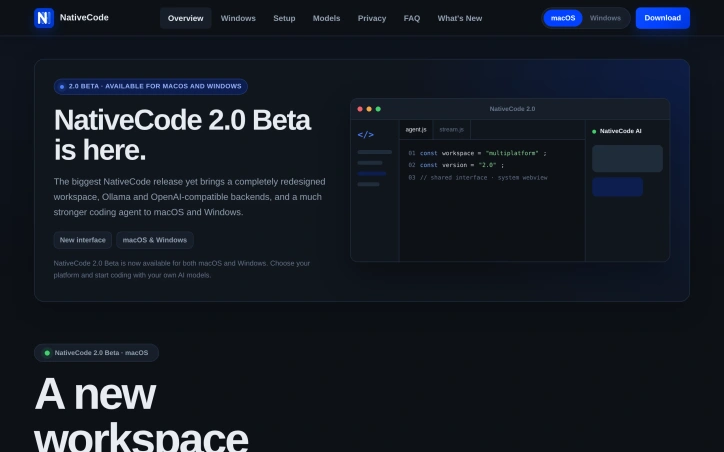
Privacy-conscious developers have few good options when it comes to AI-assisted coding tools. Most either bundle Chromium into their downloads, inflating file sizes to 150 MB or more, or require uploading projects to cloud servers. NativeCode addresses both issues by offering a compact, local-first alternative that keeps code on your machine while maintaining a minimal footprint. The product pairs a VS Code-inspired interface built on Monaco with your choice of local models running in Ollama, LM Studio, or any OpenAI-compatible server. The macOS download weighs just 7.11 MB because it leverages the system WebView built into modern operating systems — WKWebView on macOS, WebView2 on Windows — rather than shipping its own copy of Chromium. This design decision translates to meaningful storage savings without sacrificing functionality. Version 2.0 Beta, the latest release, significantly strengthens the core agent. It introduces plan mode for safe refactoring, project memory, reusable skills, pinned context, and self-review capabilities. The agent handles automatic context compaction and can access the web when needed. File and shell tool access is explicitly guarded, revealing a commitment to security over convenience. The tool supports every model its backend reports, with the ability to stream reasoning separately for models that provide it. Users can adjust thinking effort, switch backends or models without restarting conversations, and attach screenshots directly to vision-capable models. This flexibility removes friction when experimenting with different approaches or scaling up to more capable models. The business model is straightforward. NativeCode is free with no subscription requirement, no account creation, and no telemetry. The founder built this specifically because existing options either shipped unnecessary bloat or invaded privacy — frustrations many developers share. What emerges from these choices is a product designed around developer autonomy. It assumes users want control over their models, their data, and their tools, without paying for that privilege through subscriptions or data harvesting. For developers already running local LLM infrastructure or willing to set it up, NativeCode removes a major friction point: the need to choose between privacy, cost, and capability. Whether this approach catches on depends partly on whether developers embrace local inference as a default rather than a niche preference.

Ai-code-editors
J
Jakub Hecht

Privacy-conscious developers have few good options when it comes to AI-assisted coding tools. Most either bundle Chromium into their downloads, inflating file sizes to 150 MB or more, or require uploading projects to cloud servers. NativeCode addresses both issues by offering a compact, local-first alternative that keeps code on your machine while maintaining a minimal footprint. The product pairs a VS Code-inspired interface built on Monaco with your choice of local models running in Ollama, LM Studio, or any OpenAI-compatible server. The macOS download weighs just 7.11 MB because it leverages the system WebView built into modern operating systems — WKWebView on macOS, WebView2 on Windows — rather than shipping its own copy of Chromium. This design decision translates to meaningful storage savings without sacrificing functionality. Version 2.0 Beta, the latest release, significantly strengthens the core agent. It introduces plan mode for safe refactoring, project memory, reusable skills, pinned context, and self-review capabilities. The agent handles automatic context compaction and can access the web when needed. File and shell tool access is explicitly guarded, revealing a commitment to security over convenience. The tool supports every model its backend reports, with the ability to stream reasoning separately for models that provide it. Users can adjust thinking effort, switch backends or models without restarting conversations, and attach screenshots directly to vision-capable models. This flexibility removes friction when experimenting with different approaches or scaling up to more capable models. The business model is straightforward. NativeCode is free with no subscription requirement, no account creation, and no telemetry. The founder built this specifically because existing options either shipped unnecessary bloat or invaded privacy — frustrations many developers share. What emerges from these choices is a product designed around developer autonomy. It assumes users want control over their models, their data, and their tools, without paying for that privilege through subscriptions or data harvesting. For developers already running local LLM infrastructure or willing to set it up, NativeCode removes a major friction point: the need to choose between privacy, cost, and capability. Whether this approach catches on depends partly on whether developers embrace local inference as a default rather than a niche preference.

NativeCode preview

Key features

  • Local-First Architecture: Keeps all code on your machine without uploading to cloud servers
  • Minimal Footprint: Weighs just 7.11 MB on macOS by leveraging system WebView instead of bundling Chromium
See full listing
CheatGrid

Finding the right information quickly remains a perennial friction point for engineers and learners. Knowledge exists everywhere—scattered across documentation, Stack Overflow threads, expired blog posts, and bookmarks from years ago—but rarely in a format designed for how people actually need to use it. CheatGrid addresses this by centralizing technical and professional knowledge across 1,300 topics into a single searchable platform organized around consistent principles. The core offering centers on structured cheat sheets formatted uniformly across every topic: a concept column, paired examples, and detailed descriptions arranged by frequency of use rather than alphabetical ordering. This consistency means users learn the layout once and navigate any subject without cognitive overhead. Each sheet includes a mind map and quick index for discovering what a topic contains, from fundamental techniques to advanced patterns most references gloss over. What distinguishes CheatGrid beyond the cheat sheets themselves is its investment in retention mechanisms. Spaced-repetition flashcards present beginner-friendly explanations with concrete examples, timed to resurface just before a user would typically forget them. Practice tests layer in active recall with realistic wrong answers, multiple study modes, and explanations grounding every question. For professionals pursuing certifications, the platform bundles these three formats together for specific exams including AWS, Azure, CISSP, Security+, PMP, CFA, and CPA, aligning content to official exam domains. The breadth is notable: coverage spans programming, cloud infrastructure, AI, DevOps, data systems, security, and professional development skills, unified under one subscription. Users can star rows for personal vaults, track progress through streaks and XP systems, and jump between related concepts through cross-referenced links. The product targets two distinct audiences. For practitioners who constantly reference half-remembered concepts, the platform consolidates what would otherwise require dozens of browser tabs and context-switching across incompatible sources. For learners—whether pursuing certifications or acquiring new technical skills—the spaced-repetition and practice test features transform it from a lookup tool into an active learning system, addressing the gap between passive reading and retention. The consistent table-based structure and integrated learning features address a real workflow problem: most reference materials optimize for completeness or searchability, not for how people actually learn or reference knowledge under time pressure. CheatGrid reorganizes around those practical constraints instead.


Knowledge-base-software
R
Retko Michael Miscanuk

Finding the right information quickly remains a perennial friction point for engineers and learners. Knowledge exists everywhere—scattered across documentation, Stack Overflow threads, expired blog posts, and bookmarks from years ago—but rarely in a format designed for how people actually need to use it. CheatGrid addresses this by centralizing technical and professional knowledge across 1,300 topics into a single searchable platform organized around consistent principles. The core offering centers on structured cheat sheets formatted uniformly across every topic: a concept column, paired examples, and detailed descriptions arranged by frequency of use rather than alphabetical ordering. This consistency means users learn the layout once and navigate any subject without cognitive overhead. Each sheet includes a mind map and quick index for discovering what a topic contains, from fundamental techniques to advanced patterns most references gloss over. What distinguishes CheatGrid beyond the cheat sheets themselves is its investment in retention mechanisms. Spaced-repetition flashcards present beginner-friendly explanations with concrete examples, timed to resurface just before a user would typically forget them. Practice tests layer in active recall with realistic wrong answers, multiple study modes, and explanations grounding every question. For professionals pursuing certifications, the platform bundles these three formats together for specific exams including AWS, Azure, CISSP, Security+, PMP, CFA, and CPA, aligning content to official exam domains. The breadth is notable: coverage spans programming, cloud infrastructure, AI, DevOps, data systems, security, and professional development skills, unified under one subscription. Users can star rows for personal vaults, track progress through streaks and XP systems, and jump between related concepts through cross-referenced links. The product targets two distinct audiences. For practitioners who constantly reference half-remembered concepts, the platform consolidates what would otherwise require dozens of browser tabs and context-switching across incompatible sources. For learners—whether pursuing certifications or acquiring new technical skills—the spaced-repetition and practice test features transform it from a lookup tool into an active learning system, addressing the gap between passive reading and retention. The consistent table-based structure and integrated learning features address a real workflow problem: most reference materials optimize for completeness or searchability, not for how people actually learn or reference knowledge under time pressure. CheatGrid reorganizes around those practical constraints instead.

CheatGrid preview

Key features

  • Structured Cheat Sheets: Uniform formatting with concept columns, paired examples, and descriptions organized by frequency of use.
  • Spaced-Repetition Flashcards: Beginner-friendly explanations with concrete examples timed to resurface before users forget them.
See full listing
Axdox

Repetitive operational work drains resources and costs businesses money. Companies struggle to find AI solutions that don't require extensive technical expertise or enormous budgets, leading many teams to maintain manual workflows even when automation could transform their efficiency. Axdox addresses this gap by positioning itself as a practical AI and automation firm focused on helping businesses adopt intelligent technology without complexity or prohibitive costs. The company operates across three core verticals—voice automation, workflow orchestration, and custom AI development—targeting industries like healthcare, fintech, and SaaS that stand to benefit most from operational transformation. The company's value proposition centers on three differentiators. First, it applies AI as a foundational element rather than a superficial addition, building automation into every solution. Second, it handles the entire journey from initial consultation through deployment and ongoing support, reducing friction for clients unfamiliar with AI implementation. Third, it emphasizes data-driven optimization, using analytics and testing to validate that implementations actually deliver promised results. Axdox's service portfolio spans voice agents that handle customer calls and lead qualification, n8n workflow automation for connecting disparate business tools, custom AI agents built for specific operational needs, alongside web development and digital marketing services. The company claims these solutions drive a 50 percent reduction in operational costs with ROI achievable within 90 days, though the achievability of these metrics depends heavily on client circumstances and implementation scope. What distinguishes Axdox from the crowded automation consulting space is its explicit commitment to customization. Rather than selling packaged software, the founders describe approaching each engagement by deeply understanding client processes first, then building tailored solutions. This bespoke model commands premium pricing but promises better fit than generic platforms. The company's founding narrative—bootstrapped by Shri Siva J and Kavitha L out of frustration with the gap between AI capability and practical affordability—suggests alignment with the problem it claims to solve. The emphasis on making AI empower people rather than replace them frames automation as augmentation rather than workforce displacement, a positioning that resonates with businesses cautious about AI adoption. Axdox serves businesses ready to invest in operational transformation but lacking internal AI expertise. It competes on customization and support depth rather than technology novelty, positioning itself as a strategic partner through implementation rather than a vendor of off-the-shelf tools.


Ai-workflow-automation
S
Shri Siva J

Repetitive operational work drains resources and costs businesses money. Companies struggle to find AI solutions that don't require extensive technical expertise or enormous budgets, leading many teams to maintain manual workflows even when automation could transform their efficiency. Axdox addresses this gap by positioning itself as a practical AI and automation firm focused on helping businesses adopt intelligent technology without complexity or prohibitive costs. The company operates across three core verticals—voice automation, workflow orchestration, and custom AI development—targeting industries like healthcare, fintech, and SaaS that stand to benefit most from operational transformation. The company's value proposition centers on three differentiators. First, it applies AI as a foundational element rather than a superficial addition, building automation into every solution. Second, it handles the entire journey from initial consultation through deployment and ongoing support, reducing friction for clients unfamiliar with AI implementation. Third, it emphasizes data-driven optimization, using analytics and testing to validate that implementations actually deliver promised results. Axdox's service portfolio spans voice agents that handle customer calls and lead qualification, n8n workflow automation for connecting disparate business tools, custom AI agents built for specific operational needs, alongside web development and digital marketing services. The company claims these solutions drive a 50 percent reduction in operational costs with ROI achievable within 90 days, though the achievability of these metrics depends heavily on client circumstances and implementation scope. What distinguishes Axdox from the crowded automation consulting space is its explicit commitment to customization. Rather than selling packaged software, the founders describe approaching each engagement by deeply understanding client processes first, then building tailored solutions. This bespoke model commands premium pricing but promises better fit than generic platforms. The company's founding narrative—bootstrapped by Shri Siva J and Kavitha L out of frustration with the gap between AI capability and practical affordability—suggests alignment with the problem it claims to solve. The emphasis on making AI empower people rather than replace them frames automation as augmentation rather than workforce displacement, a positioning that resonates with businesses cautious about AI adoption. Axdox serves businesses ready to invest in operational transformation but lacking internal AI expertise. It competes on customization and support depth rather than technology novelty, positioning itself as a strategic partner through implementation rather than a vendor of off-the-shelf tools.

Axdox preview

Key features

  • Voice Automation: Handles customer calls and lead qualification through AI agents
  • Workflow Orchestration: Connects disparate business tools using n8n automation
See full listing
Balane NetMute

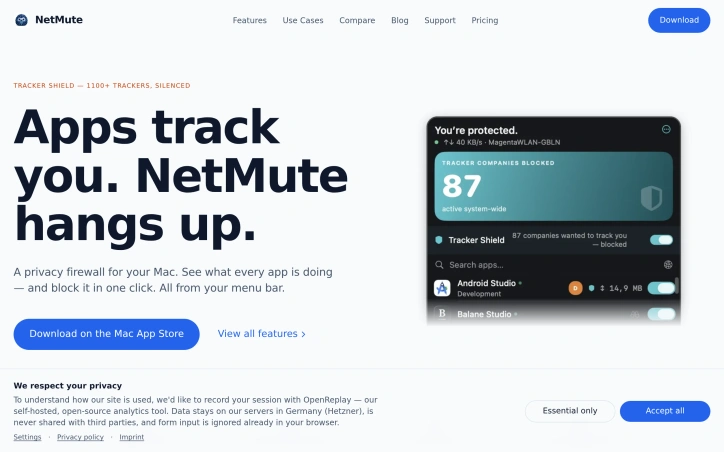
Privacy-conscious Mac users have gained a powerful ally in network management. NetMute addresses a growing frustration among computer users: the invisible background traffic that apps generate constantly, consuming bandwidth and exposing personal data without explicit permission. The core problem is straightforward but often overlooked. Most applications connect to dozens of external services—tracking pixels, analytics platforms, and advertising networks—silently transmitting data throughout your computing session. Users rarely understand the full scope of these connections or how to control them. NetMute surfaces this activity and puts the user in charge. The product offers more than simple blocking. Its Tracker Shield feature silences over 1,100 known tracking services at the network level, from advertising and analytics platforms to social media trackers and fingerprinting services. Rather than requiring users to manually identify and block individual tracking domains, a single toggle activates system-wide protection. The approach extends beyond individual tracker URLs; blocking Facebook's tracking infrastructure blocks all its subdomains automatically. Beyond tracker shielding, NetMute provides granular per-app firewall control. Users can block apps entirely from the internet or surgically disable specific endpoints while keeping others active. The application includes a privacy scoring system that rates each app based on its network behavior, helping users identify particularly intrusive software. Real-time traffic monitoring shows exactly what data flows between apps and external servers, with 90 days of searchable history stored locally on the Mac. Context-aware networking features round out the capability set. Network profiles adapt security settings based on location—stricter rules for untrusted networks like hotel Wi-Fi, looser restrictions for home networks. The software integrates with macOS Focus modes, automatically disconnecting certain apps when focus settings activate. The business model stands out for simplicity: a one-time purchase with no ongoing subscription fees. The app operates locally without requiring cloud services, meaning traffic analysis never leaves your Mac. NetMute targets privacy-focused Mac users who want transparency into app behavior and direct control over network access. It appeals to those frustrated by invisible tracking, users on limited bandwidth connections, and anyone seeking to reclaim network resources currently consumed by background activity. For this audience, NetMute transforms network management from a mysterious background process into an understandable, controllable system.

Security-software
J
Jonas

Privacy-conscious Mac users have gained a powerful ally in network management. NetMute addresses a growing frustration among computer users: the invisible background traffic that apps generate constantly, consuming bandwidth and exposing personal data without explicit permission. The core problem is straightforward but often overlooked. Most applications connect to dozens of external services—tracking pixels, analytics platforms, and advertising networks—silently transmitting data throughout your computing session. Users rarely understand the full scope of these connections or how to control them. NetMute surfaces this activity and puts the user in charge. The product offers more than simple blocking. Its Tracker Shield feature silences over 1,100 known tracking services at the network level, from advertising and analytics platforms to social media trackers and fingerprinting services. Rather than requiring users to manually identify and block individual tracking domains, a single toggle activates system-wide protection. The approach extends beyond individual tracker URLs; blocking Facebook's tracking infrastructure blocks all its subdomains automatically. Beyond tracker shielding, NetMute provides granular per-app firewall control. Users can block apps entirely from the internet or surgically disable specific endpoints while keeping others active. The application includes a privacy scoring system that rates each app based on its network behavior, helping users identify particularly intrusive software. Real-time traffic monitoring shows exactly what data flows between apps and external servers, with 90 days of searchable history stored locally on the Mac. Context-aware networking features round out the capability set. Network profiles adapt security settings based on location—stricter rules for untrusted networks like hotel Wi-Fi, looser restrictions for home networks. The software integrates with macOS Focus modes, automatically disconnecting certain apps when focus settings activate. The business model stands out for simplicity: a one-time purchase with no ongoing subscription fees. The app operates locally without requiring cloud services, meaning traffic analysis never leaves your Mac. NetMute targets privacy-focused Mac users who want transparency into app behavior and direct control over network access. It appeals to those frustrated by invisible tracking, users on limited bandwidth connections, and anyone seeking to reclaim network resources currently consumed by background activity. For this audience, NetMute transforms network management from a mysterious background process into an understandable, controllable system.

Balane NetMute preview

Key features

  • Tracker Shield: silences over 1,100 known tracking services at the network level including advertising, analytics, and social media trackers
  • Per-App Firewall: block apps entirely from the internet or surgically disable specific endpoints while keeping others active
See full listing
Rankid

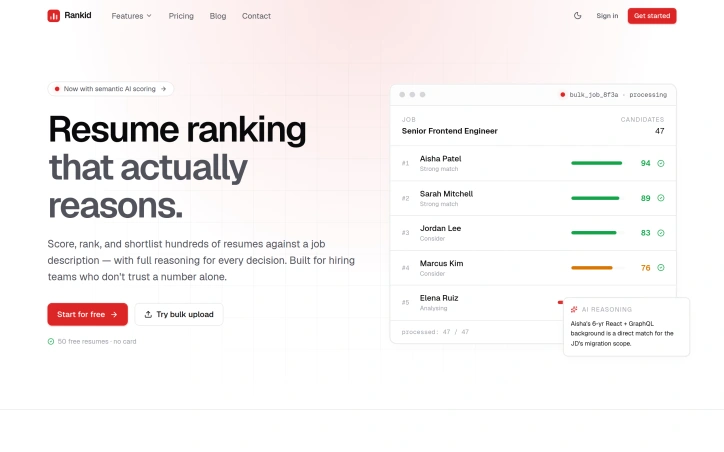
Candidate screening consumes disproportionate energy in hiring processes, with recruiters burning hours on manual resume reviews while relying on keyword-matching tools that produce opaque rankings. Rankid addresses this through semantic reasoning applied to resume evaluation, delivering ranked candidates alongside evidence for each decision. The product targets two audiences. Recruiters use bulk analysis to score dozens or hundreds of resumes against a single job description, returning a ranked leaderboard with AI reasoning. Individual job seekers analyze their own resume against target positions to identify gaps and strengths. A secondary feature adds document Q&A functionality, letting users extract specific information from PDFs, Word documents, or text through natural language queries. What distinguishes Rankid is its rejection of pure keyword matching in favor of semantic analysis. The platform evaluates whether a candidate's actual work demonstrates competency for the role, not whether the right terminology appears in the document. This matters because keyword tools often miss qualified candidates and flag unsuitable ones, while keeping scoring opaque. Rankid commits to transparency by explaining reasoning: which skills matched, what gaps exist, and where candidates fall short. The execution reflects practical hiring workflows. Bulk processing happens concurrently rather than sequentially, giving teams a complete ranked list quickly instead of waiting through serial analysis. The interface shows component breakdowns like technical skills coverage and experience alignment, providing hiring teams concrete information for decisions. Rankid includes a free tier allowing bulk analysis of 50 resumes without a credit card, lowering friction for smaller teams and candidates. The product succeeds because it solves a genuine pain point with a defensible approach. Hiring teams have repeatedly expressed skepticism of black-box scoring systems, and Rankid's emphasis on explainable reasoning addresses that directly. For recruiters handling high-volume screening, concurrent bulk analysis offers genuine time savings. For candidates, diagnostic feedback provides actionable intelligence for strengthening their candidacy.
Hiring-software
D
Dania Rizwan

Candidate screening consumes disproportionate energy in hiring processes, with recruiters burning hours on manual resume reviews while relying on keyword-matching tools that produce opaque rankings. Rankid addresses this through semantic reasoning applied to resume evaluation, delivering ranked candidates alongside evidence for each decision. The product targets two audiences. Recruiters use bulk analysis to score dozens or hundreds of resumes against a single job description, returning a ranked leaderboard with AI reasoning. Individual job seekers analyze their own resume against target positions to identify gaps and strengths. A secondary feature adds document Q&A functionality, letting users extract specific information from PDFs, Word documents, or text through natural language queries. What distinguishes Rankid is its rejection of pure keyword matching in favor of semantic analysis. The platform evaluates whether a candidate's actual work demonstrates competency for the role, not whether the right terminology appears in the document. This matters because keyword tools often miss qualified candidates and flag unsuitable ones, while keeping scoring opaque. Rankid commits to transparency by explaining reasoning: which skills matched, what gaps exist, and where candidates fall short. The execution reflects practical hiring workflows. Bulk processing happens concurrently rather than sequentially, giving teams a complete ranked list quickly instead of waiting through serial analysis. The interface shows component breakdowns like technical skills coverage and experience alignment, providing hiring teams concrete information for decisions. Rankid includes a free tier allowing bulk analysis of 50 resumes without a credit card, lowering friction for smaller teams and candidates. The product succeeds because it solves a genuine pain point with a defensible approach. Hiring teams have repeatedly expressed skepticism of black-box scoring systems, and Rankid's emphasis on explainable reasoning addresses that directly. For recruiters handling high-volume screening, concurrent bulk analysis offers genuine time savings. For candidates, diagnostic feedback provides actionable intelligence for strengthening their candidacy.

Rankid preview

Key features

  • Semantic Resume Analysis: Evaluates candidate competency through semantic reasoning instead of keyword matching
  • Ranked Candidate Leaderboard: Returns scored and ranked candidates with AI reasoning for bulk resume screening
See full listing
G

Planning casual daytips across South Korea typically requires juggling multiple applications—checking crowd conditions, weather forecasts, transit maps, and facility details separately before committing to a destination. Gap-trip consolidates these signals into a single Android app designed to streamline the outing selection process. The app targets local travelers and commuters looking to escape to nearby attractions without the planning friction. It covers all Korean regions and allows users to filter destinations by proximity (within 30, 60, or 90 minutes of travel), mode of transport (public transit, car, or walking focus), and destination type. The interface emphasizes real-time crowd congestion data where municipal sources provide it, supplemented by facility information, weather conditions, and estimated travel times. What distinguishes Gap-trip is its pragmatic approach to data integration. Rather than promising comprehensive information, the app surfaces only the signals available for each location, positioning itself as a planning aid rather than an authoritative source. Users can save favorite locations, build light courses for connected recommendations, and receive notifications when previously crowded spots become feasible to visit. The app also flags the nearest transit stations and surrounding context before users leave home, addressing a common friction point in Korean commuting. The feature set reflects a hyperlocal focus. The app provides real-time congestion indicators only in regions where public data supports them, avoiding the false precision that plagues many travel planning tools. Filtering by travel method rather than just distance acknowledges that a 30-minute walk, car ride, or train journey present fundamentally different use cases. Saved courses and notification triggers for low-congestion periods add friction-reduction for frequent users. Gap-trip operates on a freemium model. The base app is free and ad-supported. A paid option called Gap-trip Pass, priced at 2,900 won monthly, removes advertising and enhances notification and course functionality. This positioning targets budget-conscious users while capturing revenue from power users who plan frequent outings. The app remains in active development, with recent updates addressing stability and interface improvements.


Travel-apps
이재훈

Planning casual daytips across South Korea typically requires juggling multiple applications—checking crowd conditions, weather forecasts, transit maps, and facility details separately before committing to a destination. Gap-trip consolidates these signals into a single Android app designed to streamline the outing selection process. The app targets local travelers and commuters looking to escape to nearby attractions without the planning friction. It covers all Korean regions and allows users to filter destinations by proximity (within 30, 60, or 90 minutes of travel), mode of transport (public transit, car, or walking focus), and destination type. The interface emphasizes real-time crowd congestion data where municipal sources provide it, supplemented by facility information, weather conditions, and estimated travel times. What distinguishes Gap-trip is its pragmatic approach to data integration. Rather than promising comprehensive information, the app surfaces only the signals available for each location, positioning itself as a planning aid rather than an authoritative source. Users can save favorite locations, build light courses for connected recommendations, and receive notifications when previously crowded spots become feasible to visit. The app also flags the nearest transit stations and surrounding context before users leave home, addressing a common friction point in Korean commuting. The feature set reflects a hyperlocal focus. The app provides real-time congestion indicators only in regions where public data supports them, avoiding the false precision that plagues many travel planning tools. Filtering by travel method rather than just distance acknowledges that a 30-minute walk, car ride, or train journey present fundamentally different use cases. Saved courses and notification triggers for low-congestion periods add friction-reduction for frequent users. Gap-trip operates on a freemium model. The base app is free and ad-supported. A paid option called Gap-trip Pass, priced at 2,900 won monthly, removes advertising and enhances notification and course functionality. This positioning targets budget-conscious users while capturing revenue from power users who plan frequent outings. The app remains in active development, with recent updates addressing stability and interface improvements.

Gap-trip preview
G

Key features

  • Real-Time Crowd Data: Shows congestion indicators for destinations in regions with municipal data.
  • Multi-Method Filtering: Filter destinations by travel time, transport mode, and attraction type.
See full listing
ContractRev

Contract negotiation traditionally relies on either expensive lawyers or generic templates, leaving most signers vulnerable to hidden risks. ContractRev fills this gap by delivering personalized risk analysis that adapts to the signer's role and position. The product targets anyone facing contractual obligations where the stakes matter but a full legal review isn't practical. Its core innovation is perspective-based analysis. Rather than applying uniform risk criteria, the platform asks users to specify their role (employee or employer, tenant or landlord) and analyzes every clause through that lens. This makes the output immediately actionable rather than academically thorough. Three design decisions distinguish the offering. First, it delivers a revised contract document with track-changes rather than just a written report. Risky language is struck through; suggested alternatives appear in blue. This removes friction from the negotiation phase because the revised version can go directly to the other party. Second, every risk flag includes negotiation talking points—specific language to use when pushing back. Third, it offers a quick check mode for single clauses at one credit cost, versus three for a full review, giving users fine-grained control over spending. The customization layer adds practical value. The platform allows users to set personal standards once—liability caps, confidentiality windows, governing law preferences—and then automatically flags deviations in future reviews. This effectively shifts contract work from reactive evaluation to enforcement of preset policies. The free tier removes onboarding friction. Users get three free credits to try the product without signing up or providing payment information. If satisfied, anonymous reviews are claimed after registration. Files are end-to-end encrypted and auto-deleted after analysis, demonstrating serious attention to privacy for sensitive documents. The pricing model operates simply. Credits scale by review type: one per single clause, three per full review. Specific pricing for additional credits isn't disclosed publicly. The freemium approach with no required signup front-loads conversion potential. ContractRev delivers immediate value for straightforward agreements like employment offers, tenant contracts, or vendor deals. For complex M&A documents or bespoke legal arrangements, it functions better as an initial screening tool than final authorization source. The reliance on AI analysis without lawyer certification will concern users handling high-stakes negotiations, though the product directly addresses a gap where people either pay expensive rates for legal review or negotiate blind.


Legal-services
H
Hero can

Contract negotiation traditionally relies on either expensive lawyers or generic templates, leaving most signers vulnerable to hidden risks. ContractRev fills this gap by delivering personalized risk analysis that adapts to the signer's role and position. The product targets anyone facing contractual obligations where the stakes matter but a full legal review isn't practical. Its core innovation is perspective-based analysis. Rather than applying uniform risk criteria, the platform asks users to specify their role (employee or employer, tenant or landlord) and analyzes every clause through that lens. This makes the output immediately actionable rather than academically thorough. Three design decisions distinguish the offering. First, it delivers a revised contract document with track-changes rather than just a written report. Risky language is struck through; suggested alternatives appear in blue. This removes friction from the negotiation phase because the revised version can go directly to the other party. Second, every risk flag includes negotiation talking points—specific language to use when pushing back. Third, it offers a quick check mode for single clauses at one credit cost, versus three for a full review, giving users fine-grained control over spending. The customization layer adds practical value. The platform allows users to set personal standards once—liability caps, confidentiality windows, governing law preferences—and then automatically flags deviations in future reviews. This effectively shifts contract work from reactive evaluation to enforcement of preset policies. The free tier removes onboarding friction. Users get three free credits to try the product without signing up or providing payment information. If satisfied, anonymous reviews are claimed after registration. Files are end-to-end encrypted and auto-deleted after analysis, demonstrating serious attention to privacy for sensitive documents. The pricing model operates simply. Credits scale by review type: one per single clause, three per full review. Specific pricing for additional credits isn't disclosed publicly. The freemium approach with no required signup front-loads conversion potential. ContractRev delivers immediate value for straightforward agreements like employment offers, tenant contracts, or vendor deals. For complex M&A documents or bespoke legal arrangements, it functions better as an initial screening tool than final authorization source. The reliance on AI analysis without lawyer certification will concern users handling high-stakes negotiations, though the product directly addresses a gap where people either pay expensive rates for legal review or negotiate blind.

ContractRev preview

Key features

  • Perspective-Based Analysis: Analyzes contracts through the lens of your specific role (employee, employer, tenant, landlord) rather than applying uniform risk criteria.
  • Track-Changes Output: Delivers a revised contract with risky language struck through and suggested alternatives in blue, ready to send directly to the other party.
See full listing
MagicGEO
MagicGEO 🔥 Trending

Merchants operating e-commerce and local service businesses face an increasingly critical visibility gap: they rank well in traditional search engines but remain virtually invisible to AI-powered search platforms like ChatGPT, Perplexity, and Google's Search Generative Experience. MagicGEO addresses this emerging problem head-on by enabling Shopify and WooCommerce store owners to gain citations—not just rankings—from AI search engines. The product tackles what amounts to a new search paradigm that traditional SEO alone cannot solve. While conventional optimization focuses on appearing in Google's index and organic results, AI search engines operate through different mechanisms. They train on web data but prioritize sources they recognize and cite directly. Small merchants, despite solid SEO fundamentals, fall outside this ecosystem because their content lacks the signals these systems rely on. MagicGEO bridges that gap through automated infrastructure changes: schema injection to add structured data, llms.txt file deployment, GEO scoring mechanisms, and built-in citation tracking to monitor visibility across multiple AI platforms. What distinguishes this entry is its recognition that the AI search opportunity has already arrived. Rather than positioning itself as a speculative bet on emerging technology, the product functions as a practical response to a concrete distribution problem merchants face today. The solution's strength lies in its simplicity—the founder emphasizes it works "in one click," suggesting the technical complexities of AI search optimization are abstracted away from users who lack the expertise to implement these changes manually. The product has reached functional maturity; the founder explicitly notes it is ready for use and already deployed across real store operations. This moves MagicGEO beyond concept validation into the phase where actual merchants are testing and relying on its citation capabilities. Being built by a solo founder adds a lean efficiency to the offering, though it also signals the current stage of business maturity. The stated business focus is distribution rather than product development. This positioning indicates confidence that the core technology solves the problem, and the challenge ahead lies in reaching enough merchants to build meaningful revenue and market presence. For Shopify and WooCommerce operators worried about their visibility in AI-powered search, particularly those in competitive local services or e-commerce niches, MagicGEO offers a focused tool that directly addresses a gap traditional SEO services have yet to fill.
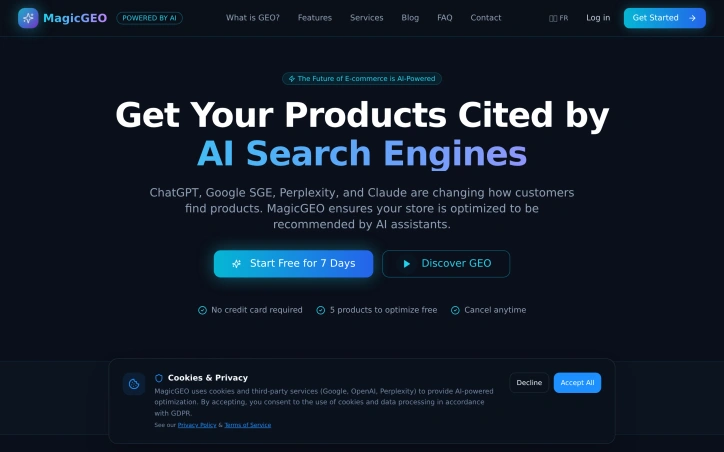

Geo-tools
R
Rida ilyes

Merchants operating e-commerce and local service businesses face an increasingly critical visibility gap: they rank well in traditional search engines but remain virtually invisible to AI-powered search platforms like ChatGPT, Perplexity, and Google's Search Generative Experience. MagicGEO addresses this emerging problem head-on by enabling Shopify and WooCommerce store owners to gain citations—not just rankings—from AI search engines. The product tackles what amounts to a new search paradigm that traditional SEO alone cannot solve. While conventional optimization focuses on appearing in Google's index and organic results, AI search engines operate through different mechanisms. They train on web data but prioritize sources they recognize and cite directly. Small merchants, despite solid SEO fundamentals, fall outside this ecosystem because their content lacks the signals these systems rely on. MagicGEO bridges that gap through automated infrastructure changes: schema injection to add structured data, llms.txt file deployment, GEO scoring mechanisms, and built-in citation tracking to monitor visibility across multiple AI platforms. What distinguishes this entry is its recognition that the AI search opportunity has already arrived. Rather than positioning itself as a speculative bet on emerging technology, the product functions as a practical response to a concrete distribution problem merchants face today. The solution's strength lies in its simplicity—the founder emphasizes it works "in one click," suggesting the technical complexities of AI search optimization are abstracted away from users who lack the expertise to implement these changes manually. The product has reached functional maturity; the founder explicitly notes it is ready for use and already deployed across real store operations. This moves MagicGEO beyond concept validation into the phase where actual merchants are testing and relying on its citation capabilities. Being built by a solo founder adds a lean efficiency to the offering, though it also signals the current stage of business maturity. The stated business focus is distribution rather than product development. This positioning indicates confidence that the core technology solves the problem, and the challenge ahead lies in reaching enough merchants to build meaningful revenue and market presence. For Shopify and WooCommerce operators worried about their visibility in AI-powered search, particularly those in competitive local services or e-commerce niches, MagicGEO offers a focused tool that directly addresses a gap traditional SEO services have yet to fill.

MagicGEO preview

Key features

  • Schema Injection: Adds structured data to stores for AI search engine recognition
  • llms.txt Deployment: Deploys llms.txt files to improve visibility in AI search platforms
See full listing
Clean Image

Privacy concerns about cloud-based photo editing have driven innovation in browser-based alternatives, and Clean Image addresses this directly by processing images entirely on the user's device. The tool targets anyone who needs to remove unwanted elements from photos—text overlays, logos, timestamps, blemishes, and stray objects—without uploading their files to external servers. The standout feature is the privacy-first architecture. All processing runs locally through ONNX Runtime and WebAssembly, meaning images never leave the browser. The application uses the OpenCV LaMa neural network to reconstruct areas where users paint over unwanted content, relying on surrounding pixels to generate replacements. This approach works particularly well on clean backgrounds and straightforward removal tasks like text or logos. The user experience emphasizes simplicity. The interface follows an intuitive brush-and-paint metaphor: users tap to aim and paint over elements they want removed, then trigger the erasure. Undo and clear options let them refine before downloading the result. Performance addresses one of the common friction points with local AI tools. The neural network model requires a one-time download of approximately 89 megabytes, which caches in the browser. After this initial load, subsequent uses deliver instant processing with zero data usage, removing the bandwidth burden of repeated cloud uploads. Clean Image supports common image formats including PNG, JPG, and WebP, accommodating most typical photo libraries. The before-and-after comparison feature lets users validate results before saving. The primary limitation stems from its design strength: effectiveness depends heavily on background consistency. Complex, busy backgrounds present challenges for the reconstruction algorithm, which is typical of inpainting-based approaches. Users seeking to remove unwanted content from highly textured or diverse backgrounds would encounter diminishing returns. Clean Image fills a genuine gap for privacy-conscious users who previously had to choose between convenience and data protection. For straightforward removal tasks on suitable images, the local processing approach delivers practical value without sacrificing privacy. The tool serves professionals and casual users alike who prioritize keeping their photos local while leveraging modern AI capabilities.


Photo-editing
C
cornelius goodall

Privacy concerns about cloud-based photo editing have driven innovation in browser-based alternatives, and Clean Image addresses this directly by processing images entirely on the user's device. The tool targets anyone who needs to remove unwanted elements from photos—text overlays, logos, timestamps, blemishes, and stray objects—without uploading their files to external servers. The standout feature is the privacy-first architecture. All processing runs locally through ONNX Runtime and WebAssembly, meaning images never leave the browser. The application uses the OpenCV LaMa neural network to reconstruct areas where users paint over unwanted content, relying on surrounding pixels to generate replacements. This approach works particularly well on clean backgrounds and straightforward removal tasks like text or logos. The user experience emphasizes simplicity. The interface follows an intuitive brush-and-paint metaphor: users tap to aim and paint over elements they want removed, then trigger the erasure. Undo and clear options let them refine before downloading the result. Performance addresses one of the common friction points with local AI tools. The neural network model requires a one-time download of approximately 89 megabytes, which caches in the browser. After this initial load, subsequent uses deliver instant processing with zero data usage, removing the bandwidth burden of repeated cloud uploads. Clean Image supports common image formats including PNG, JPG, and WebP, accommodating most typical photo libraries. The before-and-after comparison feature lets users validate results before saving. The primary limitation stems from its design strength: effectiveness depends heavily on background consistency. Complex, busy backgrounds present challenges for the reconstruction algorithm, which is typical of inpainting-based approaches. Users seeking to remove unwanted content from highly textured or diverse backgrounds would encounter diminishing returns. Clean Image fills a genuine gap for privacy-conscious users who previously had to choose between convenience and data protection. For straightforward removal tasks on suitable images, the local processing approach delivers practical value without sacrificing privacy. The tool serves professionals and casual users alike who prioritize keeping their photos local while leveraging modern AI capabilities.

Clean Image preview

Key features

  • Local Image Processing: All processing runs directly in your browser using ONNX Runtime and WebAssembly, keeping images on your device
  • Privacy-First Architecture: Complete client-side processing ensures your images never leave the browser
See full listing
YT Video Summarizer

Content summarization tools have proliferated in recent years, yet most focus on text-based articles rather than the video content that increasingly dominates online consumption. YT Video Summarizer addresses this gap by letting users extract key information from YouTube videos without committing to full playbacks. The target audience spans students, researchers, busy professionals, and content curators who need efficient ways to evaluate or reference video material across educational, technical, and entertainment categories. The core functionality is straightforward: users paste any YouTube link, select their preferred summary length—Short, Medium, or Detailed—and receive an AI-generated summary within seconds. The tool accepts standard watch links, shortened youtu.be URLs, Shorts, and even playlist links, suggesting broad compatibility across YouTube's ecosystem. This flexibility removes friction from the workflow; users don't need to adapt their links or worry about unsupported formats. What distinguishes YT Video Summarizer is its multi-format export capability. Beyond reading summaries directly, users can download content as plain text, Markdown, or PDF, or copy individual sections for quick reference. This adaptability to different downstream workflows—pasting into notes, saving to external knowledge systems, or creating formatted documents—adds practical value beyond summarization itself. The tool also handles non-English videos, expanding its utility for international users and multilingual research scenarios. The application demonstrates technical competence in managing YouTube's transcript retrieval, which occasionally triggers verification requirements that the tool acknowledges upfront. This transparency about technical constraints is refreshing; rather than hiding behind a polished facade, the FAQ addresses real friction points users may encounter. The product occupies a niche where demand is demonstrable: video content continues growing faster than most people can watch it, and time-compressed alternatives have proven valuable in education and professional settings. YT Video Summarizer takes a utilitarian approach—no frills, straightforward interface, focus on solving a single problem well. Whether it achieves meaningful scale depends on factors the website doesn't address: how well the AI summaries actually capture video substance, how users discover it among competing tools, and what happens when platforms tighten API access. For now, it offers a working solution to a real problem.


Ai-notetakers
G
Grant Stanton

Content summarization tools have proliferated in recent years, yet most focus on text-based articles rather than the video content that increasingly dominates online consumption. YT Video Summarizer addresses this gap by letting users extract key information from YouTube videos without committing to full playbacks. The target audience spans students, researchers, busy professionals, and content curators who need efficient ways to evaluate or reference video material across educational, technical, and entertainment categories. The core functionality is straightforward: users paste any YouTube link, select their preferred summary length—Short, Medium, or Detailed—and receive an AI-generated summary within seconds. The tool accepts standard watch links, shortened youtu.be URLs, Shorts, and even playlist links, suggesting broad compatibility across YouTube's ecosystem. This flexibility removes friction from the workflow; users don't need to adapt their links or worry about unsupported formats. What distinguishes YT Video Summarizer is its multi-format export capability. Beyond reading summaries directly, users can download content as plain text, Markdown, or PDF, or copy individual sections for quick reference. This adaptability to different downstream workflows—pasting into notes, saving to external knowledge systems, or creating formatted documents—adds practical value beyond summarization itself. The tool also handles non-English videos, expanding its utility for international users and multilingual research scenarios. The application demonstrates technical competence in managing YouTube's transcript retrieval, which occasionally triggers verification requirements that the tool acknowledges upfront. This transparency about technical constraints is refreshing; rather than hiding behind a polished facade, the FAQ addresses real friction points users may encounter. The product occupies a niche where demand is demonstrable: video content continues growing faster than most people can watch it, and time-compressed alternatives have proven valuable in education and professional settings. YT Video Summarizer takes a utilitarian approach—no frills, straightforward interface, focus on solving a single problem well. Whether it achieves meaningful scale depends on factors the website doesn't address: how well the AI summaries actually capture video substance, how users discover it among competing tools, and what happens when platforms tighten API access. For now, it offers a working solution to a real problem.

YT Video Summarizer preview

Key features

  • YouTube Link Input: Accepts standard watch links, shortened youtu.be URLs, Shorts, and playlist links
  • Customizable Summary Length: Users select Short, Medium, or Detailed summary options before generation
See full listing
Pack Prep Tools

Small sellers often face a recurring operational bottleneck: making packaging decisions that balance cost, speed, and product safety. Pack Prep Tools addresses this friction by bundling 32 focused calculators into a browser-based system designed to guide users through standardized packaging workflows. The product's architecture reflects clear operational thinking. Rather than offering one kitchen-sink calculator, the platform organizes tools around a four-stage dispatch flow: measuring the final shipment, sizing protective materials, estimating closure requirements, and modeling total cost. This structure mirrors how small operations actually move orders out the door, turning an abstract calculation problem into a sequence of practical decisions. The calculator portfolio spans three operational domains. Package preparation tools handle box sizing, void fill estimation, and tape planning. Cost tracking calculators combine material usage with waste allowance and labor hours to project per-order economics. Supply-side tools address inventory and pallet planning, including cases-per-pallet calculations and unit load optimization. The breadth suggests the founder understands where small sellers typically stumble: not just which box to choose, but how many boxes to buy, when to reorder, and what a packed order actually costs. What distinguishes Pack Prep Tools from generic shipping calculators is its pairing of computational tools with reference documentation. The product includes 22 controlled documents comprising measurement guides and reference sheets. These aren't cursory tooltips; they cover substantive territory like dimensional weight divisors and clearance planning. For sellers unfamiliar with the mechanics behind their own operations, this documentation bridges a real knowledge gap. The product targets a specific customer: small ecommerce operators or fulfillment teams making packaging decisions at volume. The problem isn't one-off decisions but establishing repeatable processes and cost baselines for orders in flight. A seller who knows their box sizes but not their void fill strategy, or who suspects their packing labor is untracked, finds specific value here. Pack Prep Tools operates as a utility rather than a platform. It asks users to input their own product dimensions, protective material preferences, and labor costs, then returns calculated outputs. This approach scales to many different business models and product categories without requiring the seller to fit their operation to the tool. For operations already tracking these inputs, the calculators become immediate force multipliers on decision-making speed.
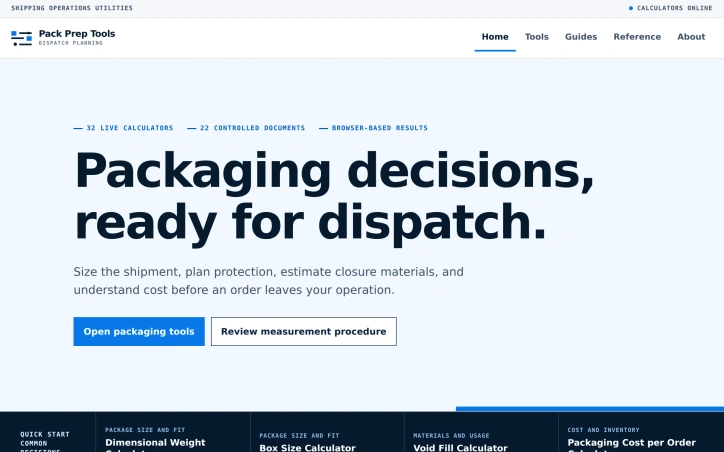
Ecommerce-platforms
C
canghun13

Small sellers often face a recurring operational bottleneck: making packaging decisions that balance cost, speed, and product safety. Pack Prep Tools addresses this friction by bundling 32 focused calculators into a browser-based system designed to guide users through standardized packaging workflows. The product's architecture reflects clear operational thinking. Rather than offering one kitchen-sink calculator, the platform organizes tools around a four-stage dispatch flow: measuring the final shipment, sizing protective materials, estimating closure requirements, and modeling total cost. This structure mirrors how small operations actually move orders out the door, turning an abstract calculation problem into a sequence of practical decisions. The calculator portfolio spans three operational domains. Package preparation tools handle box sizing, void fill estimation, and tape planning. Cost tracking calculators combine material usage with waste allowance and labor hours to project per-order economics. Supply-side tools address inventory and pallet planning, including cases-per-pallet calculations and unit load optimization. The breadth suggests the founder understands where small sellers typically stumble: not just which box to choose, but how many boxes to buy, when to reorder, and what a packed order actually costs. What distinguishes Pack Prep Tools from generic shipping calculators is its pairing of computational tools with reference documentation. The product includes 22 controlled documents comprising measurement guides and reference sheets. These aren't cursory tooltips; they cover substantive territory like dimensional weight divisors and clearance planning. For sellers unfamiliar with the mechanics behind their own operations, this documentation bridges a real knowledge gap. The product targets a specific customer: small ecommerce operators or fulfillment teams making packaging decisions at volume. The problem isn't one-off decisions but establishing repeatable processes and cost baselines for orders in flight. A seller who knows their box sizes but not their void fill strategy, or who suspects their packing labor is untracked, finds specific value here. Pack Prep Tools operates as a utility rather than a platform. It asks users to input their own product dimensions, protective material preferences, and labor costs, then returns calculated outputs. This approach scales to many different business models and product categories without requiring the seller to fit their operation to the tool. For operations already tracking these inputs, the calculators become immediate force multipliers on decision-making speed.

Pack Prep Tools preview

Key features

  • 32 Focused Calculators: The platform bundles 32 specialized calculators for packaging decisions.
  • Four-Stage Dispatch Flow: Tools guide users through measuring, sizing, estimating, and modeling costs in sequence.
See full listing