1. X
  2. Microsoft Copilot
Log inSign up
Microsoft Copilot
3,879 posts
Image
user avatar
Microsoft Copilot
@Copilot
copilot.com
Joined March 2023
0
Following
60.8K
Followers
RepliesRepliesMediaMedia

Log in or sign up for X

See what’s happening and join the conversation

Continue with phone
or
Log in with username or email
Terms·Privacy·Cookies·Accessibility·Ads Info·© 2026 X Corp.
  • Pinned
    user avatar
    Microsoft Copilot
    @Copilot
    May 29
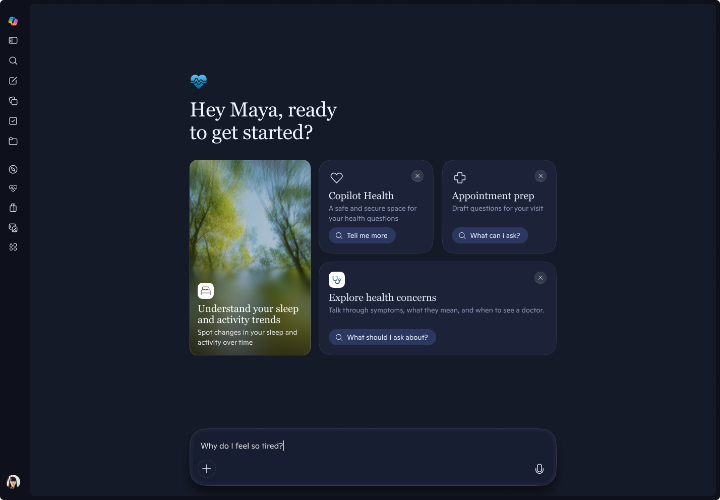
    You have questions. Copilot Health has clarity. Copilot Health is a new safe and secure place where you can ask health questions, connect the dots between your wearable data and health records, and get personalized insights. Now available in preview for Microsoft 365 Personal,
    Image
    00:00
    36K
  • user avatar
    Microsoft Copilot
    @Copilot
    Jun 29
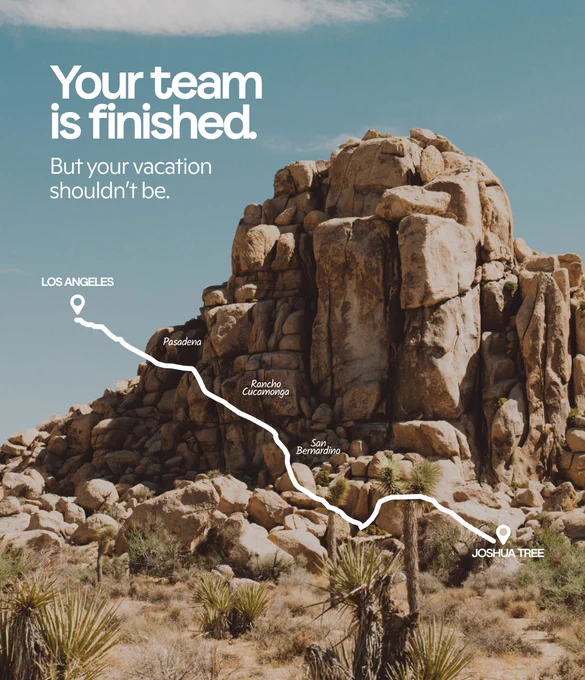
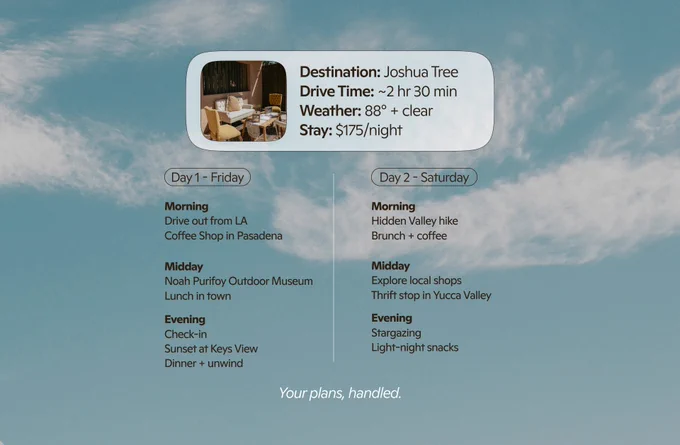
    Plans changed? That’s just a new prompt. Copilot can turn a free day into your favorite part of the vacation.
    Desert rocks and sparse plants in Joshua Tree with a white route map from Los Angeles overlaid. Text reads: “Your team is finished. But your vacation shouldn’t be.”
    A Joshua Tree desert scene with rocky formations and Joshua trees under a clear sky. Center text box reads: “Plan your weekend escape” with a prompt about planning a last‑minute Joshua Tree trip.
    A Joshua Tree weekend itinerary graphic with a small photo of a cozy seating area. The layout lists drive time, weather, stay cost, and a two‑day plan with hikes, museums, food stops, shopping, and stargazing. Text at the bottom reads: “Your plans, handled.”
    10K
  • user avatar
    Microsoft Copilot
    @Copilot
    Apr 22
    Exactly the kind of workflow Tasks is built for
    user avatar
    Visivolytix
    @visivolytix
    Apr 22
    Tried @Copilot Tasks for the first time today and was impressed. Great UI, thoughtful planning with a smart follow-ups to refine request. The output was concise and to the point. It even generated an Excel worksheet to review and test scenarios. Excellent work by @MicrosoftAI
    24K
  • user avatar
    Microsoft Copilot
    @Copilot
    Apr 22
    Let’s figure out easing back into the whole 'being social' thing, together.
    13K
  • user avatar
    Microsoft Copilot
    @Copilot
    Apr 20
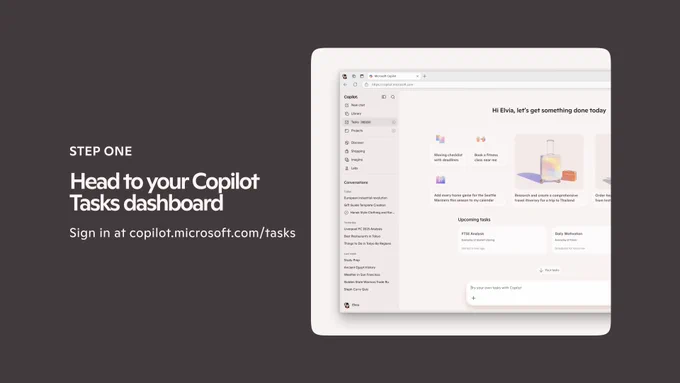
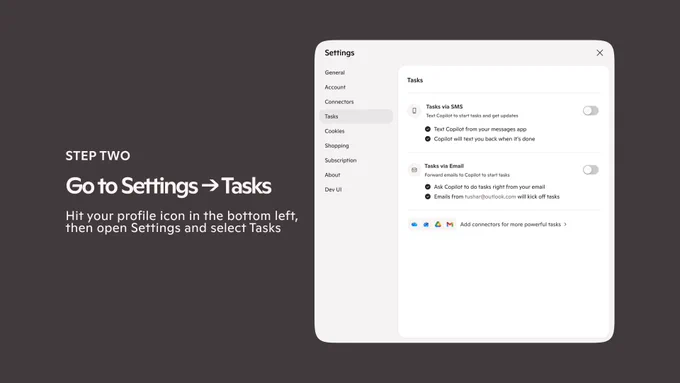
    All those emails you need to get to? Consider them finished with the help of Copilot Tasks. Now, you can start a task by forwarding an email or sending a text to Copilot. No app switching. No new workflow. Just delegate, walk away, and get notified when it's done. Turn on SMS +
    A step-by-step tutorial slide showing the Copilot Tasks dashboard in a browser window at copilot.microsoft.com. The left side reads "STEP ONE – Head to your Copilot Tasks dashboard" with body copy directing users to sign in at copilot.microsoft.com/tasks. The UI shows a sidebar with Tasks highlighted, upcoming tasks cards, and suggested prompts.
    A tutorial slide showing the Copilot Settings panel open to the Tasks tab. The left side reads "STEP TWO – Go to Settings → Tasks" with instructions to hit the profile icon in the bottom left. The settings panel displays toggle options for Tasks via SMS and Tasks via Email, both shown in the off state.
    A tutorial slide showing two zoomed-in settings cards for Tasks via SMS and Tasks via Email, both with green toggles switched on. The left side reads "STEP THREE – Turn on SMS and email" with instructions for enabling each channel.
    A closing slide with the headline "That's it. Now Copilot Tasks works for you." on the left, and four benefit statements on the right covering automated follow-through, no app needed, smart parsing, and real-life use cases like flights, subscriptions, and digests.
    31K
  • See @Copilot's full profile

    Sign up
    Log in
Advertisement
Advertisement